Sipeed has launched the NanoKVM, which is nothing short of a blessing for desktops and workstations lacking a BMC. With this device, you can easily achieve remote management capabilities previously available only on servers.
Introduction to NanoKVM
The Lichee NanoKVM is an IP-KVM product based on the LicheeRV Nano, inheriting the LicheeRV Nano’s ultra-compact size and powerful functionality.
NanoKVM includes an HDMI input interface that allows a computer to recognize it as a display, capturing the computer’s screen output; a USB 2.0 interface connects to the host computer, recognized as HID devices such as keyboard, mouse, or touchpad, while utilizing the extra storage space on a TF card to mount as a USB drive; all models come standard with a 100 Mbps Ethernet port for network transmission of video and control signals. Additionally, the Full version features an ATX power control interface (in USB-C form) for convenient remote monitoring and control of the host’s power state; the Full version also includes an OLED display under its casing to show the device’s IP address and KVM-related status.
To meet diverse user needs, NanoKVM offers two versions:
- NanoKVM Lite: A base configuration suitable for DIY-savvy individual users and enterprise users with bulk requirements.
- NanoKVM Full: A complete configuration with a premium enclosure and full accessories, including a pre-flashed system image on the included TF card, recommended for individual users.
Official NanoKVM Wiki documentation: https://url.zeruns.com/NanoKVM
Purchase NanoKVM: https://s.click.taobao.com/JxuH12t
Use Cases
- Server Management: Real-time monitoring of servers, retrieving operational status, and remote control.
- Remote Desktop & Power Control: NanoKVM bypasses the need for the host to be network-connected or rely on software, providing direct hardware-level remote control.
- Remote OS Installation: NanoKVM emulates a USB drive, allowing mounting of OS installation images and BIOS access for system setup.
- Remote Serial Port (currently not exposed in Full version beta): Two serial ports are available for use with IPMI, enabling users to expand functionality with additional accessories.
- More features to come (e.g., live streaming), stay tuned.
Some cloud server providers are already using this NanoKVM (including PCIe card versions) to offer physical server rentals with consumer CPUs like Intel i9 or AMD R9. For example, RainCloud has deployed NanoKVM for i7-14700HX physical machine rentals: https://blog.zeruns.com/archives/839.html
Specifications
| Feature | NanoKVM (Lite) | NanoKVM (Full) | PiKVM V4 |
|---|---|---|---|
| Computing Unit | LicheeRV Nano (RISCV) | LicheeRV Nano (RISCV) | CM4 (ARM) |
| Resolution | 1080P @ 60fps | 1080P @ 60fps | 1080P @ 60fps |
| Video Encoding | MJPEG, H264 (developing) | MJPEG, H264 (developing) | MJPEG, H264 |
| Video Latency | 90–230ms | 90–230ms | 100–230ms |
| UEFI/BIOS Support | ✓ | ✓ | ✓ |
| Emulated USB Keyboard/Mouse | ✓ | ✓ | ✓ |
| Emulated USB Storage | ✓ | ✓ | ✓ |
| IPMI | ✓ | ✓ | ✓ |
| Wake-on-LAN | ✓ | ✓ | ✓ |
| ATX Power Control | Not included, user-provided | USB interface IO control board | RJ45 IO control board |
| OLED Display | Not included, user-expandable | 128x64 0.96" white | 128x32 0.91" white |
| External Serial | 2 channels | 2 channels | 1 channel |
| TF Card | Not included, user-provided | Included, ready-to-use | Included |
| Expansion Options | None | WiFi or PoE | WiFi/LTE |
| Power Consumption | 0.2A@5V | 0.2A@5V | Peak 2.6A@5V |
| Power Input | Powered via PC USB | PC USB or external auxiliary power | Requires DC 5V 3A |
| Cooling | Silent, fanless | Silent, fanless | Requires active fan cooling |
| Dimensions | 23x37x15mm (~1/30 volume of PiKVM V4) | 40x36x36mm (~1/7 volume of PiKVM V4) | 120x68x44mm |
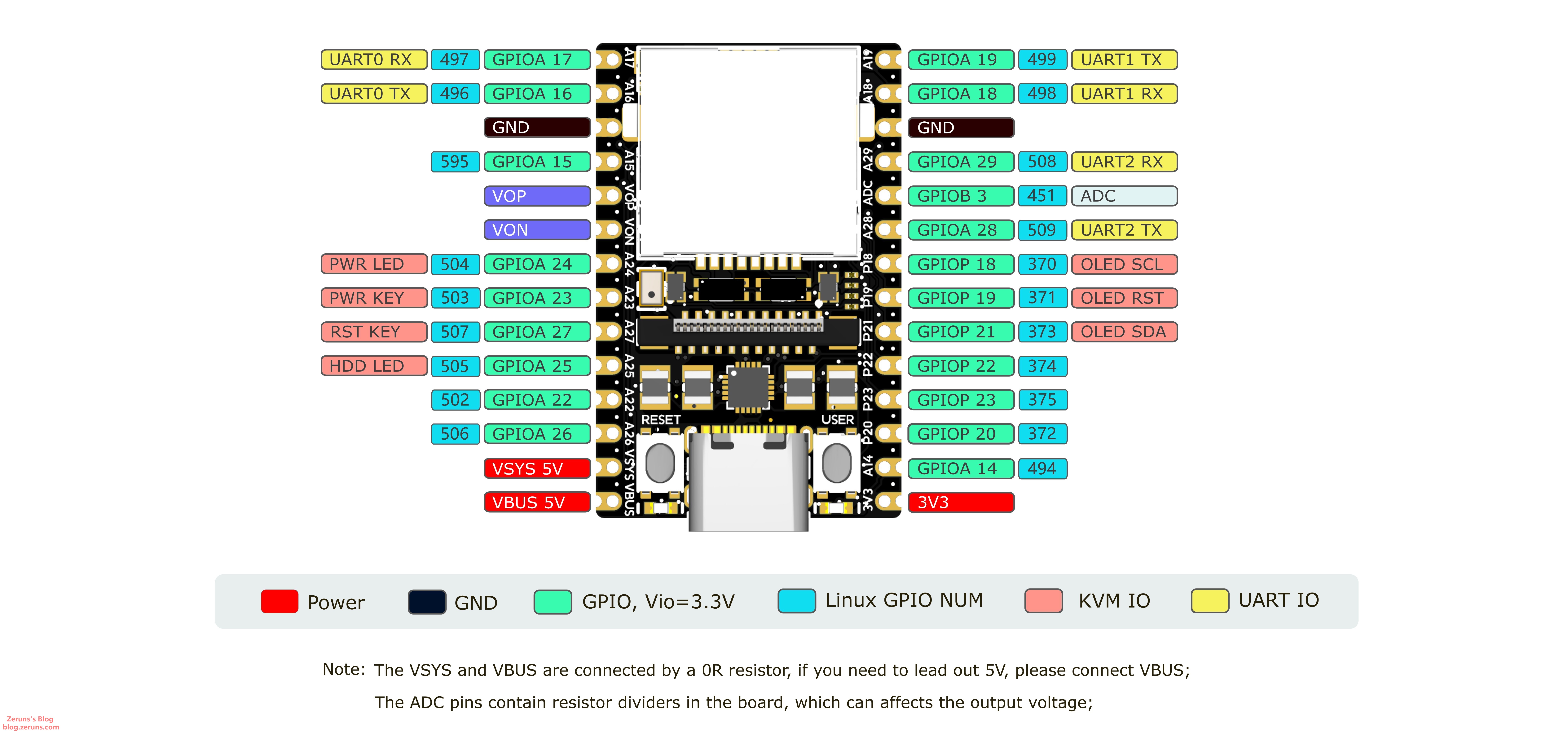
Unboxing
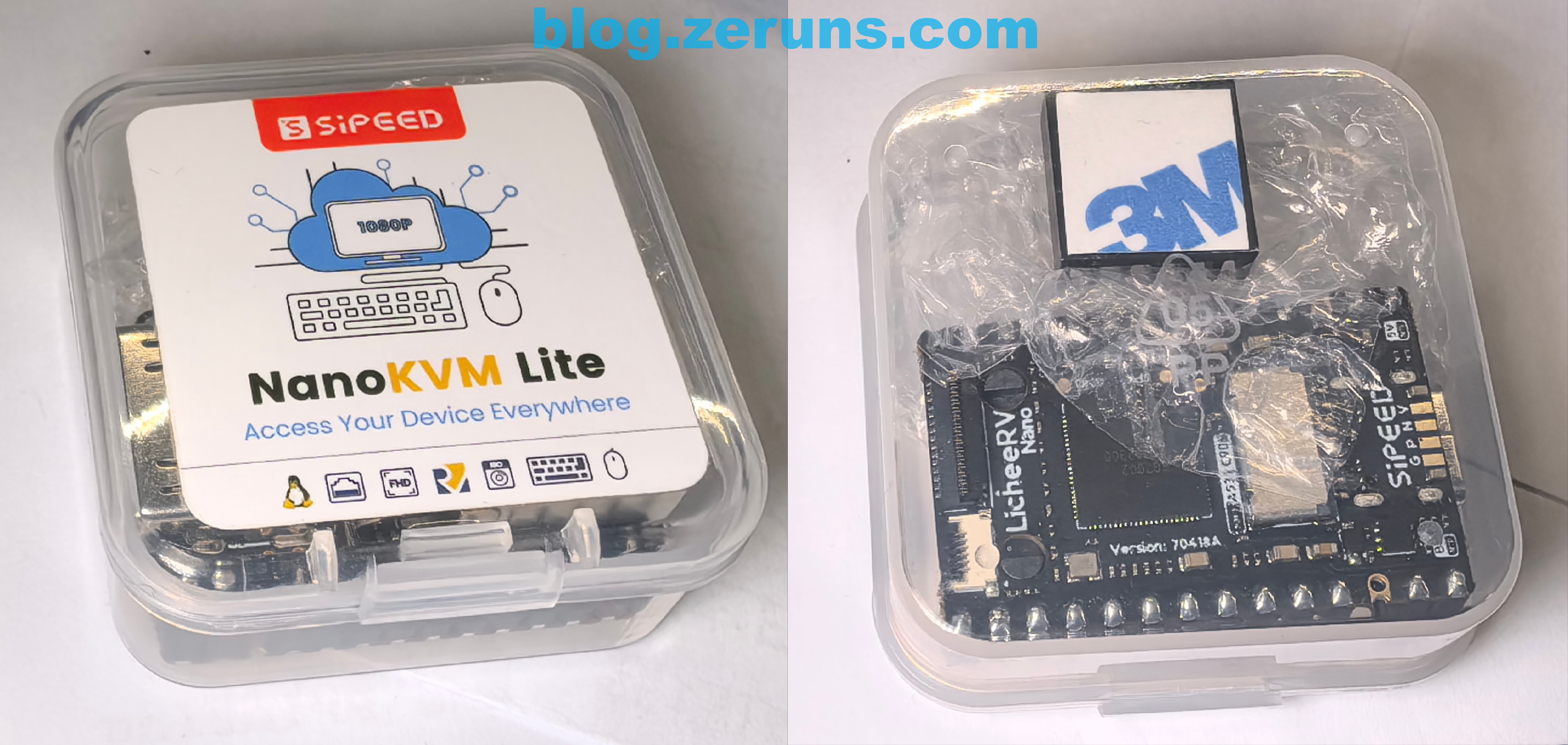
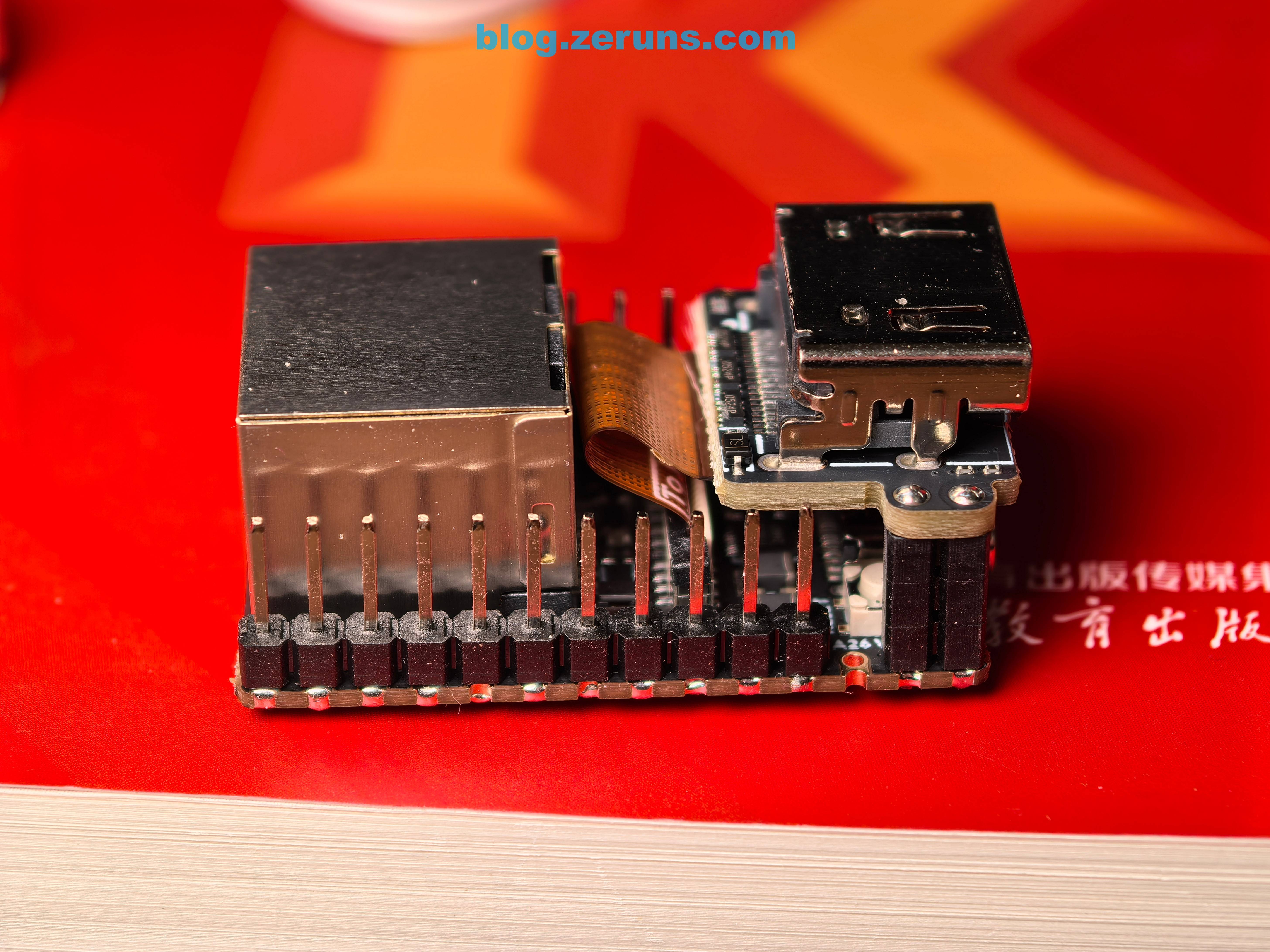
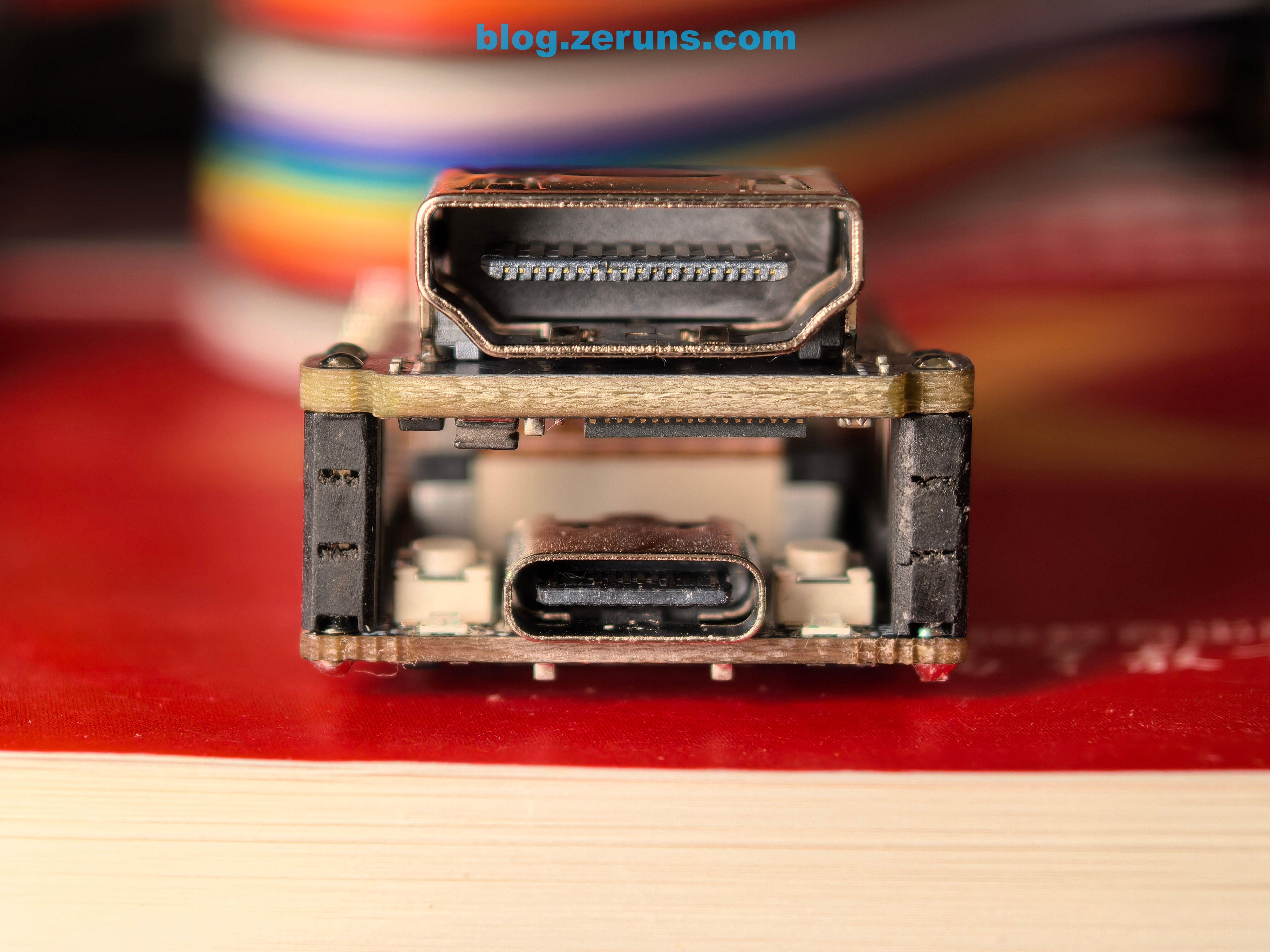
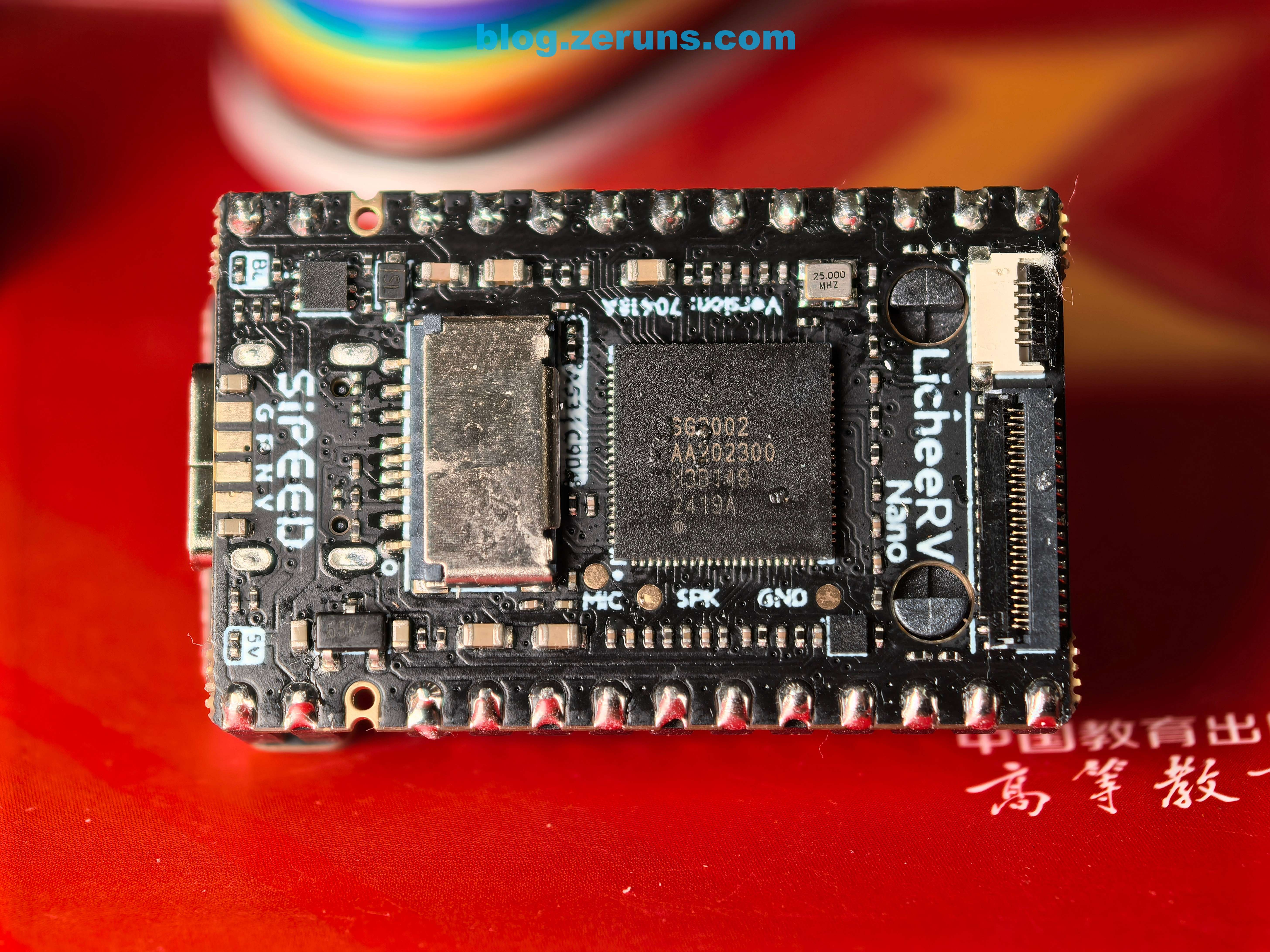
I purchased both the Lite and Full versions. The images below show the Lite version, which comes in a small transparent box containing the NanoKVM and a heatsink with thermal adhesive.
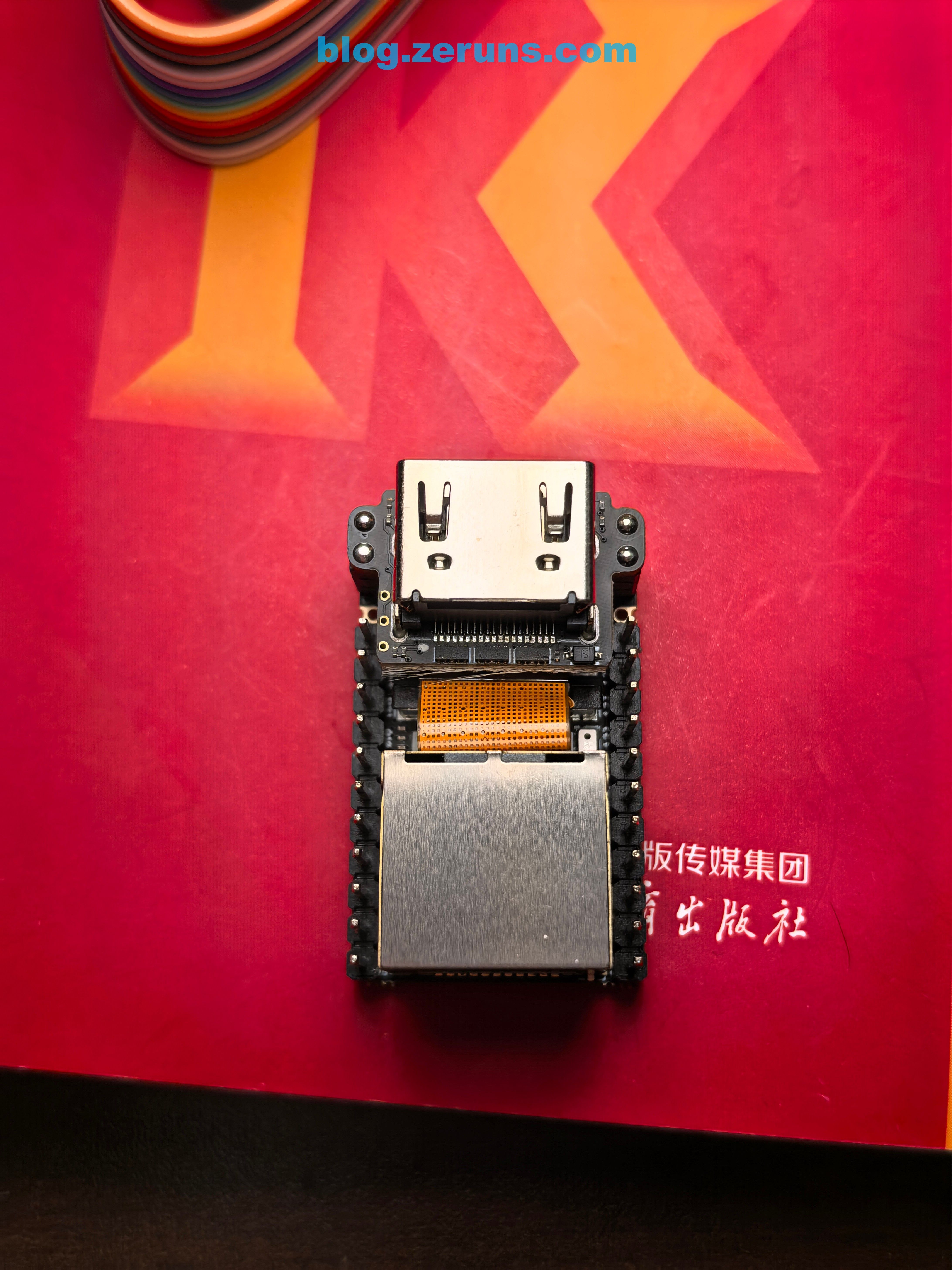
Top view of NanoKVM Lite
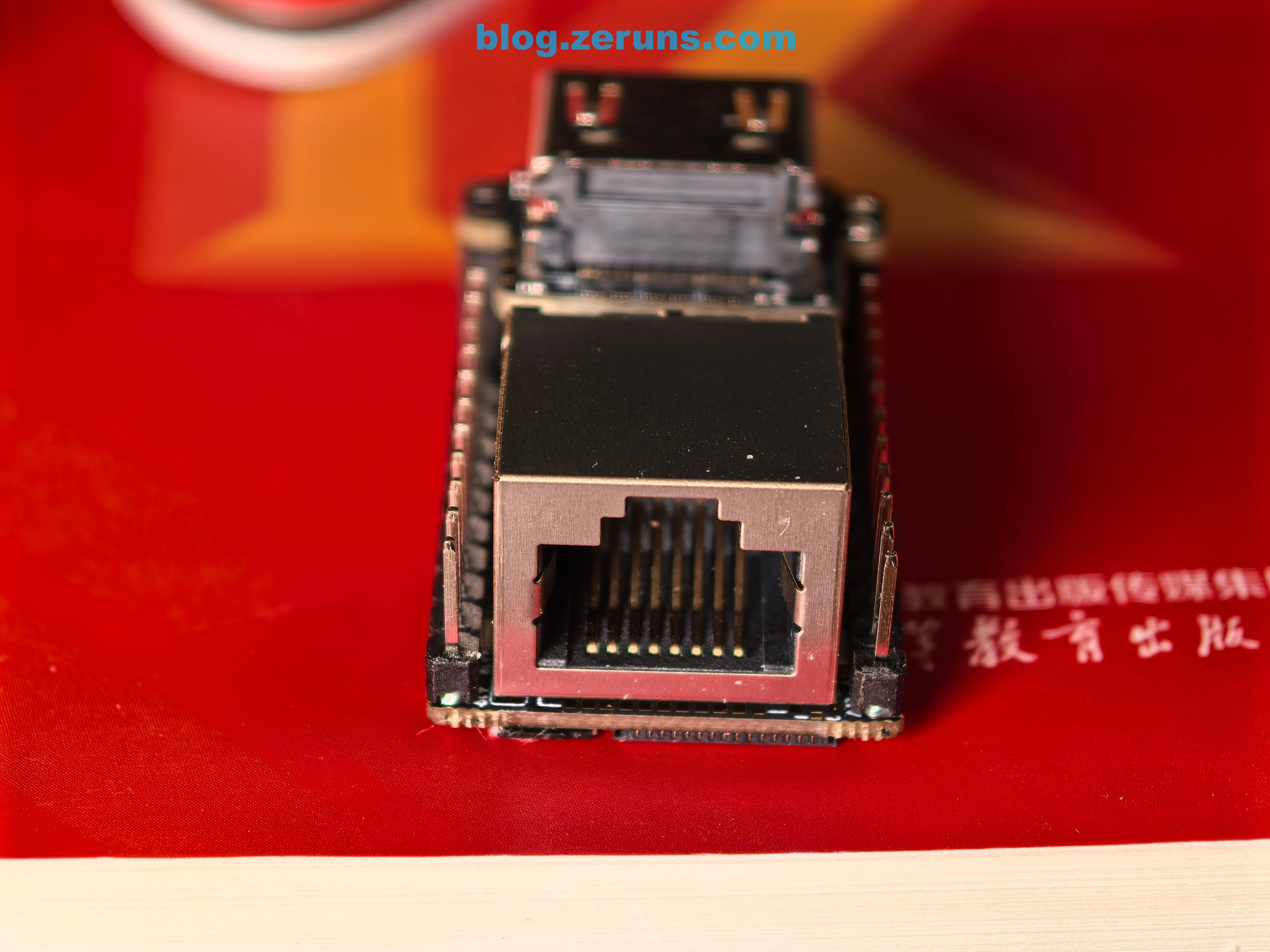
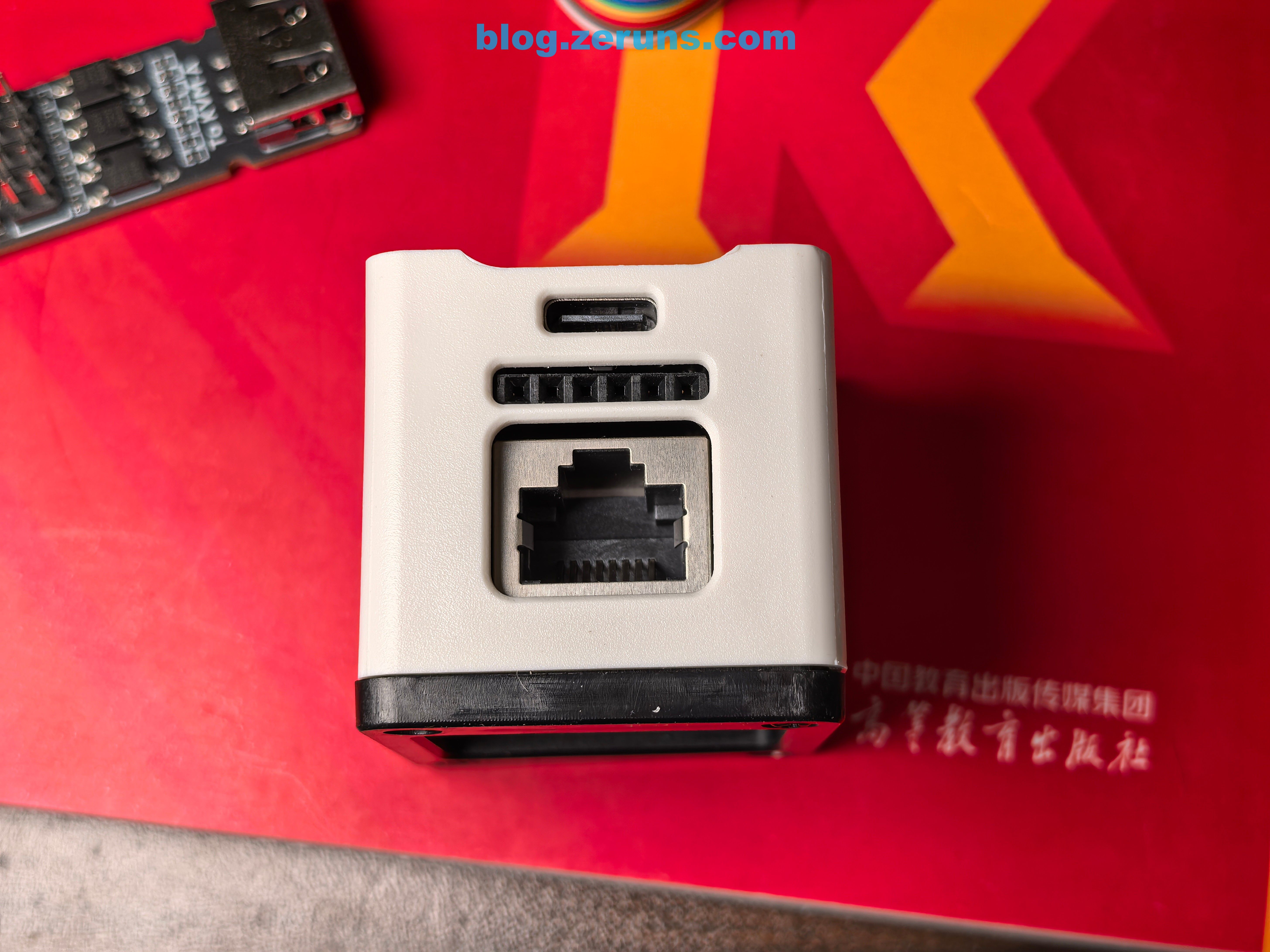
Ethernet side of NanoKVM Lite
Side view of NanoKVM Lite
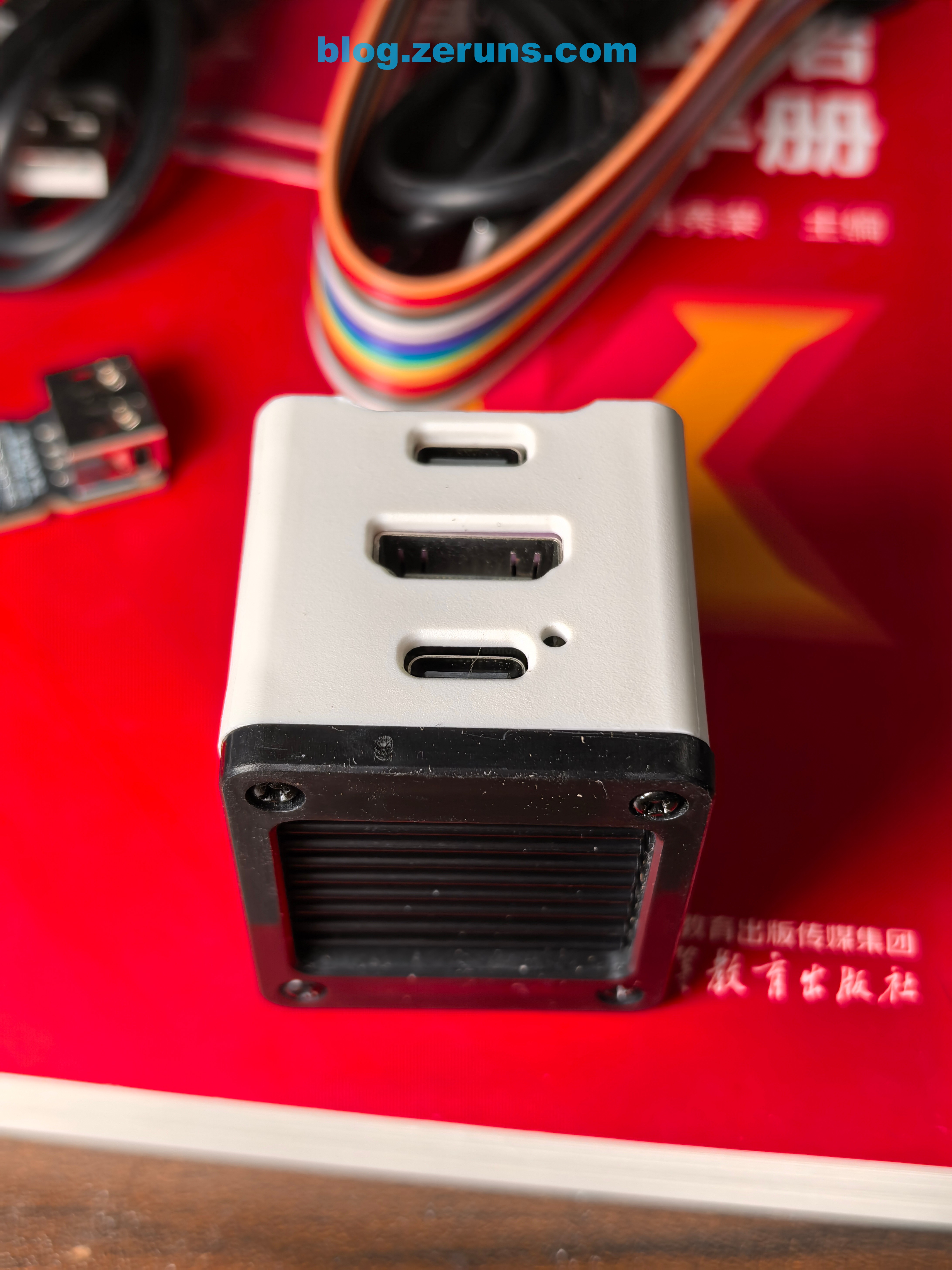
HDMI interface side of NanoKVM Lite
Bottom view of NanoKVM Lite
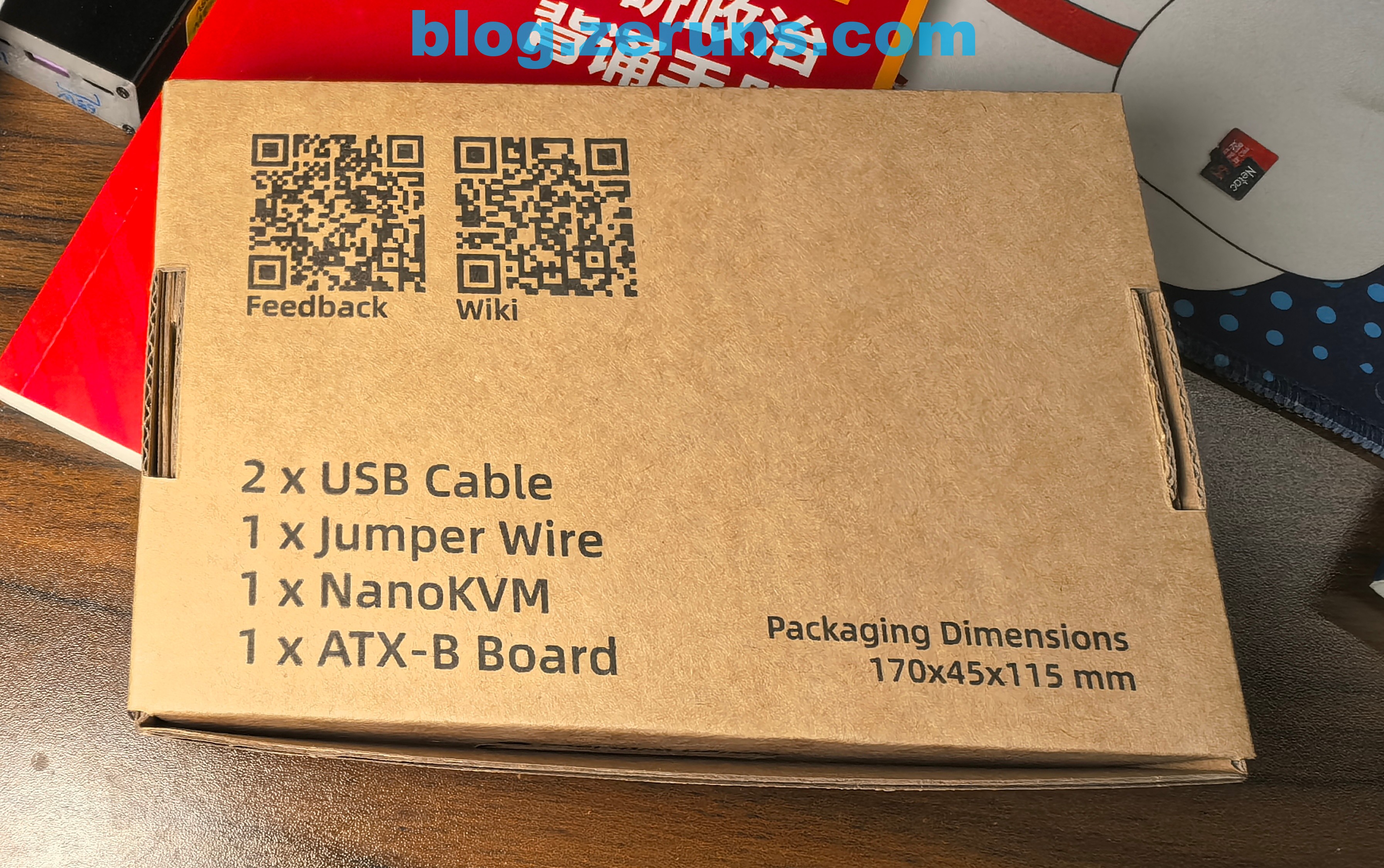
The image below shows the Full version, packaged in a cardboard box.
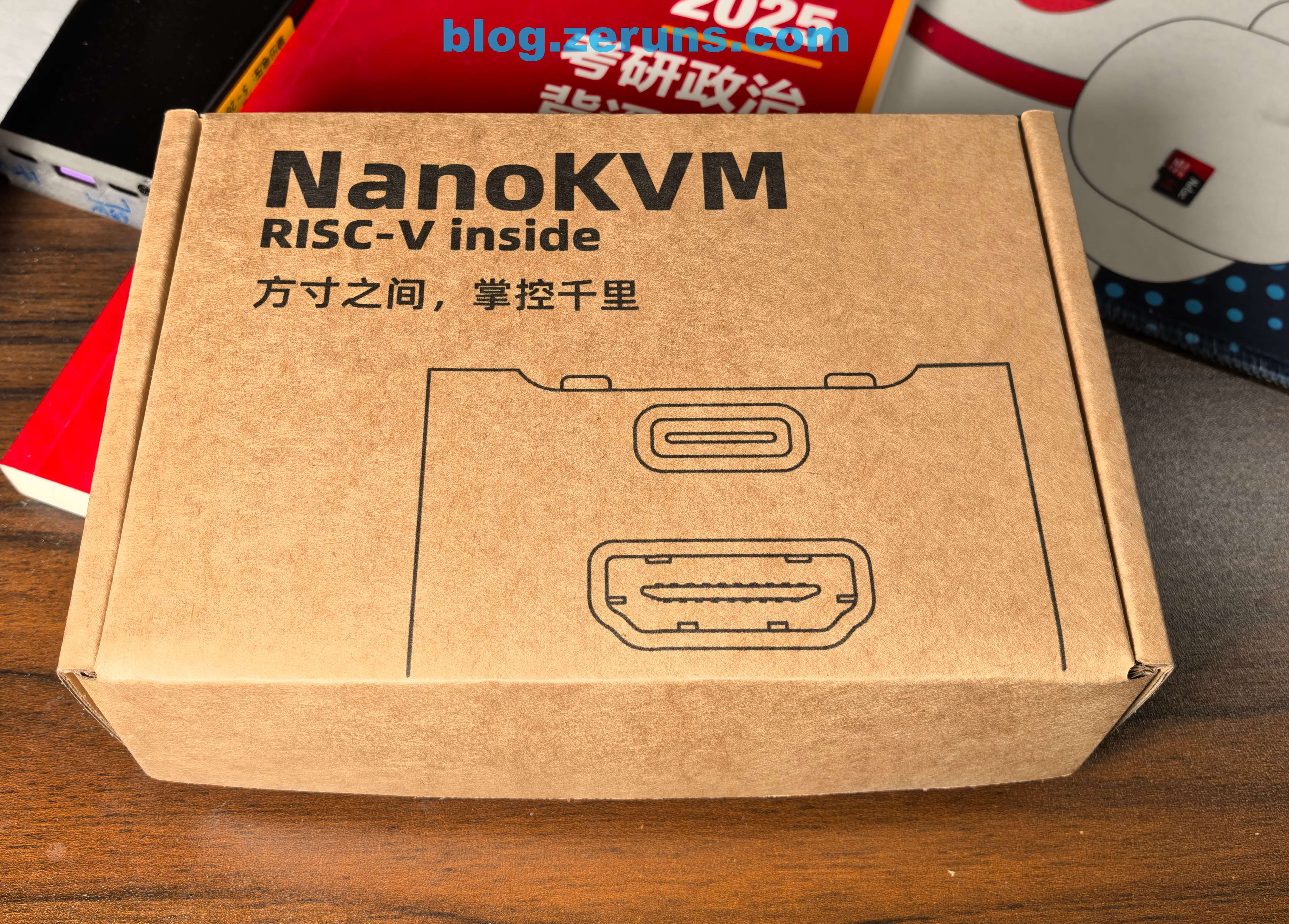
Bottom of the Full version box
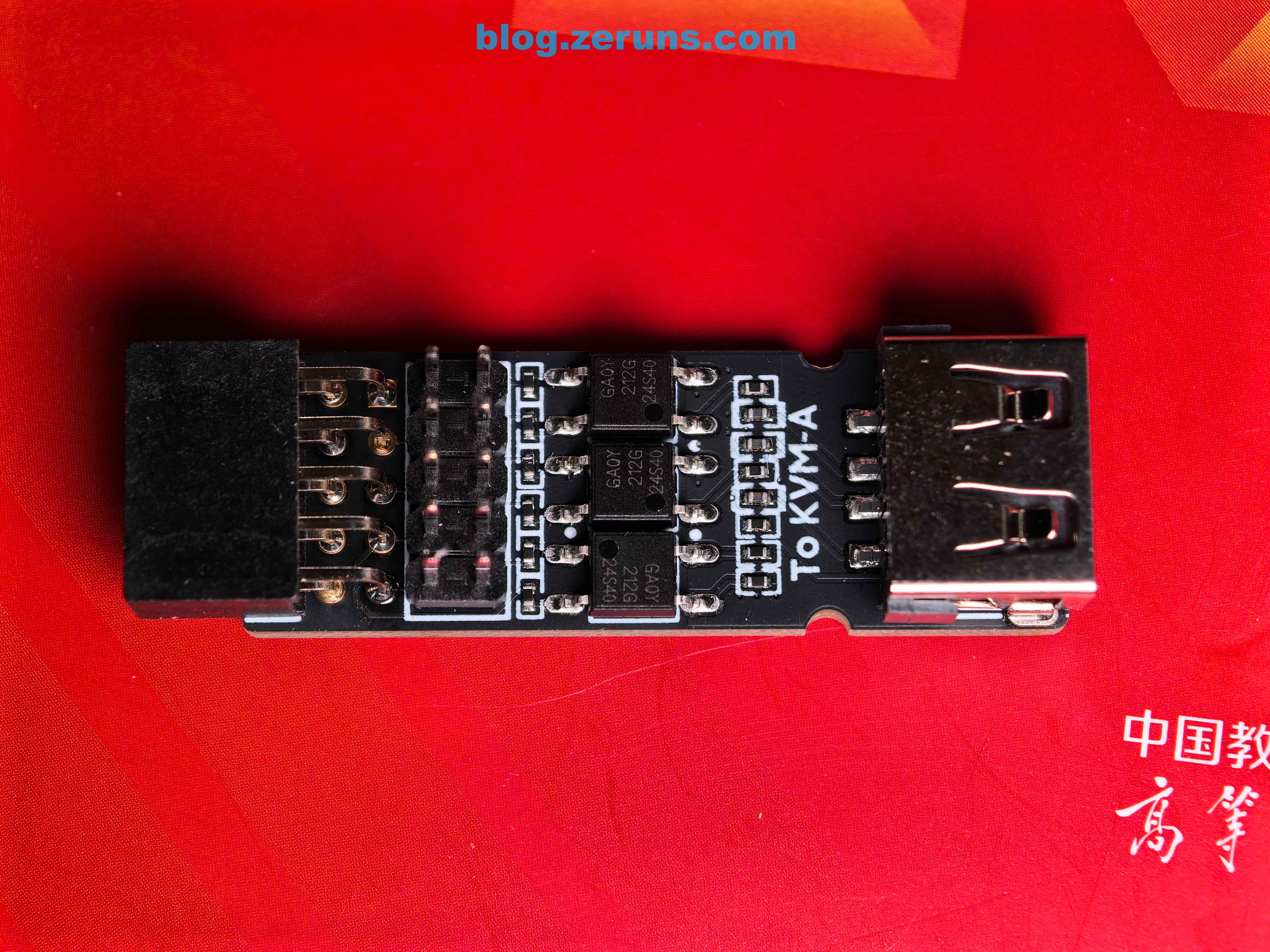
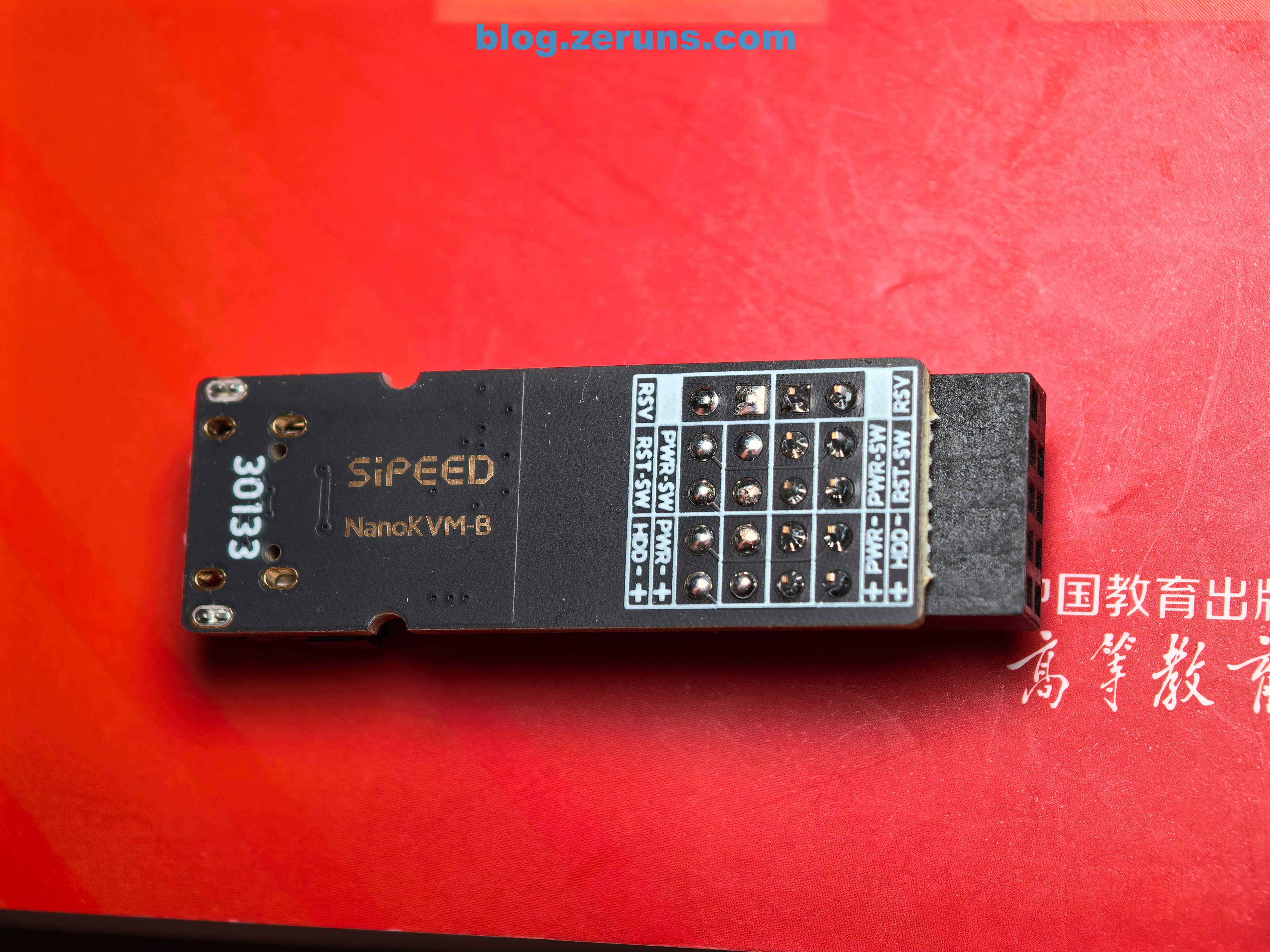
Opening the box reveals the Full version NanoKVM and an ATX power control IO board (KVM-B) on the top layer. One end connects to the A board, the other to the computer’s ATX pins for remote power on/off.
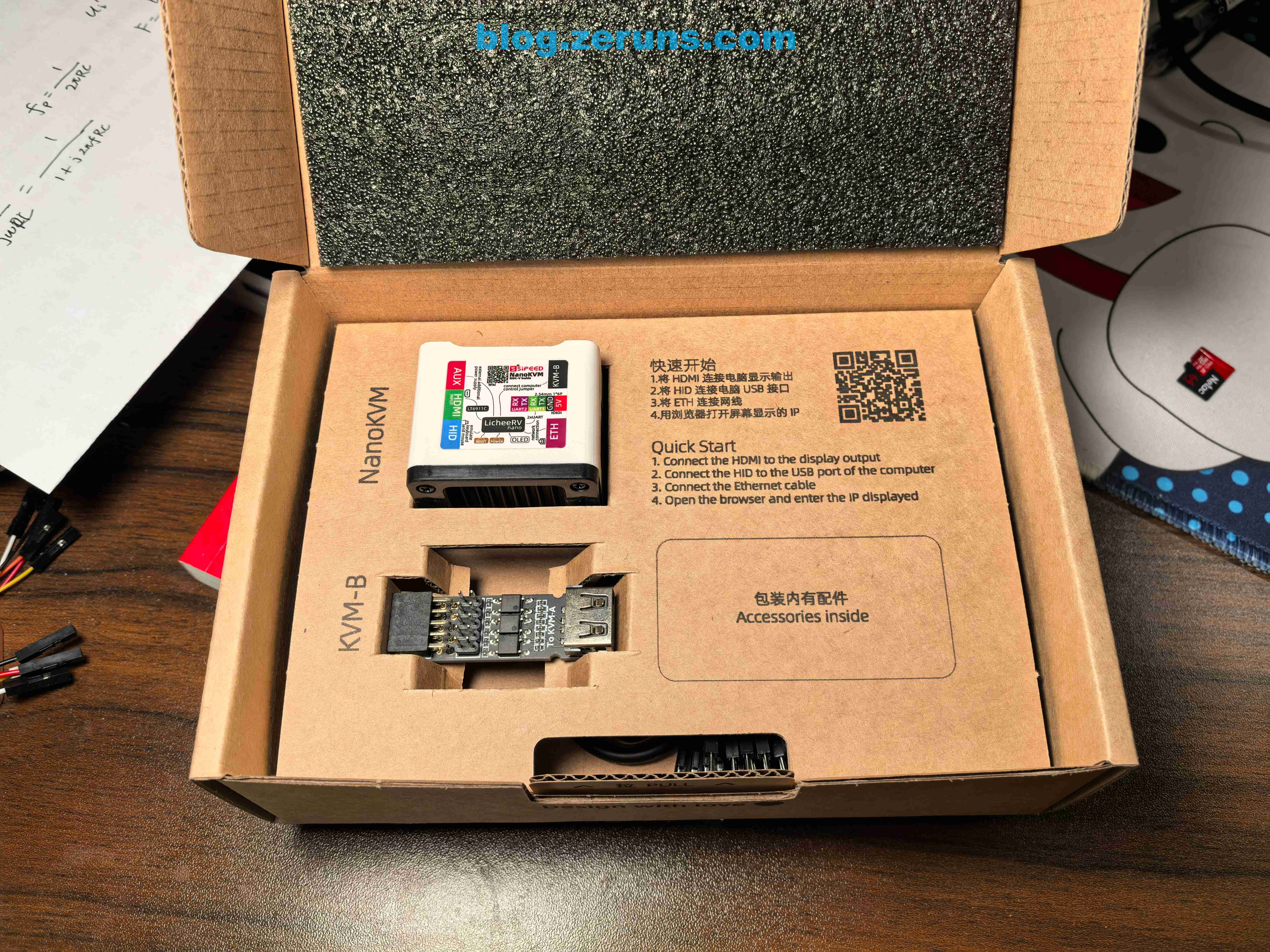
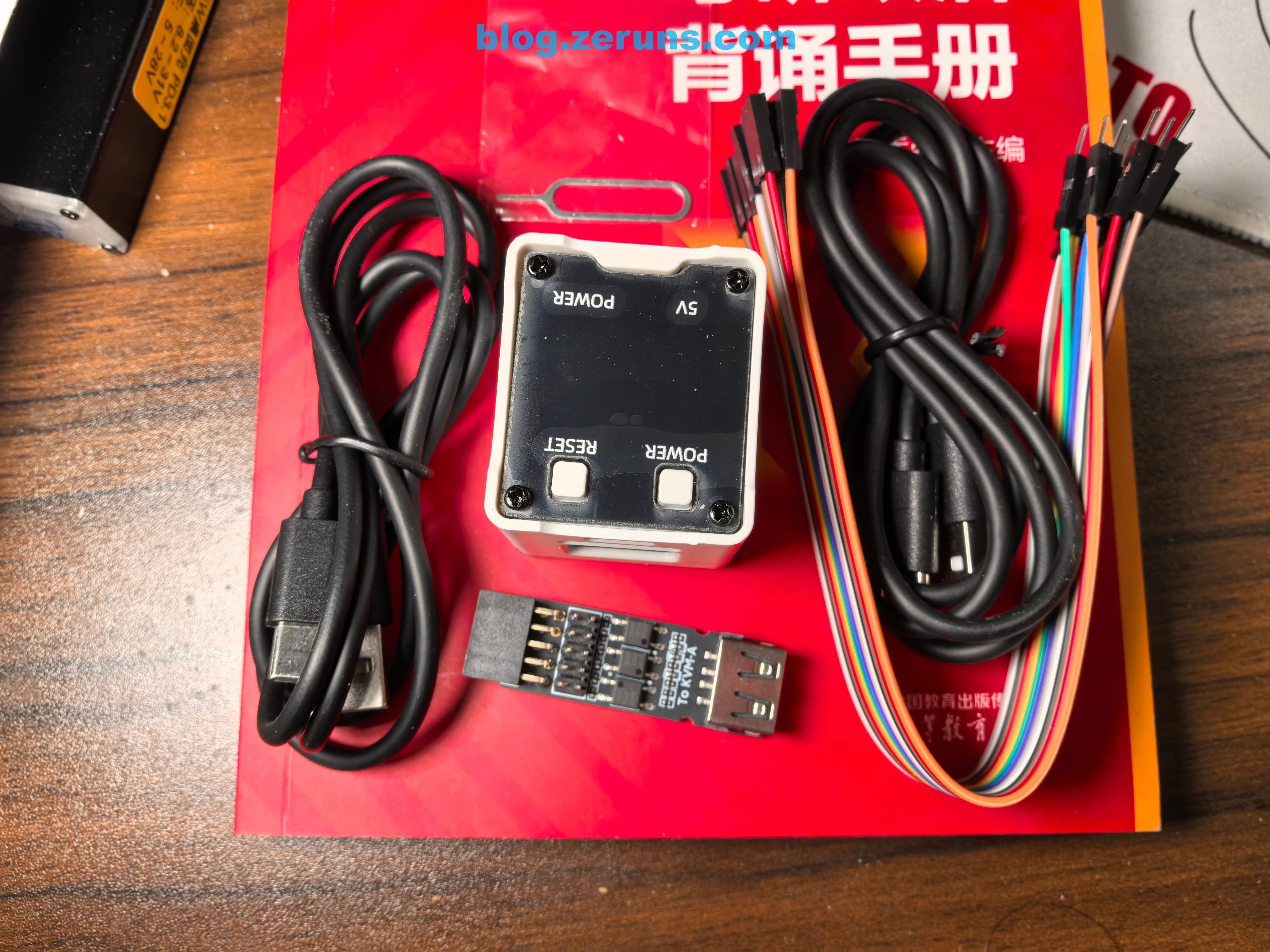
The lower layer contains additional accessories: one USB-A to USB-C cable, one USB-C to USB-C cable, a set of Dupont wires, and a pin tool (useful for pressing reset buttons).
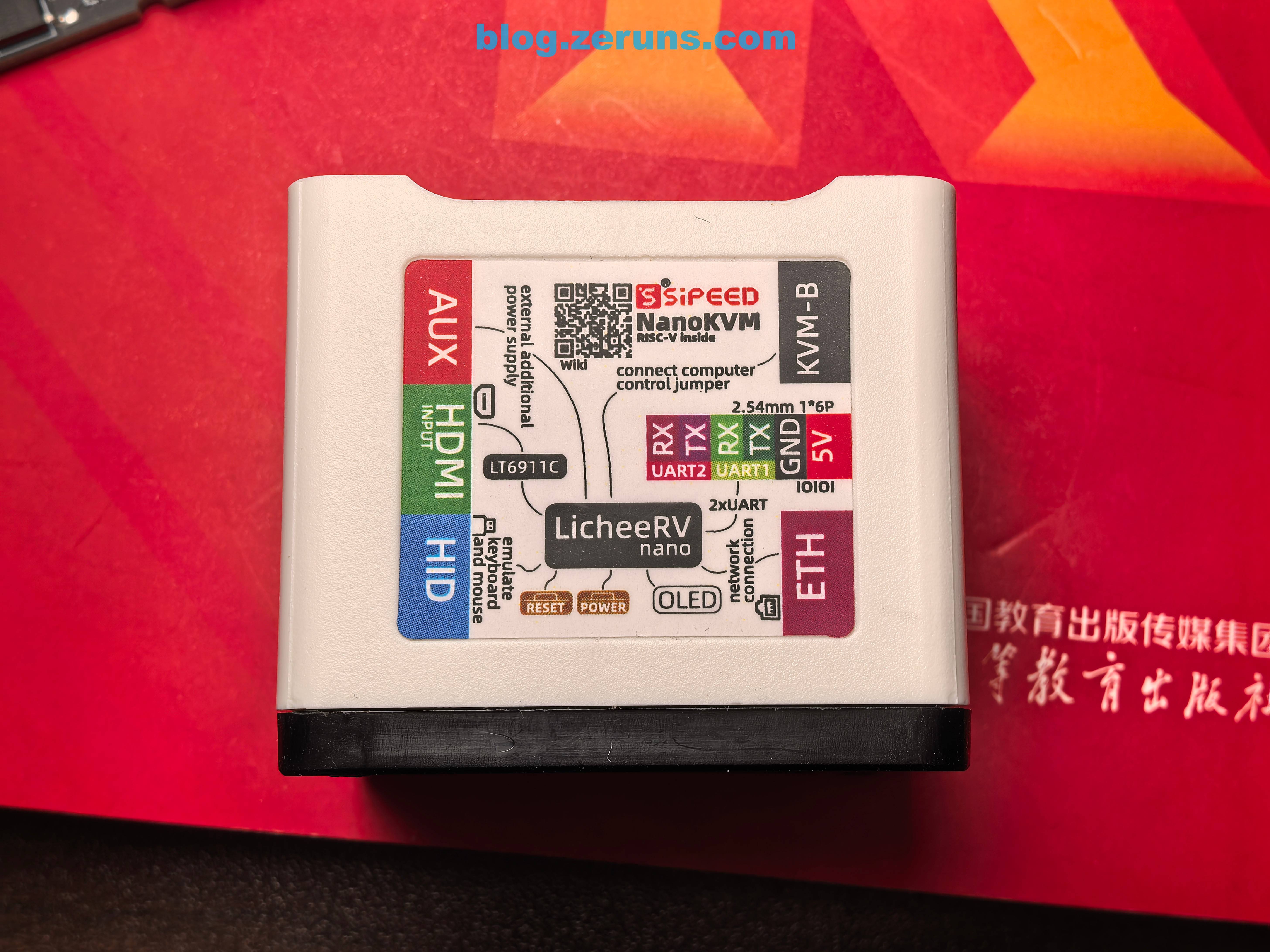
NanoKVM side view showing interface labeling
Ethernet side
HDMI interface side, with heatsink on the bottom
Front and back of the ATX power control IO board (NanoKVM-B). The board has three 4-pin chips labeled GA0Y, 212G, and 24S40—no datasheets found, but I suspect they are optocouplers.
Disassembly and Analysis
Removing the four screws on the bottom of the NanoKVM (Full) reveals the circuit board and heatsink. A thermal pad on the heatsink conducts heat away from the processor.
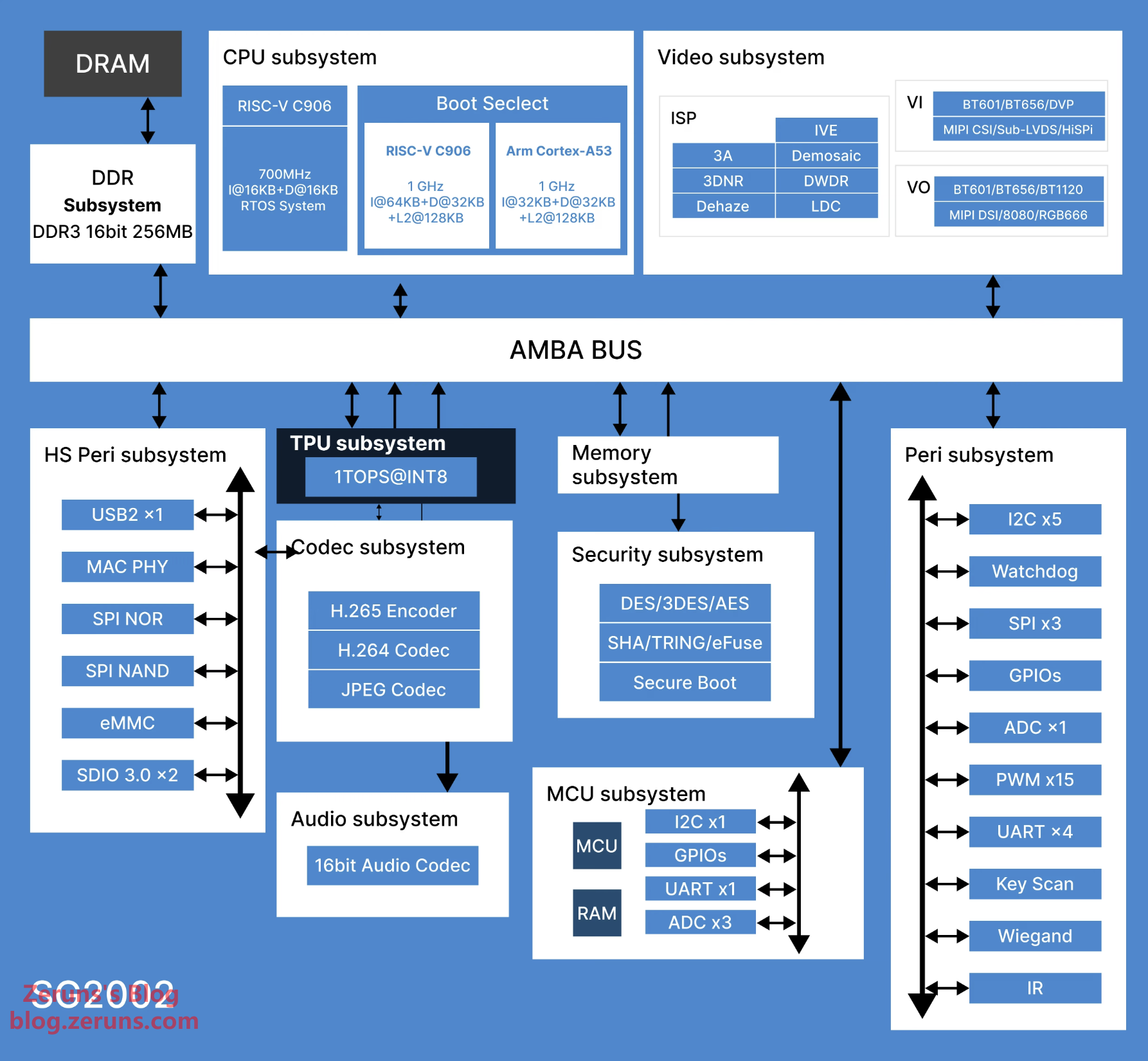
NanoKVM is built around the Sipeed LicheeRV Nano core module, powered by the Sophgo SG2002 processor: a 1GHz large core (RISC-V C906 / ARM A53 selectable) and a 700MHz small core (RISC-V C906), 256MB DDR3 RAM, and an integrated 1 TOPS NPU. It features rich onboard interfaces including MIPI-CSI, MIPI-DSI, SDIO, ETH, USB, SPI, UART, and I2C.
The Full version includes a 32GB Kioxia TF card; the Lite version does not include a TF card and requires users to purchase and flash their own.
NanoKVM v1.3.0 firmware download: https://url.zeruns.com/NanoKVM_1_3_0
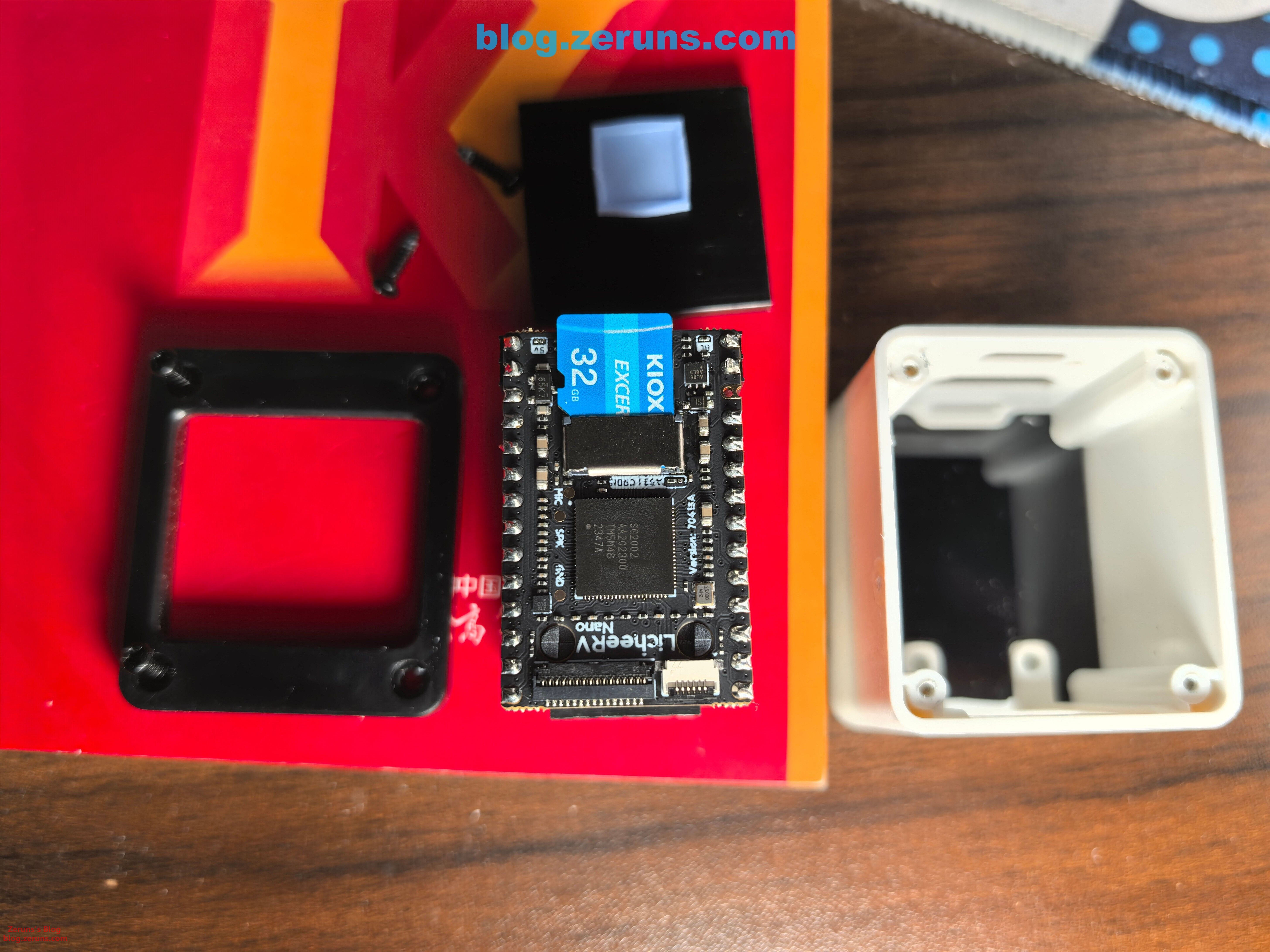
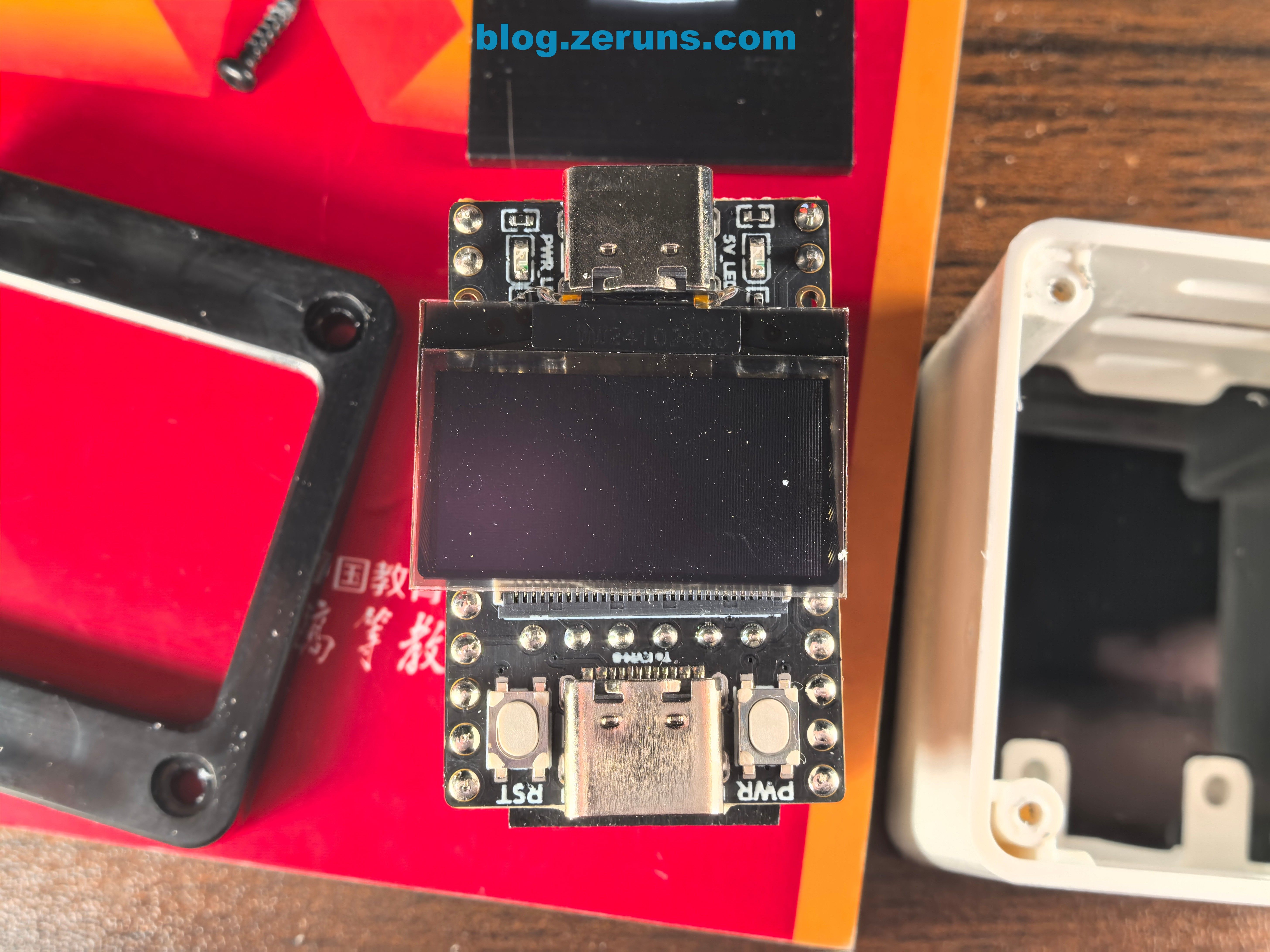
Front view of Full version showing a 0.96" OLED screen, plus RST and PWR buttons (for controlling ATX power—reboot and power on/off).
HDMI interface side of Full version
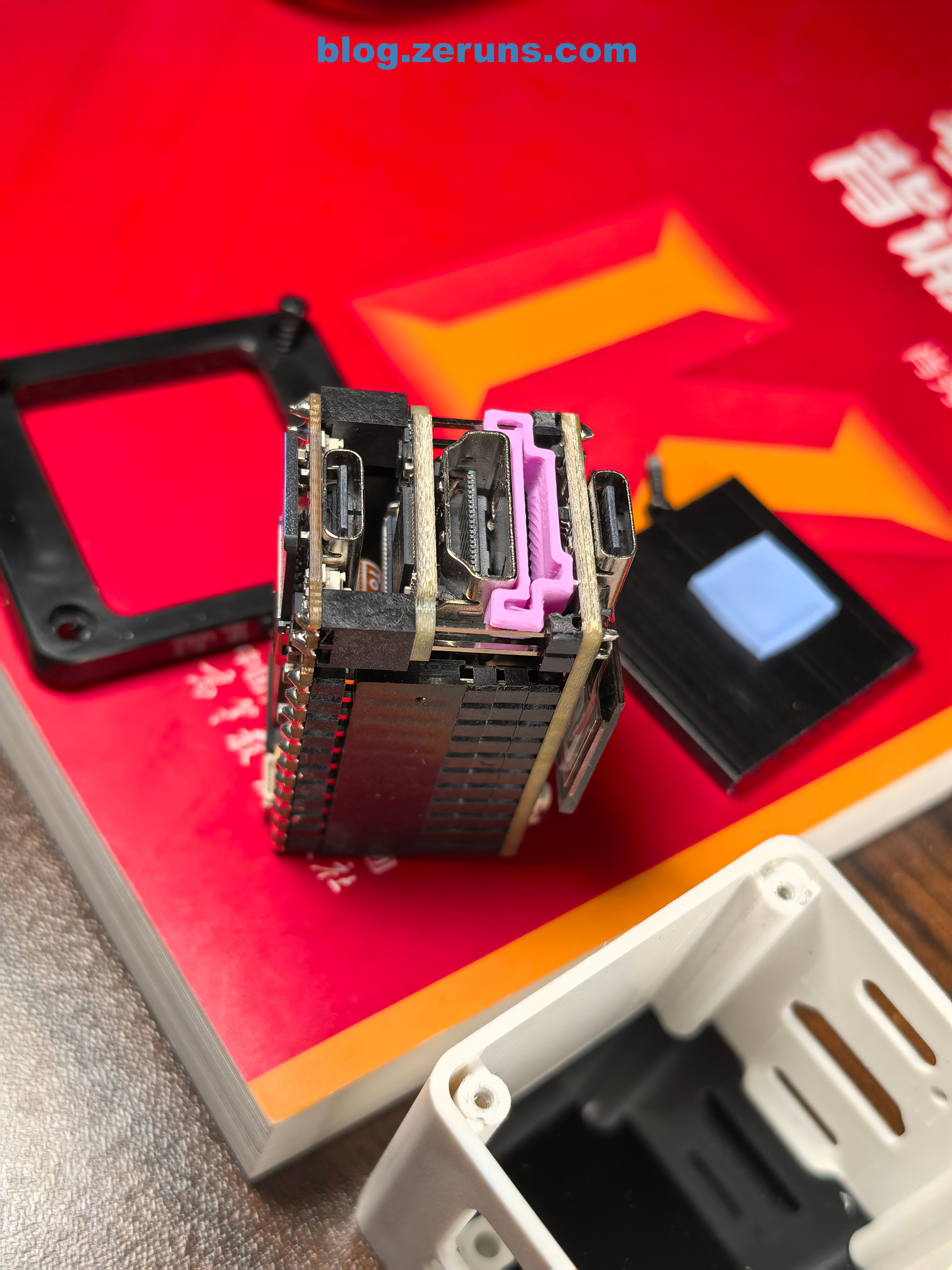
Disassembling the OLED sub-board and HDMI sub-board
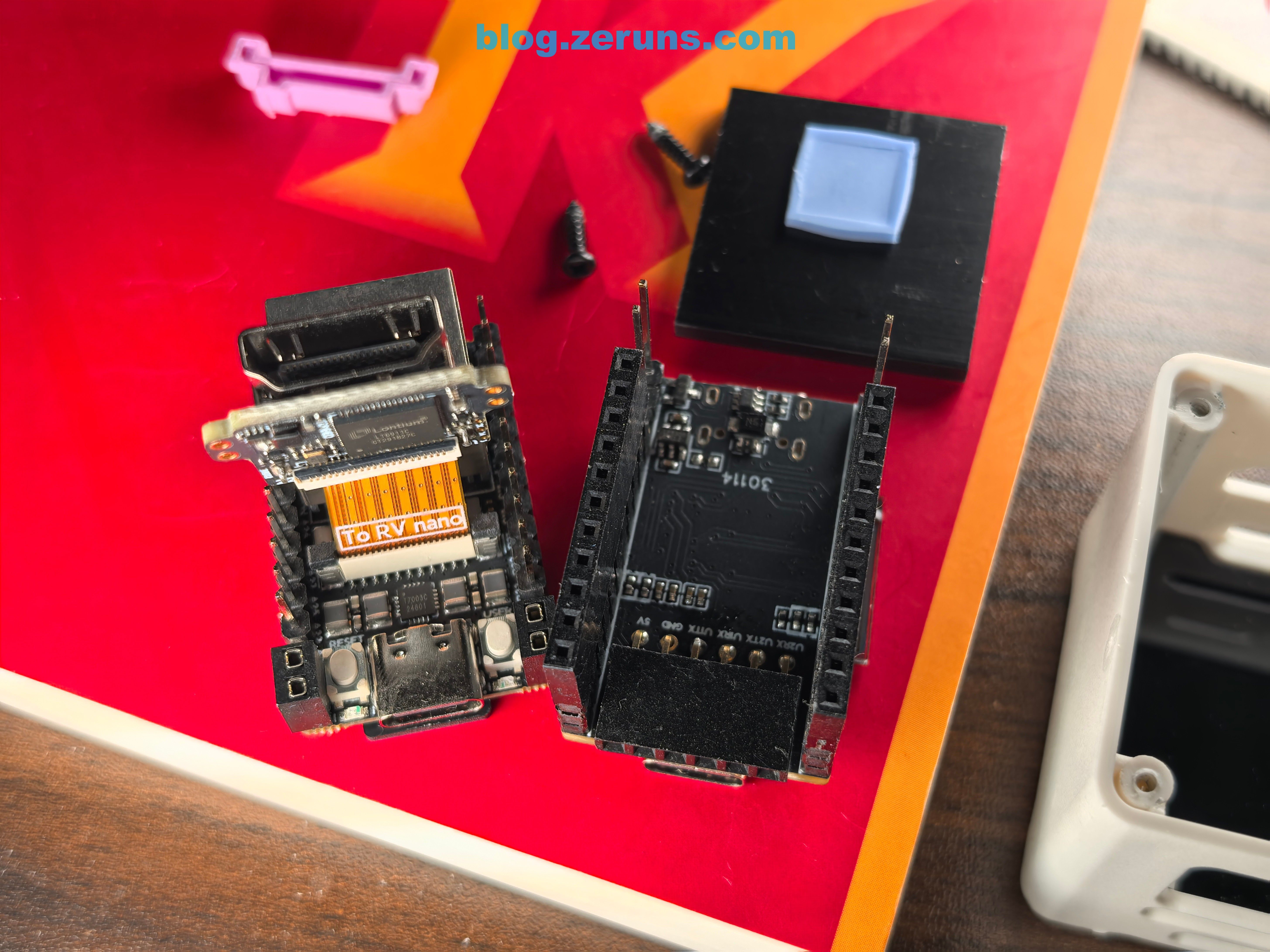
Underneath lies a chip labeled T7003C—a power management IC, a 3-channel 1.5A, 1.5MHz DCDC buck PMU.
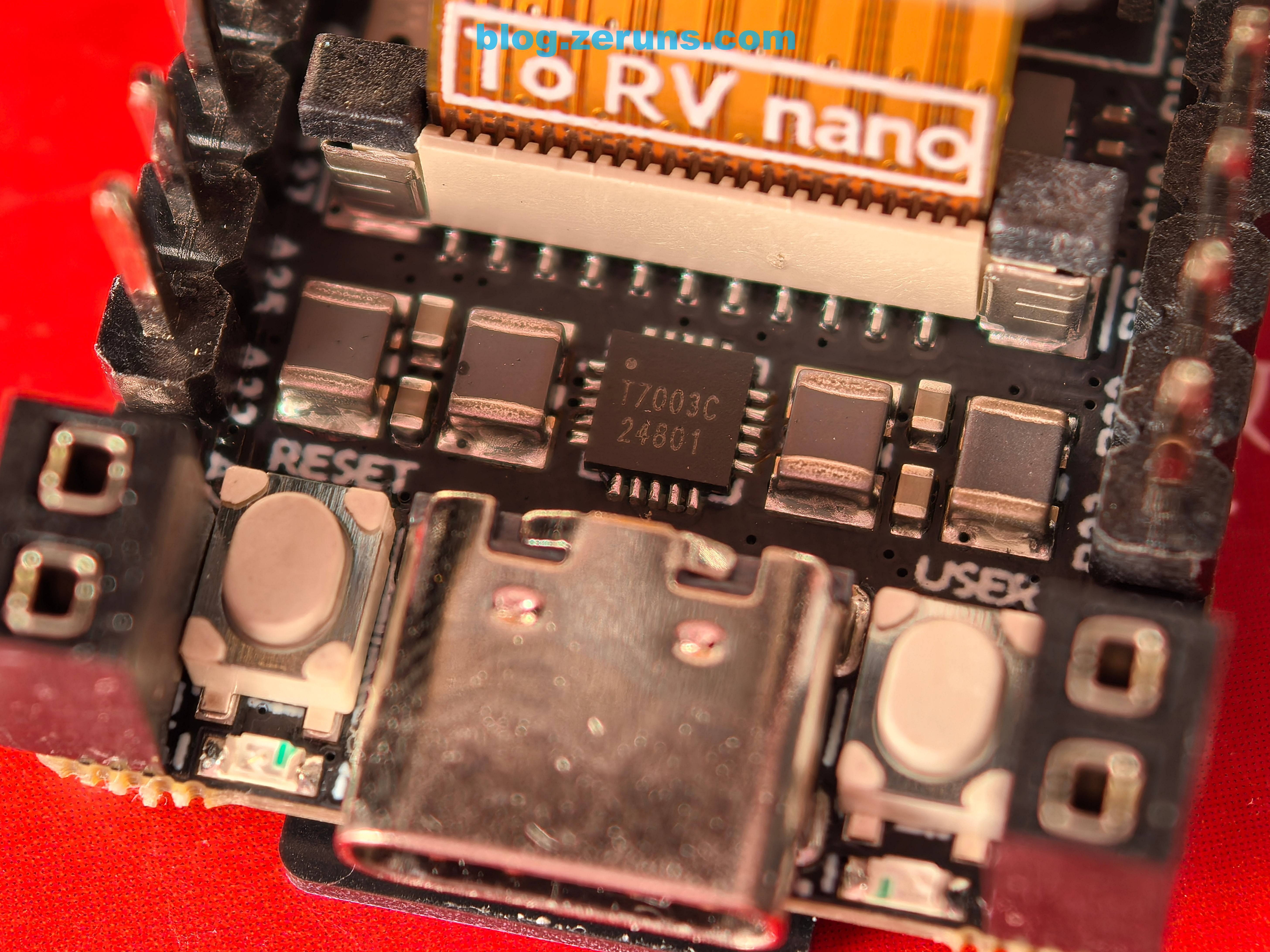
Chip on the back of the HDMI sub-board: LT6911C on Full version, LT6911UXC on Lite version.
LT6911C and LT6911UXC are HDMI-to-MIPI/LVDS/CSI bridge chips from Lontium Semiconductor, offering full audio processing and flexible control interfaces. LT6911C supports HDMI 1.4, while LT6911UXC supports HDMI 2.0 and can handle 4K@60Hz signals.
Thus, the actual video bottleneck lies in the SG2002 processor. However, 1080p performance remains quite smooth in practice.
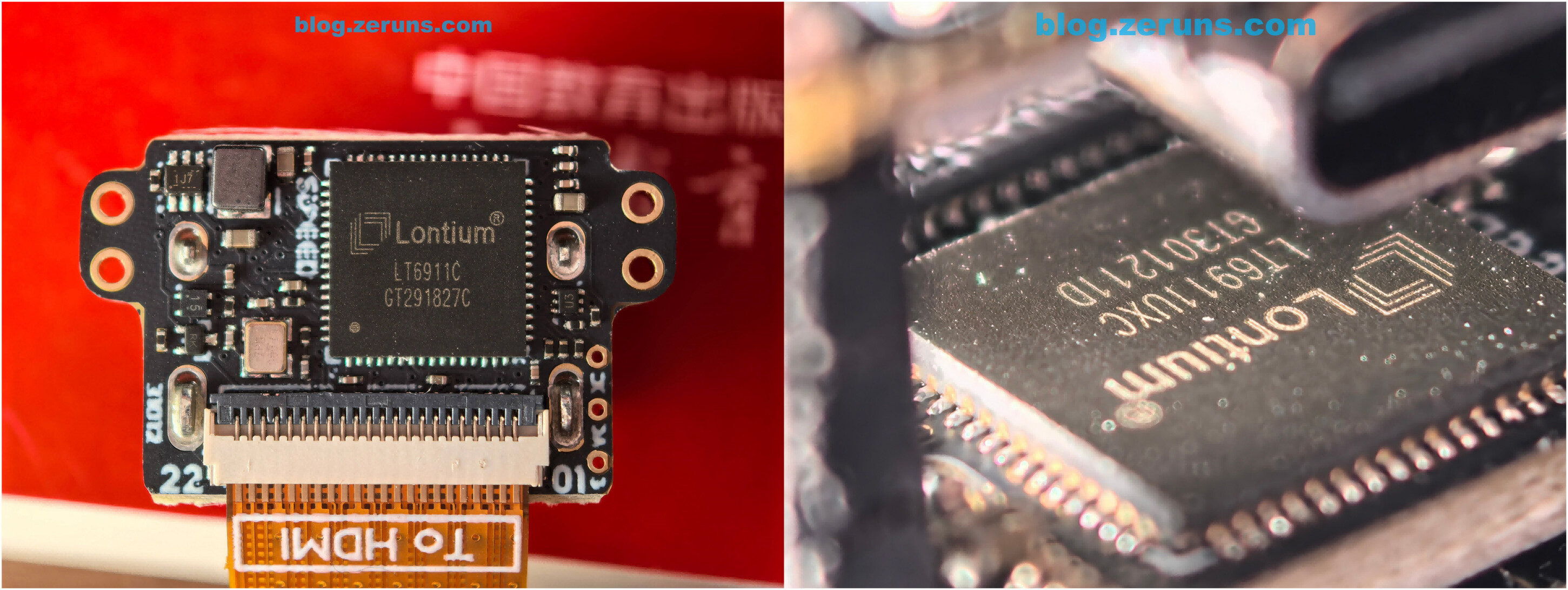
Power Consumption Test
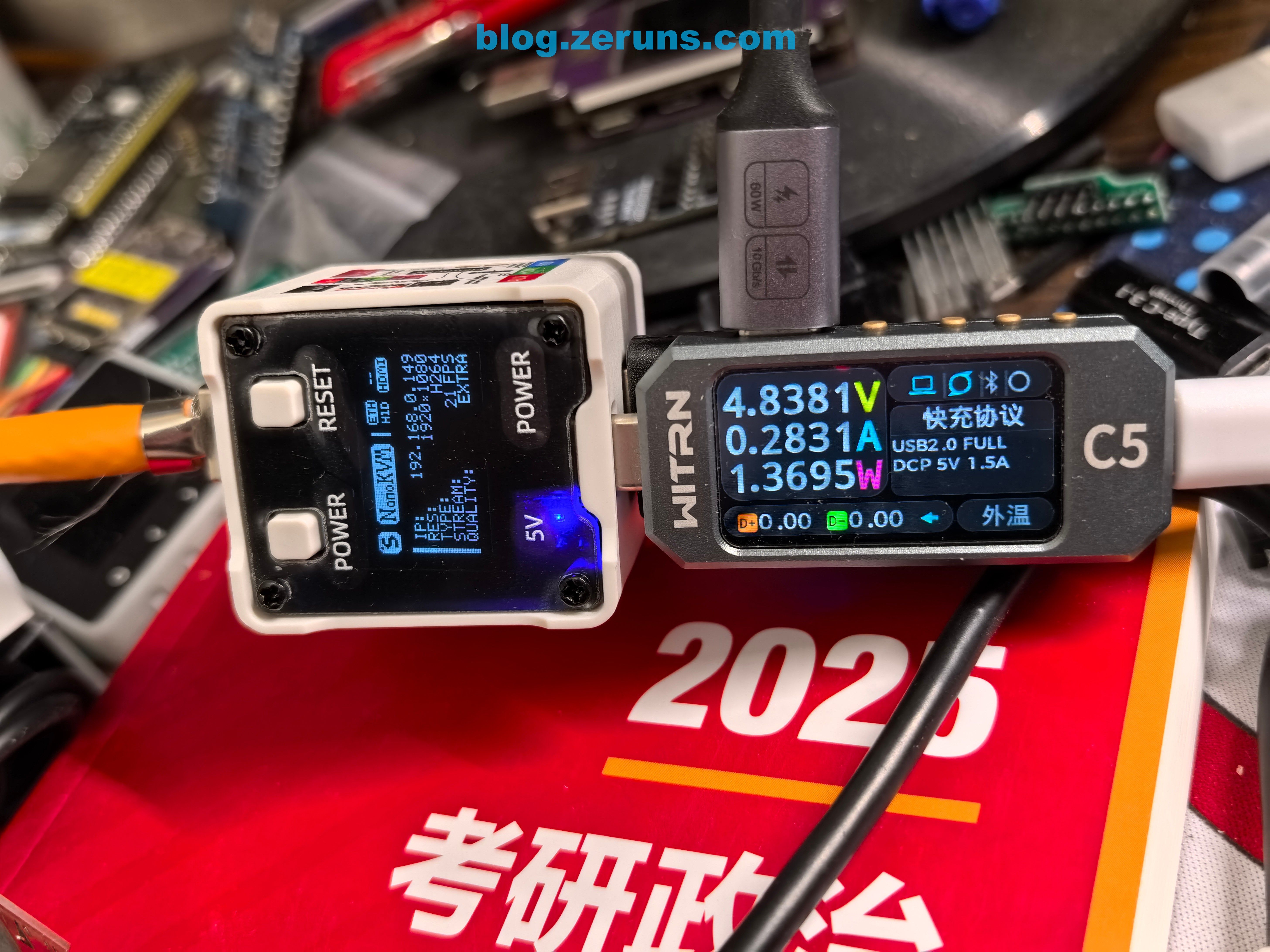
The Full version consumes about 0.7W when only the Ethernet cable is connected.
When both Ethernet and HDMI cables are connected, power usage rises to approximately 1.3W.
Thermal Imaging
Review and sample footage of the UNI-T UTi261M thermal imager: https://blog.zeruns.com/archives/798.html
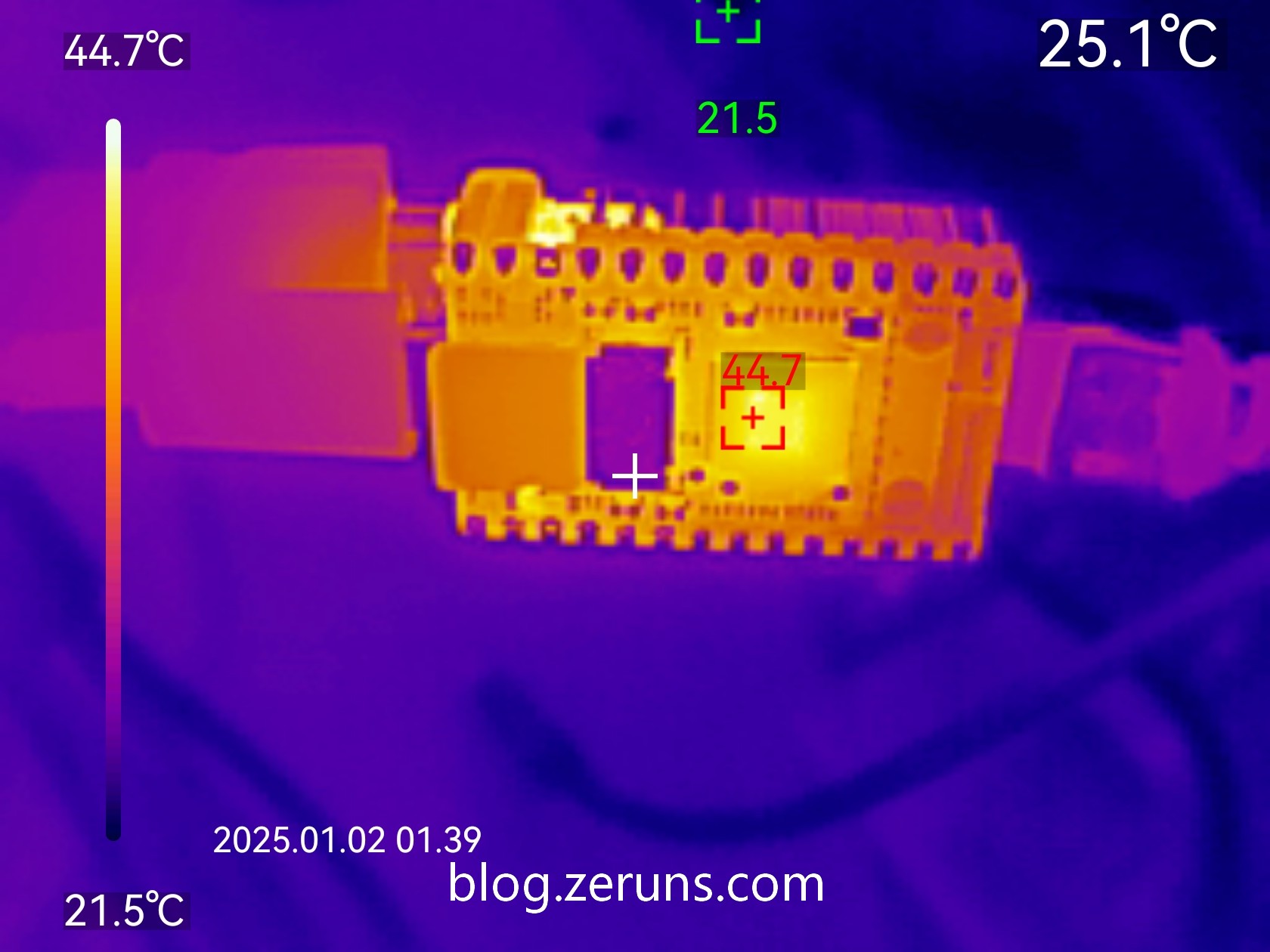
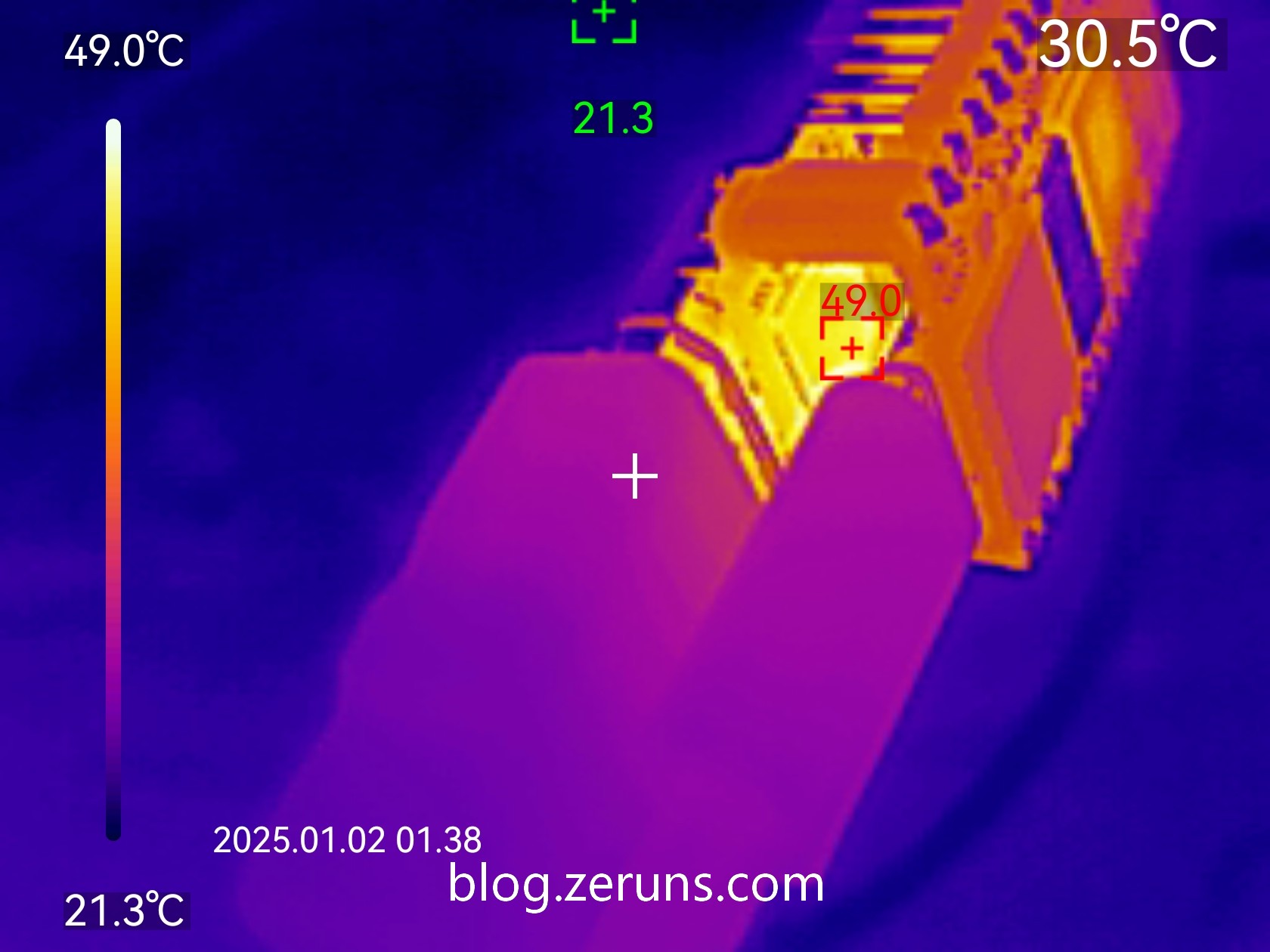
Thermal image of the NanoKVM Lite after running with Ethernet and HDMI connected, ambient temperature ~21°C:
SG2002 processor temperature: 44.7°C
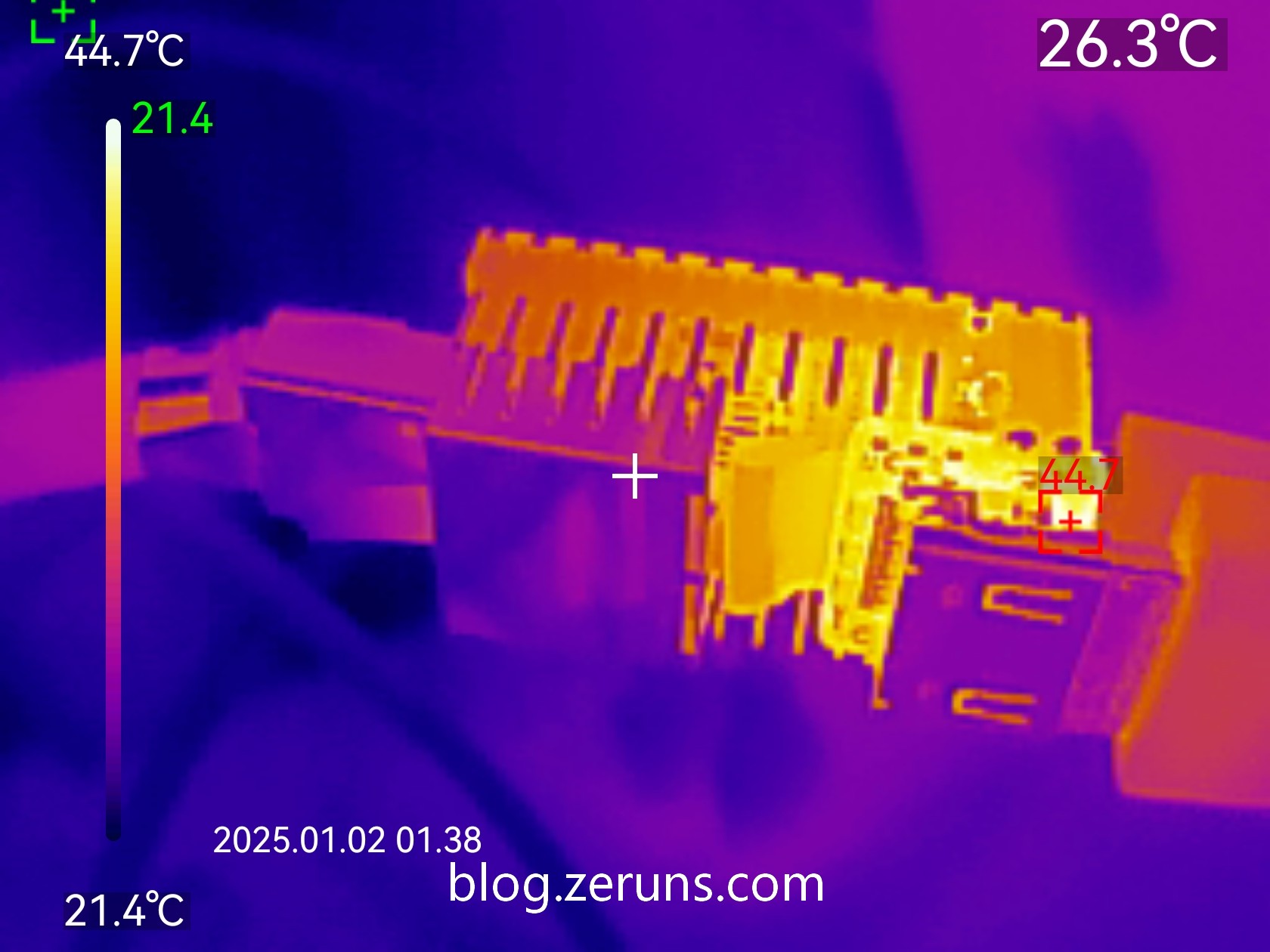
HDMI video conversion chip temperature: 49°C
Power-On Test
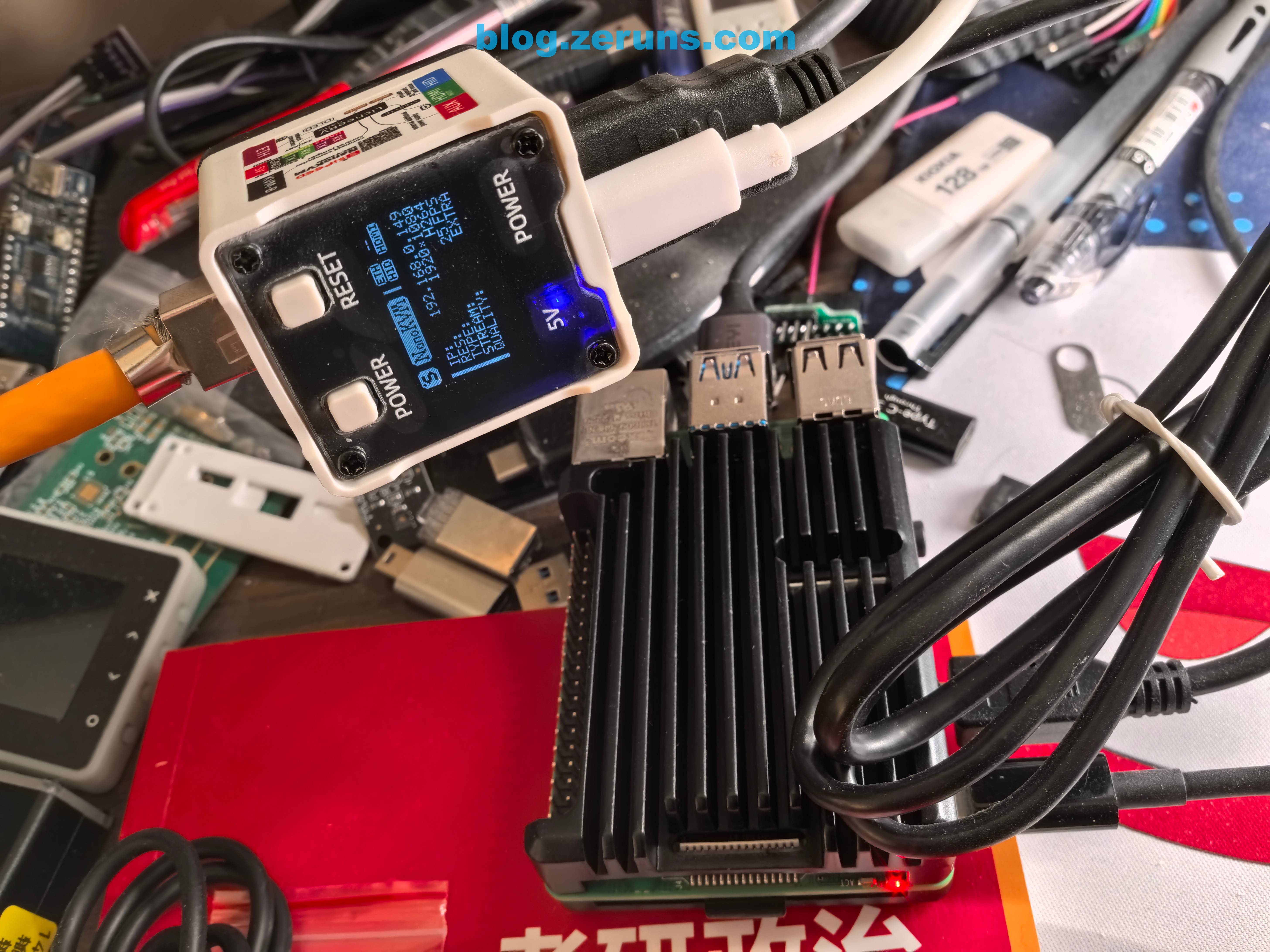
Connect Ethernet, USB, and HDMI to a Raspberry Pi, power on, wait for NanoKVM to boot—the IP address will appear on screen. Enter this IP into a browser to access the management interface. The Lite version lacks a screen, so users must check their router’s admin page for the IP.
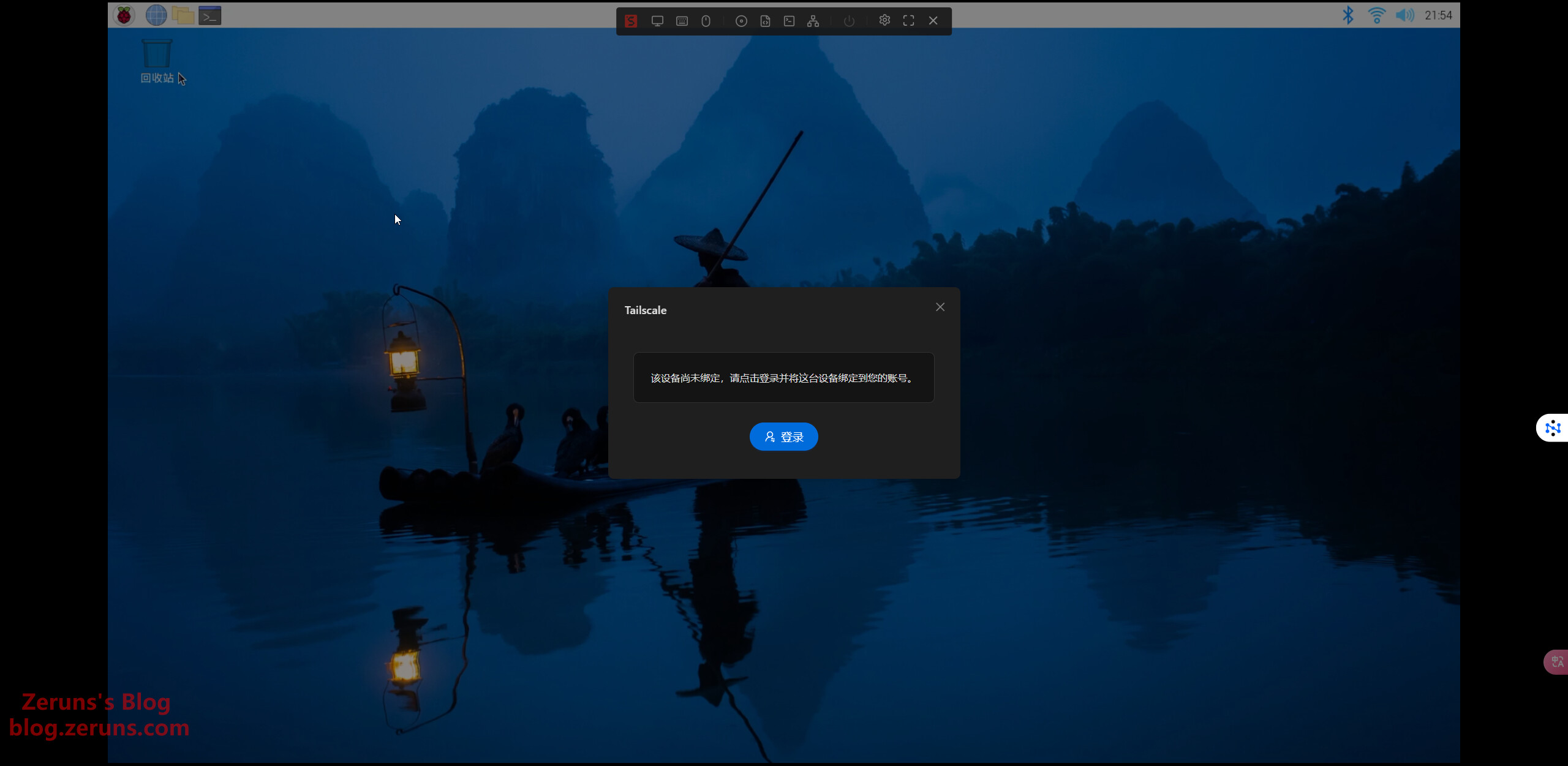
NanoKVM also supports Tailscale, enabling remote access and control even without a public IP.
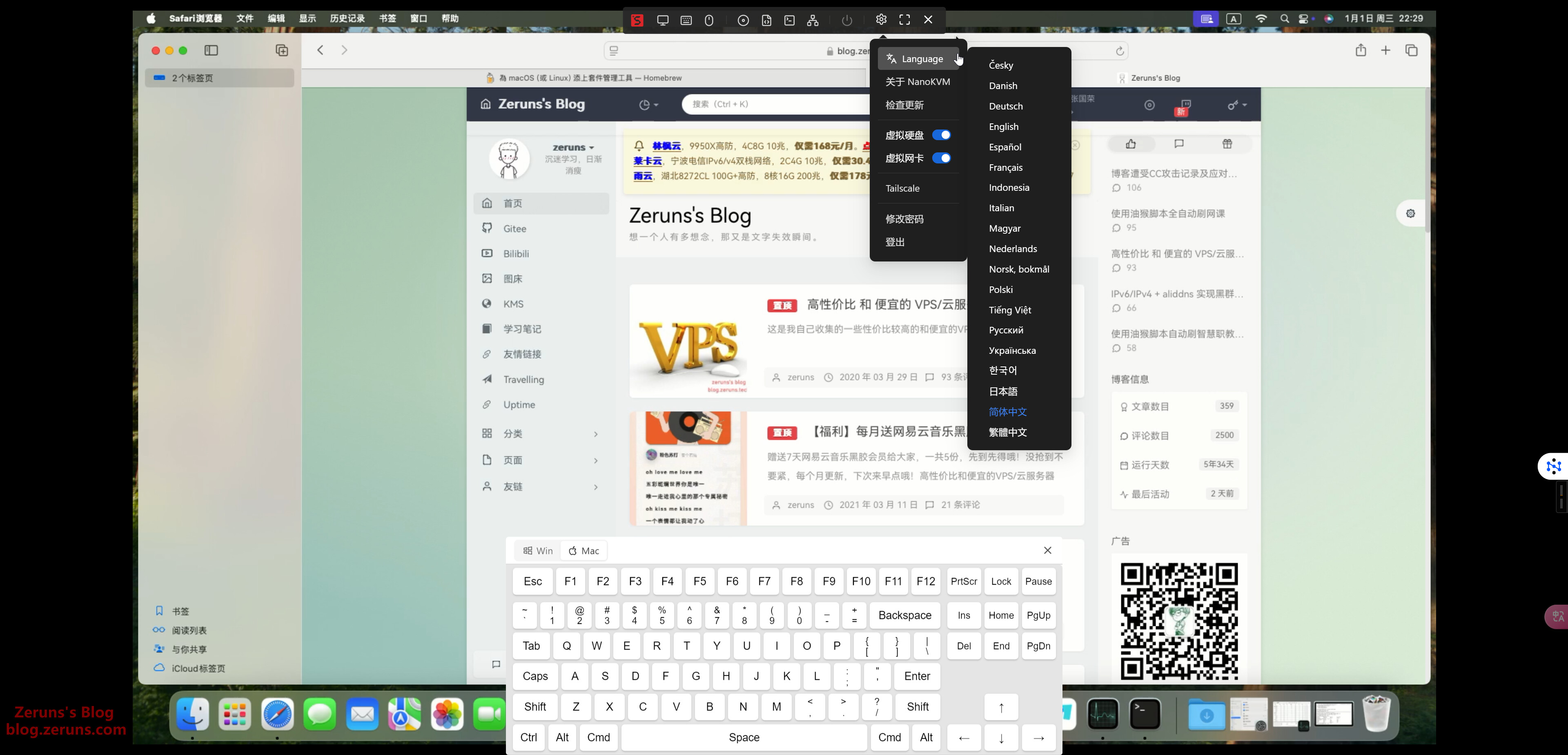
Multi-language support, virtual keyboard, virtual disk, and virtual NIC. The virtual disk feature allows uploading OS images for remote reinstallation.
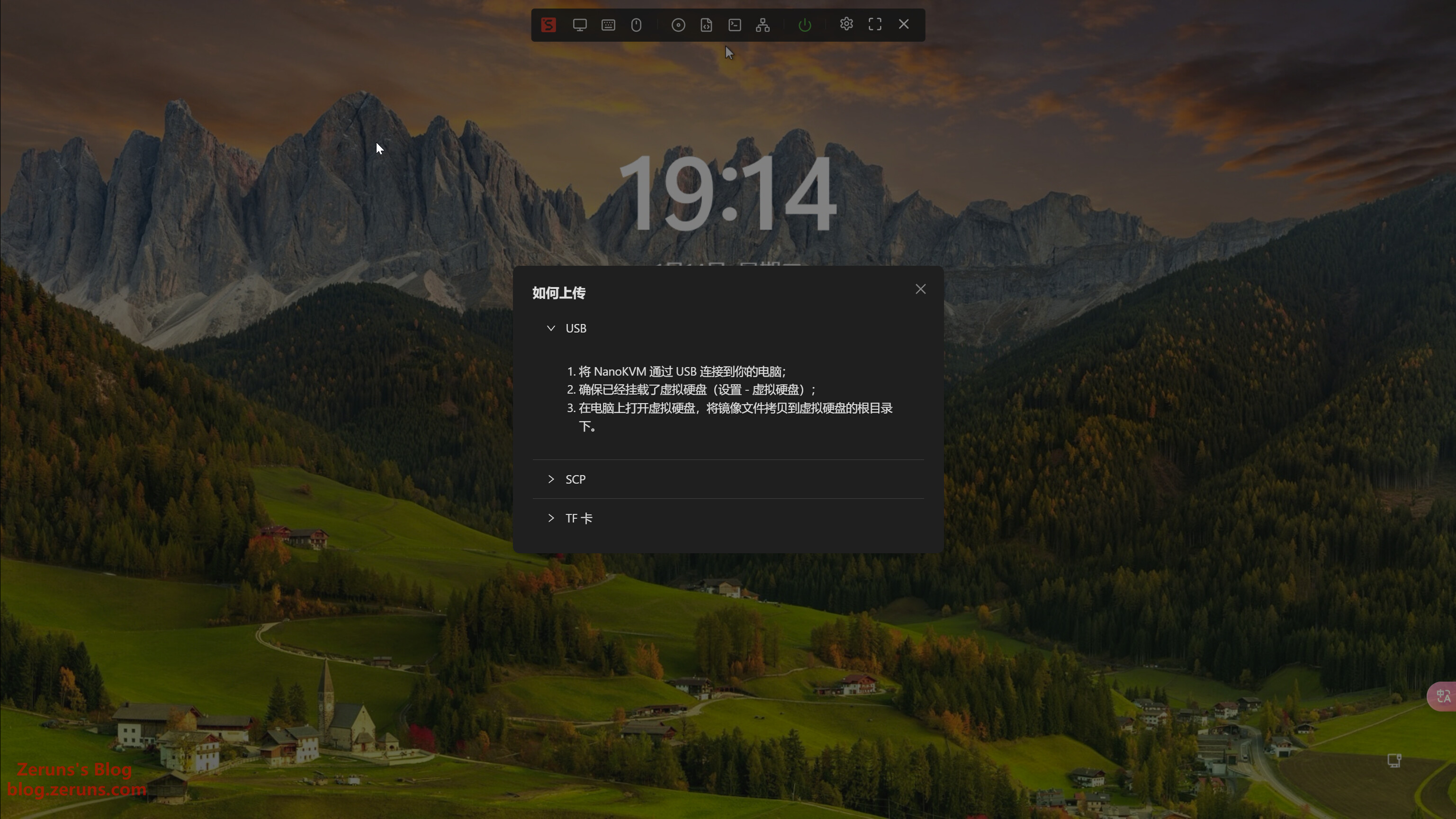
Supports uploading OS images via USB, SCP, or TF card.
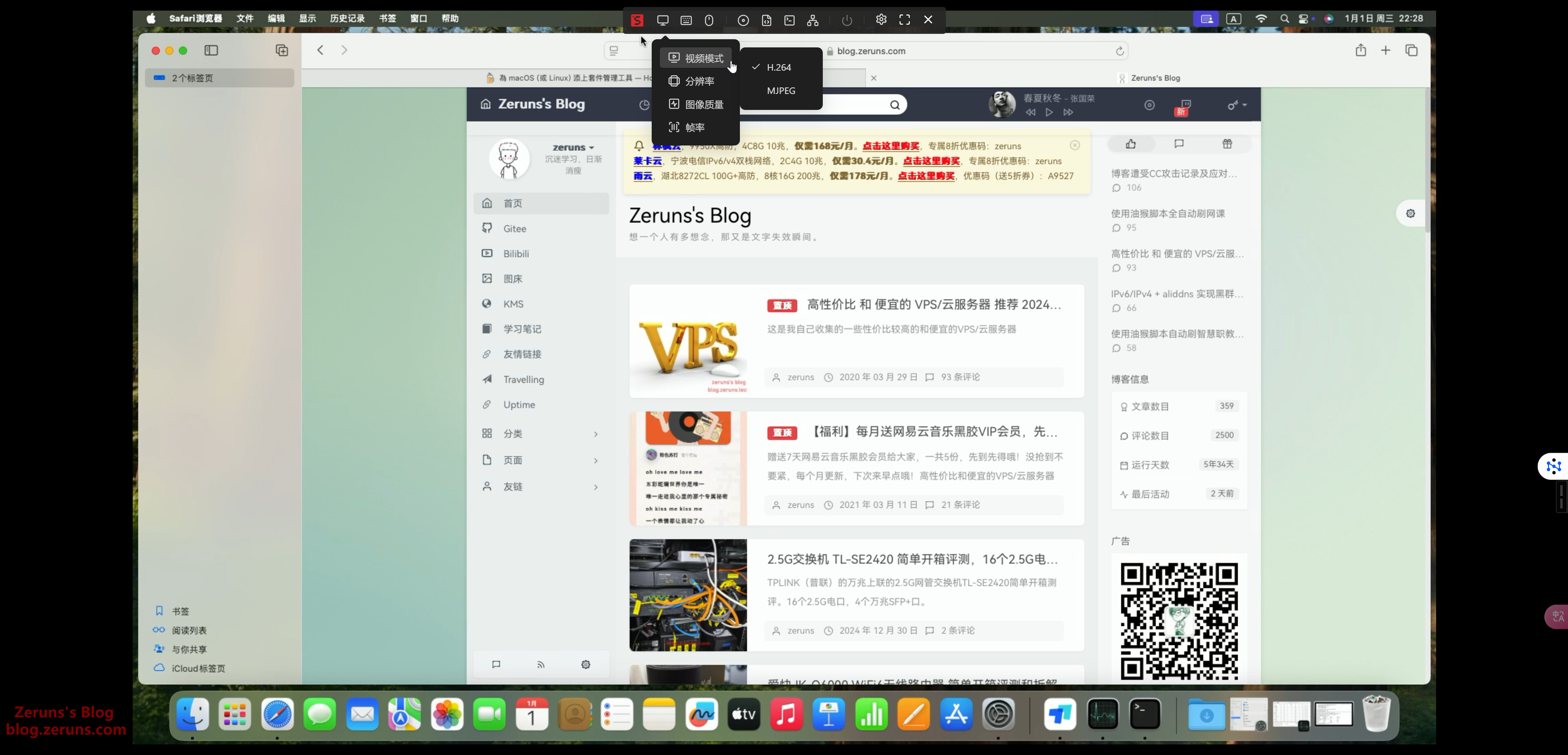
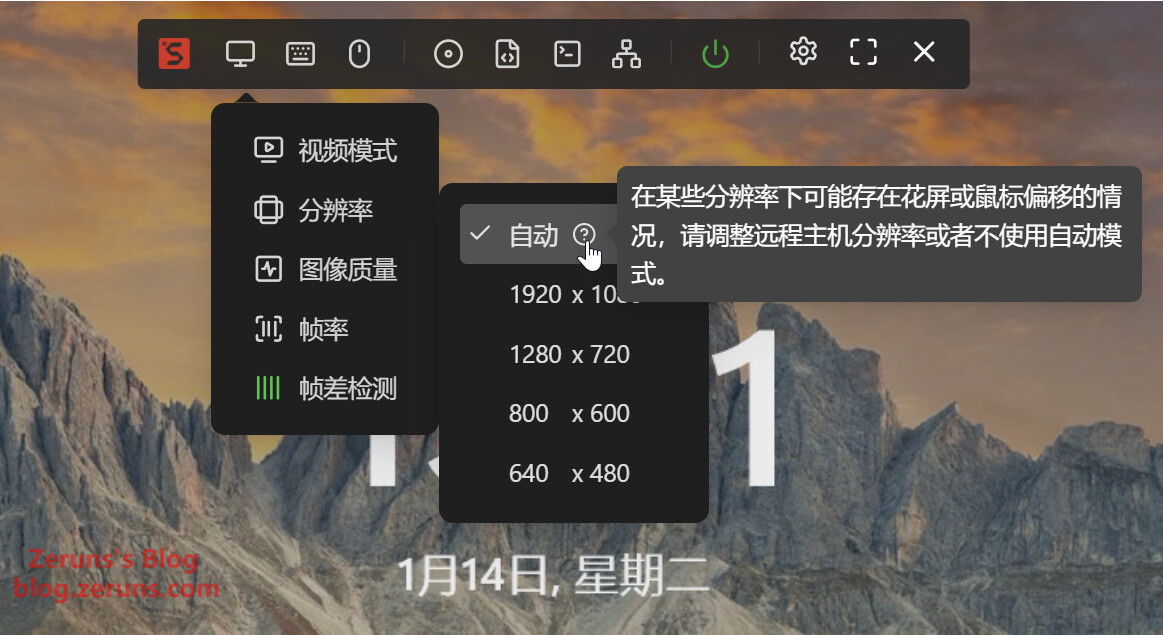
Video encoding supports H.264 and MJPEG. Resolutions: 1920x1080 (16:9), 1280x720 (16:9), 800x600 (4:3), 640x480 (4:3). Frame rates: 60Hz, 30Hz, 24Hz.
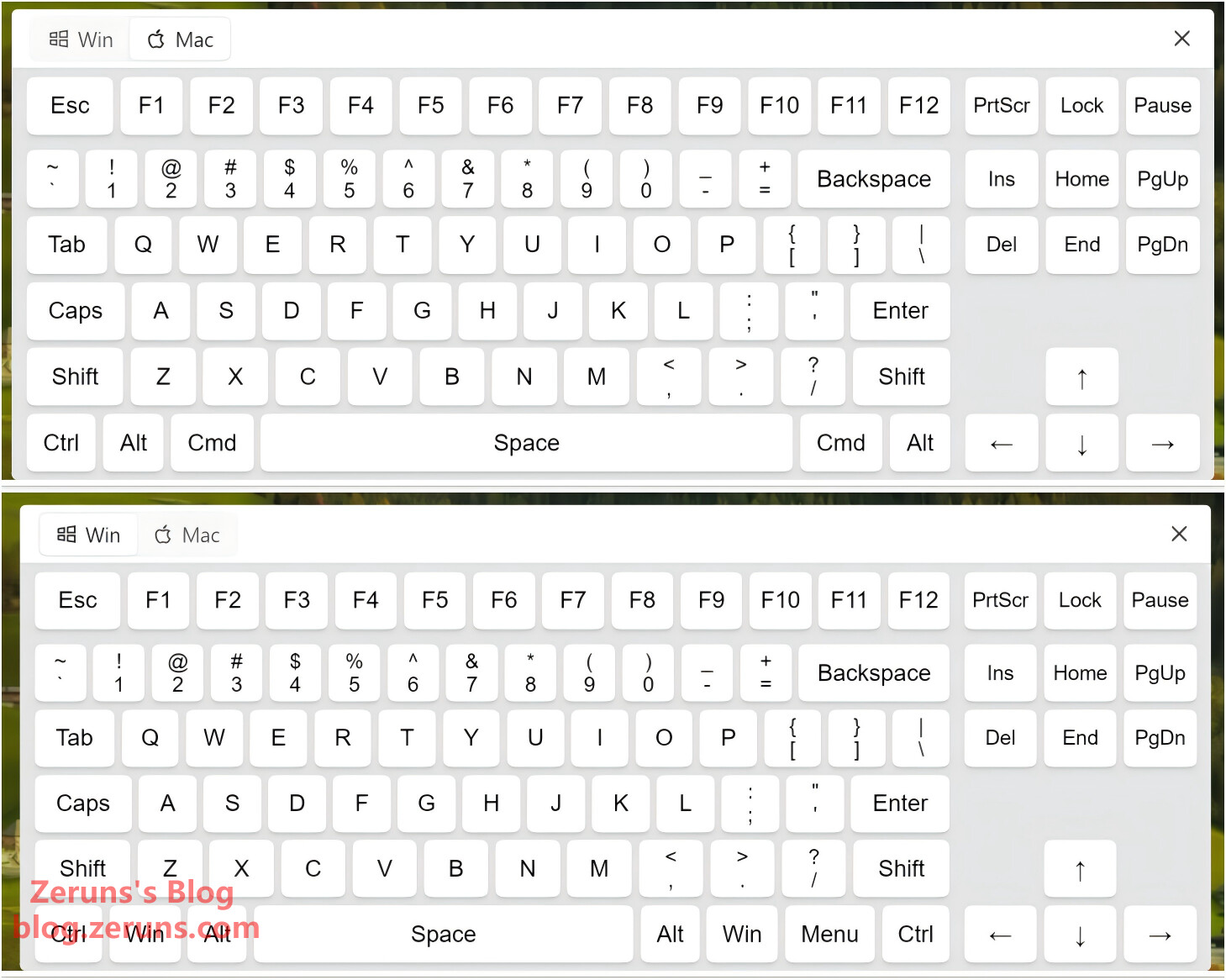
Virtual keyboard supports both Windows and Mac modes. Paste function allows inserting long text (limited to keyboard-character inputs due to simulated keystrokes).
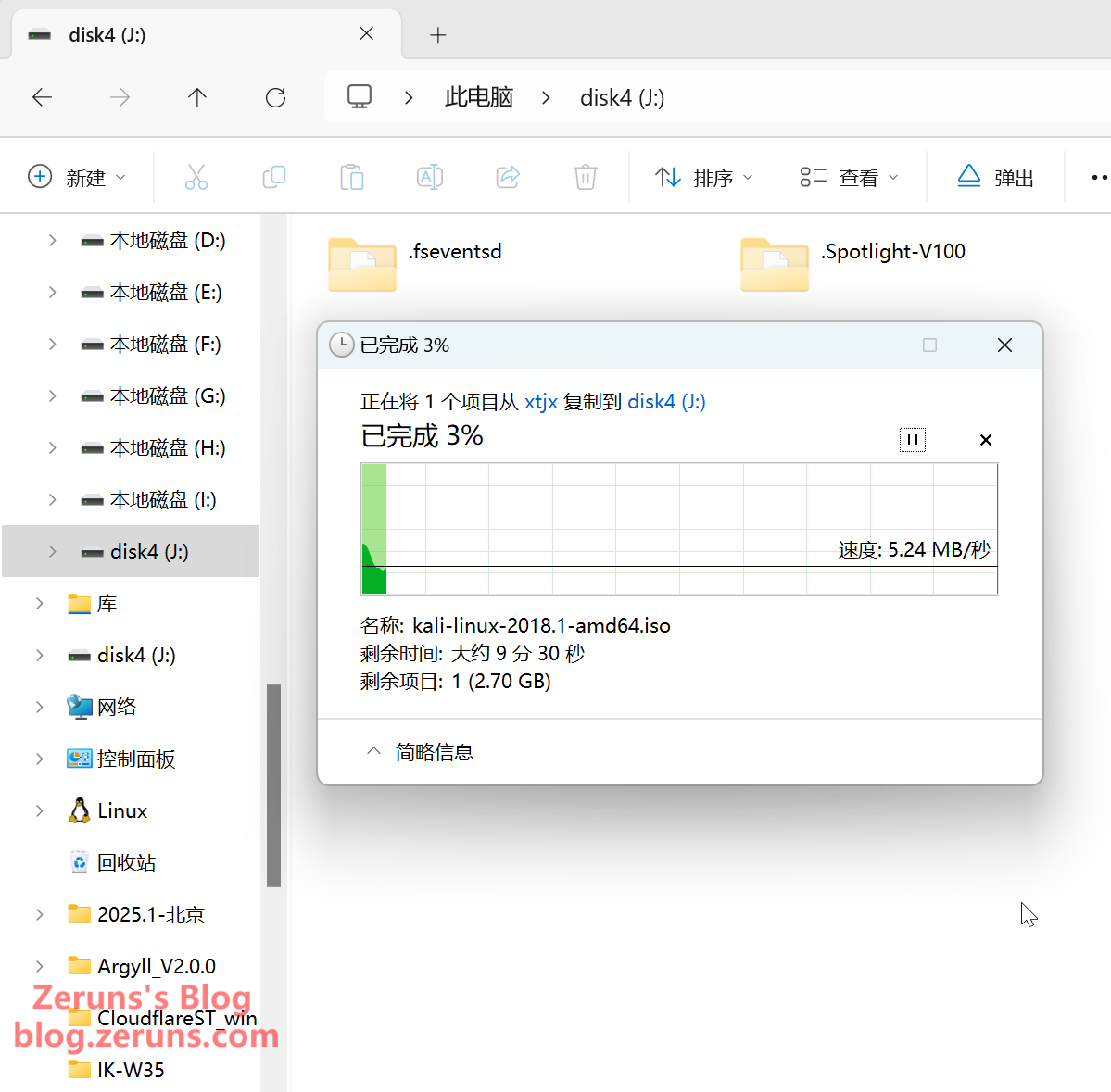
For faster image copying, remove the TF card and use a card reader instead of copying directly over USB to the NanoKVM, as the composite USB device is slow (~5MB/s).
Recommended Reading- Recommended High-Cost-Performance and Affordable VPS/Cloud Servers: https://blog.zeruns.com/archives/383.html
- ViewSonic VG2481-4K Monitor Unboxing and Brief Review – 24-inch 4K: https://blog.zeruns.com/archives/831.html
- Youka IK-Q6000 WiFi6 Wireless Router Unboxing, Review, and Teardown: https://blog.zeruns.com/archives/835.html
- 2.5G Switch TL-SE2420 Unboxing and Brief Review: https://blog.zeruns.com/archives/837.html
- Mechanical Revolution imini Pro820 Mini PC Review and Teardown – 8845H Compact Desktop: https://blog.zeruns.com/archives/813.html
English Version of the Article: https://blog.zeruns.top/archives/26.html