iKuai IK-W35 Wallplate AP Unboxing and Teardown: Dual-Band Wi-Fi 6 AX3000 with 2.5G Port
Using iKuai’s system as a soft router, I decided to replace my old TP-Link routers with iKuai APs for a unified AC + AP setup, making network management much easier.
- TP-Link TL-SE2109P 2.5G PoE Switch – Brief Unboxing and Review: https://blog.zeruns.com/archives/843.html
- iKuai IK-Q6000 Wi-Fi 6 Wireless Router – Simple Unboxing, Review & Teardown: https://blog.zeruns.com/archives/835.html
- NanoKVM – Unboxing, Review & Teardown: Adds BMC/IPMI Remote Management to Regular PCs: https://blog.zeruns.com/archives/840.html
Purchase Link: https://s.click.taobao.com/RKjb7xs
Specifications & Overview
The IK-W35 is a 3000Mbps dual-band Wi-Fi 6 wallplate AP. Compared to Wi-Fi 5 dual-band APs, it offers higher wireless throughput and supports more concurrent client connections—ideal for environments with high Wi-Fi performance demands. Designed in the standard 86-box form factor and powered via PoE, the IK-W35 ensures excellent compatibility with a wide range of wireless devices on the market.
The IK-W35 supports centralized management via an iKuai AC controller, allowing administrators to easily configure, monitor, and manage the device remotely. It supports up to 8 SSIDs, enabling flexible access control for different user groups. Priority-based traffic policies ensure critical applications receive sufficient bandwidth, enhancing user experience. Additional features like DingTalk authentication and web portal authentication significantly improve network security.
Physical Features
| Feature | Description |
|---|---|
| Model | IK-W35 |
| Installation | 86-box wall mount |
| Dimensions | 86mm × 86mm × 52mm |
| Network Ports | Rear: 1× 10/100/1000/2500Mbps Ethernet port Front: 1× 10/100/1000Mbps Ethernet port |
| Reset Button | Yes |
| Antenna | Built-in omnidirectional antennas |
| Power Supply | PoE: IEEE 802.3af/at |
| Power Consumption | 12 W |
| Standards | IEEE 802.11a/b/g/n/ac/ax |
| Spatial Streams | 2×2 MIMO (2.4GHz) 2×2 MIMO (5GHz) |
| Wireless Speed | Up to 2976 Mbps |
Software Features
| Feature | Description |
|---|---|
| WLAN Features | Supports up to 8 SSIDs Supports Chinese SSID names SSID VLAN tagging SSID hiding Per-SSID bandwidth limiting Guest mode User limit per radio |
| Security | WPA-PSK, WPA2-PSK, WPA-PSK+WPA2-PSK encryption Dynamic password, SMS, one-click authentication Wireless MAC whitelist/blacklist |
| Management | iKuai AC management support Firmware over-the-air (OTA) updates |
Operating Environment
| Condition | Specification |
|---|---|
| Operating Temp | 0°C ~ 45°C |
| Operating Humidity | 10% ~ 90% (non-condensing) |
| Storage Temp | -40°C ~ +70°C |
| Storage Humidity | 5% ~ 90% (non-condensing) |
Download the IK-W35 User Manual (PDF): https://url.zeruns.com/IK-W35
Unboxing
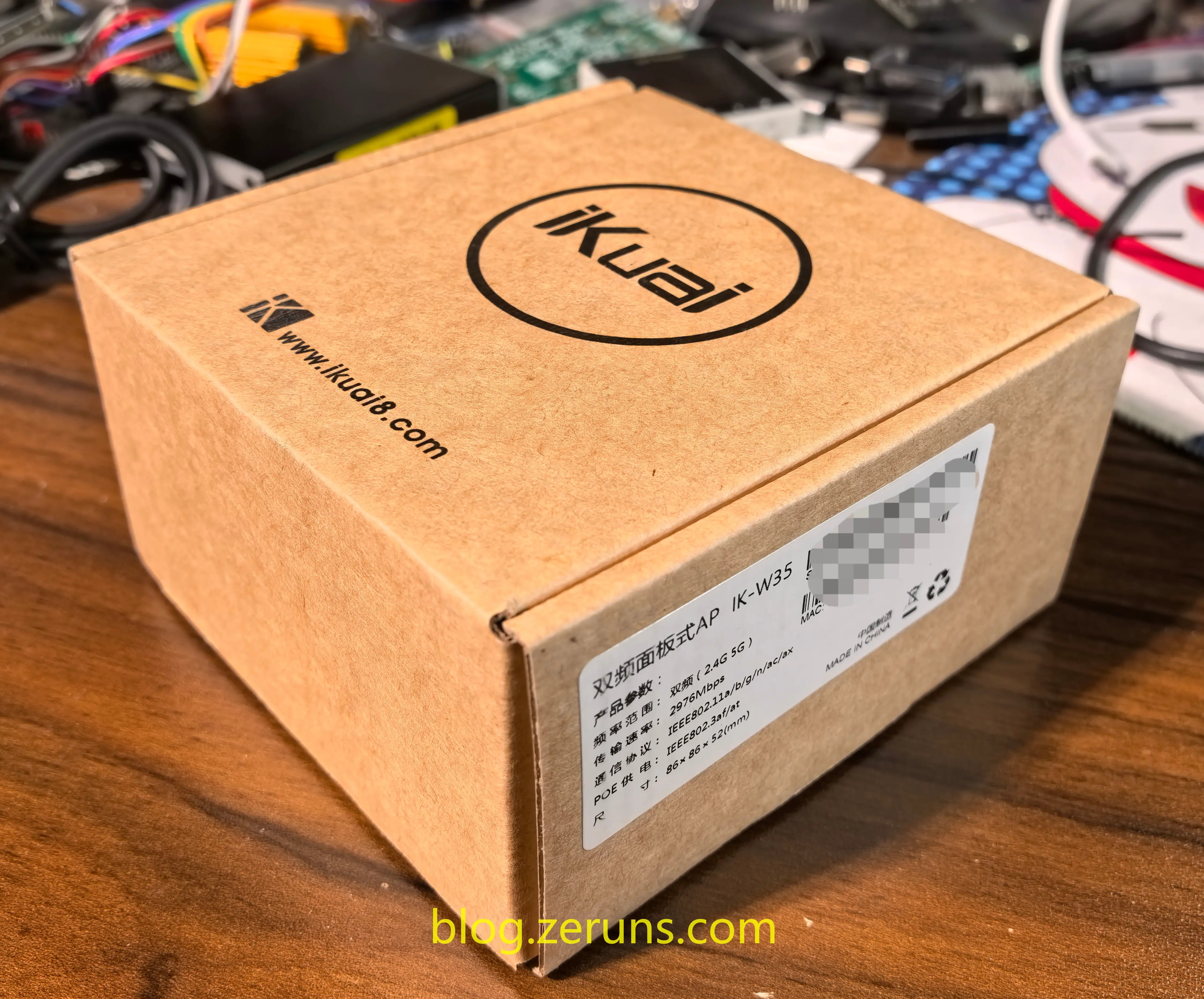
Front view of the packaging:
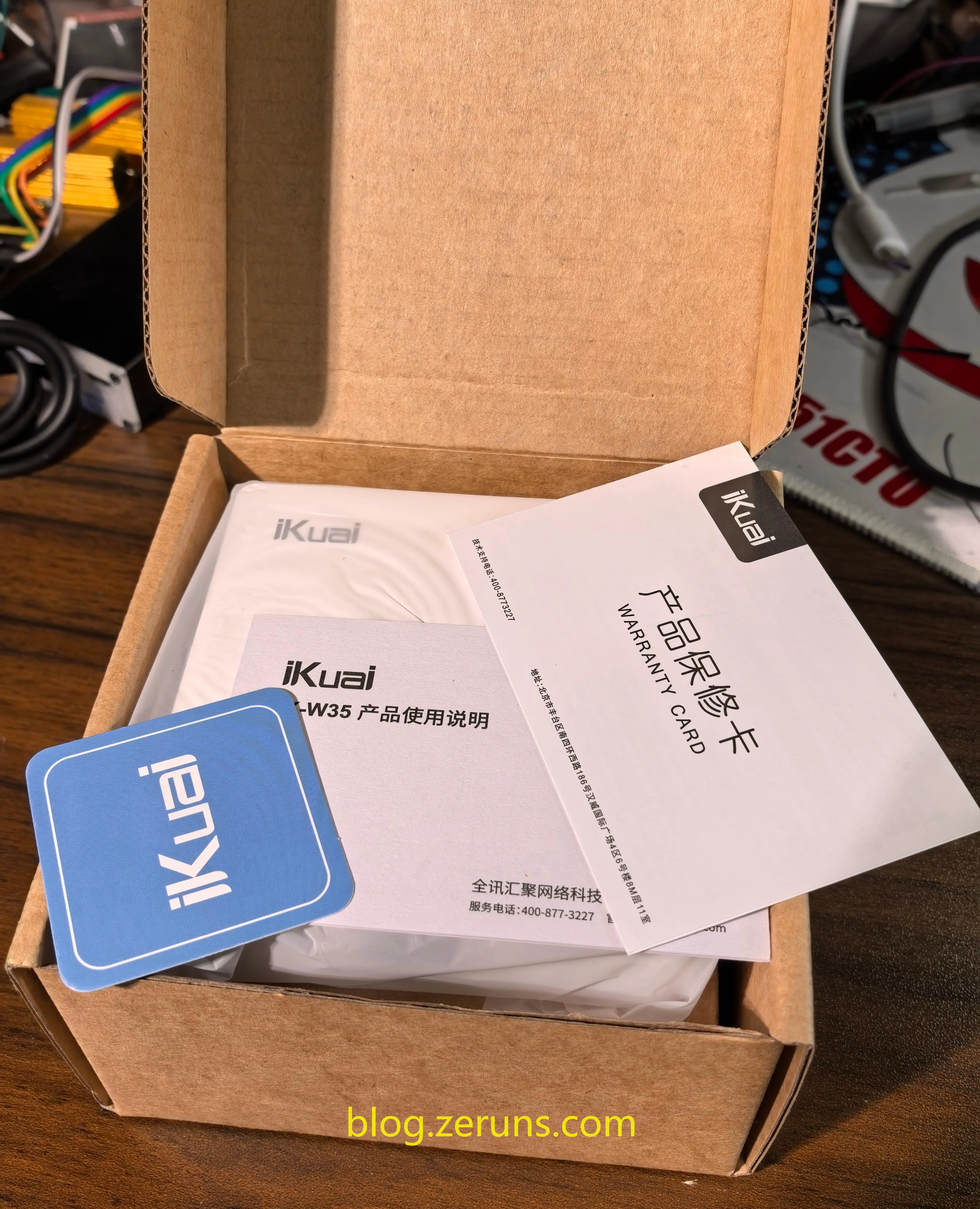
Inside the box: Warranty card, user manual, and two mounting screws.
Front view of the IK-W35 — note the front-facing Gigabit LAN port.

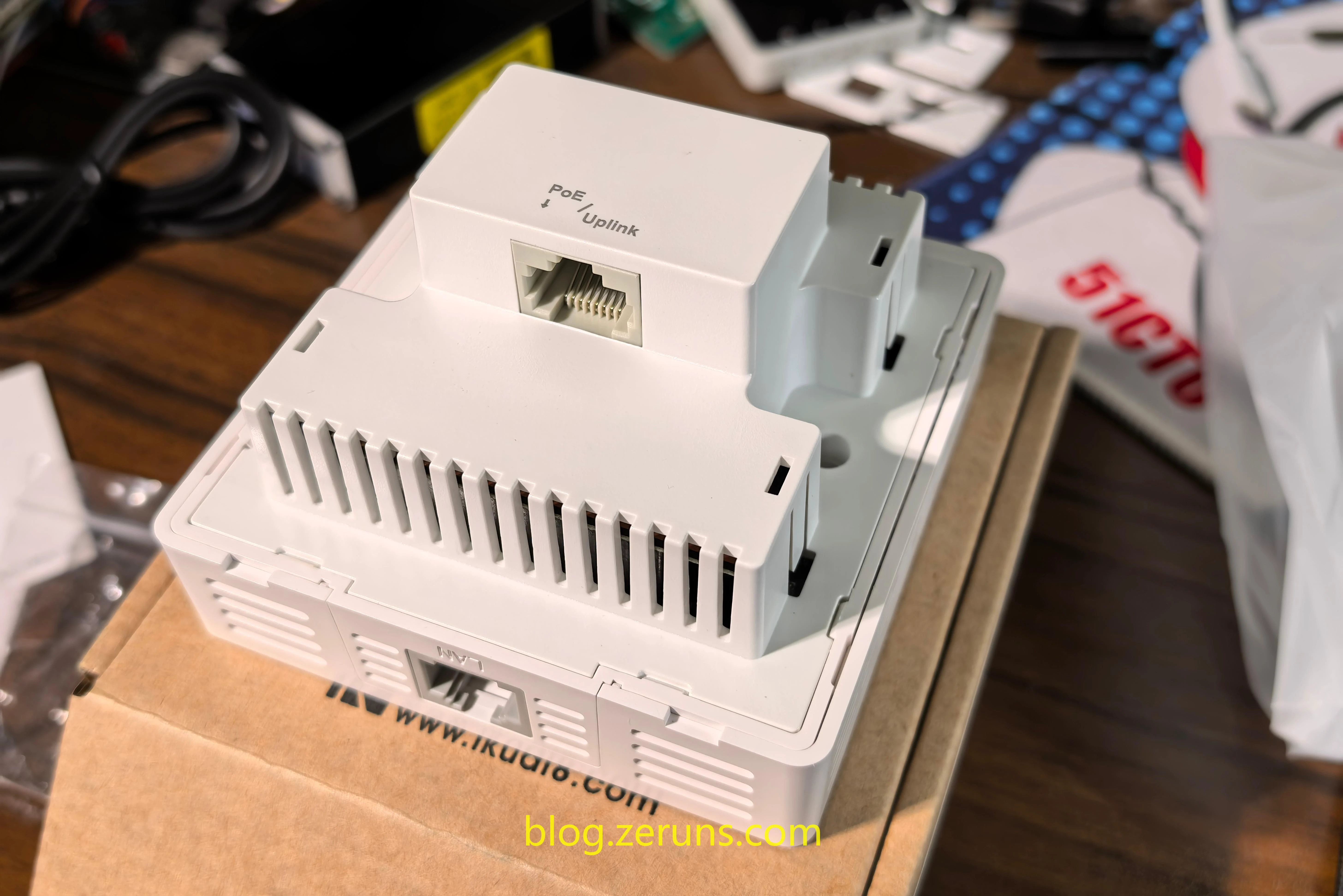
Back view showing the 2.5G upstream port with PoE input support.
Removing the front panel reveals the serial number barcode, model label, system status LED, and reset button at the bottom right.

Teardown
The outer casing is secured with plastic clips—can be pried open easily.
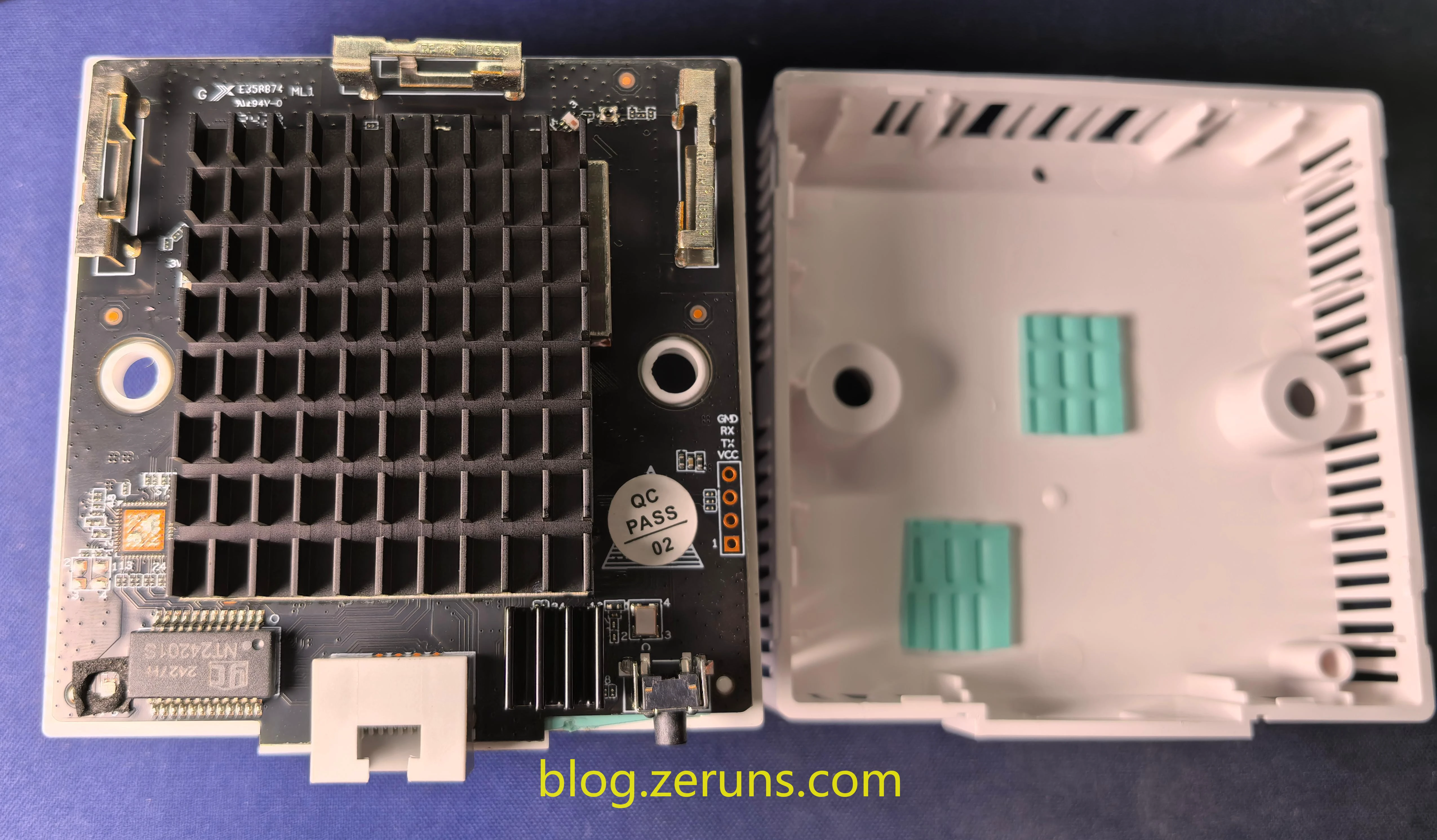
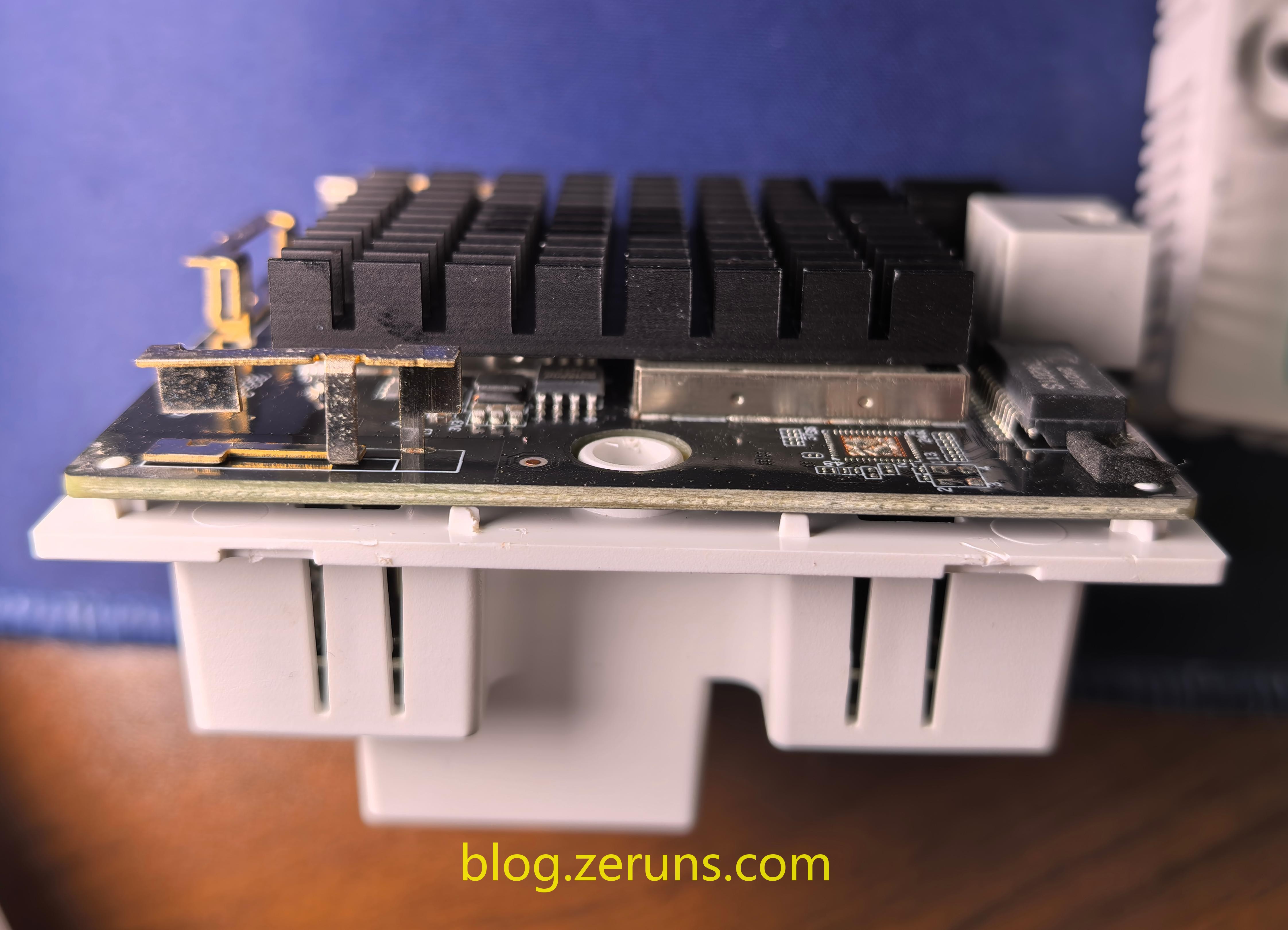
Two-layer PCB design—the lower board likely handles power regulation.

Review
Installation
Installing the IK-W35 into a standard 86-box is straightforward and fits well.
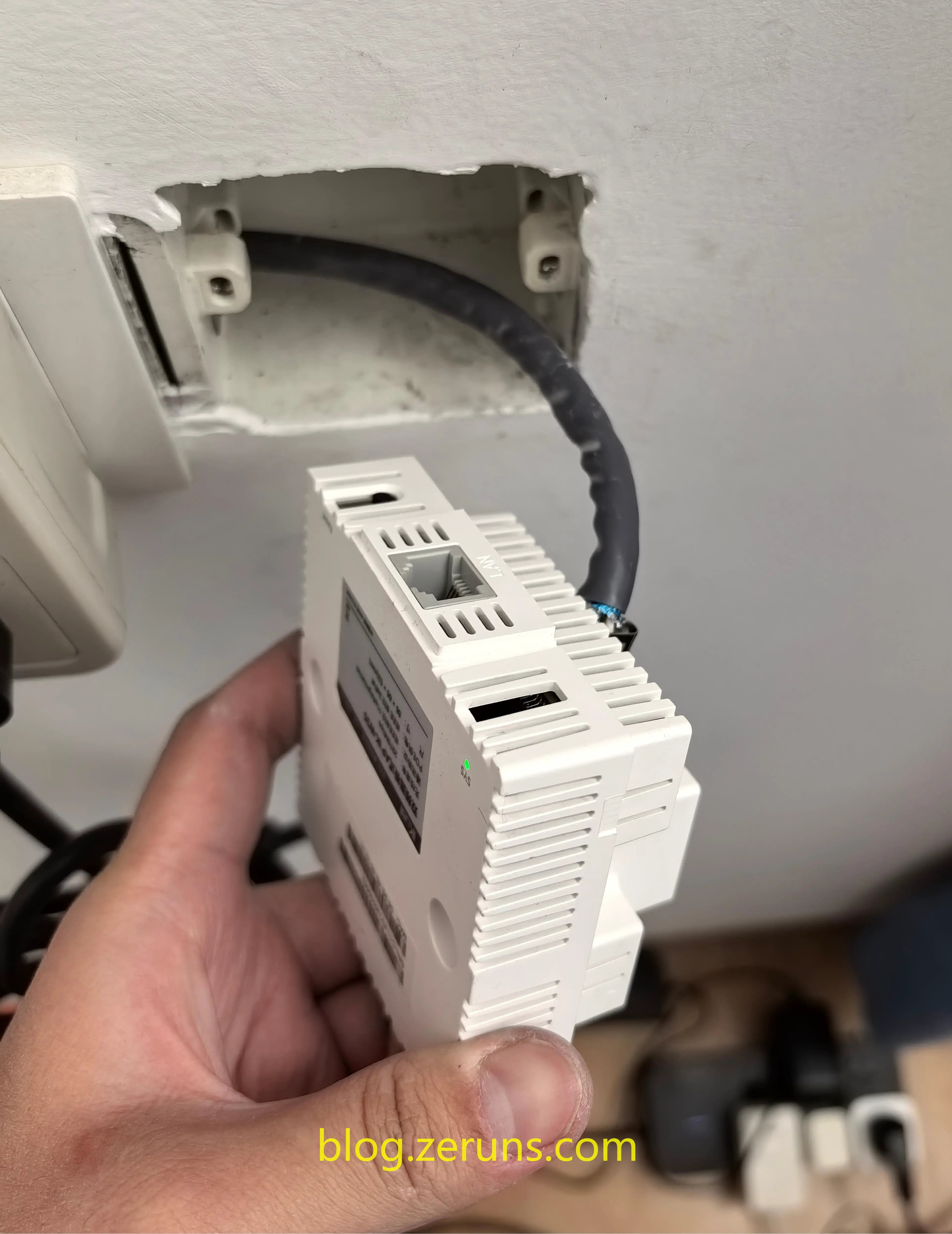
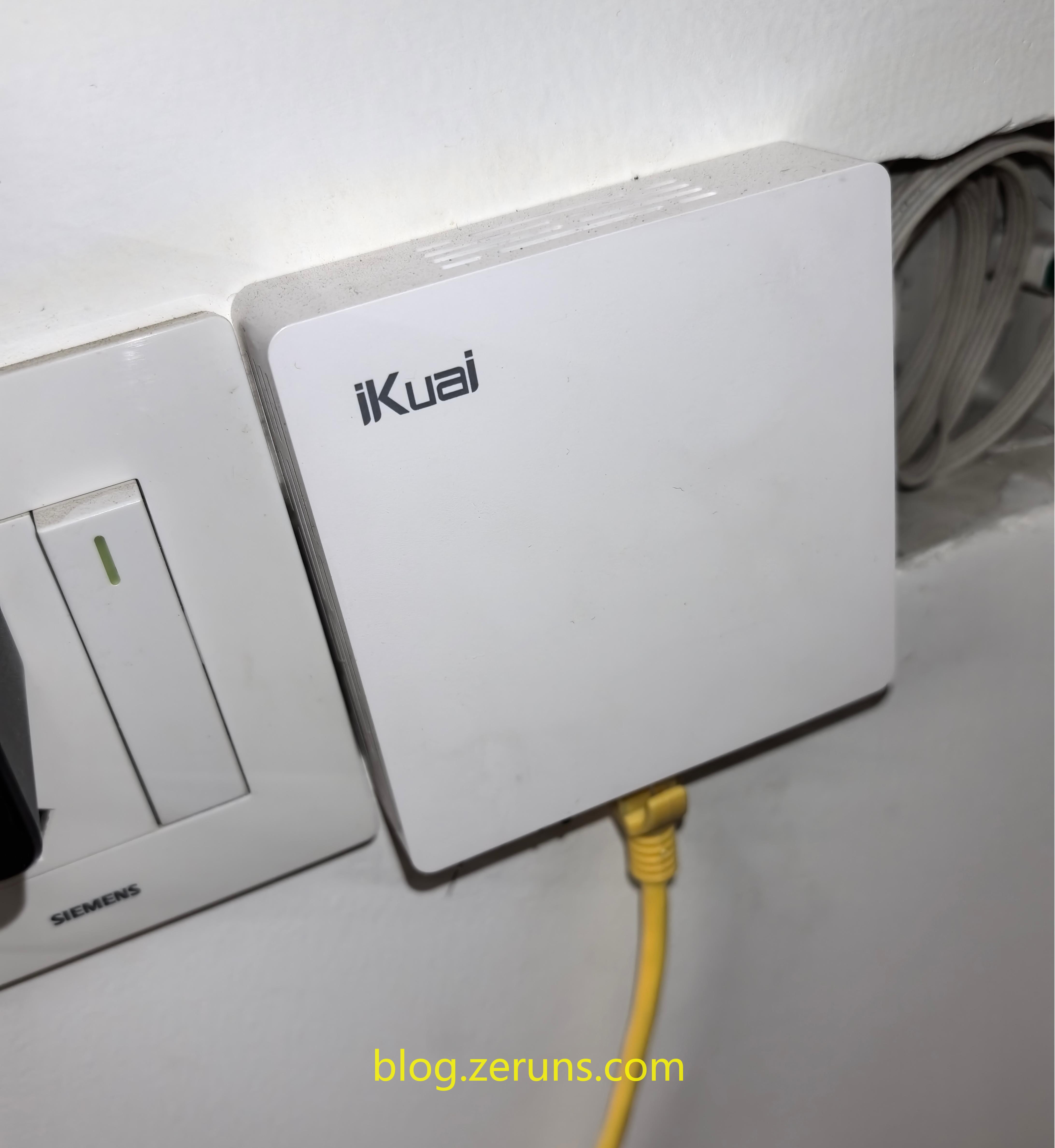
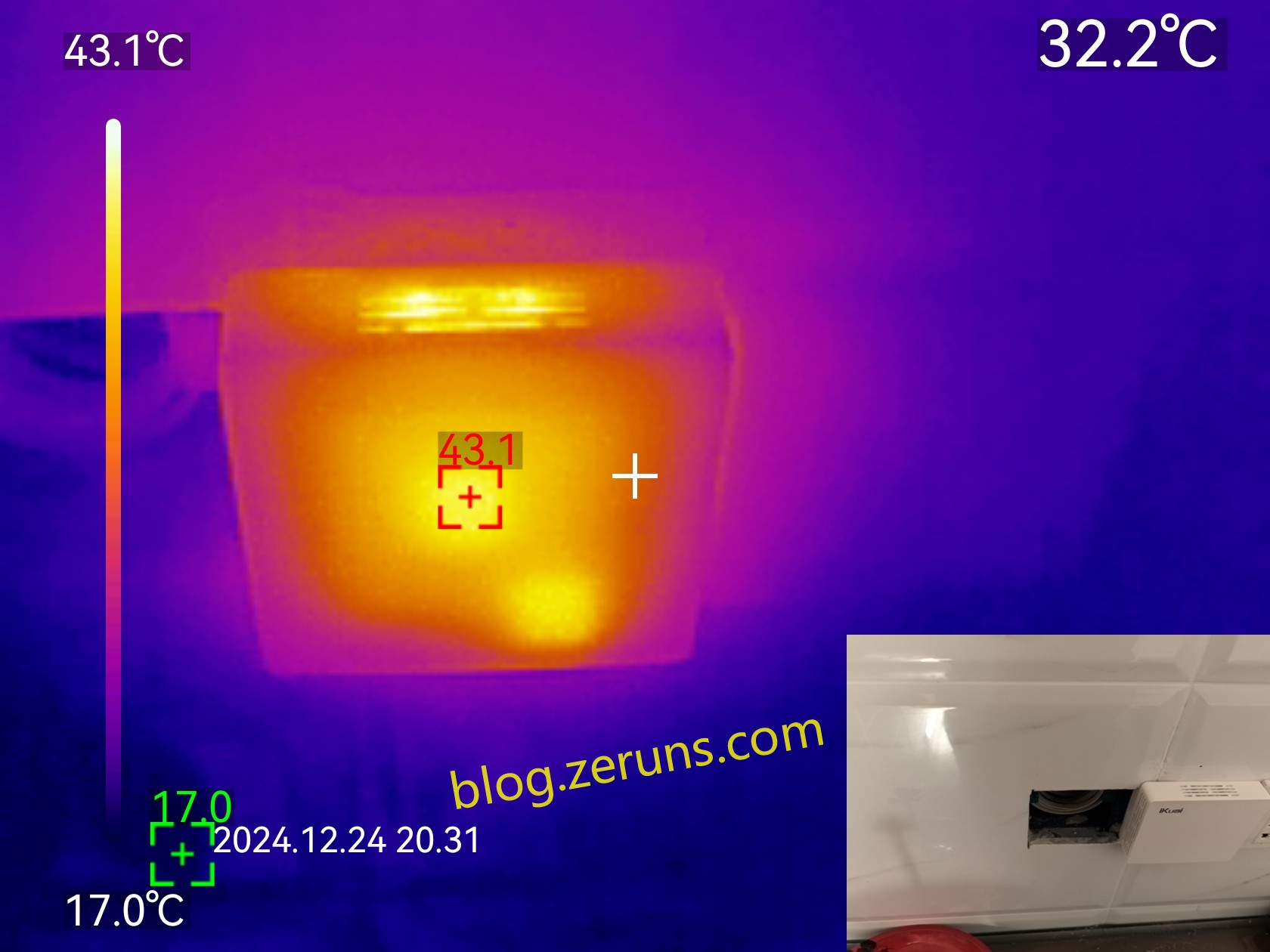
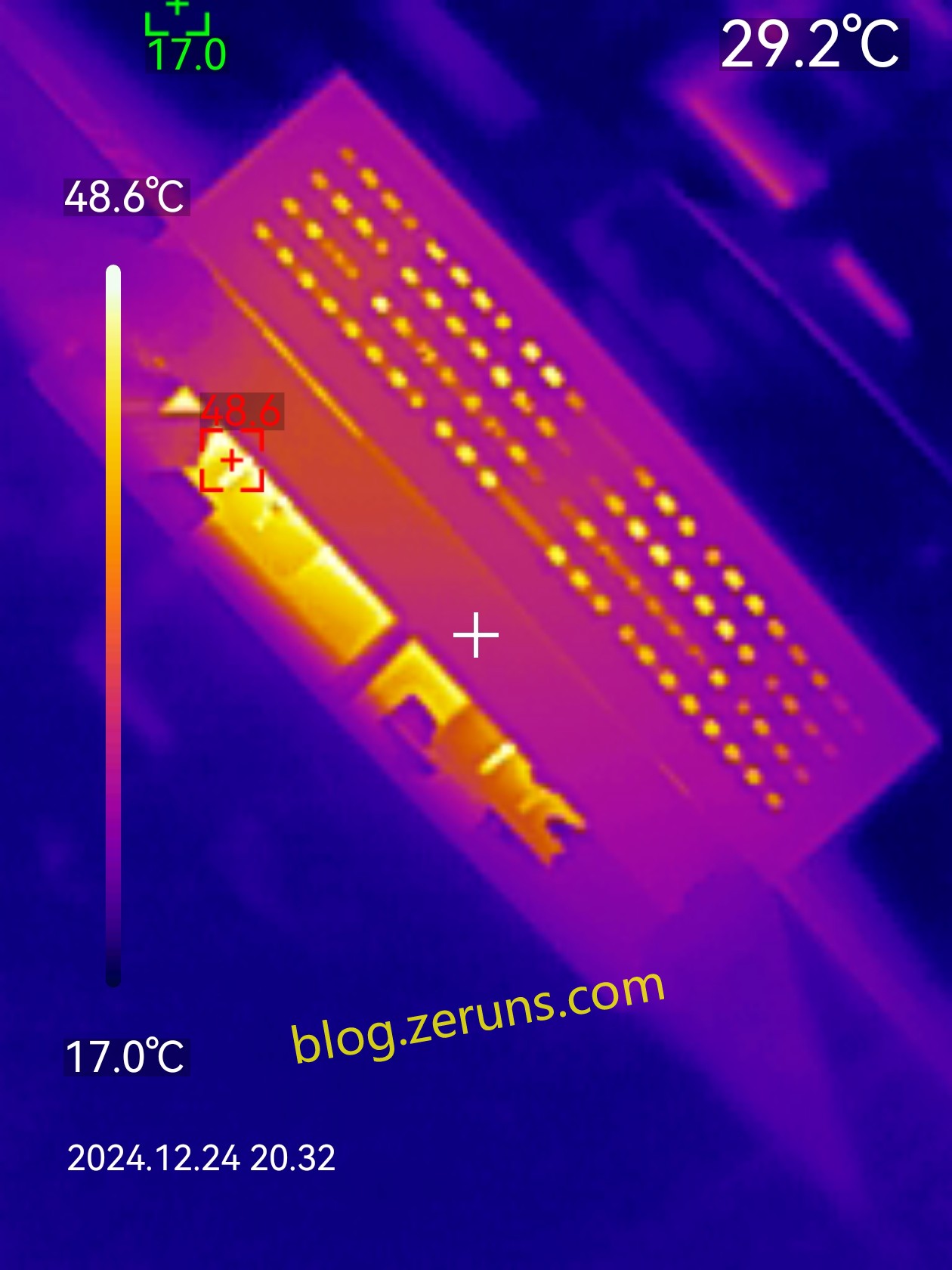
Thermal Imaging (Heat Test)
Front surface peaks around 43°C, while internal heatsink reaches about 48°C (ambient temperature ~17°C).
Management Interface Screenshots
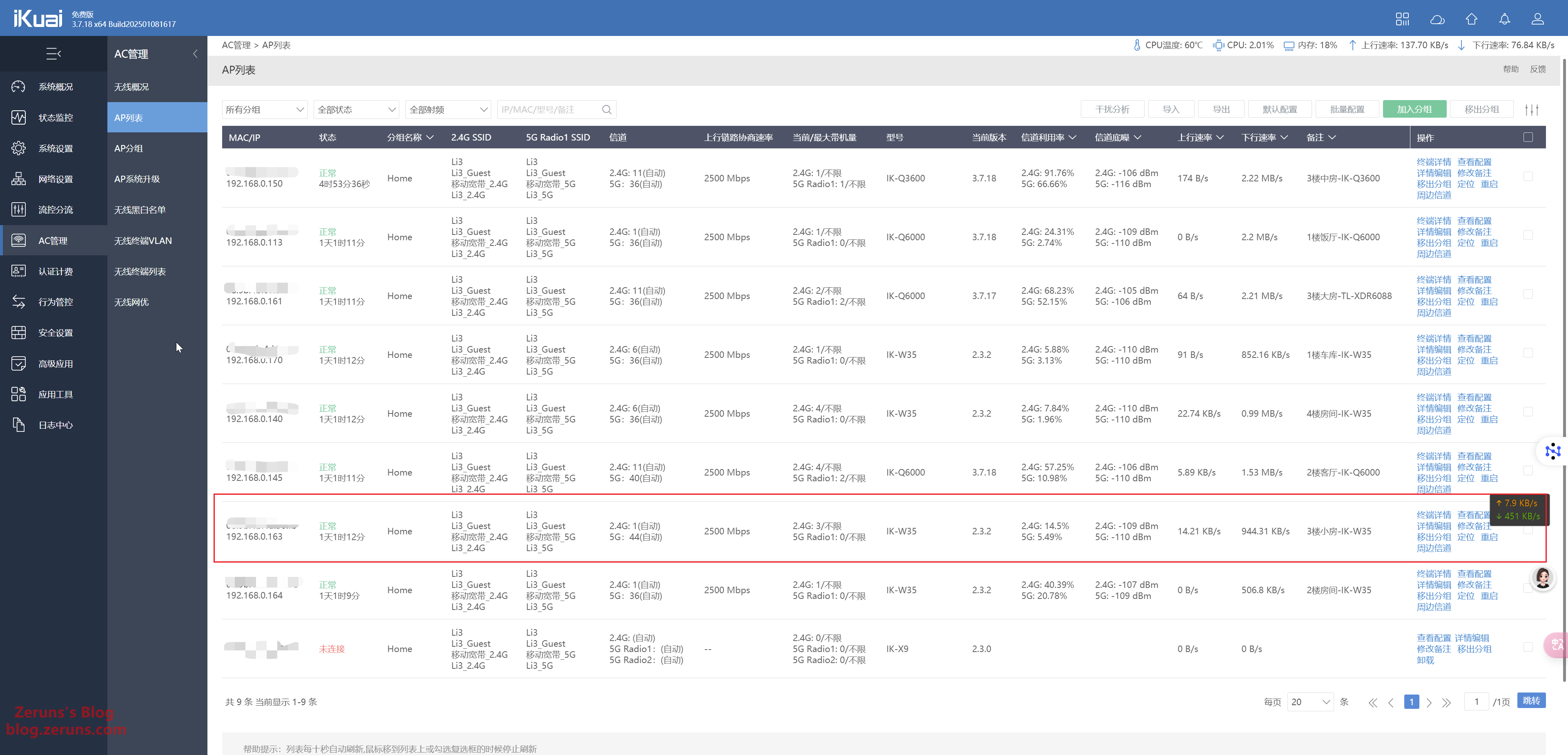
AC Controller interface:
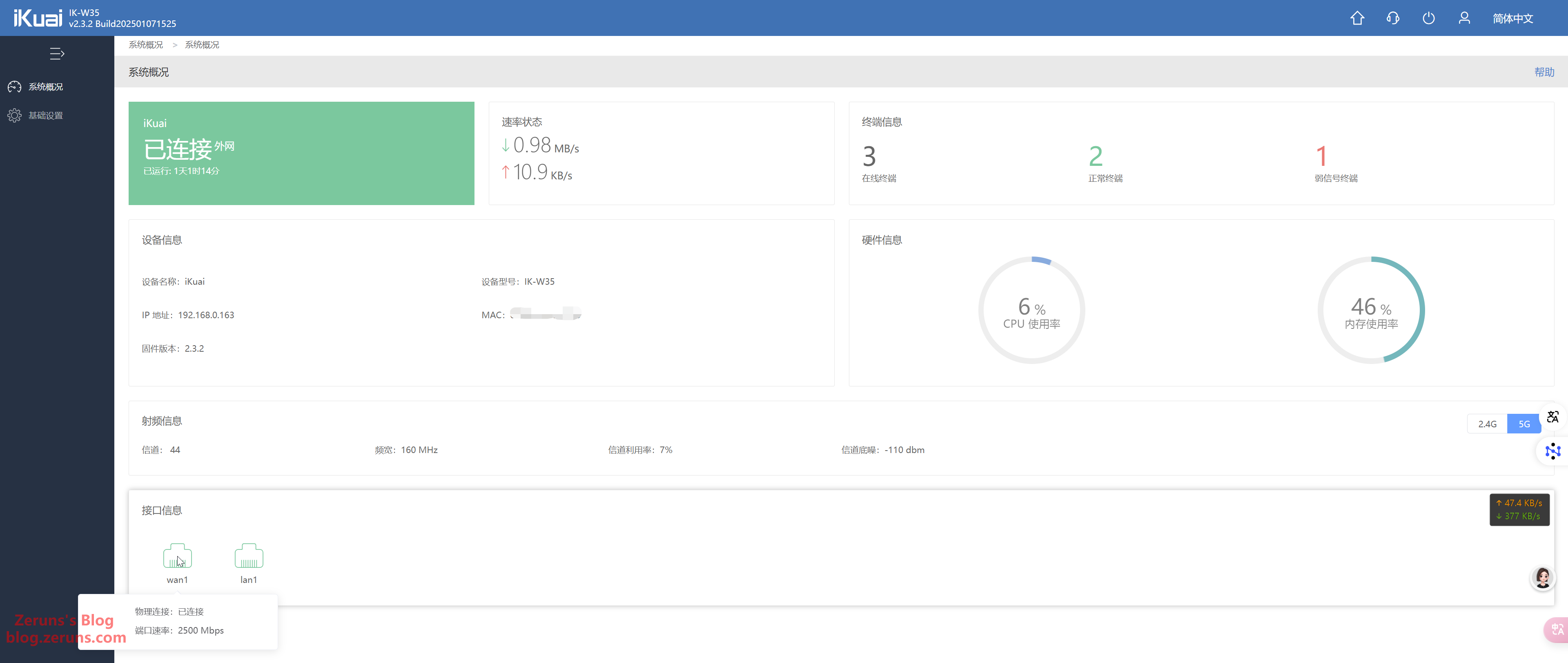
AP standalone management page — also supports switching to router mode.

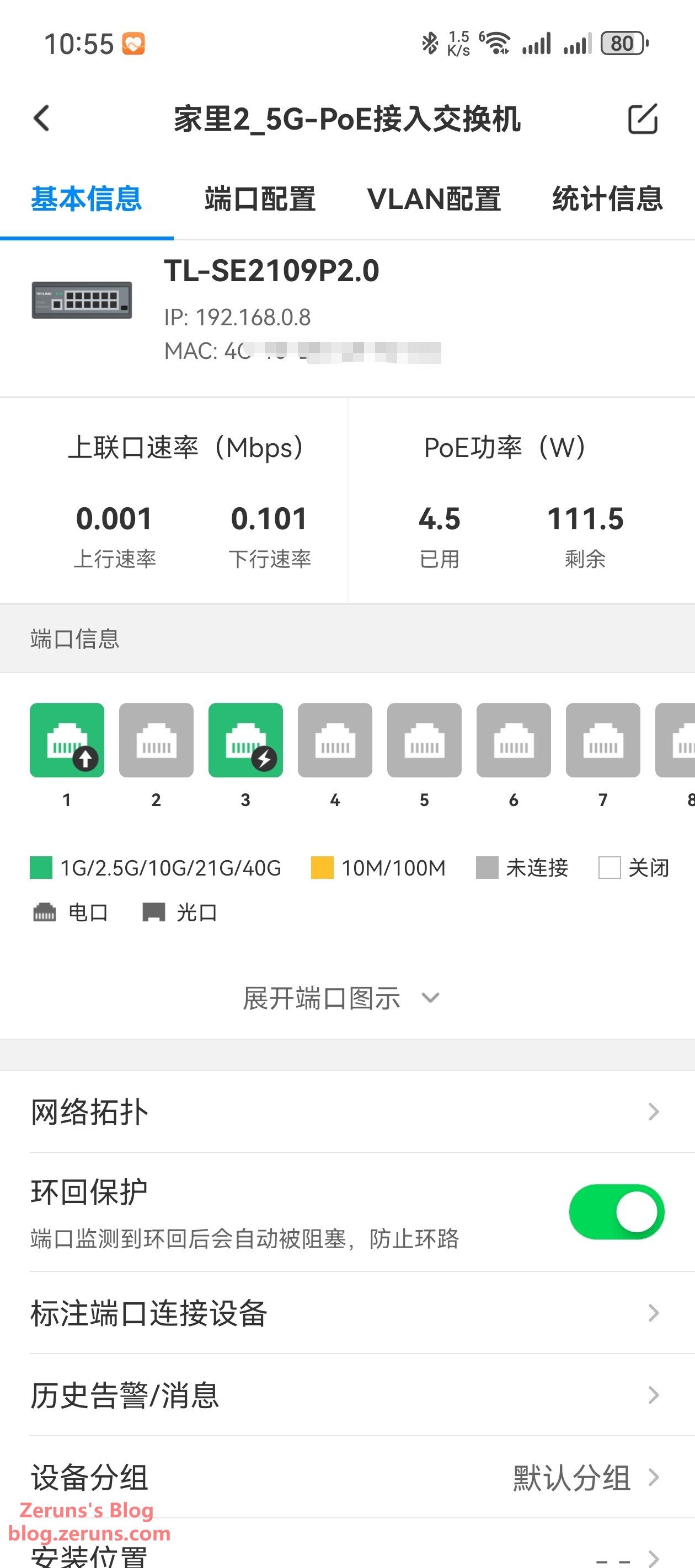
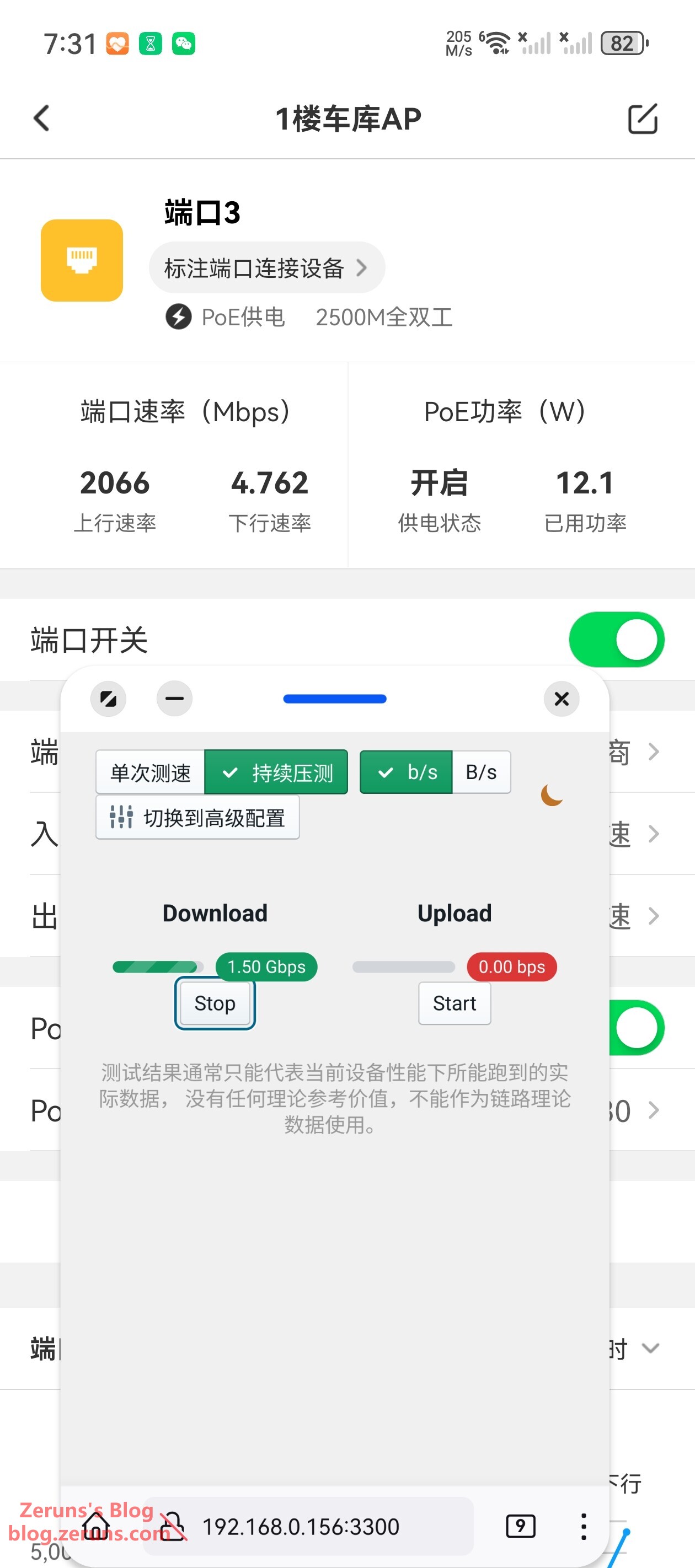
Power Consumption
Idle power draw (no connected clients): ~4.5W
Under full 5GHz load: ~12W
Speed Tests
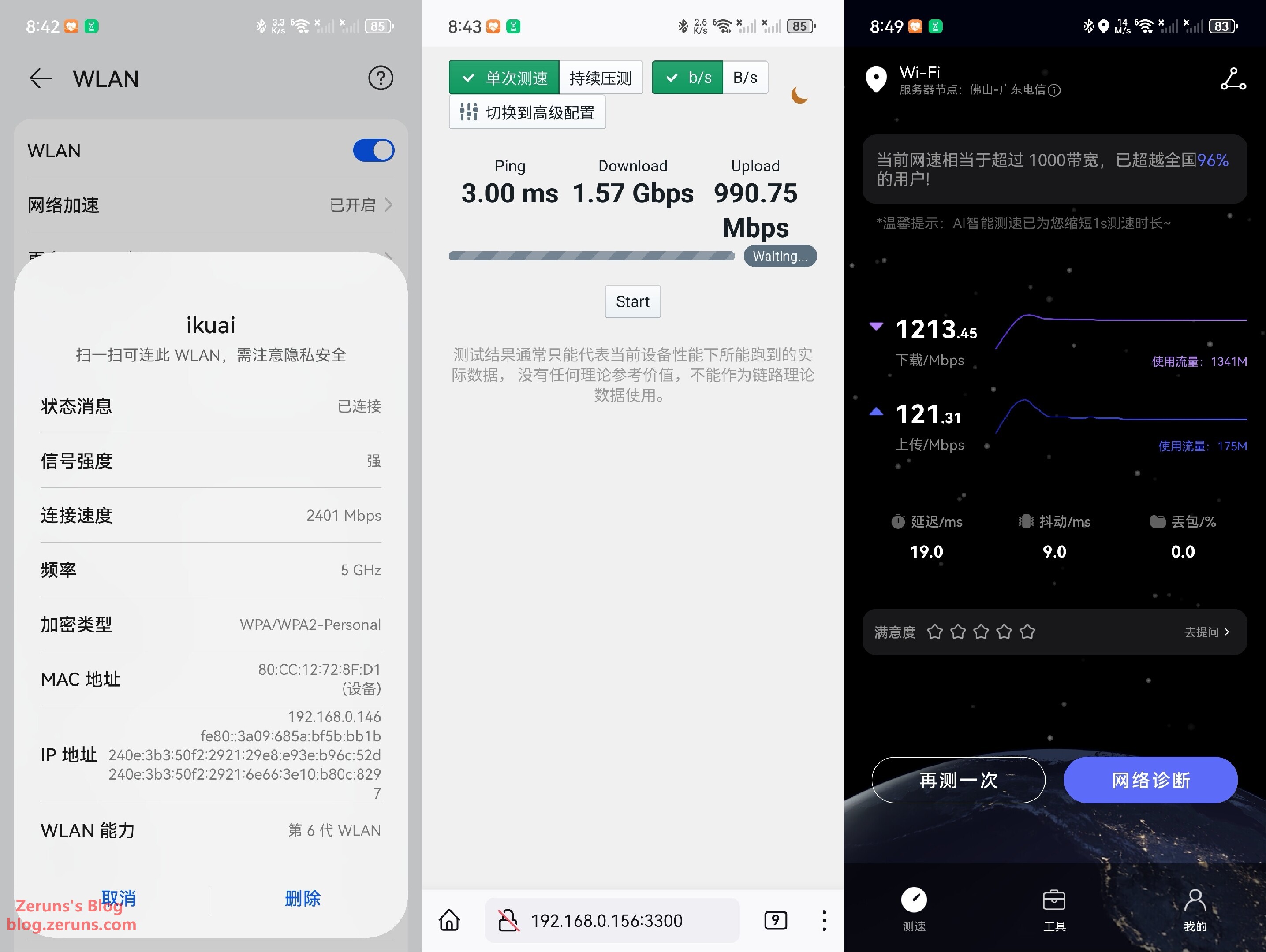
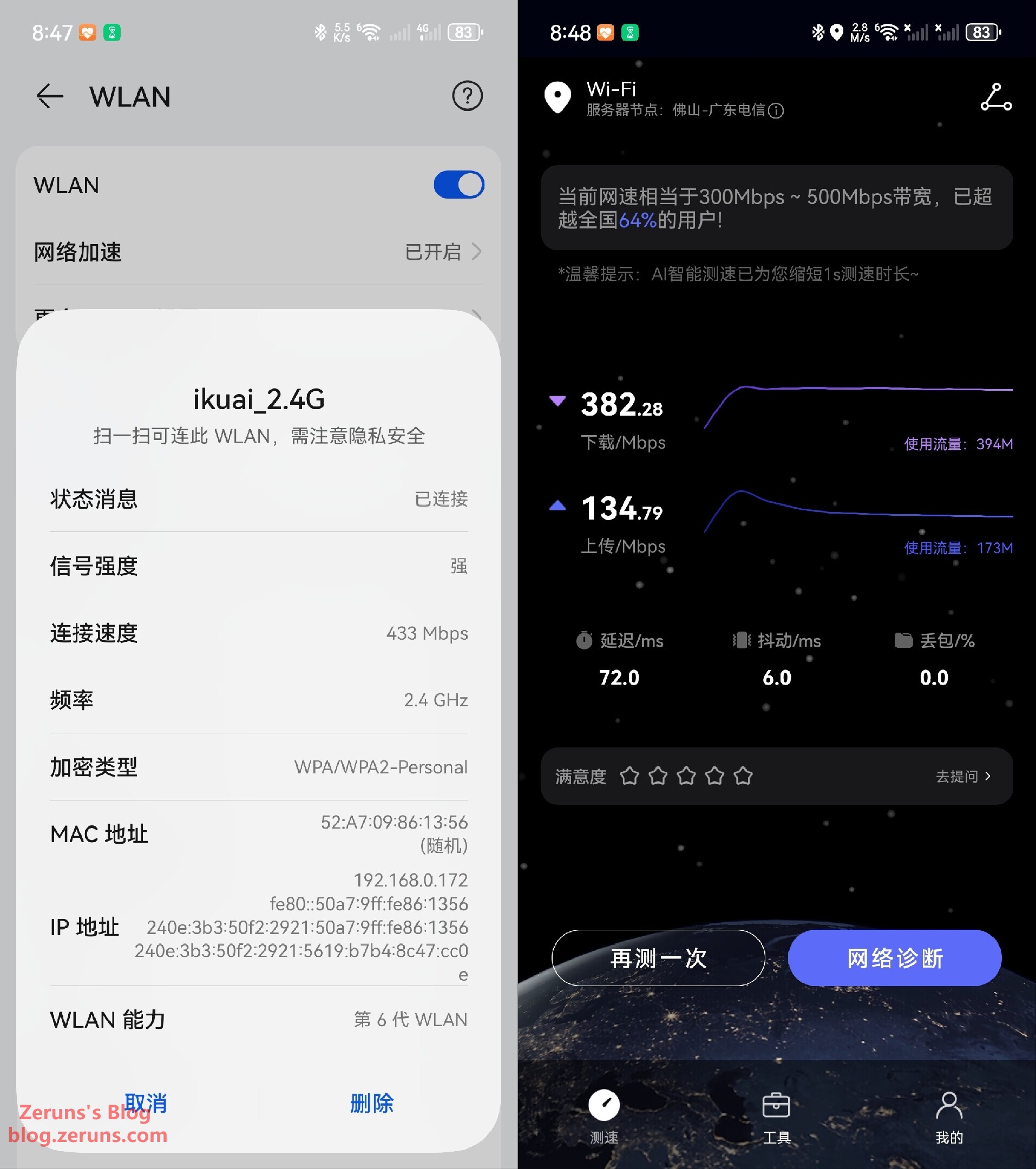
Test device: Pura 70 Pro+
Within 0.5 meters, no obstacles:
-
5GHz Band:
Negotiated rate: 2401 Mbps
Download: 1.57 Gbps
Upload: 990 Mbps -
2.4GHz Band:
Negotiated rate: 433 Mbps
Download: 382 Mbps
Upload: 134 Mbps
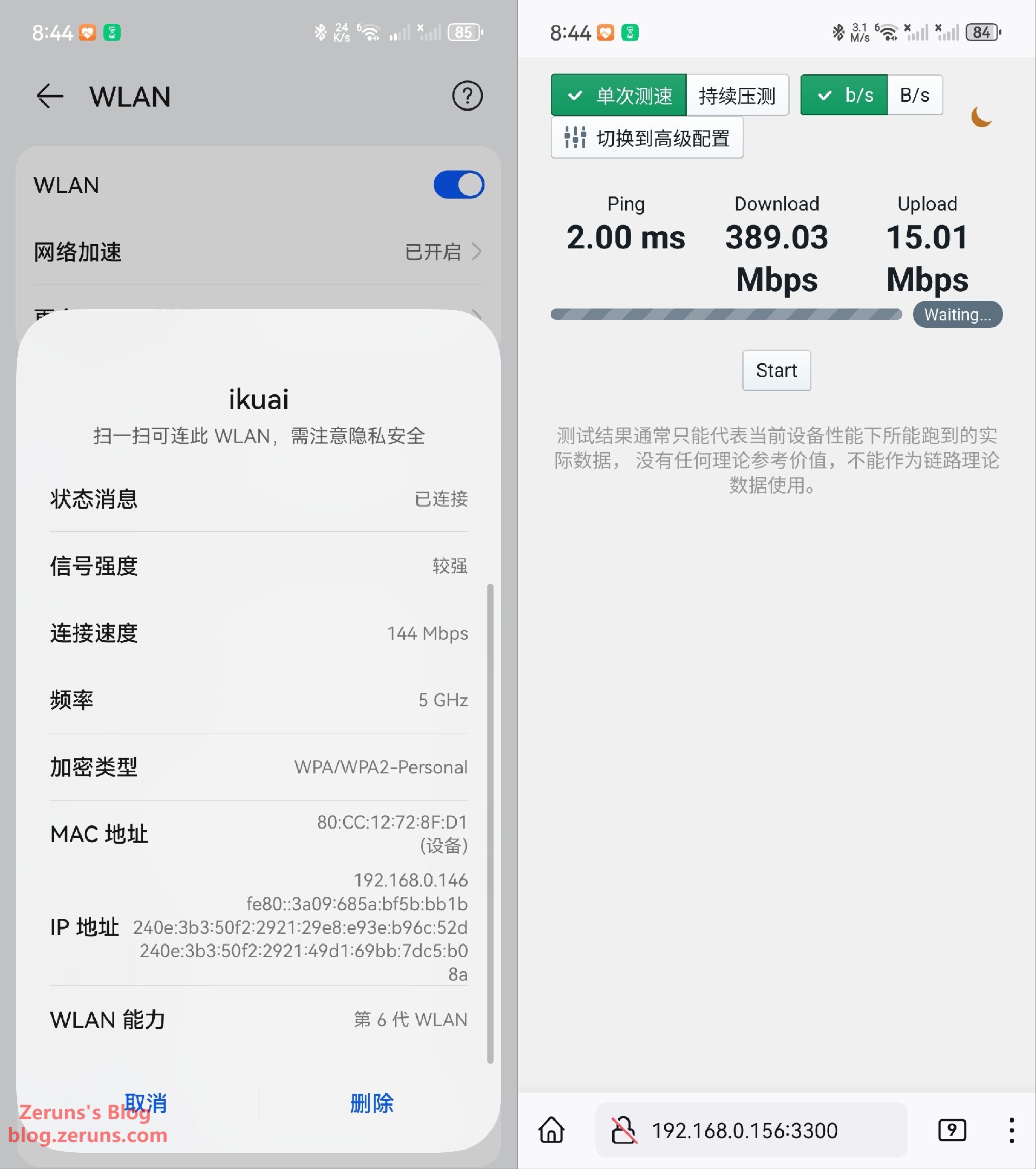
Through one wall:
-
5GHz Band:
Negotiated rate: 144 Mbps
Download: 389 Mbps
Upload: 15 Mbps -
2.4GHz Band:
Negotiated rate: 292 Mbps
Download: 86.78 Mbps
Upload: 34.54 Mbps
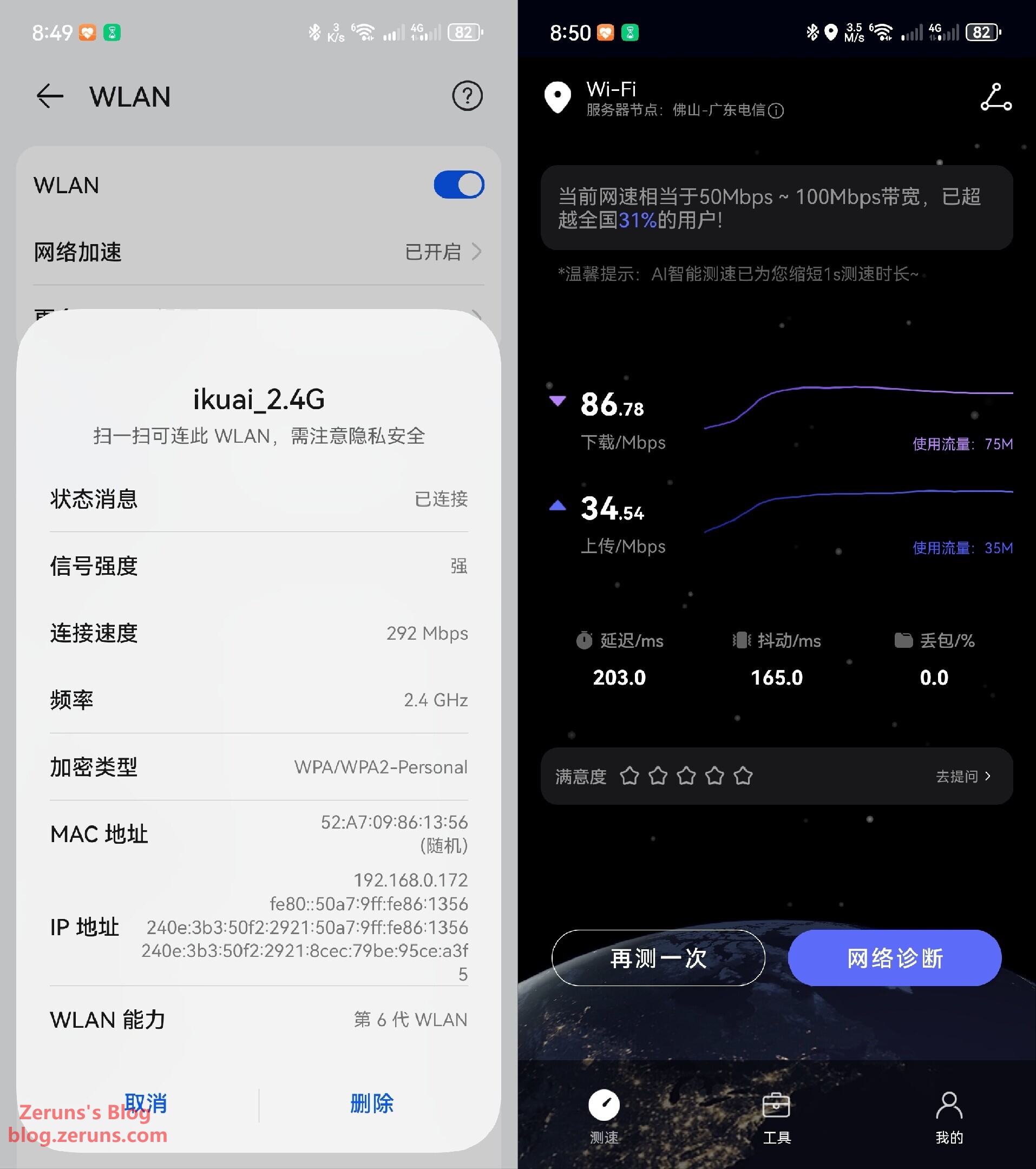
Signal could not penetrate two walls effectively.
Recommended Reading
- Best Value VPS / Cloud Servers (Affordable Options): https://blog.zeruns.com/archives/383.html
- ViewSonic VG2481-4K Monitor – Unboxing & Review (24-inch 4K): https://blog.zeruns.com/archives/831.html
- Mechrevo imini Pro820 Mini PC Review & Teardown (Ryzen 8845H): https://blog.zeruns.com/archives/813.html
- RIHAO USB4 Enclosure + HP FX900Pro 2TB SSD – Quick Review: https://blog.zeruns.com/archives/842.html
- No-Code Blog Setup: Complete Guide to Building Your Own Website: https://blog.zeruns.com/archives/783.html
English Version of This Article: https://blog.zeruns.top/archives/31.html