Core Problem Analysis
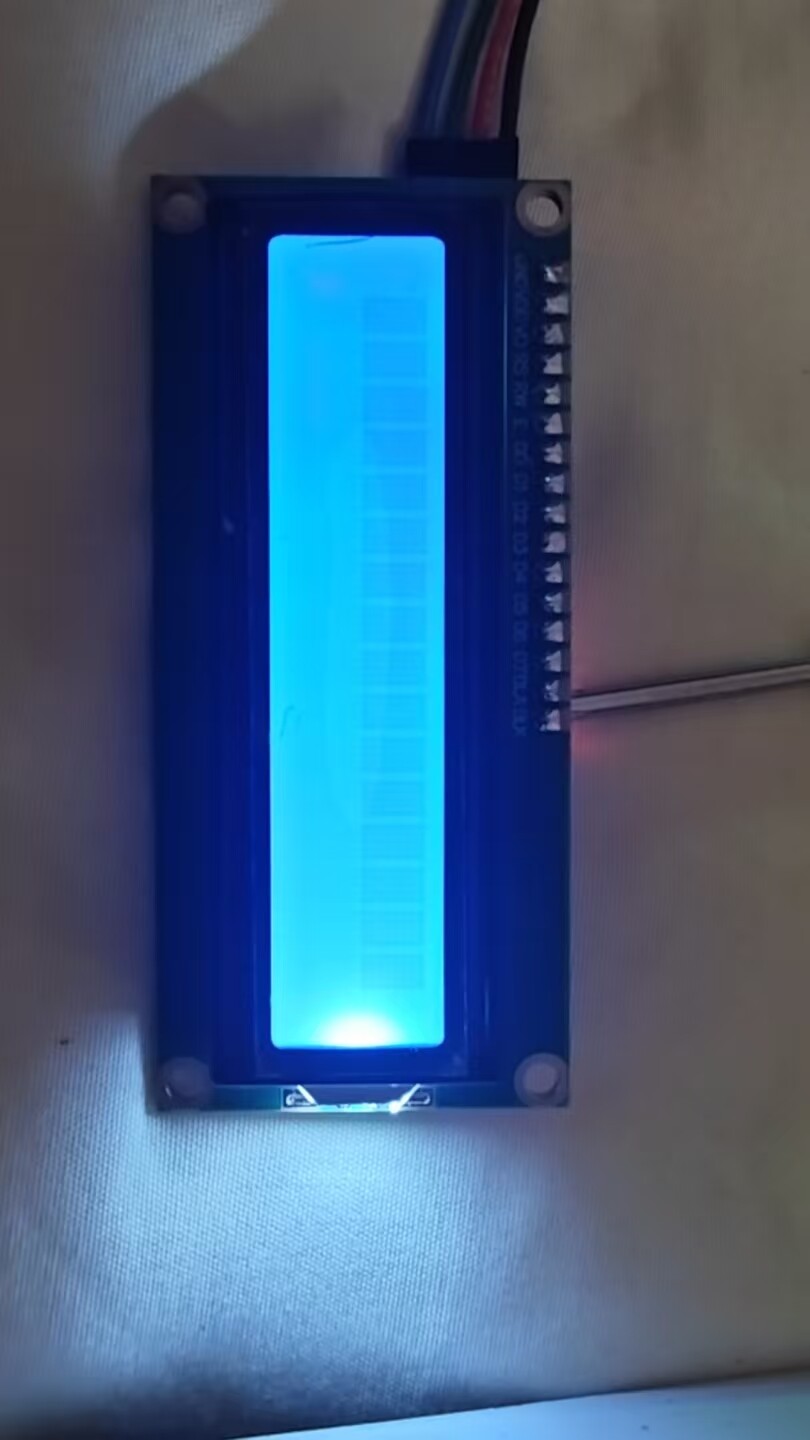
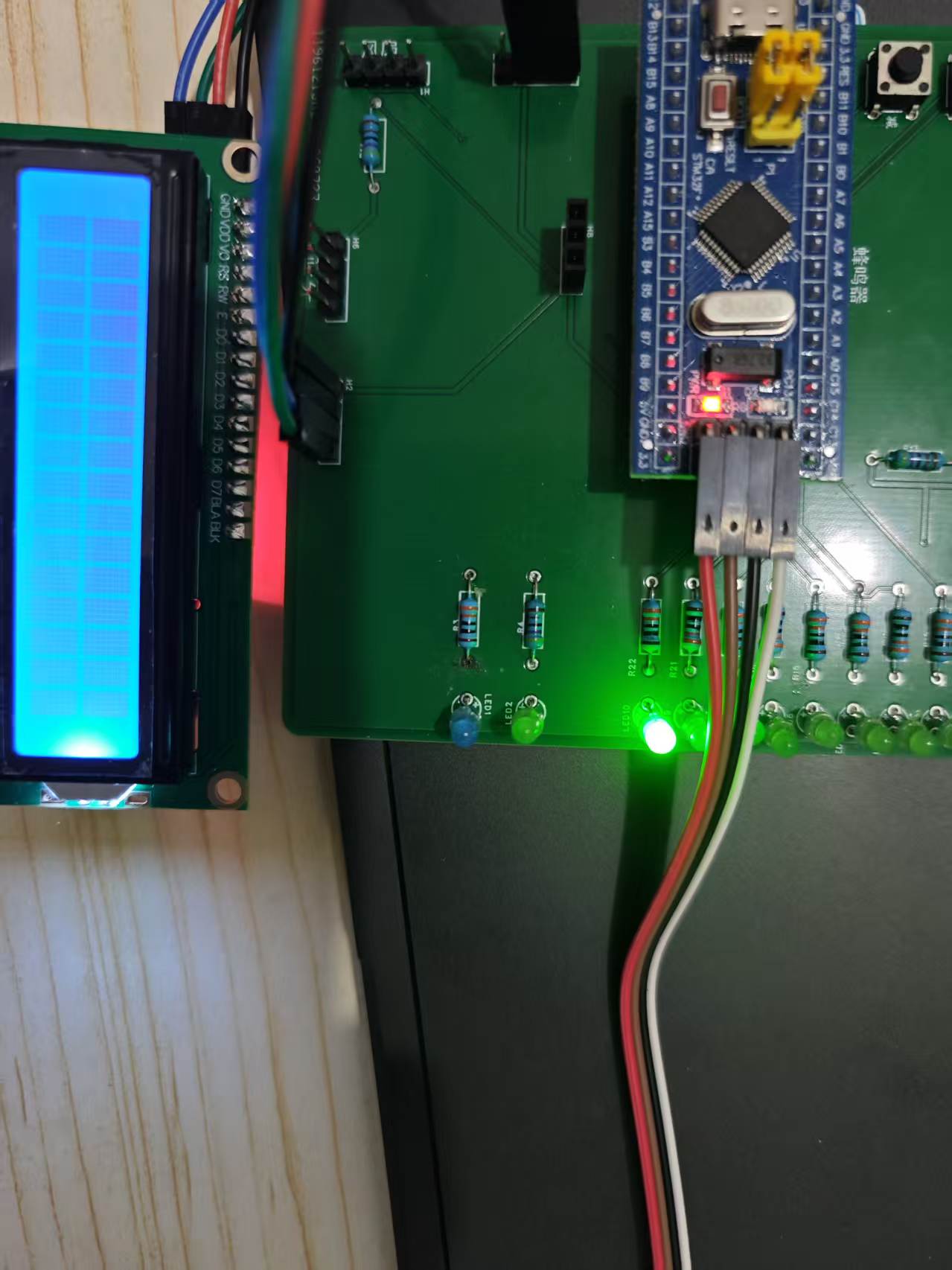
Your LCD1602 backlight is on but no characters are displayed. There’s a 90% chance this is due to I2C communication issues (wrong address, incorrect pin configuration, or no ACK), followed by initialization timing/delay problems, or missing power supply/pull-up resistors. Below is a complete troubleshooting and fix guide, ordered by priority.
Part 1: Hardware Troubleshooting (Fix foundational hardware issues first)
1. Verify Key Pins and Wiring
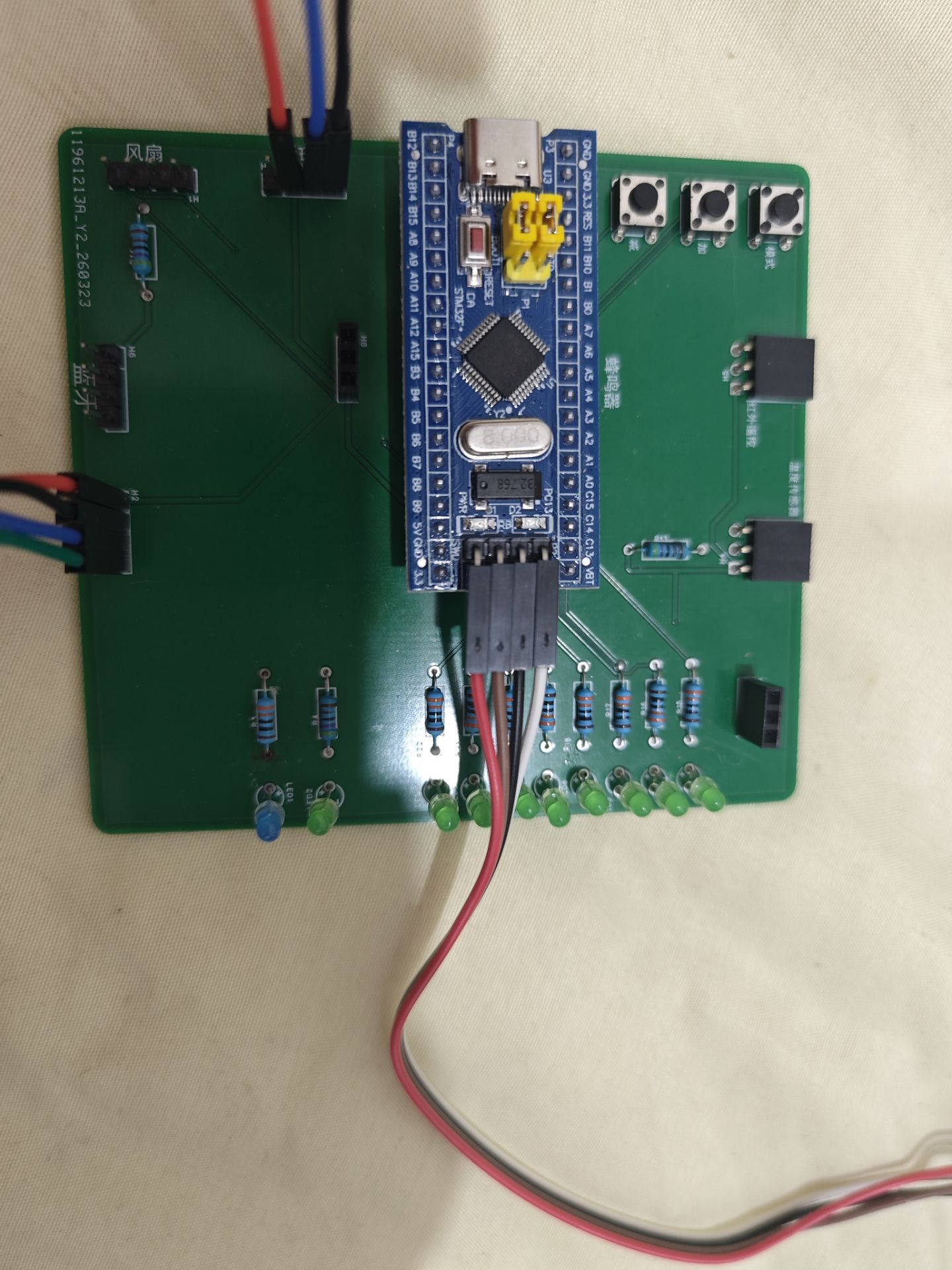
Your schematic defines:
- LCD interface H2: 1 = +5V, 2 = GND, 3 = SDA (PB7), 4 = SCL (PB6)
- STM32’s I2C1: SCL must be connected to PB6, SDA to PB7 — double-check the I2C1 pin mapping in CubeMX. Do not swap SDA and SCL.
2. Power Supply Must Be 5V
The LCD1602 with I2C adapter board is a 5V device. Using 3.3V will result in “backlight on, but no I2C communication.” Connect it to the STM32’s 5V pin, not 3.3V.
3. I2C Bus Requires Pull-Up Resistors
I2C uses an open-drain bus and requires pull-up resistors:
- Option 1: In CubeMX, configure PB6 and PB7 GPIOs for I2C1 as Open Drain with Pull-Up
- Option 2: Add external 4.7kΩ pull-up resistors from PB6 and PB7 to 5V
Without pull-ups, I2C signals may fail, leading to no device response.
Part 2: Software Fixes (Prioritized)
1. 【Most Common Issue】Correct the I2C Address
Your code defines #define LCD_I2C_ADDRESS 0x4E, but this may not match your module:
- The I2C LCD1602 adapter uses the PCF8574 chip, which commonly has a 7-bit address of 0x27 or 0x3F. The
HAL_I2C_Master_Transmit function in HAL requires the 8-bit write address (7-bit address << 1):
- 7-bit address 0x27 → 8-bit write address
0x4E (your current setting)
- 7-bit address 0x3F → 8-bit write address
0x7E (another common option)
Quick Way to Verify I2C Address (Mandatory Step)
After MX_I2C1_Init(), add I2C address scanning code to detect responding addresses:
// Place after MX_I2C1_Init(), before lcd_init()
uint8_t i2c_addr;
for(i2c_addr = 0; i2c_addr < 128; i2c_addr++)
{
  if(HAL_I2C_IsDeviceReady(&hi2c1, i2c_addr << 1, 1, 100) == HAL_OK)
  {
    // Set a breakpoint or toggle an LED here to identify the responding address.
    // Use (i2c_addr << 1) as your new LCD_I2C_ADDRESS value.
    break;
  }
}
If no address responds, there is likely a hardware wiring or I2C initialization issue — resolve hardware first.
2. Check That HAL_Delay Works Properly
LCD initialization relies heavily on delays. If HAL_Delay fails, the timing will be off and display won’t work.
- Test method: Toggle an LED in the main loop to verify delay accuracy:
while (1)
{
  HAL_GPIO_TogglePin(GPIOA, GPIO_PIN_5); // Replace with your board's LED pin
  HAL_Delay(500);
}
If the LED does not toggle every 500ms, your system clock or SysTick configuration is incorrect — fix clock setup first.
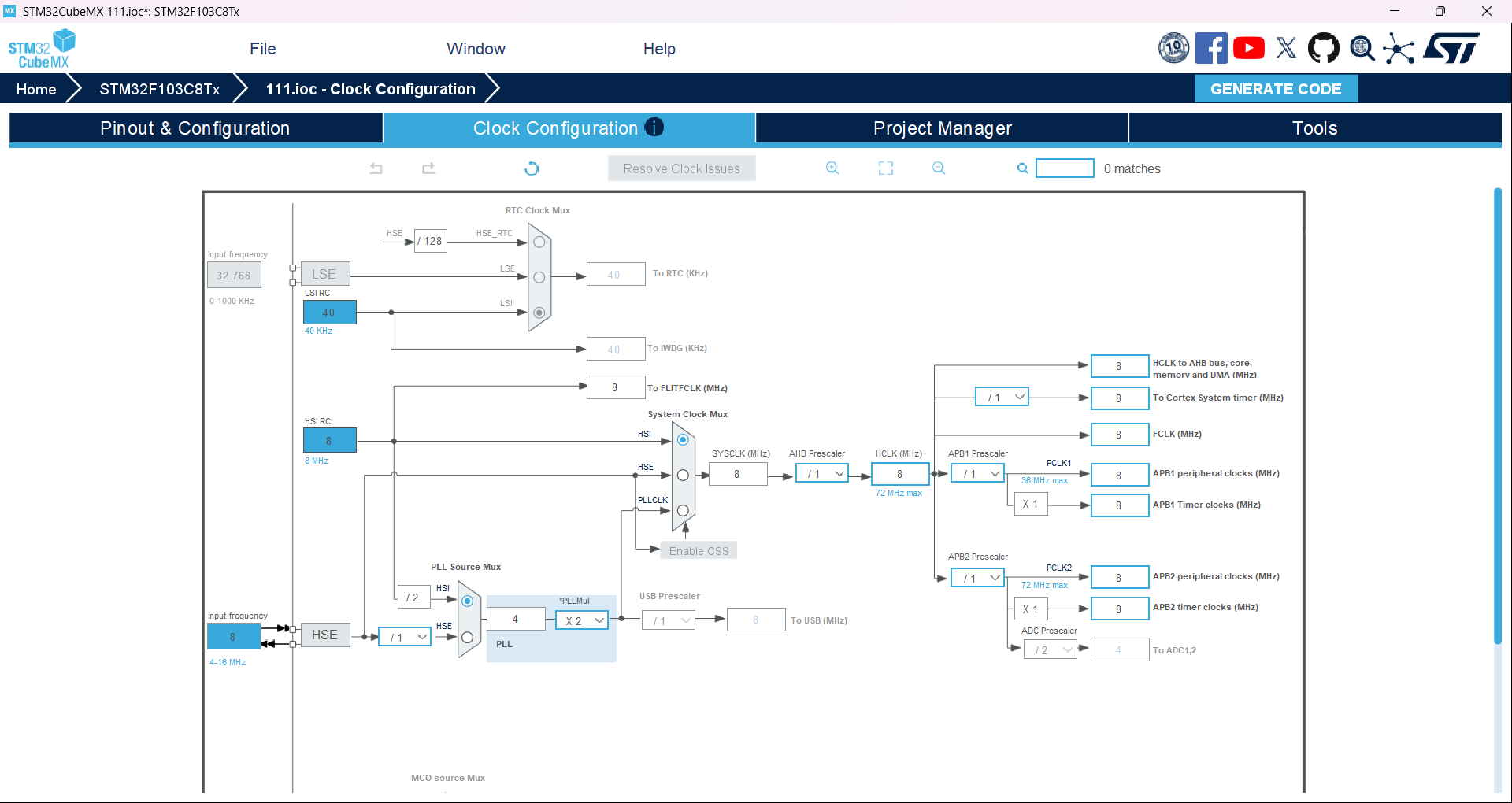
- You’re using HSI internal 8MHz — this is acceptable, but confirm in CubeMX that the SysTick clock source is correct and that
HAL_Init() runs properly.
3. Add I2C Communication Error Checking
Your code doesn’t check whether I2C transmission succeeded, making it hard to diagnose communication failures. Modify the lcd_send_to_i2c function to return status and handle errors:
// Internal function: Send data via I2C, return HAL status
HAL_StatusTypeDef lcd_send_to_i2c(char data, int rs)
{
  uint8_t data_t[4];
  uint8_t upper_nibble, lower_nibble;

  upper_nibble = data & 0xF0;
  lower_nibble = (data << 4) & 0xF0;

  uint8_t backlight = 0x08;

  data_t[0] = upper_nibble | backlight | 0x04 | rs;  // EN = 1
  data_t[1] = upper_nibble | backlight | 0x00 | rs;  // EN = 0
  data_t[2] = lower_nibble | backlight | 0x04 | rs;  // EN = 1
  data_t[3] = lower_nibble | backlight | 0x00 | rs;  // EN = 0

  // Increase timeout and return transmit status
  return HAL_I2C_Master_Transmit(&hi2c1, LCD_I2C_ADDRESS, data_t, 4, 200);
}

// Send command
void lcd_send_cmd(char cmd)
{
  lcd_send_to_i2c(cmd, 0); // RS = 0 means command
  HAL_Delay(1); // Add small delay after command execution
}

// Send data (character)
void lcd_send_data(char data)
{
  lcd_send_to_i2c(data, 1); // RS = 1 means data
  HAL_Delay(1);
}
4. Refine Initialization Timing Details
Your initialization sequence is mostly correct, but adding extra delays improves reliability:
// Initialize LCD1602
void lcd_init(void)
{
  // Standard 4-bit mode initialization with added timing margin
  HAL_Delay(100); // Longer power-on delay for LCD stability
  lcd_send_cmd(0x30);
  HAL_Delay(10);
  lcd_send_cmd(0x30);
  HAL_Delay(5);
  lcd_send_cmd(0x30);
  HAL_Delay(10);
  lcd_send_cmd(0x20); // Switch to 4-bit mode
  HAL_Delay(10);

  // Display settings — add delay after each command
  lcd_send_cmd(0x28); // 4-line, 2-row, 5x8 font
  HAL_Delay(2);
  lcd_send_cmd(0x08); // Turn off display
  HAL_Delay(2);
  lcd_send_cmd(0x01); // Clear screen
  HAL_Delay(5);
  lcd_send_cmd(0x06); // Cursor moves right, address auto-increment
  HAL_Delay(2);
  lcd_send_cmd(0x0C); // Enable display, hide cursor, no blink
  HAL_Delay(2);
}
Part 3: Full Debugging Procedure (Follow in Order)
- Double-check hardware connections: 5V/GND correct, SDA → PB7, SCL → PB6, no swapped wires.
- Run I2C address scan to confirm device responds — use the correct 8-bit address in
LCD_I2C_ADDRESS.
- Verify
HAL_Delay works — ensure timing functions are functional.
- Replace driver code with modified version including error checking and increased delays.
- Test: If I2C communication is working, you should see
Hello STM32! appear on power-up.
Part 4: Final Fallback Checks
If still not working after all steps above:
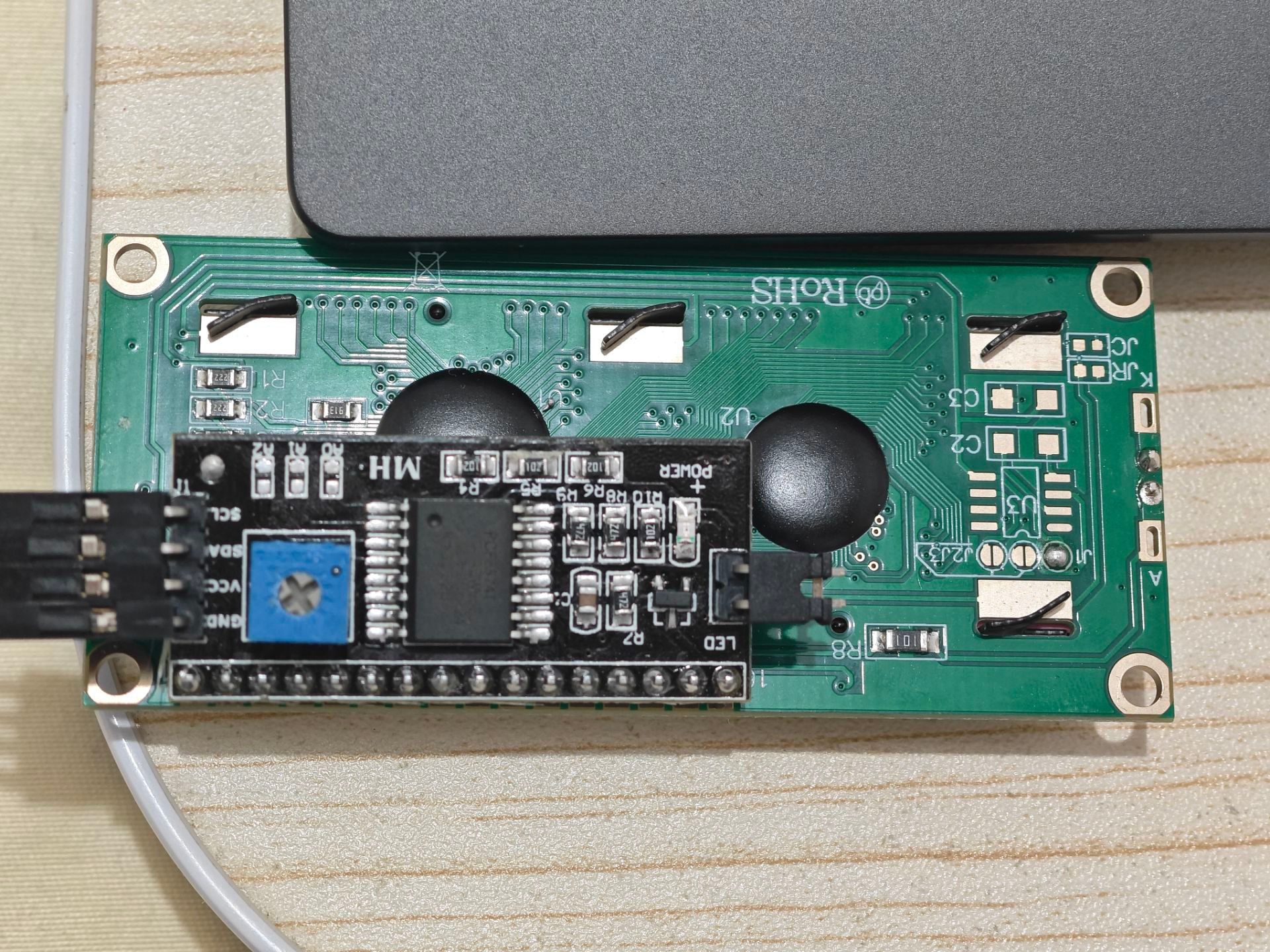
- Adjust the contrast potentiometer (the blue adjustable resistor) on the back of the LCD1602. Too low contrast can make characters invisible. Slowly rotate it until blocks or text appear.
- Use a logic analyzer or oscilloscope to inspect I2C signals on PB6/PB7 — determine whether the MCU is sending data or the device is simply not responding.
- Directly connect STM32’s PB6, PB7, 5V, and GND to the LCD module using jumper wires — rule out poor contact from headers/sockets.
 Suggested next step (how to break through):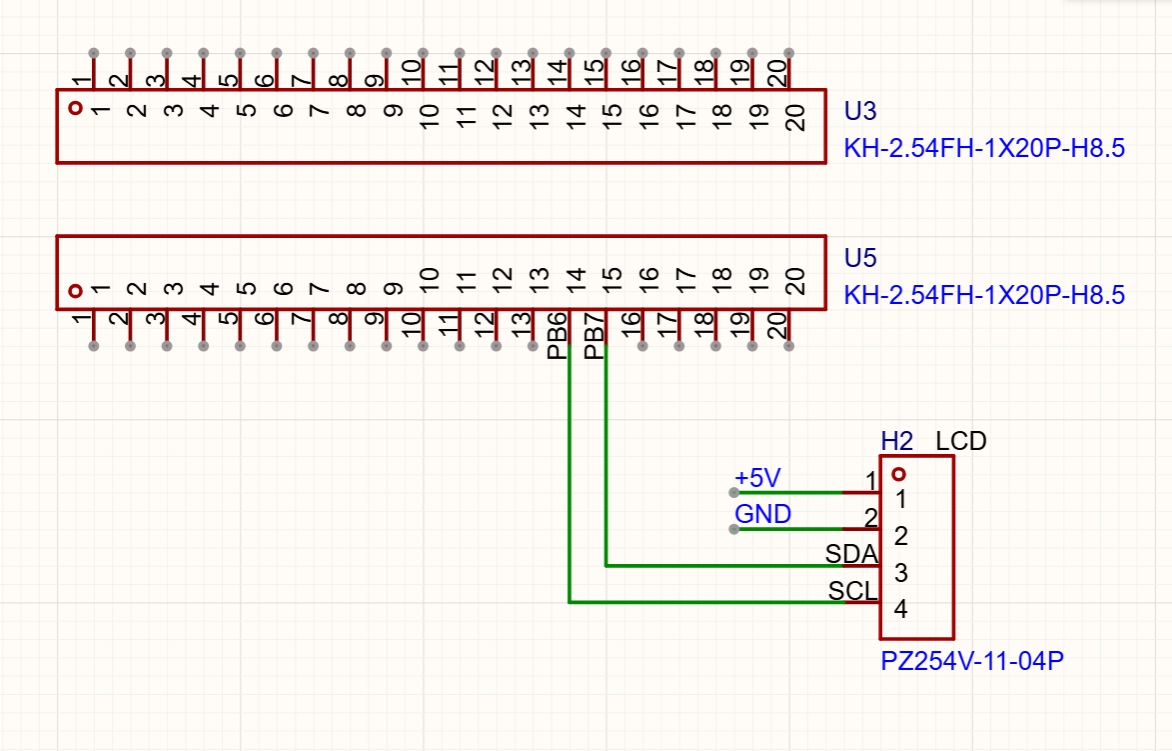
 Core Bug Analysis: The HD44780 “Forced Initialization” Trap
 Solution
 Backup Troubleshooting Step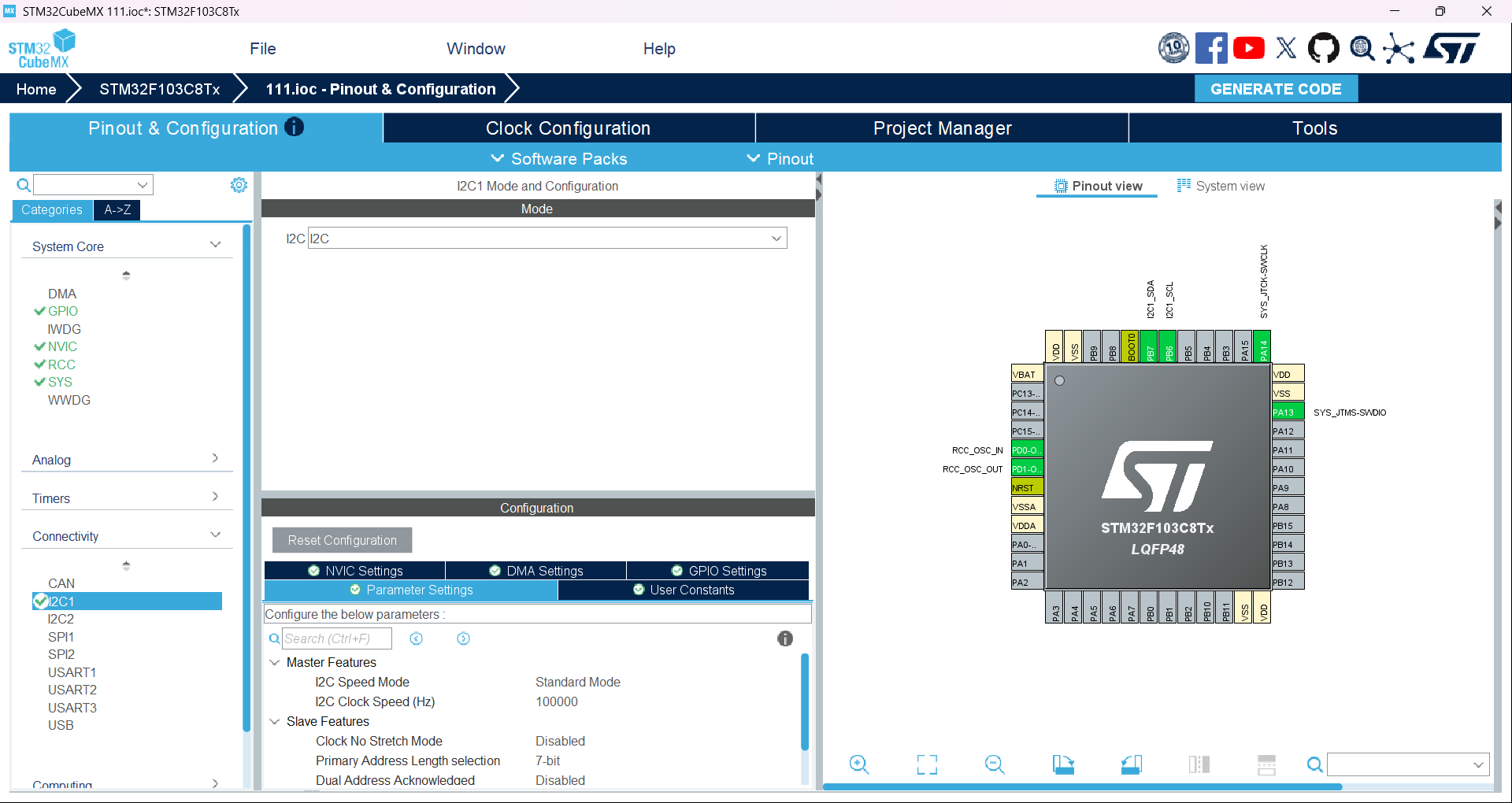
 So why do I still see blocks instead of text?