Orange Pi 3B (RK3566) SBC – Unboxing, Review & OS Installation Guide
Introduction
The Orange Pi 3B is a Raspberry-Pi-sized single-board computer that offers a richer set of ports—including a full-size HDMI and an M.2 storage slot—starting at ¥199.
It is powered by the Rockchip RK3566 quad-core 64-bit Cortex-A55 processor built on 22 nm technology, running up to 1.8 GHz, with an ARM Mali-G52 GPU, an on-chip high-performance 2-D accelerator and a built-in 0.8-TOPS NPU for AI. Memory options are 2 GB, 4 GB or 8 GB LPDDR4/4x, and 4-K display output is supported.
Supported operating systems include Android 11, Ubuntu 22.04/20.04, Debian 11/12, OpenHarmony 4.0 Beta1, Orange Pi OS (Arch) and Orange Pi OS (OH) based on OpenHarmony.
The board exposes HDMI out, M.2 PCIe 2.0 x1, Gigabit Ethernet, USB 2.0/3.0 ports and a 40-pin header, making it suitable for high-end tablets, edge computing, AI, cloud, AR/VR, smart security, home automation and the whole AIoT spectrum.
Official product page: https://url.zeruns.com/FAutz
Schematics: https://url.zeruns.com/cVOHT (code: qrw6)
User manual: https://url.zeruns.com/0Bg71 (code: t93d)
RK3566 datasheet: https://url.zeruns.com/7zXjD
Rock Pi 4C Armbian on eMMC guide: https://blog.zeruns.com/archives/631.html
Unboxing
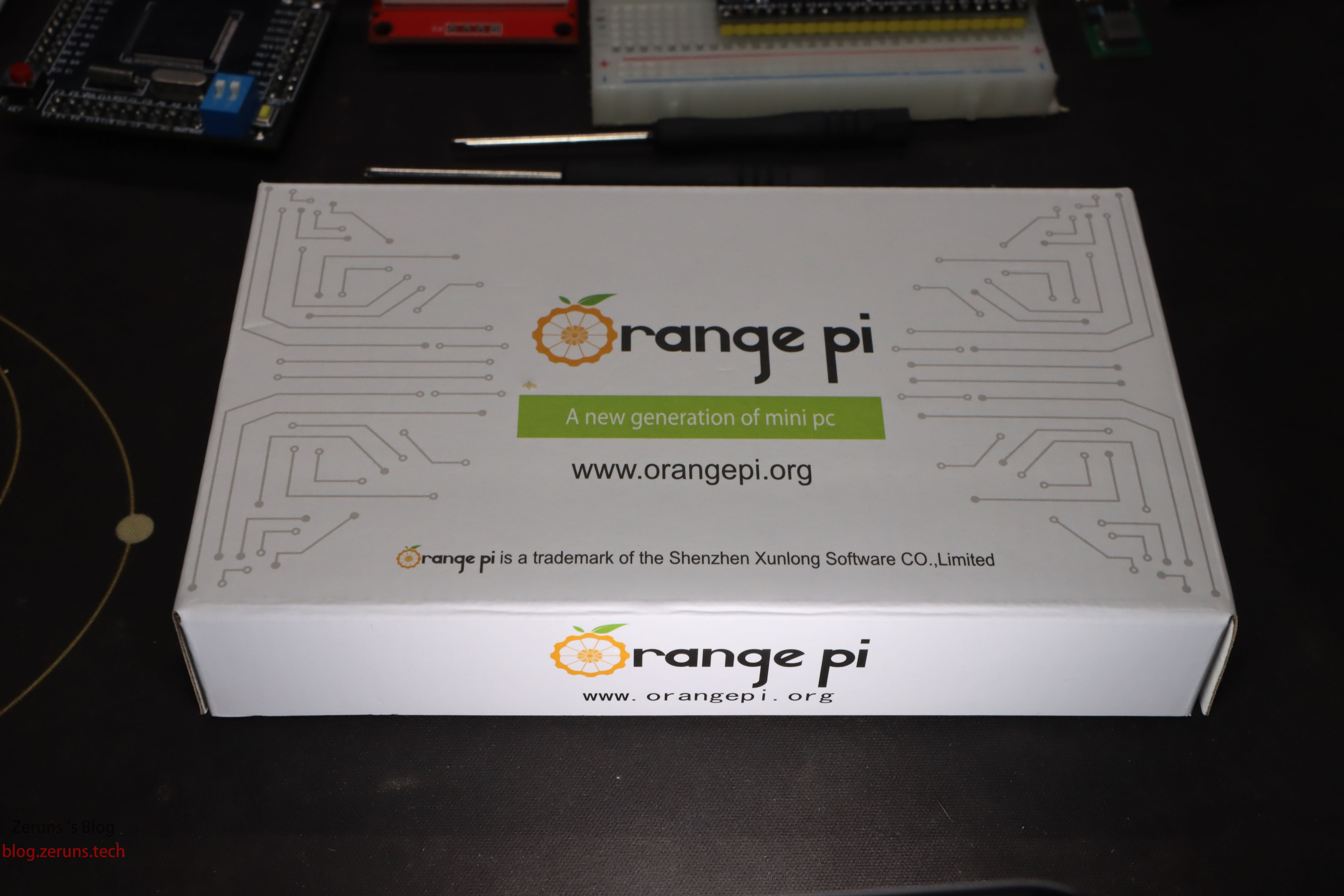
Front of the box
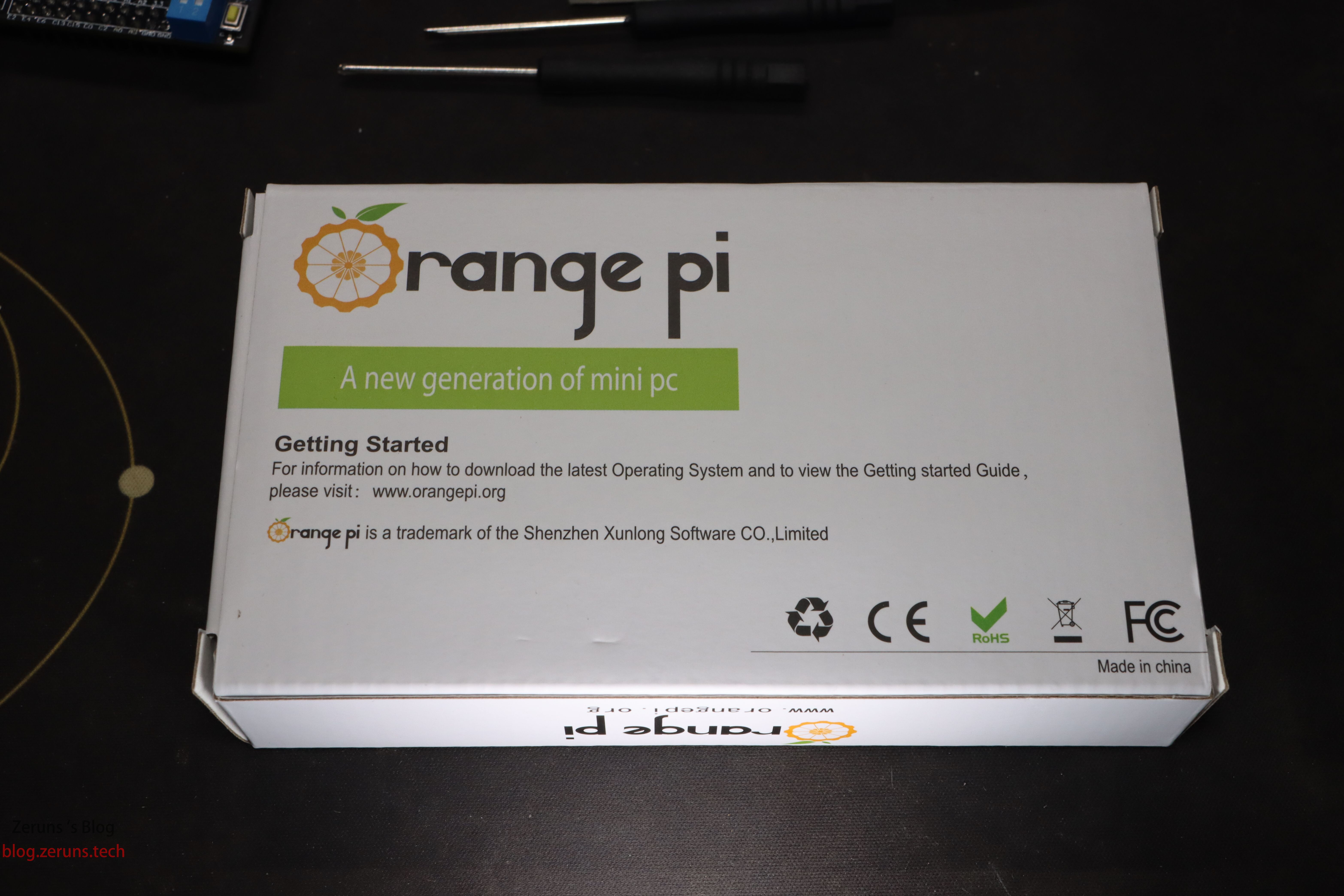
Back of the box
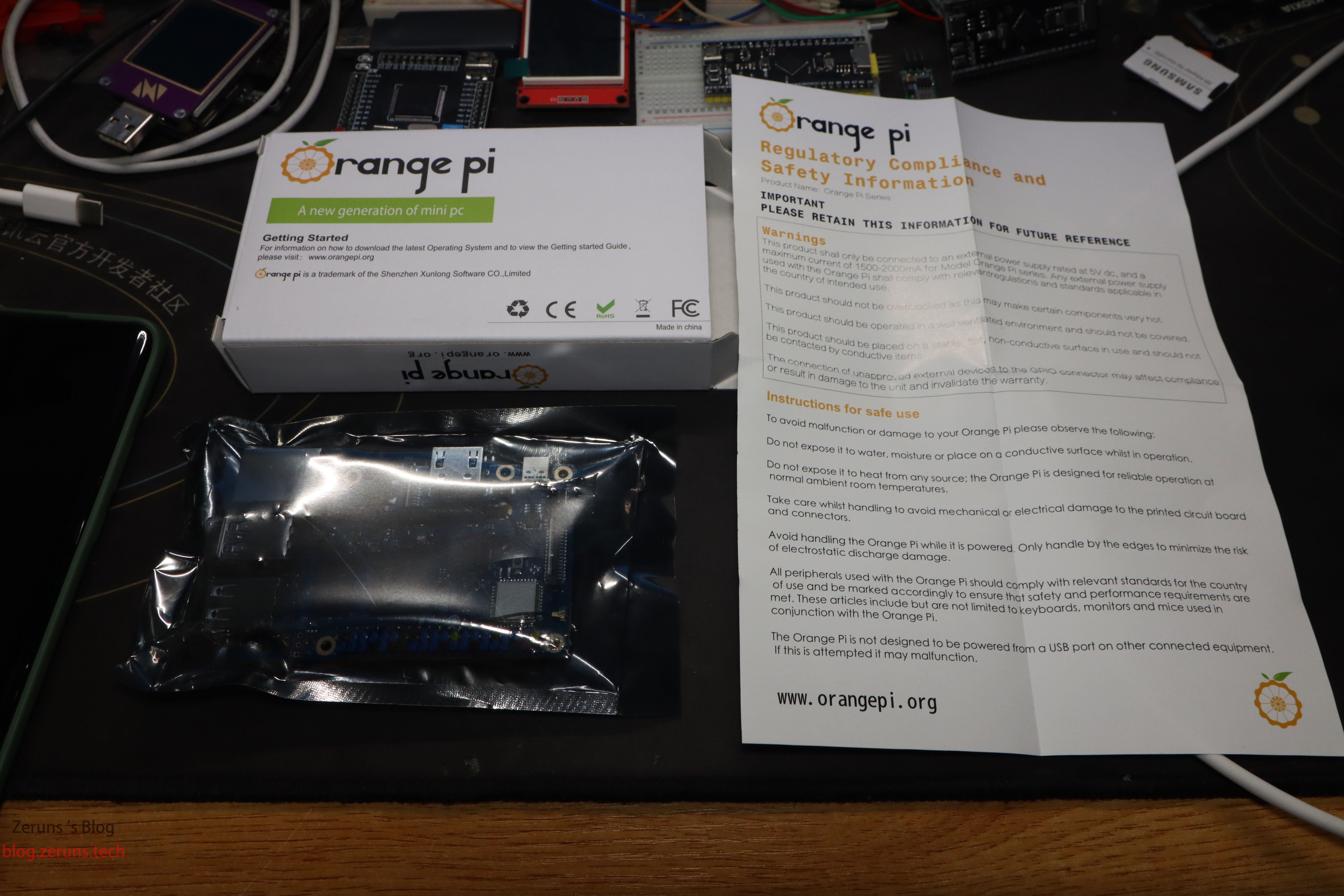
What’s inside: the Orange Pi 3B in an anti-static bag and a sheet titled “Regulatory Compliance and Safety Information”.
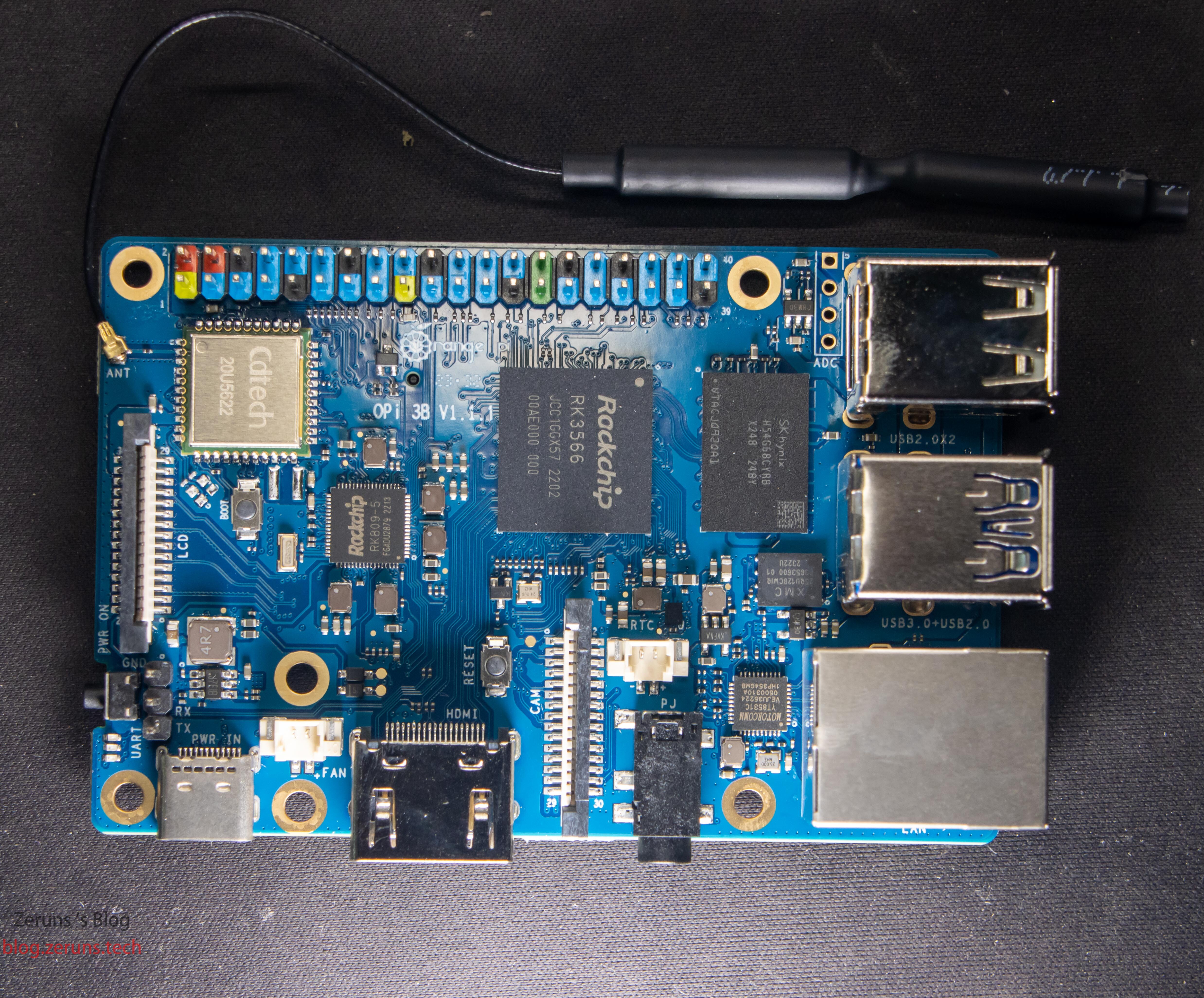
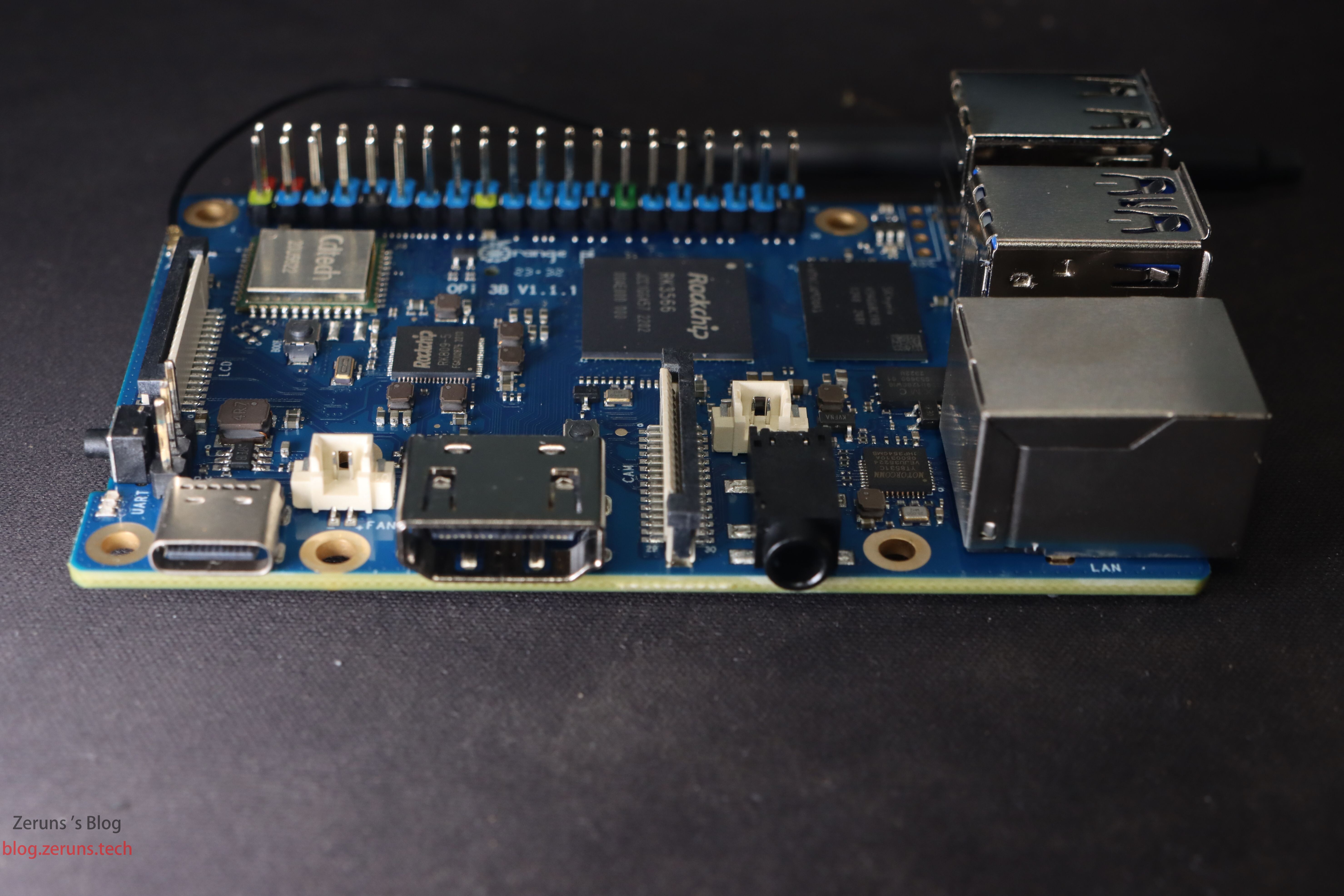
Top side: LCD & CAM (MIPI CSI) connectors, 5-V fan header with PWM, RTC battery header, 40-pin GPIO, Wi-Fi/BT antenna (black wire), USB-C power port with power button, BOOT button (MaskRom), RESET button.
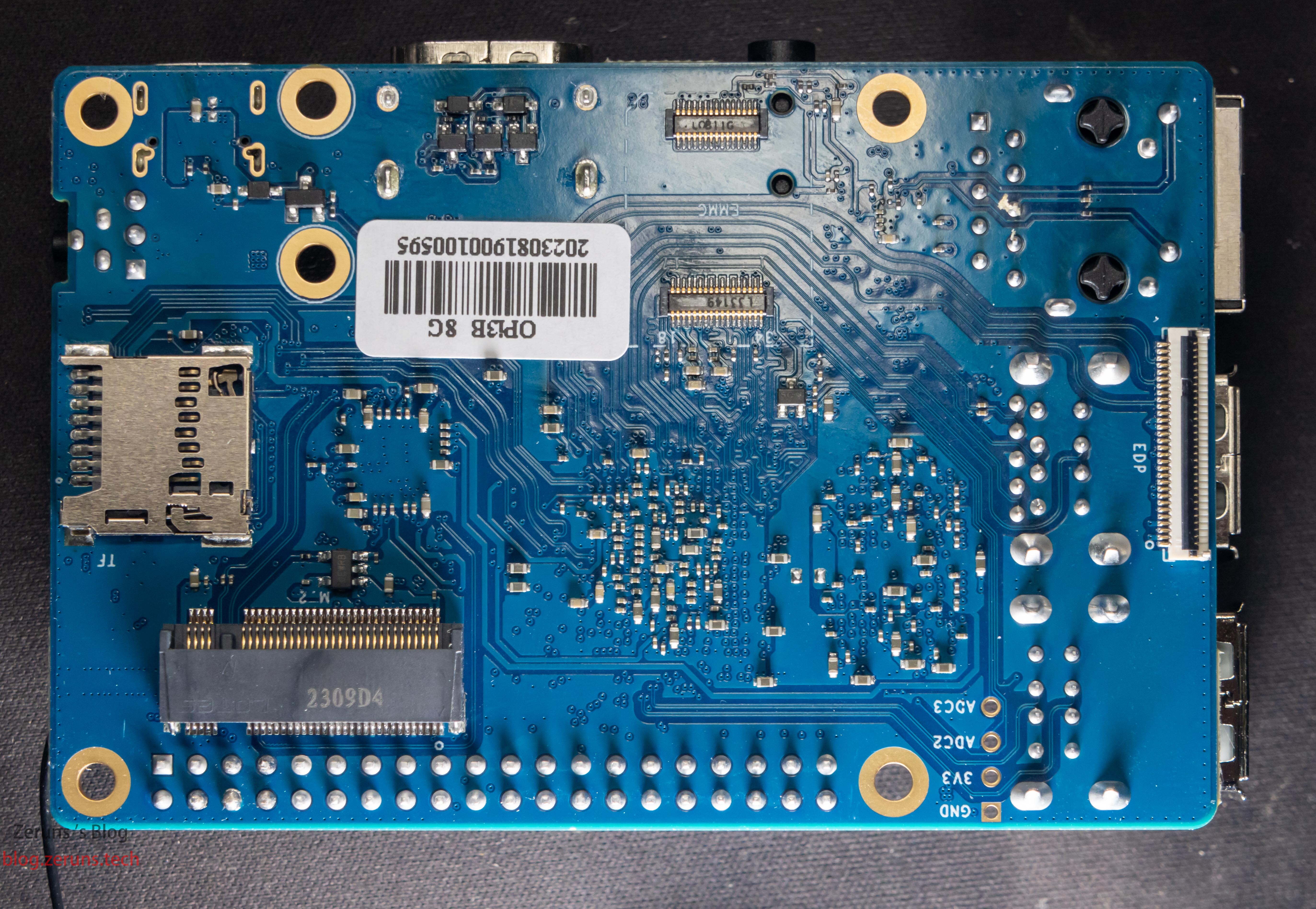
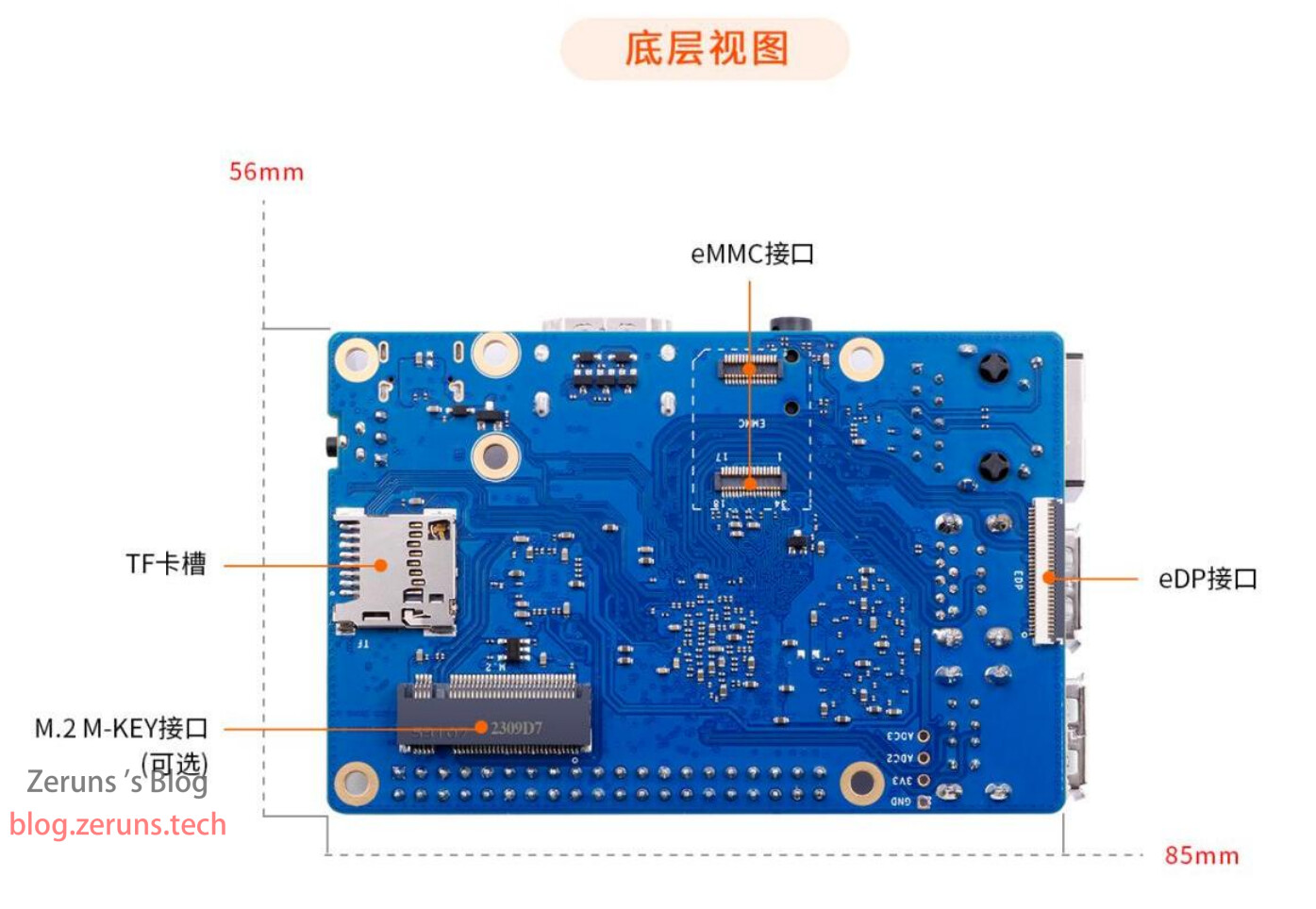
Bottom side: eDP, eMMC, M.2 (SATA3 or PCIe 2.0 x1), micro-SD slot; production sticker: 2023.08.19.
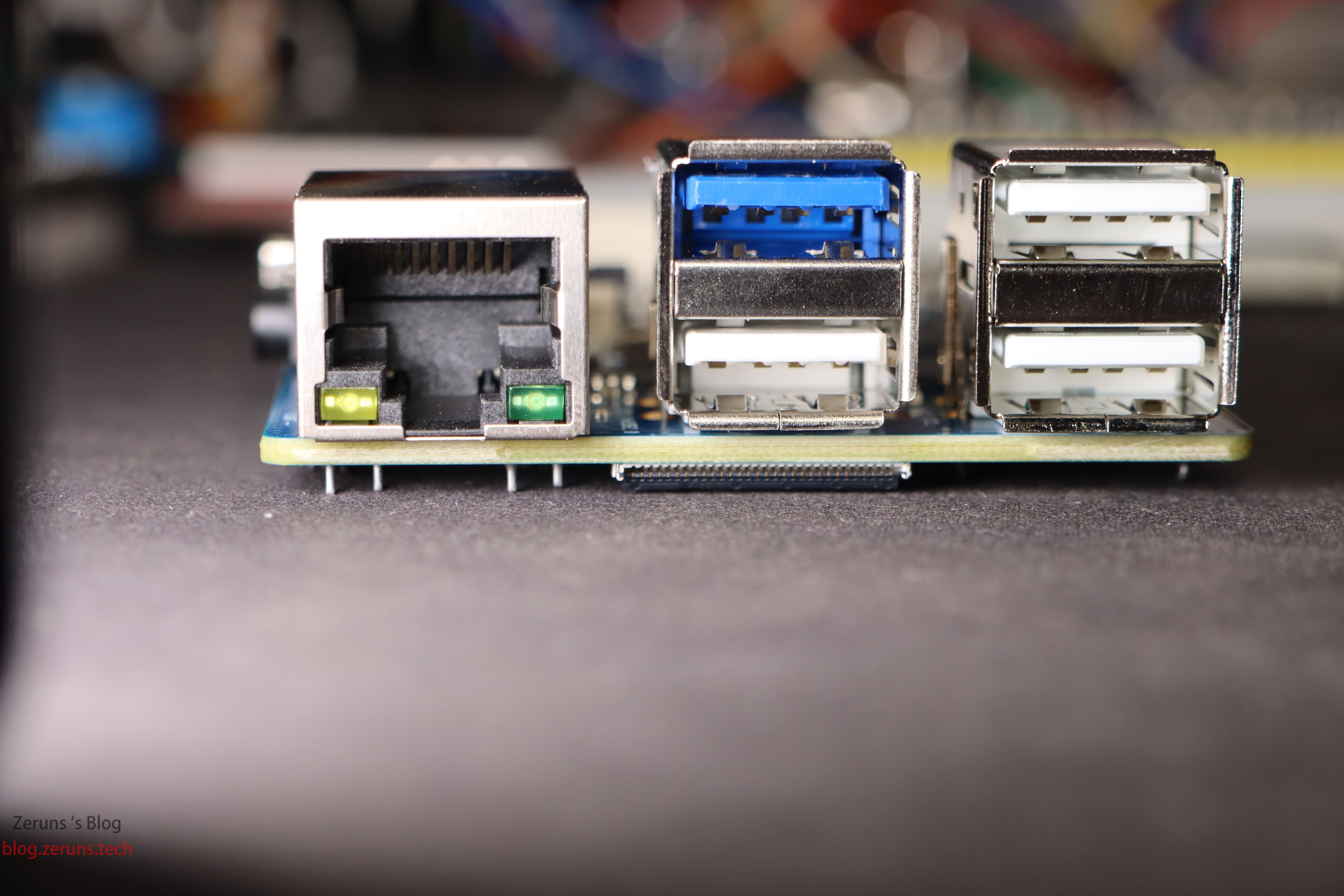
Side view: Gigabit Ethernet, one USB 3.0 and three USB 2.0 ports.
Left-to-right: USB-C power, HDMI 2.0, 3.5 mm audio jack.
Hardware Specifications
| SoC | Rockchip RK3566 |
|---|---|
| CPU | Quad-core 64-bit Cortex-A55, 22 nm, up to 1.8 GHz |
| GPU | • ARM Mali-G52 2EE • OpenGL ES 1.1/2.0/3.2, OpenCL 2.0, Vulkan 1.1 • Built-in high-performance 2-D accelerator |
| NPU | • RKNN NPU, 0.8 TOPS @ INT8 • One-click conversion for Caffe/TensorFlow/TFLite/ONNX/PyTorch/Keras/Darknet |
| VPU | • 4-K@60 fps H.265/H.264/VP9 decode • 1080p@100 fps H.265 encode • 1080p@60 fps H.264 encode |
| PMU | Rockchip RK809-5 |
| RAM | 2 GB / 4 GB / 8 GB LPDDR4/4x |
| Storage | • eMMC module: 16–256 GB • SPI Flash: 16 MB / 32 MB • M.2 M-key: SATA3 or PCIe 2.0 NVMe SSD • micro-SD slot |
| Wi-Fi + BT | Wi-Fi 5 + BT 5.0/BLE (20U5622) |
| Ethernet | 10/100/1000 Mbps (on-board PHY: YT8531C) |
| Display | • 1× HDMI 2.0 up to 4-K@60 fps • 1× MIPI DSI 2-lane • eDP 1.3 |
| Camera | 1× MIPI CSI 2-lane |
| USB | • 1× USB 2.0 OTG/Device/Host • 1× USB 3.0 Host • 2× USB 2.0 Host |
| Audio | 3.5 mm headphone jack (in/out) |
| Buttons | 1× MaskRom, 1× RESET, 1× POWER |
| FAN | 2-pin 1.25 mm 5-V header |
| RTC | 2-pin 1.25 mm backup-battery header |
| 40-pin | GPIO, UART, I2C, SPI, PWM |
| Power | USB-C 5 V 3 A |
| OS support | Android 11, Ubuntu 22.04/20.04, Debian 11/12, OpenHarmony 4.0 Beta1, Orange Pi OS (Arch), Orange Pi OS (OH), etc. |
| PCB size | 85 mm × 56 mm × 17 mm |
|---|---|
| Weight | 49 g |
Detailed chip & interface close-up:
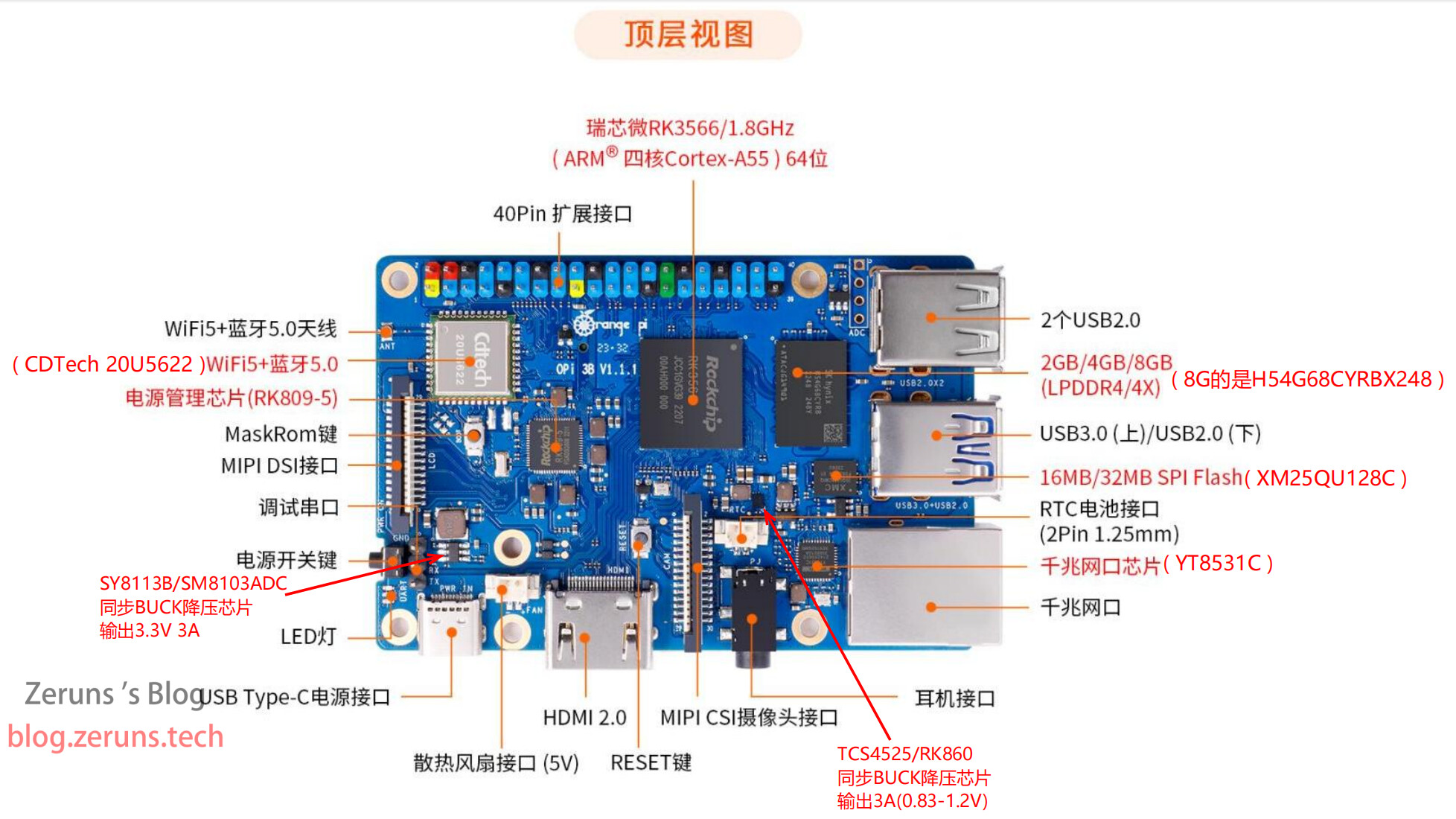
Most ICs appear to be domestic:
Gigabit PHY: Motorcomm YT8531C (Realtek RTL8211E compatible)
SPI Flash: XMC XM25QU128C, 128 Mbit (16 MB) datasheet
SoC: Rockchip RK3566
RAM: SK hynix 8 GB LPDDR4X H54G68CYRBX248
Wi-Fi/BT: CDTech CDW-20U5622, Wi-Fi 5 / BT 5.0, MIMO, 80 MHz datasheet
PMIC: RK809-5
5-V→3.3-V DCDC: SY8113B / SM8103ADC
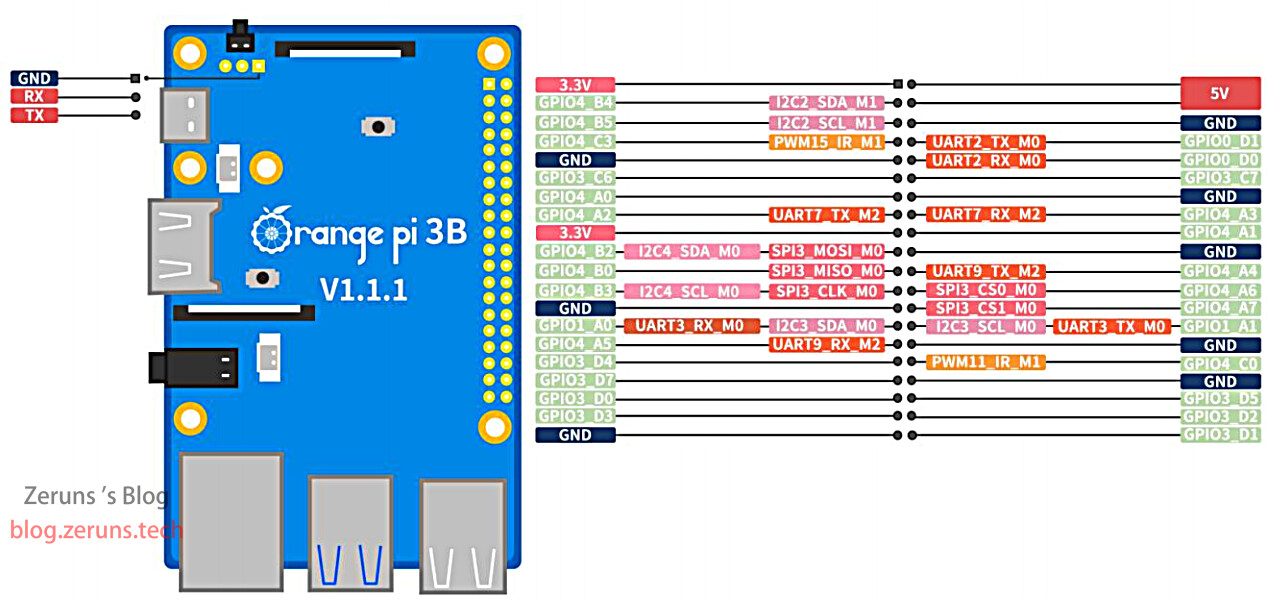
GPIO pinout:
Official PSU requirement: 5 V 3 A.
Measured peak (CPU fully loaded, GPU idle): ≈4.1 W (0.83 A). Idle in desktop: ≈1.6 W. No USB devices attached; add more load accordingly.
SoC temperature ≤65 °C @30 °C ambient—heatsink optional.
Price & Purchase
Official Orange Pi 3B pricing (I bought the 8 GB version for ¥299 on Taobao):
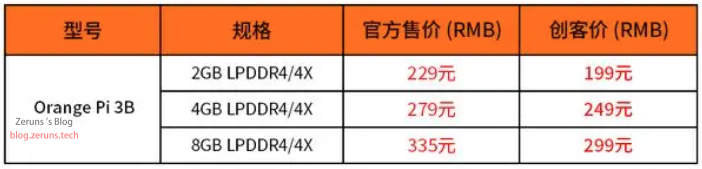
“Maker price” is for individual buyers only; companies needing an official invoice pay the higher list price.- Orange Pi 3B JD.com: https://u.jd.com/niAEAzI
- Orange Pi 3B Taobao: https://s.click.taobao.com/LZdikAu
- Male-to-male USB cable (for flashing): https://u.jd.com/niANEeD
- M.2 SSD 2230: https://u.jd.com/nzAl1Kd
- Samsung 128 GB TF card: https://u.jd.com/n8ATRX7
- Power supply (5 V 3 A): https://u.jd.com/nqAJNrS
- HDMI cable: https://u.jd.com/nQARvKr
- USB 3.0 video capture dongle: https://s.click.taobao.com/1tXhkAu
Flashing the System Image
Orange Pi 3B supports several ways to flash a system image:
- Use balenaEtcher (or similar) + a card reader to write the image straight to the TF card.
- Use RKDevTool + a male-to-male USB cable to put the board into MaskROM mode and flash the image directly to TF card / M.2 SSD / eMMC.
- Use balenaEtcher to flash the image to a TF card, boot from it, then inside the running system use
ddto copy the OS to eMMC or M.2 SSD.
Android must be flashed with method 2; see the Orange Pi 3B user manual (download link above) for full details.
Below is a quick guide for method 1—flashing a Linux image to a TF card—taken from the manual.
- Prepare a TF card of 16 GB or larger, Class 10 or higher; Samsung or SanDisk recommended.
- Insert the TF card into your computer via a card reader.
- Download the desired Linux image archive from the Orange Pi official site, extract it, and locate the “.img” file (usually > 2 GB).
Official image download: https://url.zeruns.com/0n9M4
Orange Pi OS (Arch) Baidu Netdisk: https://url.zeruns.com/1Jeq7 code: rc6c
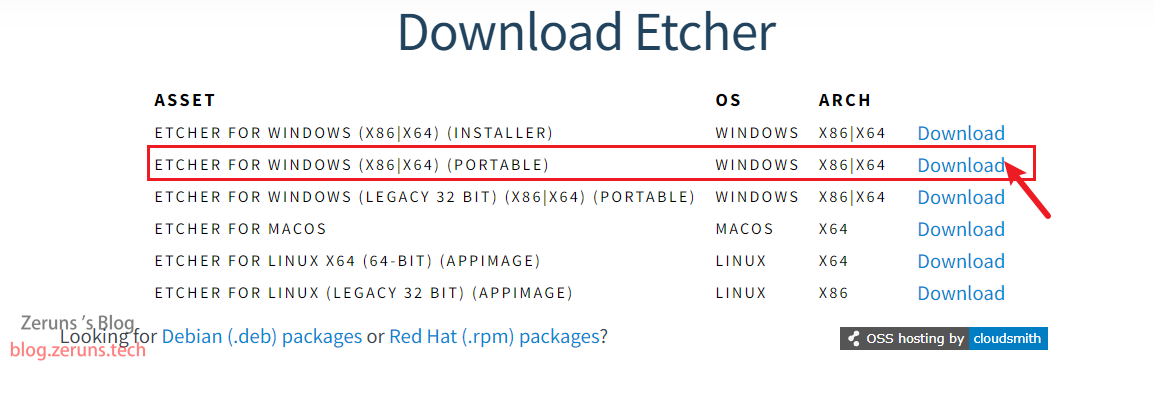
- Download balenaEtcher from https://url.zeruns.com/hC0rU
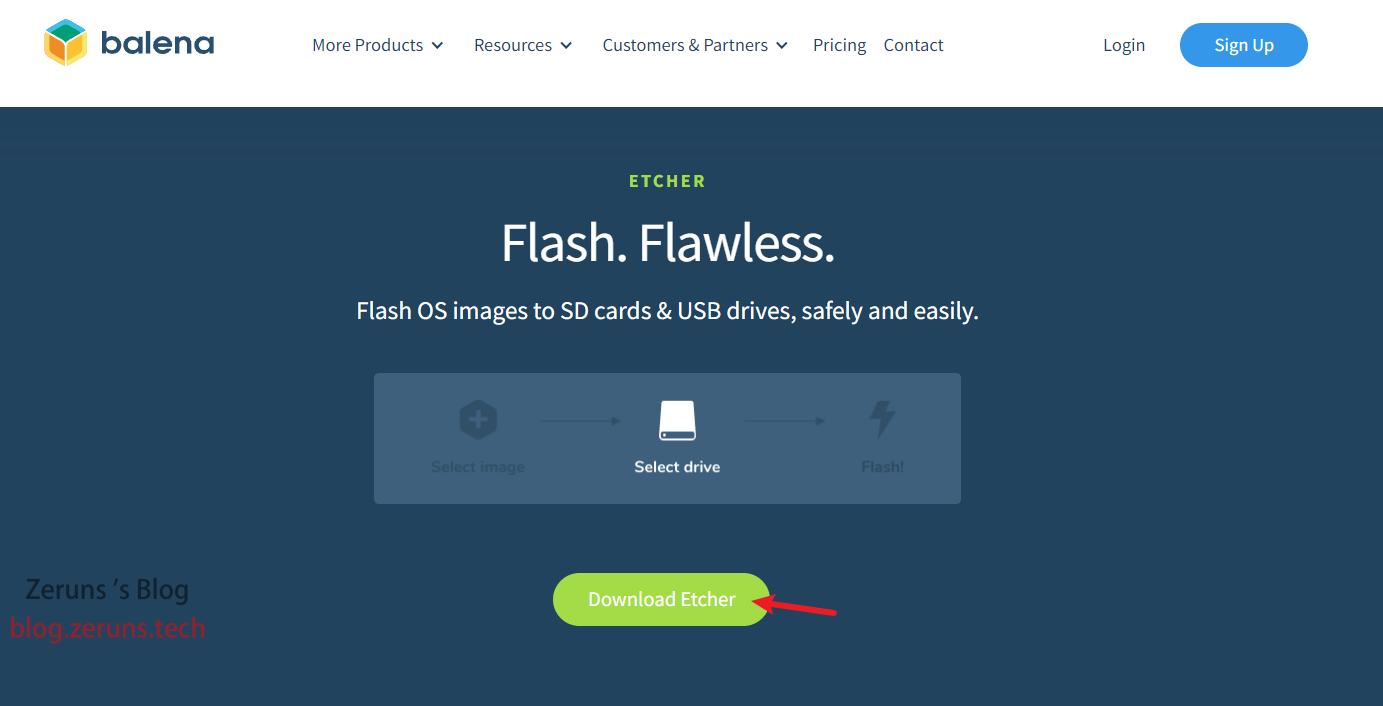
- You can pick the Portable version—no install needed, just double-click to run.
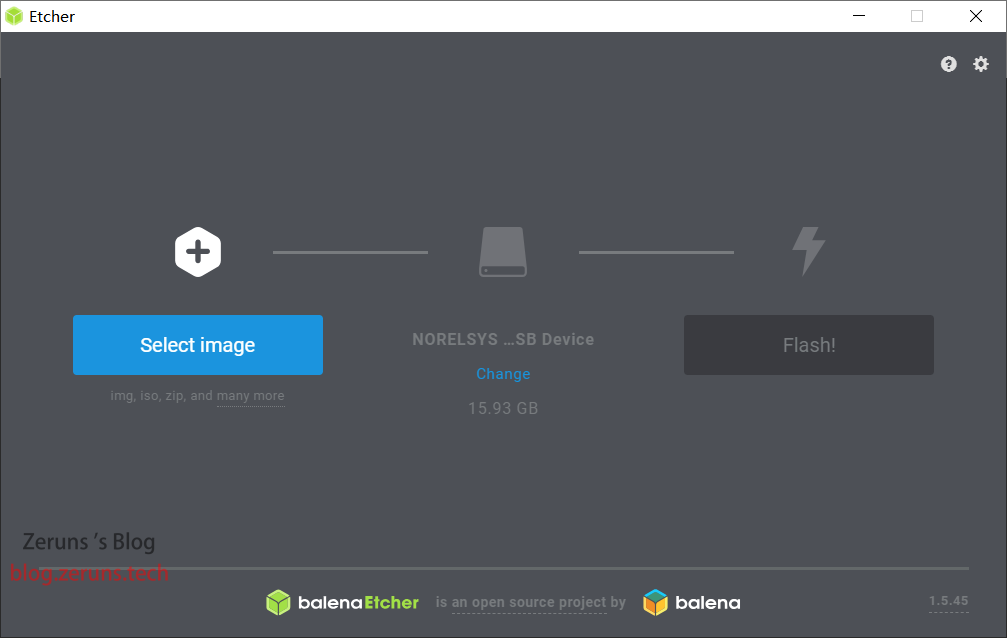
- Launch balenaEtcher (install version) or double-click the Portable exe. The interface looks like this:
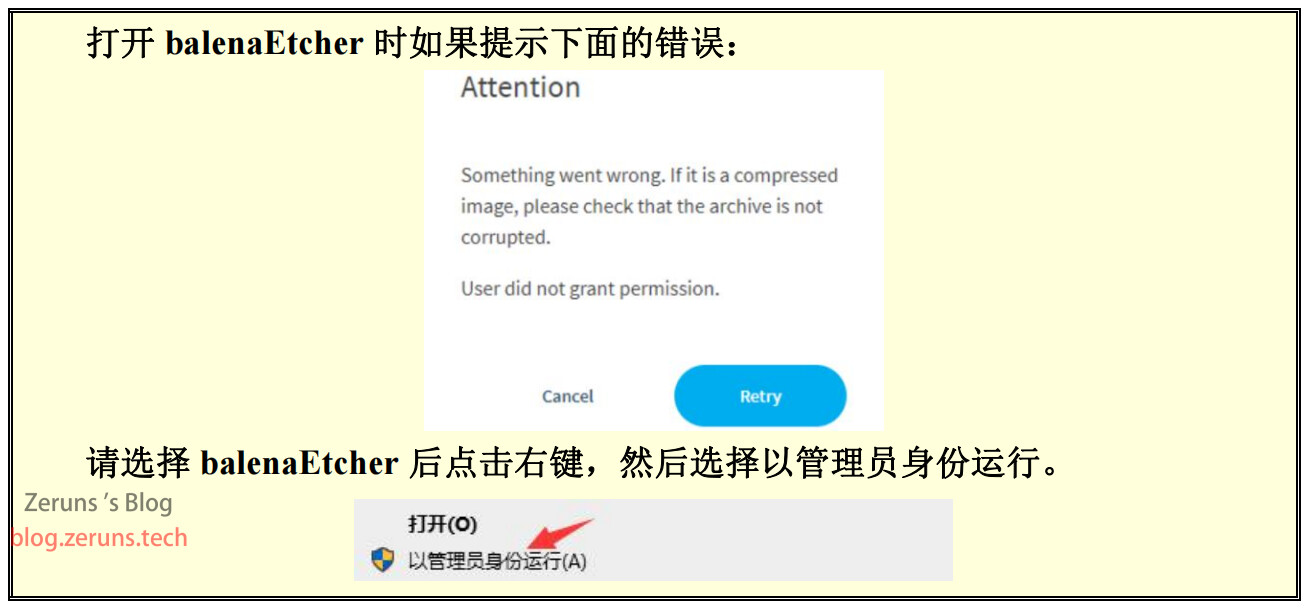
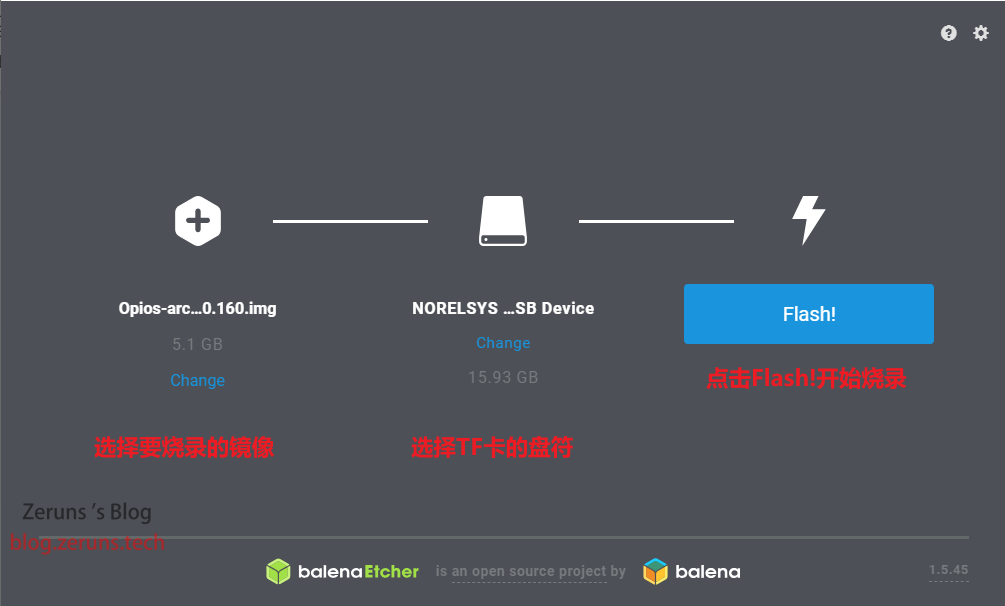
- Flashing steps:
a. Select the Linux .img file
b. Select the TF card drive
c. Click Flash to start writing
- While flashing, the progress bar is orange:

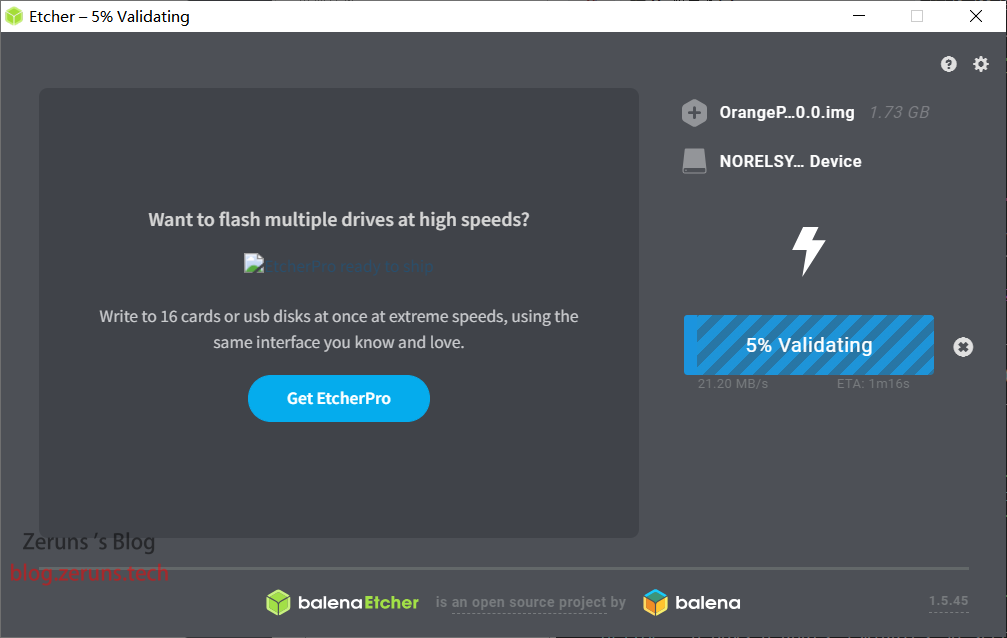
- After writing, balenaEtcher automatically verifies the card (blue progress bar):
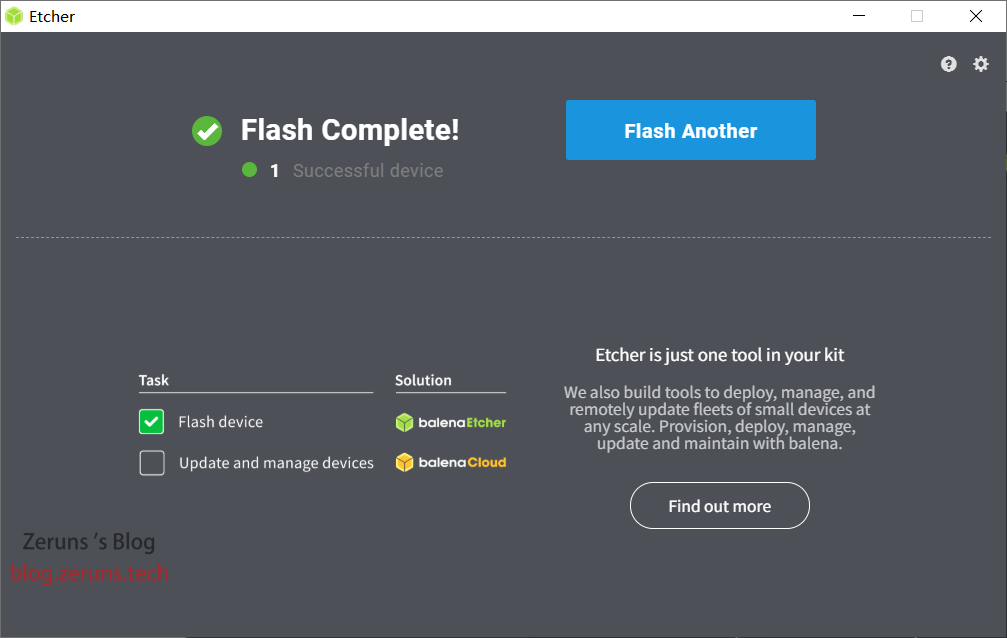
- A green tick means success—eject the card, plug it into the board’s TF slot.
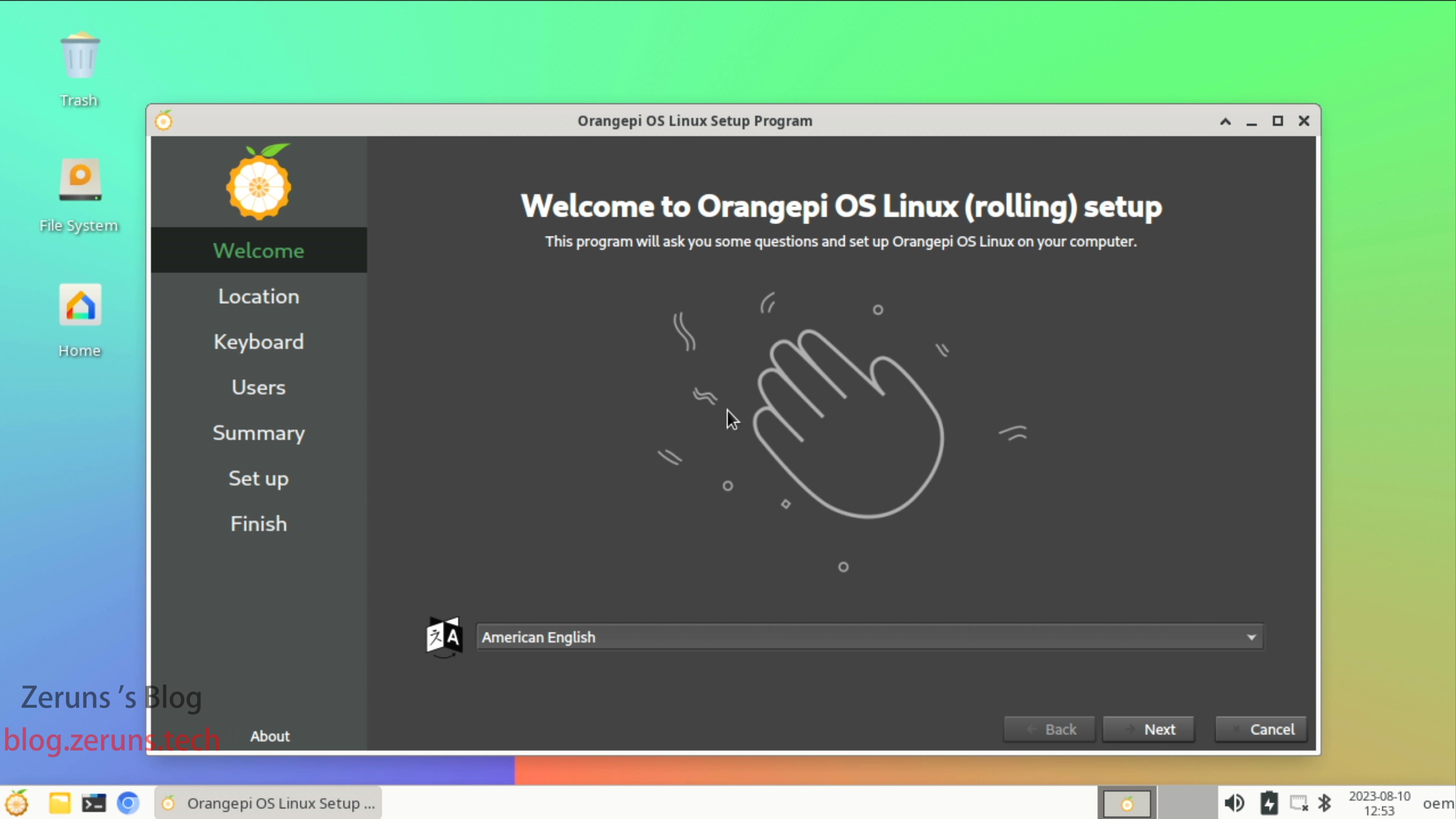
- Insert the TF card, attach HDMI and power—the board will boot automatically.

Default Linux credentials:
| Account | Password |
|---|---|
| root | orangepi |
| orangepi | orangepi |
Performance Tests
All tests run under Linux. Raspberry Pi 4B and Rock Pi 4C included for comparison.
- RPi 4B: 4 GB, BCM2711, 4×A72 @ 1.5 GHz
- Rock Pi 4C: 4 GB, RK3399, 2×A72 @ 1.8 GHz + 4×A53 @ 1.4 GHz
Test scripts: https://blog.zeruns.com/archives/533.html
(CPU & memory only; GPU/NPU/video codecs not tested.)
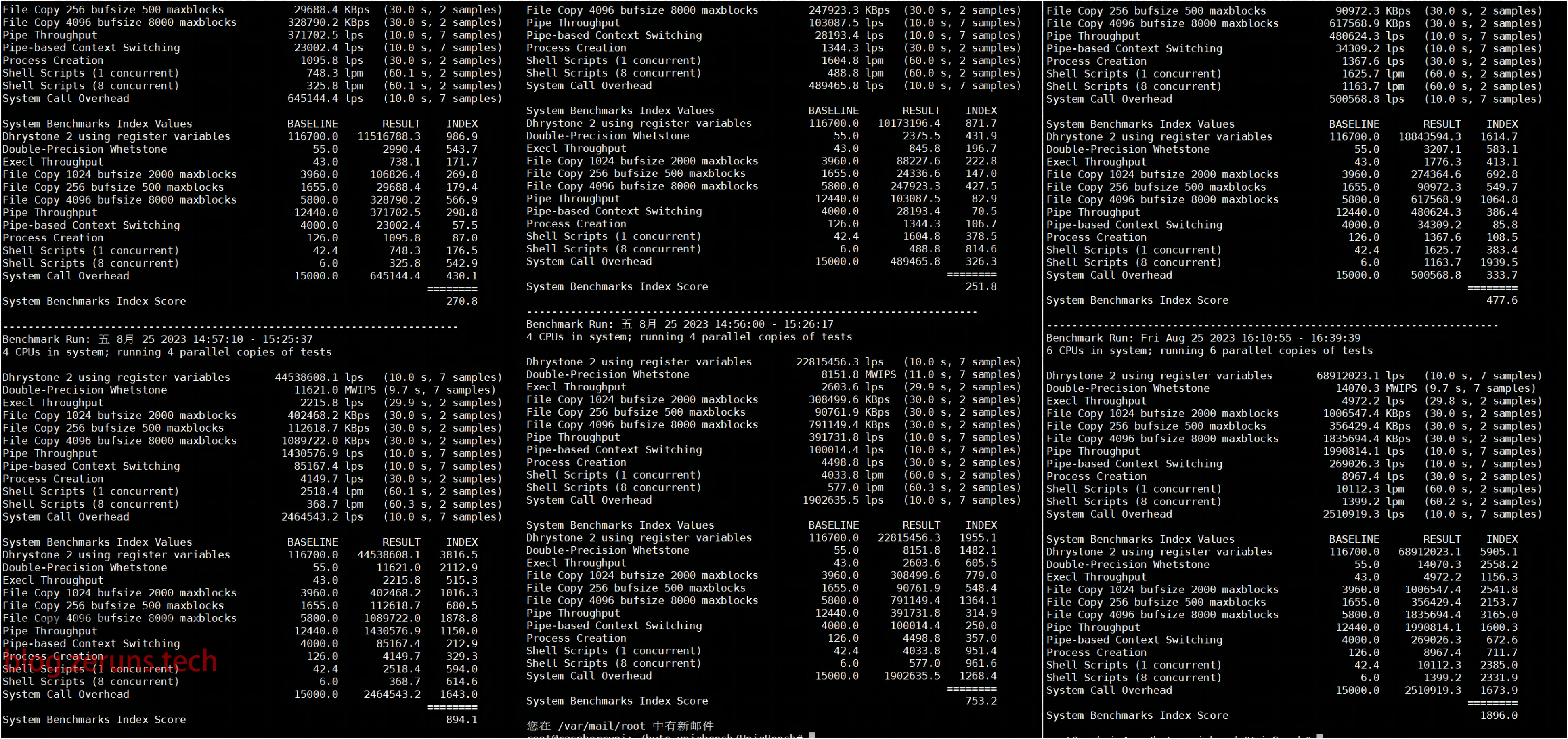
UnixBench 5.1.3
| Orange Pi 3B | RPi 4B | Rock Pi 4C | |
|---|---|---|---|
| Single | 270.8 | 251.8 | 477.6 |
| Multi | 894.1 | 753.2 | 1896.0 |
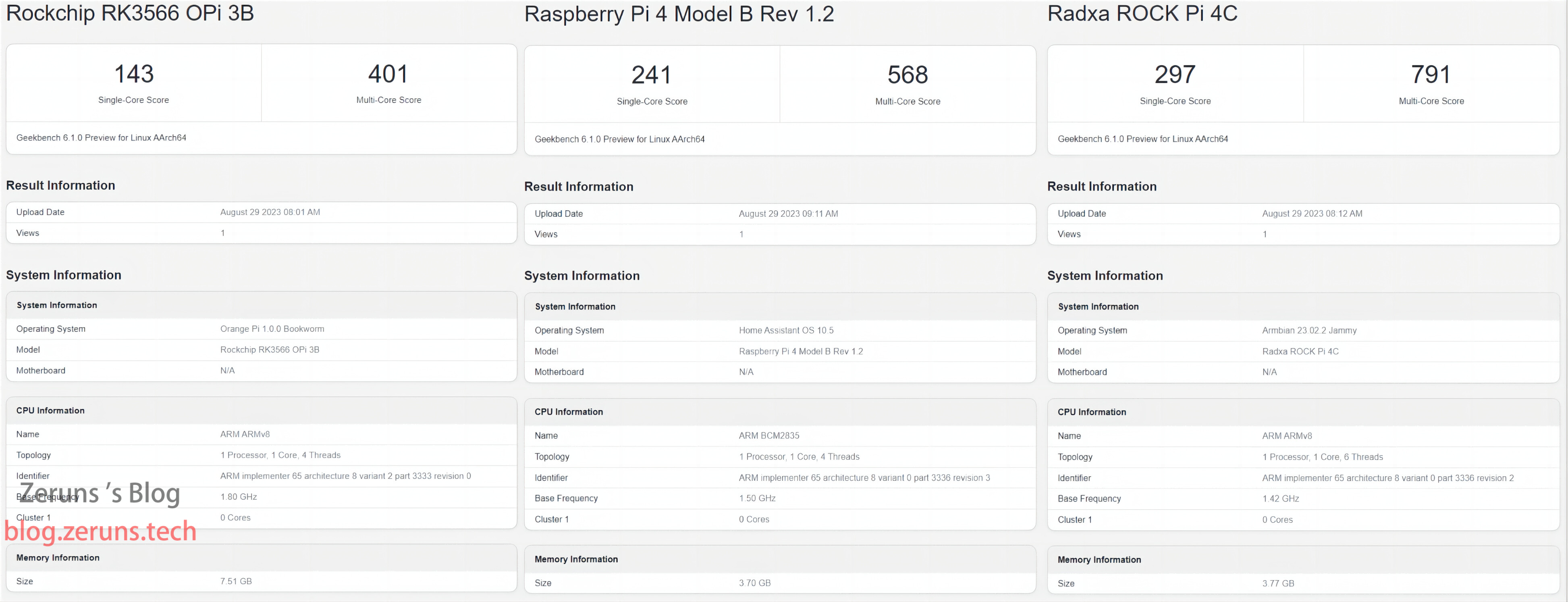
Geekbench 6
| Orange Pi 3B | RPi 4B | Rock Pi 4C | |
|---|---|---|---|
| Single | 143 | 241 | 297 |
| Multi | 401 | 568 | 791 |
Detailed reports:
Orange Pi 3B: https://url.zeruns.com/gFkcC
RPi 4B: https://url.zeruns.com/8pMEb
Rock Pi 4C: https://url.zeruns.com/00Rge
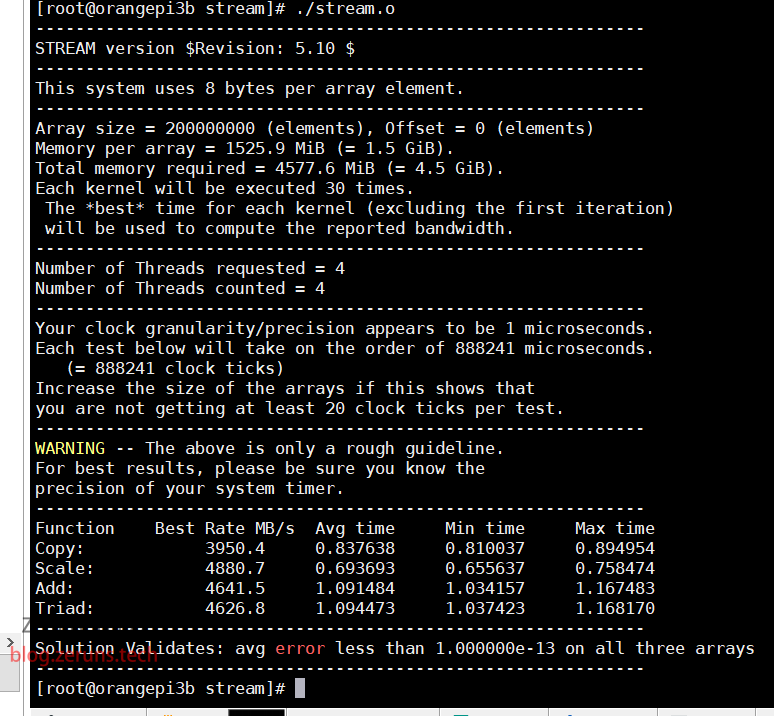
Memory Speed
Orange Pi 3B result:
Further Reading- High cost-performance and cheap VPS/cloud server recommendations: https://blog.vpszj.cn/archives/41.html
- Minecraft server setup tutorial: https://blog.zeruns.com/tag/mc/
- Linux website setup tutorial: https://blog.zeruns.com/archives/681.html
- Zhiyundian Suqian 13900K high-defense VPS performance review: https://blog.vpszj.cn/archives/1689.html
- LM25118 automatic buck-boost adjustable DCDC power module: https://blog.zeruns.com/archives/727.html
- TP-LINK XDR6078 WiFi6 router quick unboxing review: https://blog.zeruns.com/archives/719.html