Has anyone used ESP-WHO face recognition? I'm using the official example, but the SDK cannot be configured, fails to compile, and all header files are missing.

Has any senior used ESP-WHO face recognition? My IDF version is 5.5.1, and I’m using the official example, but SDK configuration failed, compilation failed, and all header files cannot be found.

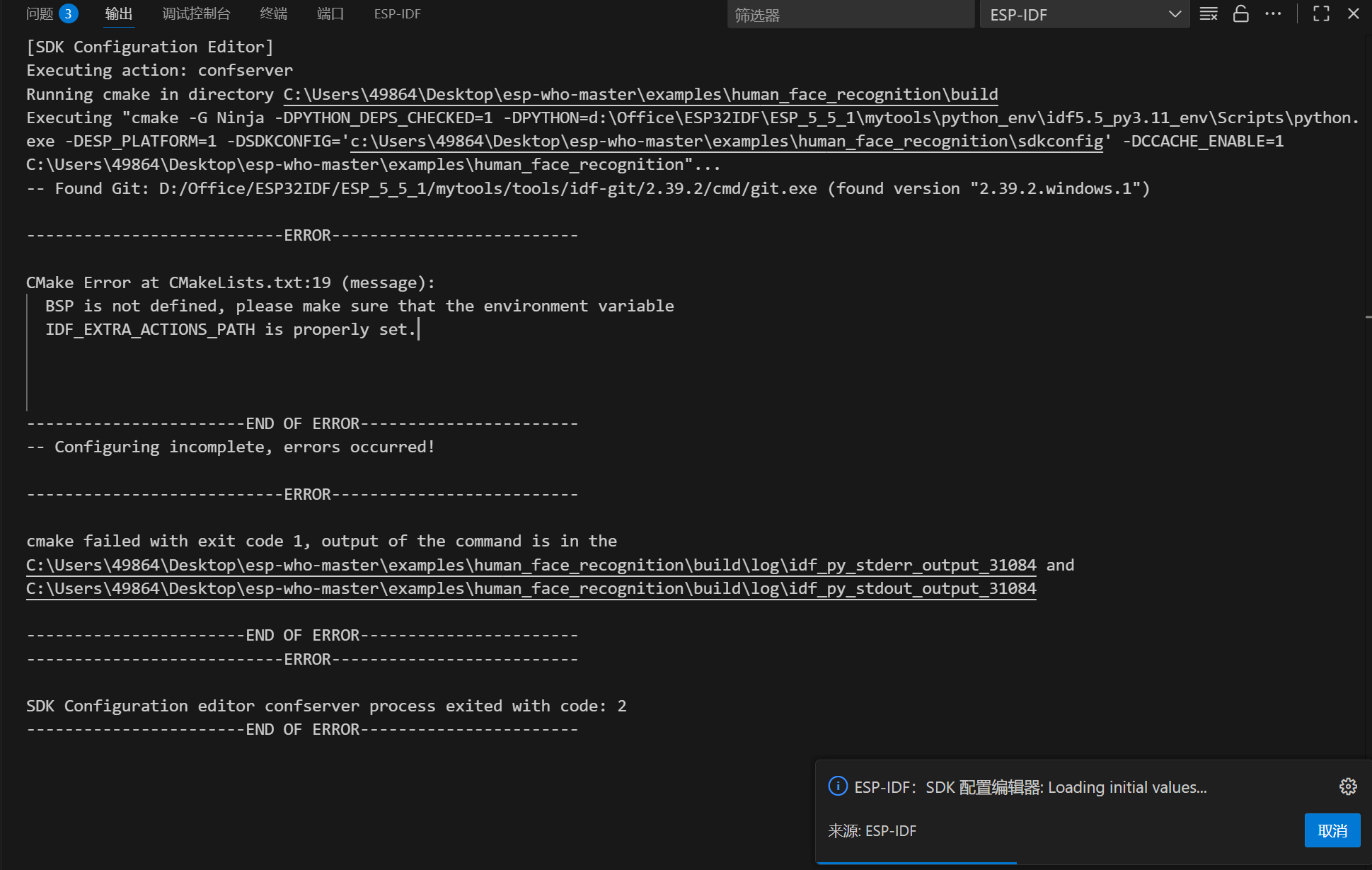
SDK configuration failure prompt:

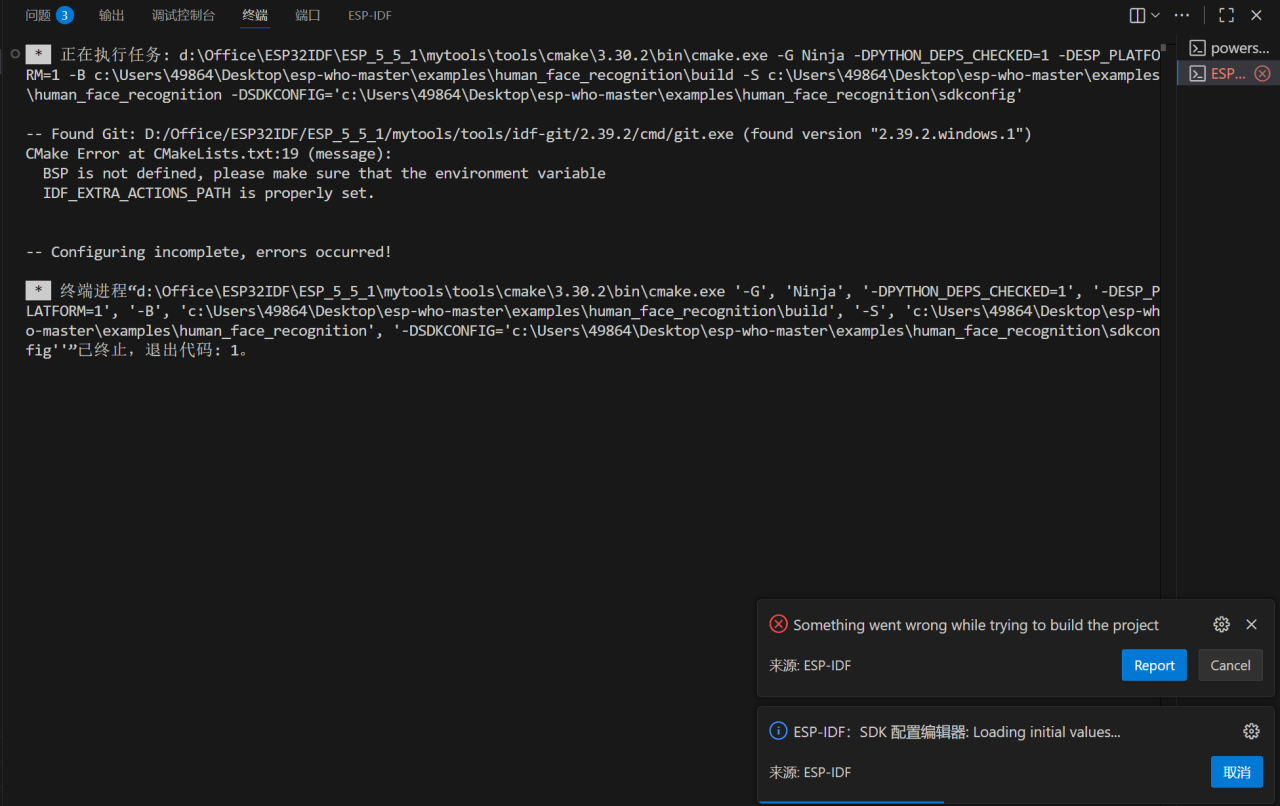
Compilation error prompt:

![94

To resolve ESP-WHO configuration and compilation issues under ESP-IDF 5.5.1, start from three core dimensions: environment variables, dependency initialization, component configuration. Here is the step-by-step solution:

Step 1: Initialize ESP-WHO submodule dependencies

ESP-WHO depends on submodules like esp-dl. First ensure these dependencies are correctly fetched. Open terminal, navigate to esp-who-master directory, and execute:

git submodule update --init --recursive

Step 2: Configure IDF_EXTRA_ACTIONS_PATH environment variable

The error message “IDF_EXTRA_ACTIONS_PATH not properly set” is critical. This variable must point to ESP-WHO’s bsp directory (board support package path).

  • Windows Setup Method:
    1. Locate your esp-who-master path (e.g., C:\\Users\\49864\\Desktop\\esp-who-master), its bsp directory path will be C:\\Users\\49864\\Desktop\\esp-who-master\\bsp.
    2. Open System Environment Variables Settings (Right-click “This PC” → “Properties” → “Advanced System Settings” → “Environment Variables”).
    3. In “User variables” or “System variables”, create a new variable:
      • Variable name: IDF_EXTRA_ACTIONS_PATH
      • Variable value: C:\\Users\\49864\\Desktop\\esp-who-master\\bsp (replace with your actual path).
    4. Restart VSCode to apply environment variable changes.

Step 3: Ensure proper ESP-IDF environment loading

In VSCode, load the environment through the ESP-IDF extension’s “Command Palette”:

  1. Press Ctrl+Shift+P to open the command palette, input “ESP-IDF: Show Examples Projects” to verify ESP-IDF path recognition.
  2. When opening a project terminal, use “ESP-IDF: New Terminal” to ensure IDF environment variables (like IDF_PATH) are properly loaded.

Step 4: Verify CMakeLists.txt and component registration

ESP-WHO examples require proper component registration and header paths. Take human_face_recognition as an example, check its CMakeLists.txt:

  • Ensure necessary components and header paths are included via idf_component_register, for example:
    idf_component_register(
        SRCS "app_main.cpp" "frame_cap_pipeline.cpp"
        INCLUDE_DIRS "."
        REQUIRES esp_who esp_camera esp_dl  # Add required dependency components as needed
    )
    

Step 5: Clean and rebuild the project

Delete the build directory and re-run the build process:

idf.py fullclean
idf.py set-target esp32  # Replace with your target chip (e.g., esp32s3)
idf.py build

Additional Note: Version Compatibility

If issues persist, verify ESP-WHO compatibility with ESP-IDF 5.5.1. Check ESP-WHO’s README or GitHub Issues. If official support is below 5.5.1, consider downgrading ESP-IDF to a compatible version (e.g., 5.0 or 4.4), then repeat the configuration process.

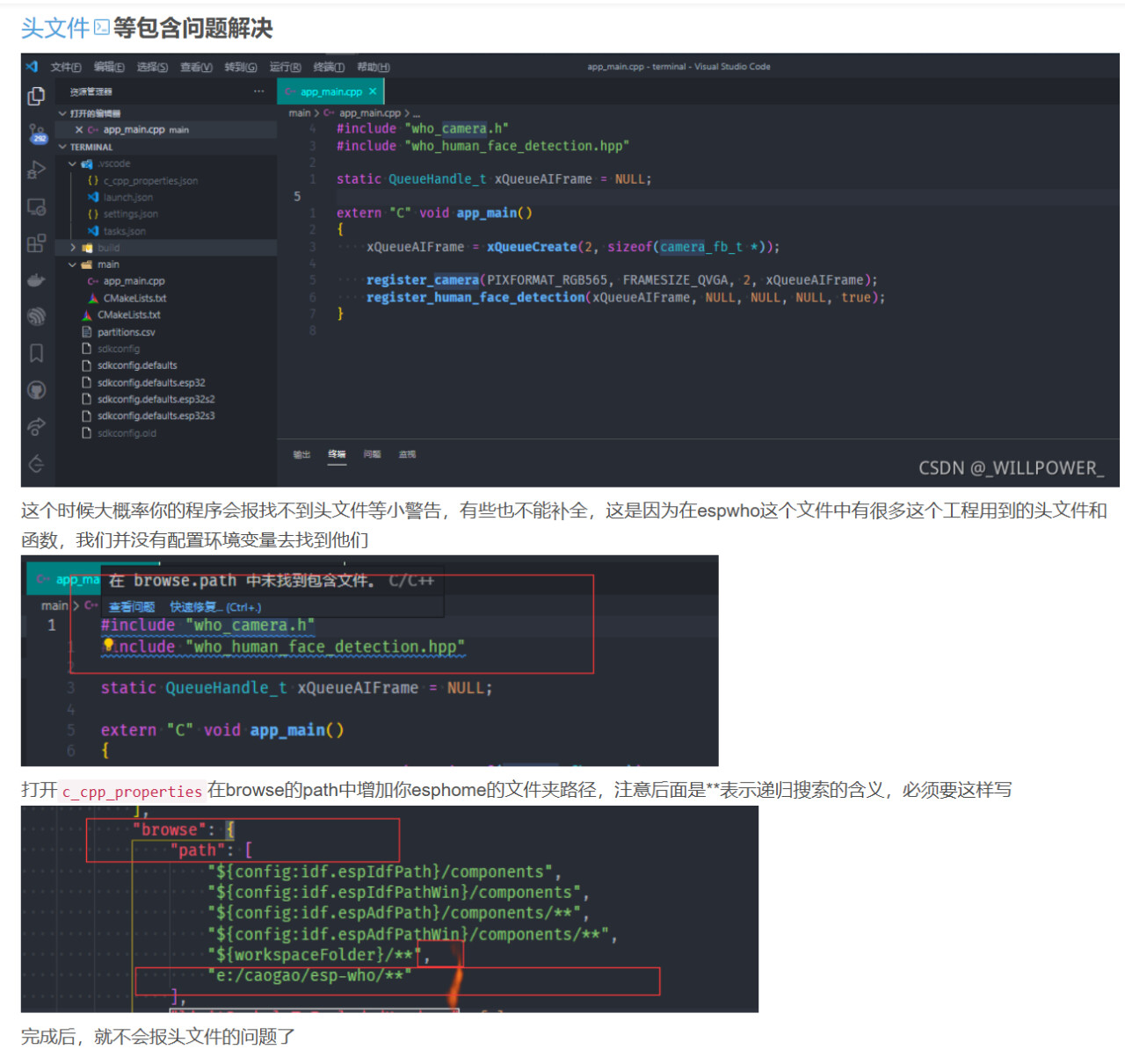
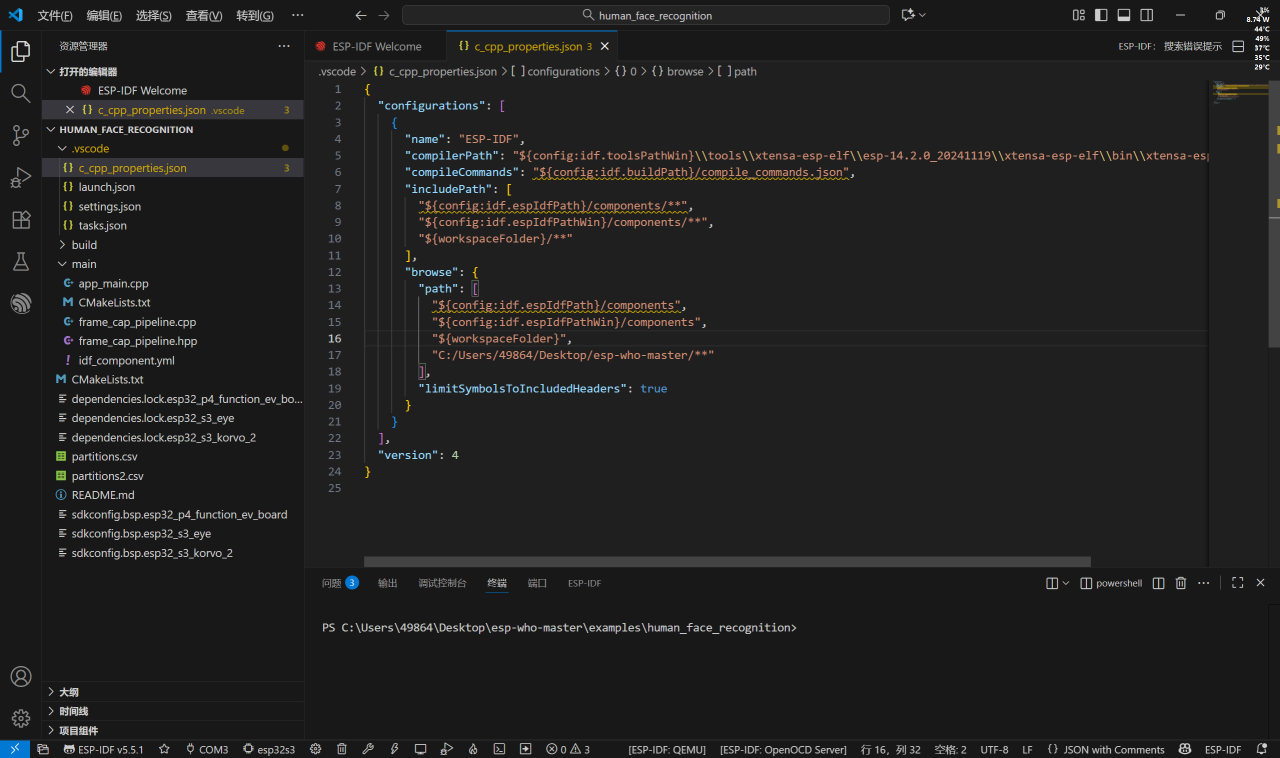
Following these steps should resolve “SDK configuration failed” and “header files not found” errors. If problems remain, further check c_cpp_properties.json’s includePath and browse.path for ESP-WHO header directories, or submit an Issue on the ESP-WHO GitHub repository for official support.