Review and Teardown of the Mechrev imini Pro820 Mini PC: Just 2,300 RMB after Government Subsidy for This 8845H-Powered Mini PC
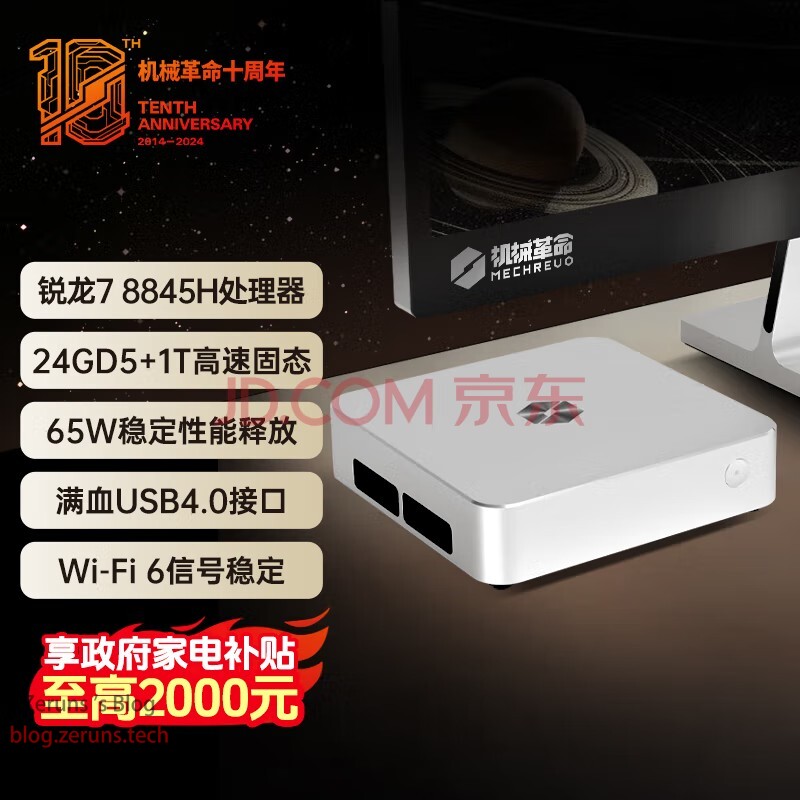
Recently, home appliance subsidy programs have launched in several regions, offering up to 20% off eligible purchases. That’s when I spotted this mini PC, which seemed like an excellent deal—so I ordered one to replace my old N5095-based mini PC as a server.
The Mechrev imini Pro820 is also great as an office computer—affordable, compact, and powerful enough for most tasks!
The imini Pro820 features an aerospace-grade aluminum alloy chassis with sharp edges and a colorful logo, giving it solid visual appeal. The unit is just 37.8mm thick and weighs about 0.75kg, making it easy to carry with one hand—ideal for both work and entertainment.
Originally priced at 2,999 RMB, it costs just over 2,300 RMB after subsidies!
F7015TV3 ZTE 2.5G Optical Modem Teardown: https://blog.zeruns.com/archives/797.html
Riditec D1500 UPS (Uninterruptible Power Supply) Analysis: https://blog.zeruns.com/archives/792.html
Specifications
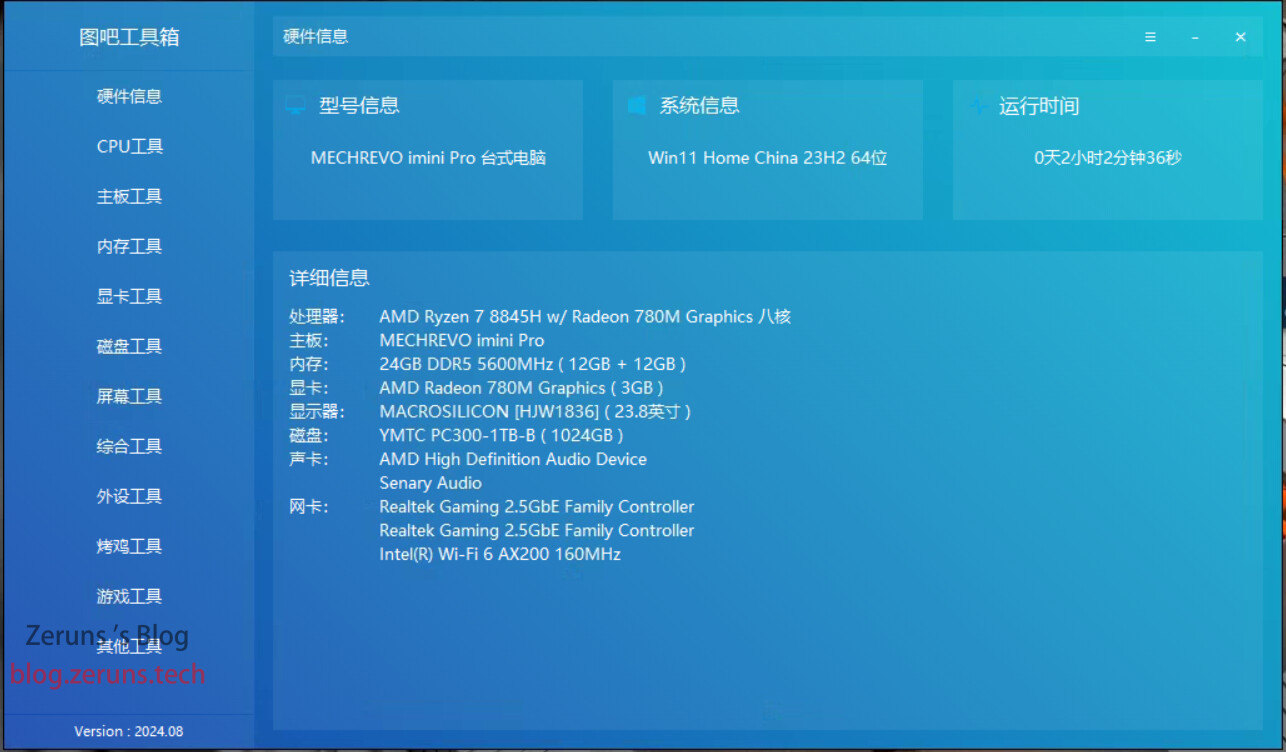
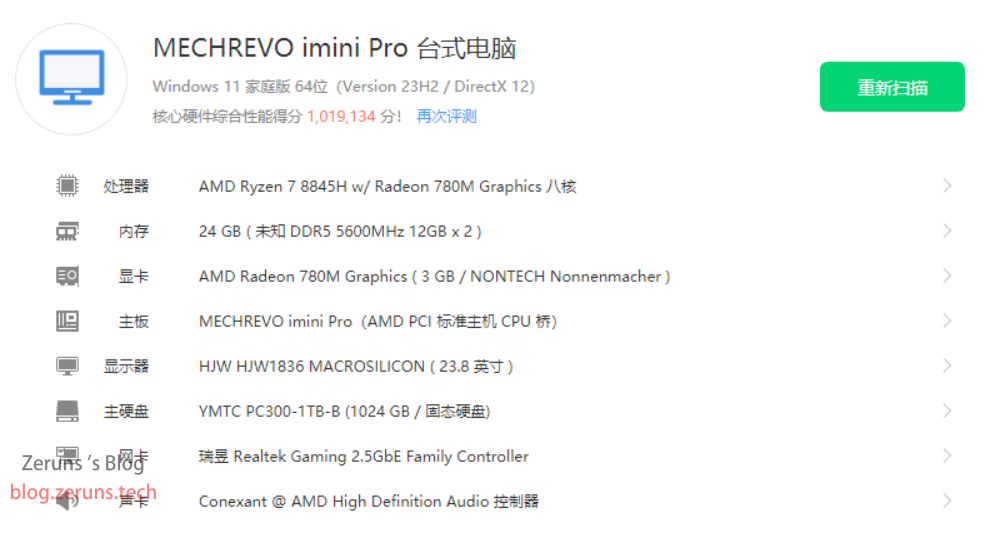
- CPU: AMD Ryzen 7 8845H (8 cores, 16 threads, up to 5.1GHz)
- Graphics: AMD Radeon 780M (integrated GPU)
- Memory: 24GB (2x12GB DDR5-5600MHz)
- Storage: YMTC PC300 1TB SSD
- Wired NICs: Two RTL8125BG (2.5Gbps)
- Wireless Card: AX200
Ports:
- Network: Dual 2.5G Ethernet ports
- USB-A: Two USB 3.2 Gen2; two USB 2.0
- Type-C: One full-featured USB 3.2 Gen2; one USB4.0
- Video Outputs: HDMI 2.1 + DisplayPort
- Audio: 3.5mm headphone jack
- Power Input: DC 5.5x2.5mm
Government Subsidy Program
This government subsidy program has already started in Beijing and Guangdong, and other regions are expected to follow soon. You can receive up to 20% back on purchases of home appliances or computers, with one subsidy per product category.
Beijing Subsidy Program: https://u.jd.com/tawhm7R
Guangdong Subsidy Program: https://u.jd.com/tGIuVI8
Buy imini Pro820: https://u.jd.com/taIqXVA

Unboxing
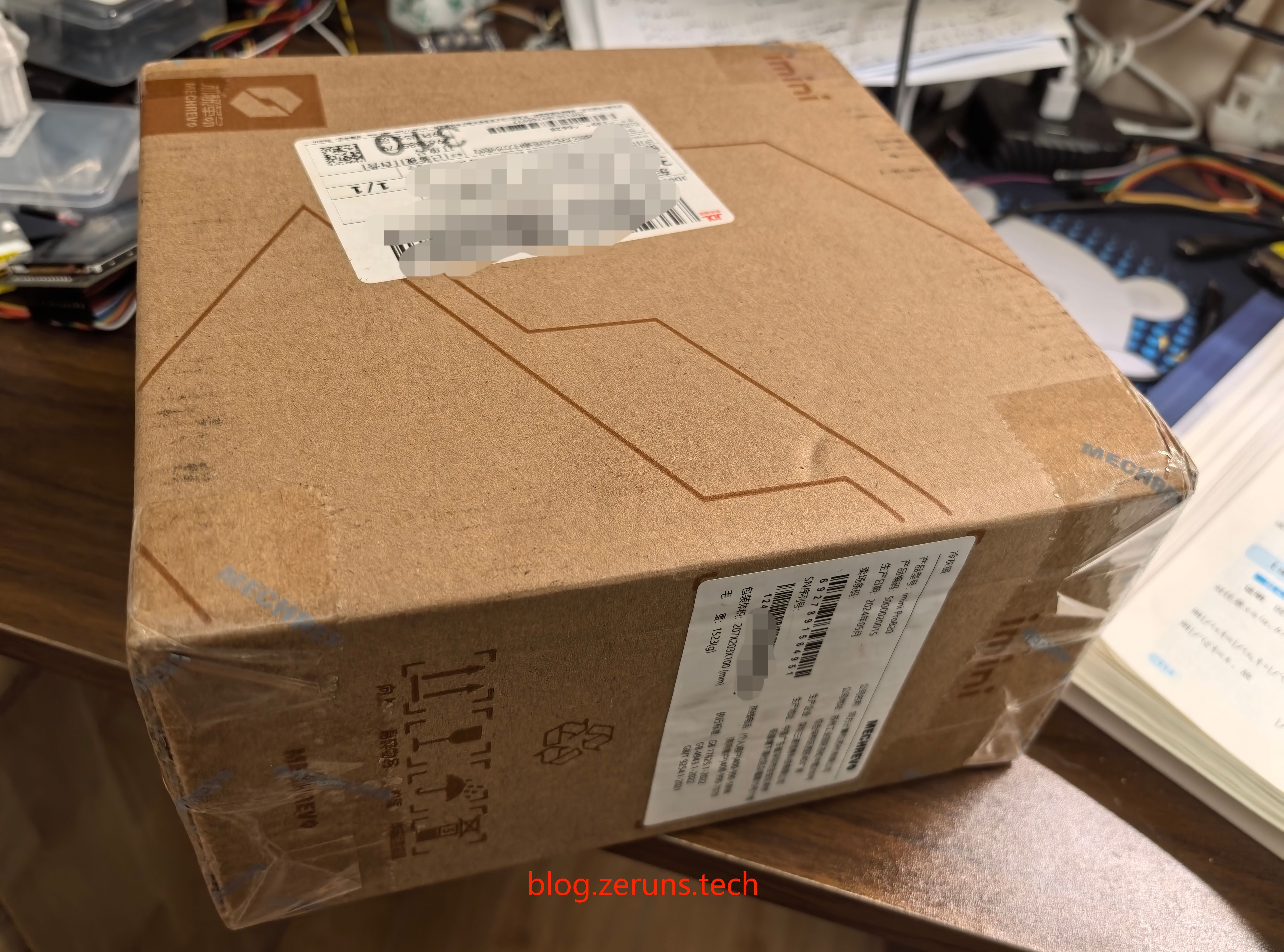
The shipping box has a label on the side showing the model and serial number.
The product comes in a black square box with golden engraved lines forming the Mechrev logo and the “imini” model name.
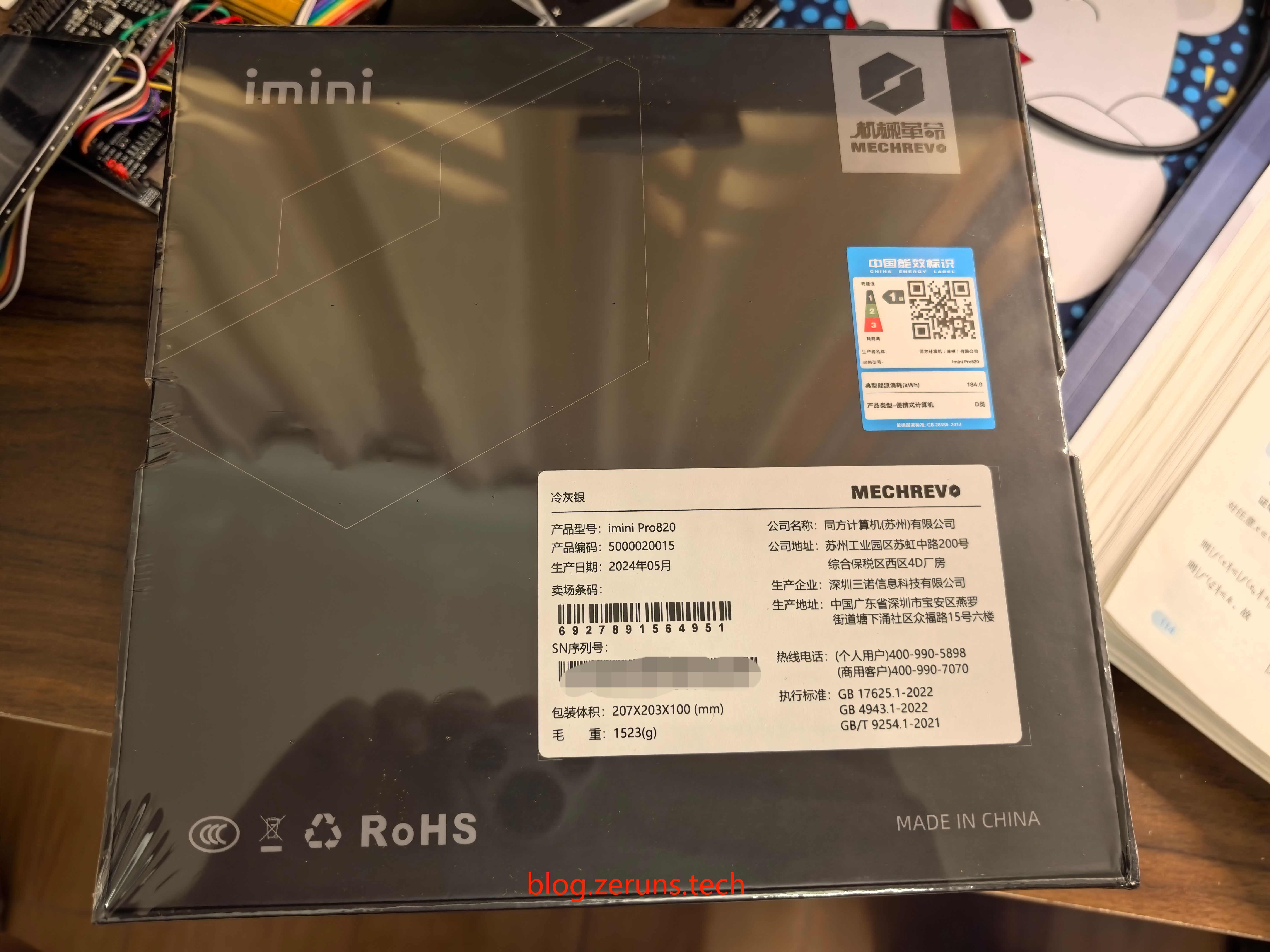
Opening the box reveals the mini PC itself.
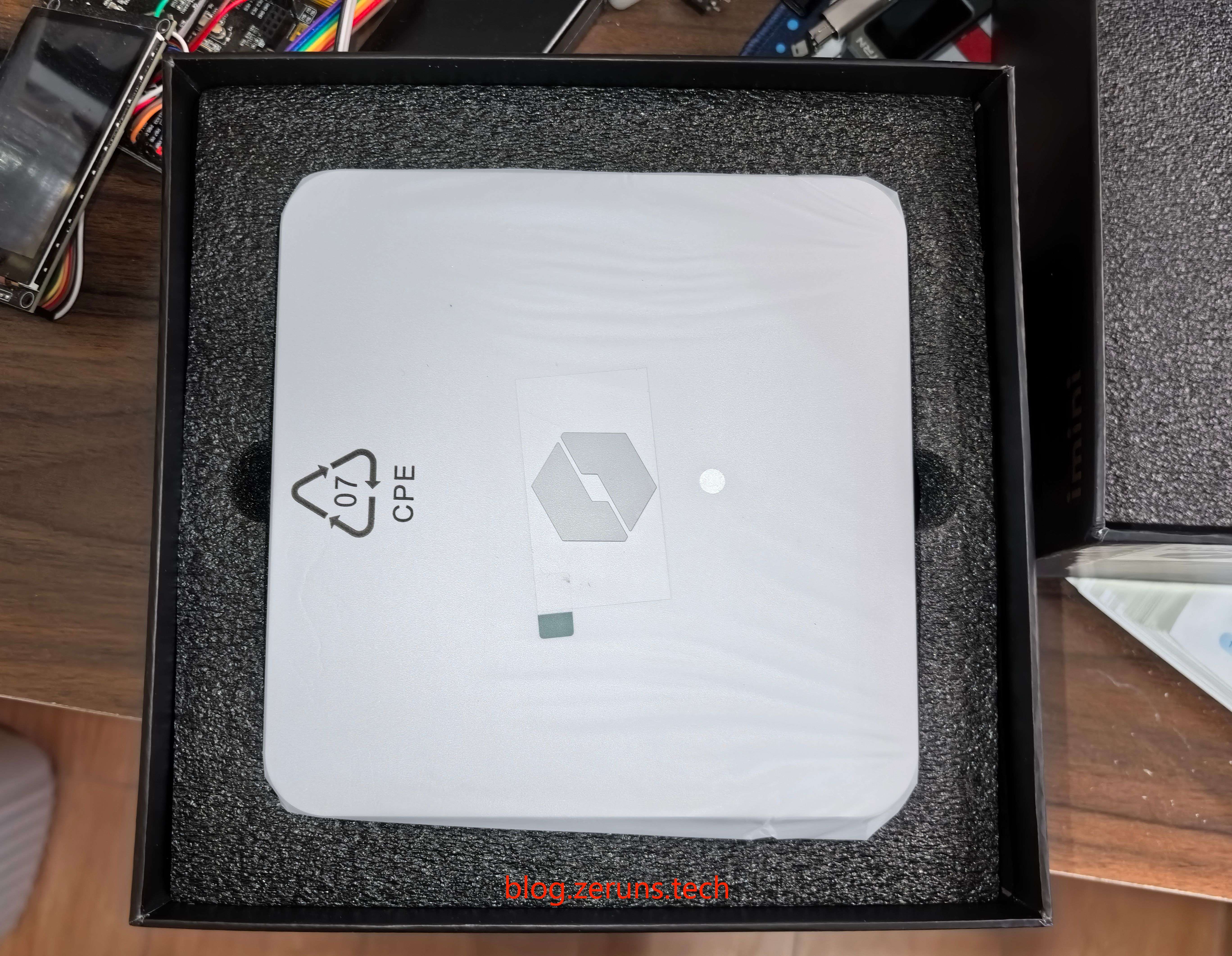
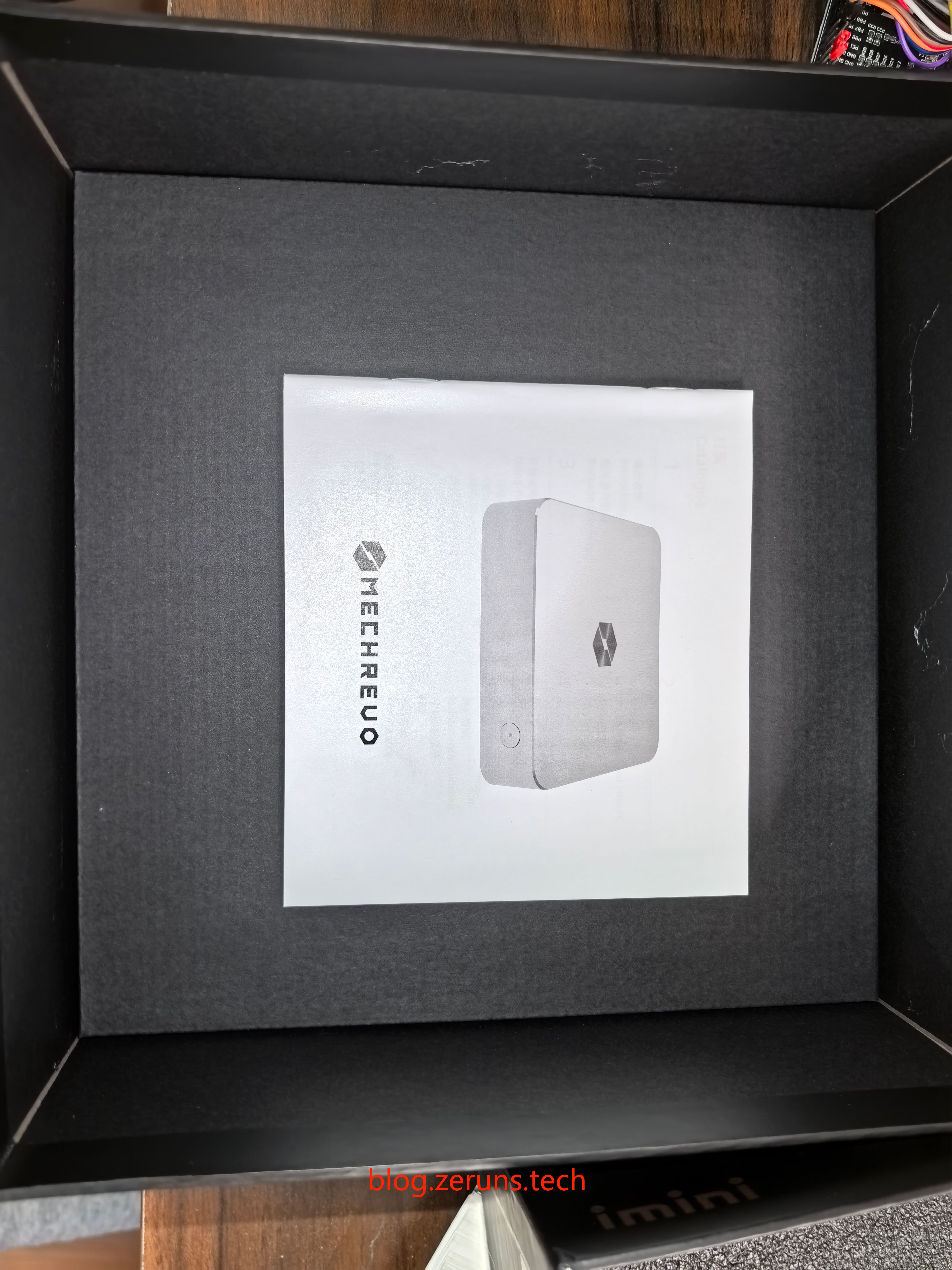
After removing the device, there’s a user manual underneath.
Below that are accessories: power adapter, HDMI cable, VESA mounting bracket, screws, manual, and thermal pad for the hard drive.
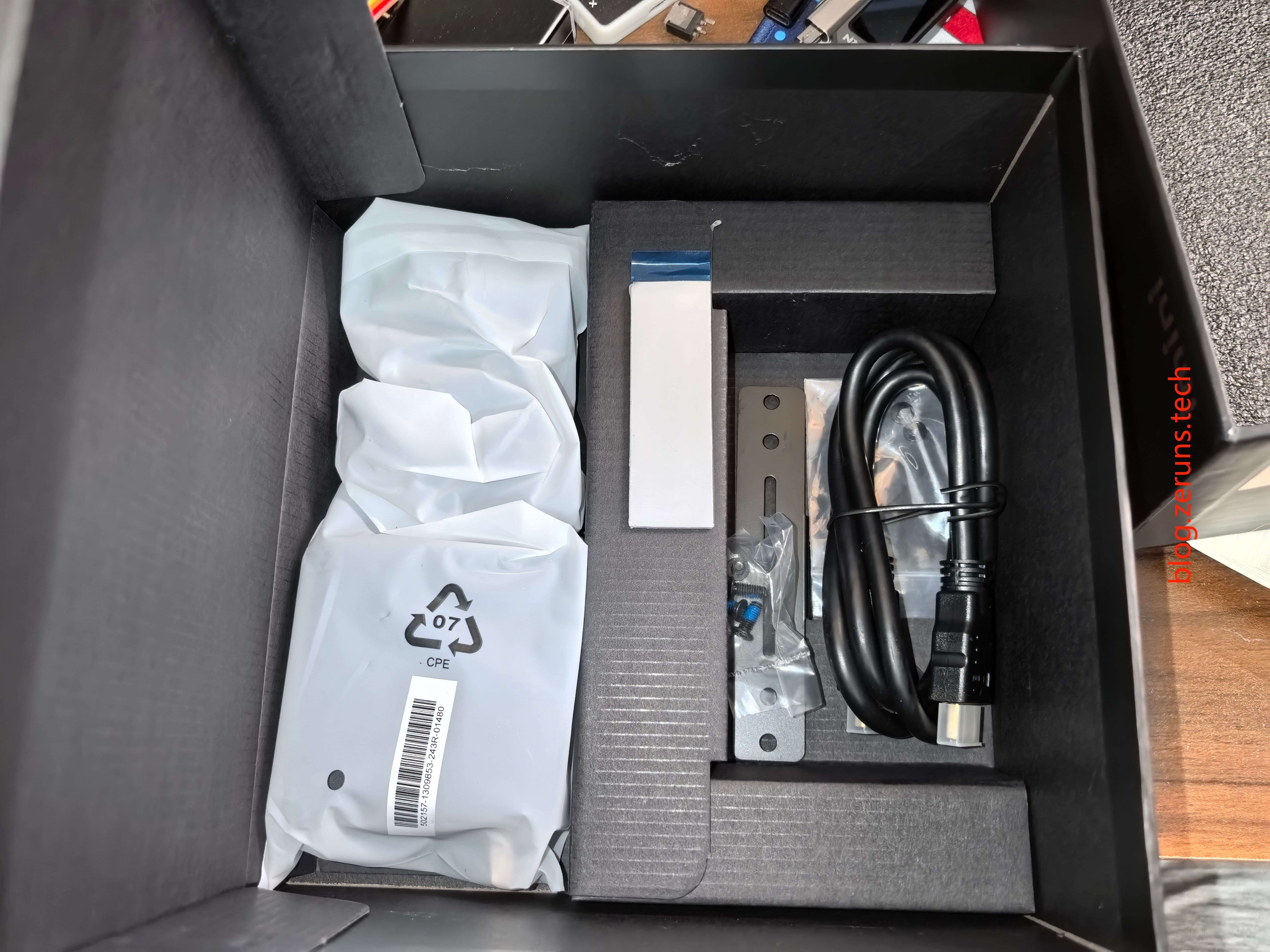
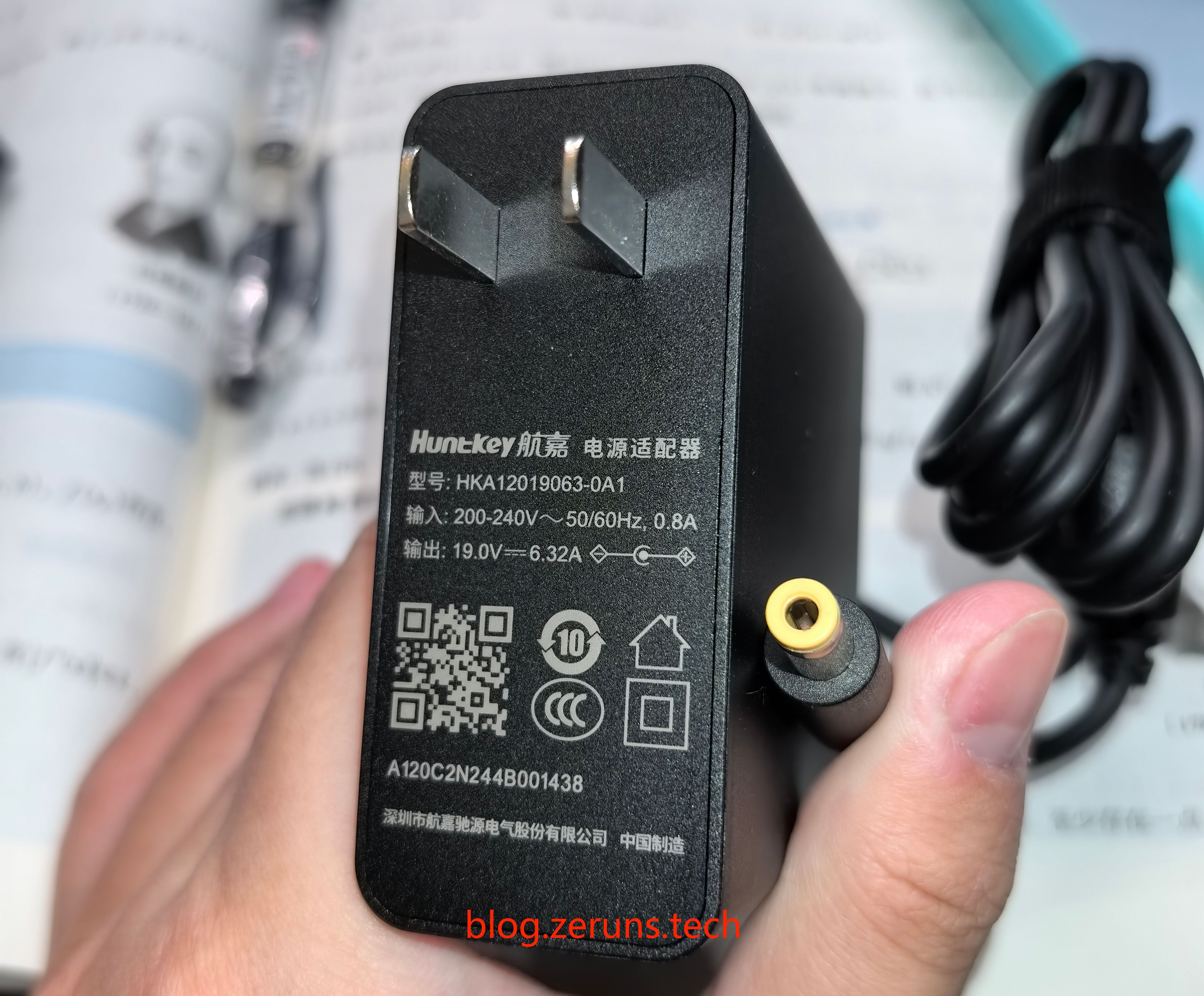
The power adapter is made by Huntkey (HKA12019063-0A1), with input voltage range of 200–240V (not wide-voltage compatible). Output is 19V, max current 6.32A, max power 120W, using a DC 5.5x2.5mm connector.
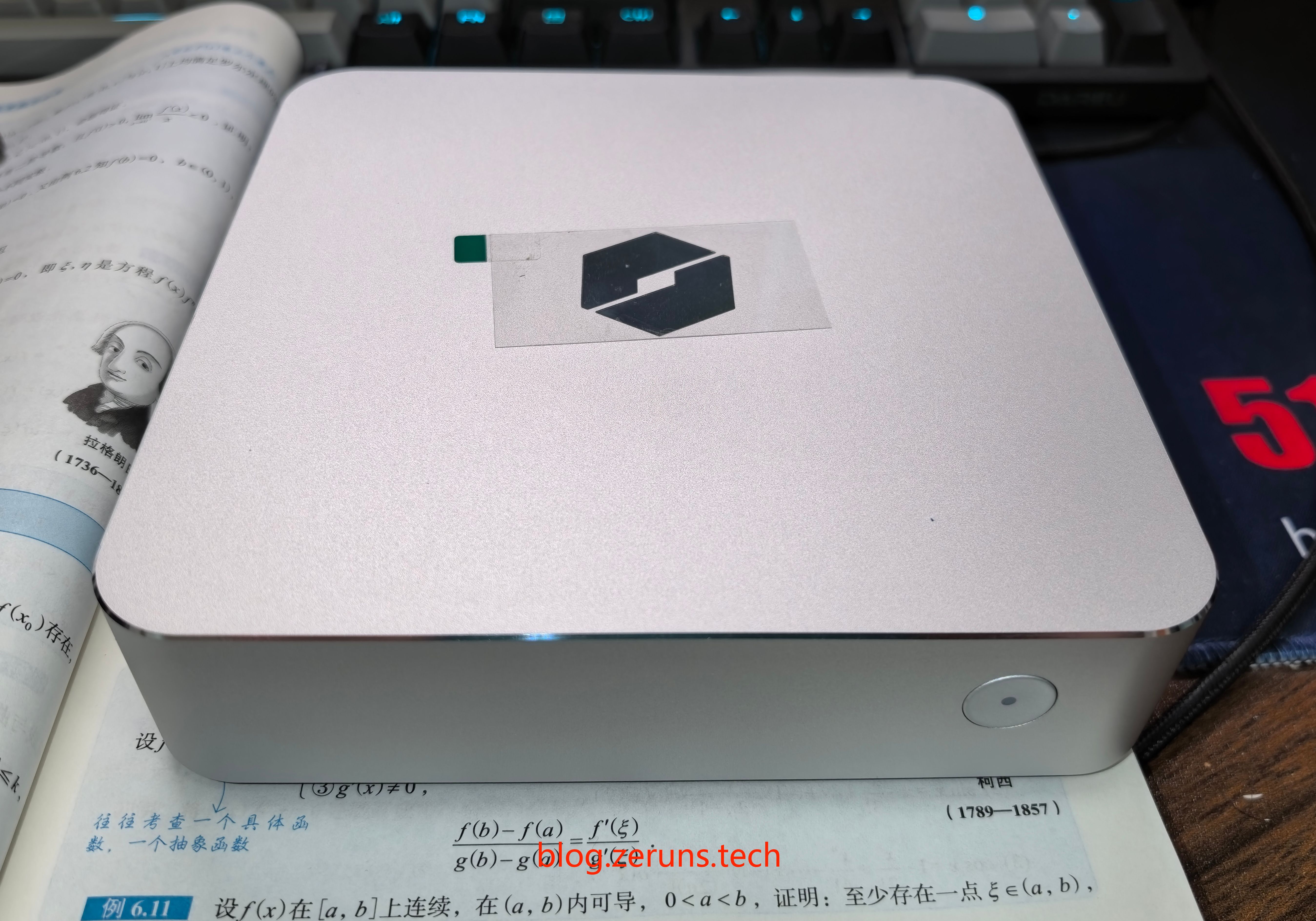
Front view of the Mechrev imini Pro820. The design resembles Apple’s Mac mini, with an anodized sandblasted aluminum body offering premium feel. CNC-machined bright edge around the perimeter adds refinement. The top cover features Mechrev’s signature laser-engraved color-changing logo—a sleek tech aesthetic that blends well with any desktop setup.
Only a single power button is located on the front. All ports are moved to the right side and rear, keeping the front clean and minimal.
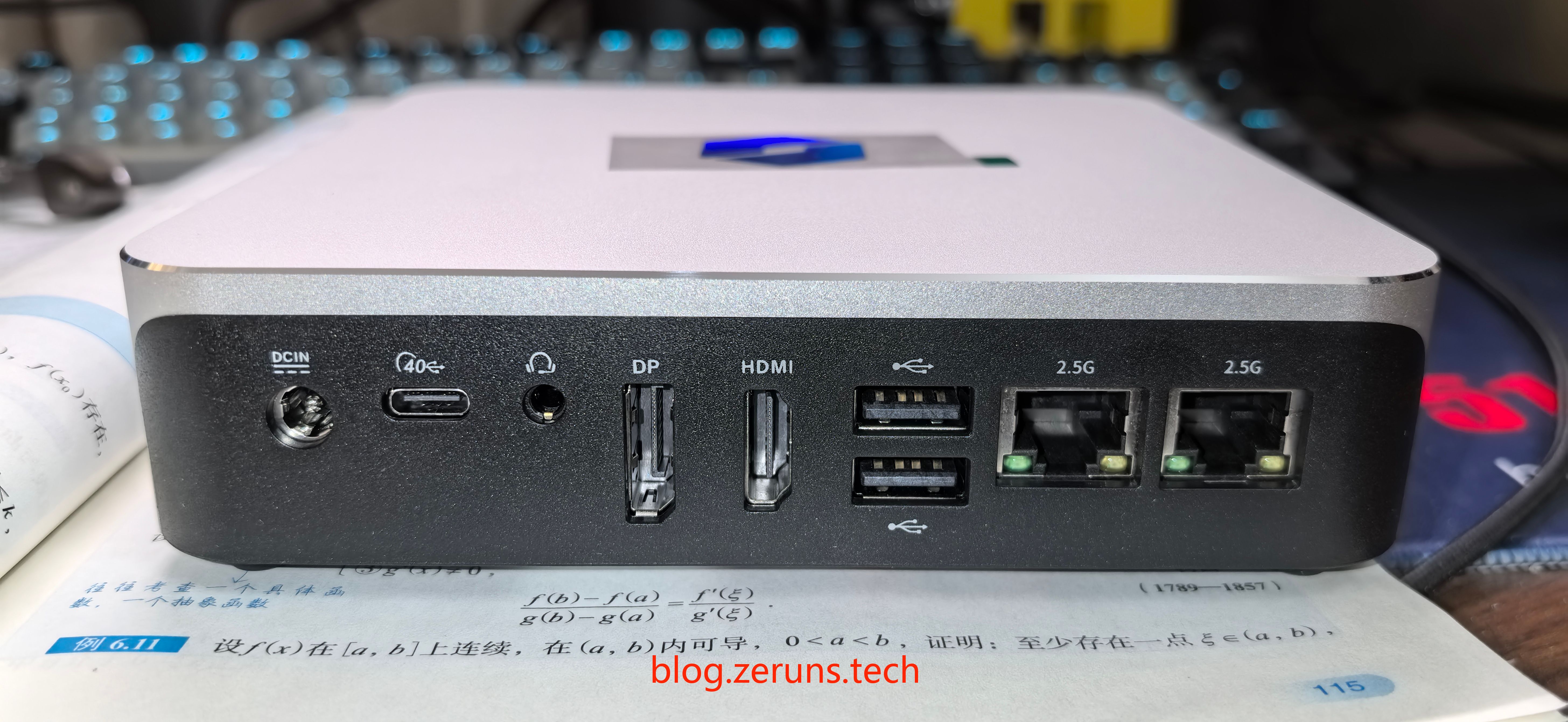
Back panel (from left): DC power jack, 40Gbps Type-C (USB4), 3.5mm audio jack, DisplayPort, HDMI 2.1, two USB 2.0 ports, and dual 2.5G Ethernet ports.
This device supports up to four displays simultaneously. In testing, both Type-C ports successfully drove portable monitors via single-cable connections, or worked with PD chargers.
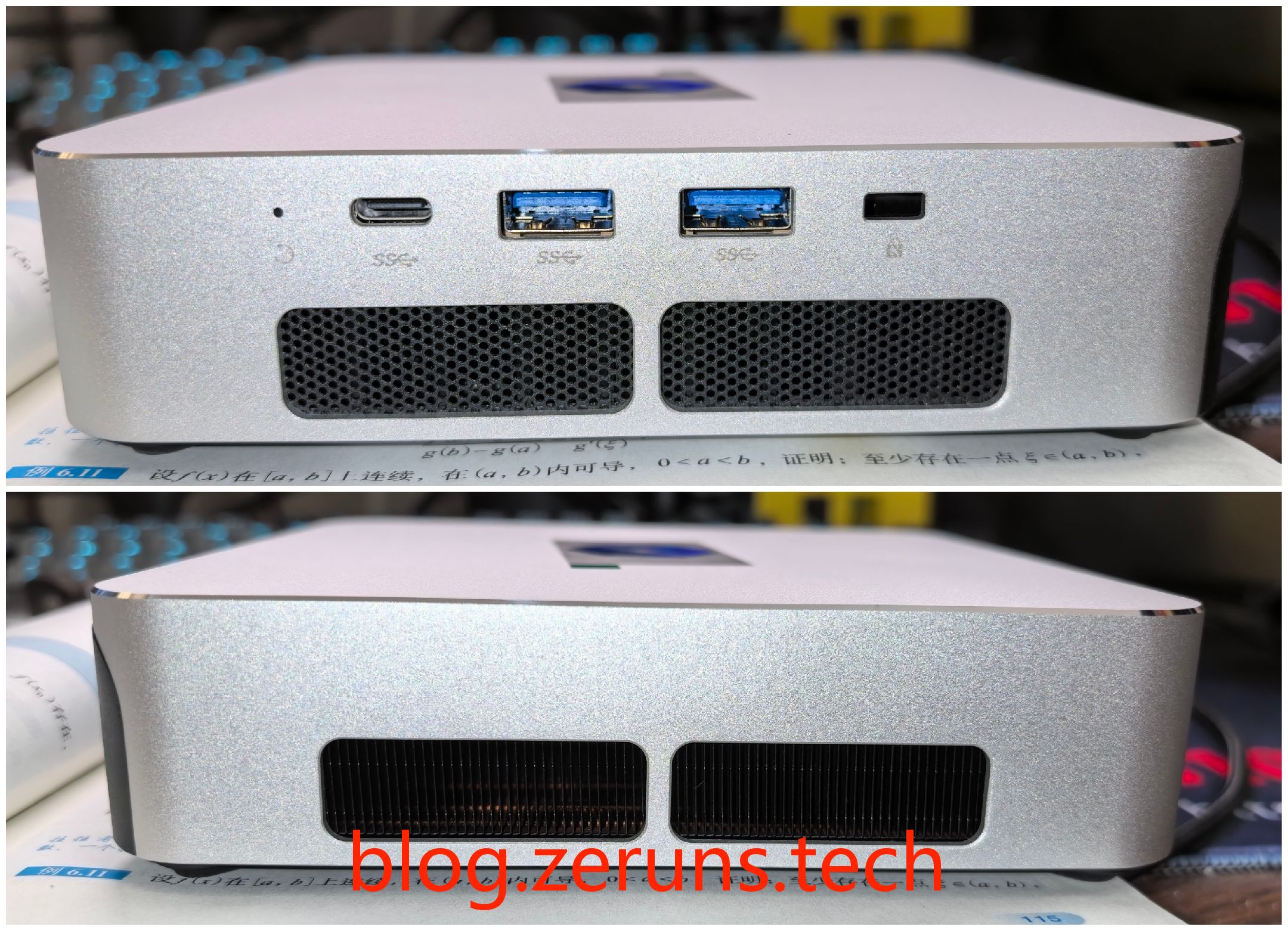
Right and left sides: On the right are a reset pinhole, full-featured USB-C 3.2 Gen2, two USB-A 3.2 Gen2 ports, and a Kensington lock slot. The two black holes on the left are heat sinks and exhaust vents.
The center of the bottom cover features a diamond-pattern metal mesh directly aligned with the fan for efficient cooling. The four corners include screw holes for wall mounting. With the included bracket, you can mount the PC behind a VESA-compatible monitor.
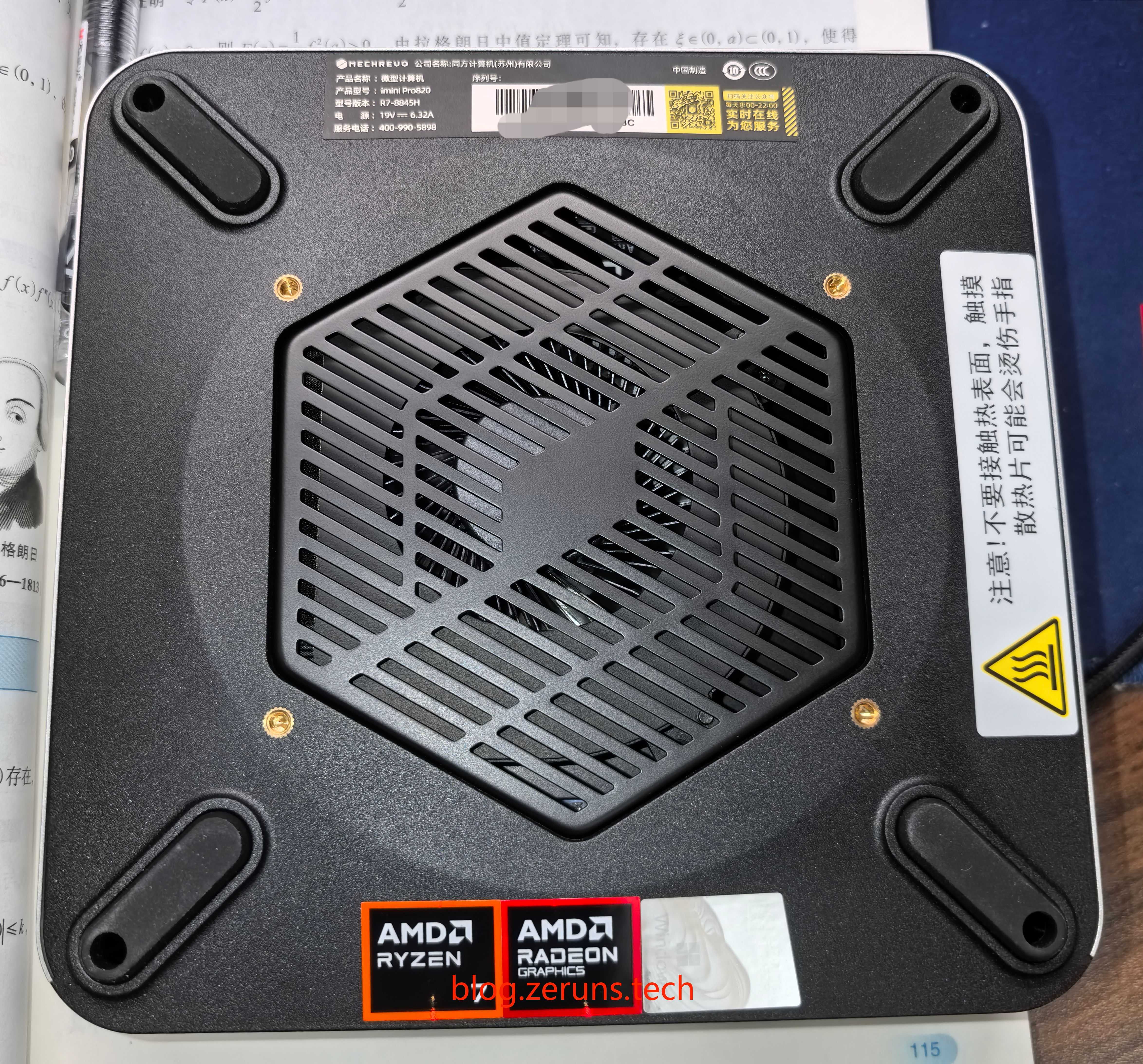
The rubber feet on the bottom are tall, promoting good airflow from below. The screw holes are cut directly into the feet, so you don’t need to remove them when installing screws—eliminating risks of losing or damaging the feet. A thoughtful detail worth praising.
To summarize the cooling design: Unlike many other mini PCs, the imini Pro820 uses bottom and right-side air intake with left-side exhaust. For users planning to wall-mount it, this layout makes peripheral access and heat dissipation much easier. Many competing models place exhaust vents and ports on the same side, causing hot air to blow directly onto connected USB devices under heavy load, potentially leading to throttling or disconnections—issues avoided here.
Power-On and Boot
The unit ships with genuine Windows 11 Home Edition pre-installed.
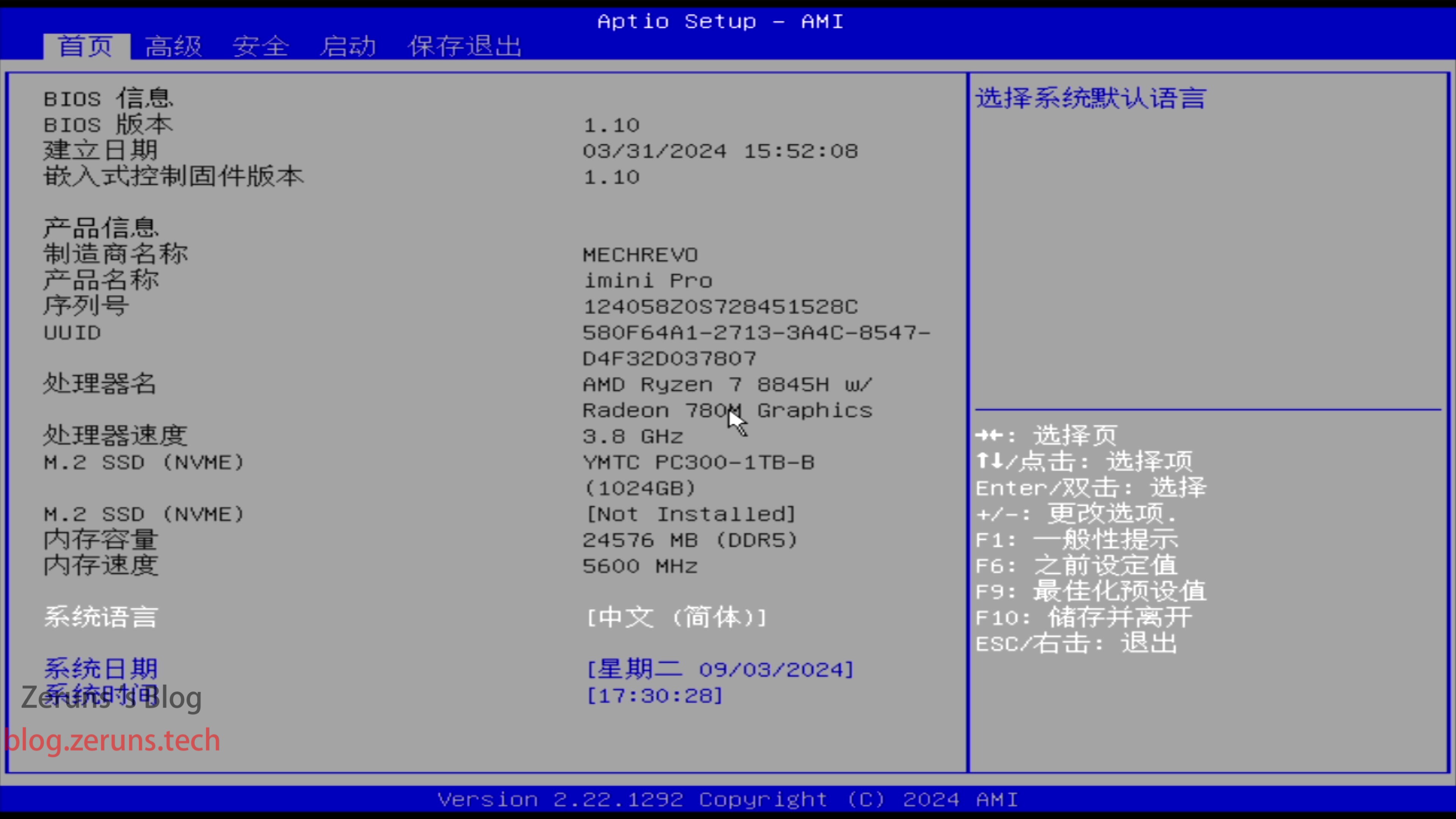
Press and hold F2 during boot to enter the BIOS—an uncommon feature in the mini PC market—and it’s fully in Chinese. Under Advanced Settings, you can adjust the dedicated video memory size, up to 8GB, enabling a 16+8 split between RAM and VRAM allocation, helping prevent VRAM overflow in some games.
However, since the current 12GB RAM modules use fewer memory chips than 16GB ones, their internal Bank Groups (BG) are less optimal. As a result, memory bandwidth and iGPU performance are slightly weaker compared to a dual-channel configuration using two 16GB sticks. The 24GB setup mainly addresses the gap where 16GB feels insufficient while 32GB is overly expensive—making it more suitable for general office use than gaming. (Note: A 32GB version exists but has been out of stock.)
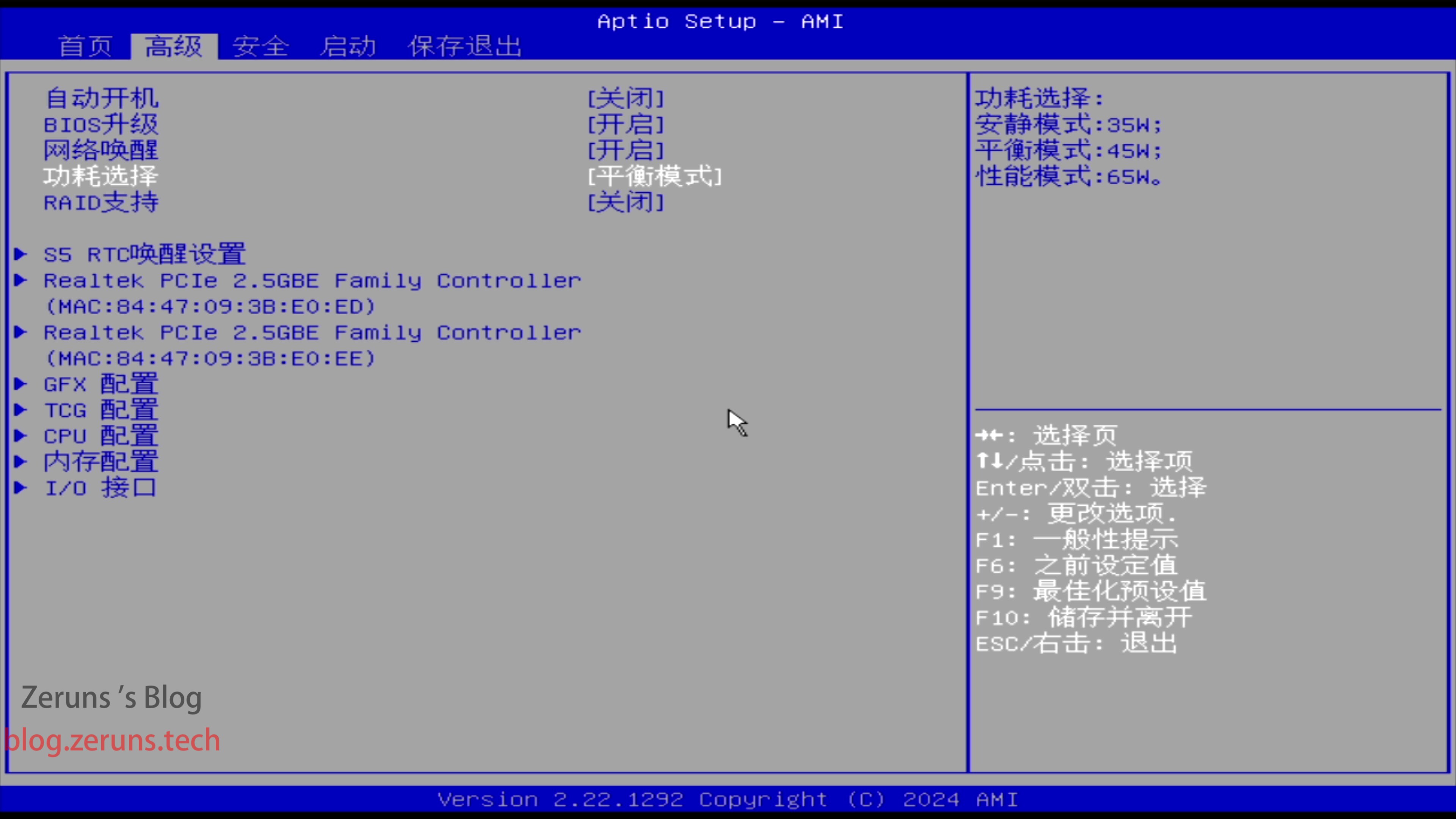
By default, the system runs in Balanced mode with a 45W power limit. To fully unleash performance, you must manually switch to Performance mode in the BIOS.
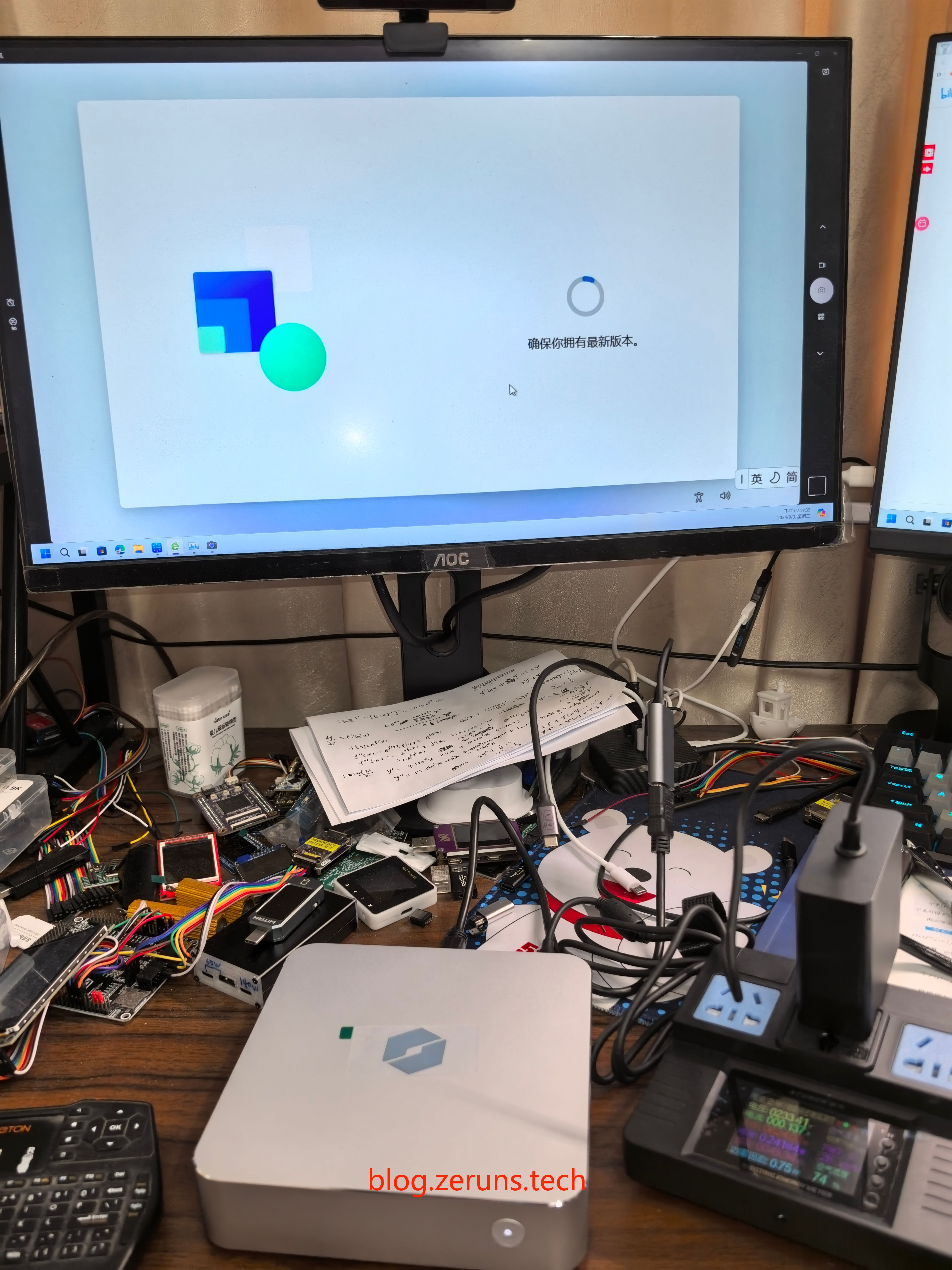
Both Type-C ports support PD charging. When using Performance mode, you’ll need a minimum 100W PD charger with an E-Marker chip capable of delivering 5A current. Using a PD charger eliminates the need for the DC power cable.
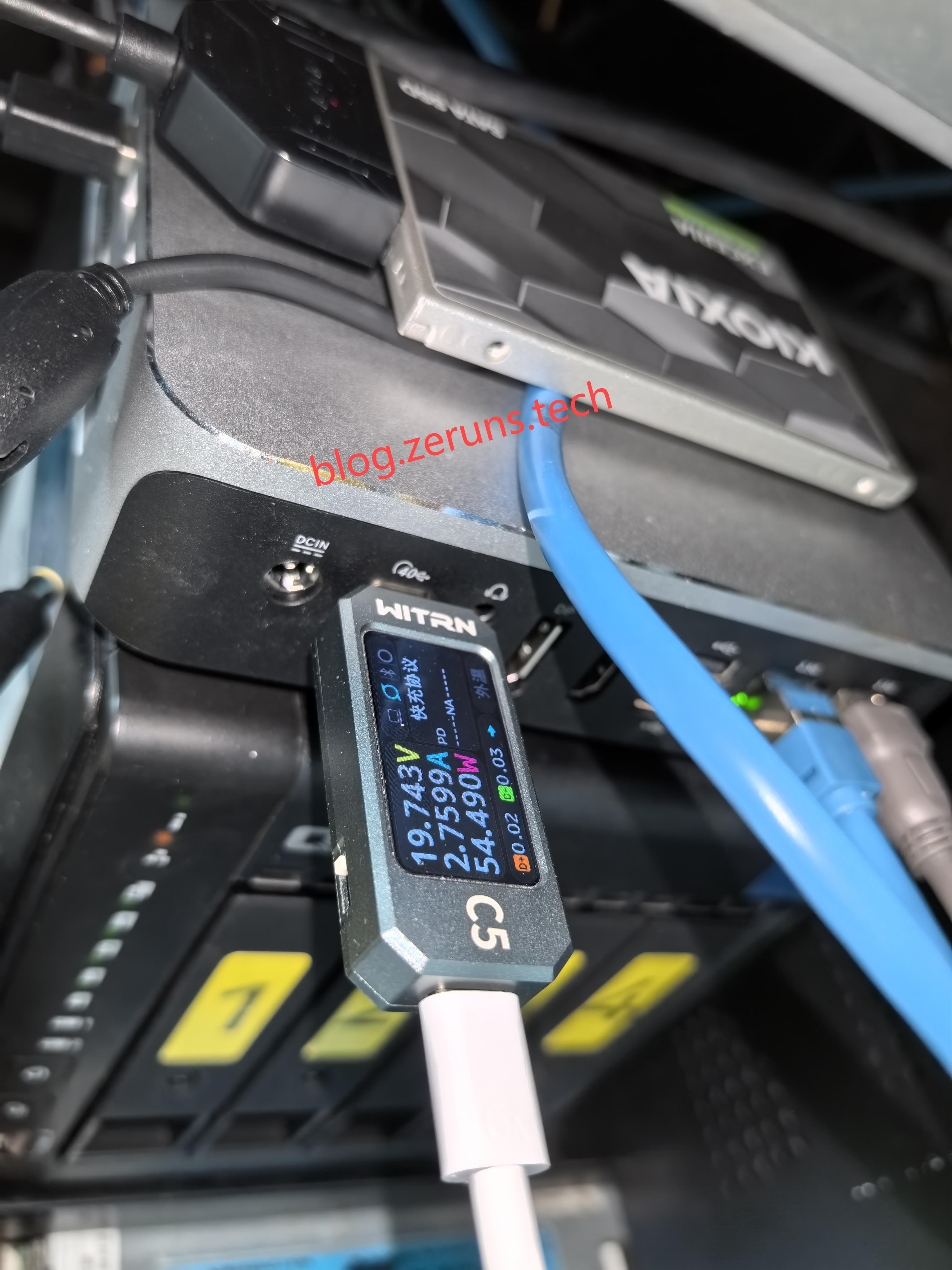
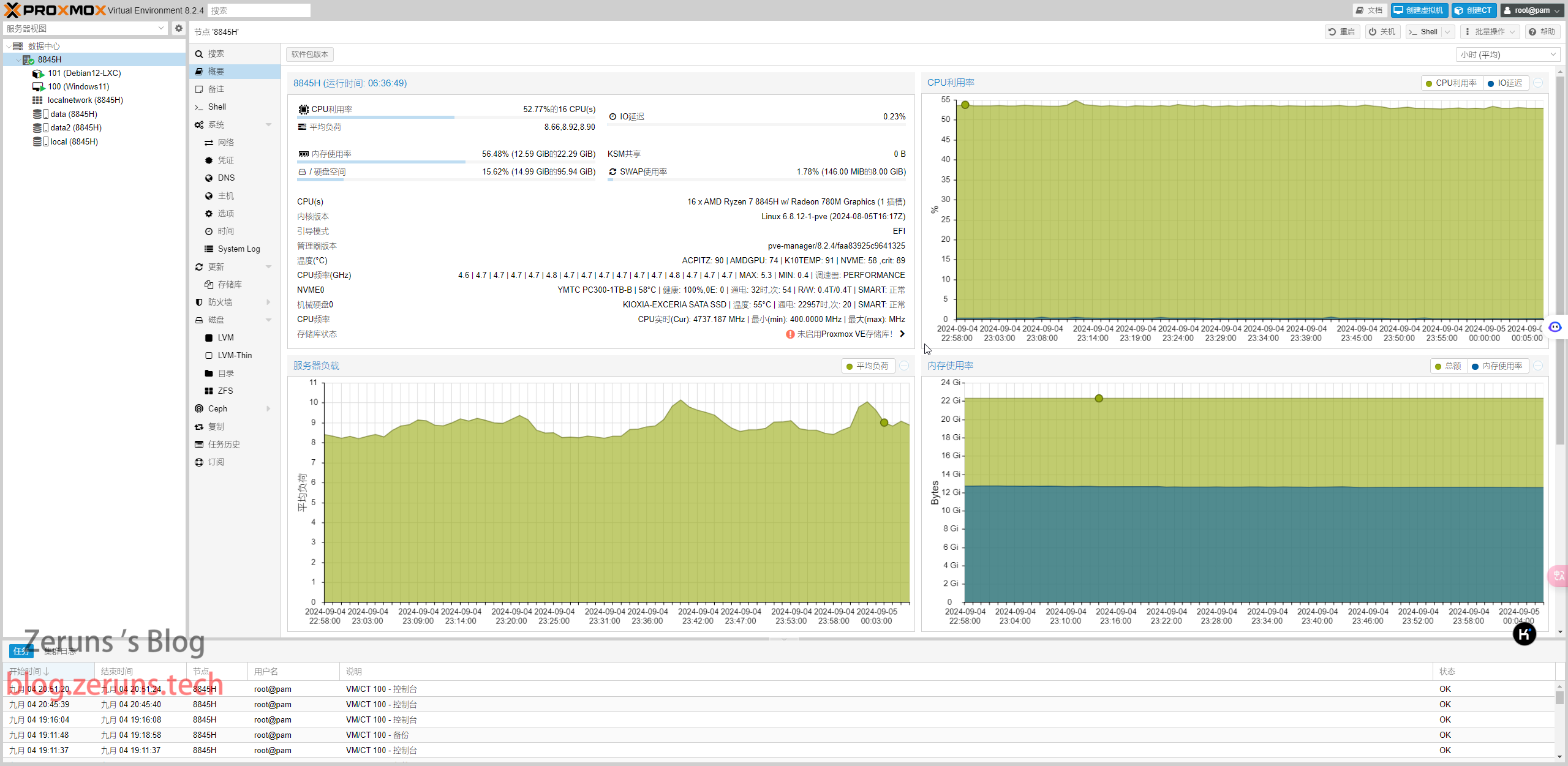
After testing, I installed Proxmox VE (PVE) on it.
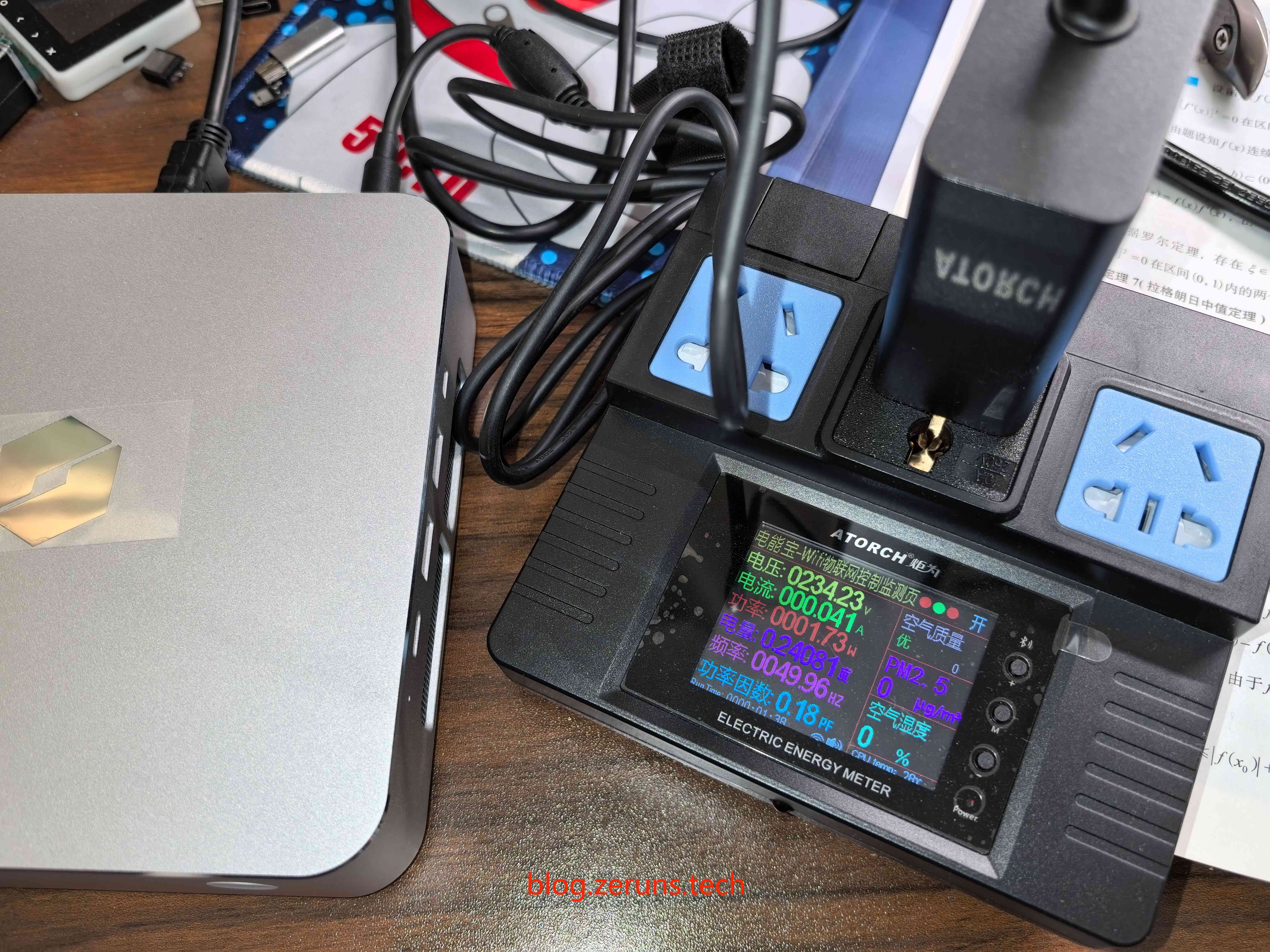
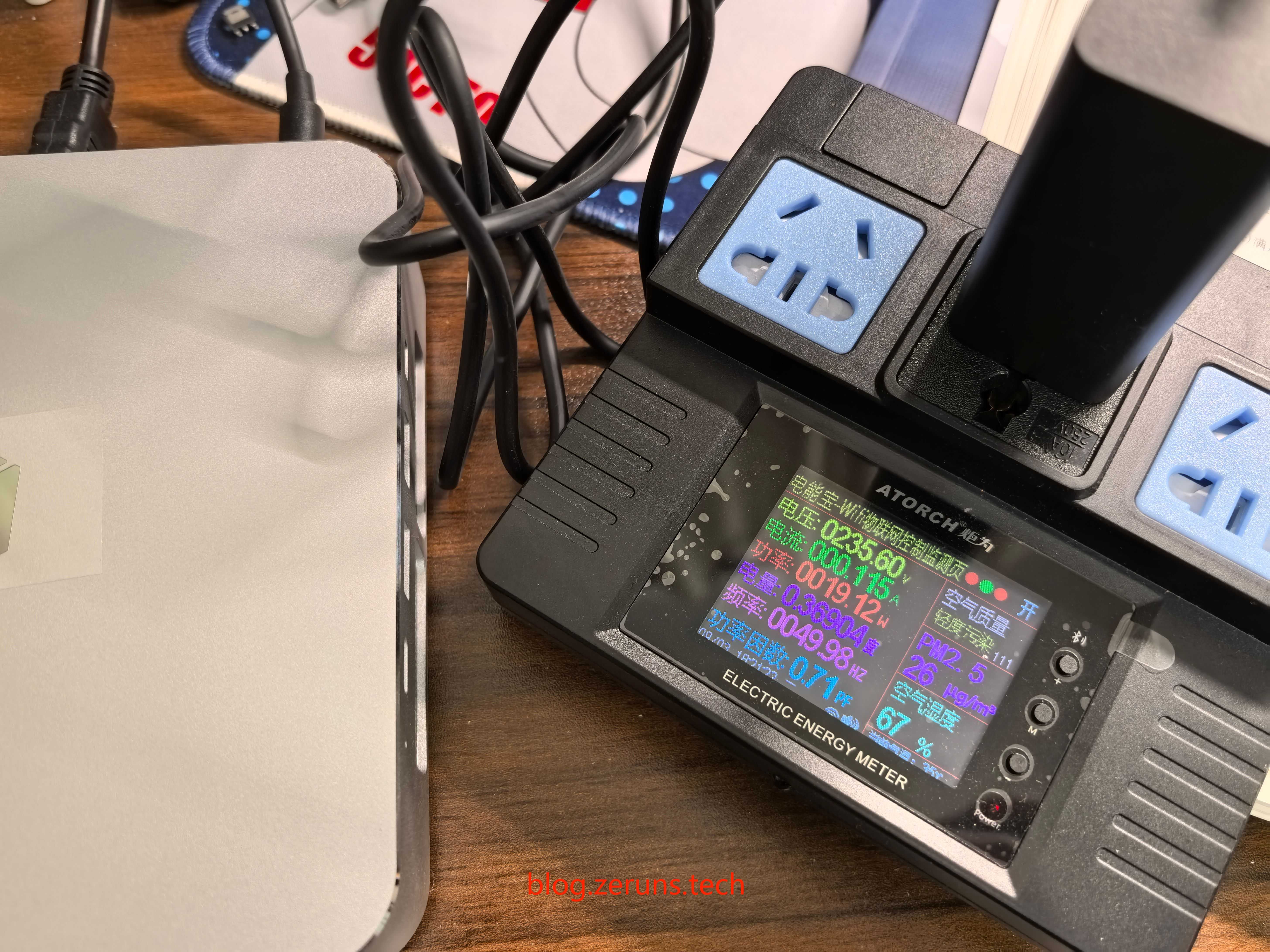
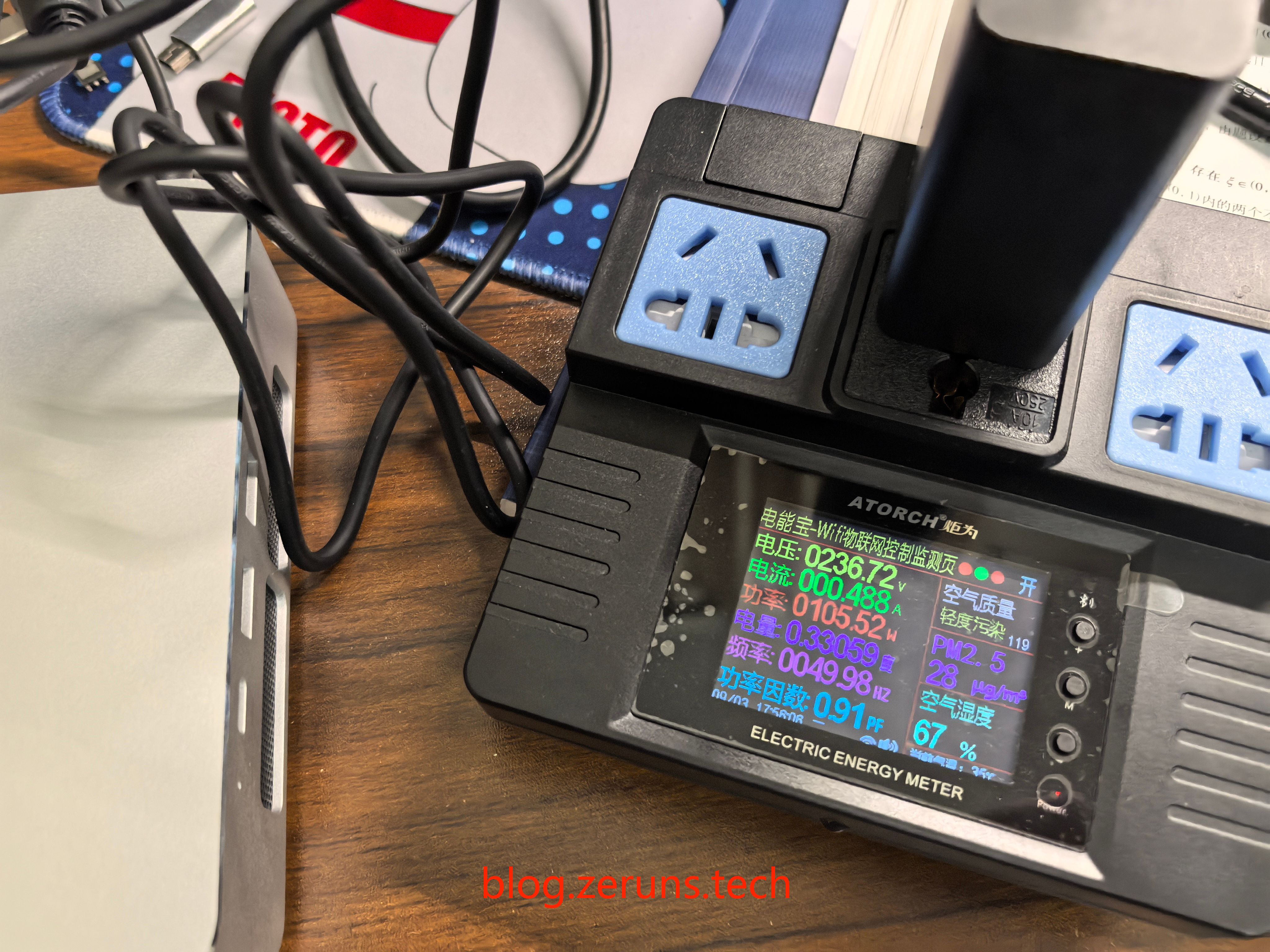
Power Consumption Testing
Test tool: Juwei Electric Energy Meter: https://s.click.taobao.com/G1DXUWt
Idle power draw (plugged in, powered off): ~1.7W
Static power usage after booting into Windows 11 desktop: ~19W
Stress test under AIDA64 (Performance mode): ~105W
Performance Testing
The core strength of the Mechrev imini Pro820 lies in its AMD Ryzen 7 8845H processor. While essentially a rebranded version of the previous-gen 7840HS—both built on TSMC’s 4nm process with Zen4 CPU cores, RDNA3 graphics, 8-core/16-thread design, up to 5.1GHz boost clock, and integrated Radeon 780M iGPU—the 8845H brings key improvements.
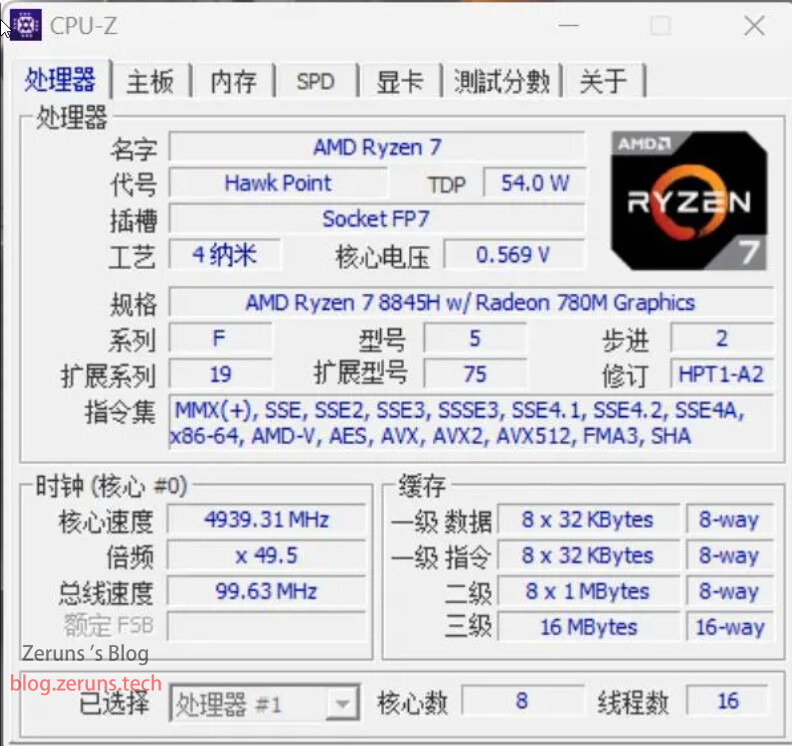
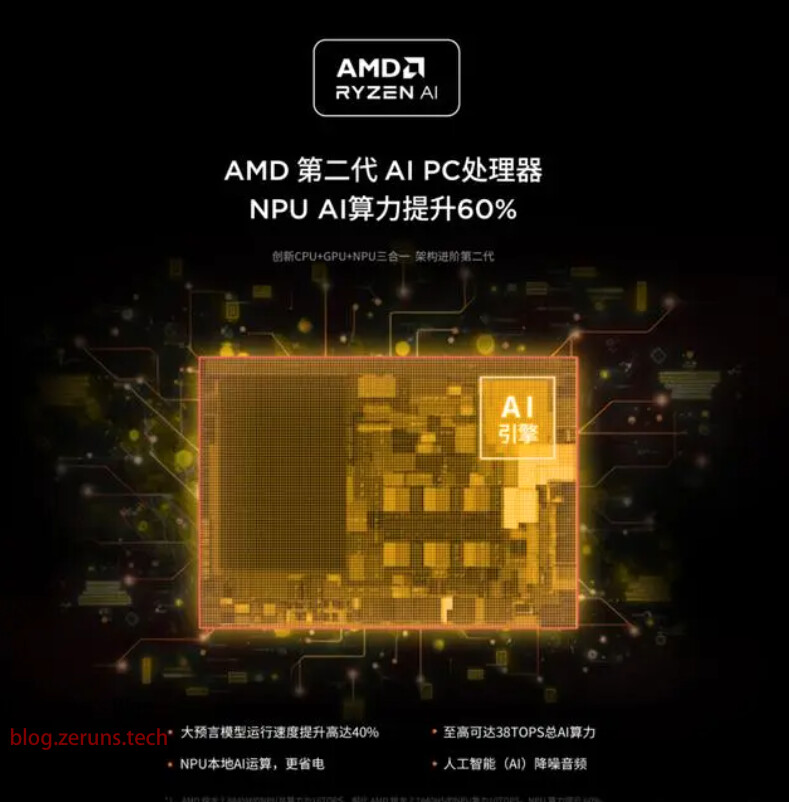
As AMD’s second-generation AI PC processor, the 8845H features optimized NPU (Neural Processing Unit) performance. AI compute power increases from 10 TOPS to 16 TOPS, and total system AI performance (CPU + GPU + NPU) rises from 32 TOPS to 38 TOPS (the Ryzen 9 8945HS reaches 39 TOPS)—surpassing Intel Core Ultra’s 34 TOPS. This lays a stronger foundation for on-device AI acceleration.
Now let’s dive into real-world benchmarks to see how the imini Pro820 performs with the Ryzen 7 8845H.
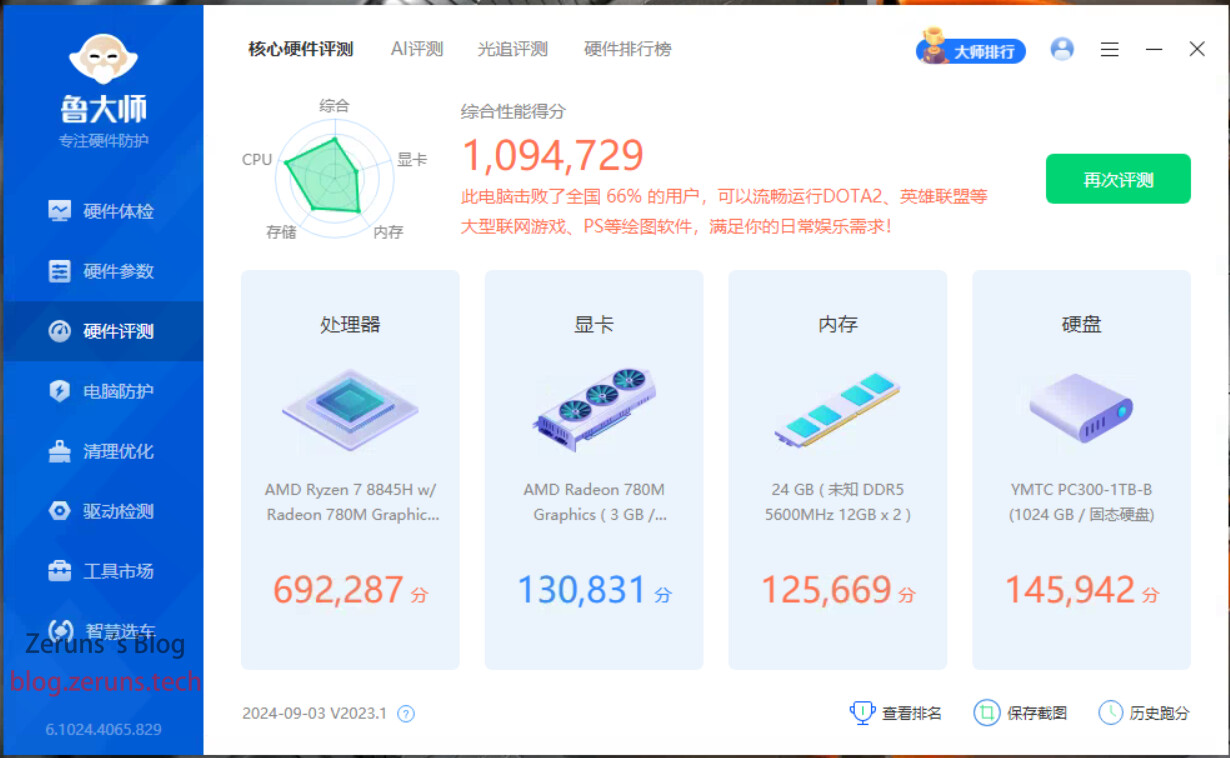
Lu Master Benchmark
- CPU Multi-Core Score: 692,287 (For comparison: My i5-14600K scores 882,200)
- iGPU Score: 130,831 (My RTX 3070 discrete GPU scores 542,864)
- Memory Score: 125,669
- Disk Score: 145,942
SSD Test
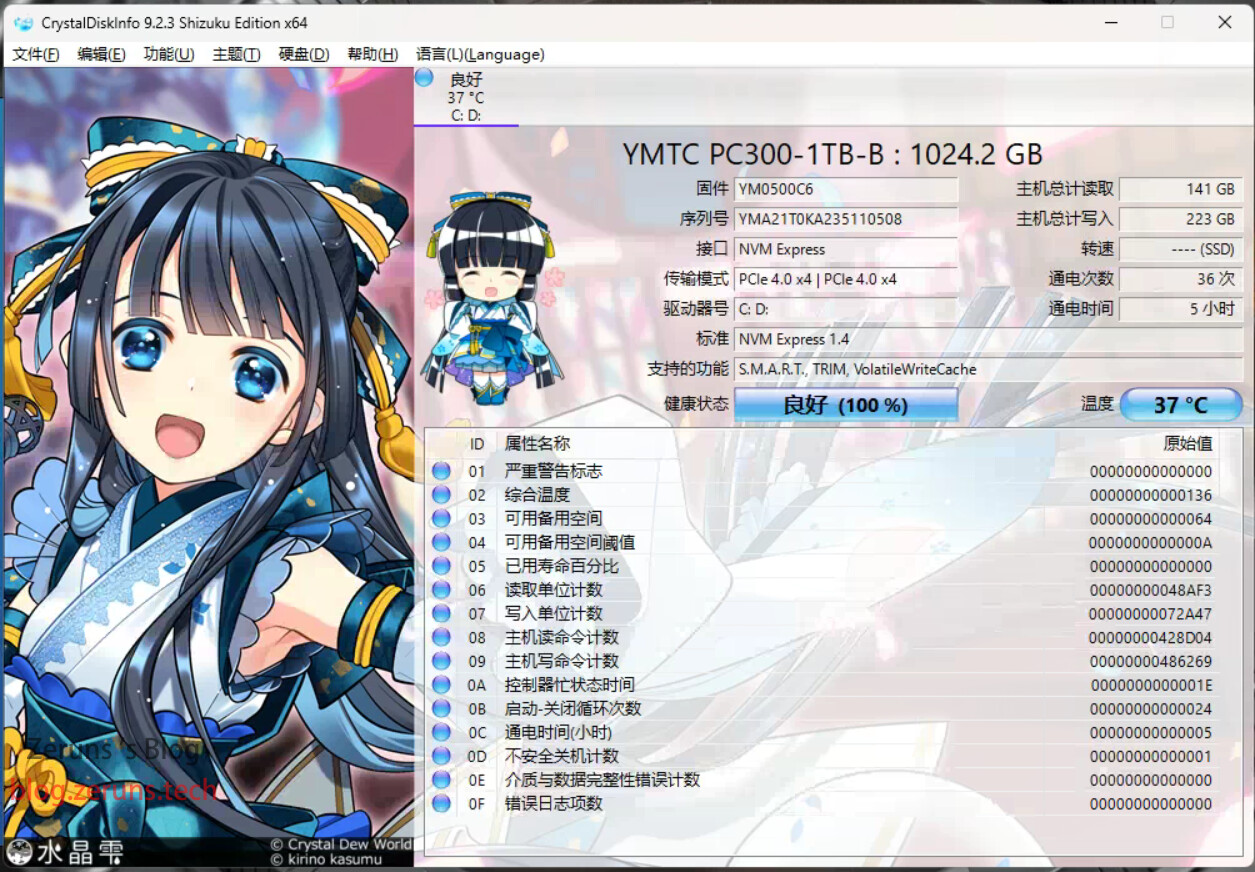
The SSD is the Yangtze Storage PC300. Out of the box, it already shows 223GB written data, 36 power-on cycles, and 5 hours of total uptime.
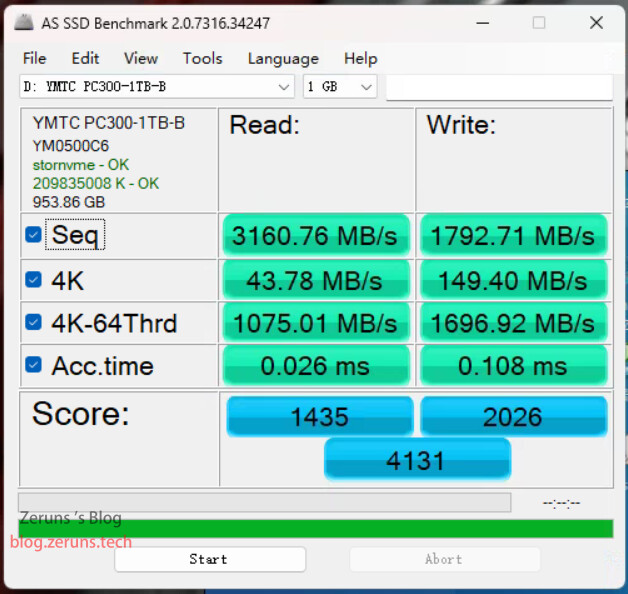
AS SSD Benchmark results:
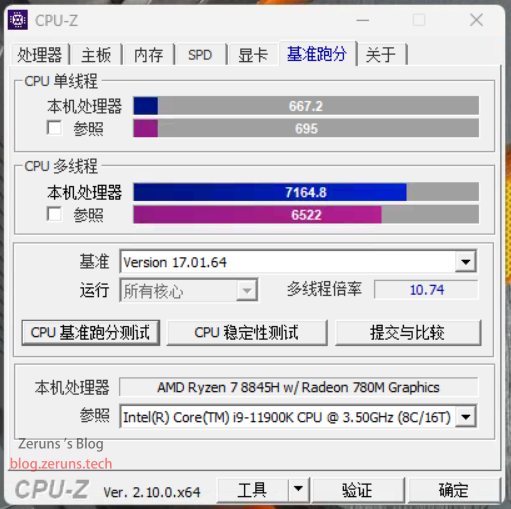
CPU-Z
- Single-Core: 667.2
- Multi-Core: 7,164.8
Multi-core performance exceeds the Intel i9-11900K.
Download CPU-Z: https://url.zeruns.com/cpuz
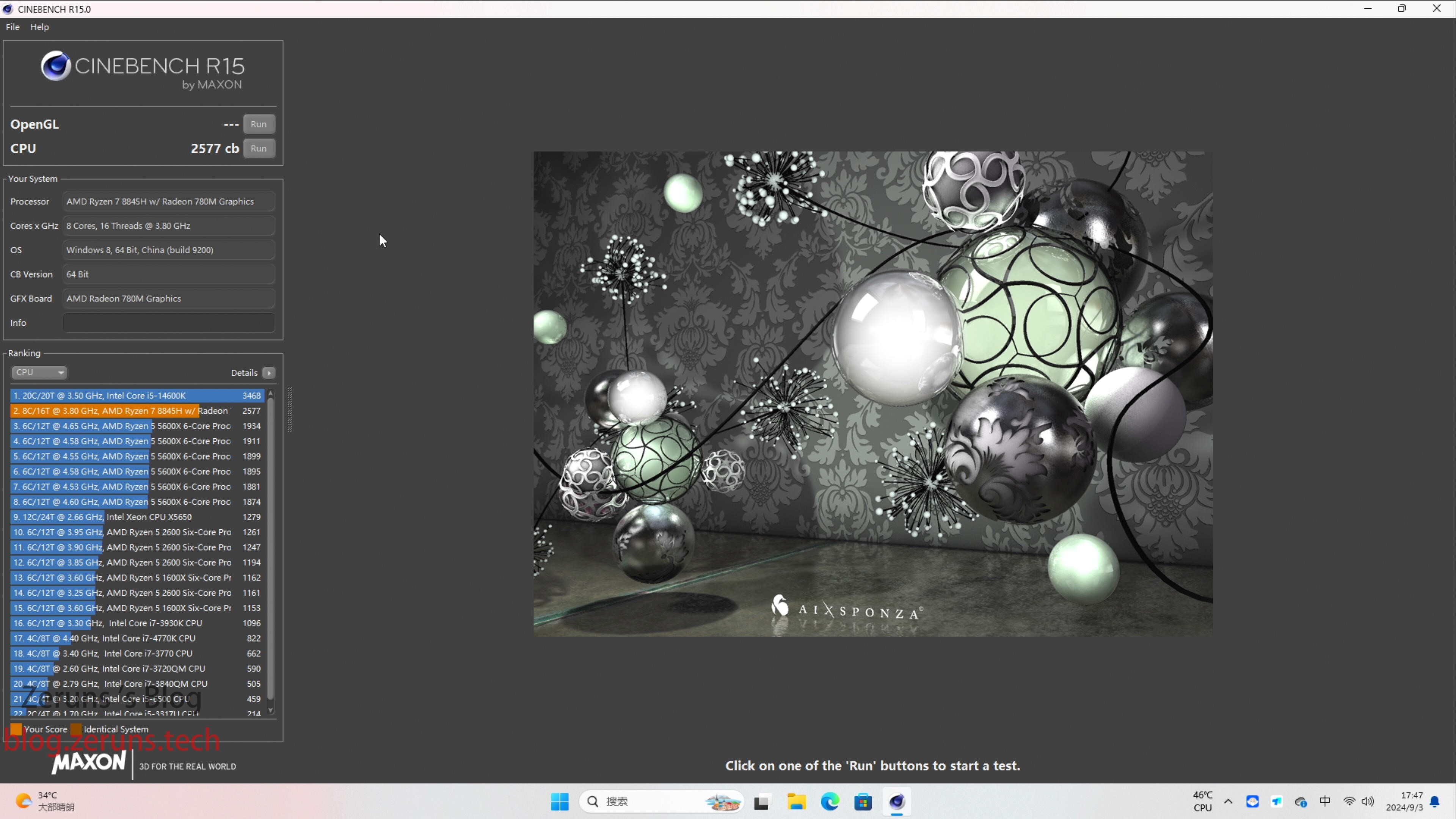
CINEBENCH R15
- CPU Multi-Core: 2,577 cb
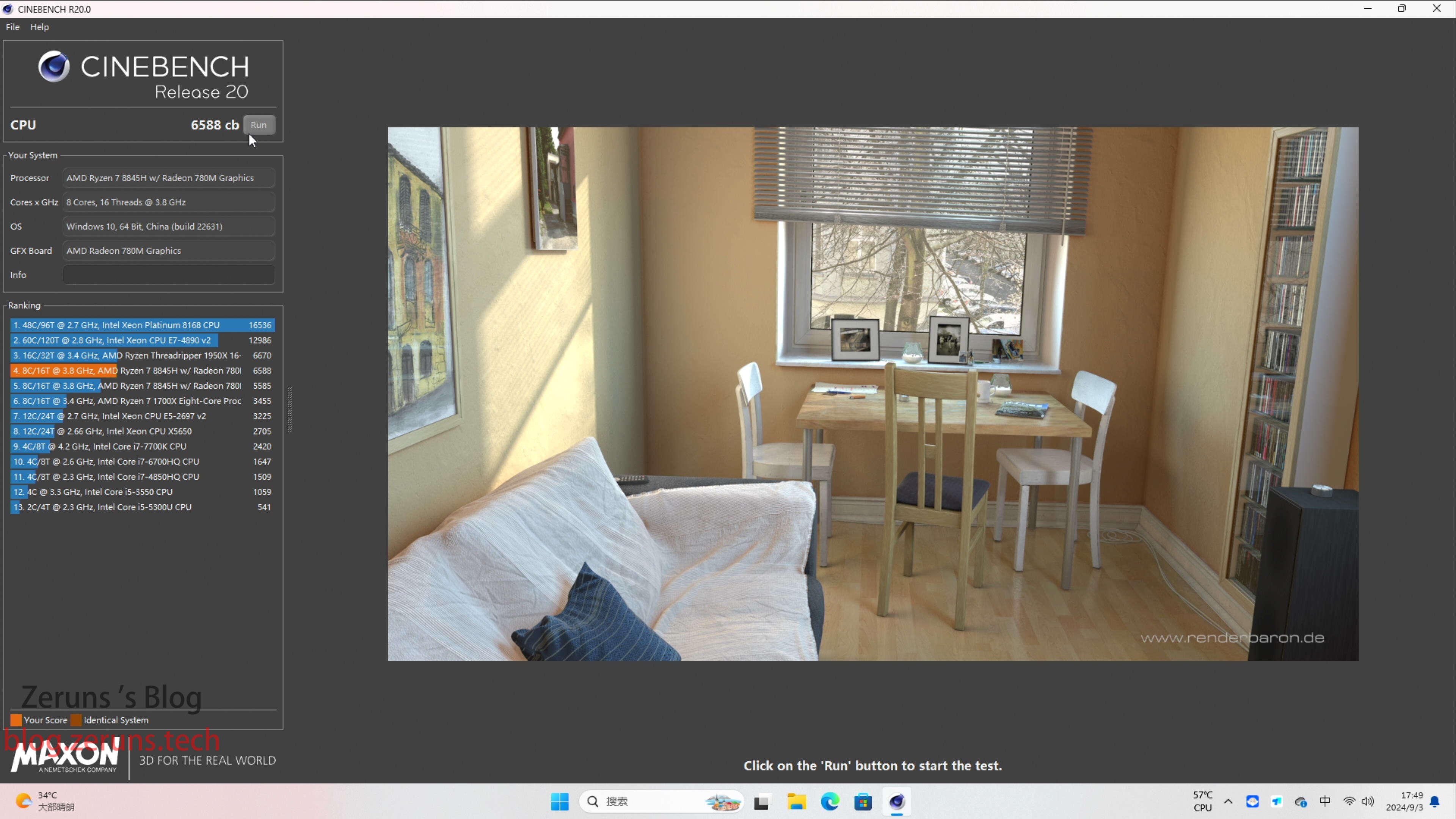
CINEBENCH R20
- Performance Mode: 6,588 cb
- Balanced Mode: 5,585 cb
UnixBench
- CPU Single-Core: 2,106.3
- CPU Multi-Core: 18,103
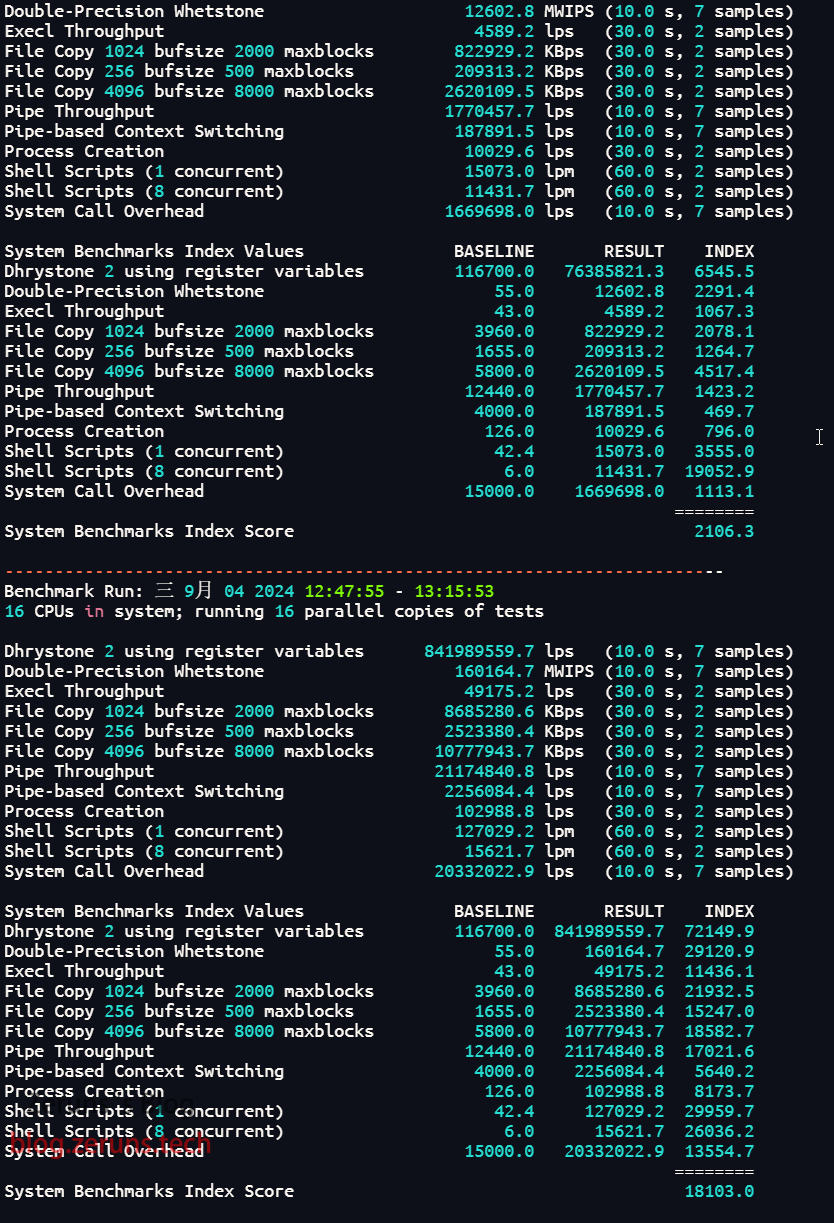
Test Script:
wget --no-check-certificate https://gitee.com/zeruns/Linux-shell/raw/master/unixbench.sh && chmod +x unixbench.sh && ./unixbench.sh
Geekbench 5
- Single-Core: 2,024
- Multi-Core: 11,466
Full Report: https://url.zeruns.com/pF7ma
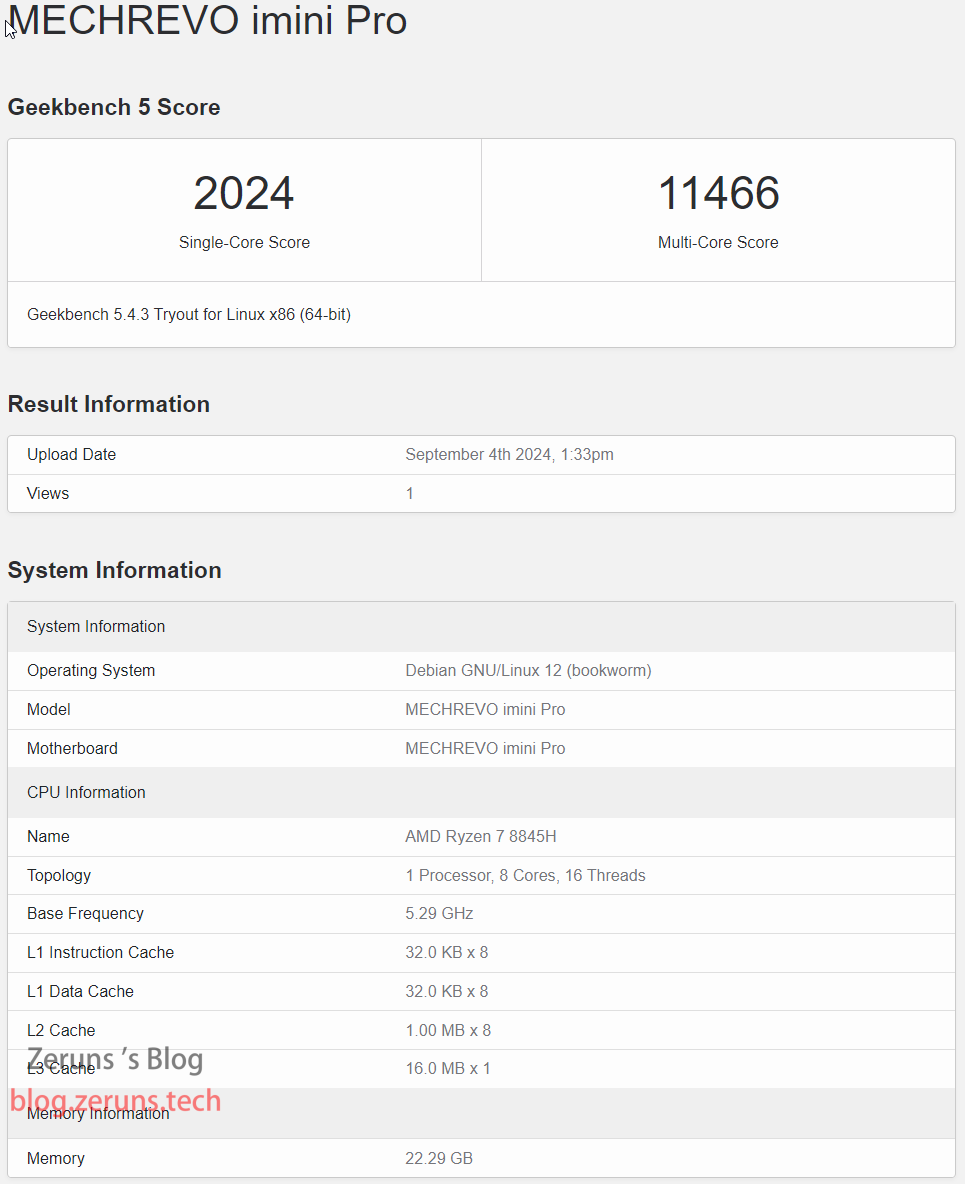
Test Script:
wget --no-check-certificate https://img.zeruns.com/down/Geekbench-5.4.3-Linux.tar.gz && tar xf Geekbench-5.4.3-Linux.tar.gz && cd Geekbench-5.4.3-Linux && ./geekbench_x86_64
Geekbench 6
Full Report: https://url.zeruns.com/cs3c5
- Single-Core: 2,431
- Multi-Core: 11,087
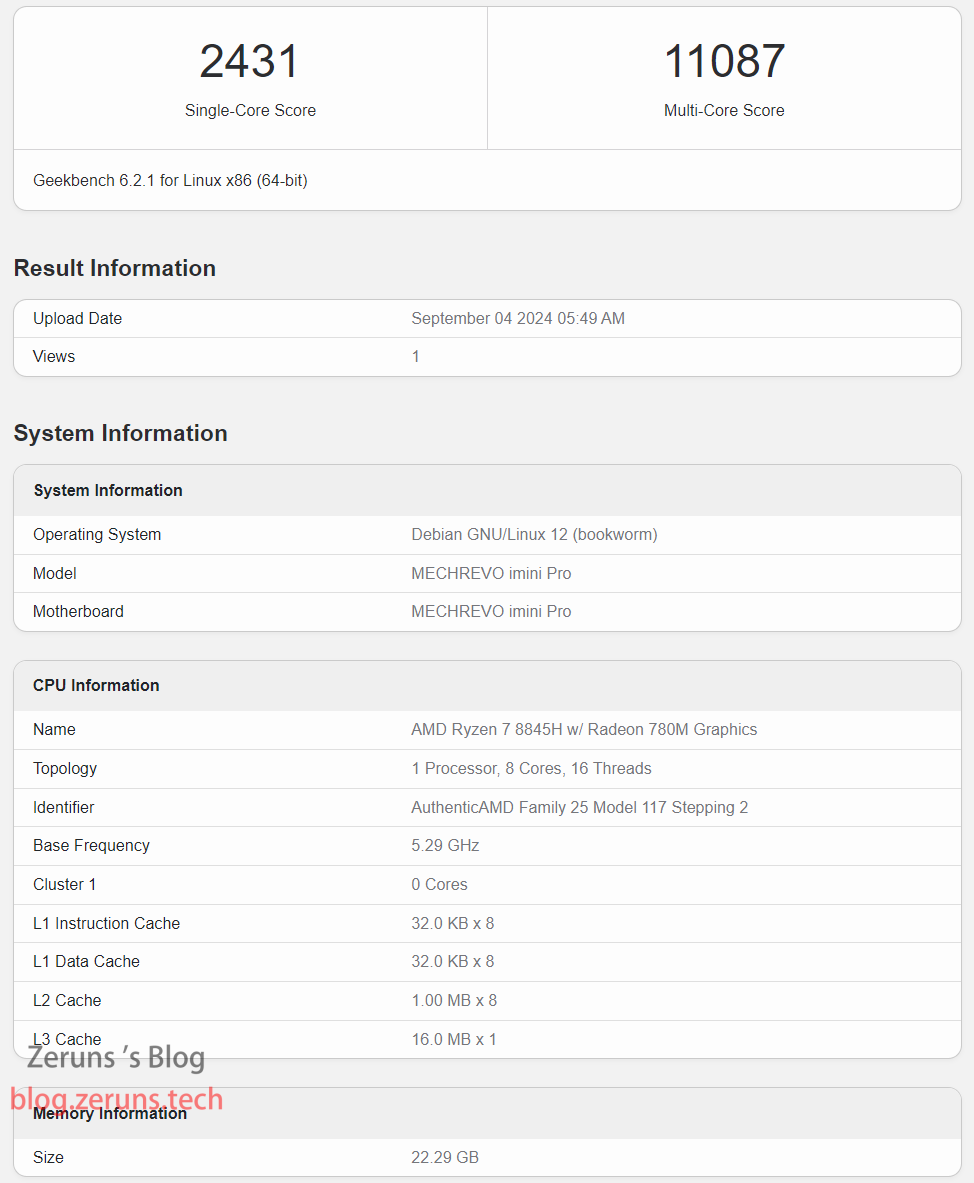
Test Script:
wget --no-check-certificate https://img.zeruns.com/down/Geekbench-6.2.1-Linux.tar.gz && tar xf Geekbench-6.2.1-Linux.tar.gz && cd Geekbench-6.2.1-Linux && ./geekbench_x86_64

# ARM Version
wget https://img.zeruns.com/down/Geekbench-6.1.0-LinuxARMPreview.tar.gz && tar xf Geekbench-6.1.0-LinuxARMPreview.tar.gz && cd Geekbench-6.1.0-LinuxARMPreview && ./geekbench_aarch64
Memory and Cache Performance Test
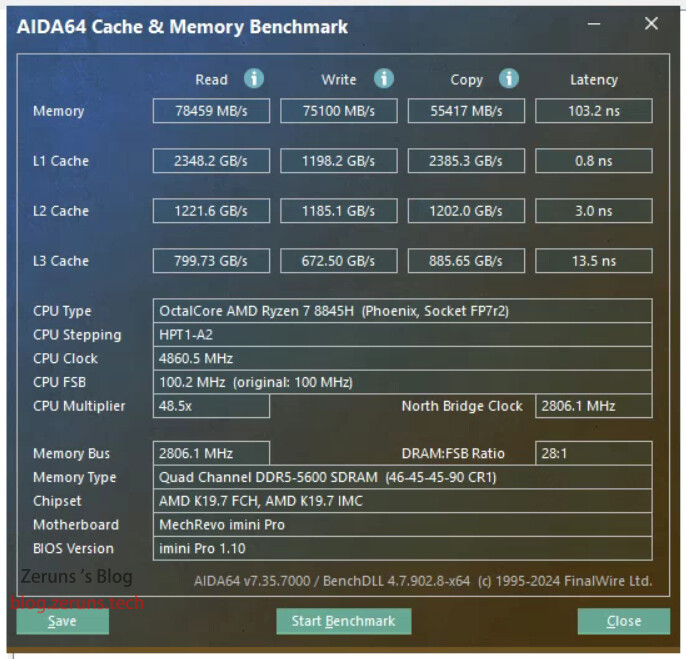
Using AIDA64 Cache & Memory Benchmark:
- Read Speed: 78,459 MB/s
- Write Speed: 75,100 MB/s
- Latency: 103.2 ns
Heating Performance
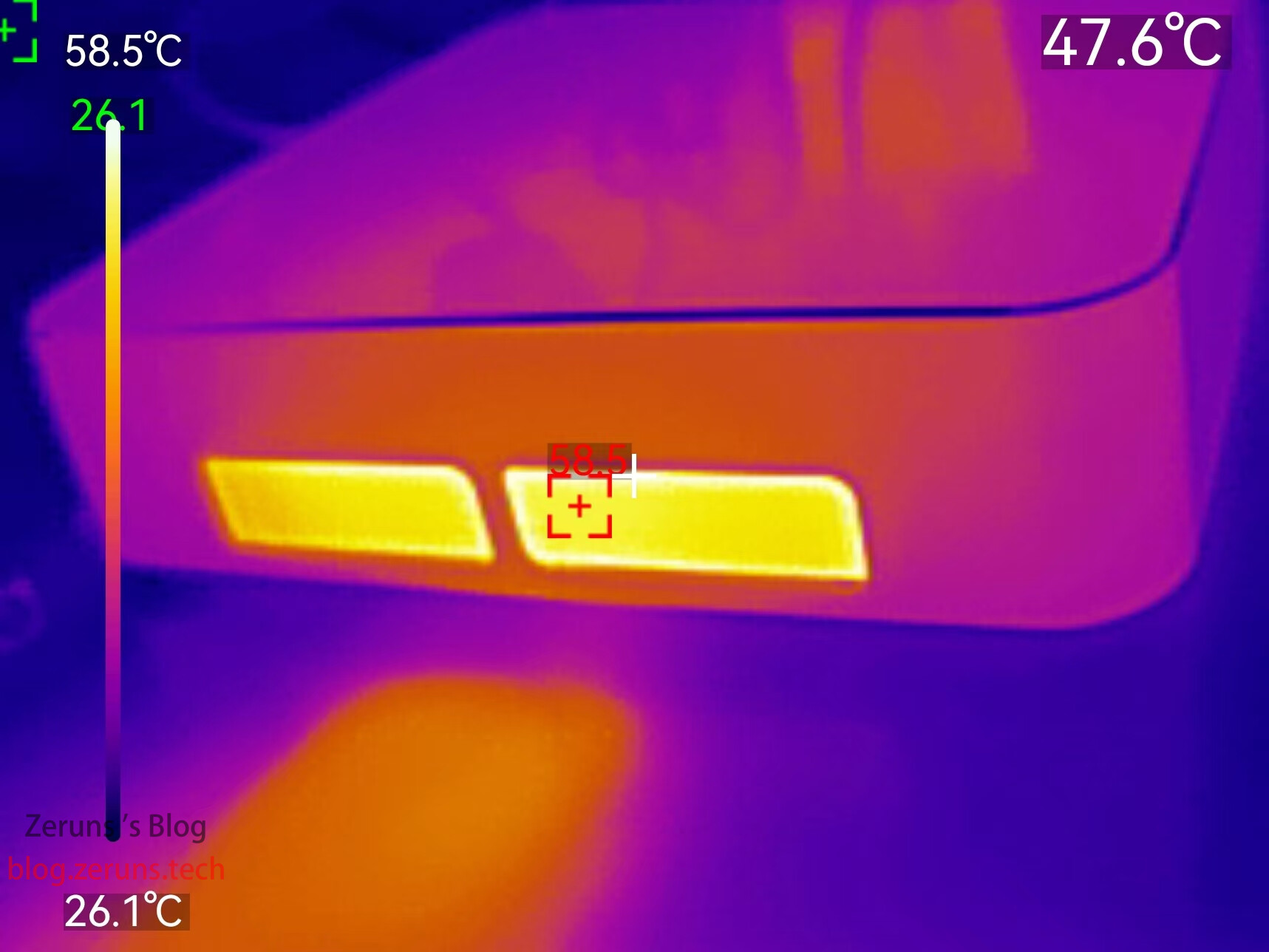
Under performance mode, running AIDA64 stress test at 26°C ambient temperature, CPU temperature stabilizes around 76°C.
Unboxing and thermal imaging sample from the Uni-Trend UTi261M thermal camera: https://blog.zeruns.com/archives/798.html
Thermal image of exhaust vent showing a maximum temperature of 58.5°C.
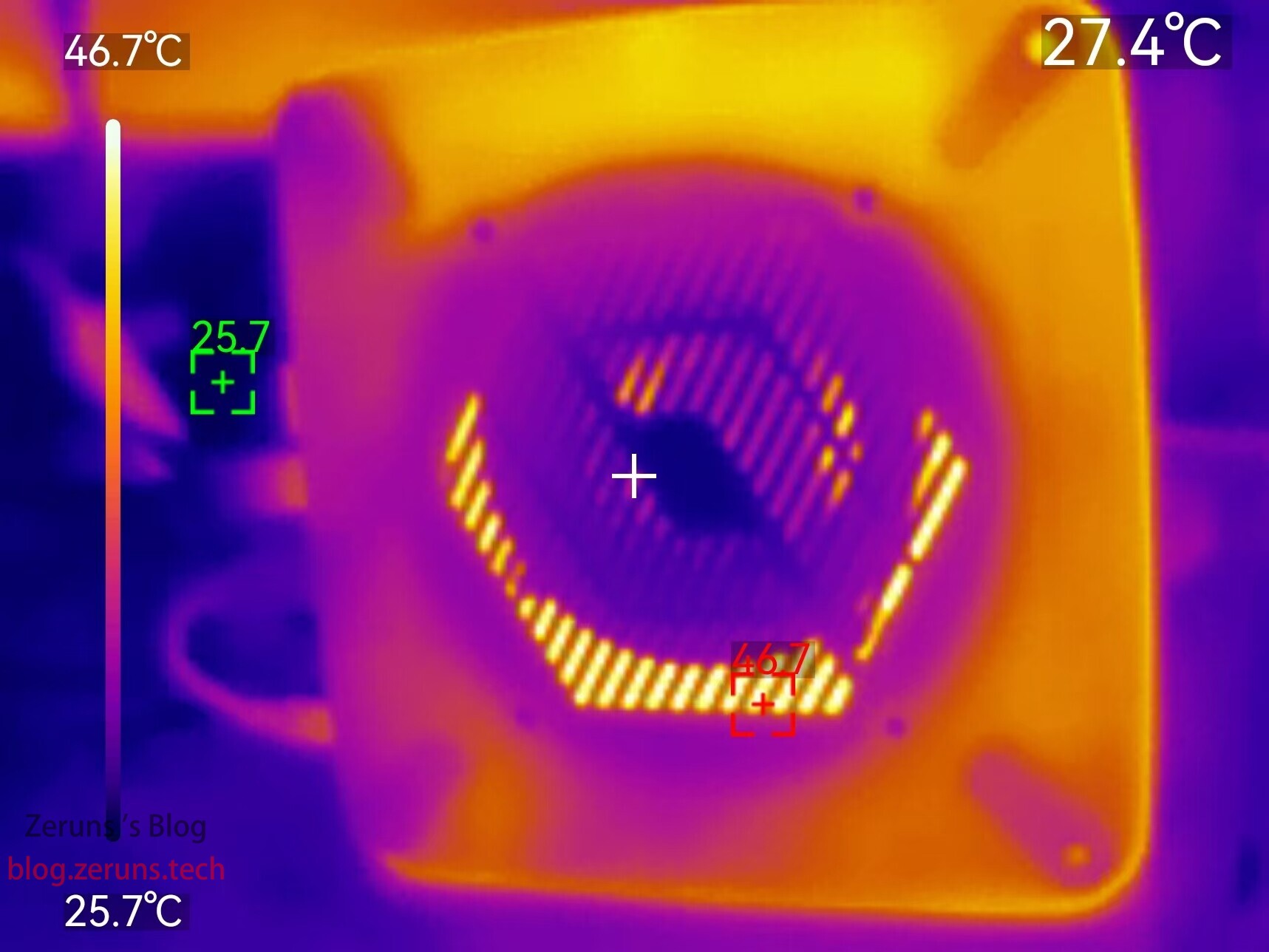
Thermal image of the bottom surface.
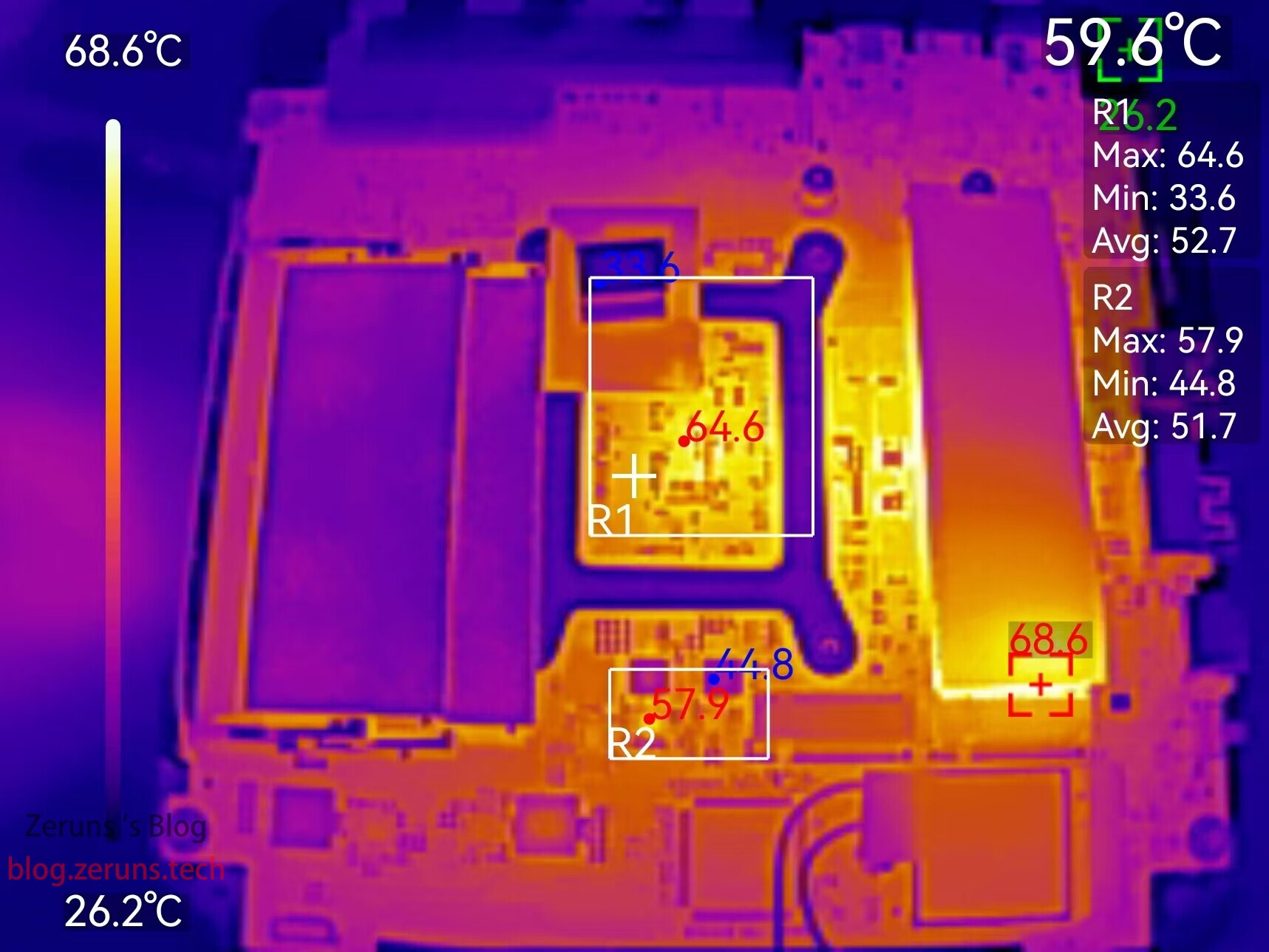
Thermal image after removing the top cover, showing the main controller of the SSD at 68.6°C.
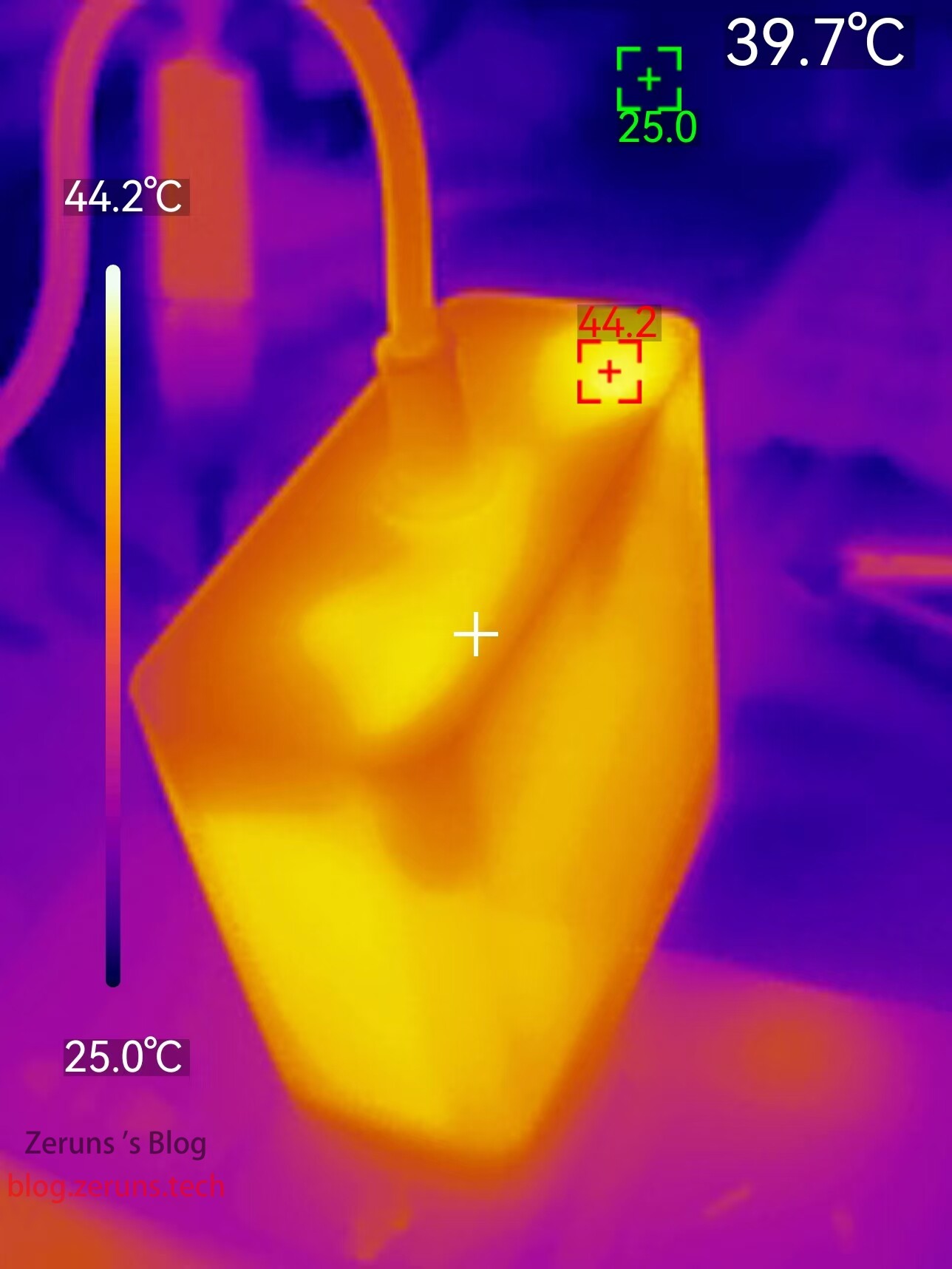
Power supply thermal image with a maximum temperature of 44.2°C.
Disassembly
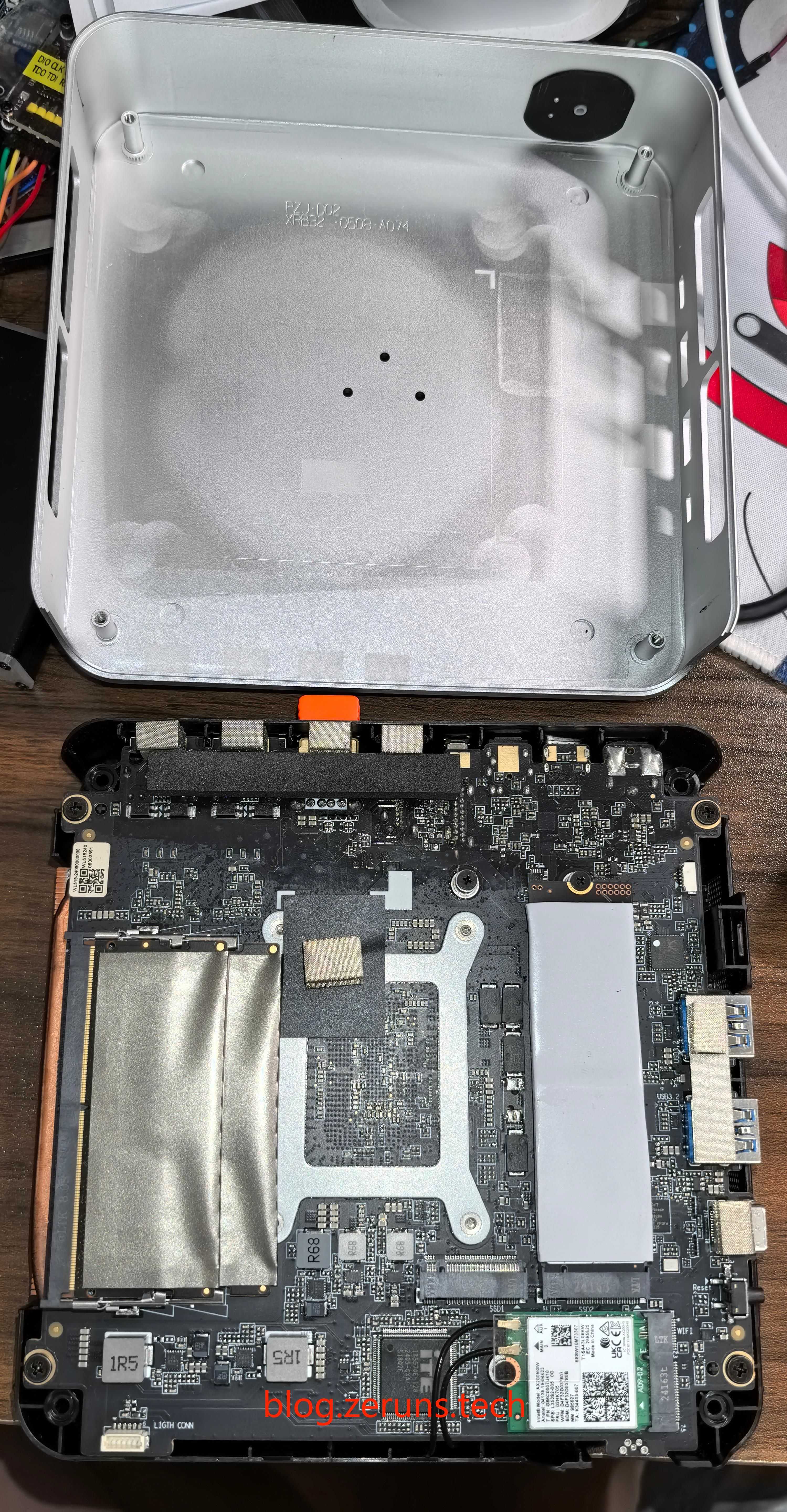
Disassembling the Mechrevo imini Pro 820 is very straightforward. Simply unscrew the four corner screws and gently pry off the machine’s metal outer shell along the gap between the rear interface cover and the metal frame.
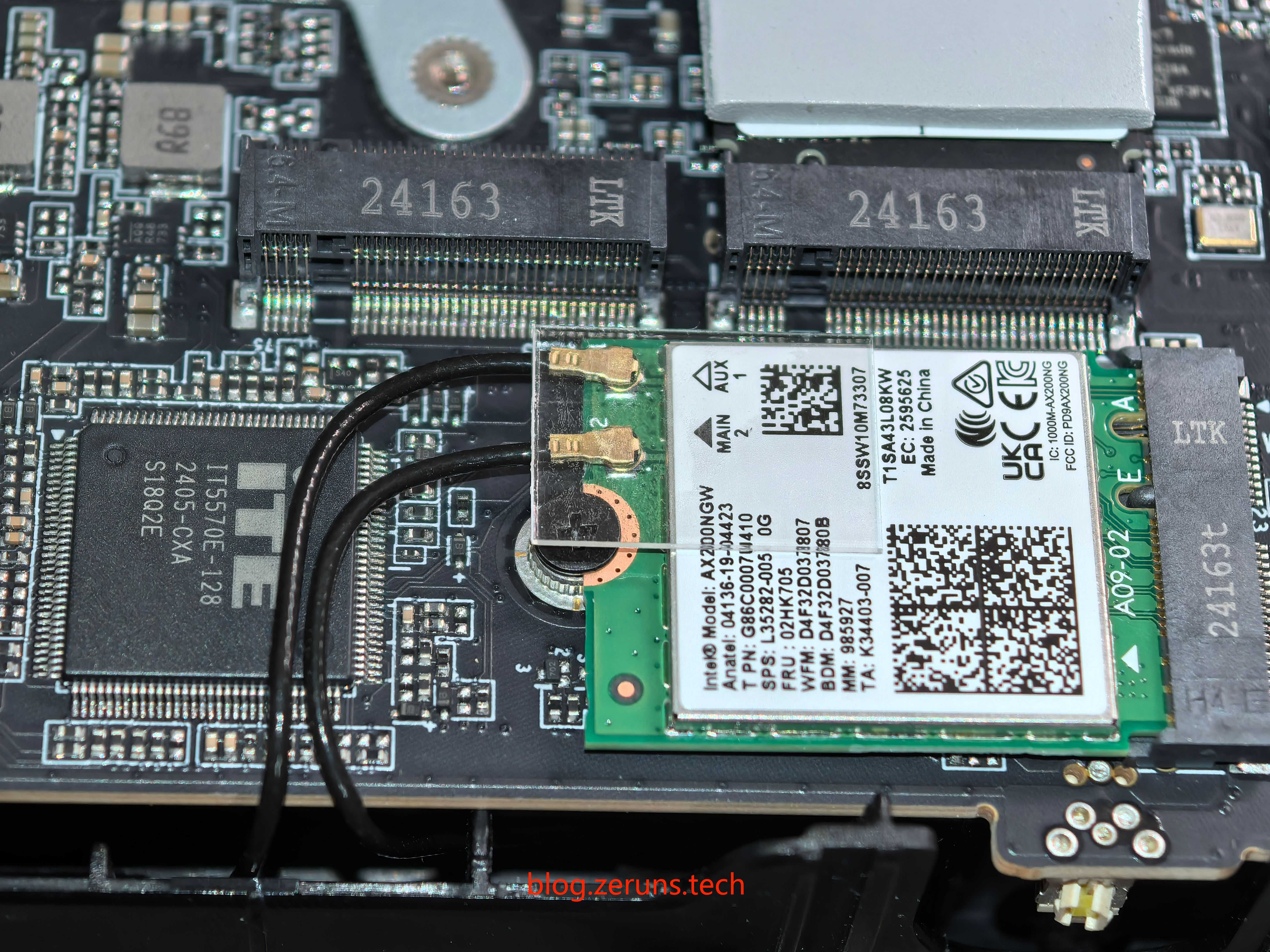
The wireless network card model is AX200. Next to it is ITE’s EC chip, model IT5570E-128.
The included SSD is a Yangtze Memory PC300-1TB-B. There is an additional M.2 slot available, both supporting PCIe 4.0 x4.

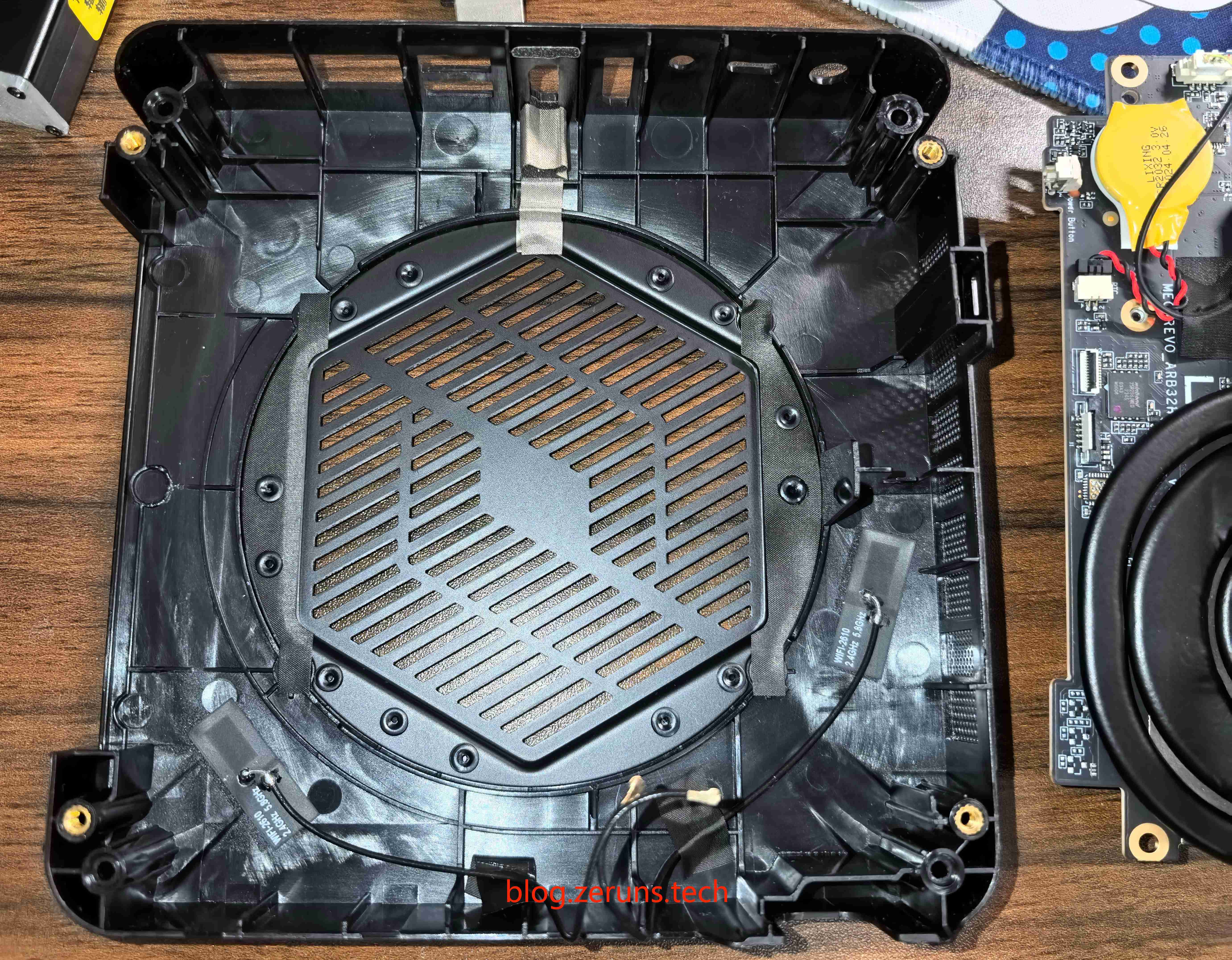
Plastic bottom case with Wi-Fi antennas attached directly onto it.
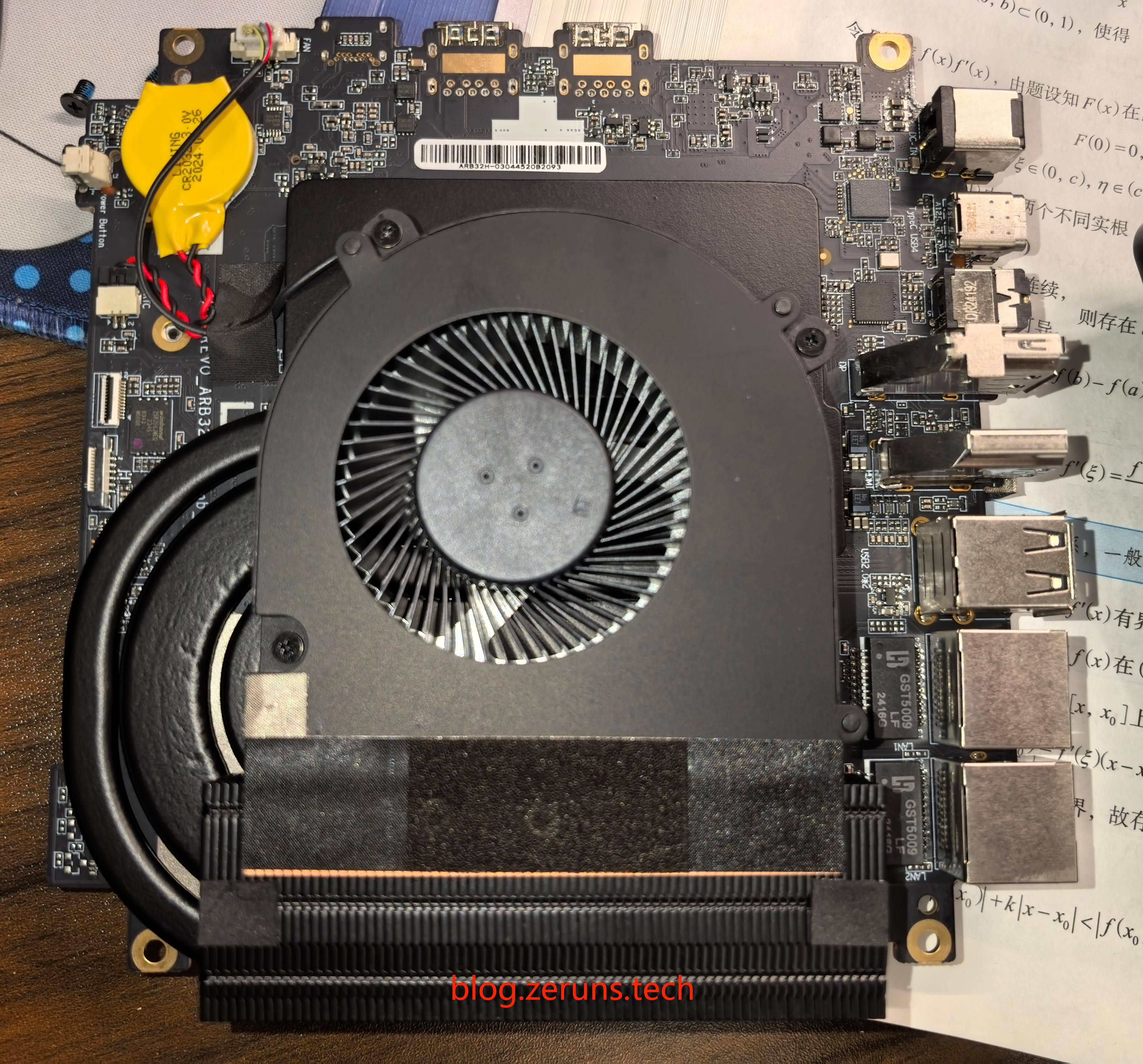
Bottom side of the motherboard. The CPU cooler uses three heat pipes—two thin ones and one thicker one.
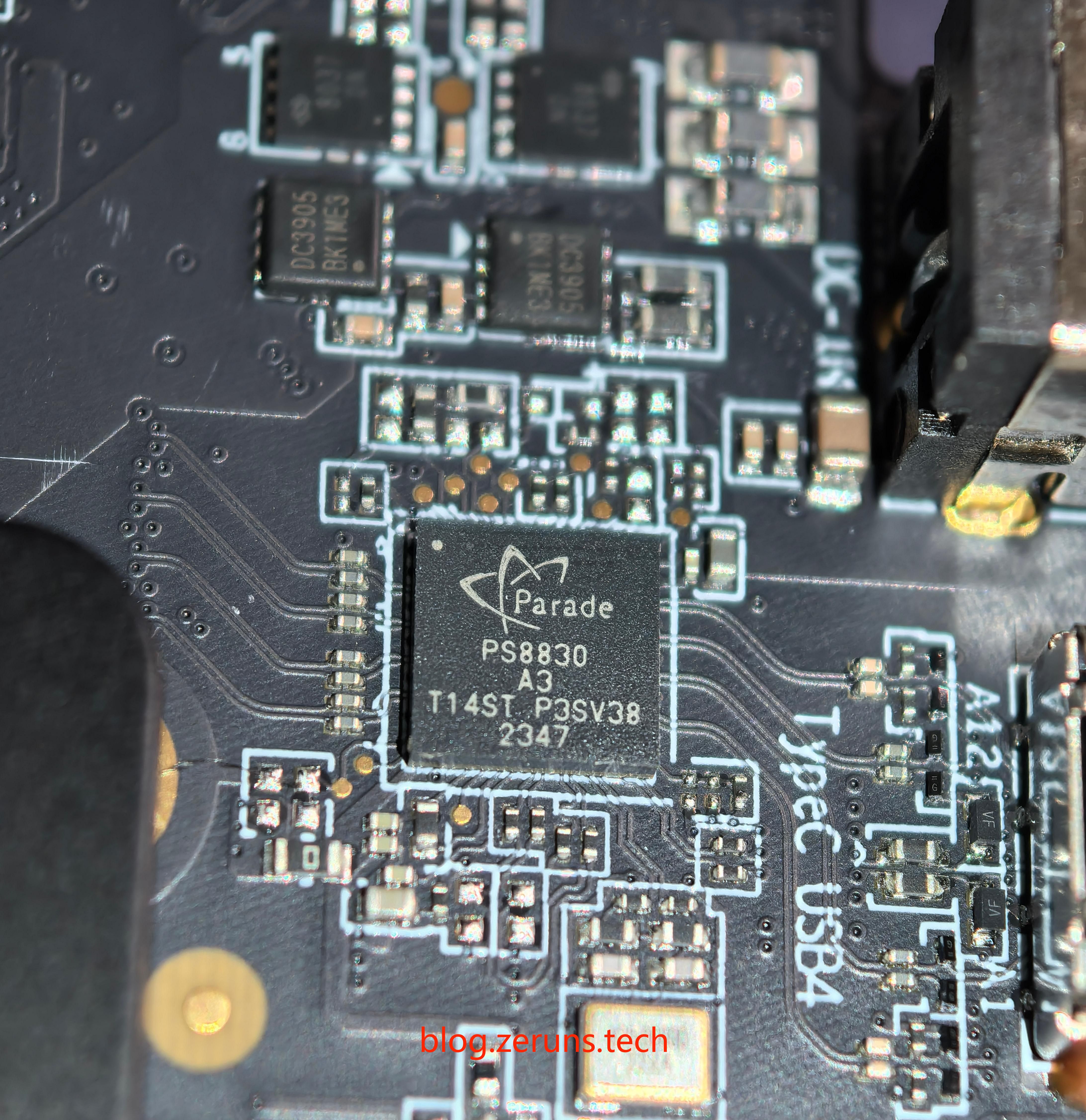
Next to the Type-C USB4 port is a PS8830 chip, a Parade Technologies full-featured USB4™ Retimer designed for host-side USB-C applications. It supports interfaces including USB4™, DisplayPort™ 2.0, and Thunderbolt™ 3.0.
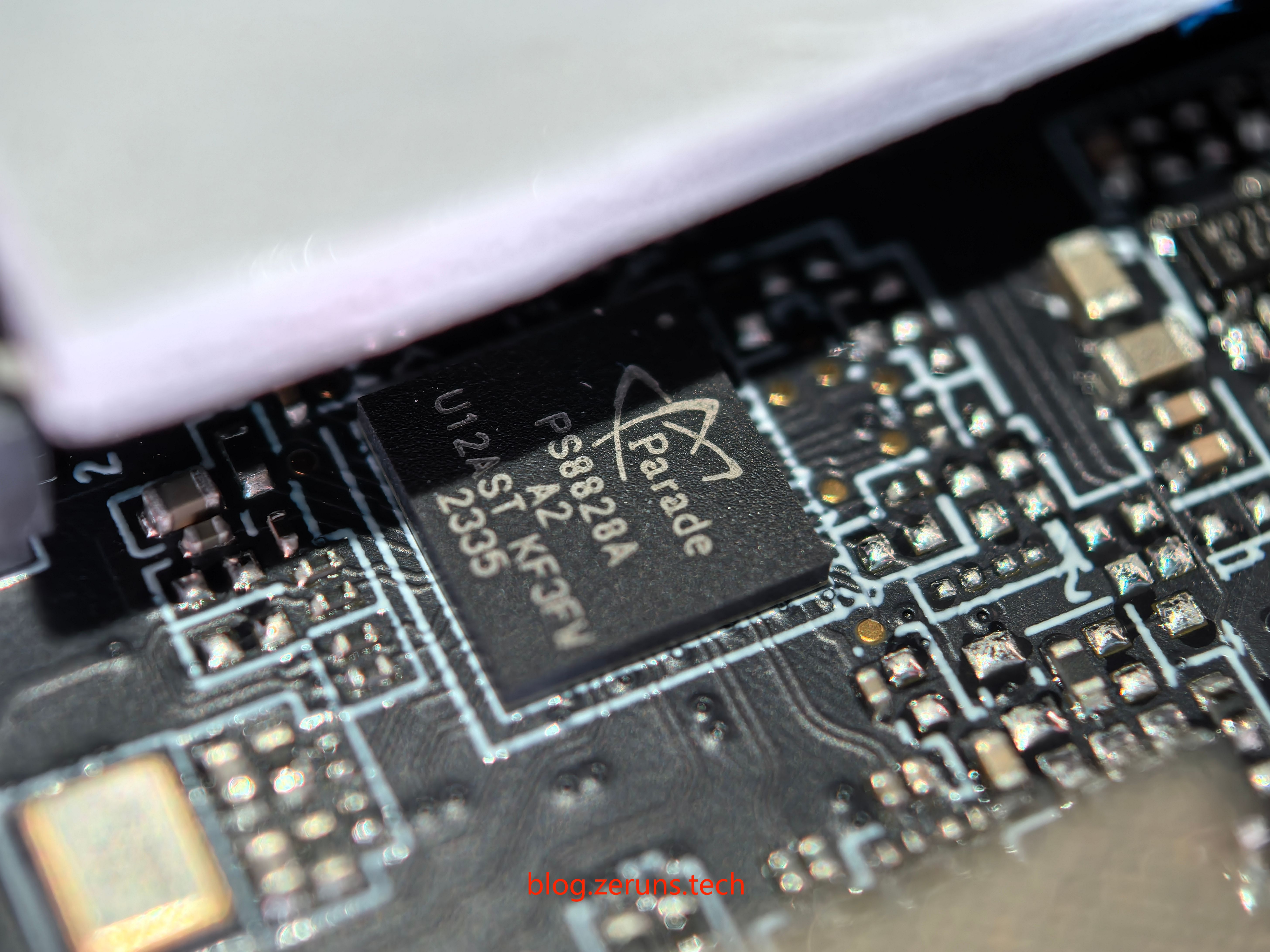
Beside the other Type-C port sits a PS8828A chip.
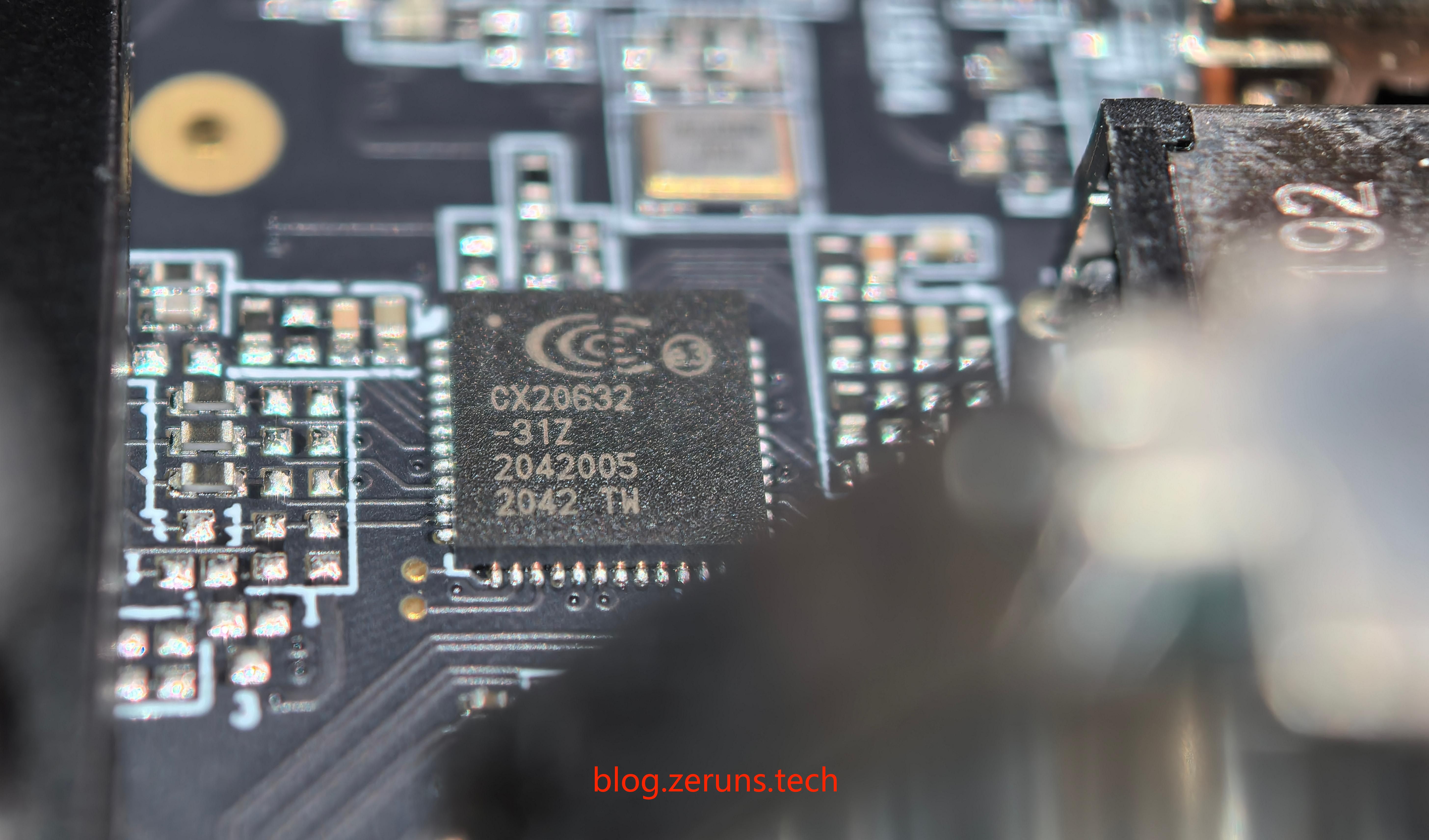
Adjacent to the 3.5mm audio jack is the Conexant CX20632 audio codec, which supports 5.1-channel surround sound output.
The wired network chip is covered by a heatsink, but can be faintly seen from the side—it’s a Realtek RTL8125BG chip, supporting 2.5G networking.
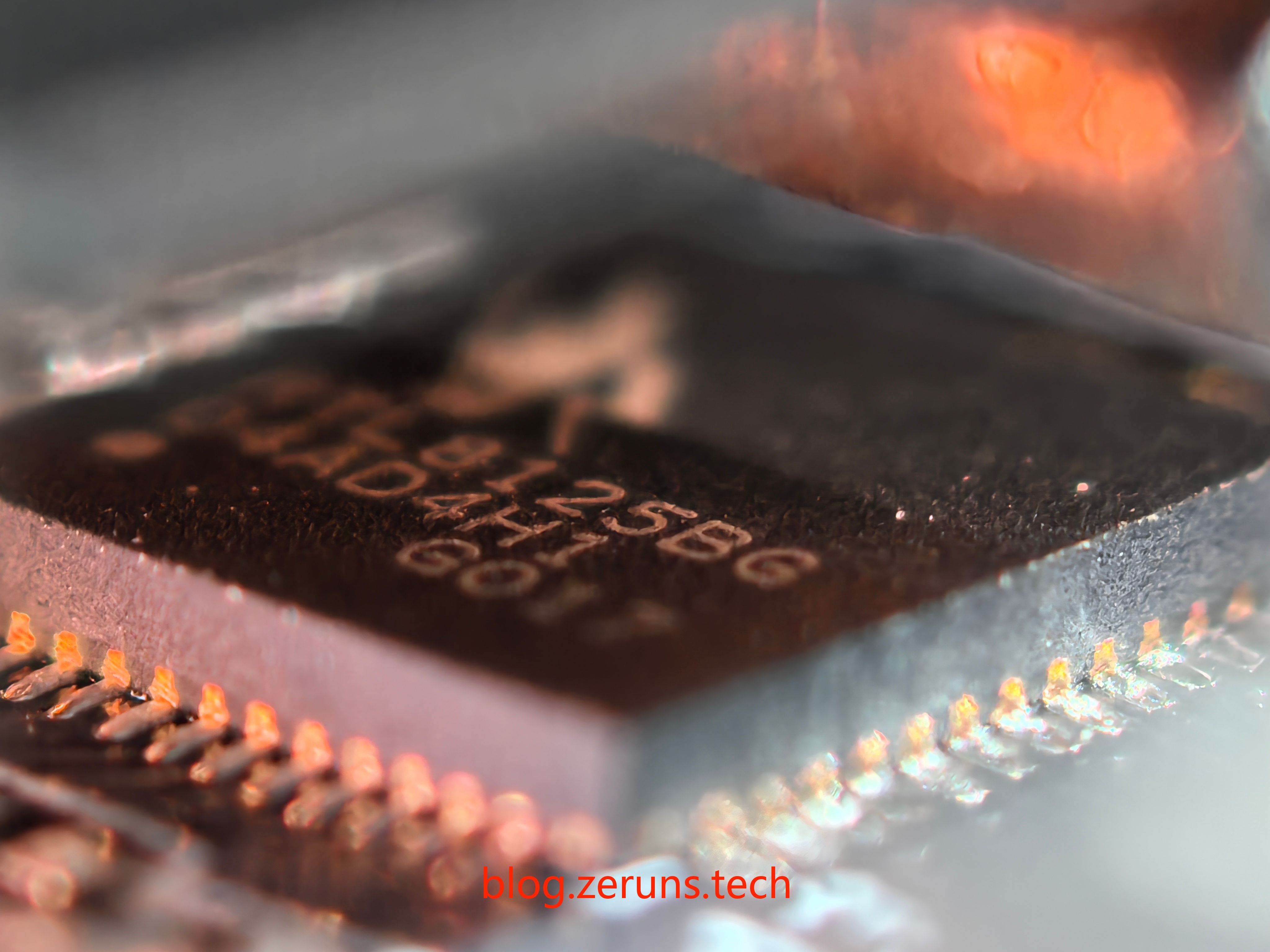
All close-up chip photos were taken using the telephoto macro lens of the Huawei Pura 70 Pro+.
Recommended Reading
- Recommended high-value VPS / cloud servers: https://blog.zeruns.com/archives/383.html
- Minecraft Server Setup Guide: https://blog.zeruns.com/tag/mc/
- How to Set Up a NAT Traversal Server – NPS Installation and Usage Guide: https://blog.zeruns.com/archives/741.html
- No-Code Blog Setup! Complete Personal Blog Building Tutorial: https://blog.zeruns.com/archives/783.html
- QNAP TS-466C NAS Unboxing Review: https://blog.zeruns.com/archives/777.html
- TP-Link TL-SE2109 2.5G Switch Basic Unboxing Review: https://blog.zeruns.com/archives/780.html