MECHREVO Code10 AI Laptop (Ultra7-255H, 32GB) Unboxing and Teardown Review
Unboxing video: https://www.bilibili.com/video/BV1BLaPz6EGW/
Introduction
I moved to Shenzhen for work and brought my old laptop along. Since it had become sluggish, I decided to upgrade. After comparing several models, I found the MECHREVO Code10 offered great value for money. Unfortunately, Guangdong Province no longer offers the national subsidy—meaning I paid about 20% more than buyers in subsidized regions. I purchased this model on JD.com for ¥5,758 (August 19, 2025).
Overall, this new laptop performs well. The build quality feels solid, the keyboard has long key travel with a satisfying feel—better than my previous machine—and the speakers deliver good sound quality with an expansive soundstage, also superior to my old laptop. However, it is slightly heavier and thicker.
- Lenovo ThinkBook 16+ Ryzen Edition Unboxing & Review: https://blog.zeruns.com/archives/684.html
- MECHREVO imini Pro820 Mini PC Review and Teardown: https://blog.zeruns.com/archives/813.html
- Apple Mac Mini M4 Mini PC Brief Review and Teardown: https://blog.zeruns.com/archives/851.html
- AMD R9-9950X and MSI B850M MORTAR WIFI Motherboard Unboxing Review: https://blog.zeruns.com/archives/881.html
- Ultra7-265K and Gigabyte Z890M AORUS ELITE WIFI7 Motherboard Unboxing Review: https://blog.zeruns.com/archives/863.html
The Code10 AI comes pre-installed with Zhipu’s CodeGeeX intelligent coding assistant, which supports local code generation, smart completion, and comment translation—even offline. However, I couldn’t get it running smoothly; likely due to insufficient memory (32GB total, with integrated graphics sharing part of it). I considered upgrading to 64GB, but after checking current DDR5 prices—which have skyrocketed—I’ve decided to wait and see.
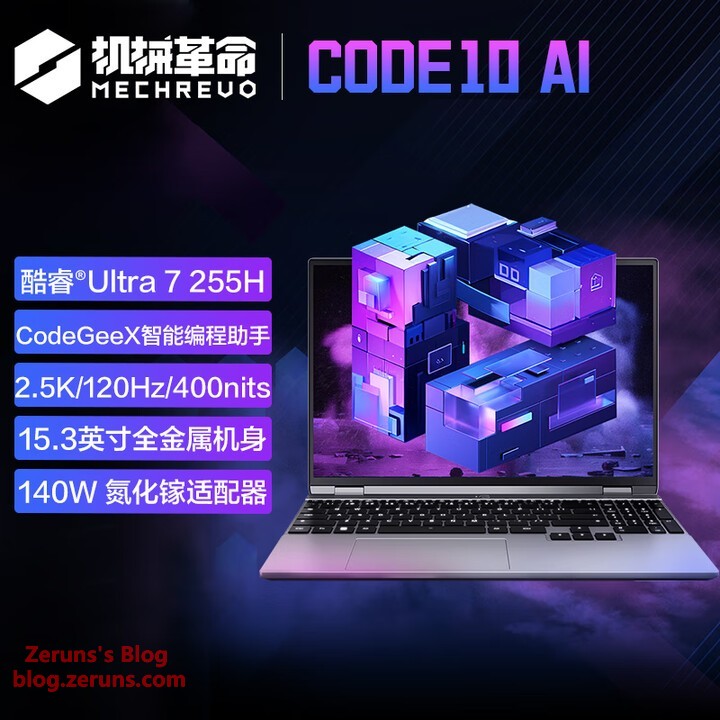
Specifications
- Model: MECHREVO Code 10
- OS: Windows 11 Home (64-bit)
- Display: 15.3-inch (2560×1600, 120Hz, model NE153QDM-NY1 [BOE0D6C])
- CPU: Intel Core Ultra 7 255 H (16-core, no hyperthreading: 6P + 8E + 2LPE, 2.5GHz ~ 5.1GHz)
- Memory: Micron 32GB DDR5 5600MHz (16GB + 16GB)
- Storage: YMTC PC41Q-1TB-B (QLC NAND)
- Graphics: Integrated Intel® Arc™ 140T GPU
- NPU: Intel® AI Boost (INT8 13TOPS)
- Wireless/Wired NIC: AX201 Wi-Fi / YT6801 Ethernet
- Battery: 99.9Wh
- Dimensions: 342mm × 237.82mm × 18.1mm
- Weight: 1.77kg
- Price: ¥5,999 (list price; discounts and coupons may apply)
There’s an additional empty M.2 2280 slot on the motherboard for user-upgradable storage.
Purchase Links:
- JD.com: https://u.jd.com/S6bJu3X
- Taobao: https://s.click.taobao.com/QS9xykq
Unboxing
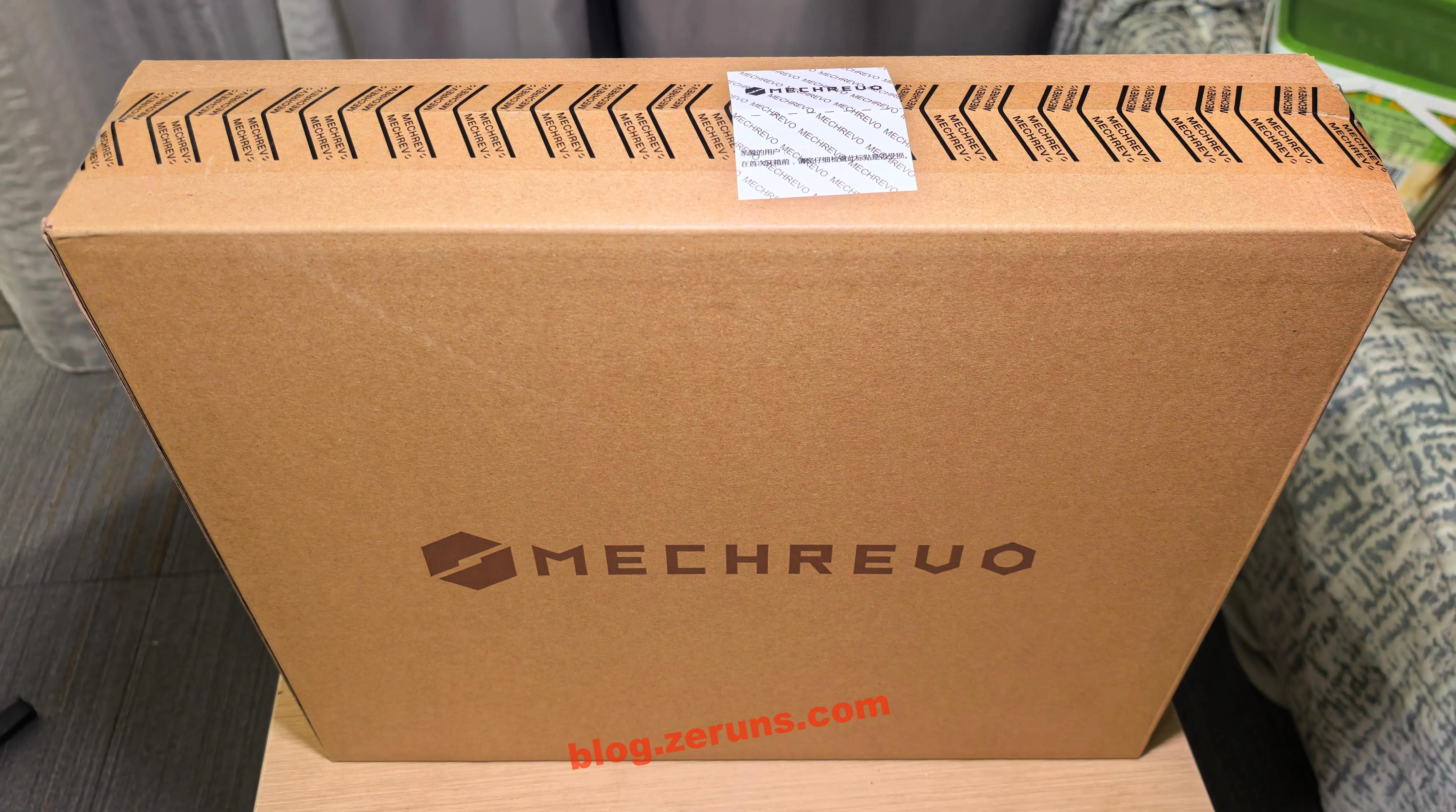
Front of the box:
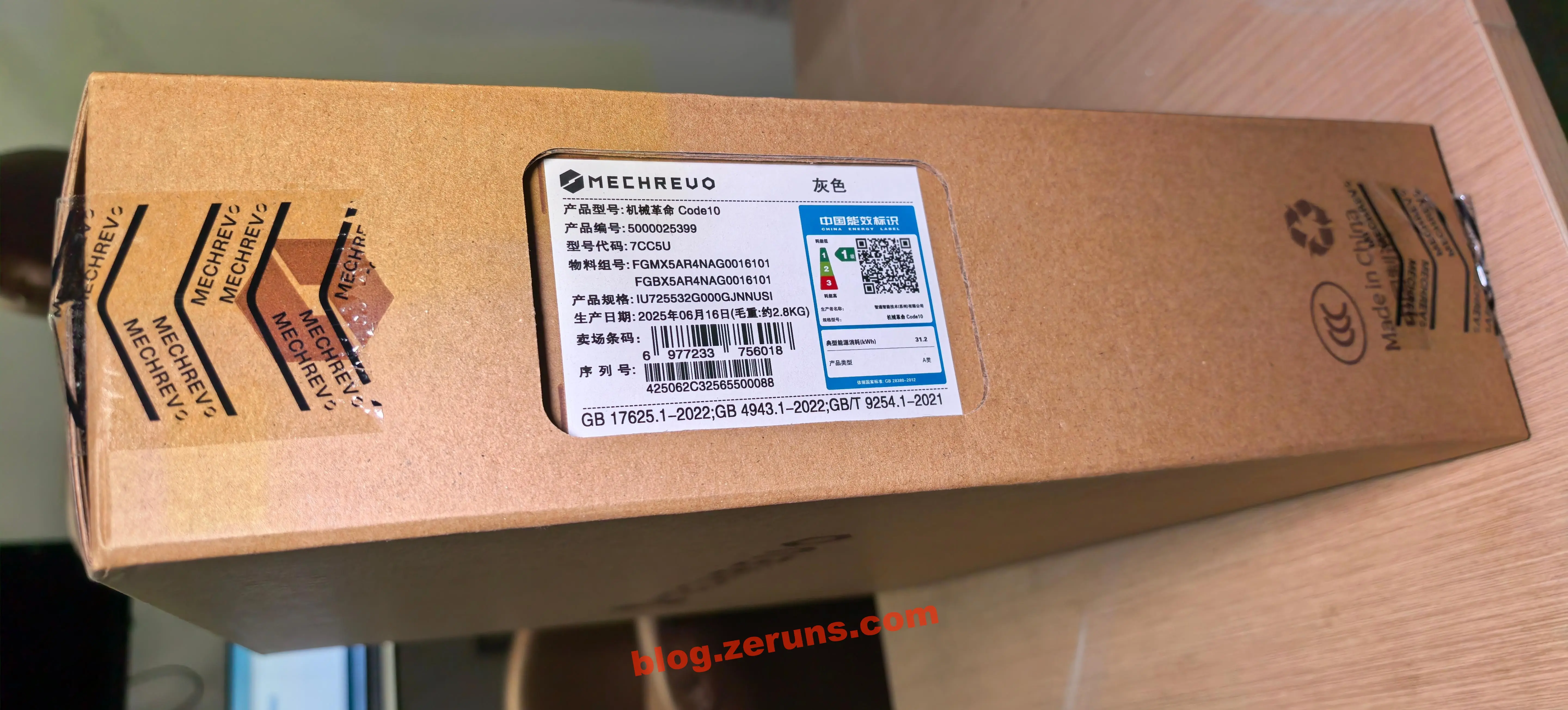
Side of the box shows model details and manufacturing date. Mine was manufactured on June 16, 2025. Gross weight is 2.8kg (including packaging).
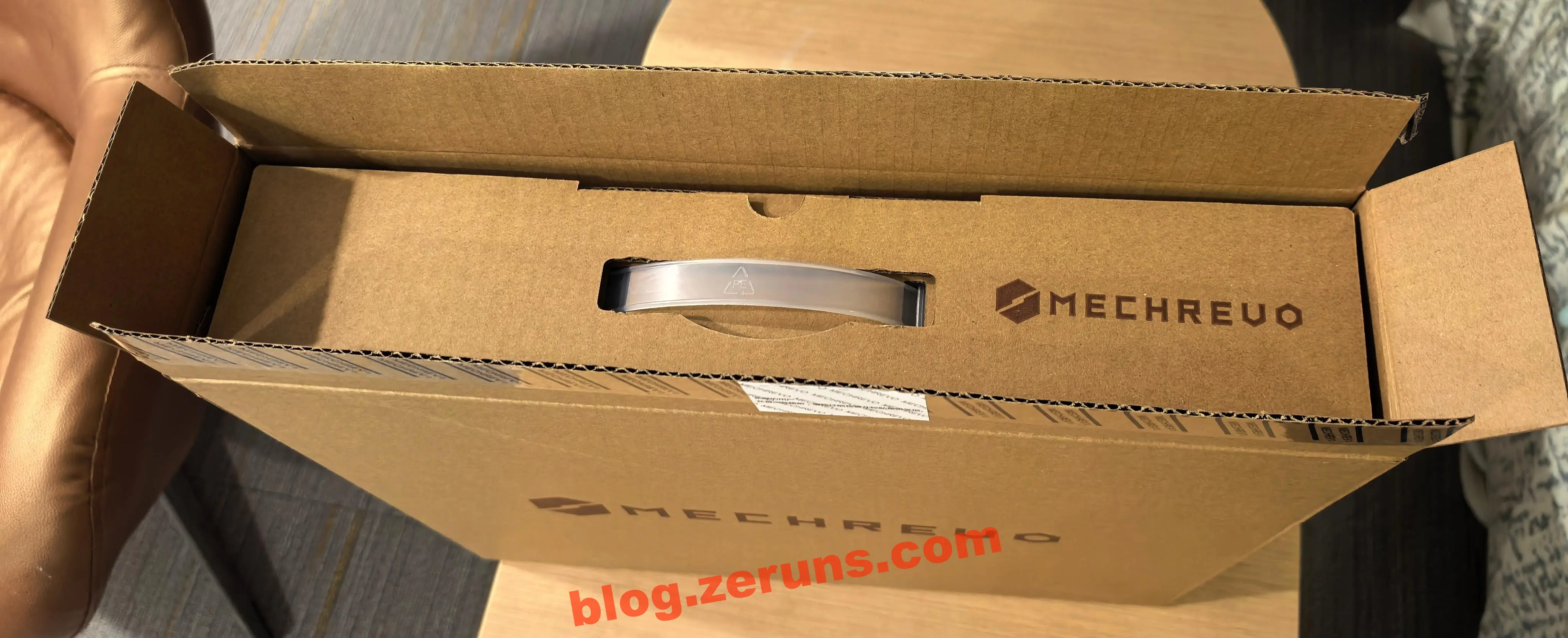
Inside is another inner box containing the laptop box.
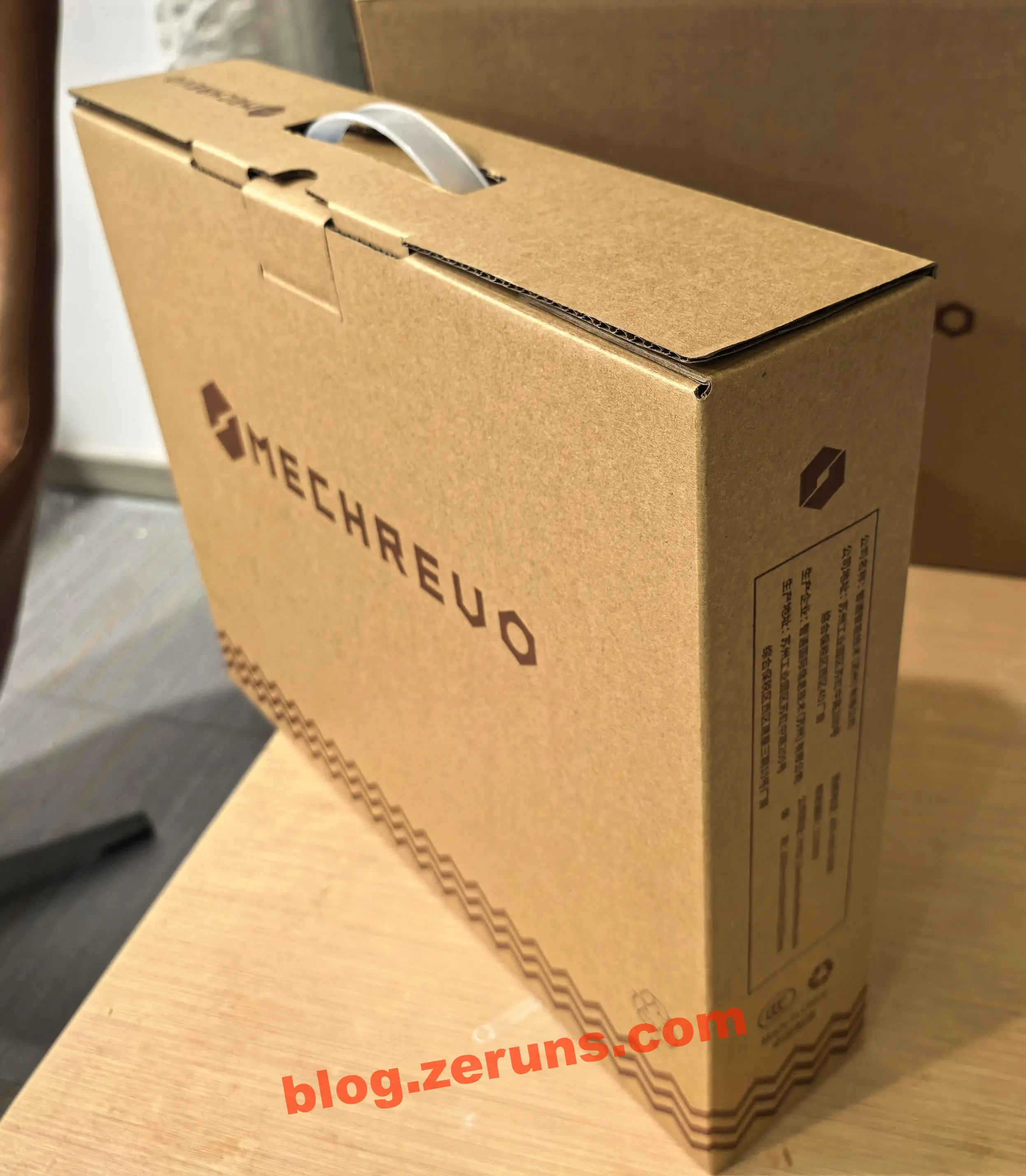
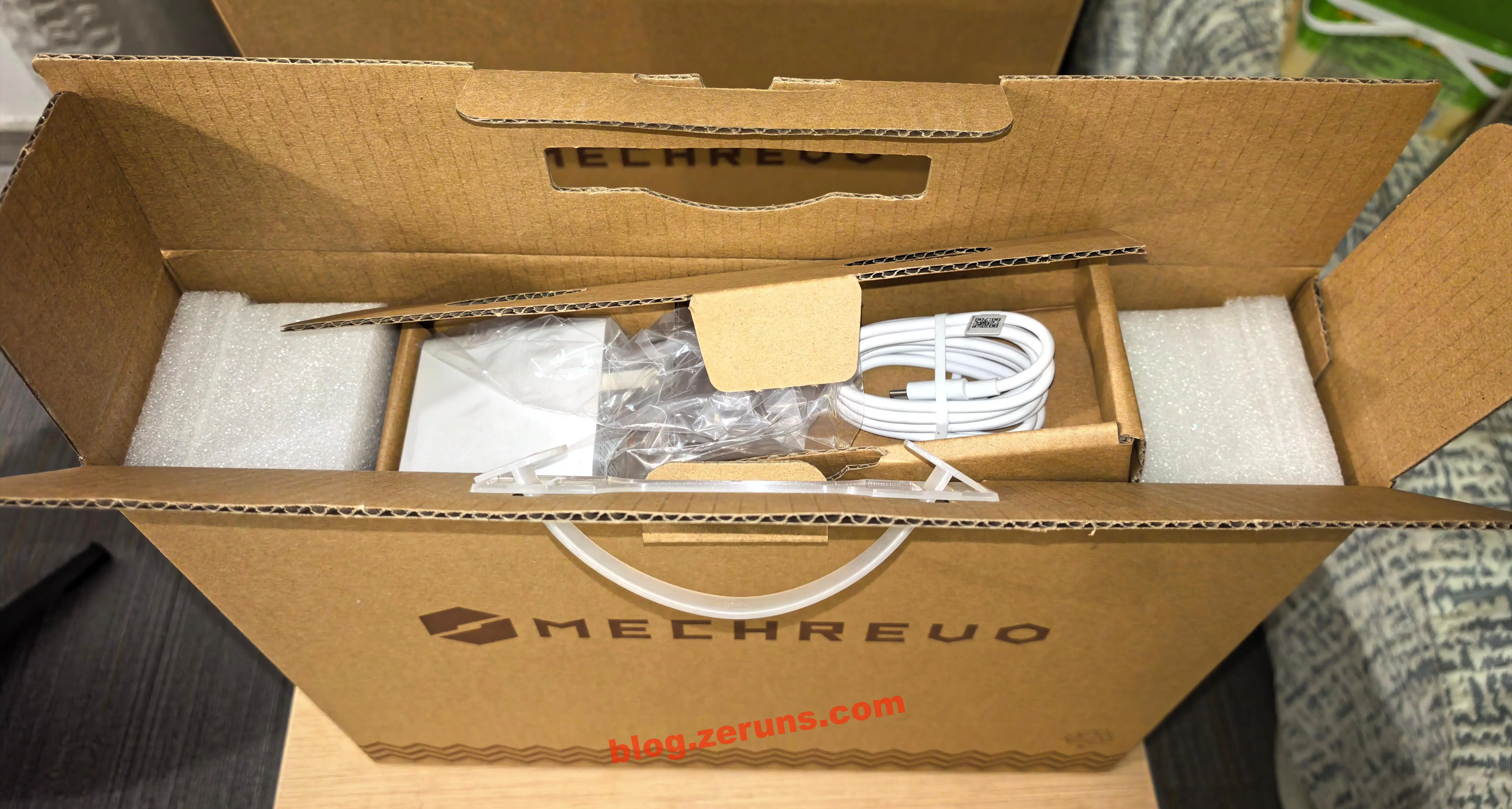
Opening further reveals a small box with the GaN charger and dual-ended Type-C cable.
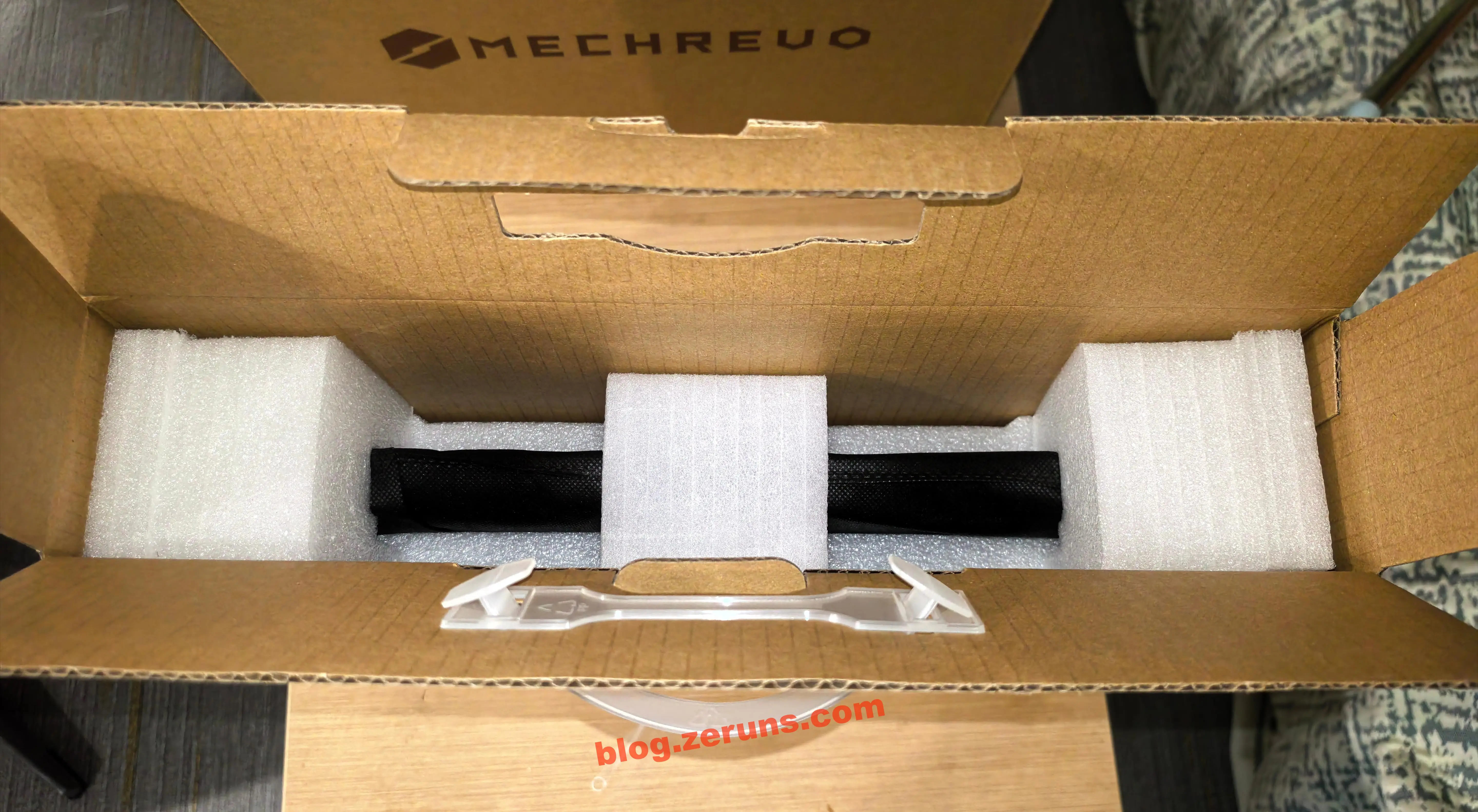
After removing the charger box, the laptop is secured in foam padding.
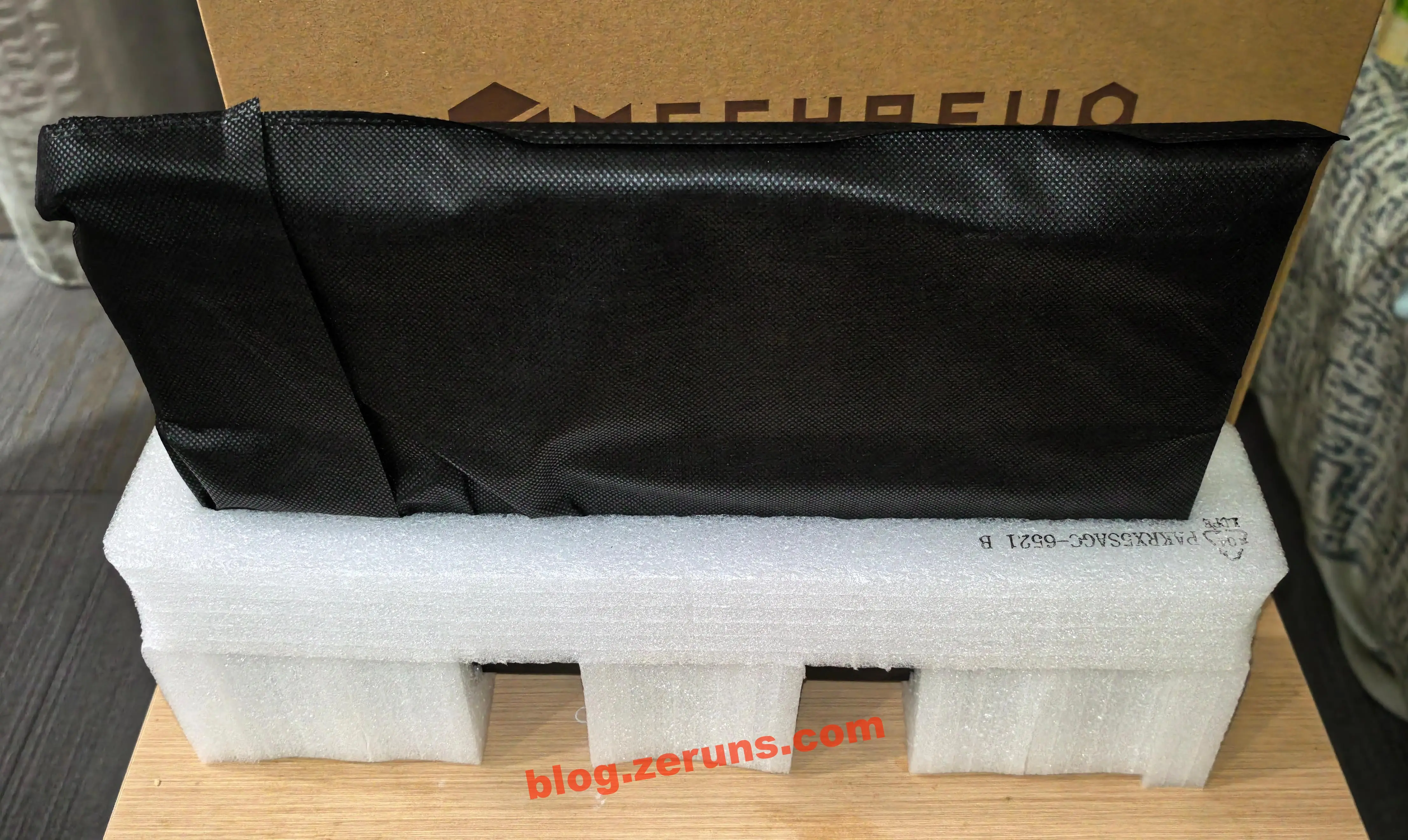
The laptop itself is wrapped in black anti-static cloth.
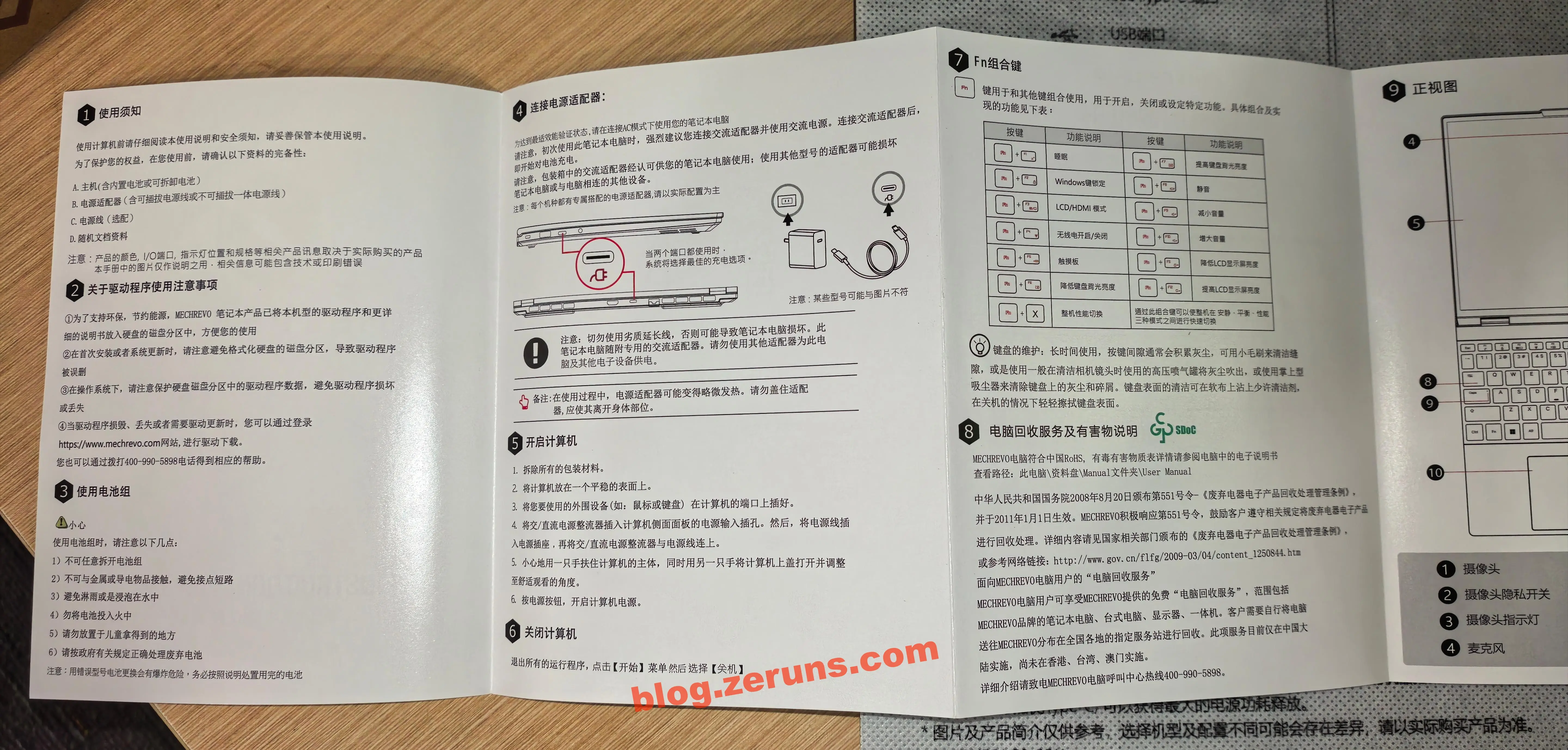
Also included: a user manual.
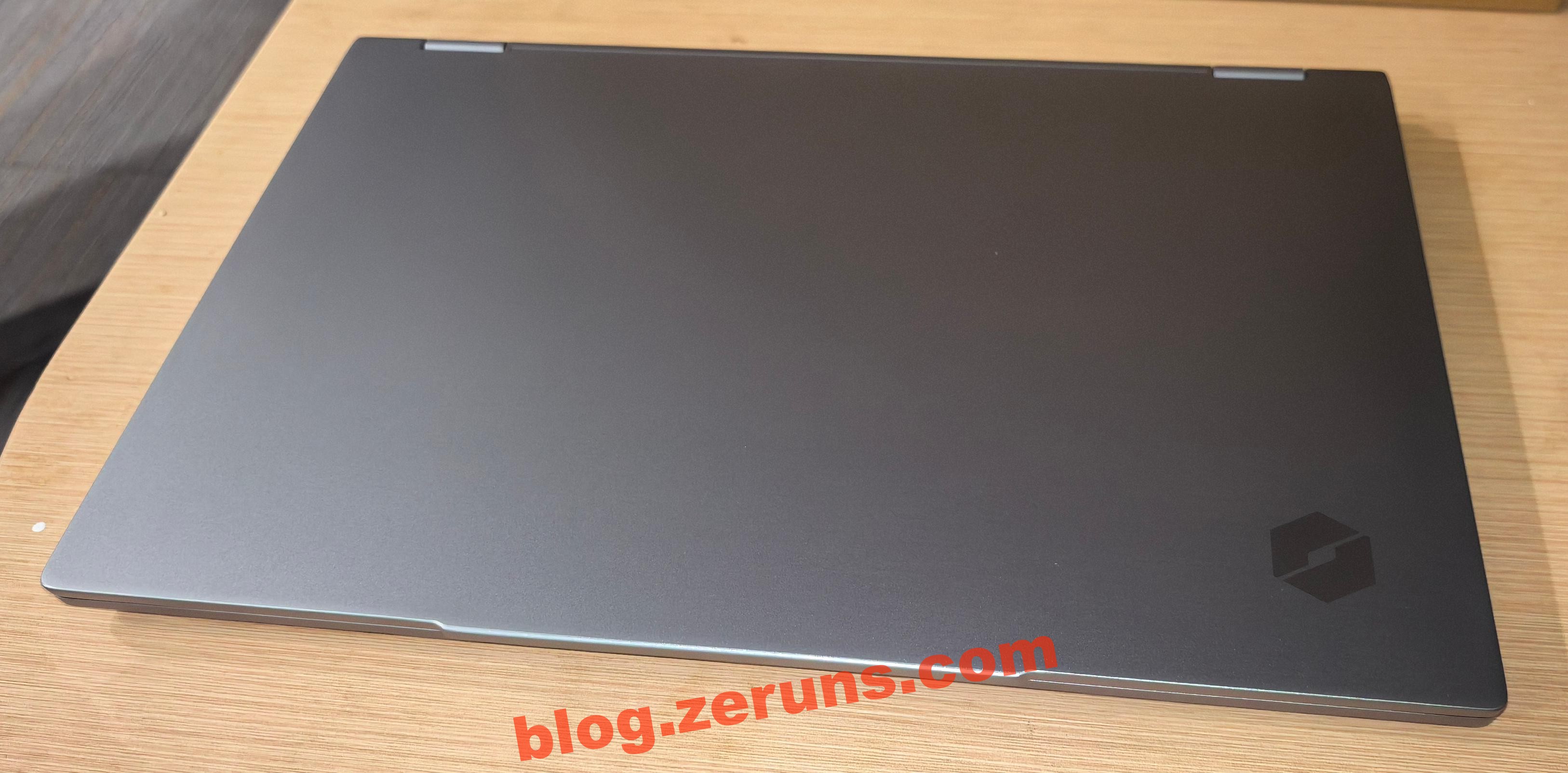
The MECHREVO Code10 AI features anodized aluminum sandblasted finish on the A, C, and D panels. The gray chassis gives it a premium look. The nut-shaped logo is laser-etched into the top-left corner of the lid—subtle yet distinctive.
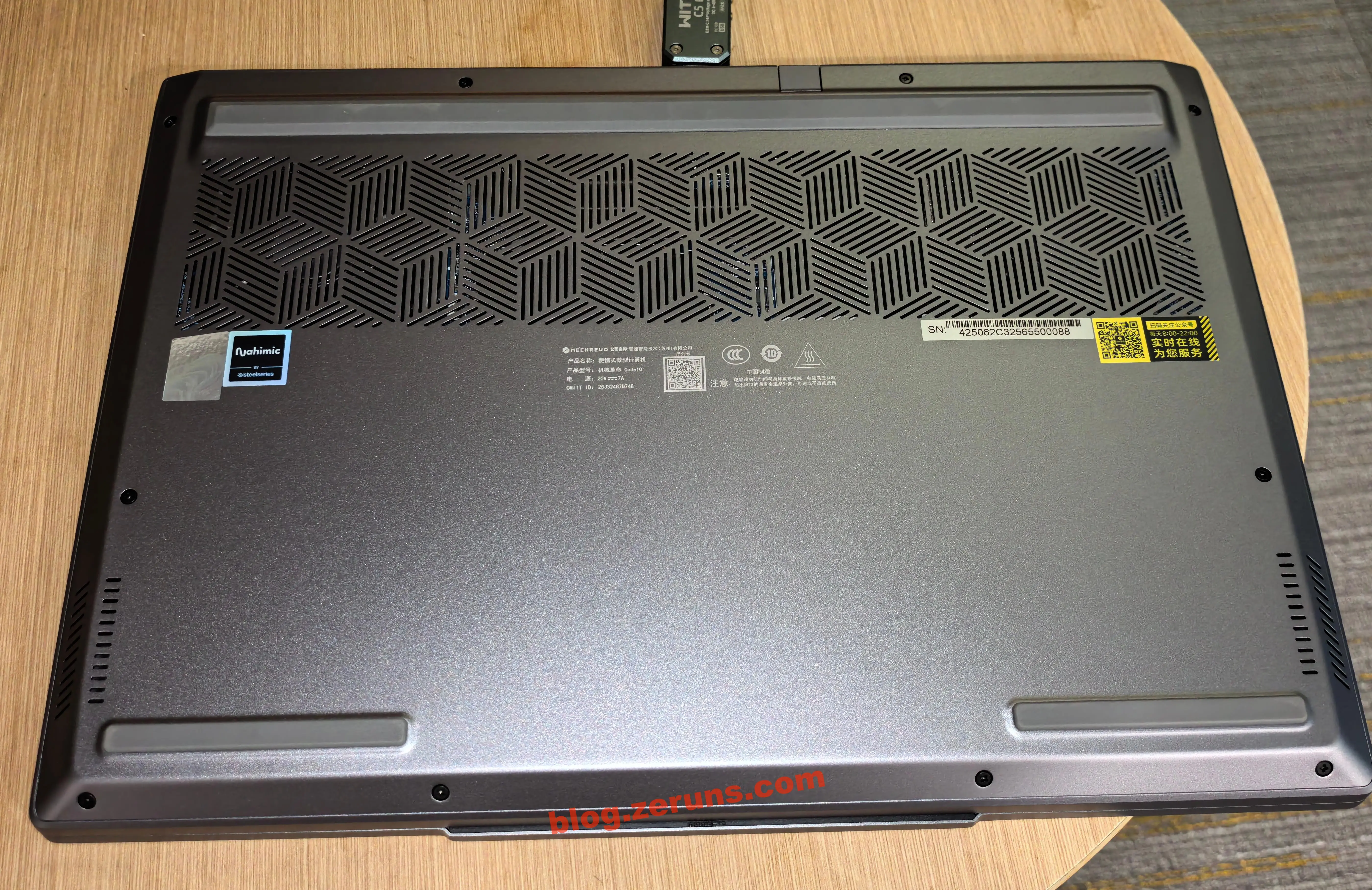
The D-side (bottom) includes a row of cooling intake vents.
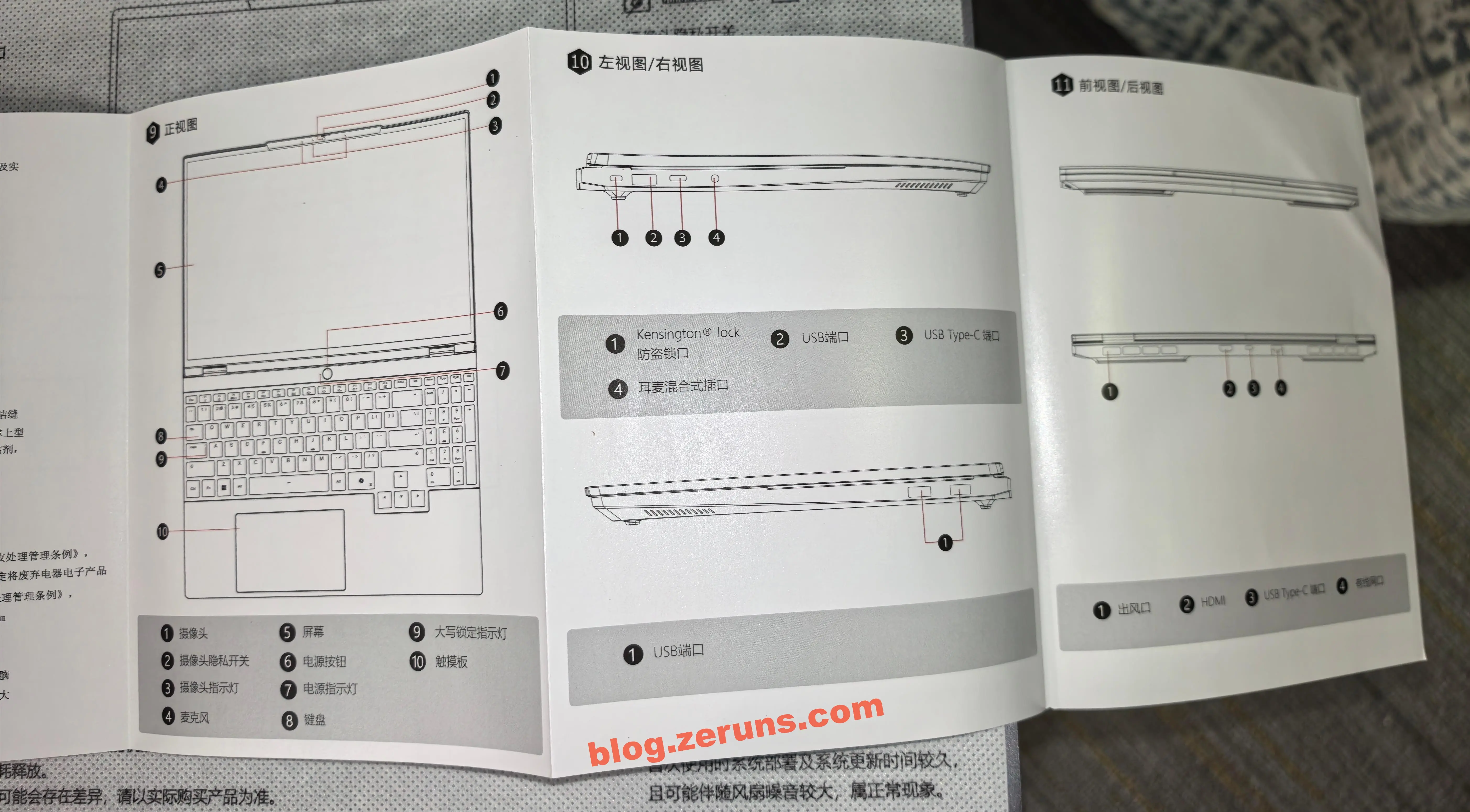
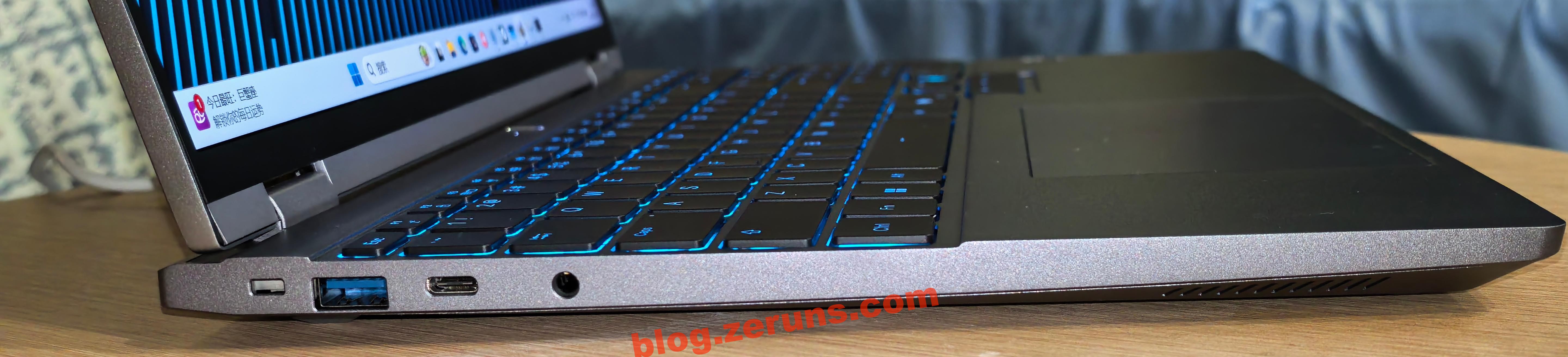
Left-side ports: Kensington lock slot, USB 3.2 Gen 1 (i.e., USB 3.0, 5Gbps), full-featured Type-C (USB 3.2 Gen 2, 10Gbps), and a combo 3.5mm audio jack.
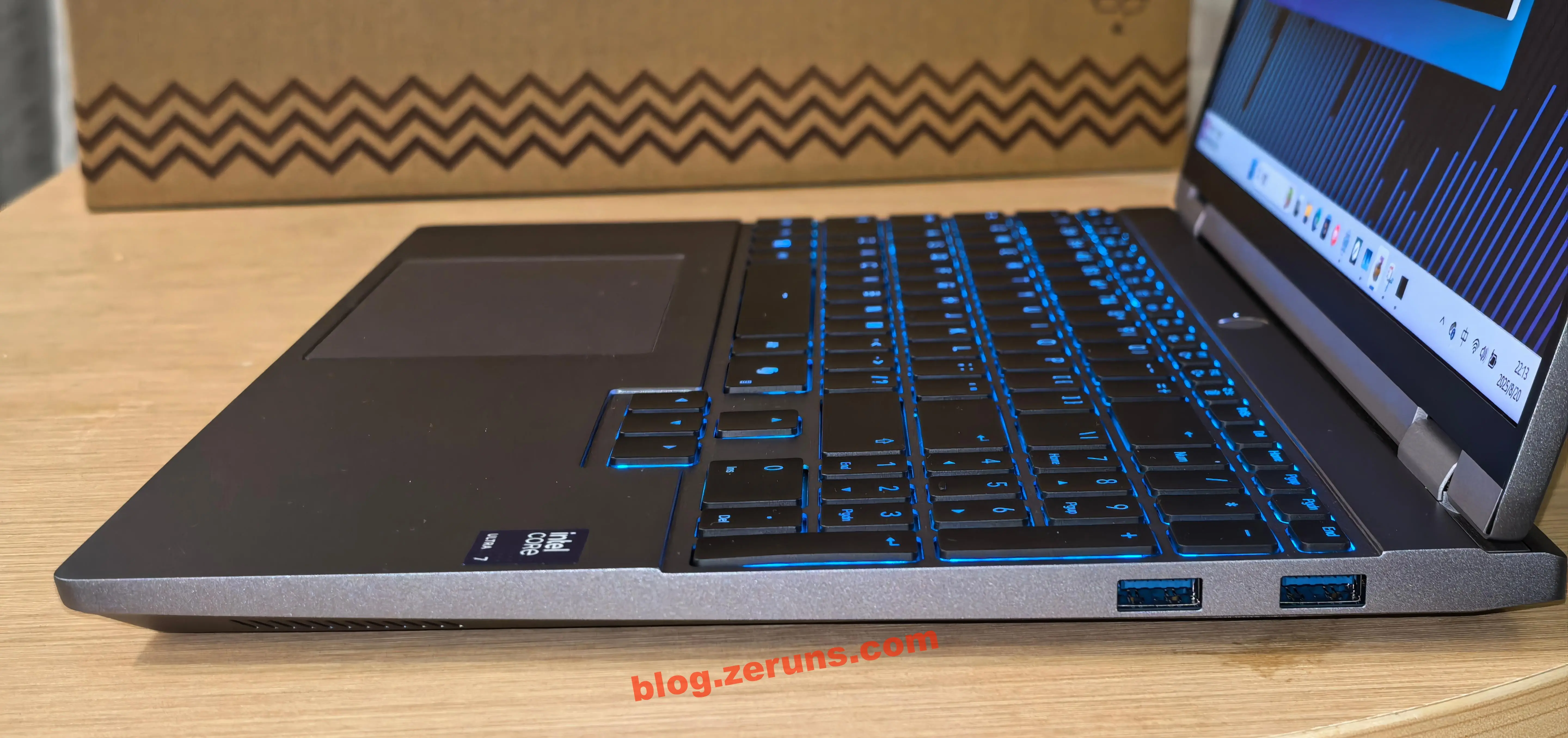
Right-side ports: two USB 3.2 Gen 1 ports. Would be better if there were an SD card reader.
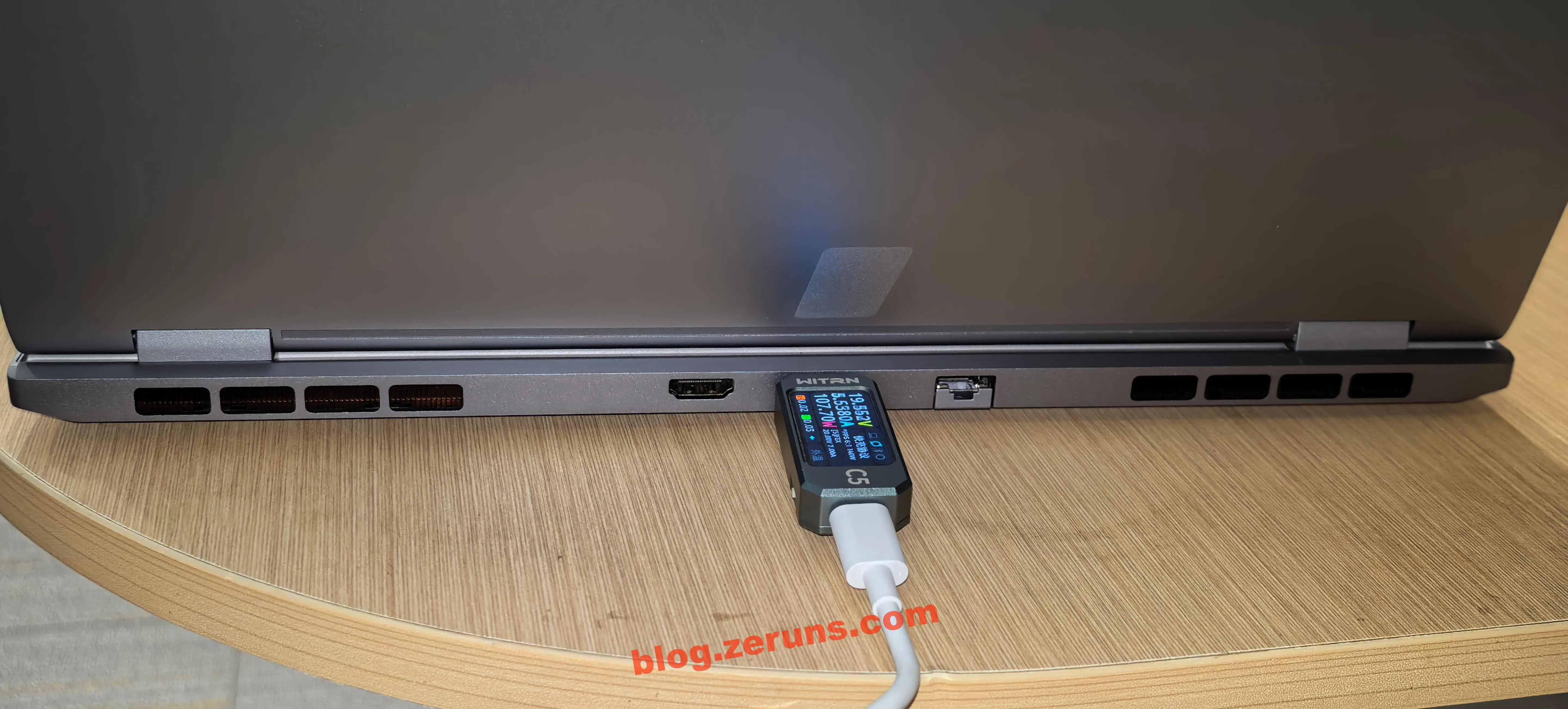
Rear ports: HDMI 2.1, Thunderbolt 4-capable Type-C (only this port supports the proprietary 140W charging; the side full-featured Type-C only supports up to 100W), RJ45 Gigabit Ethernet, and exhaust vents.
Open the laptop: here’s the B-side (screen) and C-side (keyboard).
The display is a 2.5K panel (2560×1600), 120Hz refresh rate, 400 nits brightness, 100% sRGB coverage.
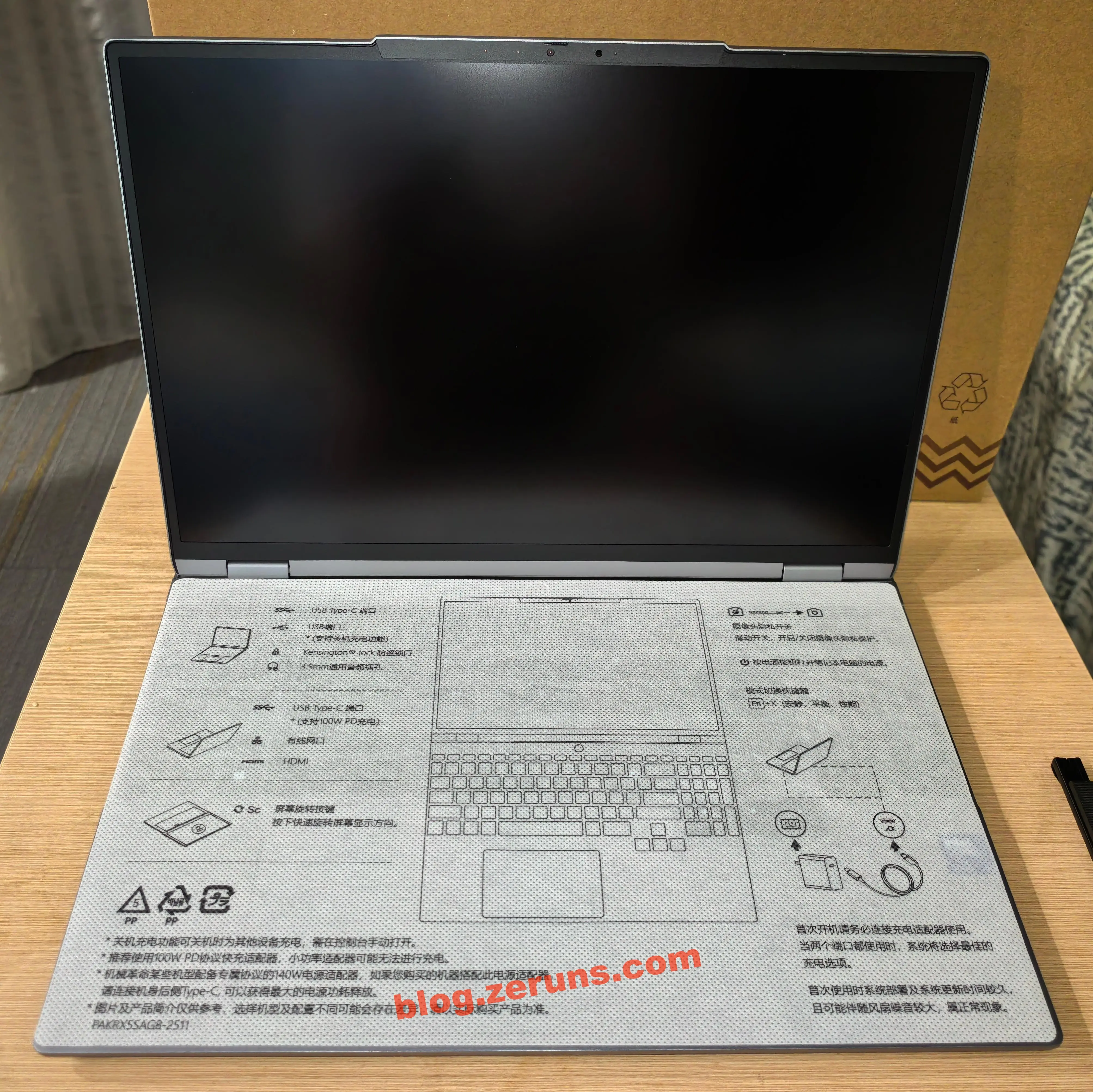
Above the screen: IR facial recognition camera and microphone array. The camera maxes out at 720p (0.9MP)—essentially just for presence detection. It features a physical shutter slider to block the lens when not in use, plus a status indicator light.
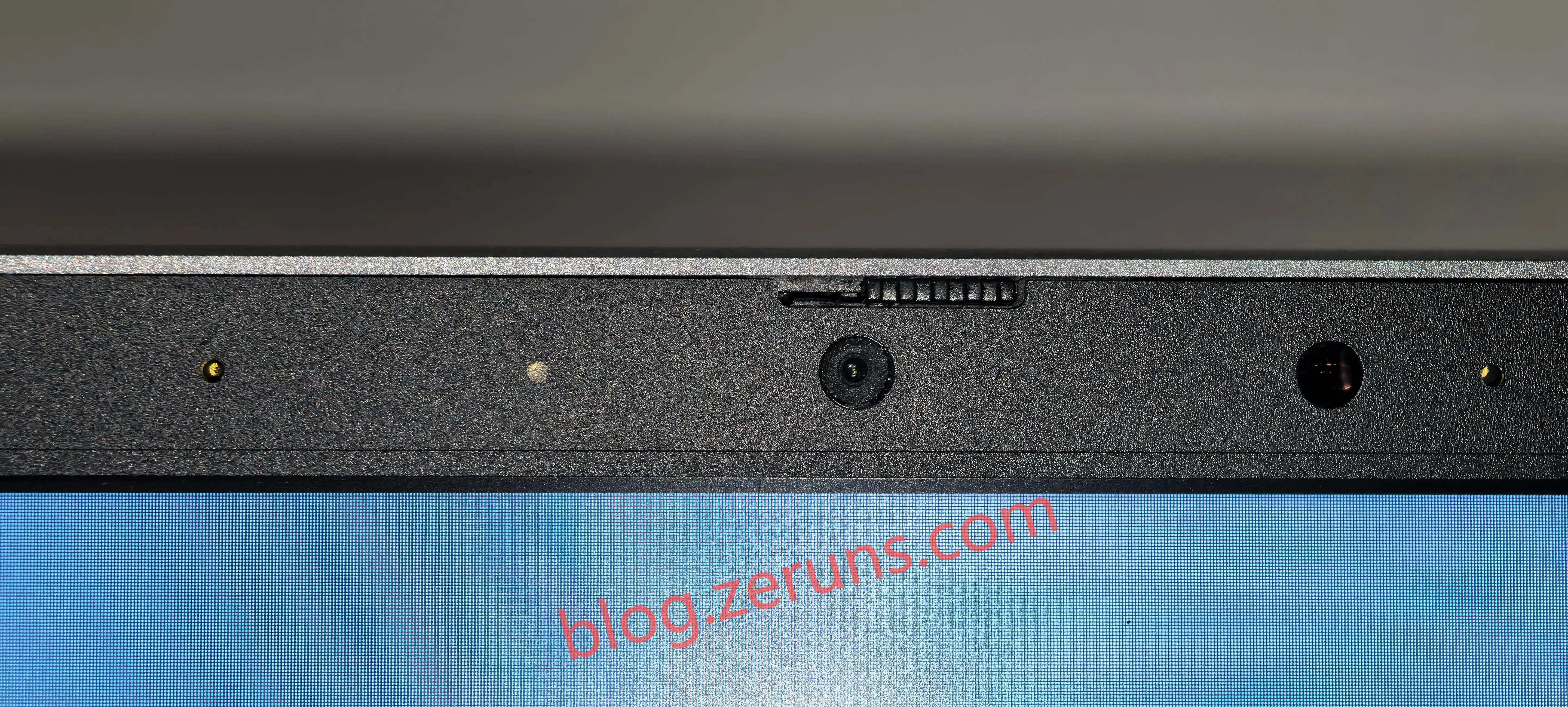
Camera quality: very blurry.

Plug in and power on, follow setup prompts. The keyboard features RGB backlighting, though color changes affect the entire keyboard uniformly—not per-key customization. There’s a dedicated numeric keypad. Key travel is long and tactile, providing a pleasant typing experience. My review video includes audio samples of keystrokes and speaker output. The touchpad can be disabled via Fn shortcut to prevent accidental touches.
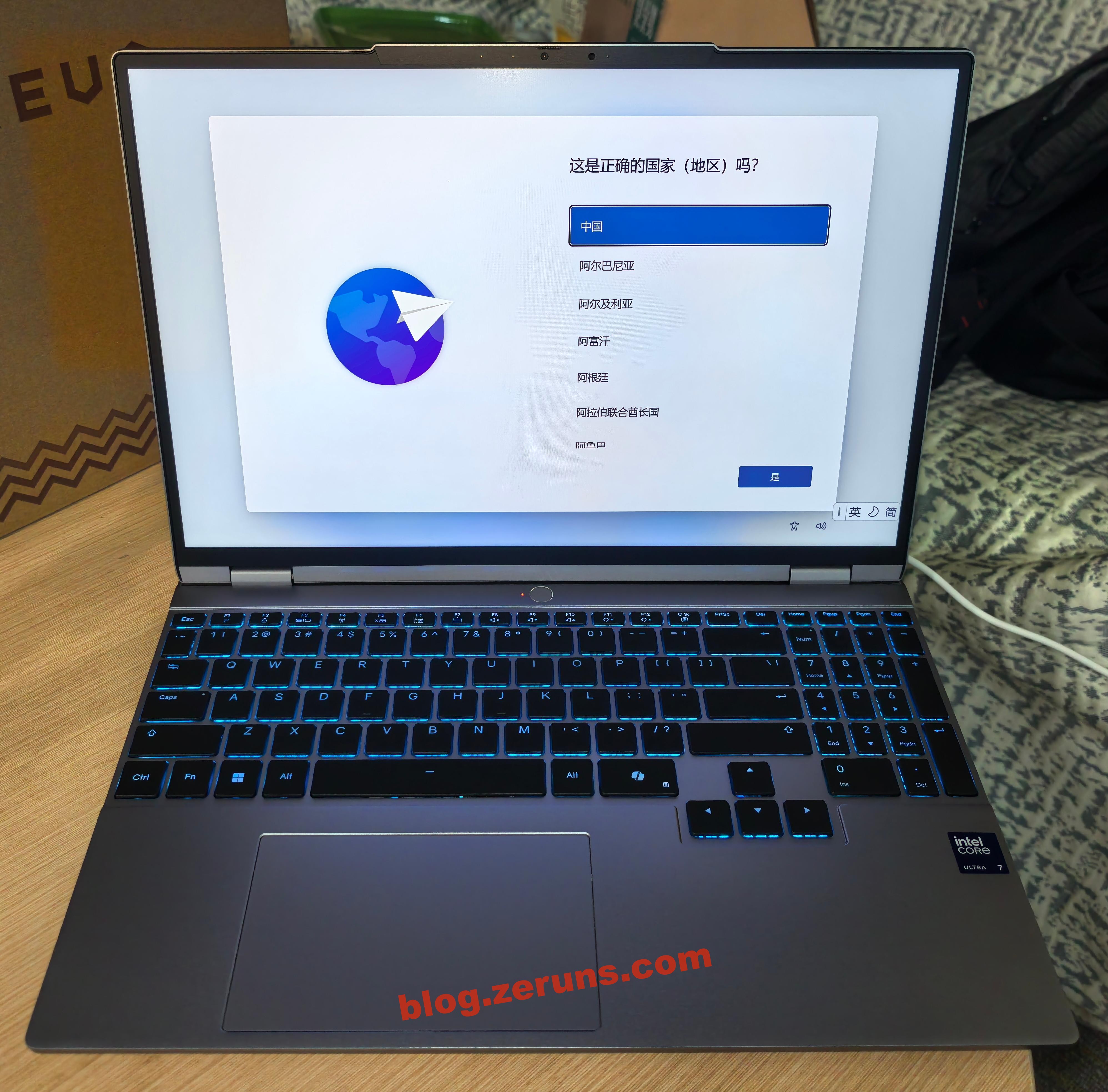
The screen opens up to 180 degrees.
Benchmarking and Performance Testing
First, configuration info from TuBa tool.
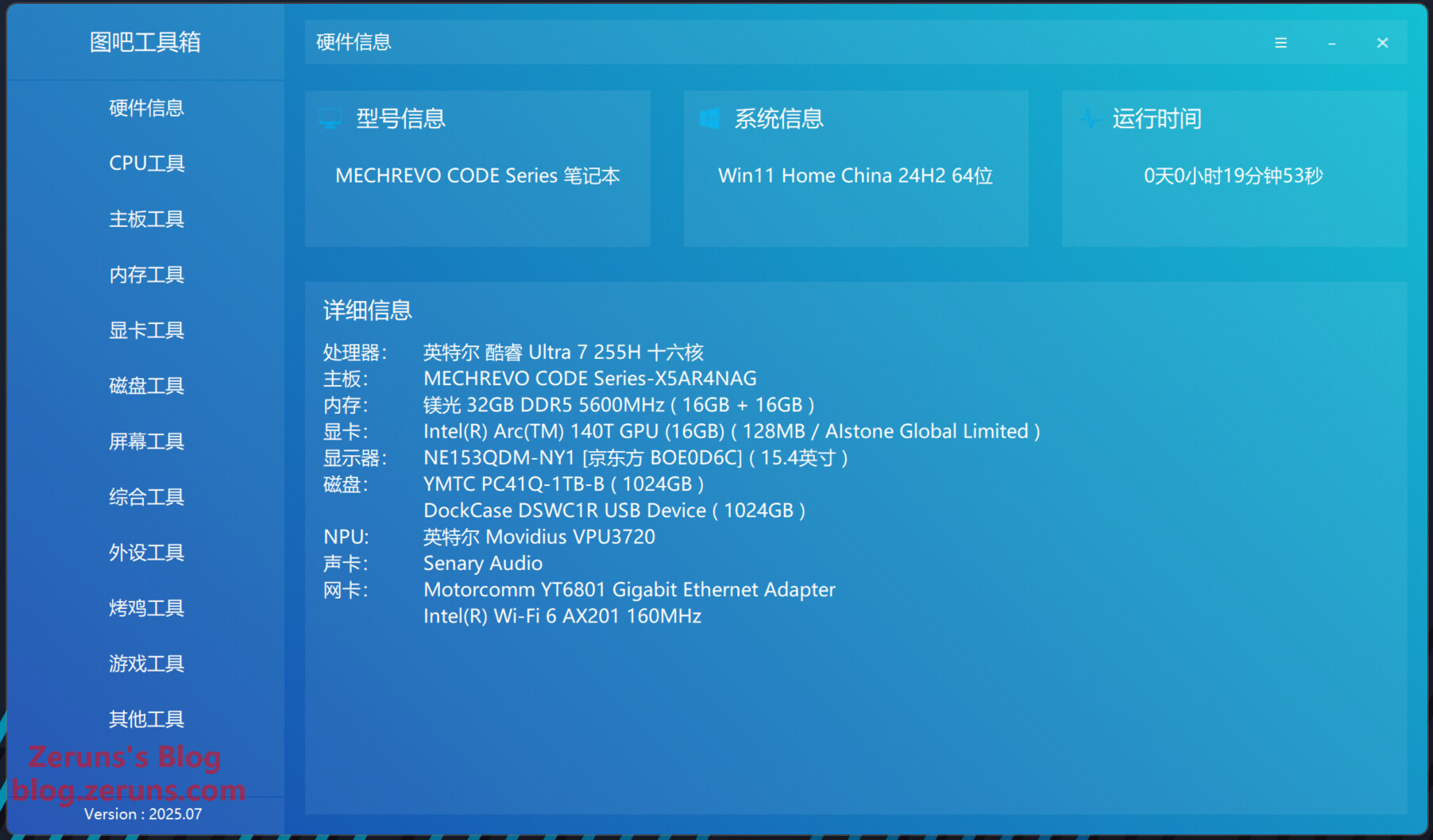
The Code10 AI is powered by the Intel Core Ultra 7 255H AI processor, featuring 6P (Performance cores) + 8E (Efficient cores) + 2LPE (Low-Power Efficient cores), totaling 16 physical cores. It integrates an NPU capable of 13 TOPS for AI tasks.
Intel official specs page: https://url.zeruns.com/Ultra7-255H
The Ultra 7 255H has a maximum boost frequency of 5.1 GHz on P-cores, 4.4 GHz on E-cores, and 2.5 GHz on LPE cores. Base frequencies are 2.0 GHz (P), 1.5 GHz (E), and 0.7 GHz (LPE). It has 24MB cache, base TDP of 28W, peak turbo power of 115W, built on TSMC’s N3B (3nm) process, released Q1 2025.
Its integrated graphics is the Intel® Arc™ 140T GPU, with a max frequency of 2.25 GHz, delivering up to 74 TOPS (Int8) performance. Supports ray tracing, and outputs up to 8K@60Hz or 4K@120Hz.
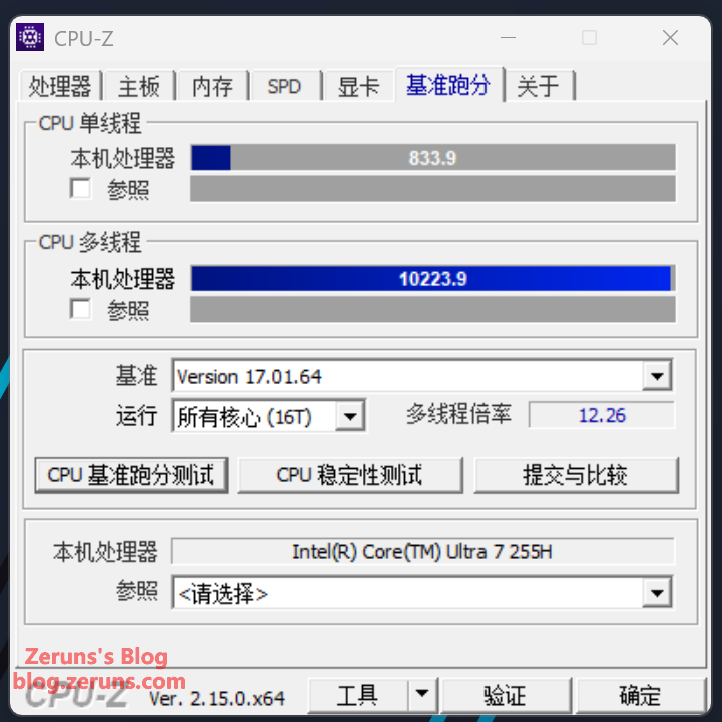
CPU-Z Benchmark
Single-core: 833.9
Multi-core: 10,223.9
Multithread multiplier: 12.26
(For comparison: my old laptop with Ryzen 6800H scored 563.6 single-core, 5,824.7 multi-core.)
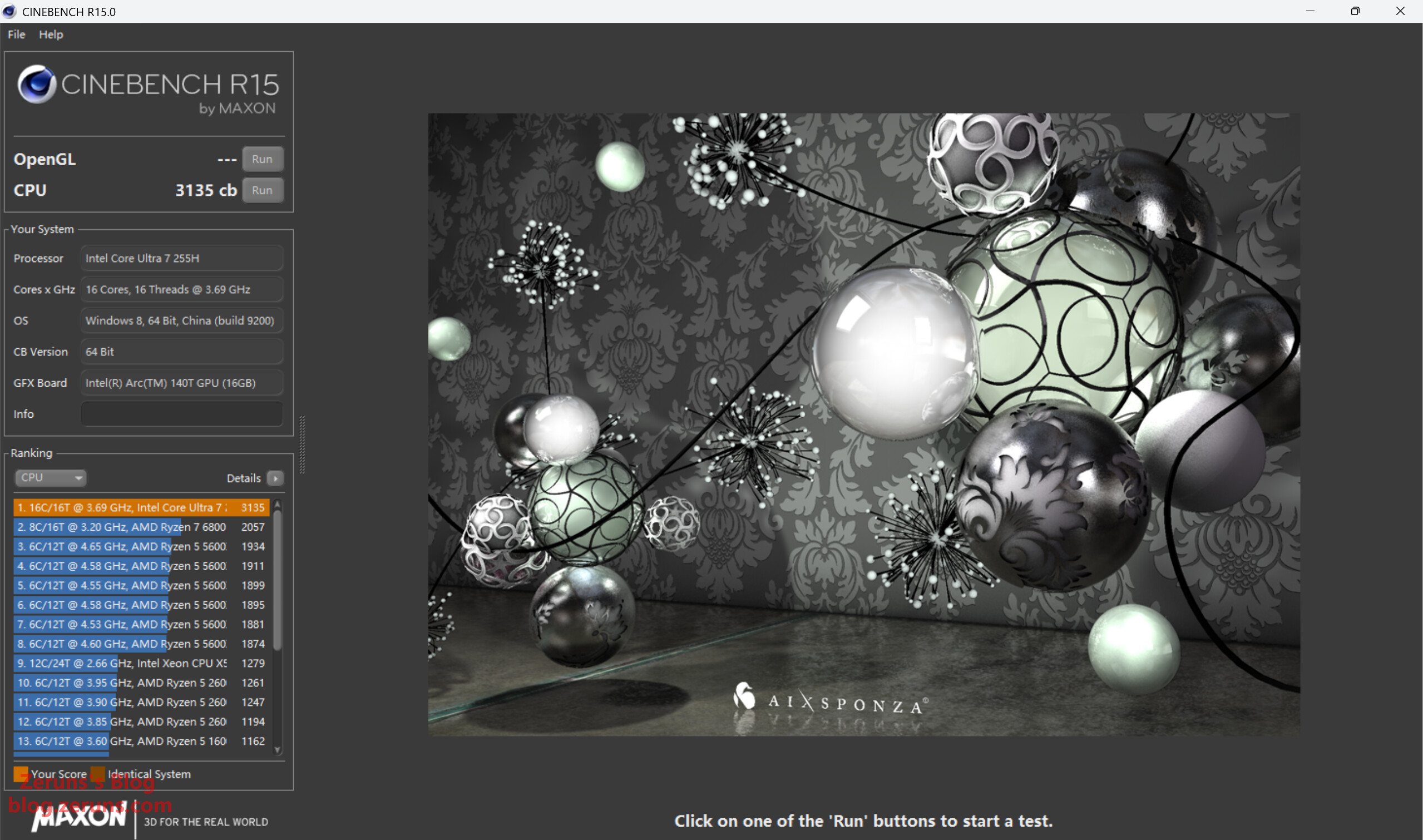
Cinebench R15
Score: 3,135 cb
(My old 6800H scored 2,057 cb.)
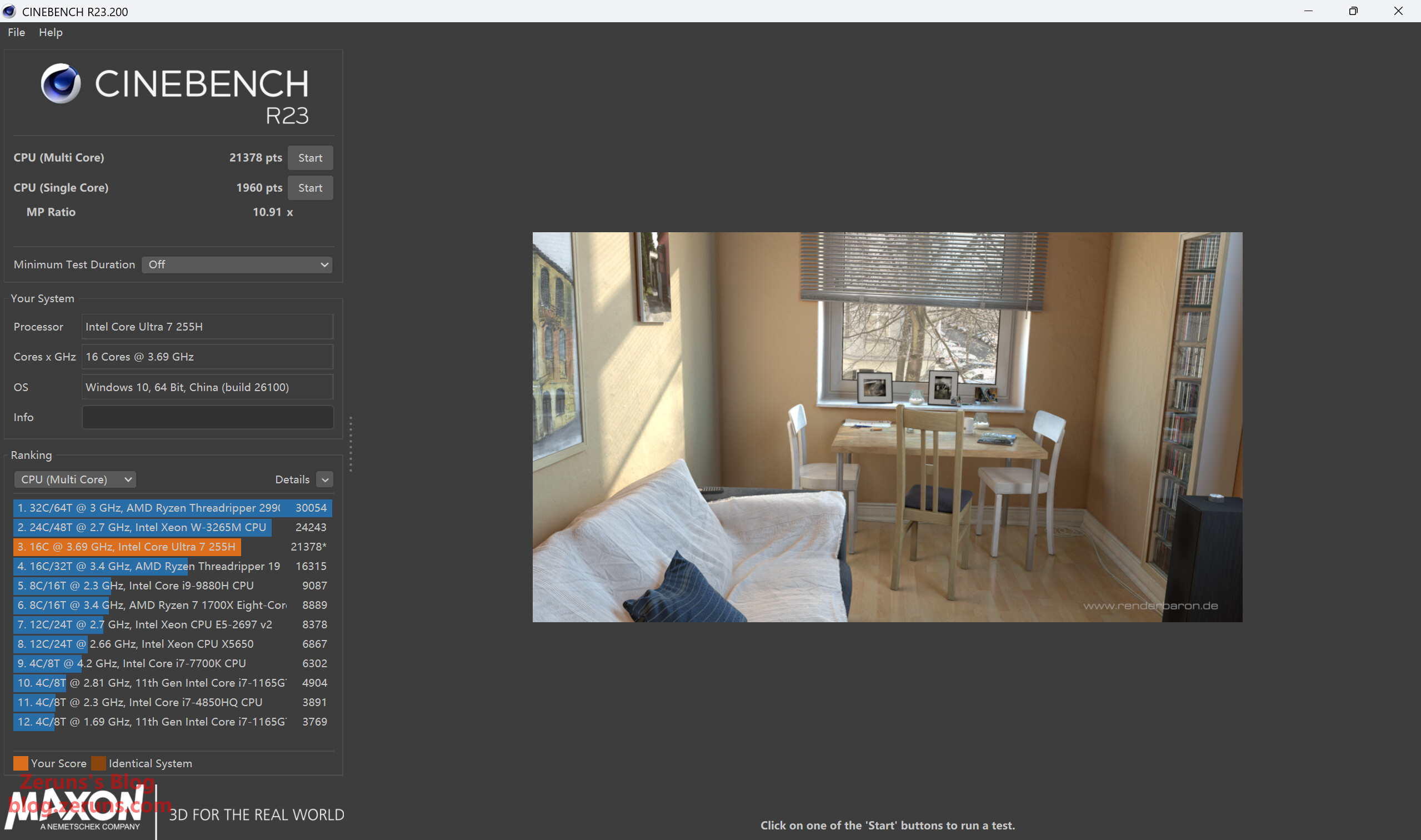
Cinebench R23
Single-core: 1,960 pts
Multi-core: 21,378 pts
(My desktop with 9950X scores ~43,266 pts.)
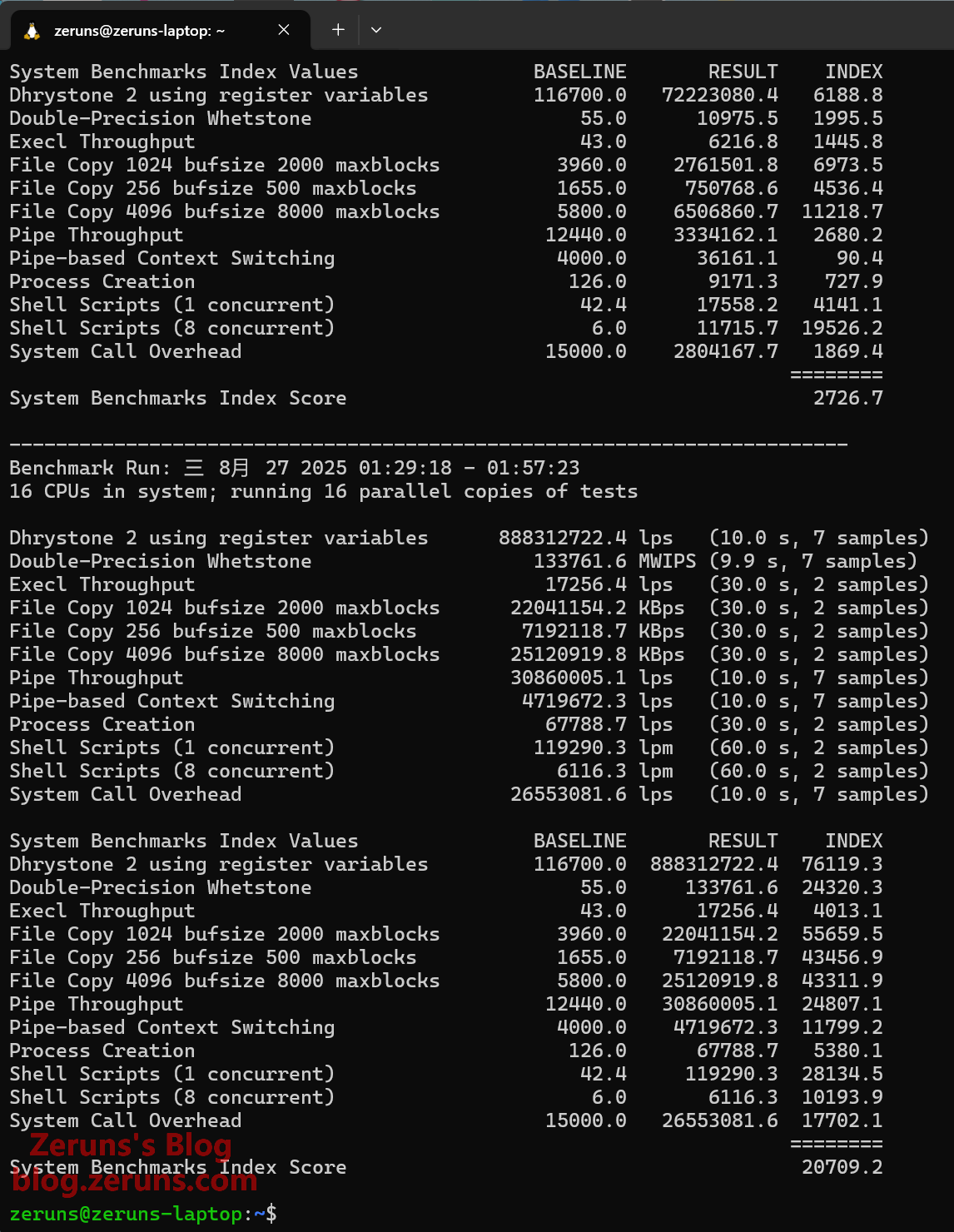
UnixBench Test
Single-core: 2,726.7
Multi-core: 20,709.2
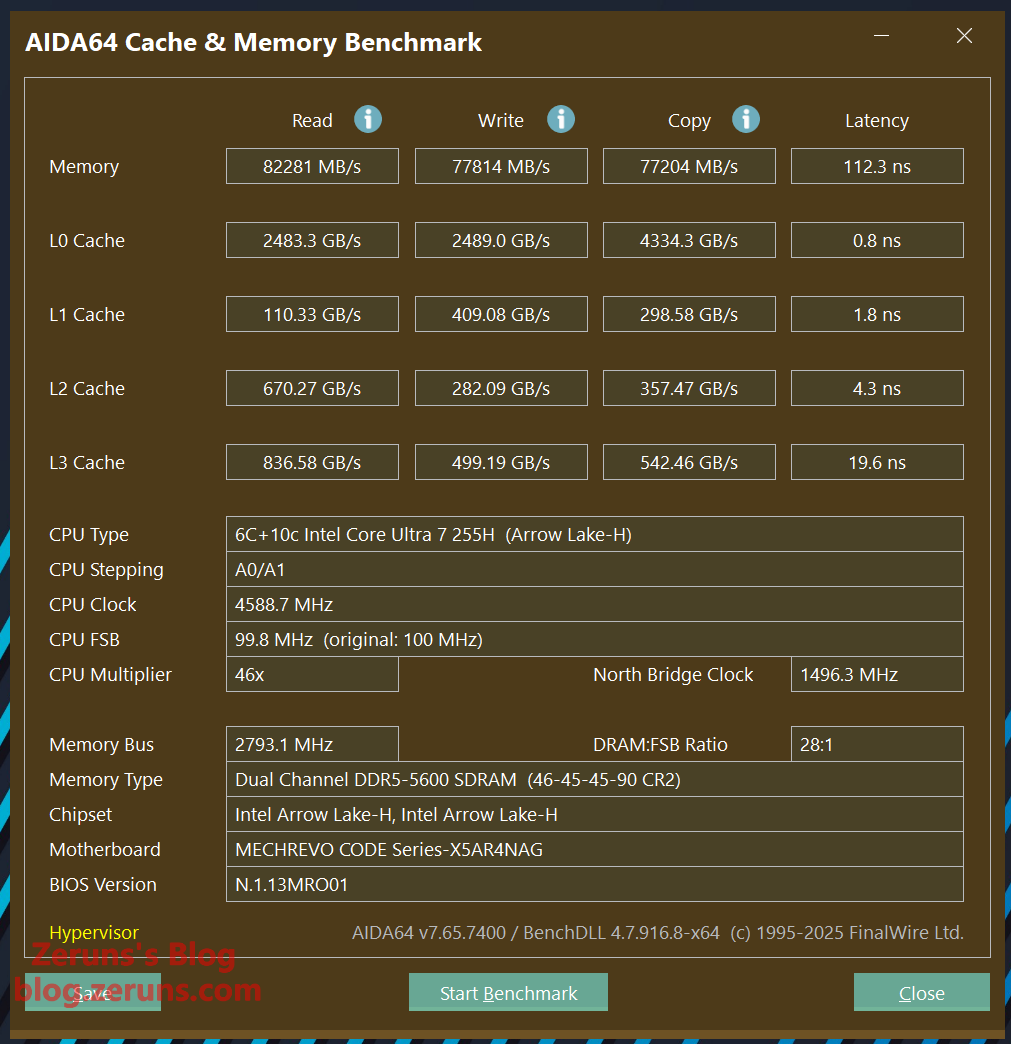
Memory Speed Test (AIDA64)
Read: 82 GB/s
Write: 77 GB/s
Latency: 112.3 ns
(Memory latency is somewhat high.)
Storage Test
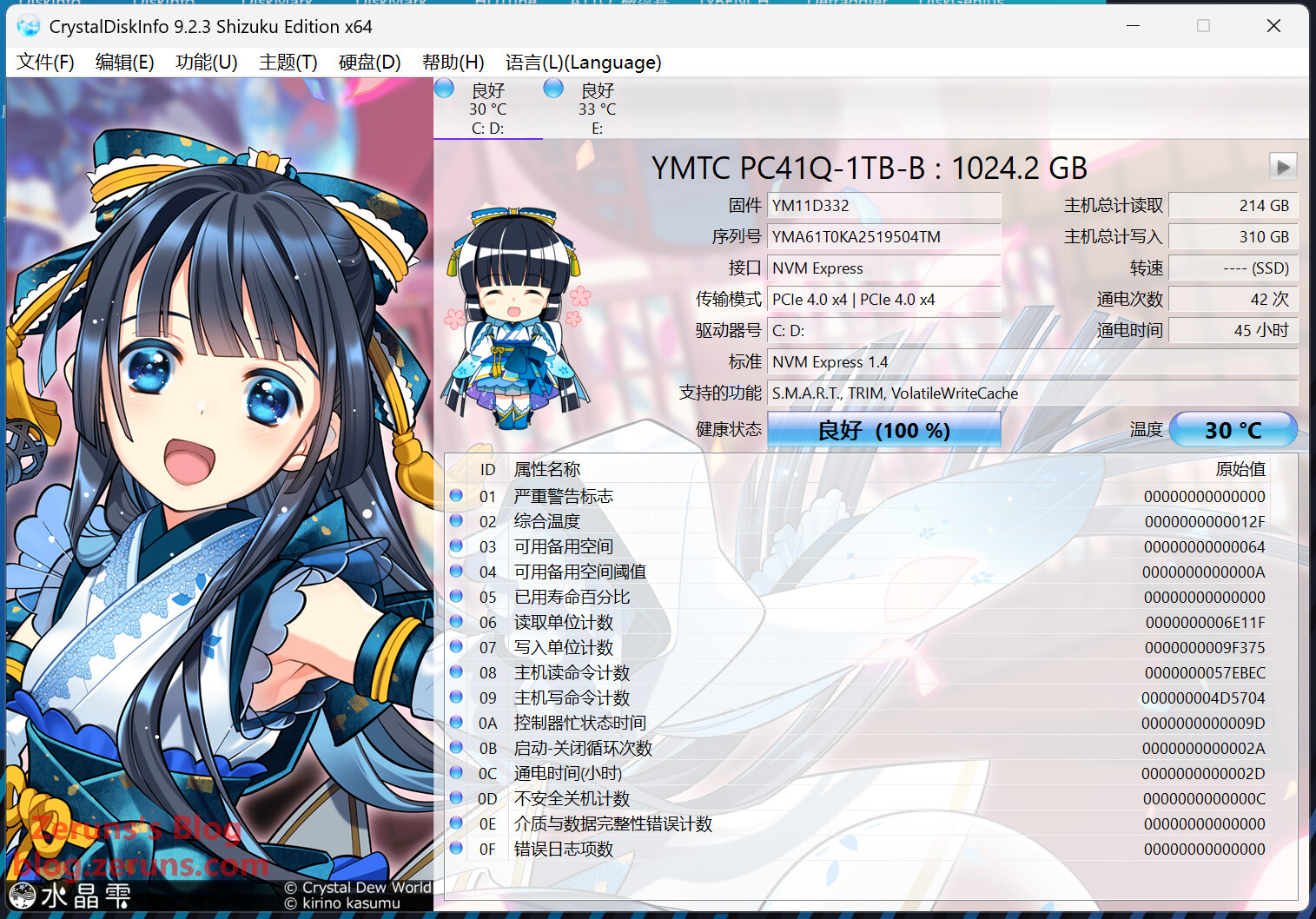
Drive: YMTC PC41Q-1TB-B (QLC NAND), PCIe 4.0 x4.
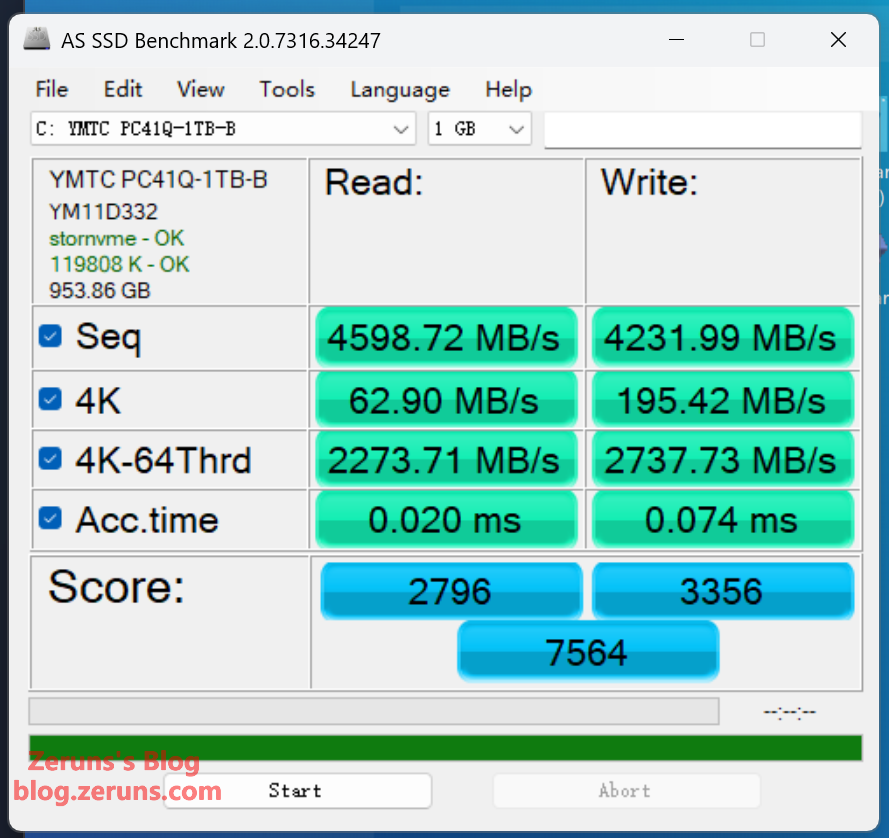
AS SSD Benchmark results:
Sequential Read: 4,598.72 MB/s
Sequential Write: 4,231.99 MB/s
4K Random Read: 62.9 MB/s
4K Random Write: 195.42 MB/s
Performance is decent.
Display Analysis
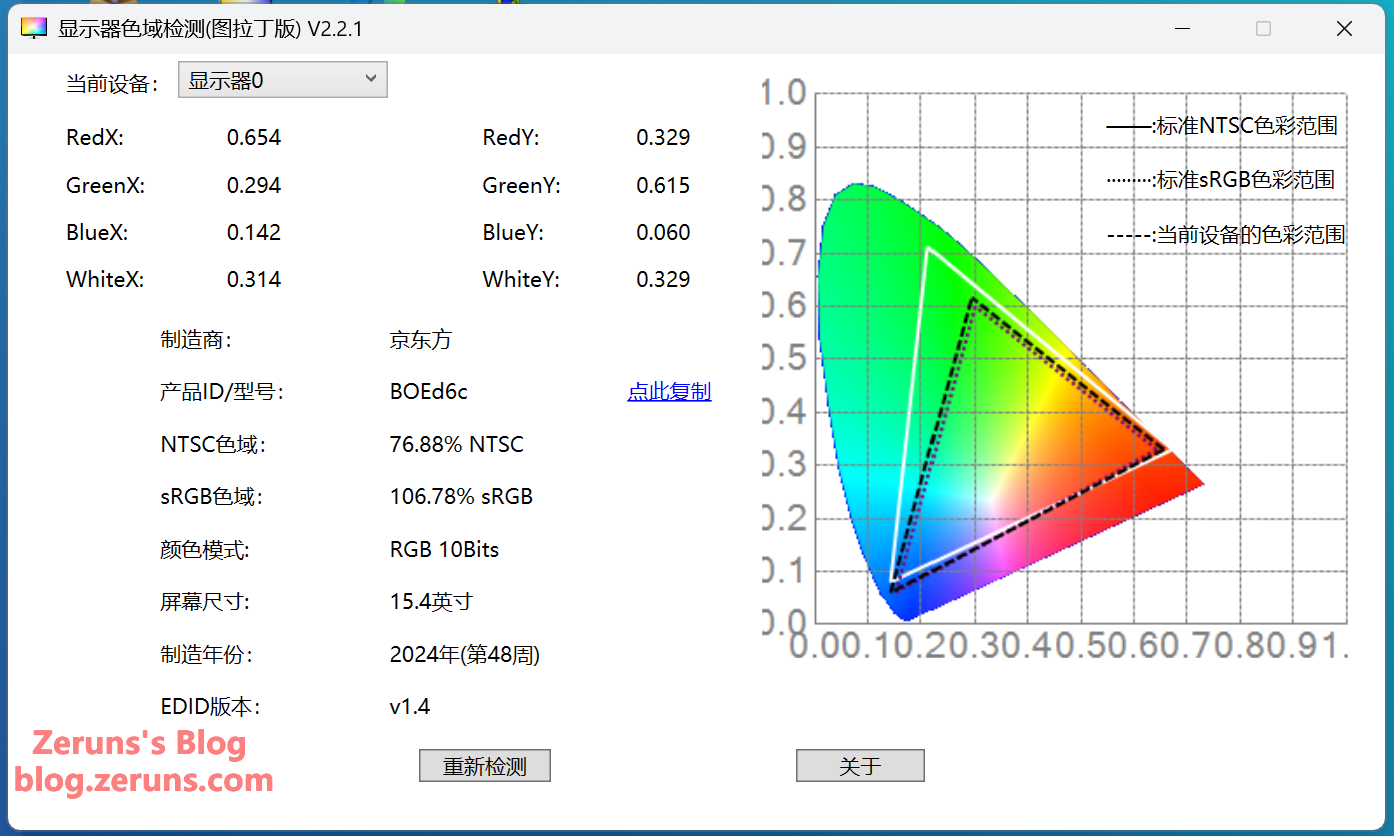
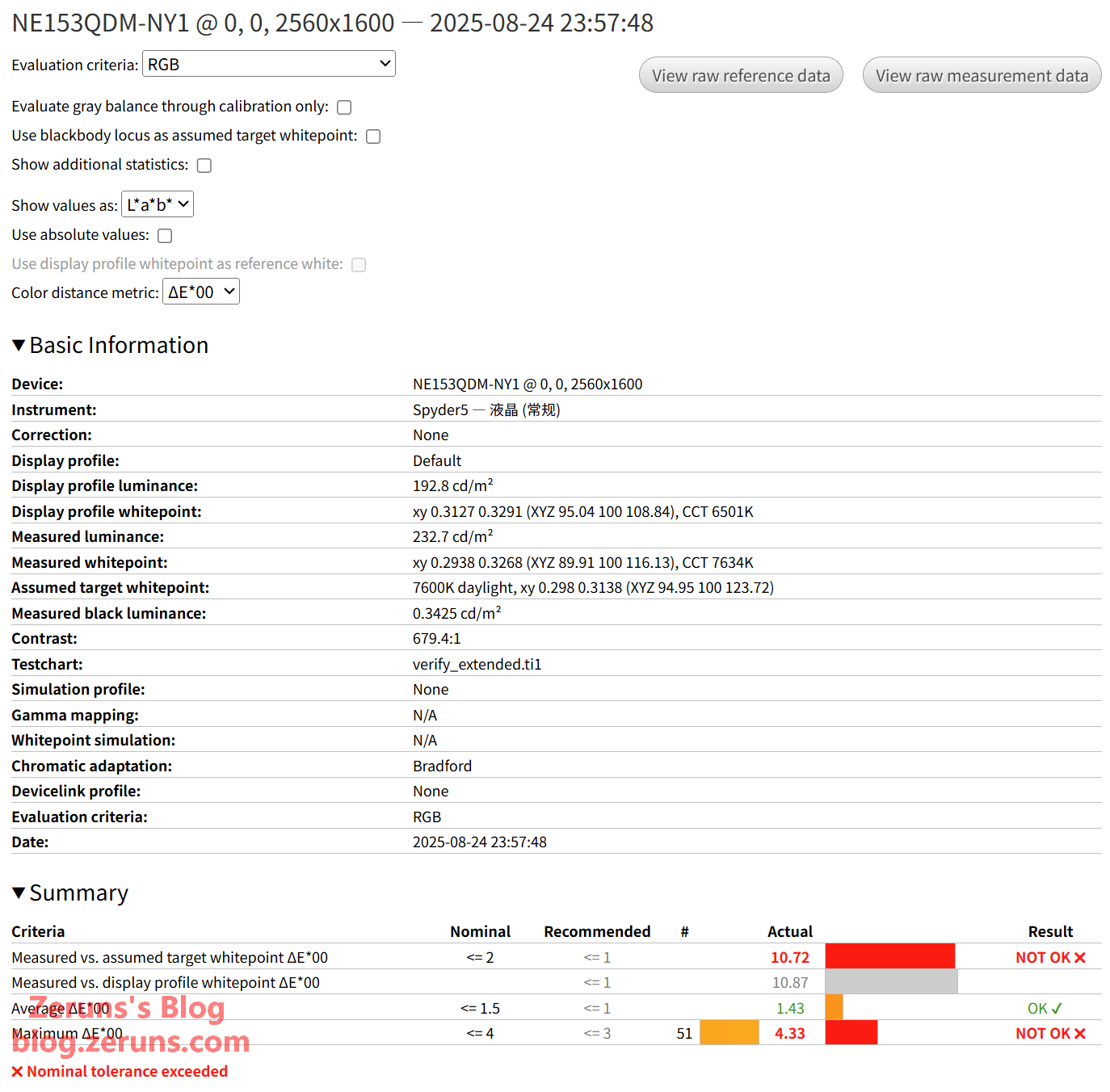
EDID Info: 15.4" panel, model NE153QDM-NY1 [BOE0D6C], manufactured Week 48, 2024. sRGB coverage reported as 106.78%—acceptable.
Actual measured color gamut and accuracy using Spyder5 calibrator:
sRGB coverage: 96.2%, gamut volume: 110.7%, average ΔE00 = 1.43 (good), maximum ΔE00 = 4.33 (noticeable deviation).
(MECHREVO Control Center includes a color correction feature that applies a system-wide ICC profile. With it enabled, colors closely match my calibrated results. This test was performed with that profile disabled.)
Full report: https://url.zeruns.com/NE153QDM-NY1
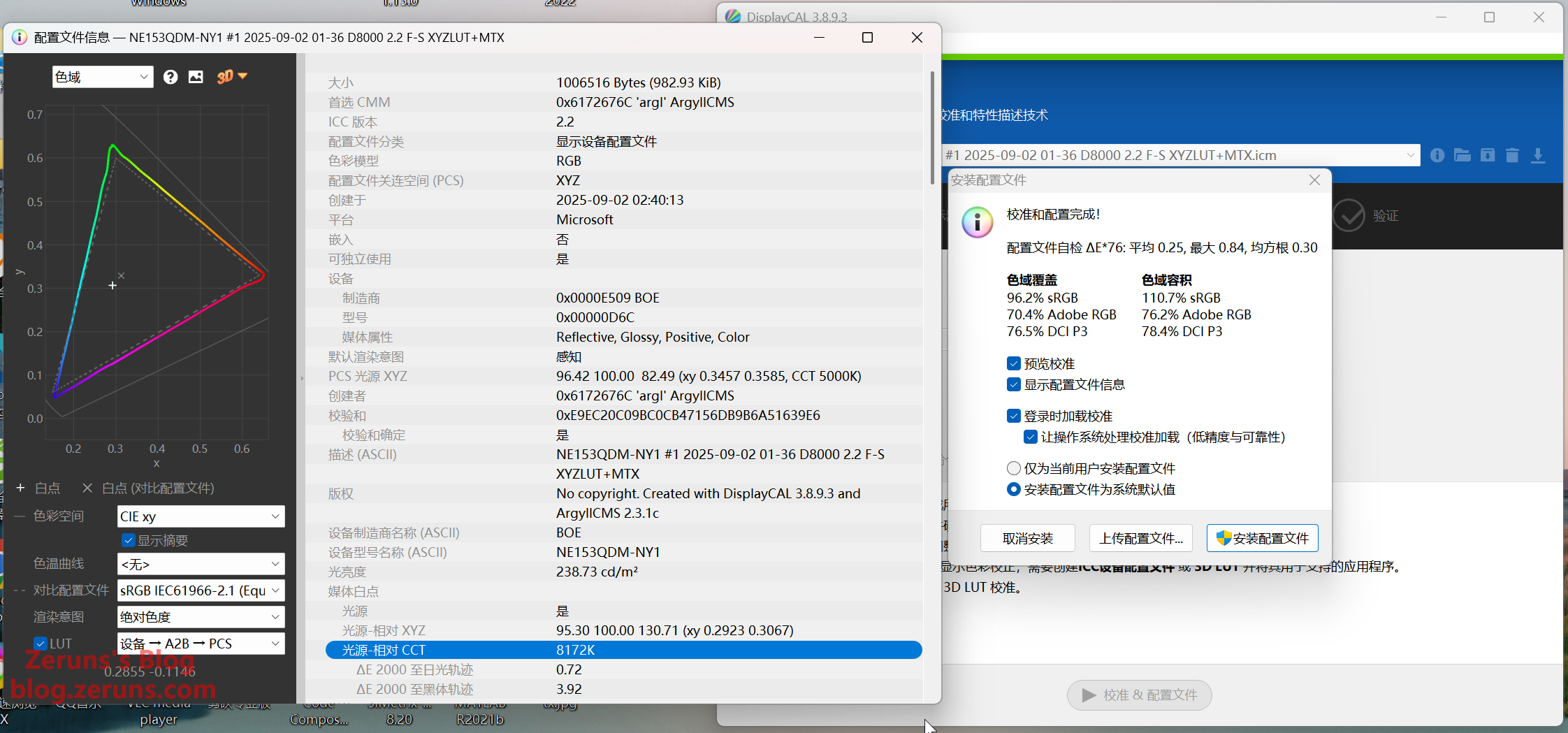
After calibration: average ΔE*00 drops to 0.42, max ΔE*00 = 2.06—excellent post-calibration performance.
Would be ideal if factory calibration matched my previous VG2481-4K monitor, which required no tuning: https://blog.zeruns.com/archives/831.html
Calibrated report: https://tc3.zeruns.com/other/NE153QDM-NY1-校色后.html
Download ICC profile (individual screens vary; may not work universally; white point set to 8000K): https://www.123684.com/ps/2Y9Djv-uYjvH

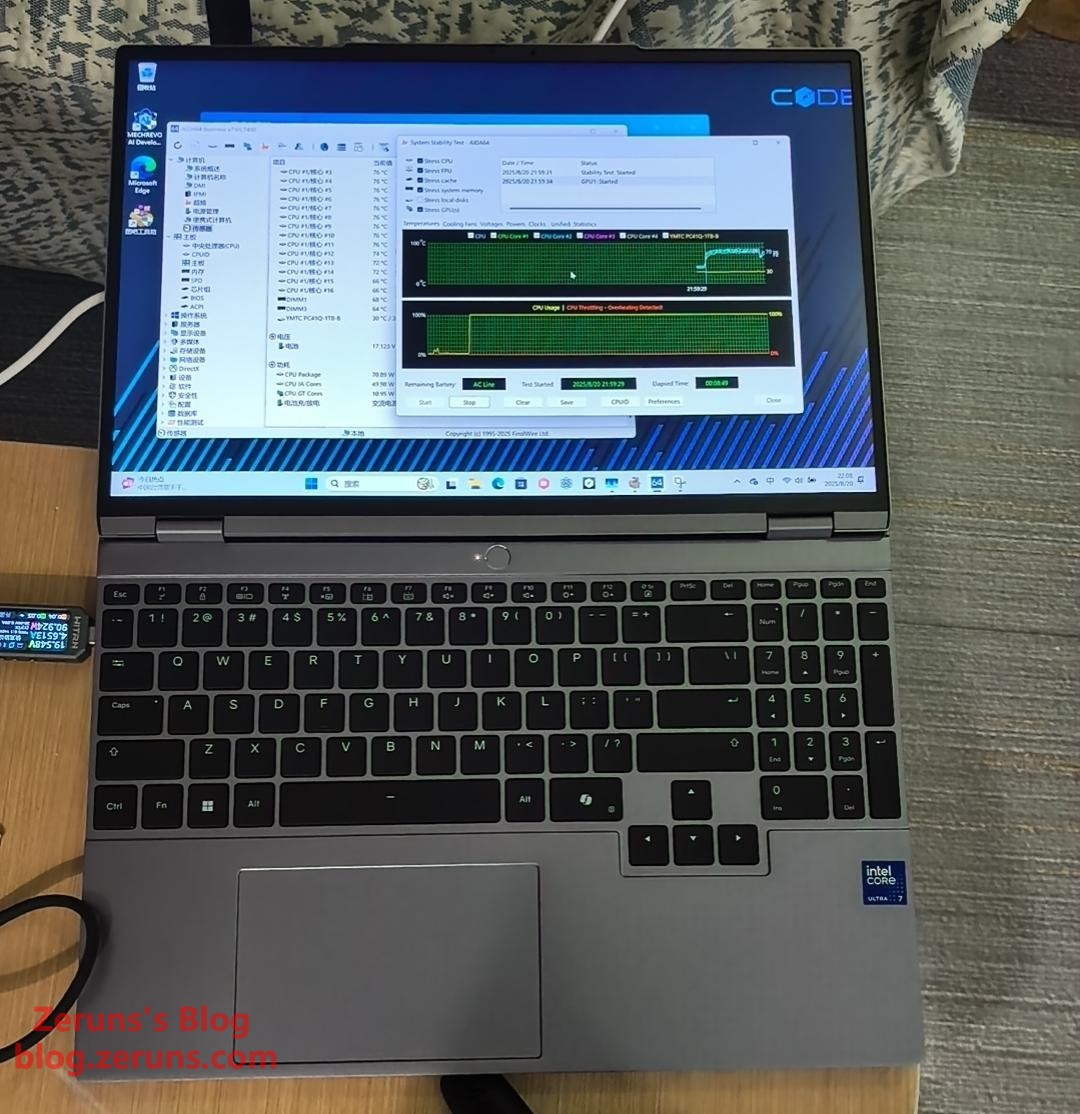
Stress Test (AIDA64)
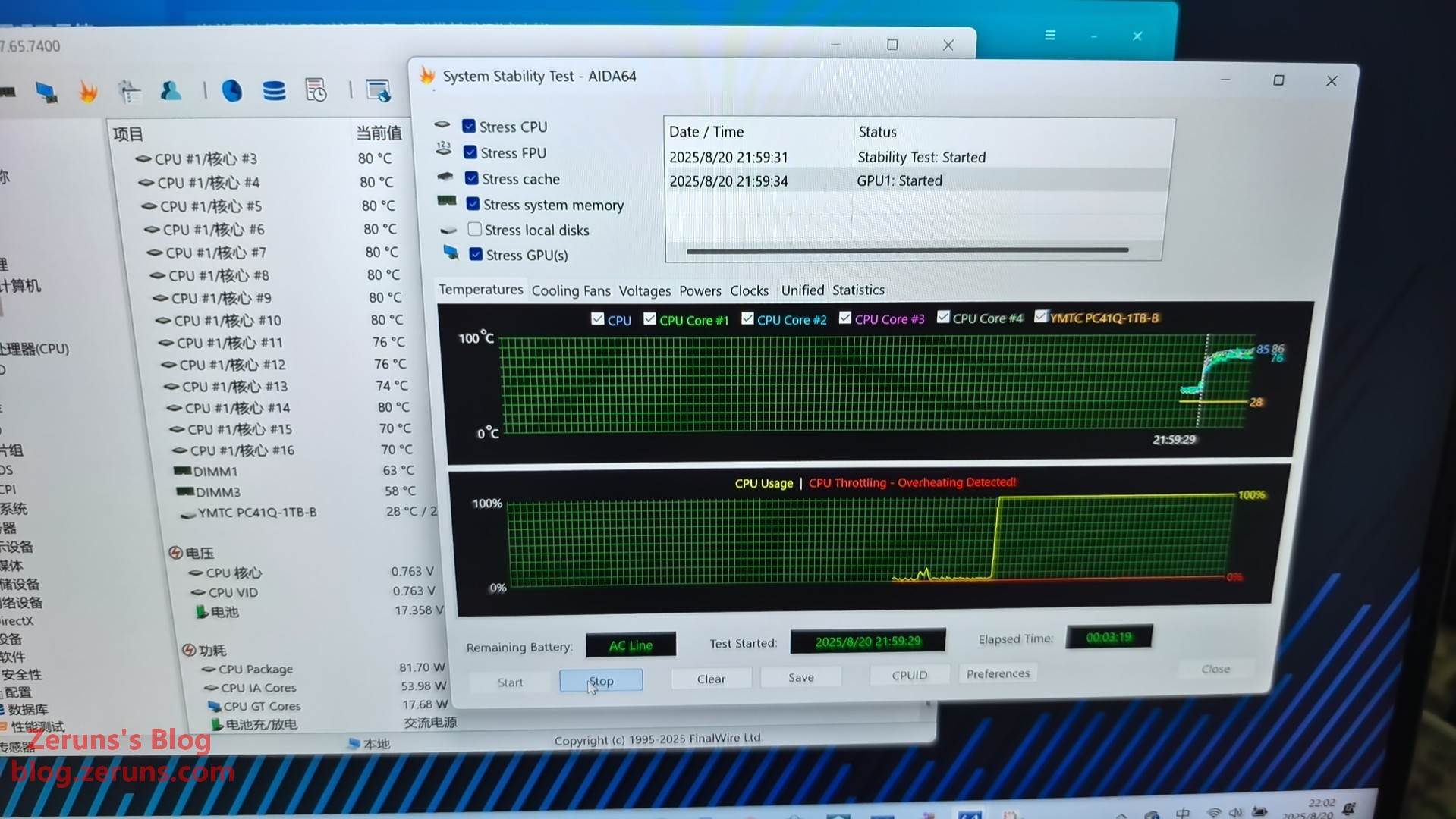
3-minute AIDA64 stress test: CPU temperature peaks around 86°C.
Charger and Power Consumption Testing
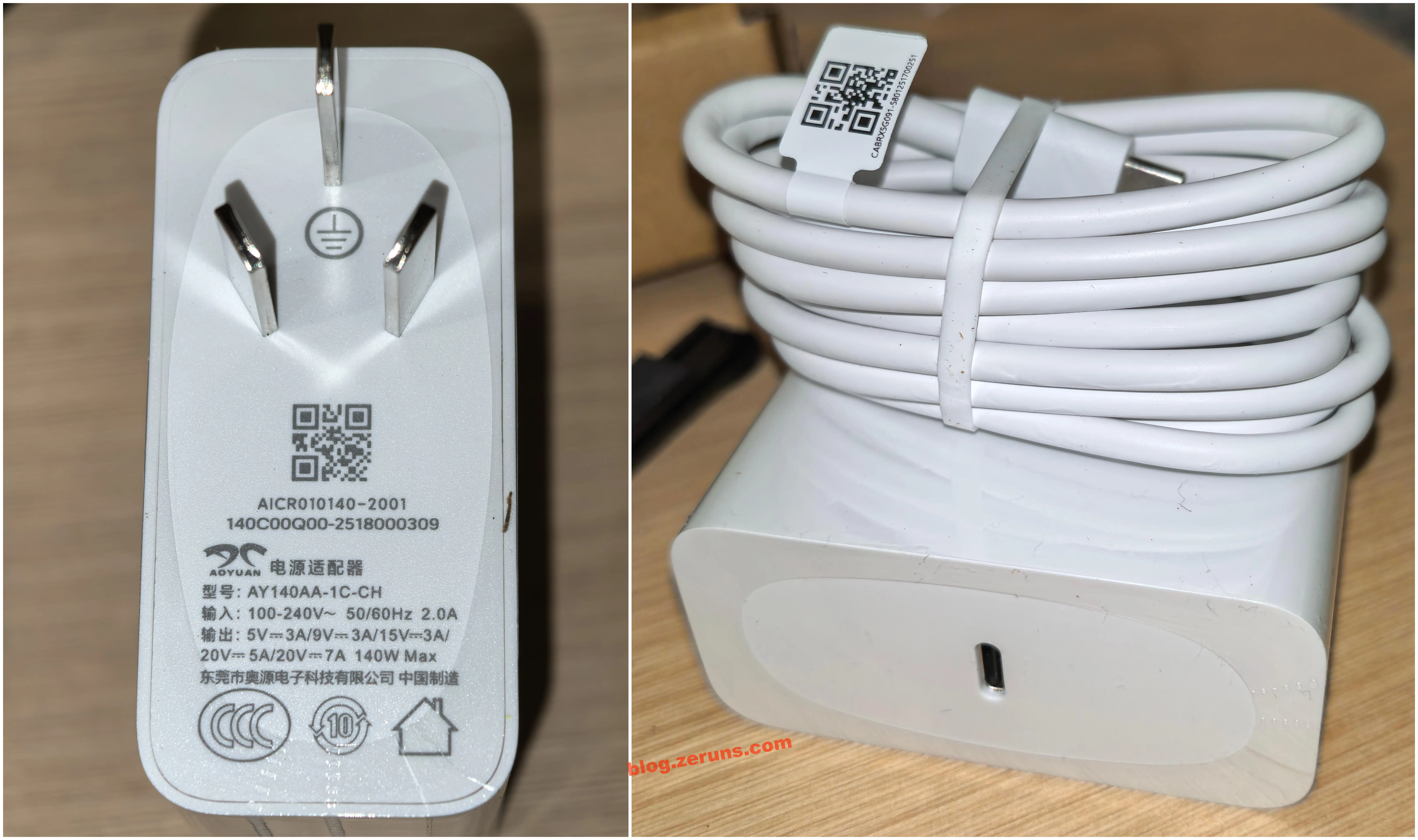
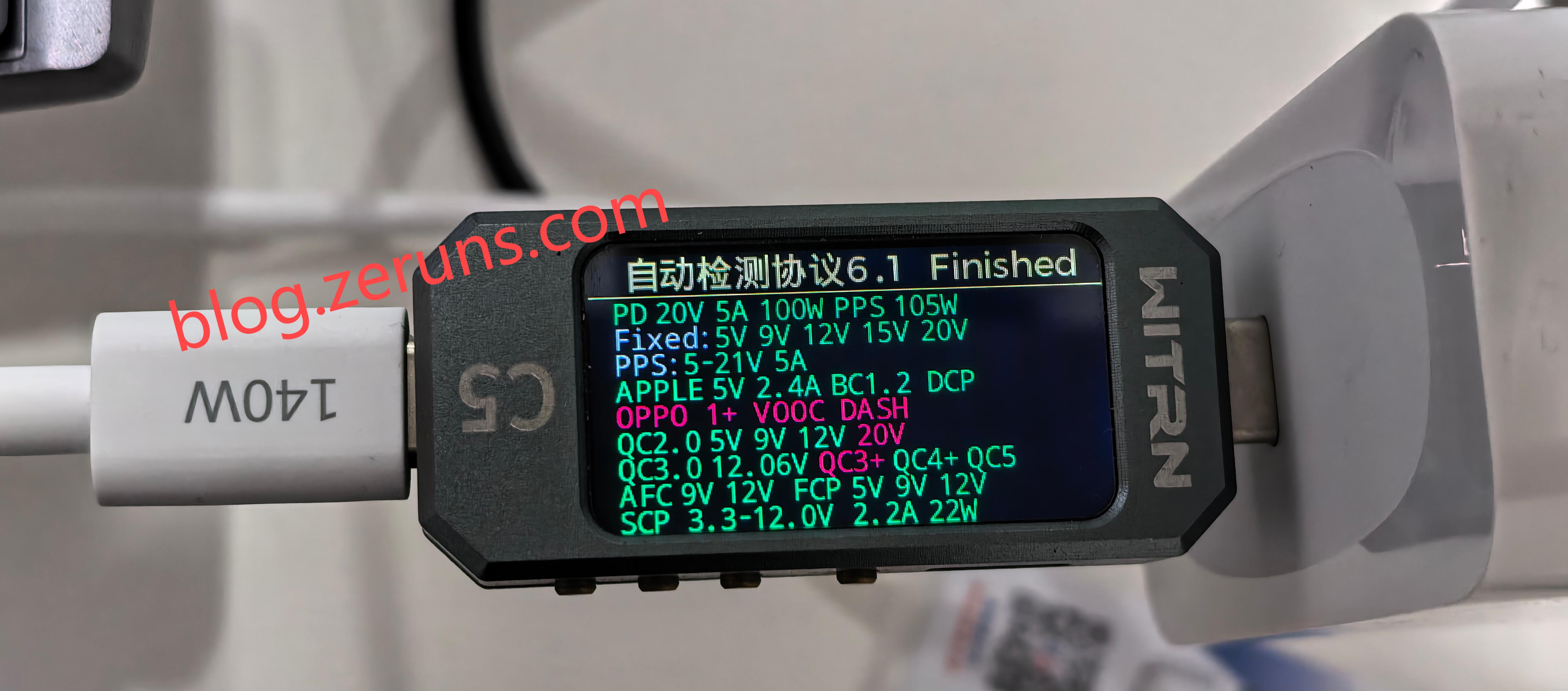
Charger model: AY140AA-1C-CH, made by Dongguan Ouyuan Electronic Technology Co., Ltd. Maximum output: 140W (20V @ 7A), single Type-C port. Supports PD protocol (standard PD allows up to 5A; 7A is proprietary). Also supports 5V, 9V, 15V outputs—usable for phone charging. Three-prong plug is appreciated (two-prong chargers without grounding can induce slight leakage current through safety Y-capacitors, causing a tingling sensation when touching the laptop chassis—safe but uncomfortable).
Supported protocols shown below: PD up to 20V@5A, plus QC, AFC, FCP, SCP, and others.
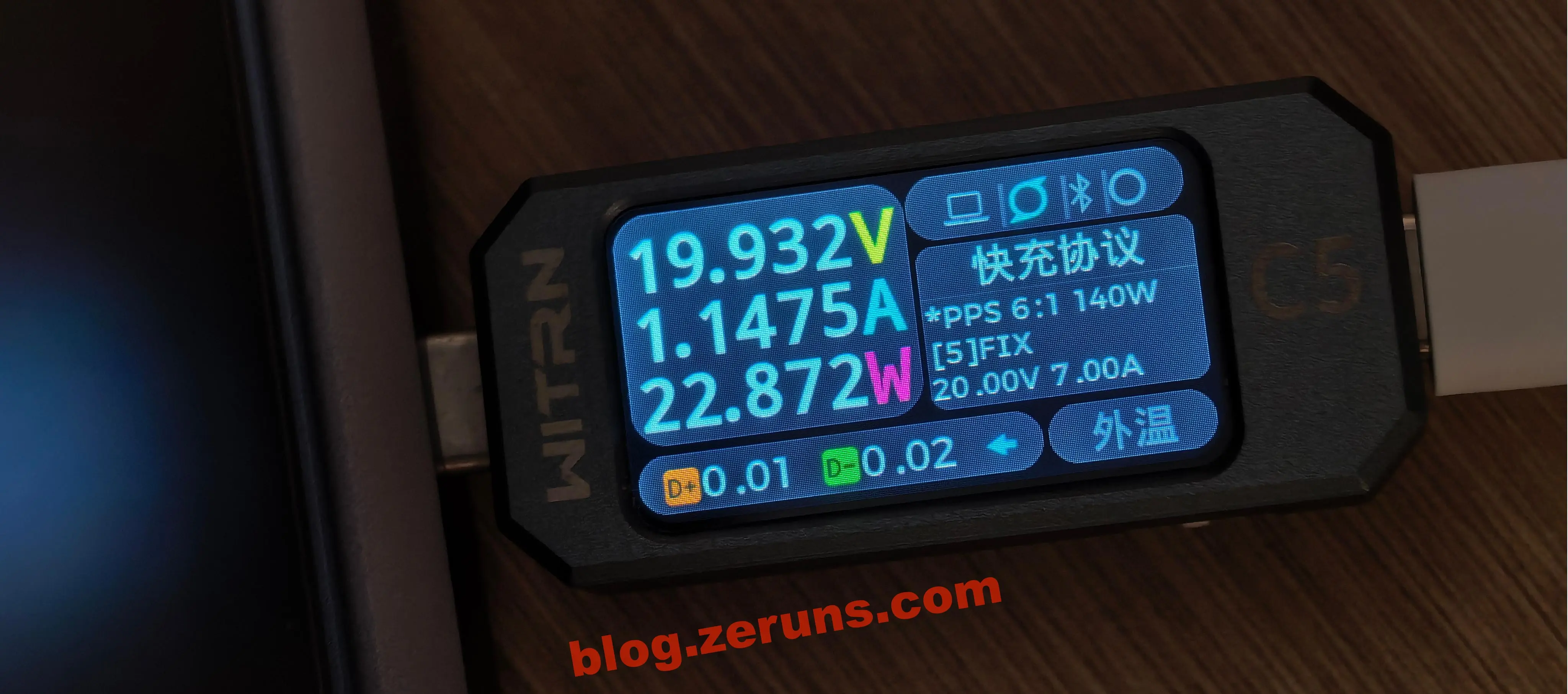
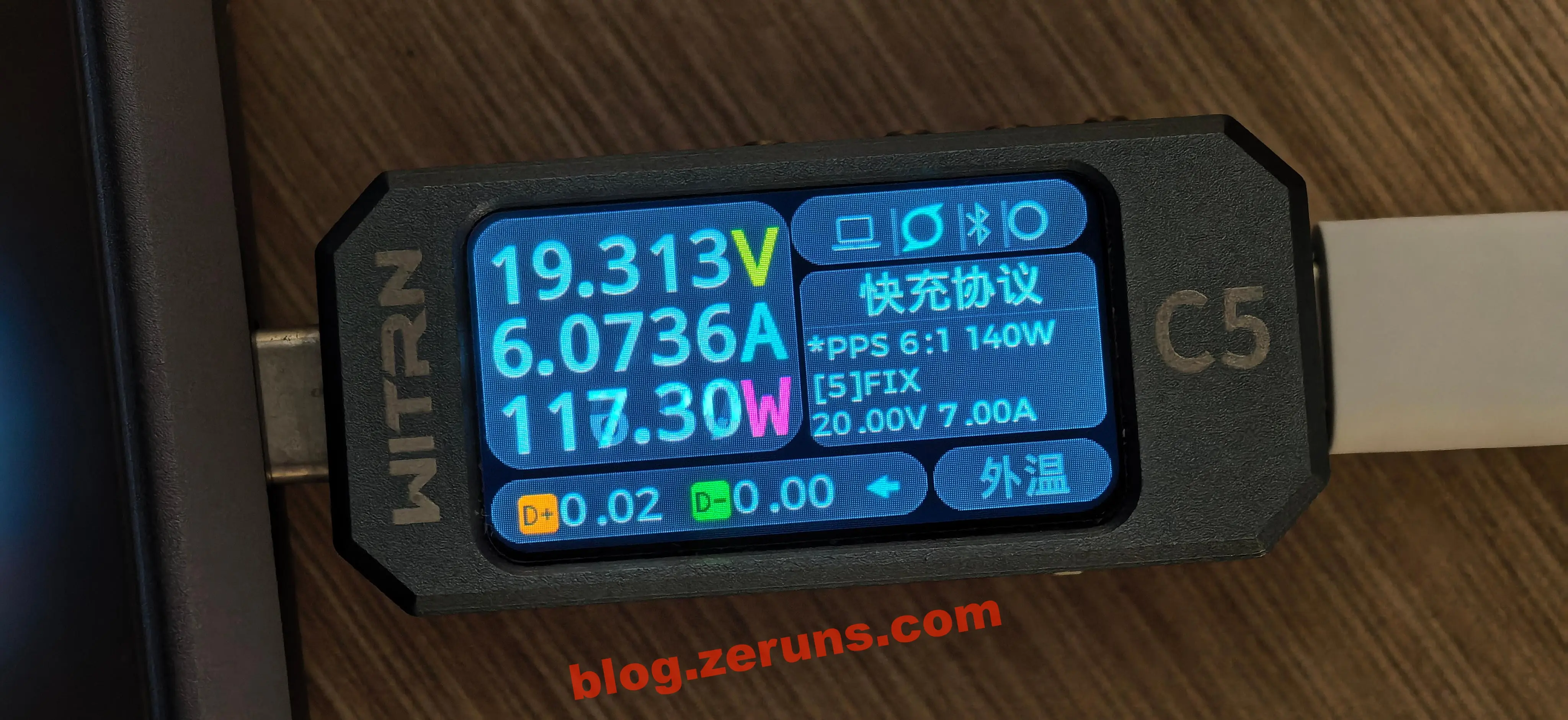
(Continued in next message if needed.)The test device is the Weijian C5 tester: https://s.click.taobao.com/rULzyXq
Under balanced mode, with no additional programs running after entering the Windows 11 system, power consumption is around 22 watts.
Under performance mode, during an AIDA64 stress test (CPU + GPU + memory), power consumption reaches approximately 117 watts.
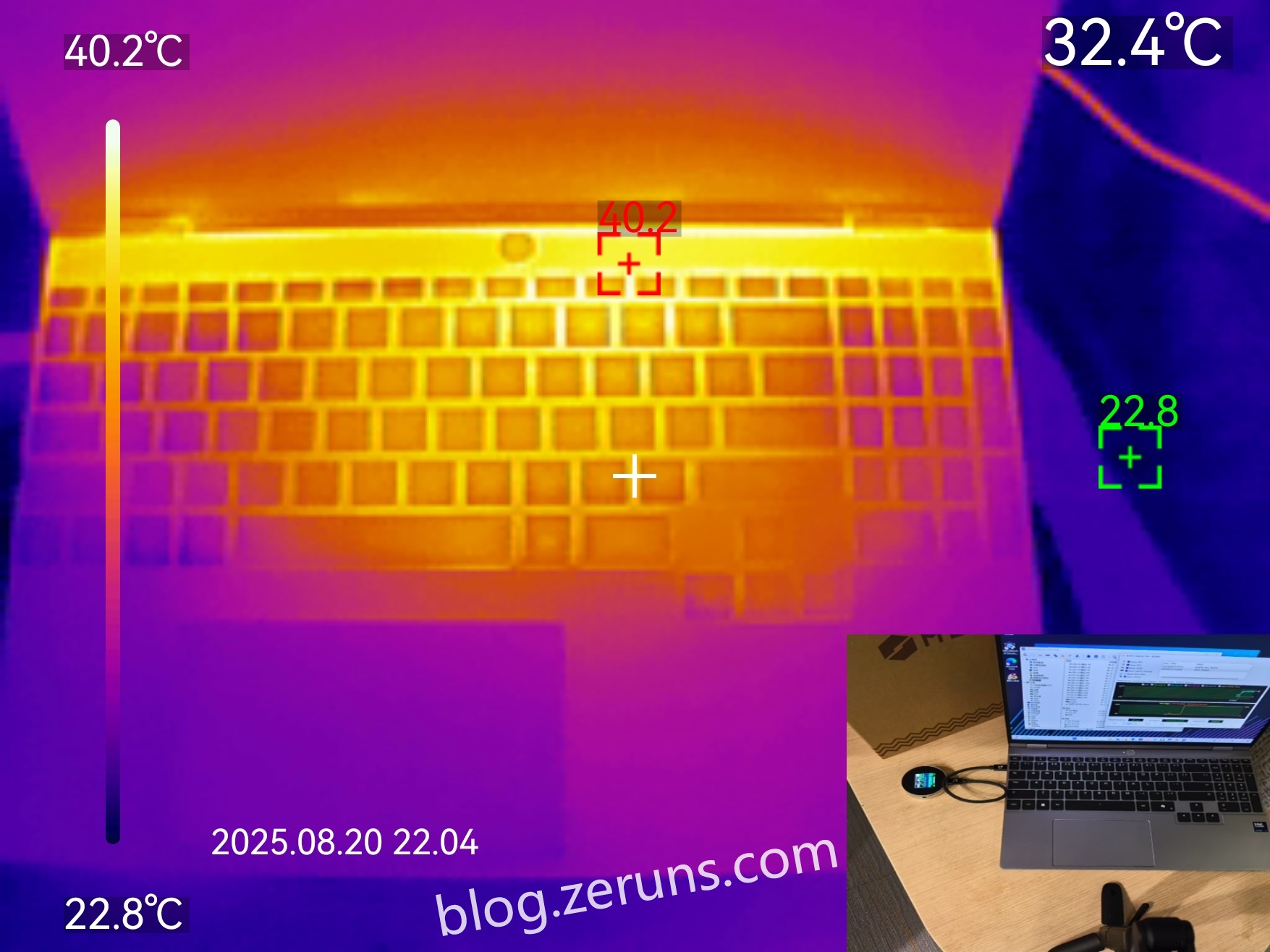
Thermal Imaging - Heating Performance
AIDA64 stress test: thermal image of the top surface (C-side). The hottest area is above the keyboard, reaching around 40°C (ambient temperature ~22°C). The lower part of the keyboard remains relatively cool, so it won’t burn your hands.
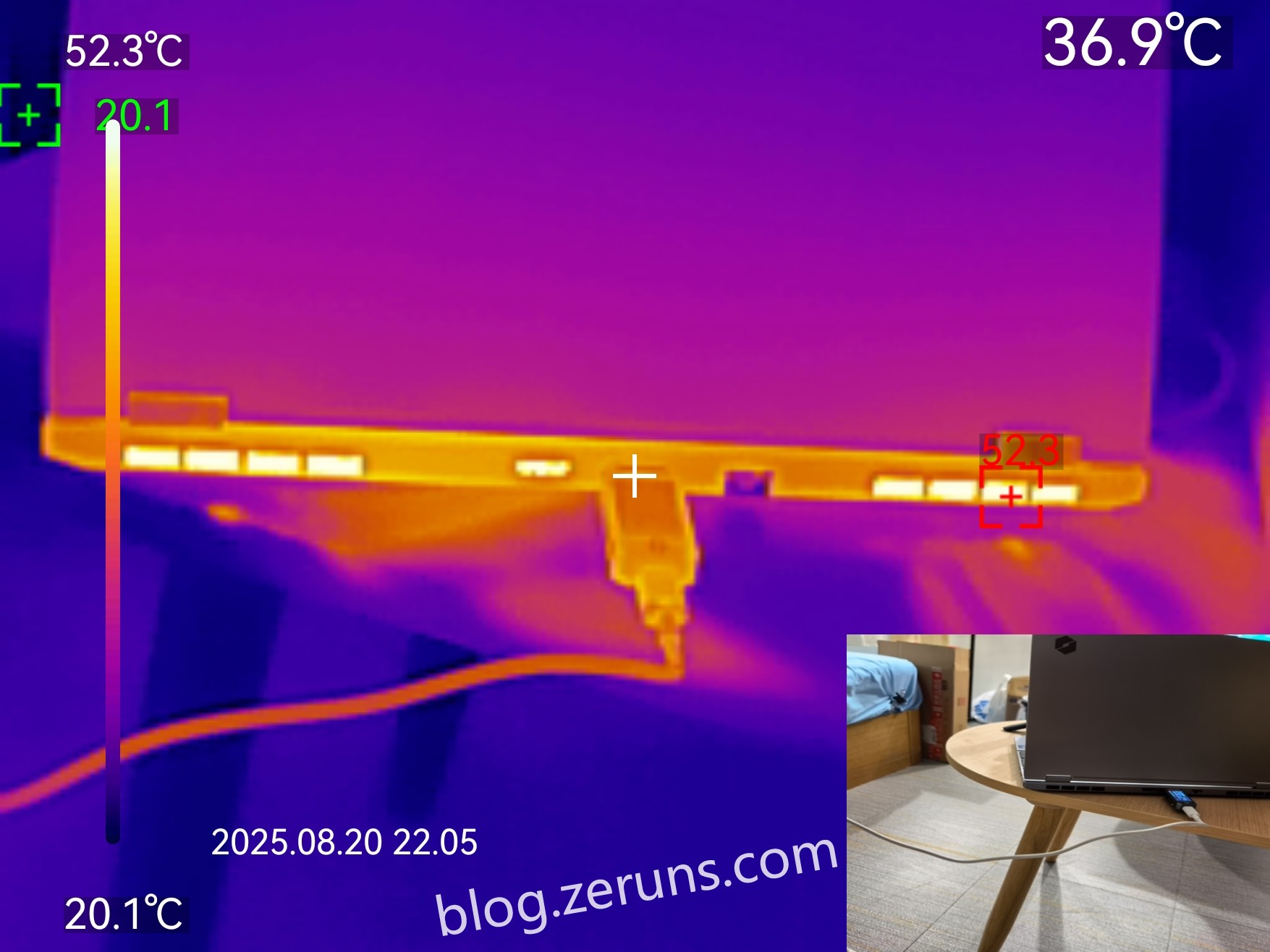
Thermal image of the rear exhaust vent, with peak temperature around 52°C (ambient temperature ~20°C).
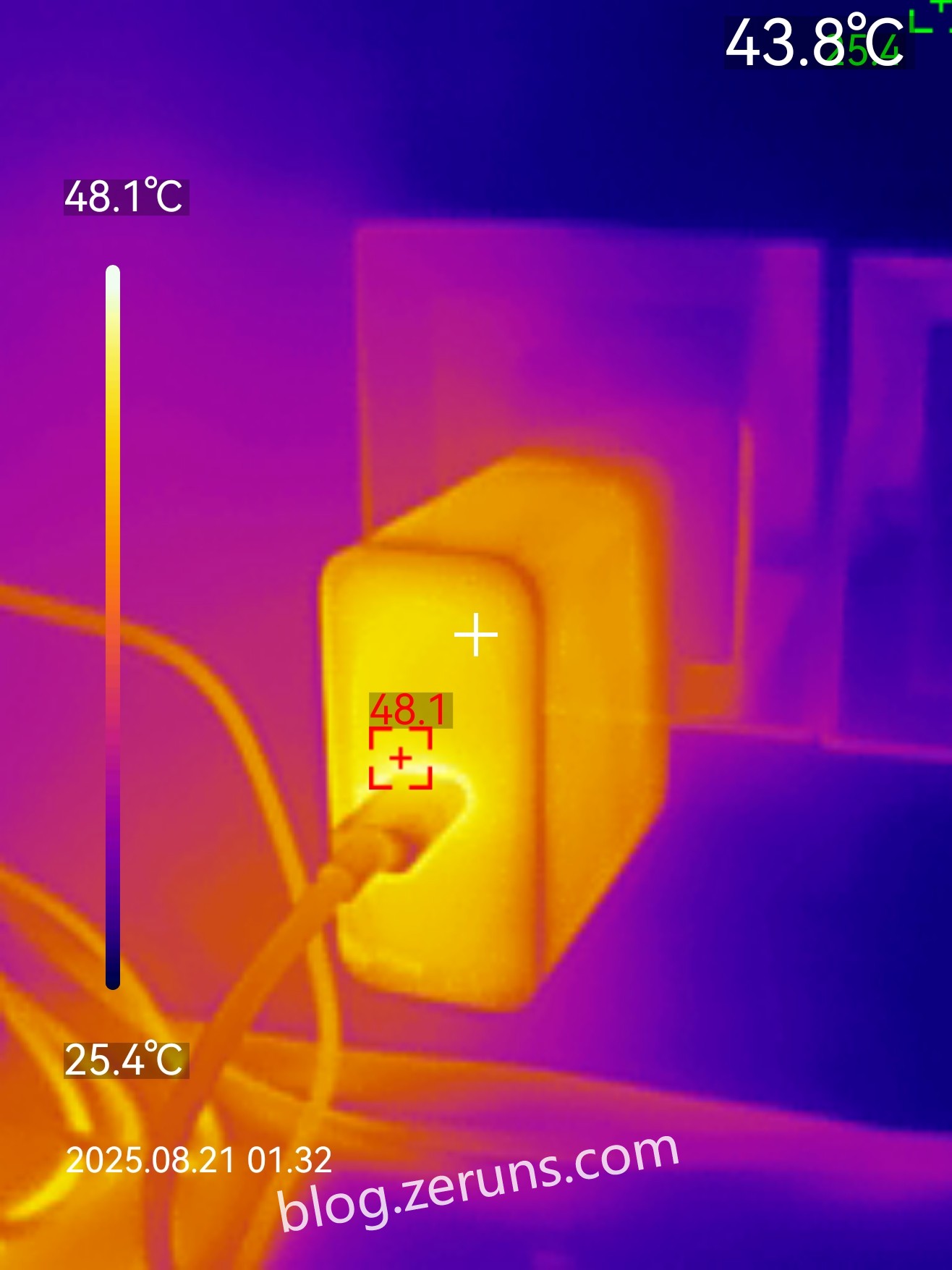
When the laptop draws ~100W, the charger reaches a maximum temperature of about 48°C (ambient temperature ~25°C).
Disassembly
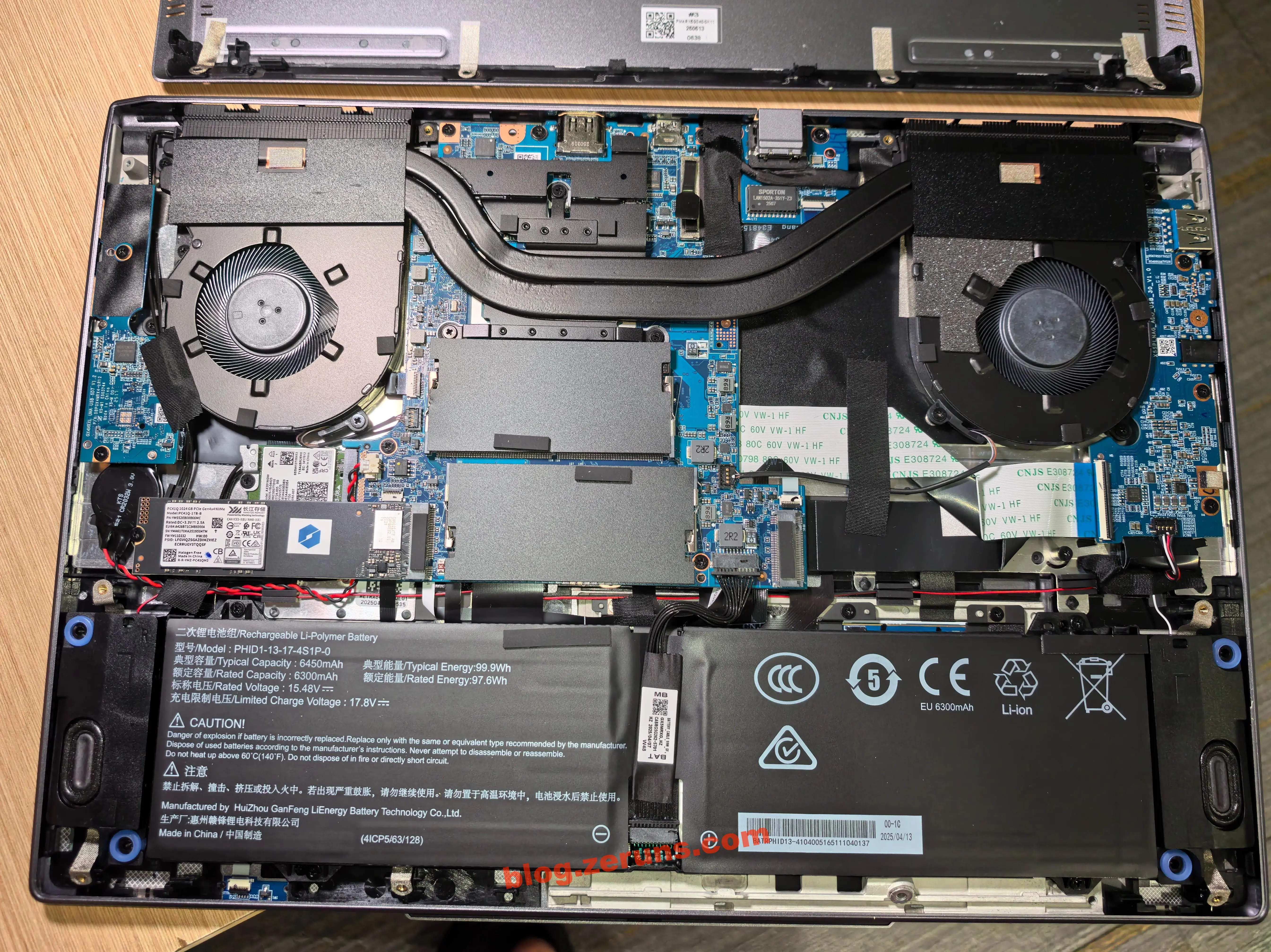
Remove the screws on the bottom, then gently pry open to remove the back cover. After opening, the motherboard and battery are visible. The battery is manufactured by Huizhou Ganfeng Lithium Energy Technology Co., Ltd., model PHID1-13-17-4S1P-0, a 4-cell lithium-ion battery with a typical capacity of 99.9Wh (under 100Wh, safe for air travel). The battery was produced on April 13, 2025. The motherboard features two cooling fans and dual heat pipes. There is an empty M.2 SSD slot on the motherboard, and two speakers are located on either side of the battery.
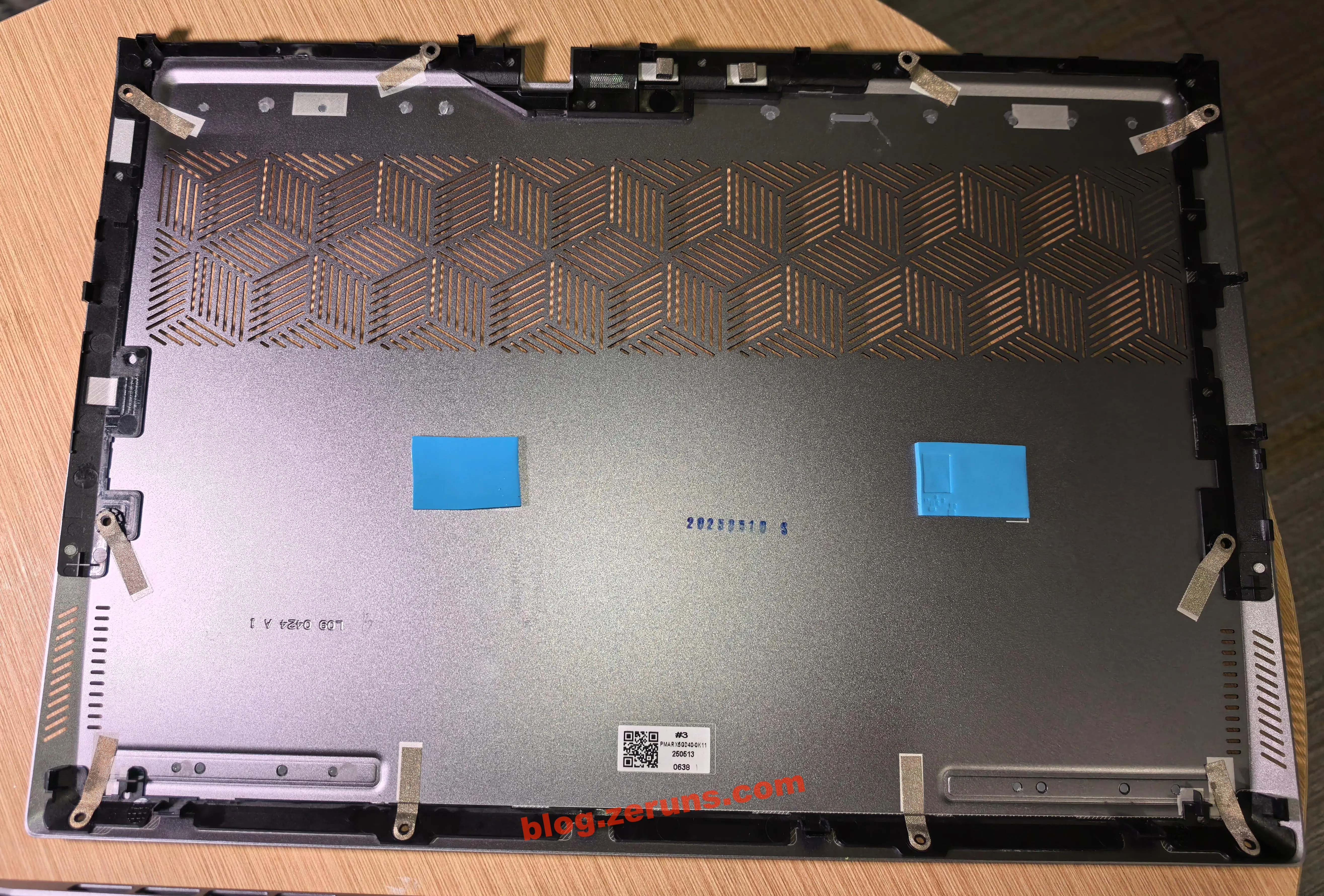
The bottom case has thermal pads placed over the controller areas of two SSDs. The bottom case was manufactured on May 10, 2025.
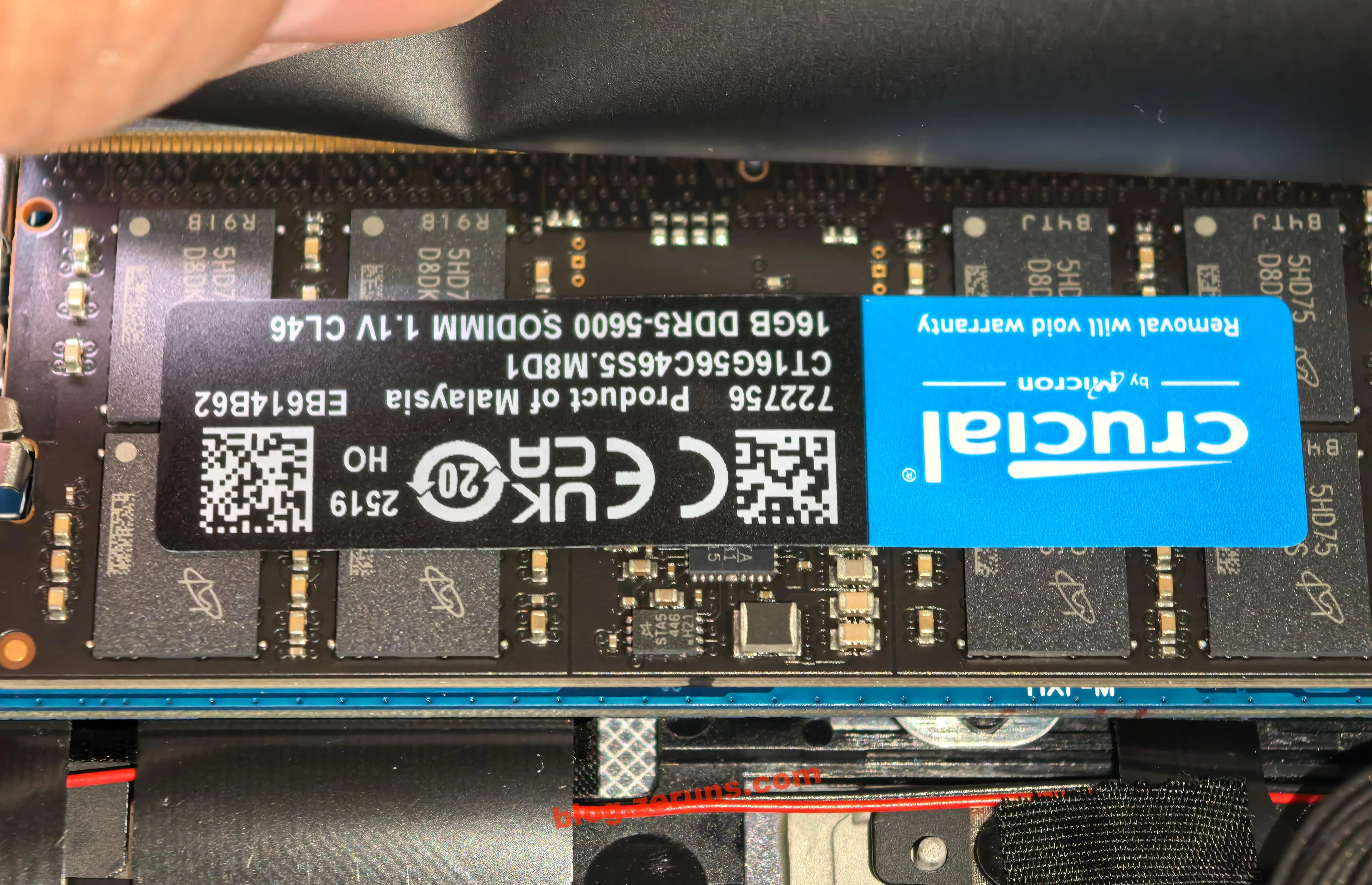
Memory consists of two 16GB DDR5 5600MHz modules from Crucial (Micron), model CT16G56C46S5.M8D1, CL46 timing, manufactured in week 19 of 2025.
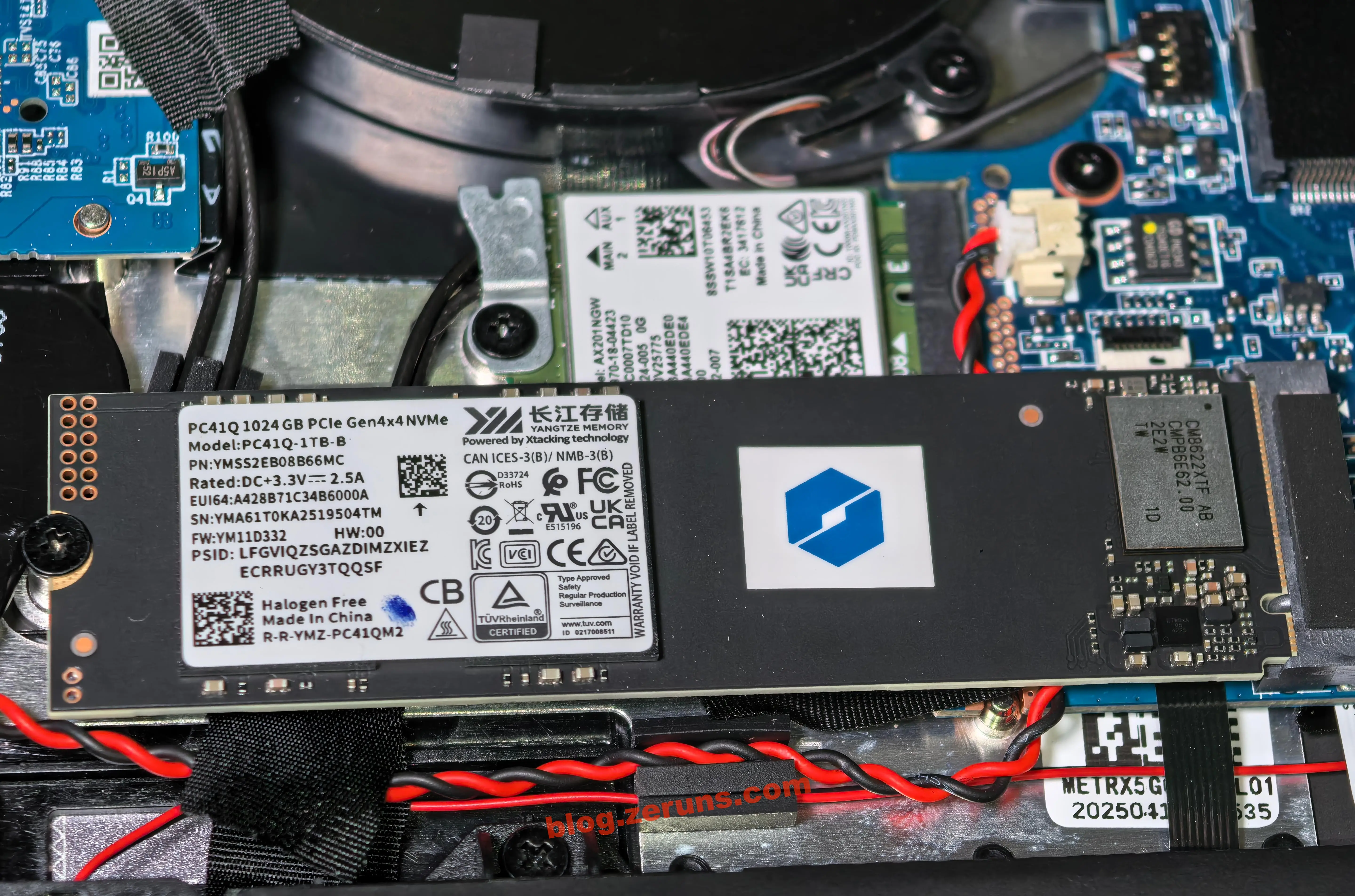
Solid-state drive: Yangtze Memory PC41Q-1TB-B.
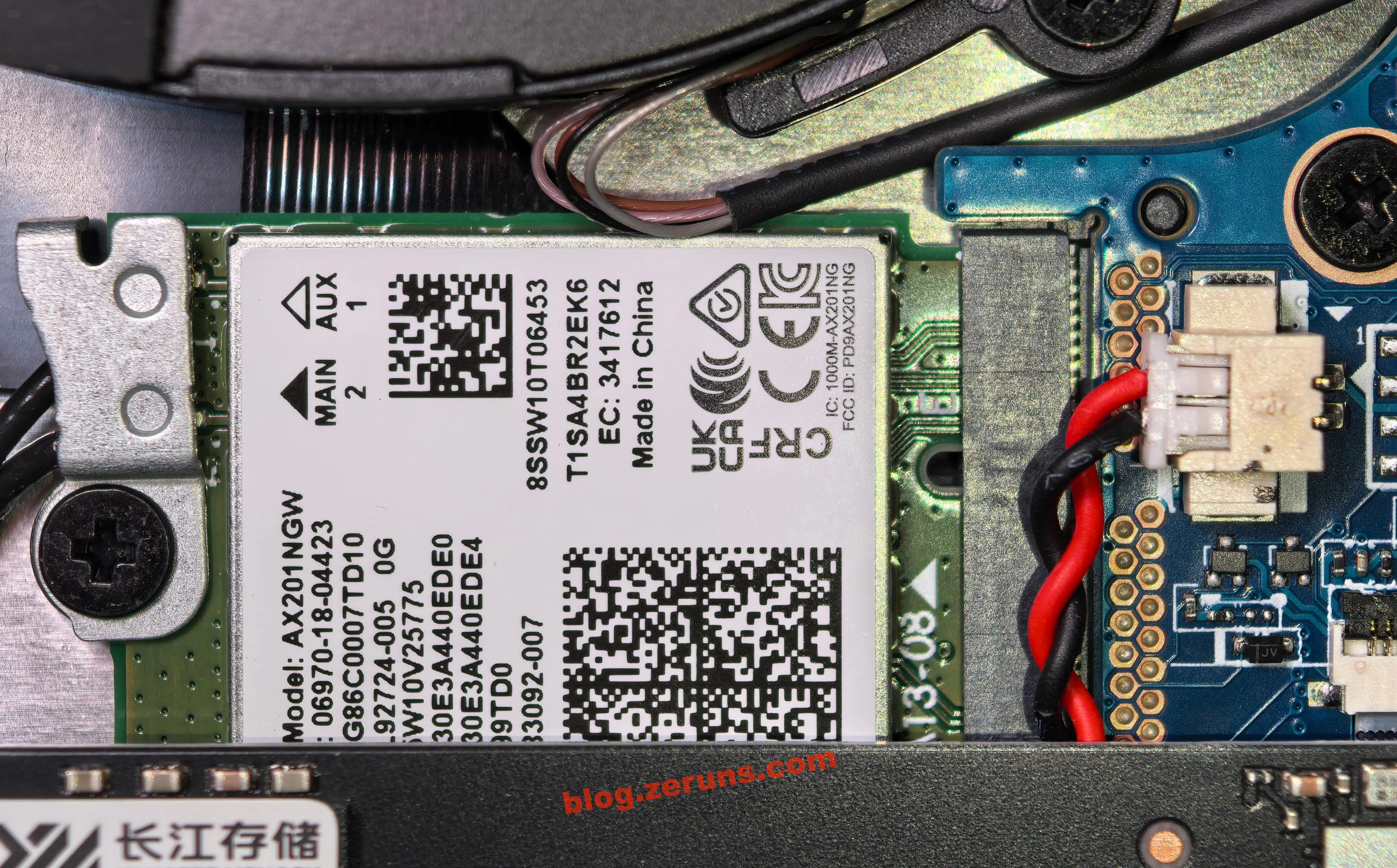
Wi-Fi 6 wireless card: Intel AX201NGW.
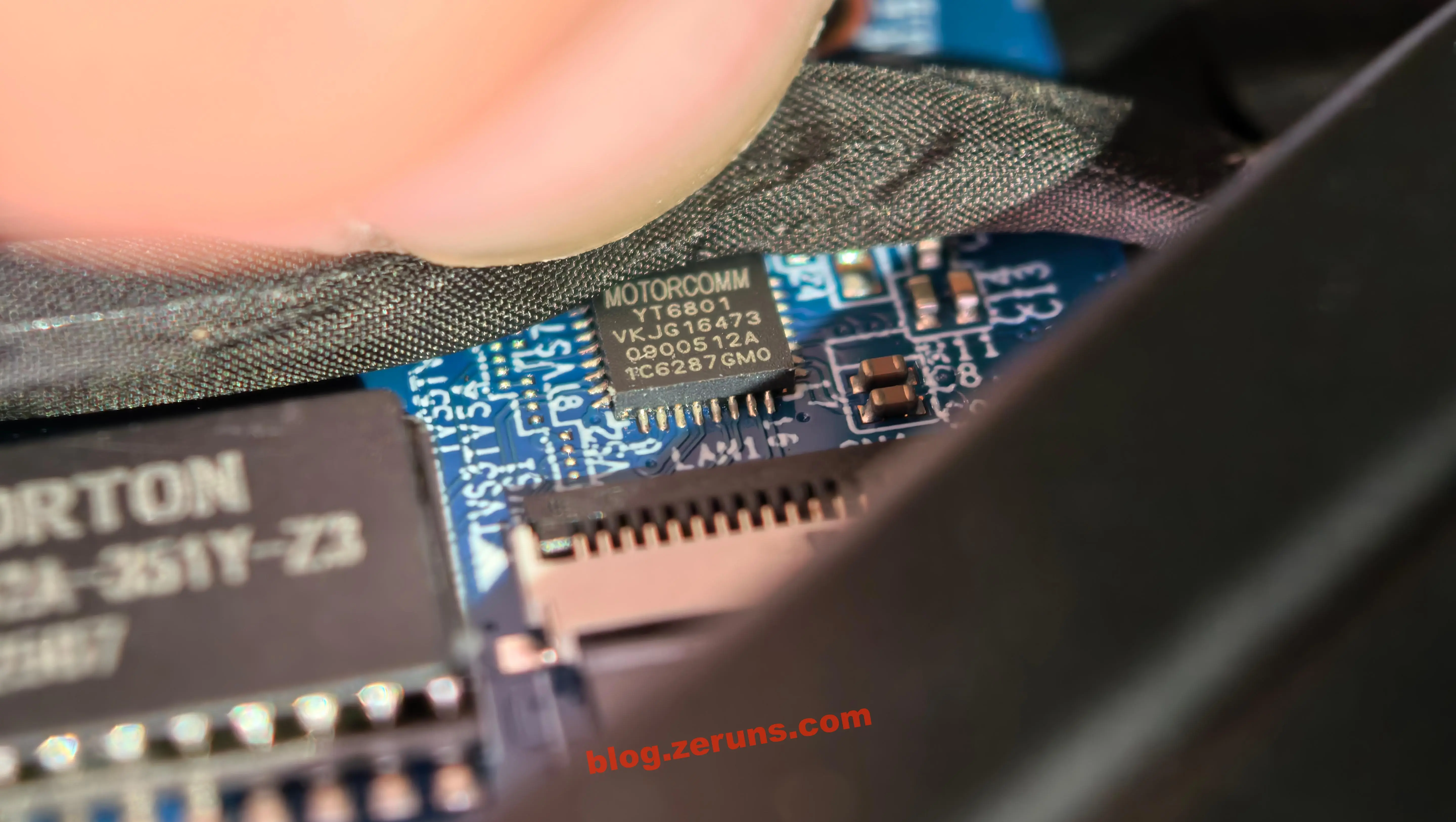
Gigabit Ethernet chip: Yutai Micro YT6801.
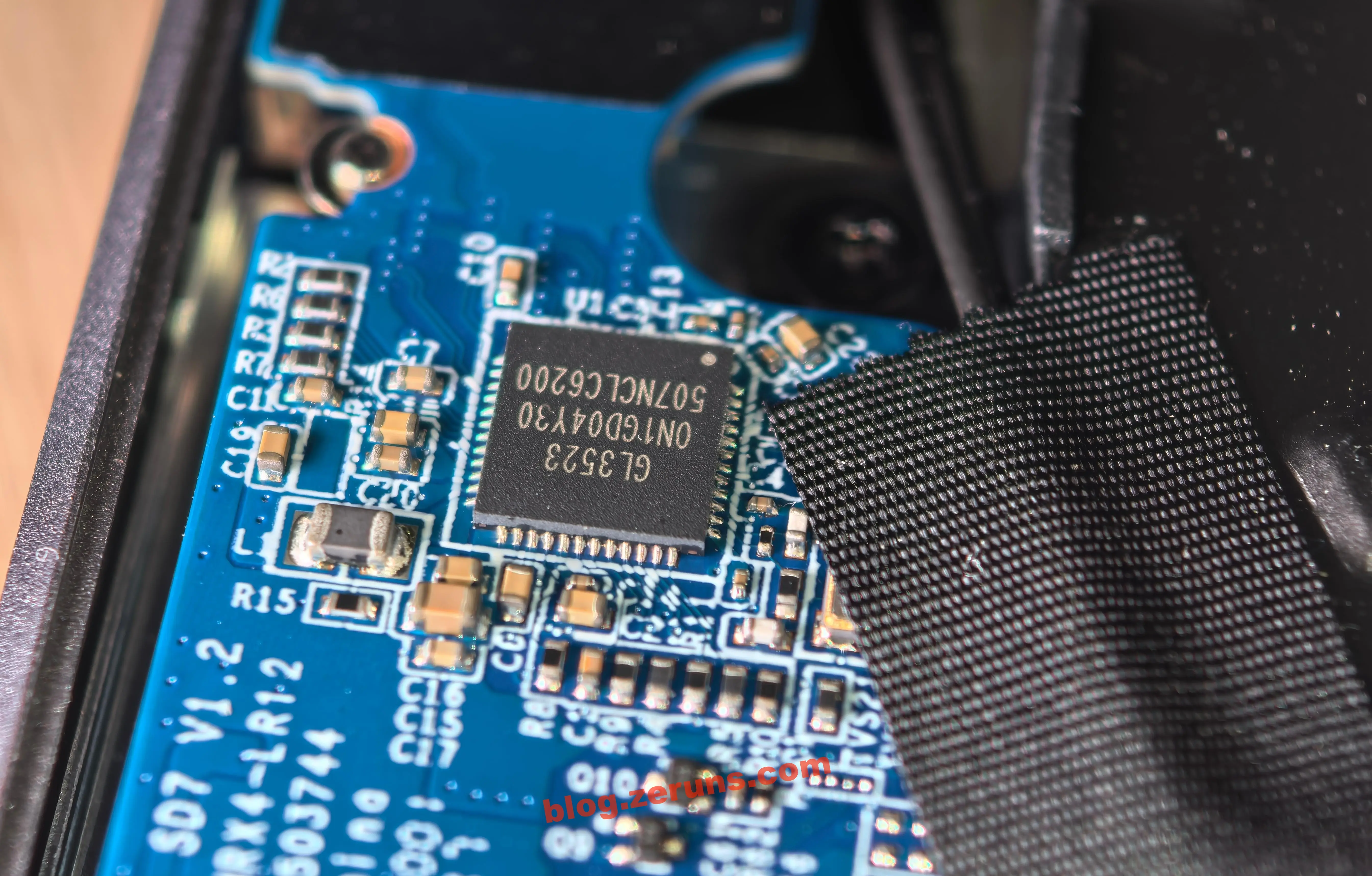
Expansion chip for the two USB-A ports on the right: GL3523 from Genesys Logic, a 4-port, low-power, configurable hub controller compliant with USB 3.1 specifications. The GL3523 integrates Genesys Logic’s proprietary USB 3.1 Gen 1 SuperSpeed transceiver (PHY) and USB 2.0 High-Speed PHY. It supports SuperSpeed, High-Speed, and Full-Speed USB connections and is fully backward compatible with all USB 2.0 and USB 1.1 hosts.
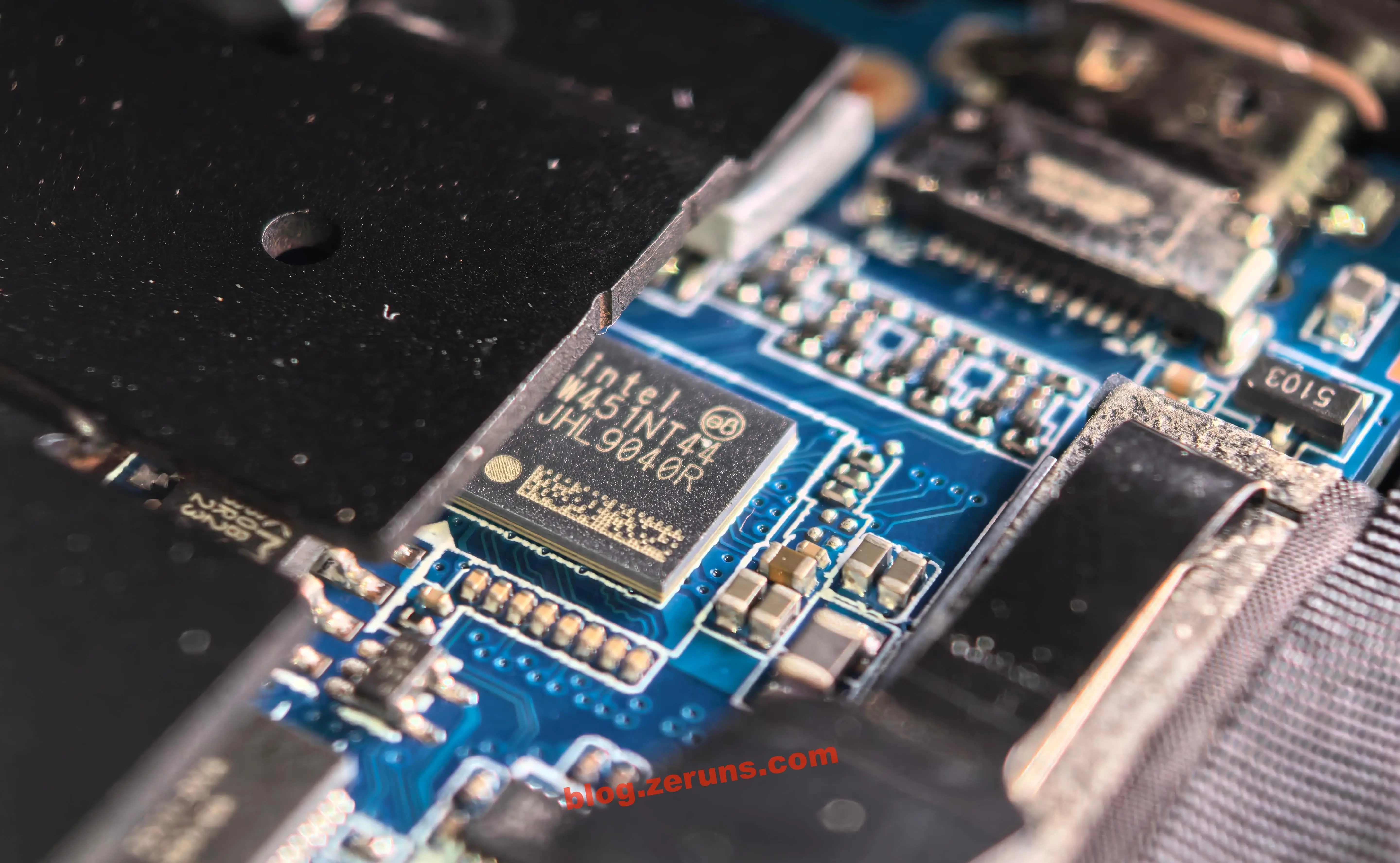
Retimer chip for the Thunderbolt 4 port at the rear: Intel JHL9040R.
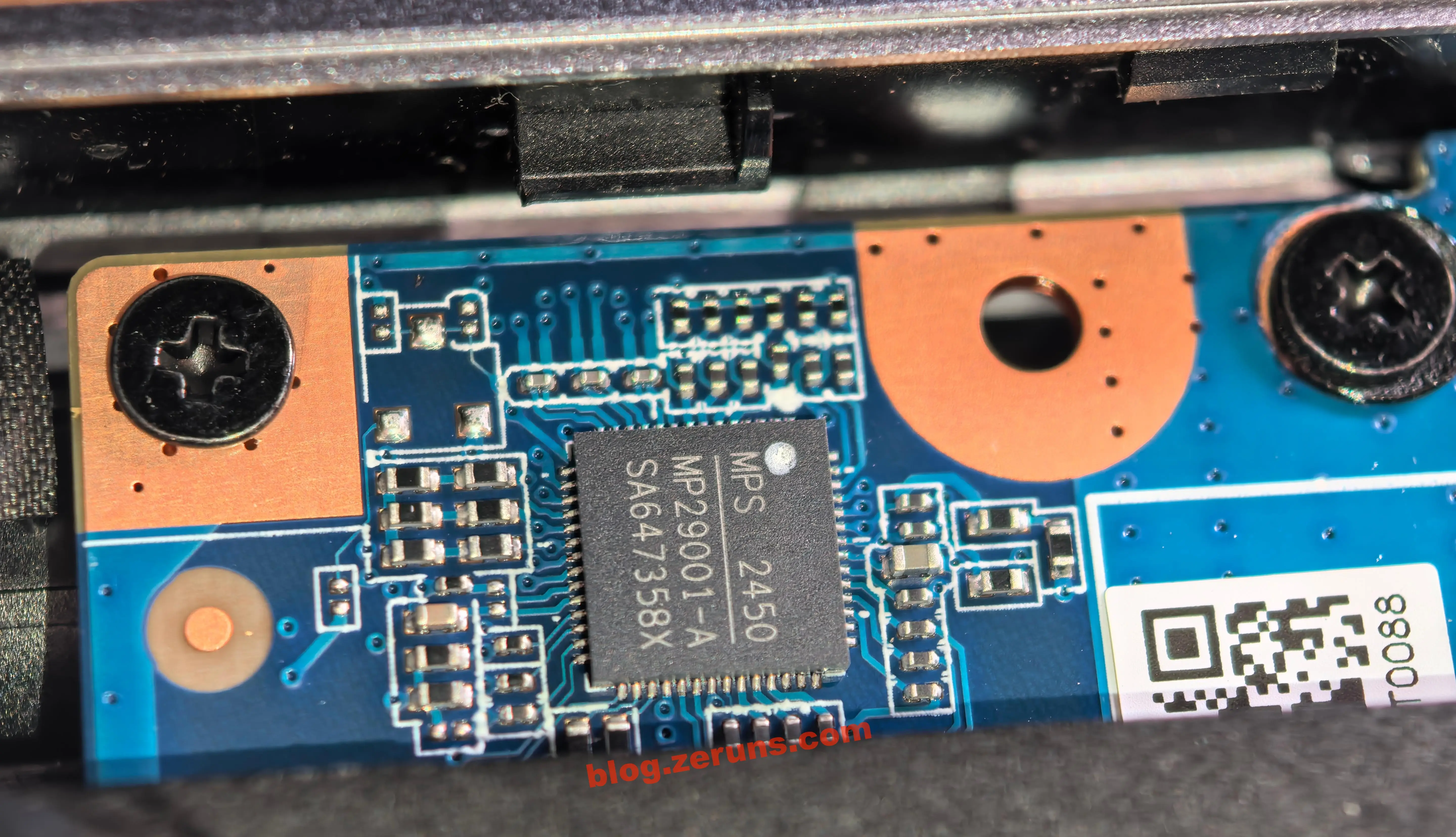
Power Management IC (PMIC) near the rear USB-C port: MPS MP29001-A.
Recommended Reading
- Affordable and High-Value VPS/Cloud Server Recommendations: https://blog.zeruns.com/archives/383.html
- Minecraft Server Setup Guide: https://blog.zeruns.com/tag/mc/
- Review of an 88,000 RMB Server: Intel Xeon 6980P, a 128-Core, 256-Thread Performance Beast: https://blog.zeruns.com/archives/886.html
- Guide to Building Cross-Border E-commerce Independent Websites: WordPress International Website Setup: https://blog.zeruns.com/archives/889.html
- ZGRL-80 Photography Light Teardown and Circuit Design Analysis: https://blog.zeruns.com/archives/882.html
- Open-Source Type-C Docking Station with 4× 10Gbps USB-A Ports, 2.5G Ethernet, and Card Reader (VL822 + RTL8156BG + GL3224): https://blog.zeruns.com/archives/868.html
English Version of the Article: https://blog.zeruns.top/archives/66.html