Raspberry Pi 4: Reading Temperature and Humidity Data from DHT11 Sensor via GPIO Using Python
Introduction
The DHT11 is a temperature and humidity sensor with a calibrated digital signal output. Its accuracy is ±5% RH for humidity and ±2°C for temperature, with a measurement range of 20–90% RH for humidity and 0–50°C for temperature. Although its accuracy is low, it is very inexpensive. The DHT11 uses a single-wire communication protocol and operates on a supply voltage of 3.3–5V.
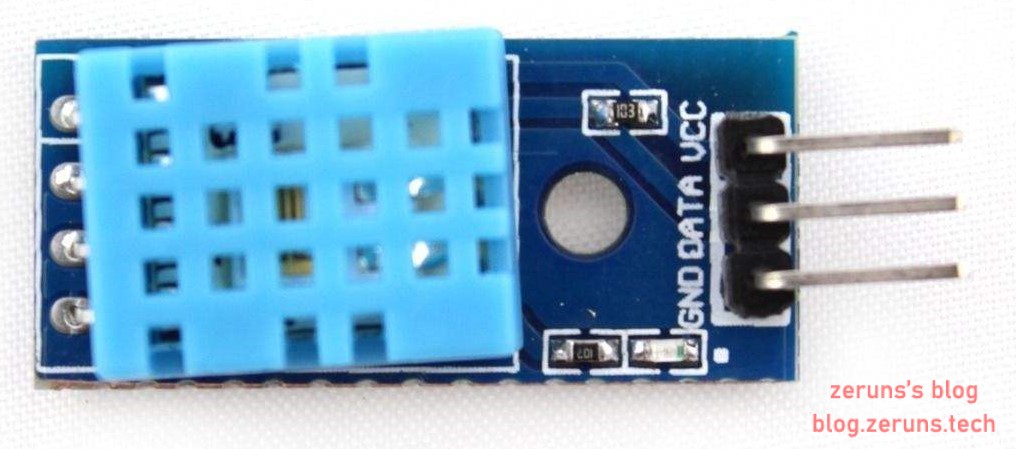
Reading DHT11, DHT22, and SHTC3 temperature and humidity data with Arduino: https://blog.zeruns.com/archives/527.html
Python method for microsecond-level delays: https://blog.zeruns.com/archives/623.html
DHT11 Datasheet Download: https://url.zeruns.com/DHT11 Password: qefk
Source Code
Wiring Connection:
I am using a Raspberry Pi 4; for other models, please check and adjust accordingly.
Raspberry Pi 4 GPIO Pinout: https://url.zeruns.com/RPI4_GPIO
DHT11		Raspberry Pi
 VCC---------5V (Pin 2)
 DATA-------BCM18 (BCM pin 18, which is physical pin 12)
 GND--------Ground (Pin 6)
Source Code:
import RPi.GPIO as GPIO
import time

def delayMicrosecond(t):    # Microsecond delay function
    start, end = 0, 0       # Declare variables
    start = time.time()     # Record start time
    t = (t - 3) / 1000000   # Convert input t to seconds; -3 is time compensation
    while end - start < t:  # Loop until time difference is greater than or equal to the set value
        end = time.time()   # Record end time

tmp = []      # Store read data

data = 18     # DHT11 data pin connected to Raspberry Pi GPIO pin (BCM numbering)
# https://blog.zeruns.com
a, b = 0, 0

def DHT11():
    GPIO.setup(data, GPIO.OUT)  # Set GPIO pin as output
    GPIO.output(data, GPIO.HIGH) # Set GPIO output to high level
    delayMicrosecond(10 * 1000) # Delay 10 milliseconds
    GPIO.output(data, GPIO.LOW)  # Set GPIO output to low level
    delayMicrosecond(25 * 1000)  # Delay 25 milliseconds
    GPIO.output(data, GPIO.HIGH) # Set GPIO output to high level
    GPIO.setup(data, GPIO.IN)    # Set GPIO pin as input
# https://blog.zeruns.com
    a = time.time()           # Record loop start time
    while GPIO.input(data):   # Keep looping until input becomes low
        b = time.time()       # Record end time
        if (b - a) > 0.1:     # Check if loop duration exceeds 0.1 seconds to avoid infinite loop
            break             # Exit loop

    a = time.time()
    while GPIO.input(data) == 0:  # Keep looping until input becomes high
        b = time.time()
        if (b - a) > 0.1:
            break

    a = time.time()
    while GPIO.input(data): # Keep looping until input becomes low
        b = time.time()
        if (b - a) >= 0.1:
            break

    for i in range(40):         # Loop 40 times to receive temperature and humidity data
        a = time.time()
        while GPIO.input(data) == 0:  # Keep looping until input becomes high
            b = time.time()
            if (b - a) > 0.1:
                break
# https://blog.zeruns.com
        delayMicrosecond(28)    # Delay 28 microseconds

        if GPIO.input(data):    # After 28 microseconds, check if still high
            tmp.append(1)       # Record received bit as 1

            a = time.time()
            while GPIO.input(data): # Keep looping until input becomes low
                b = time.time()
                if (b - a) > 0.1:
                    break
        else:
            tmp.append(0)       # Record received bit as 0

while True:
    GPIO.setmode(GPIO.BCM)      # Set to BCM numbering mode
    GPIO.setwarnings(False)
    del tmp[0:]                 # Clear list
    time.sleep(1)               # Delay 1 second
# https://blog.zeruns.com
    DHT11()

    humidity_bit = tmp[0:8]       # Split list: bits 0–7 are integer humidity data
    humidity_point_bit = tmp[8:16]# Humidity decimal
    temperature_bit = tmp[16:24]  # Temperature integer
    temperature_point_bit = tmp[24:32]    # Temperature decimal
    check_bit = tmp[32:40]        # Checksum data

    humidity_int = 0
    humidity_point = 0
    temperature_int = 0
    temperature_point = 0
    check = 0
# https://blog.zeruns.com
    for i in range(8):          # Convert binary to decimal
        humidity_int += humidity_bit[i] * 2 ** (7 - i)
        humidity_point += humidity_point_bit[i] * 2 ** (7 - i)
        temperature_int += temperature_bit[i] * 2 ** (7 - i)
        temperature_point += temperature_point_bit[i] * 2 ** (7 - i)
        check += check_bit[i] * 2 ** (7 - i)

    humidity = humidity_int + humidity_point / 10
    temperature = temperature_int + temperature_point / 10

    check_tmp = humidity_int + humidity_point + temperature_int + temperature_point

    if check == check_tmp and temperature != 0 and humidity != 0:  # Check if data is valid
        print("Temperature is ", temperature, "C\nHumidity is ", humidity, "%") # Print temperature and humidity
        print("https://blog.zeruns.com")
    else:
        print("error")

    time.sleep(1)
    GPIO.cleanup()
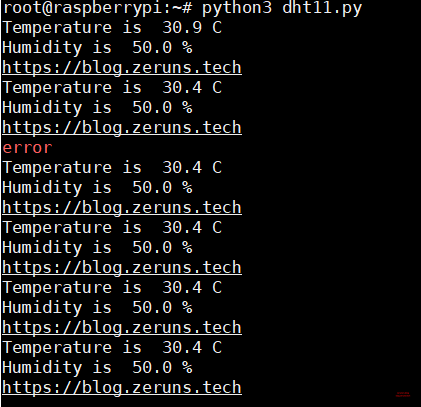
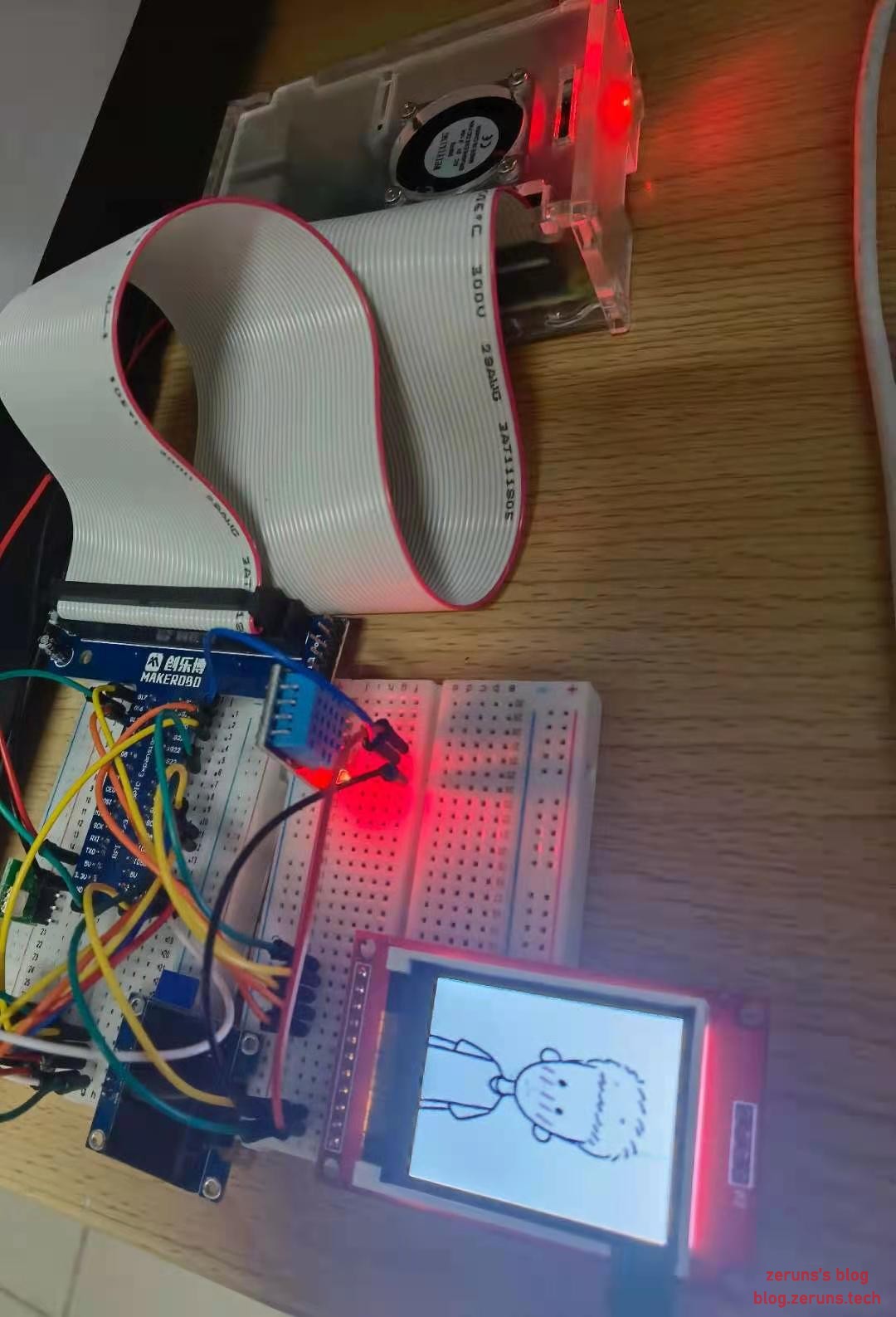
Result Images
Recommended Reading
- Affordable and Low-Cost VPS/Cloud Server Recommendations: https://blog.zeruns.com/archives/383.html
- Python Articles: https://blog.zeruns.com/category/Python/
- Reading DHT11, DHT22, SHTC3 Temperature and Humidity Data with Arduino: https://blog.zeruns.com/archives/527.html
- Student Exclusive Discounts and Educational Offers: https://blog.zeruns.com/archives/557.html
- How to Build a Personal Blog: https://blog.zeruns.com/archives/218.html
- ESP8266 Development Environment Setup and Project Demo: https://blog.zeruns.com/archives/526.html