在STM32F407上移植好了LVGL图形库,LCD屏幕型号是MSP3526,想换其他屏幕可以自己修改LCD的驱动程序,项目工程包含FreeRTOS版和裸机版。使用SPI+DMA驱动屏幕。
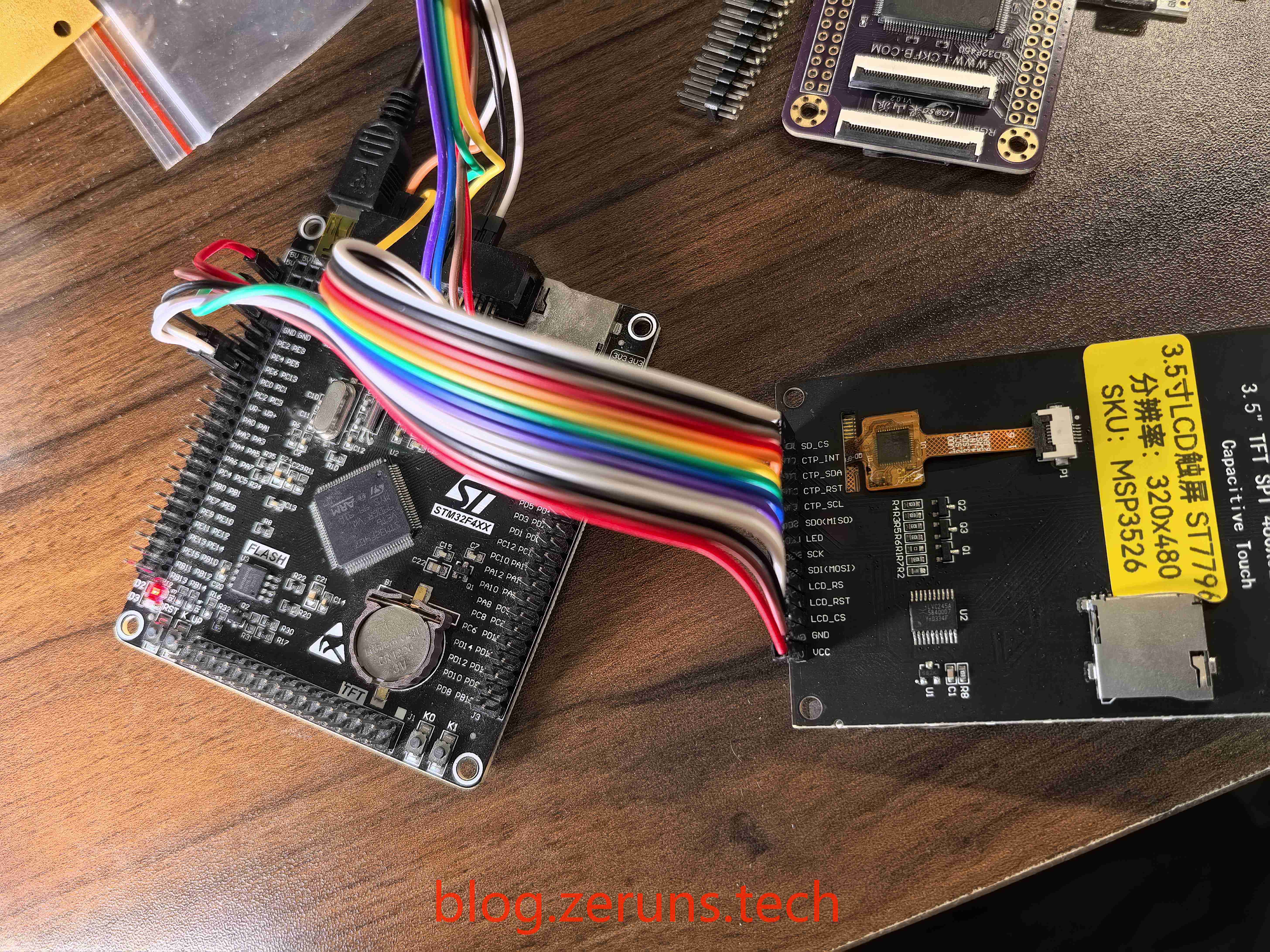
这款LCD屏分辨率为320x480,尺寸为3.5寸,LCD驱动芯片为ST7796,接口为SPI,电容触摸屏驱动芯片为FT6336U,接口为IIC。
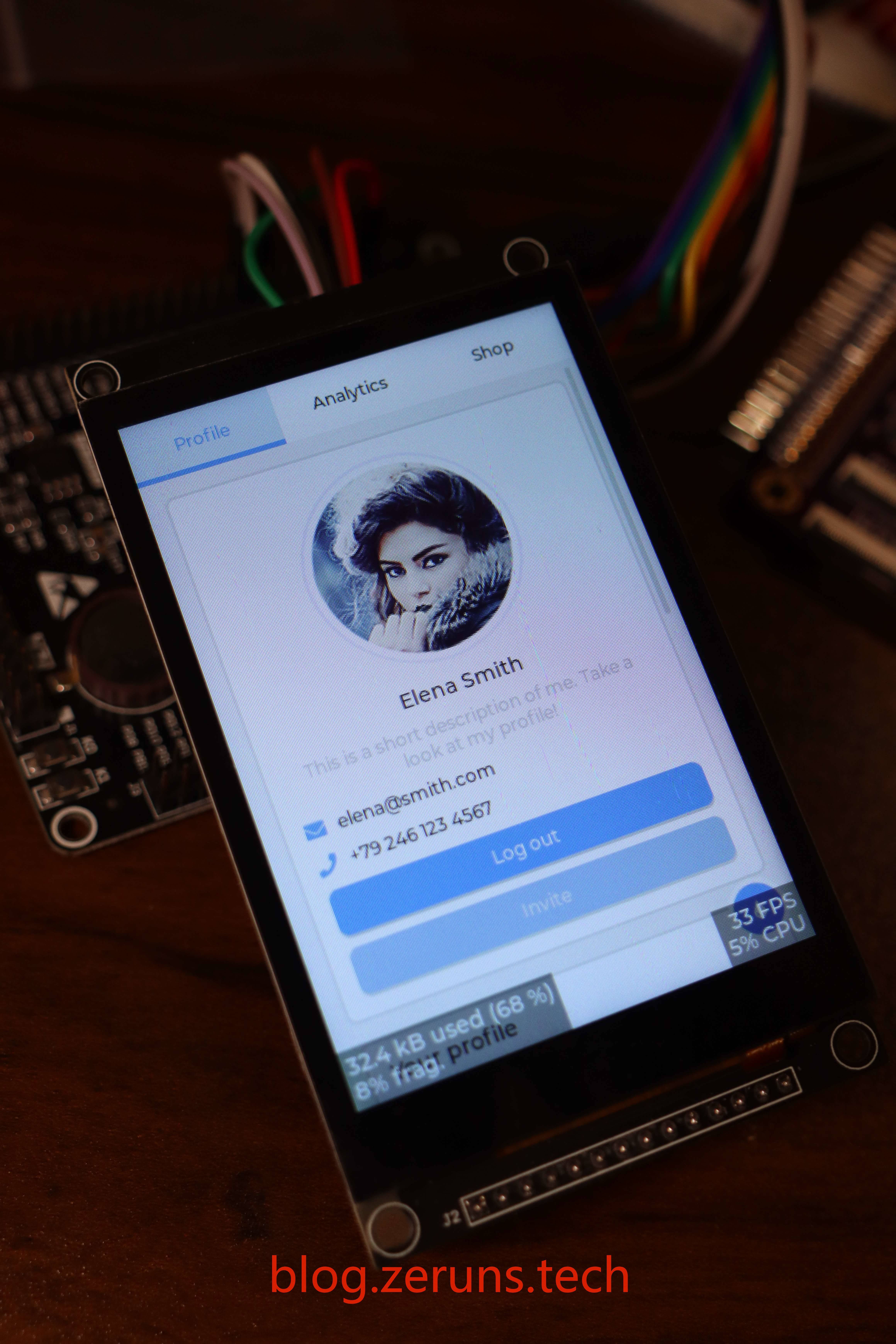
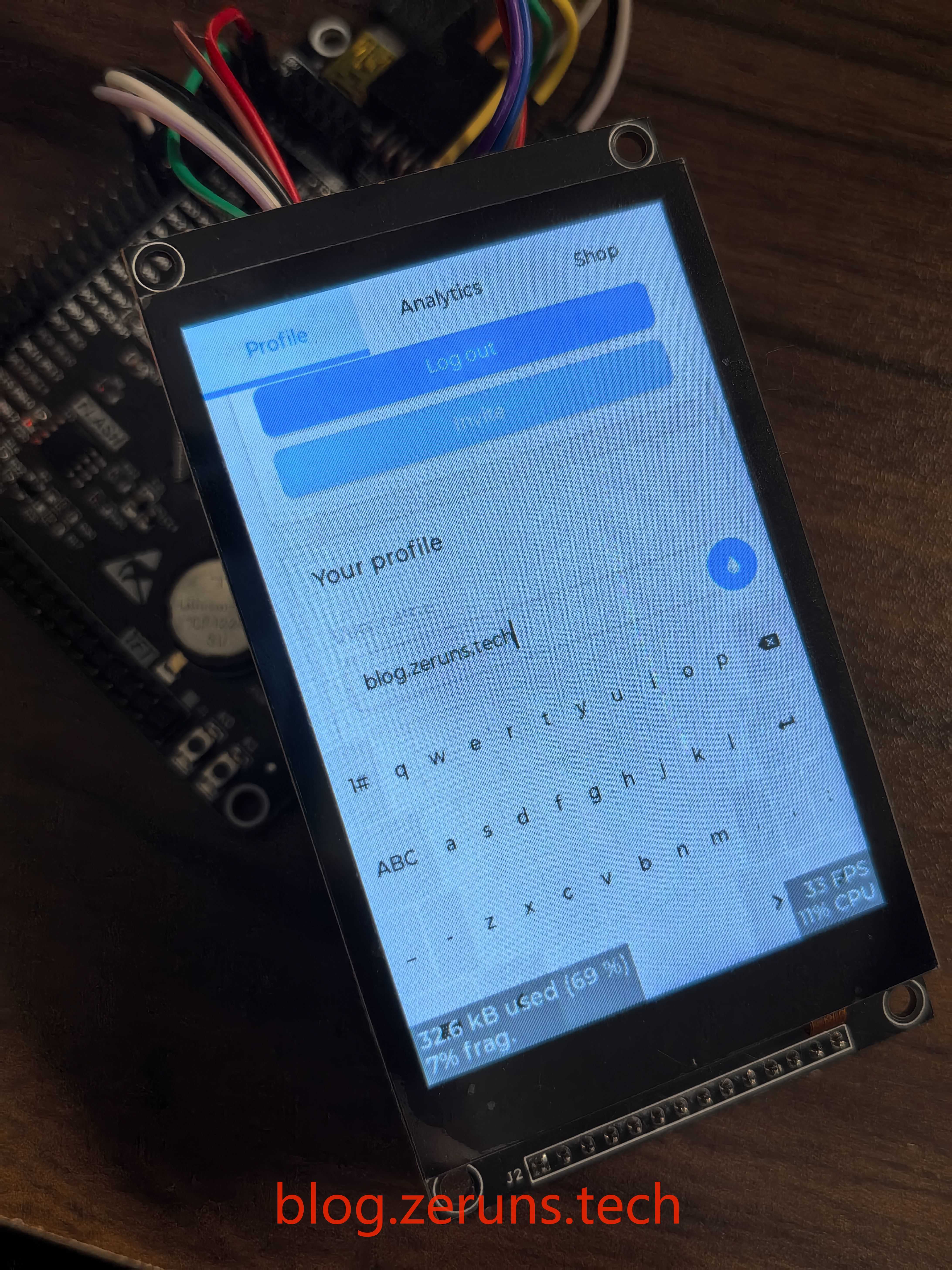
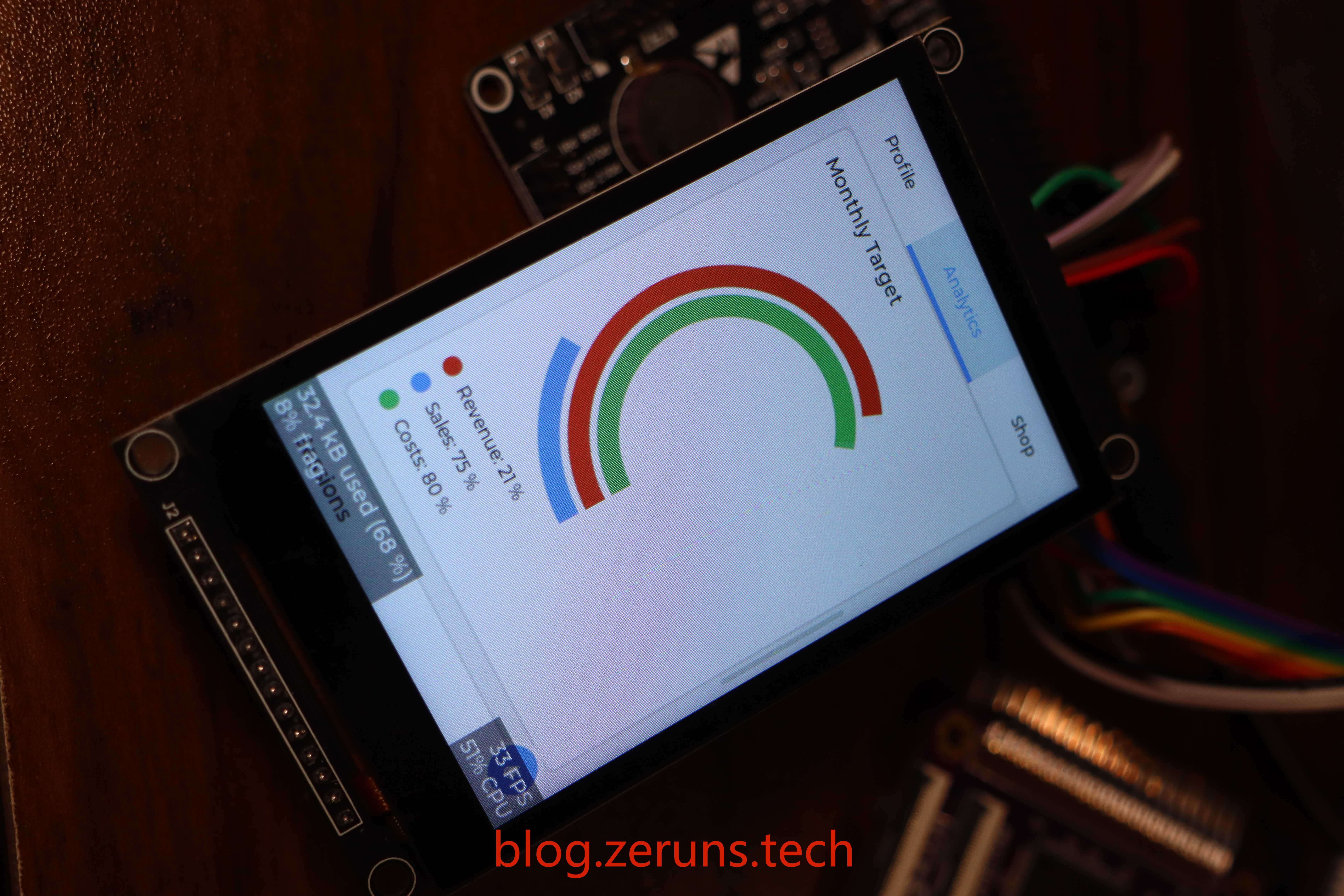
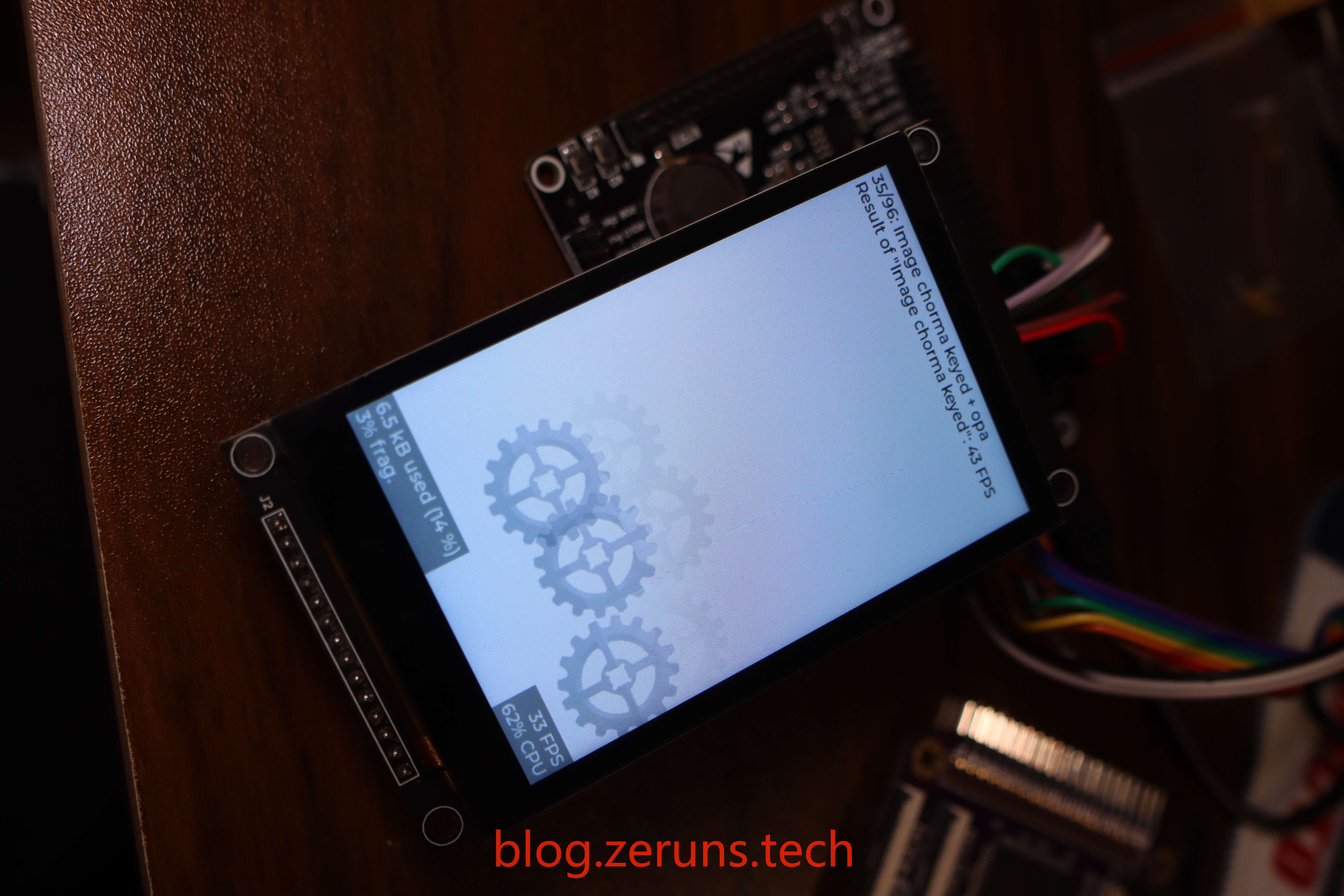
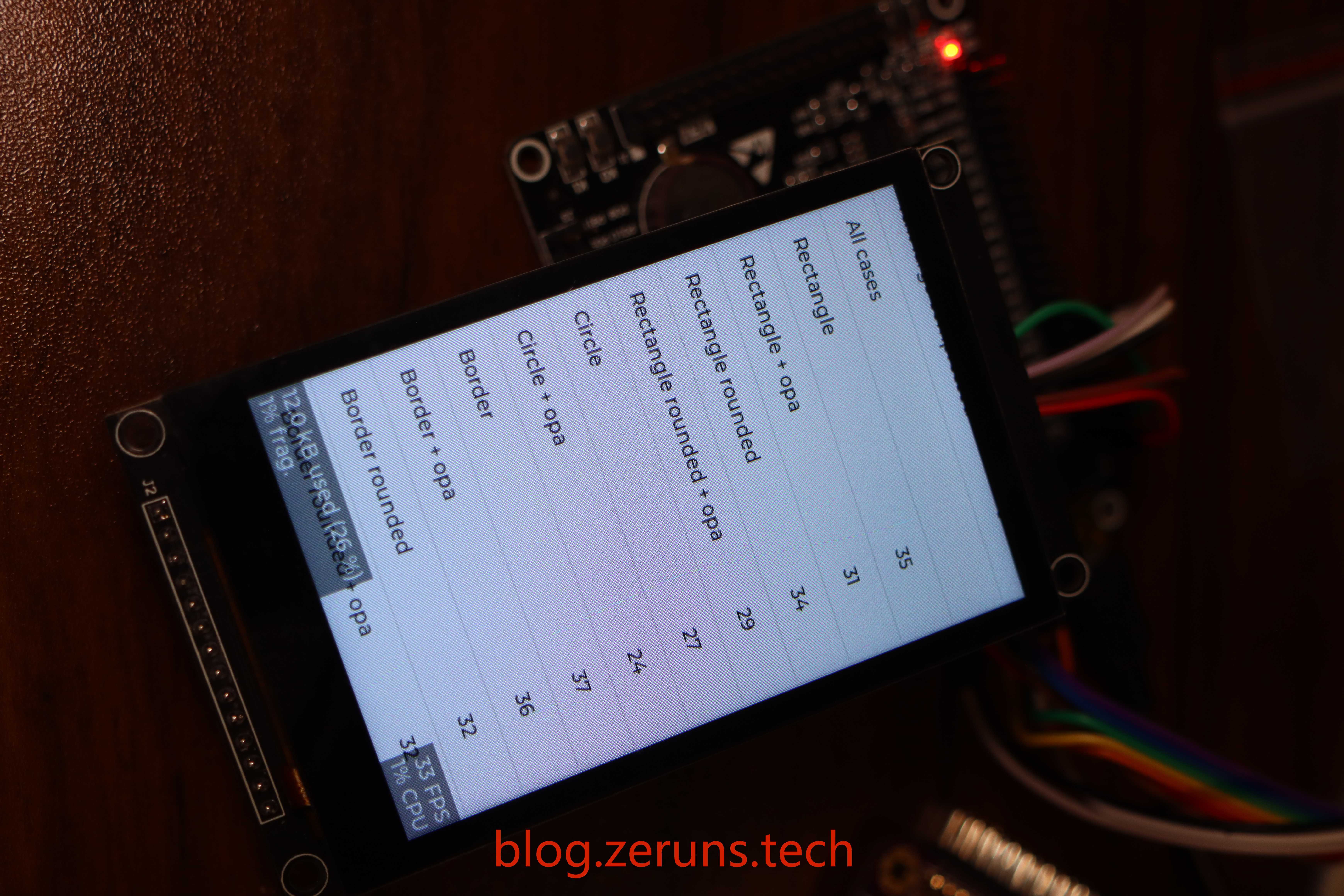
MCU超频后全屏刷新时帧率为9FPS左右,局部刷新时帧率为30+FPS,对于SPI来说这个帧率应该算可以了吧。
- STM32使用硬件I2C读取SHTC3温湿度传感器:https://blog.zeruns.com/archives/692.html
- 移植好U8g2图形库的STM32F407标准库工程模板:https://blog.zeruns.com/archives/722.html
- 基于STM32G4的0.96寸OLED显示屏驱动程序(HAL库),支持硬件/软件I2C:https://blog.zeruns.com/archives/776.html
电子/单片机技术交流群:2169025065
效果图
效果演示视频:https://www.bilibili.com/video/BV1Ni421S7ta/
LVGL简介
LVGL(轻量级和通用图形库)是一个免费和开源的图形库,它提供了创建嵌入式GUI所需的一切,具有易于使用的图形元素,美丽的视觉效果和低内存占用。
主要特性:
- 丰富且强大的模块化图形组件:按钮 (buttons)、图表 (charts)、列表 (lists)、滑动条 (sliders)、图片 (images) 等
- 高级的图形引擎:动画、抗锯齿、透明度、平滑滚动、图层混合等效果
- 支持多种输入设备:触摸屏、 键盘、编码器、按键等
- 支持多显示设备
- 不依赖特定的硬件平台,可以在任何显示屏上运行
- 配置可裁剪(最低资源占用:64 kB Flash,16 kB RAM)
- 基于UTF-8的多语种支持,例如中文、日文、韩文、阿拉伯文等
- 可以通过类CSS的方式来设计、布局图形界面(例如:Flexbox、Grid)
- 支持操作系统、外置内存、以及硬件加速(LVGL已内建支持STM32 DMA2D、NXP PXP和VGLite)
- 即便仅有单缓冲区(frame buffer)的情况下,也可保证渲染如丝般顺滑
- 全部由C编写完成,并支持C++调用
- 支持Micropython编程,参见:LVGL API in Micropython
- 支持模拟器仿真,可以无硬件依托进行开发
- 丰富详实的例程
- 详尽的文档以及API参考手册,可线上查阅或可下载为PDF格式
- 在 MIT 许可下免费和开源
配置要求:
基本上,每个能够驱动显示器的现代控制器都适合运行 LVGL。 最低要求是:
-
16、32 或 64 位微控制器或处理器
-
建议使用 >16 MHz 时钟速度
-
闪存/ROM: > 64 kB 用于非常重要的组件 (> 建议使用 180 kB)
-
RAM:
- 静态 RAM 使用量:~2 kB,取决于使用的功能和对象类型
- 堆: > 2kB (> 建议使用 8 kB)
- 动态数据(堆): > 2 KB (> 如果使用多个对象,建议使用 16 kB). 在 lv_conf.h 文件中配置 LV_MEM_SIZE 生效。
- 显示缓冲区:> “水平分辨率”像素(推荐 >10 × 10ד 水平分辨率”)
- MCU或外部显示控制器中的一个帧缓冲区
-
C99 或更新的编译器
LVGL官网:https://lvgl.io/
接线说明
| LCD屏 | MCU/开发板 | 功能描述 |
|---|---|---|
| GND | GND | LCD屏电源地 |
| VCC | 5V或3.3V | LCD屏电源正极 |
| LCD_CS | PE6 | LCD屏SPI片选 |
| LCD_RST | PC1 | LCD屏复位 |
| LCD_RS | PC0 | LCD屏命令/数据选择 |
| SDI(MOSI) | PB5 | LCD屏SPI数据线,主机输出从机输入 |
| SCK | PB3 | LCD屏SPI时钟线 |
| LED | 3.3V | 背光LED(可以自己接IO口,用软件控制背光) |
| SDO(MISO) | PB4 | LCD屏SPI数据线,主机输入从机输出 |
| CTP_SCL | PB8 | 电容触摸屏控制器I2C时钟线 |
| CTP_RST | PB7 | 电容触摸屏控制器复位 |
| CTP_SDA | PB9 | 电容触摸屏控制器I2C数据线 |
| CTP_INT | PB6 | 电容触摸屏控制器中断信号 |
注意一下,我效果图里用的这款开发板的PB4引脚是没有在两边的排针里的,是在上面的JTAG接口里。
资料和程序下载
屏幕资料在线文档:https://url.zeruns.com/68x3Y
屏幕资料打包下载地址1:https://www.123pan.com/s/2Y9Djv-rZevH.html
屏幕资料打包下载地址2:https://url.zeruns.com/gzBO4
裸机版STM32F407+LVGL工程下载地址1:https://url.zeruns.com/X242k
裸机版STM32F407+LVGL工程下载地址2:https://pan.baidu.com/s/1vAhHijYd_aWvRr3_c1_WtA?pwd=ry4g
FreeRTOS版STM32F407+LVGL工程下载地址1:https://www.123pan.com/s/2Y9Djv-CzevH.html
FreeRTOS版STM32F407+LVGL工程下载地址2:https://url.zeruns.com/0iOHF
求点个Star
程序Gitee开源地址:https://gitee.com/zeruns/STM32F407_LVGL_Template_MSP3526
程序GitHub开源地址:https://github.com/zeruns/STM32F407_LVGL_Template_MSP3526
Gitee和GitHub开源里的最新版程序是用了FreeRTOS的,裸机版在发行版那里,版本号为0.1.3。
使用STM32CubeMX生成的工程,用Keil5+VScode+EIDE来开发的。
我是参照正点原子的教程来移植的。
正点原子的 LVGL使用和移植 视频教程下载地址1:https://www.123pan.com/s/2Y9Djv-0ZevH.html
正点原子的 LVGL使用和移植 视频教程下载地址2:https://www.alipan.com/s/Pd6TDfT2rBL
使用说明
将代码下载下来直接编译下载就能用。
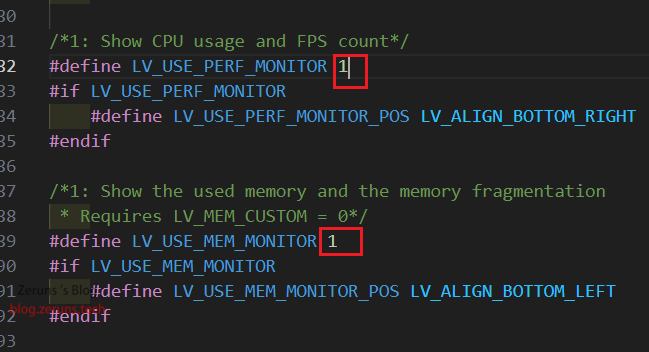
如果需要关闭帧率和内存占用显示就将 lv_conf.h 文件里的下面这两个宏定义的1改成0。
/*1: Show CPU usage and FPS count*/
#define LV_USE_PERF_MONITOR 1
#if LV_USE_PERF_MONITOR
    #define LV_USE_PERF_MONITOR_POS LV_ALIGN_BOTTOM_RIGHT
#endif

/*1: Show the used memory and the memory fragmentation
 * Requires LV_MEM_CUSTOM = 0*/
#define LV_USE_MEM_MONITOR 1
#if LV_USE_MEM_MONITOR
    #define LV_USE_MEM_MONITOR_POS LV_ALIGN_BOTTOM_LEFT
#endif
如果用的是FreeRTOS版的就在 freertos.c 文件里写代码,可以用STM32CubeMX软件新建线程和信号量这些,然后生成代码,代码都是按照规范写在指定位置的,重新生成不会影响自己写的代码。裸机版就直接在 main.c 文件里写代码就行。
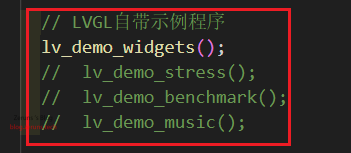
如果需要关闭Demo程序就将下图中的代码注释掉就行。
元件购买地址
- STM32F407VET6开发板:https://s.click.taobao.com/sQSMWmt
- Daplink下载器:https://s.click.taobao.com/9kMKWmt
- MSP3526屏幕:https://s.click.taobao.com/i1Z29nt
- 杜邦线:https://s.click.taobao.com/W1wHWmt
- STM32F407VGT6开发板:https://s.click.taobao.com/VjC29nt
主要代码片段
主要就是在lv_port_disp.c文件里disp_flush函数中调用下面这段填充LCD的函数。LCD驱动是在屏幕官方给的例程基础上改的。
/**
 * @brief 填充LCD屏幕指定矩形区域
 * 使用LVGL库的颜色值填充LCD指定区域。
 * @param sx 起始X坐标
 * @param sy 起始Y坐标
 * @param ex 结束X坐标
 * @param ey 结束Y坐标
 * @param color_p 指向要填充的颜色的指针
 */
void LCD_Fill_LVGL(uint16_t sx, uint16_t sy, uint16_t ex, uint16_t ey, lv_color_t *color_p)
{
	uint32_t i, j;
	uint16_t width = ex - sx + 1;	 // 计算填充区域的宽度
	uint16_t height = ey - sy + 1;	 // 计算填充区域的高度
	uint32_t Pixel = width * height; // 计算填充区域像素个数
	LCD_SetWindows(sx, sy, ex, ey);	 // 设置LCD的显示窗口为指定的区域

//	for (i = 0; i < height; i++)
//	{
//		for (j = 0; j < width; j++){
//			Lcd_WriteData_16Bit(color_p->full); // 写入数据
//		}
//	}

// 数据分割值, 用于分批发送数据
#define data_split 3000

	uint8_t data[Pixel * 2]; // 创建一个数组用于存储颜色数据

	for (i = 0; i < Pixel; i++)
	{
		// 将颜色数据从16位转换为两个8位的数据
		data[i * 2] = (color_p->full) >> 8;			// 获取高8位数据
		data[i * 2 + 1] = (uint8_t)(color_p->full); // 获取低8位数据
		color_p++;									// 指向下一个颜色值

		// 判断数据量是否大于10000,如果大于则分批发送数据
		if (Pixel > 10000)
		{
			if ((i + 1) % data_split == 0)
			{
				if ((i + 1) == data_split)
				{
					Lcd_WriteData_DMA(data, data_split * 2); // 以DMA方式发送数据
				}
				else
				{
					while (HAL_SPI_GetState(LCD_SPI) != HAL_SPI_STATE_READY);						// 等待SPI总线空闲
					uint8_t *temp = &data[((uint16_t)((i + 1) / data_split) - 1) * data_split * 2]; // 获取剩余数据
					Lcd_WriteData_DMA(temp, data_split * 2);										// 以DMA方式发送数据
				}
			}
			else if (((i + 1) % data_split > 0) && ((i + 1) > data_split) && (i == (Pixel - 1)))
			{
				if ((uint16_t)((i + 1) / data_split) == 1)
				{
					while (HAL_SPI_GetState(LCD_SPI) != HAL_SPI_STATE_READY)
						;												 // 等待SPI总线空闲
					uint8_t *temp = &data[data_split * 2];				 // 获取剩余数据
					Lcd_WriteData_DMA(temp, ((i + 1) % data_split) * 2); // 以DMA方式发送数据
				}
				else
				{
					while (HAL_SPI_GetState(LCD_SPI) != HAL_SPI_STATE_READY)
						;																	  // 等待SPI总线空闲
					uint8_t *temp = &data[(uint16_t)((i + 1) / data_split) * data_split * 2]; // 获取剩余数据
					Lcd_WriteData_DMA(temp, ((i + 1) % data_split) * 2);
				}
			}
		}
	}

	if (Pixel <= 10000)
	{
		// 要发送的数据小于10000*2字节时一次全部发送
		Lcd_WriteData_DMA(data, Pixel * 2);
	}

	LCD_SetWindows(0, 0, lcddev.width - 1, lcddev.height - 1); // 恢复窗口设置为全屏
}
其他开源项目推荐
- 做了个三相电量采集器开源出来,可以方便监测家里用电情况:https://blog.zeruns.com/archives/771.html
- 移植好U8g2图形库的STM32F407标准库工程模板:https://blog.zeruns.com/archives/722.html
- 沁恒CH32V307VCT6最小系统板开源:https://blog.zeruns.com/archives/726.html
- LM25118自动升降压可调DCDC电源模块:https://blog.zeruns.com/archives/727.html
- EG1164大功率同步整流升压模块开源,最高效率97%:https://blog.zeruns.com/archives/730.html
- 基于合宙Air700E的4G环境监测节点(温湿度、气压等数据),通过MQTT上传阿里云物联网平台:https://blog.zeruns.com/archives/747.html
- 基于CH32V307的智能电子负载开源,嵌入式大赛作品开源:https://blog.zeruns.com/archives/785.html
推荐阅读
- 高性价比和便宜的VPS/云服务器推荐: https://blog.zeruns.com/archives/383.html
- 我的世界开服教程:https://blog.zeruns.com/tag/mc/
- 睿登RD6012P数控可调电源简单开箱评测,60V 12A数控直流电源:https://blog.zeruns.com/archives/740.html
- 拓竹P1SC 3D打印机开箱体验:https://blog.zeruns.com/archives/770.html
- 不同品牌和种类的电容与电感实测对比(D值、Q值、ESR、X):https://blog.zeruns.com/archives/765.html
- 抖音商城2.6元的120W充电器测试和拆解:https://blog.zeruns.com/archives/786.html