RIHAO R40 Max(风扇款) USB4 M.2硬盘盒 和 HP惠普 FX900Pro 2TB 固态硬盘 简单开箱测评。
这个硬盘盒和SSD是买来给MacMini当外置系统盘用的,苹果金子内存太贵了…(升级到2TB要5550元)
RIHAO R40 Max 硬盘盒
购买地址:https://s.click.taobao.com/tM84nws
产品参数
- 品牌:RiHAO
- 品名:M.2 USB4 高速硬盘盒
- 型号:R40 Max (风扇款)
- 支持硬盘:M.2 2280 NVMe
- 内置接口:M.2 M-Key
- USB 规格:USB4 / 兼容雷电3/4 / USB3.0 / 2.0
- USB 传输速率:40Gbps
- 外壳材质:铝合金
- 产品净重:79g
- 包装尺寸:138x100x20mm
- 含包装重量:136
- 保修:1 年
测评
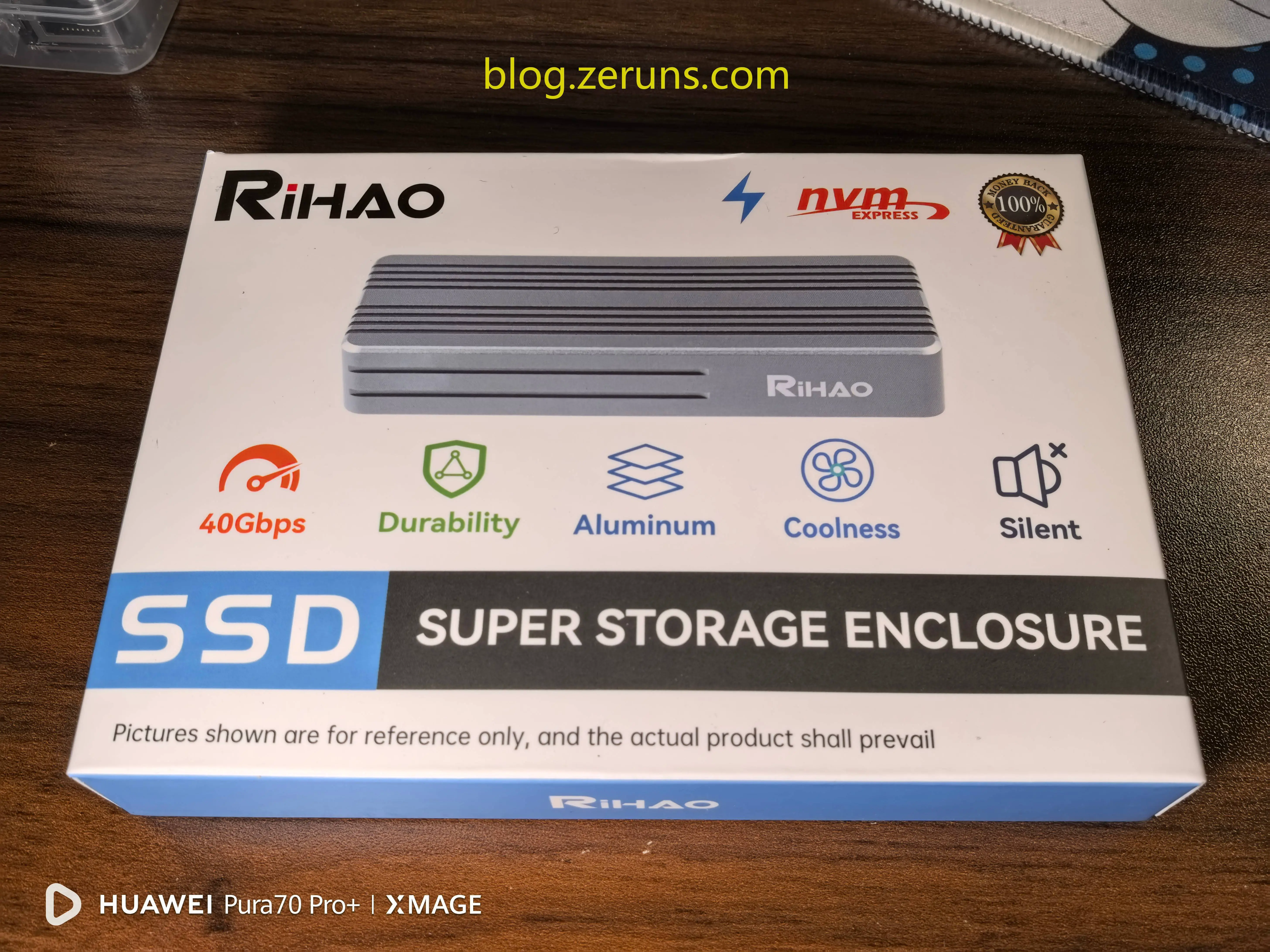
外包装正面
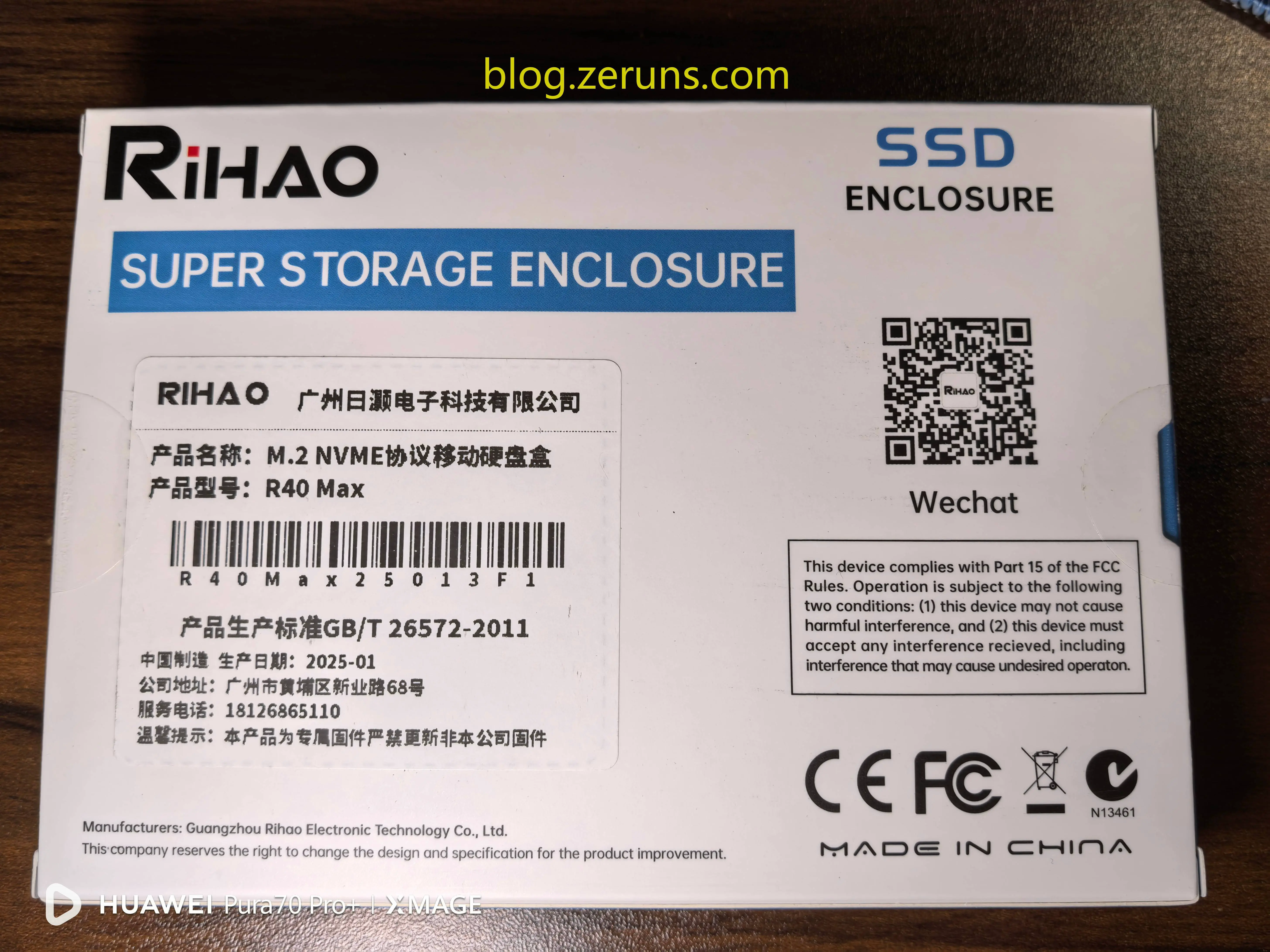
外包装背面,标签写着产品所属公司是广州日灏电子科技有限公司,生产日期2025年1月
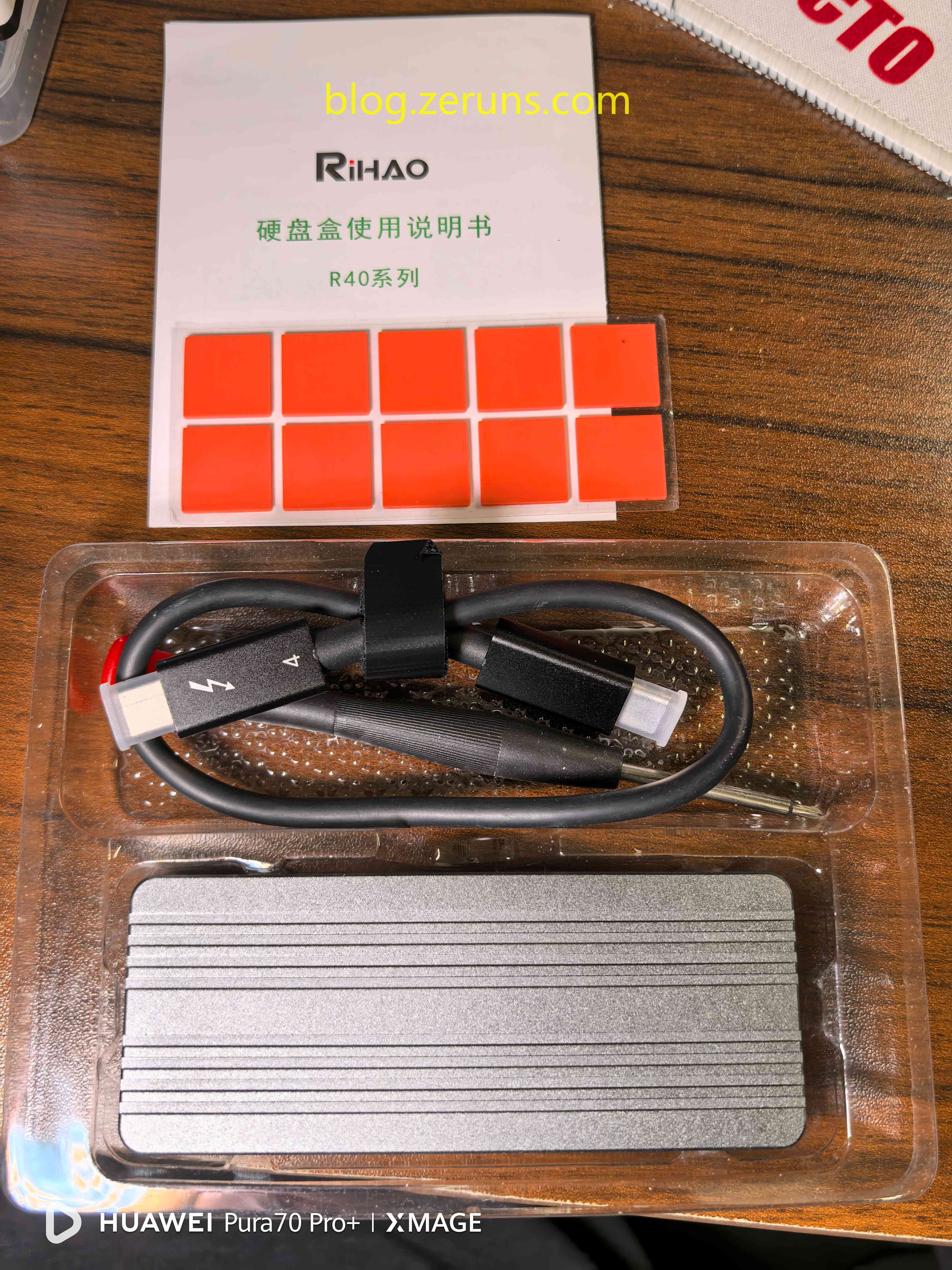
打开外包装,里面有硬盘盒、CtoC数据线、说明书、螺丝刀、导热垫
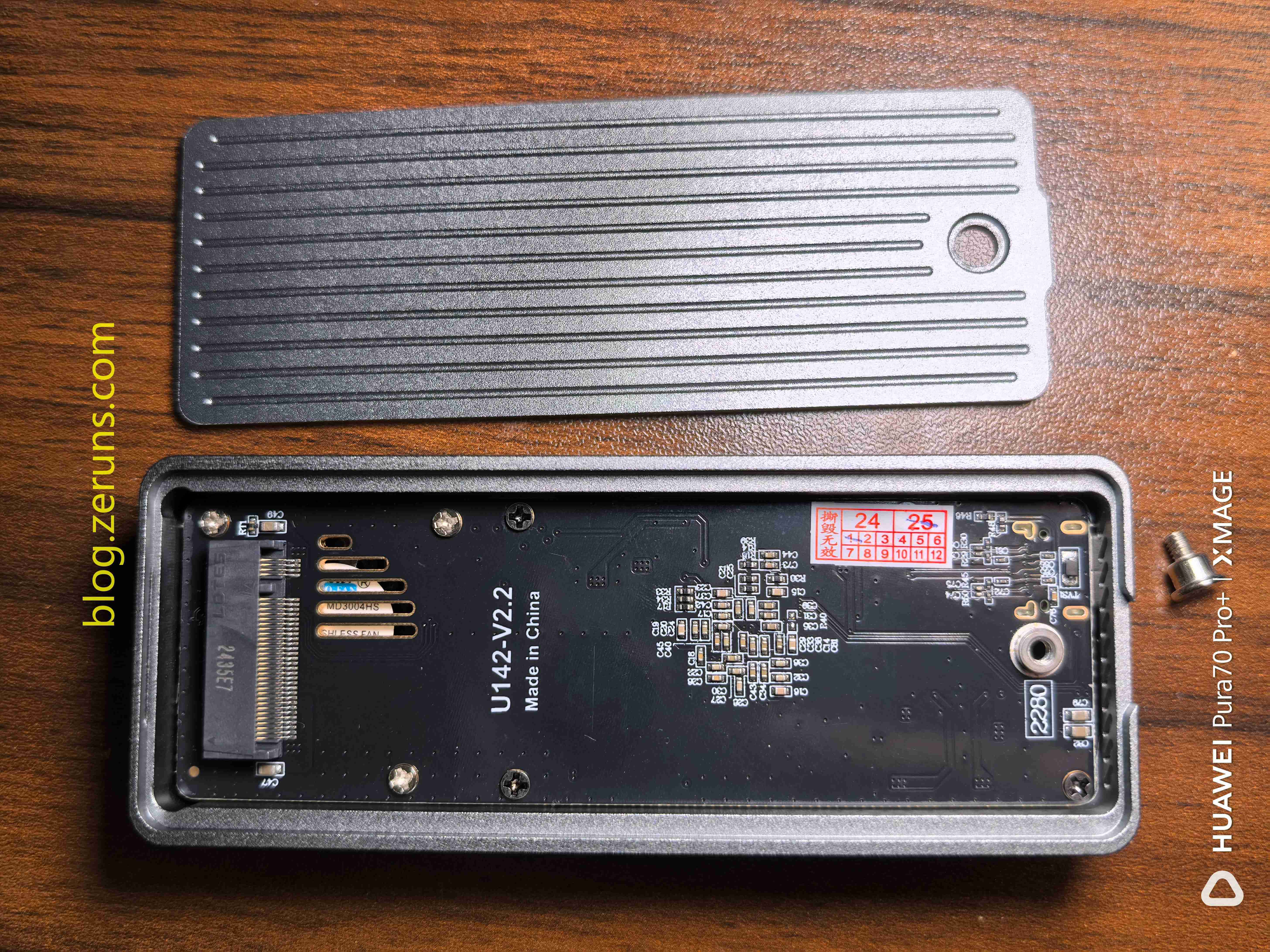
拧下螺丝,取下硬盘盒上盖,插硬盘的地方就在这,硬盘盒电路板上写着 U142-V2.2 应该是电路的版本号,固定电路板的螺丝其中一颗贴有易碎标签,可以用镊子轻轻挑开,无损拆解。
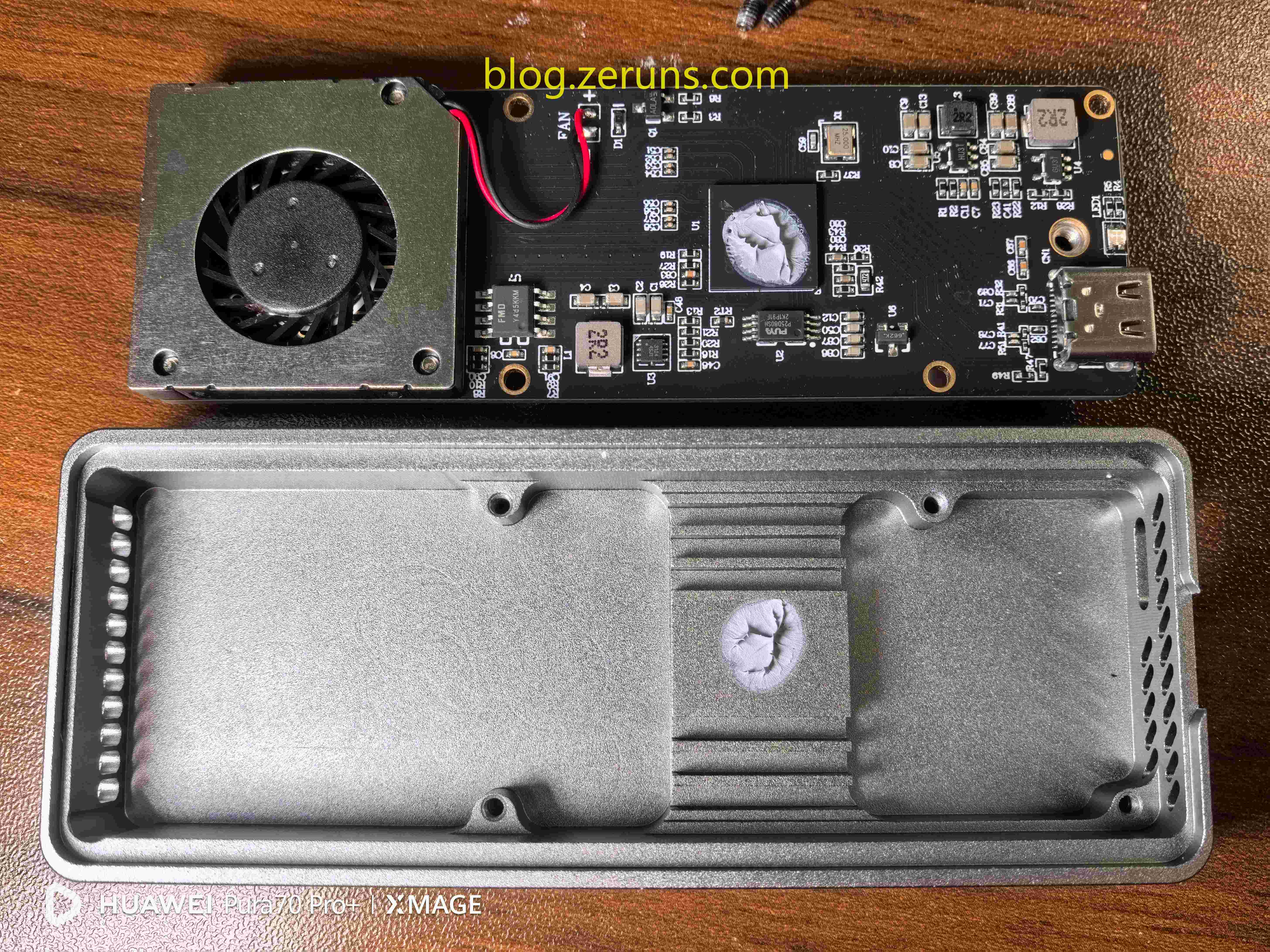
拆下硬盘盒电路板,板上有一个小风扇,还有各种芯片,主芯片上有导热膏
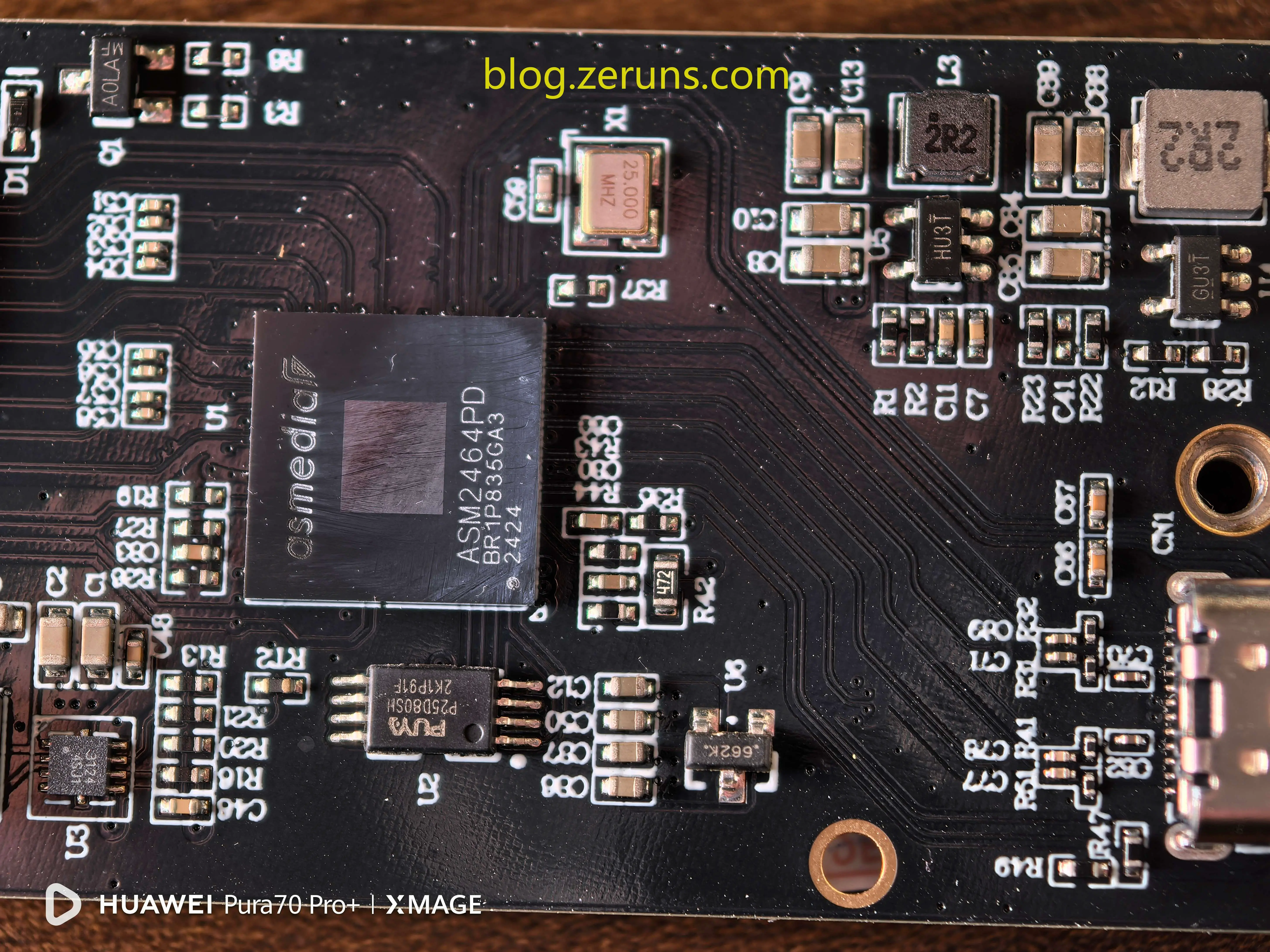
该硬盘盒主芯片型号为ASM2464PD,芯片官网地址:https://url.zeruns.com/ASM2464PD
官网简介翻译成中文:
ASM2464PD 是祥硕科技基于自主设计的物理层(PHY)开发的新一代 USB4®/ 雷电转 PCIe/NVMe 配件控制器。USB4 / 雷电技术可将 PCIe 和 USB 协议封装到 USB4 / 雷电架构中,并跨 USB4 / 雷电域传输。ASM2464PD 可用于多种存储设备,如移动固态硬盘、固态硬盘盒等。其 USB 连接能提供 USB4 / 雷电 20Gbps x2 的数据速率,兼容 USB 3.2 和雷电 3 接口,下游端口链路升级为 PCIe Gen4 x4。还集成了 USB4 / 雷电 Gen3 x2、PCI Express Gen4 等,内置 USB Type-C CC 逻辑电路和 BMC PHY,由 25MHz 本地晶振驱动,采用紧凑的 RoHS 环保封装,支持多个 GPIO 引脚定制。
主芯片下方还有一个型号为P25D80SH的芯片,是 PUYA/普冉 的Flash闪存芯片,容量8Mbit(1MByte),W25Q80的兼容替代品,应该是用来存储固件的。
右上角还有两颗DCDC电源芯片,丝印分别为HU3T和GU3T,资料没找到。左下角还有一颗丝印为 3124 4SJ1 的芯片,也是找不到资料。
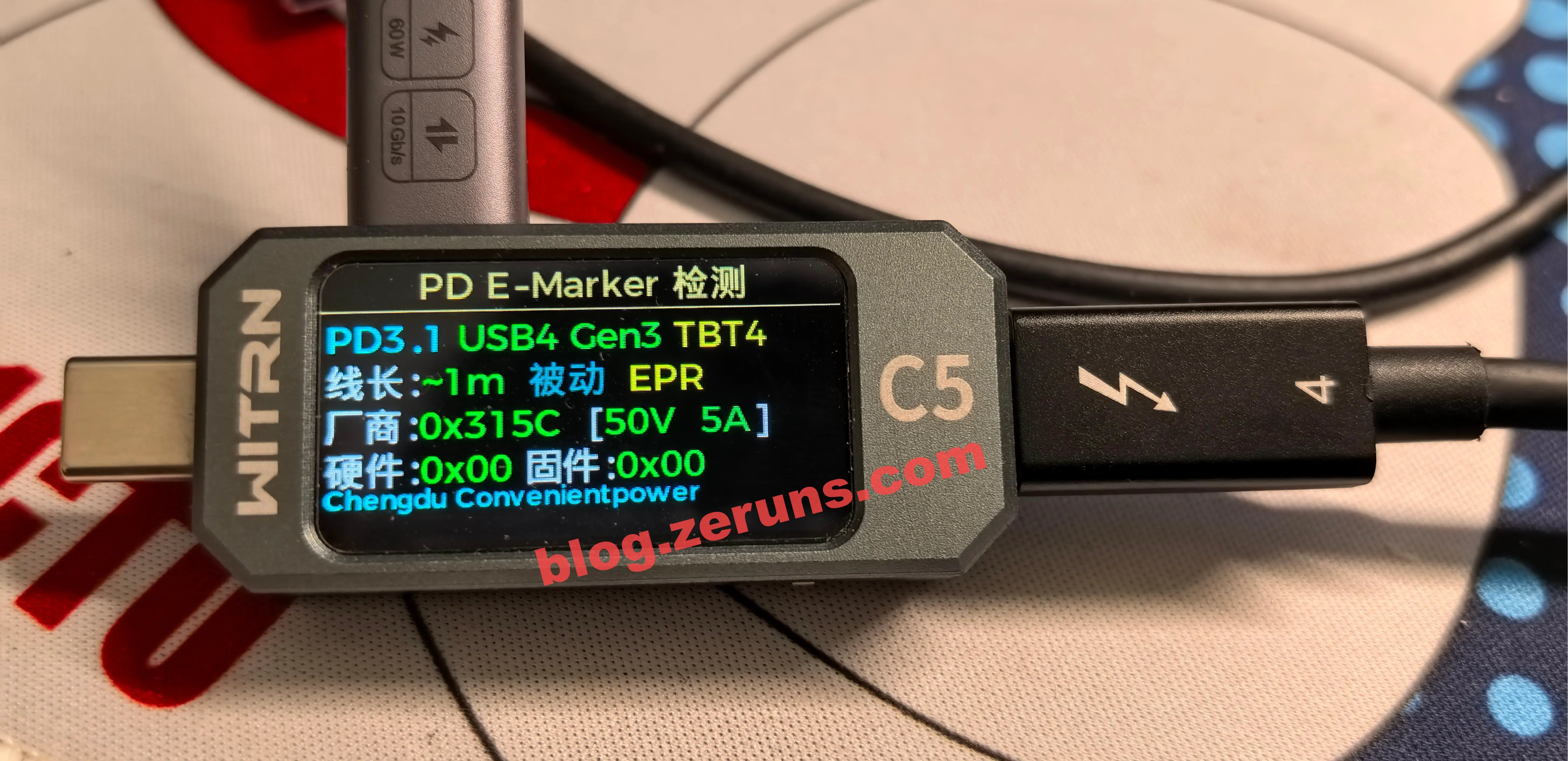
使用 维简C5检测仪 读取硬盘盒附赠的数据线的E-Marker信息,信息显示该数据线支持 USB4Gen3/TBT4(雷电4),厂商代码0x315C,支持PD3.1 EPR 50V 5A。
优利德UTi261M热成像仪开箱测评和拍摄效果展示:https://blog.zeruns.com/archives/798.html
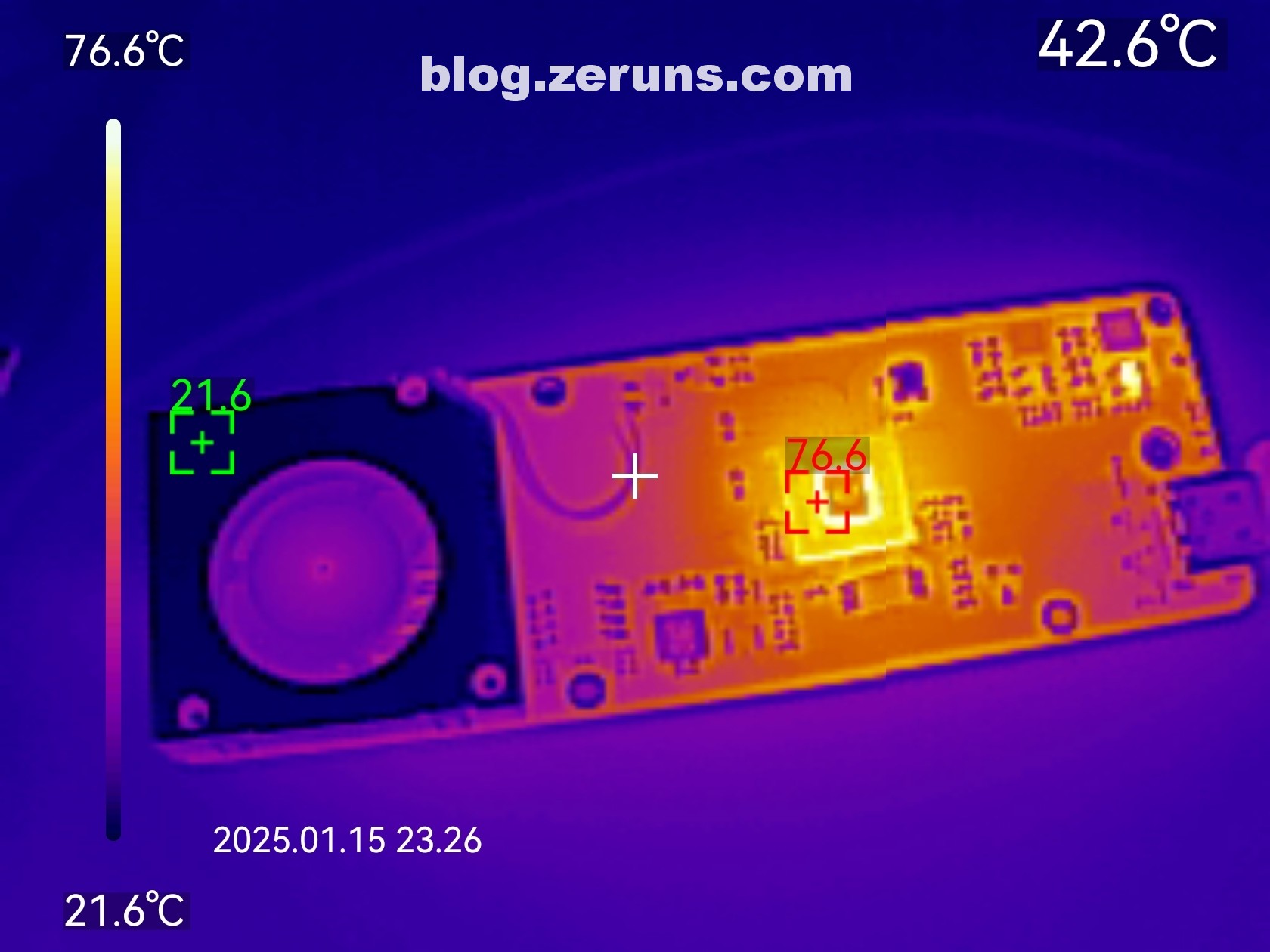
接上硬盘,连接电脑,在没有散热片情况下硬盘盒空载(没有数据传输)时的热成像图如下,主芯片温度直冲76℃,还在上升。(环境温度20度左右)
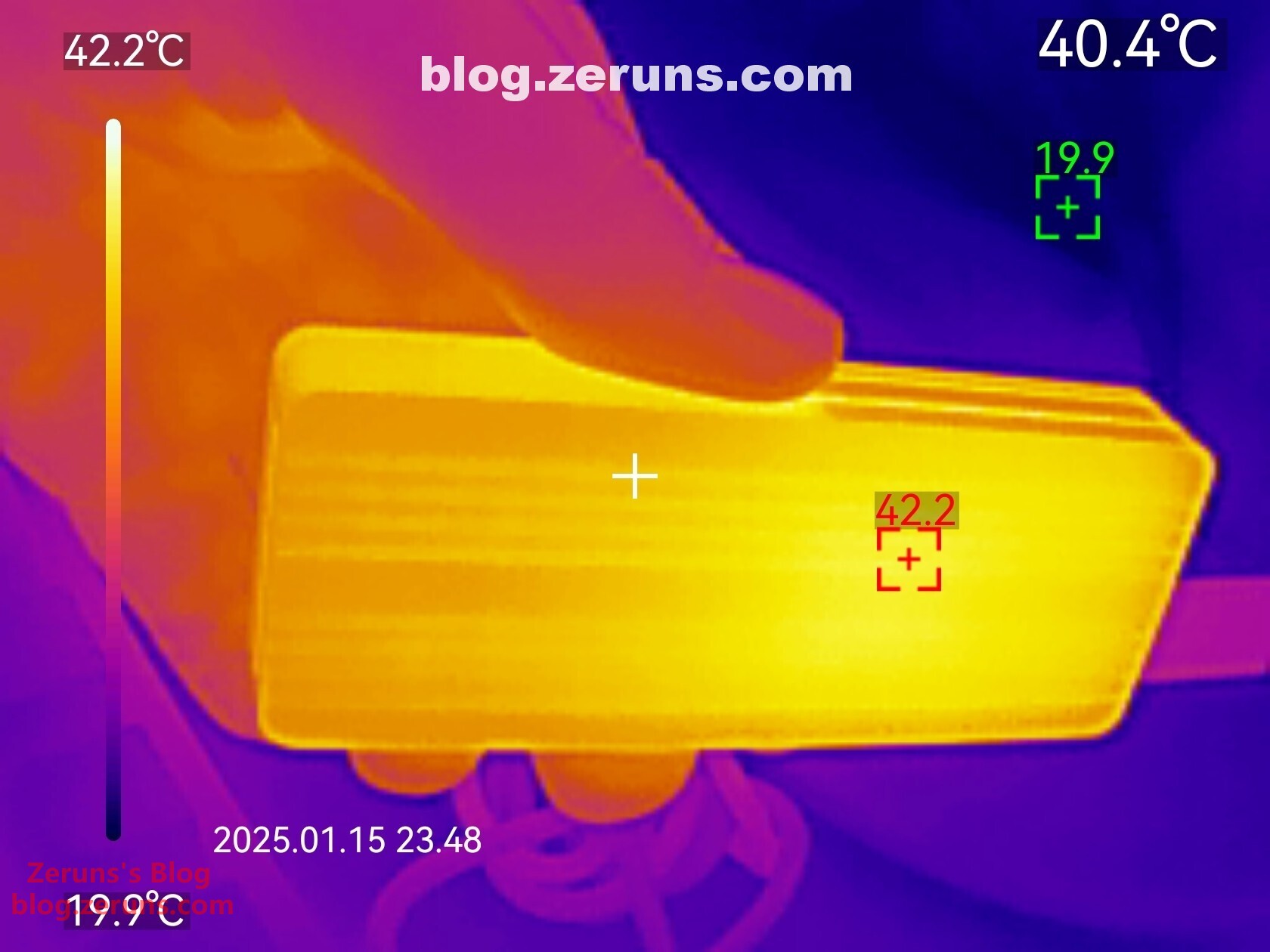
组装回去后,硬盘盒背面热成像图,读写跑满时最高温度42.2℃(环境温度20度左右)
惠普 FX900 Pro 2TB 固态硬盘
选择这款是看中它有2GB的DRAM缓存
参数
- 接口:PCIe Gen4x4
- 容量:2TB
- 缓存:2GB
- 顺序读取速度(MB/s):7400
- 顺序写入速度(MB/s):6700
- 随机读取速度(IOPS):1344K
- 随机写入速度(IOPS):1122K
- 尺寸:80 x 22 x 3.2 mm
- 重量:小于 10 g
- MTBF:大于 1000000 小时
- 储存温度:-40 to 85℃
- 工作温度:0 to 70℃
- 抗振动强度:3.1GRMS (2-500Hz)
- 抗冲击强度:100 G/ 6 ms
- 认证:CE, FCC,RoHS,cTUVus, KCC,BSMI,VCCI,RCM
- 保固/支持:5 年 / 1200TBW
测评
外包装正面
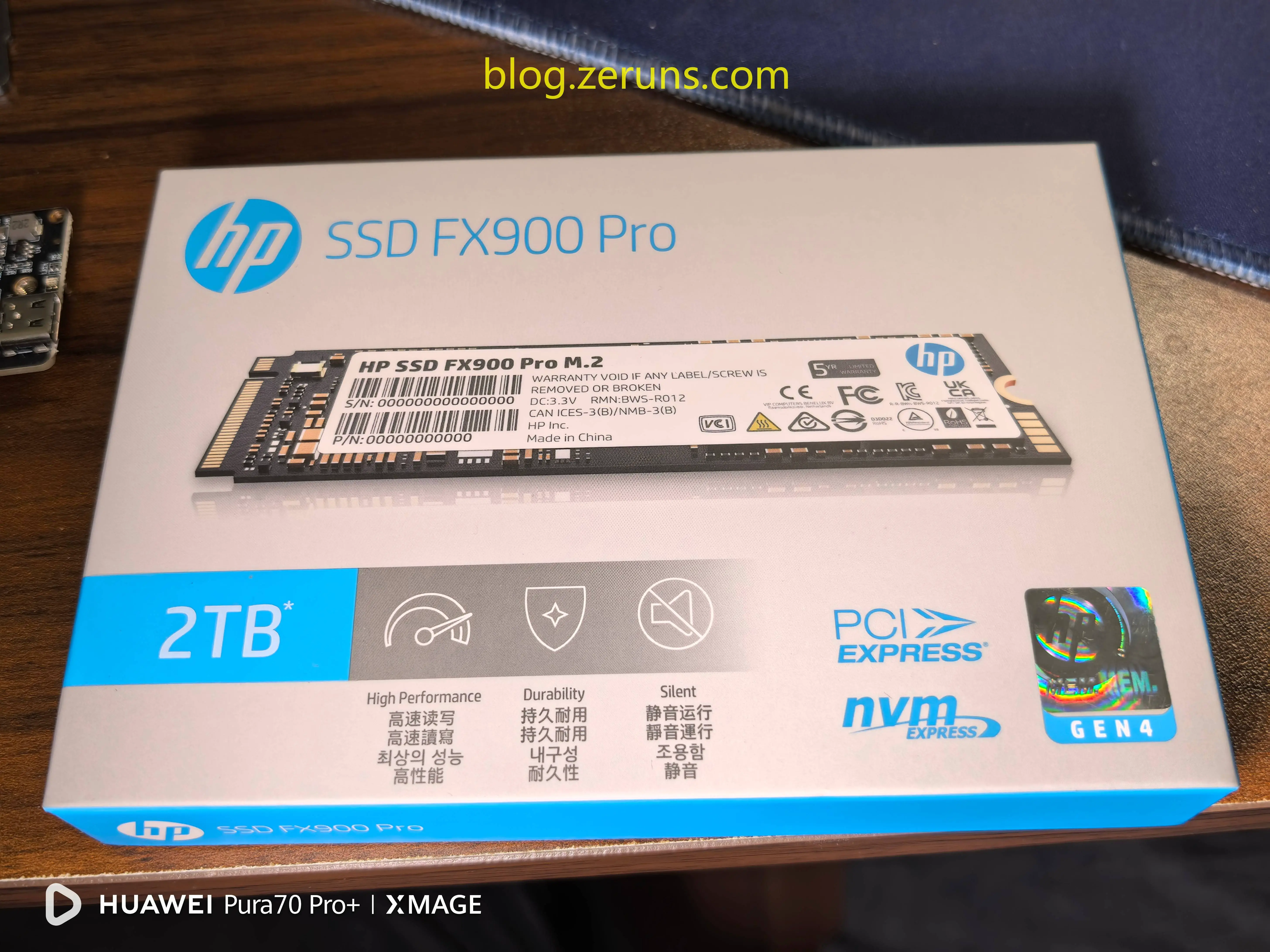
外包装背面,标签写着生产厂商是深圳佰维存储科技股份有限公司
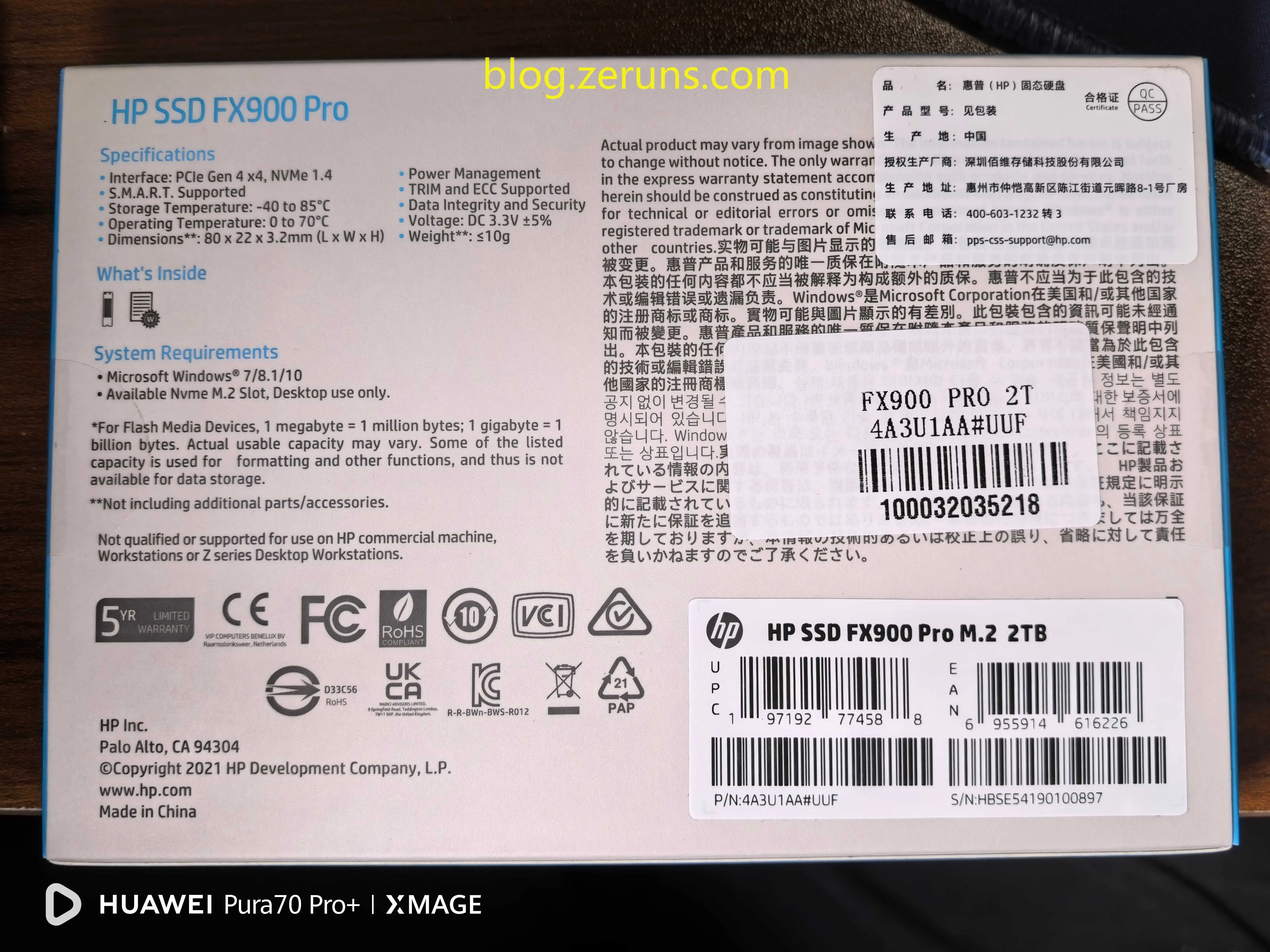
打开包装取出硬盘,配件有说明书和一颗螺丝
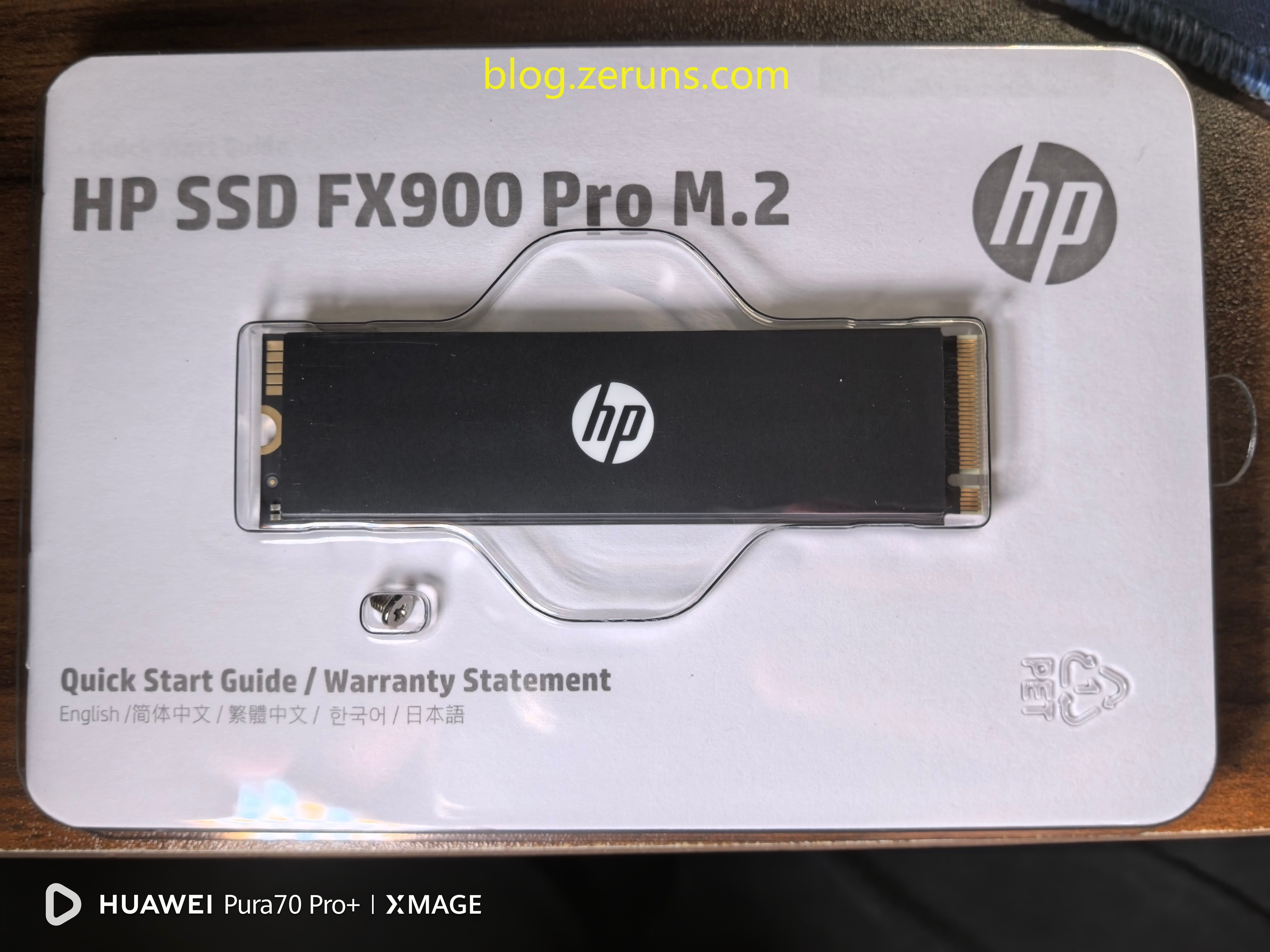
硬盘背面
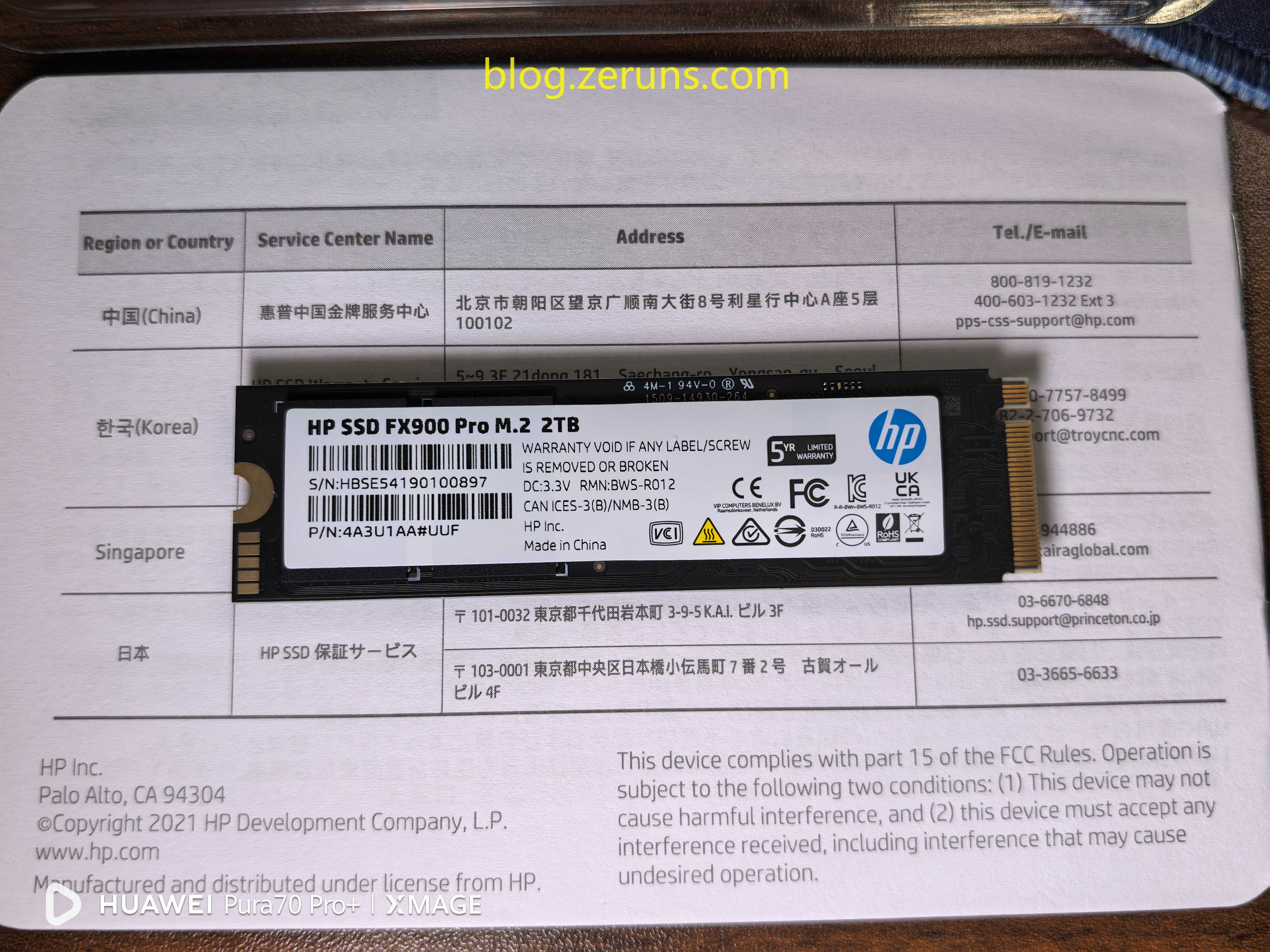
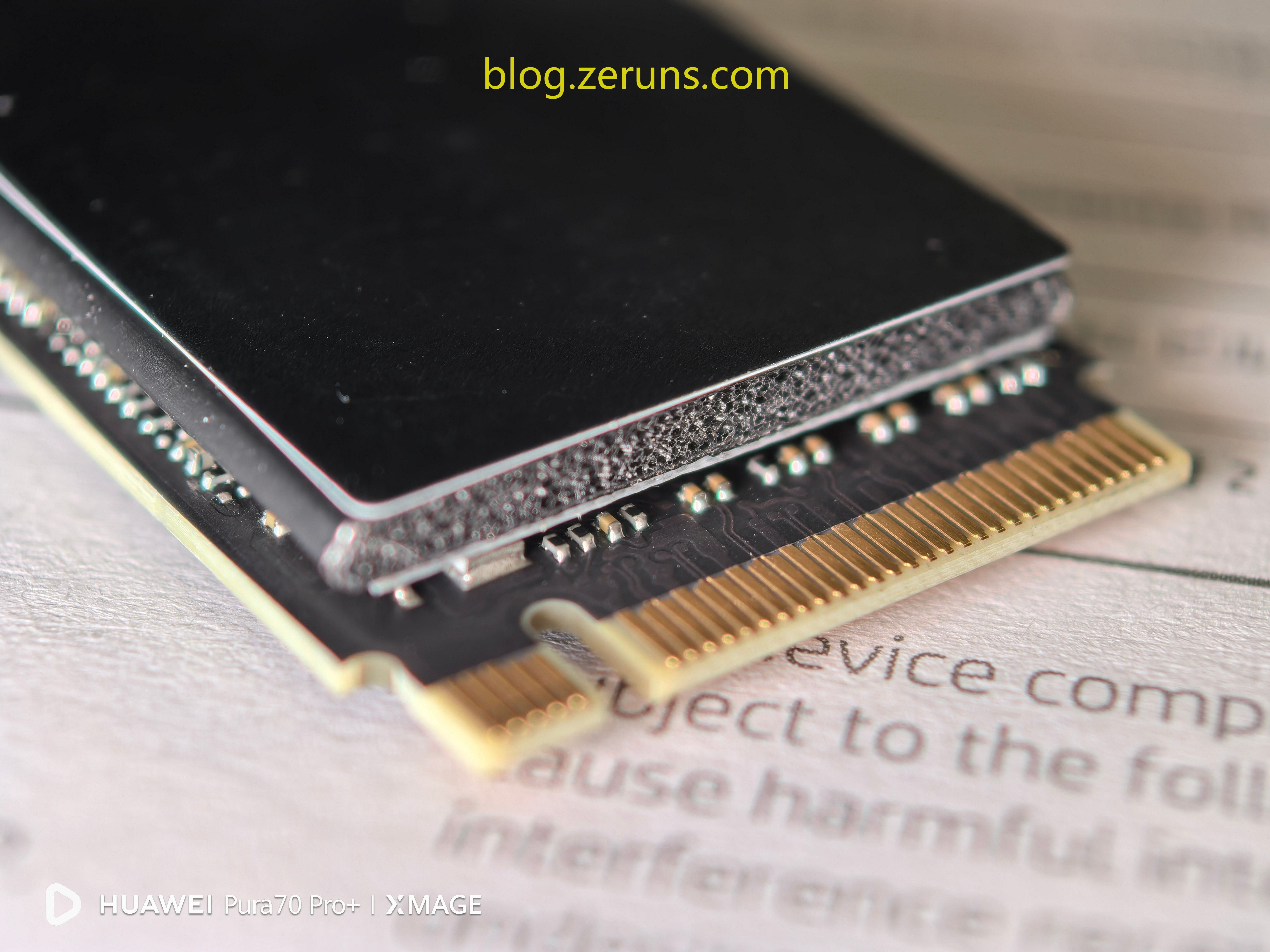
硬盘接口细节图,可以看到石墨烯散热贴从底下绕着中间的泡棉延伸到上面,使散热面积增加了,但也使硬盘厚度增加了
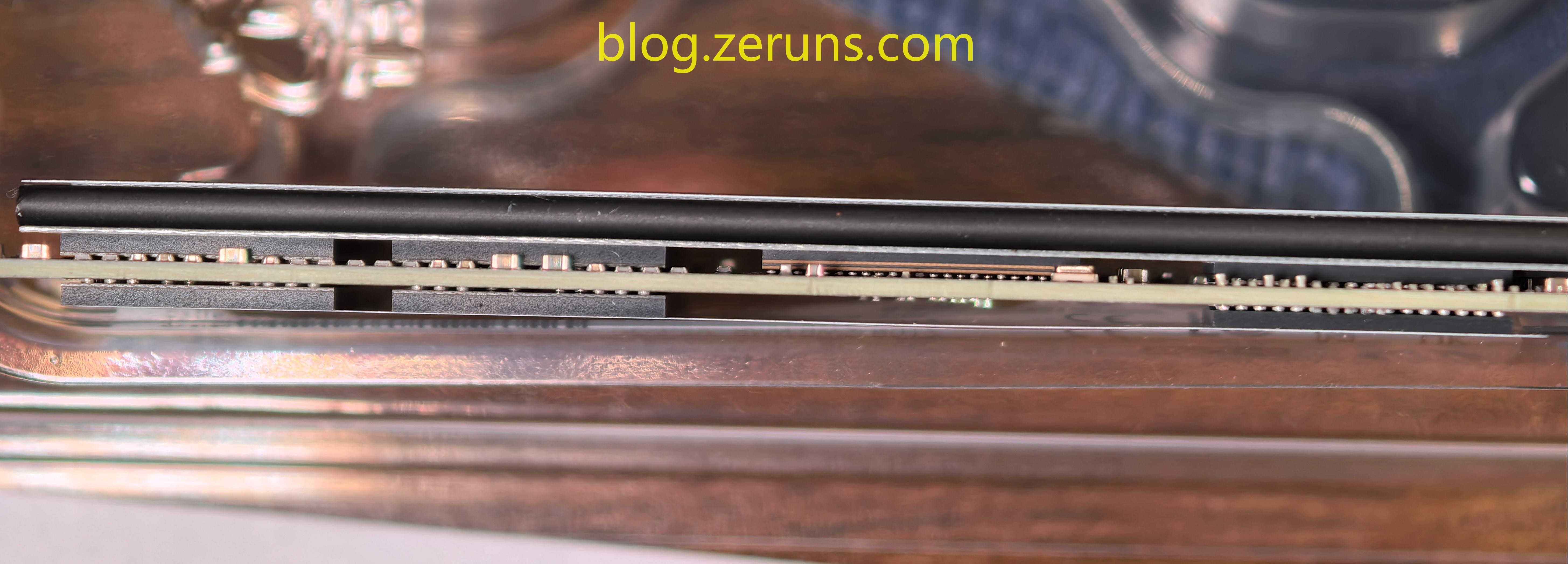
硬盘侧面,可以看到有四颗闪存颗粒,一个主控芯片,两个缓存颗粒。
因为不想撕开贴纸影响保修,所以查询其他测评文章,可知主控是来自英韧科技的Rainier IG5236,芯片采用12nm FinFET工艺制造,支持PCIe Gen4 x4协议和NVMe 1.4规范,DRAM控制器支持DDR3/DDR4缓存颗粒,主控最高顺序读写效能可达到7400MB/s和6700MB/s。
硬盘正反面均配备了来自南亚科技的DDR4缓存,型号为NT5AD512M16A4-HR,容量为1GByte(8Gbit),速率为DDR4-2666,双面一共组成2GB的DRAM独立缓存。
NAND颗粒型号为镁光的BW29F4T08EULE,单颗容量为512GB,四颗NAND组成2TB容量,颗粒应该是采用了3D NAND堆栈工艺,才能实现单颗512GB的大容量。
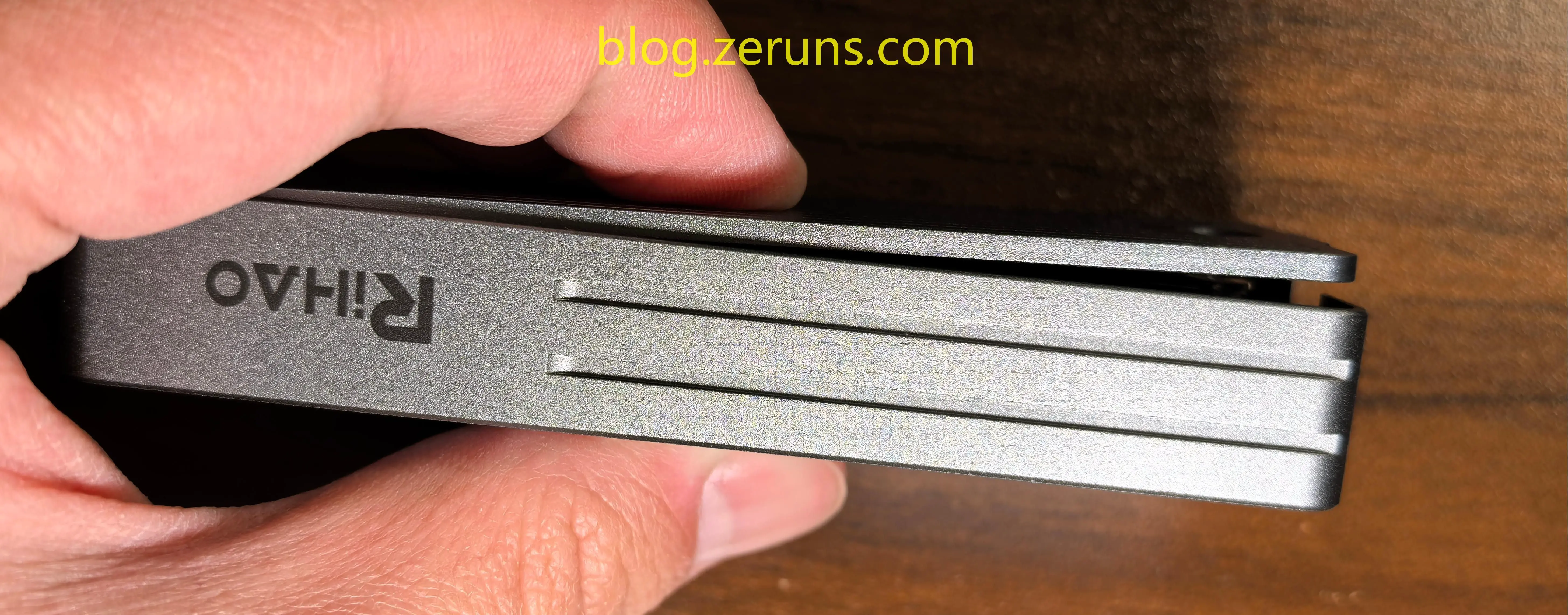
用游标卡尺测得硬盘总厚度5.6mm
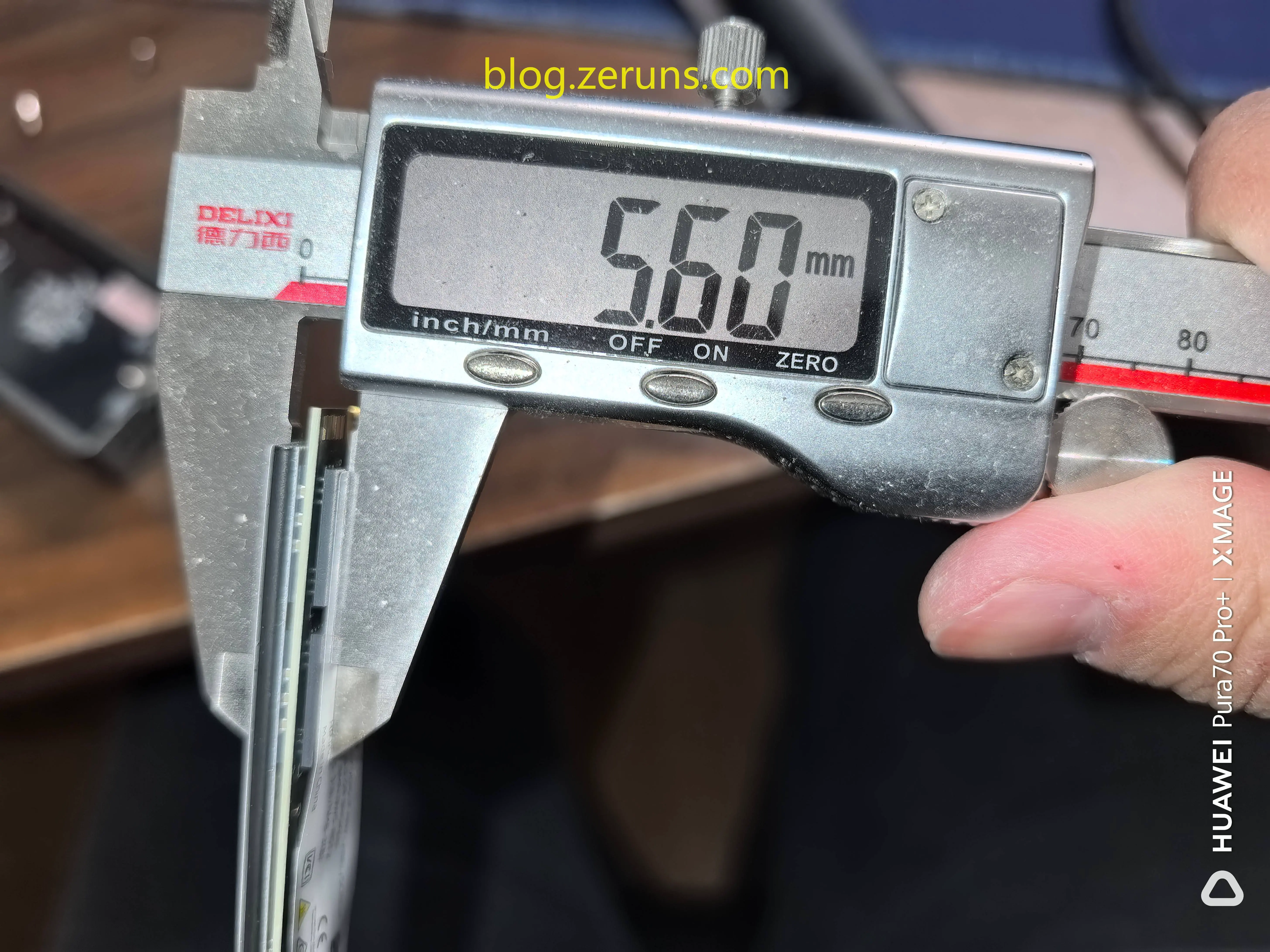
由于硬盘太厚了,导致装入上面的硬盘盒里后就盖不上盖子了…
装进硬盘盒后连接电脑测试
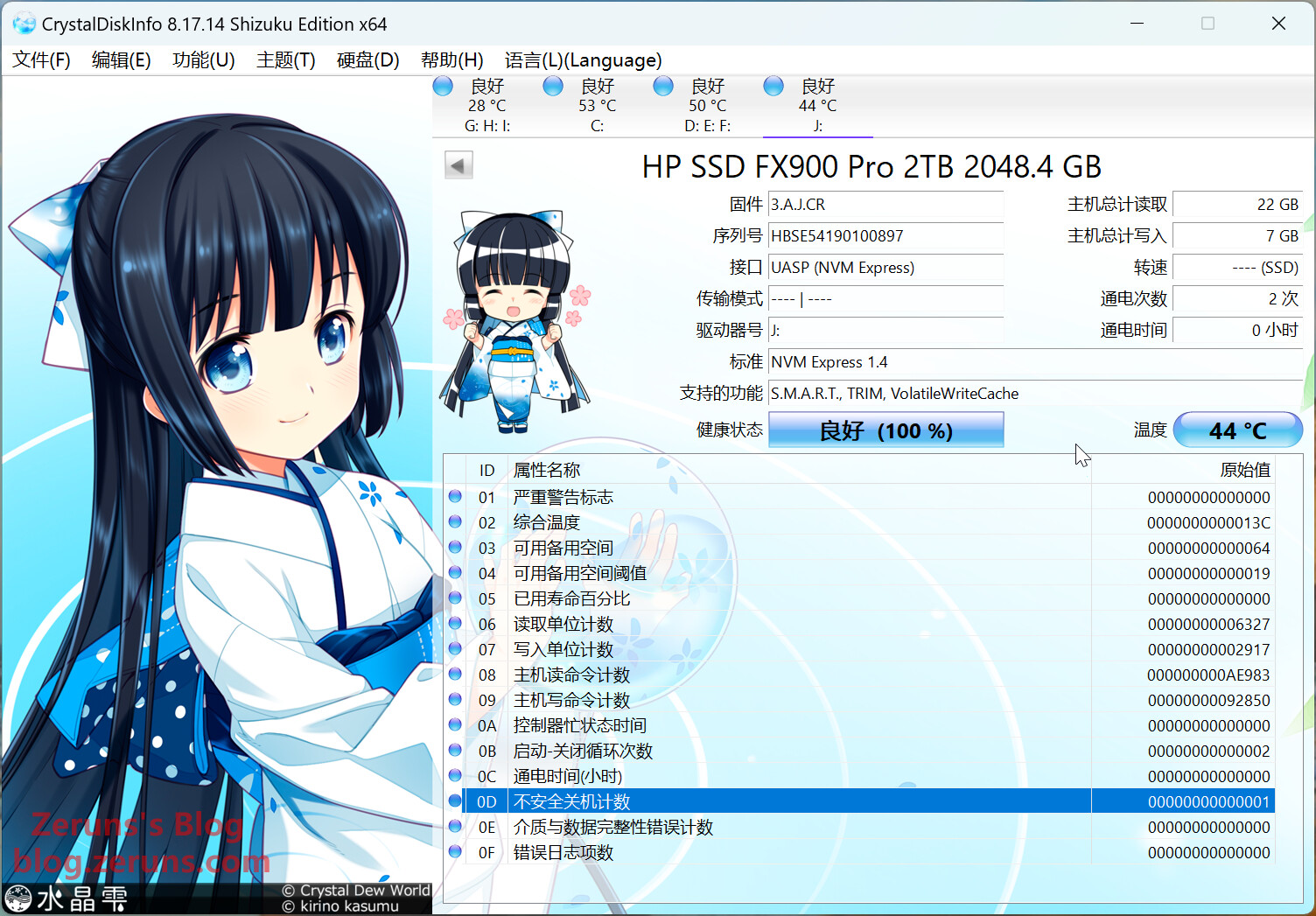
CrystalDiskInfo信息如下图
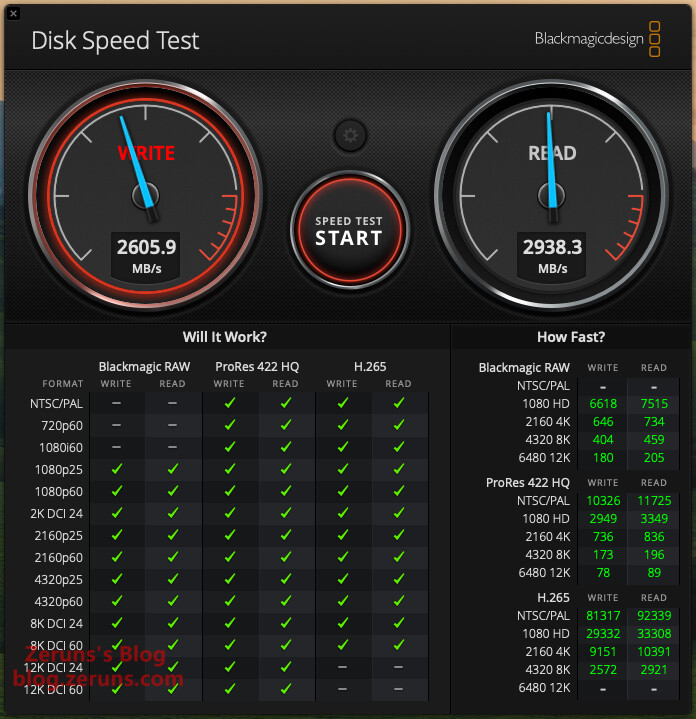
使用Mac上的 Blackmagicdesign Disk Speed Test 软件测速,顺序写入速度2605.9MB/s,顺序读取2938.3MB/s(受限硬盘盒和接口速率,跑不满硬盘的速度)
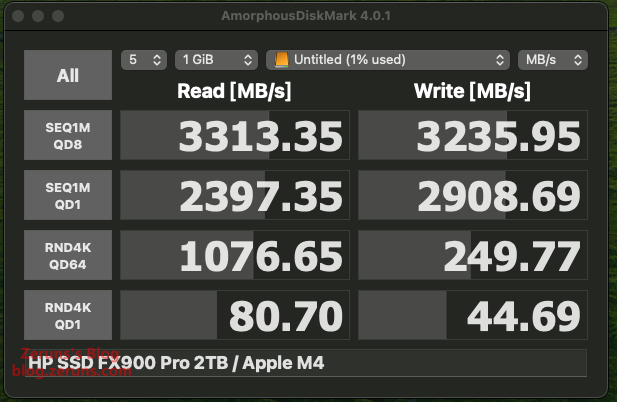
使用Mac上的 AmorphousDiskMark 4.0.1 软件测速,顺序写入速度3313.35MB/s,顺序读取3235.95MB/s,单线程4K随机读速度80.7MB/s,单线程4K随机写速度44.69MB/s。(受限硬盘盒和接口速率,跑不满硬盘的速度)
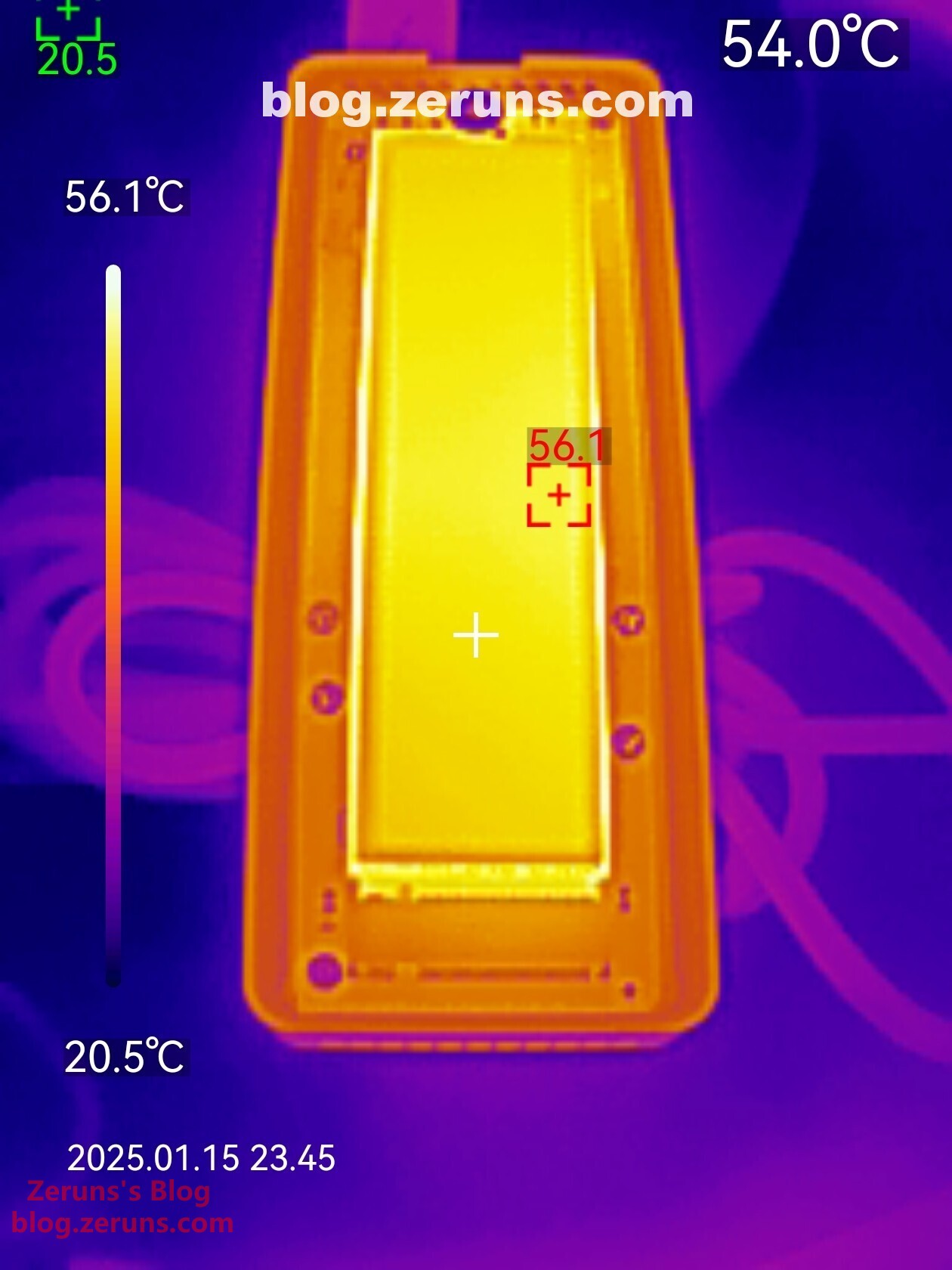
读写跑满时硬盘正面热成像图如下,最高温度56.1℃左右(环境温度20度左右)。发热表现还不错
推荐阅读
- 高性价比和便宜的VPS/云服务器推荐: https://blog.zeruns.com/archives/383.html
- 优派VG2481-4K显示器 简单开箱评测,24寸4K:https://blog.zeruns.com/archives/831.html
- 爱快 IK-Q6000 WiFi6无线路由器 简单开箱评测和拆解:https://blog.zeruns.com/archives/835.html
- 2.5G交换机 TL-SE2420 简单开箱评测:https://blog.zeruns.com/archives/837.html
- 机械革命imini Pro820迷你主机评测和拆解,8845H小主机:https://blog.zeruns.com/archives/813.html
- NanoKVM简单开箱测评和拆解,让普通电脑实现BMC/IPMI远程管理功能:https://blog.zeruns.com/archives/840.html
English Version of the Article: https://blog.zeruns.top/archives/29.html