多凯斯(DOCKCASE)DSWC1R-3S 智能屏显磁吸硬盘盒 简单开箱测评,Magsafe外接扩容,可用于iPhone外接的移动硬盘,外录ProRes视频,带屏幕的硬盘盒,支持100W PD供电,10Gbps速率。
这个硬盘盒接笔记本电脑或手机时还可以通过另一个C口提供100W的PD快充,笔记本电脑/手机使用硬盘的同时还可以充电。
测评视频: https://www.bilibili.com/video/BV13ERaYpEci/
- RIHAO USB4硬盘盒 + 惠普FX900Pro 2TB固态硬盘 简单开箱测评:https://blog.zeruns.com/archives/842.html
- 苹果 Mac Mini M4 迷你主机简单测评和拆解:https://blog.zeruns.com/archives/851.html
- ACASIS TBU405Pro 雷电4/3硬盘盒 + 西数SN7100 1TB固态硬盘 简单开箱测评和拆解:https://blog.zeruns.com/archives/857.html
产品参数
| 参数 | 详情 |
|---|---|
| 型号 | DSWC1R-3B |
| 供电接口规格 | 100W PD |
| 断电保护时长 | 3秒 |
| 屏幕尺寸 | 1.54英寸 240×240 LCD |
| 材质 | 铝合金、钢化玻璃 |
| 尺寸和重量 | 59.3*59.3*14.5mm (53.3g) |
| 产品配线 | USB 3.2 Gen 2 Type-C to C 数据线 |
| 接口 | USB 3.2 Gen 2 Type-C |
| 传输速度 | 10Gbps |
| 供电要求 | 最大 5V±0.25V 3.0A |
| 主控方案 | RTL9210 |
| 支持SSD类型 | M Key M.2 SSD(NVMe/PCIe), B&M Key M.2 SSD(NVMe/PCIe) |
| 支持SSD规格 | 2230 / 2242 |
| 支持SSD容量 | 最大2TB |
| 系统要求 | Windows 7/8.1/10/11,macOS,iPadOS,Linux, Android,PlayStation 5,ChromeOS,HarmonyOS |
购买地址:
- 京东:https://u.jd.com/61MQoCP
- 淘宝:https://s.click.taobao.com/4hSbrUs
- 拼多多:https://p.pinduoduo.com/IbwVq5Jb
开箱&拆解
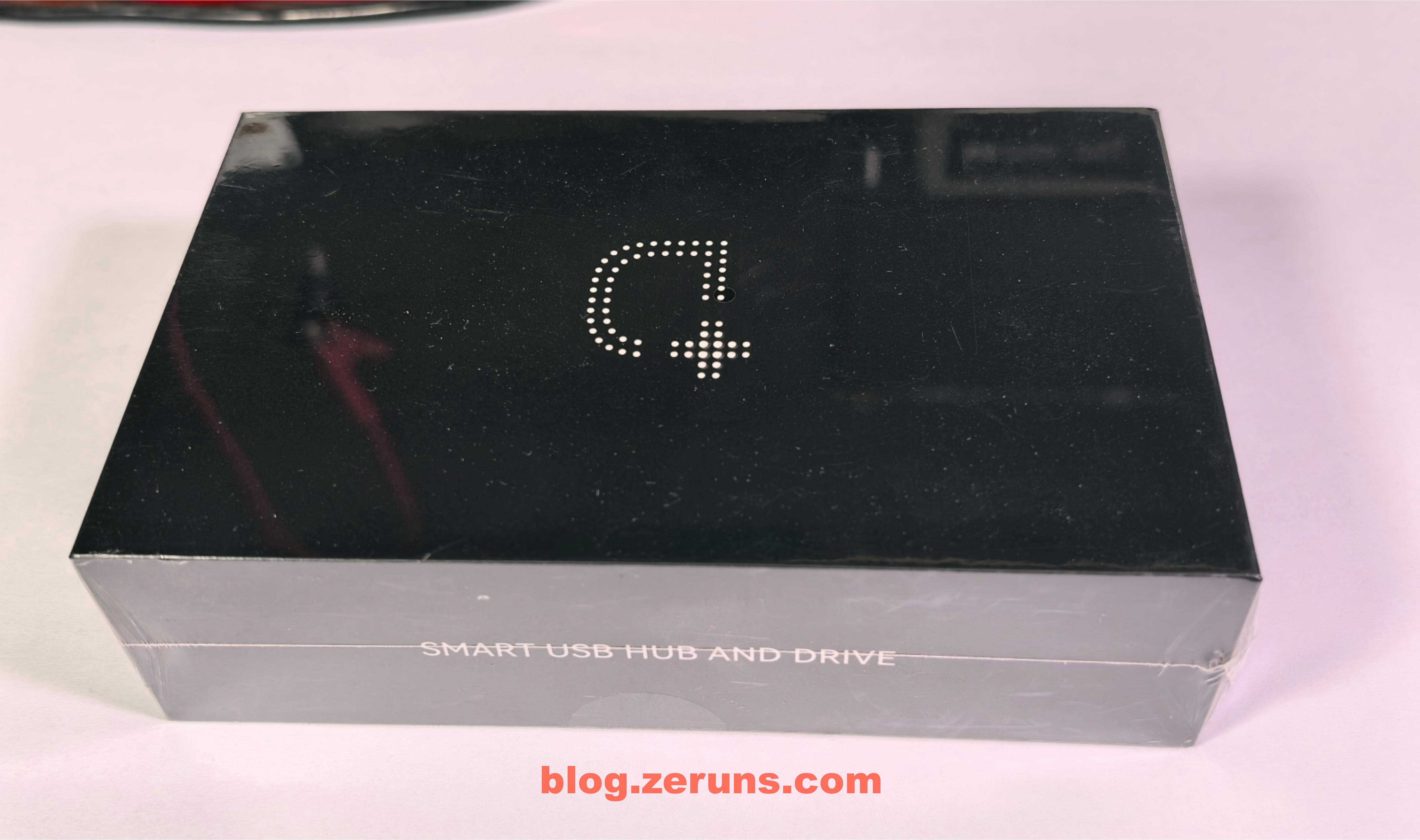
外包装正面
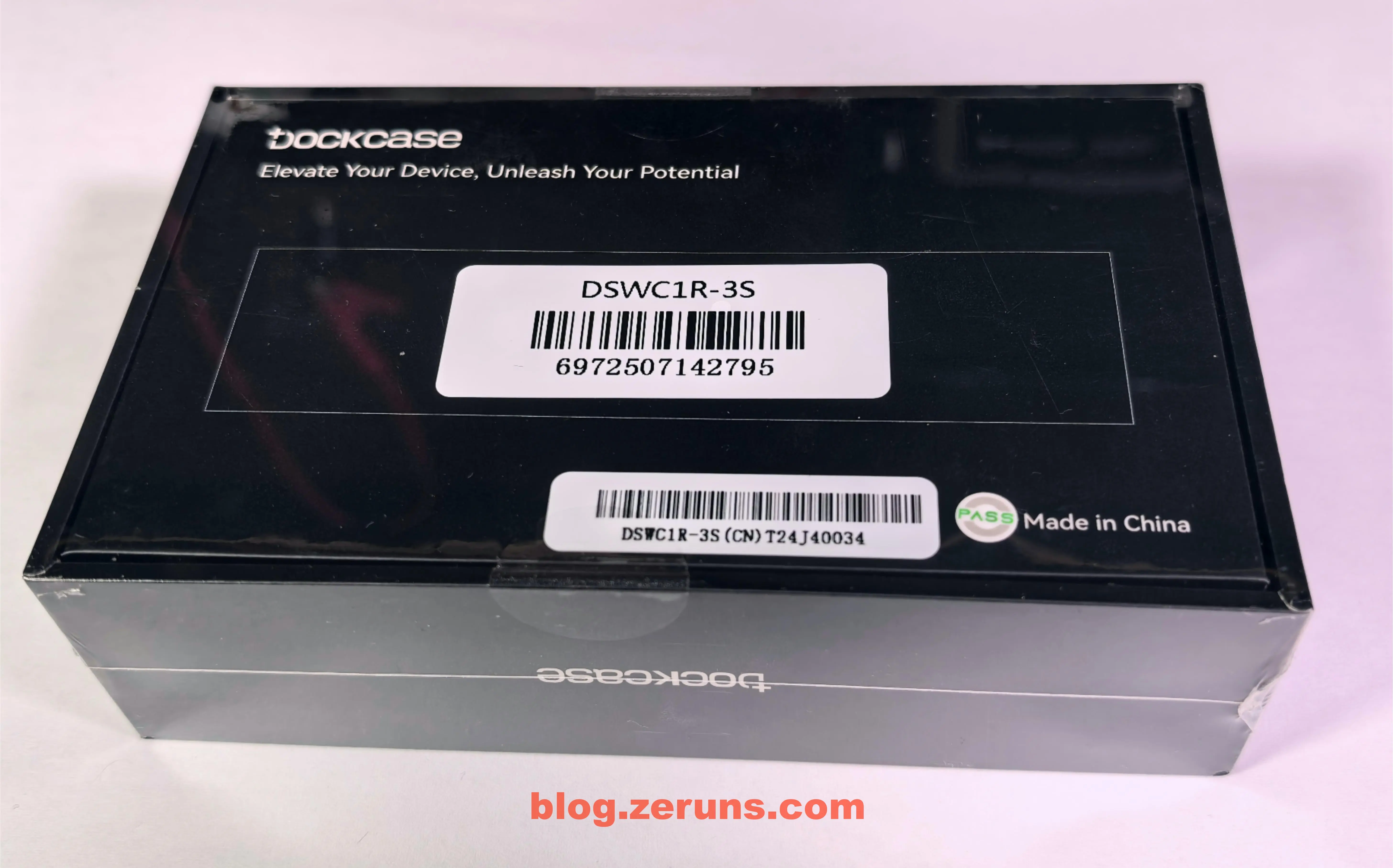
外包装背面
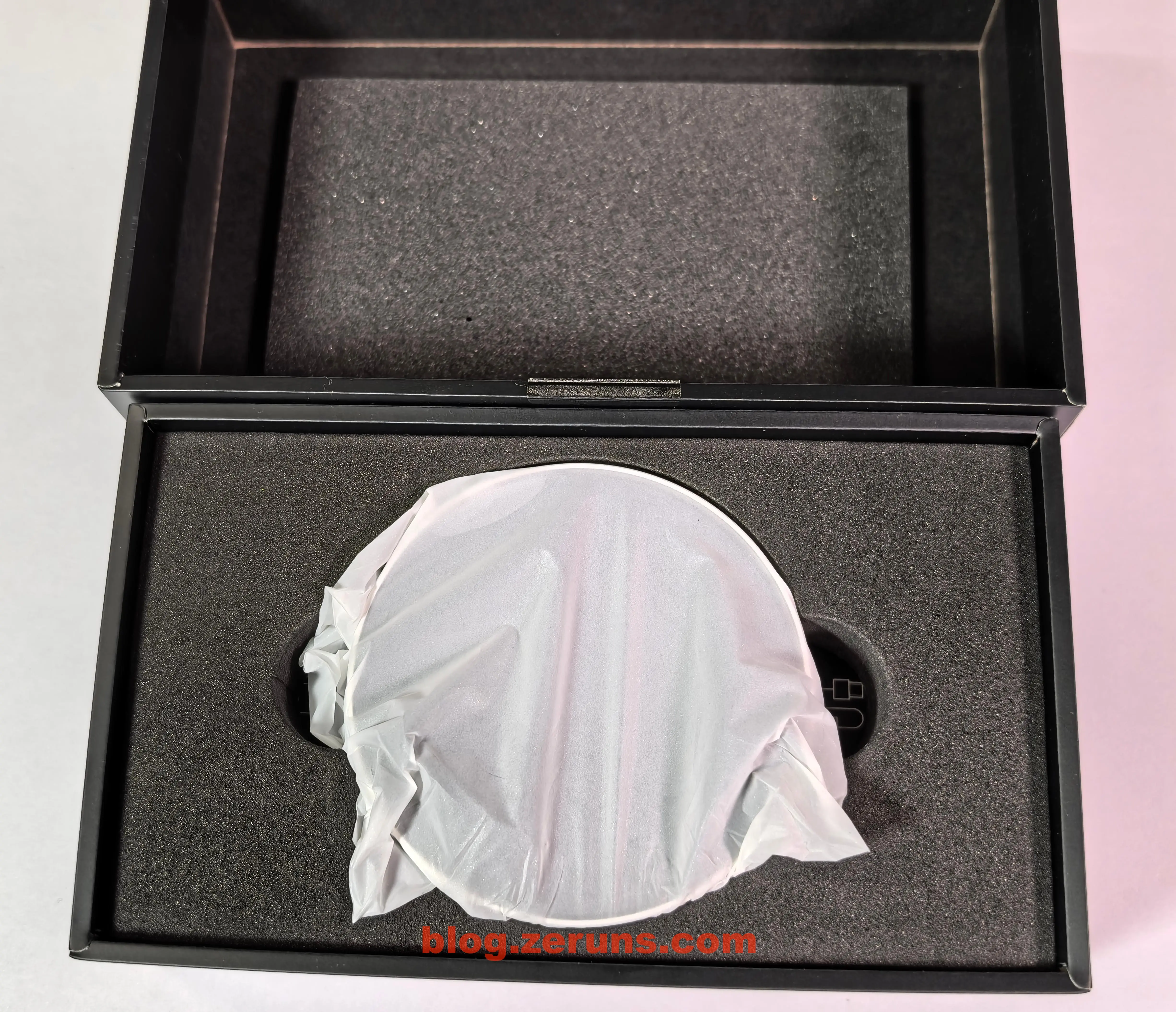
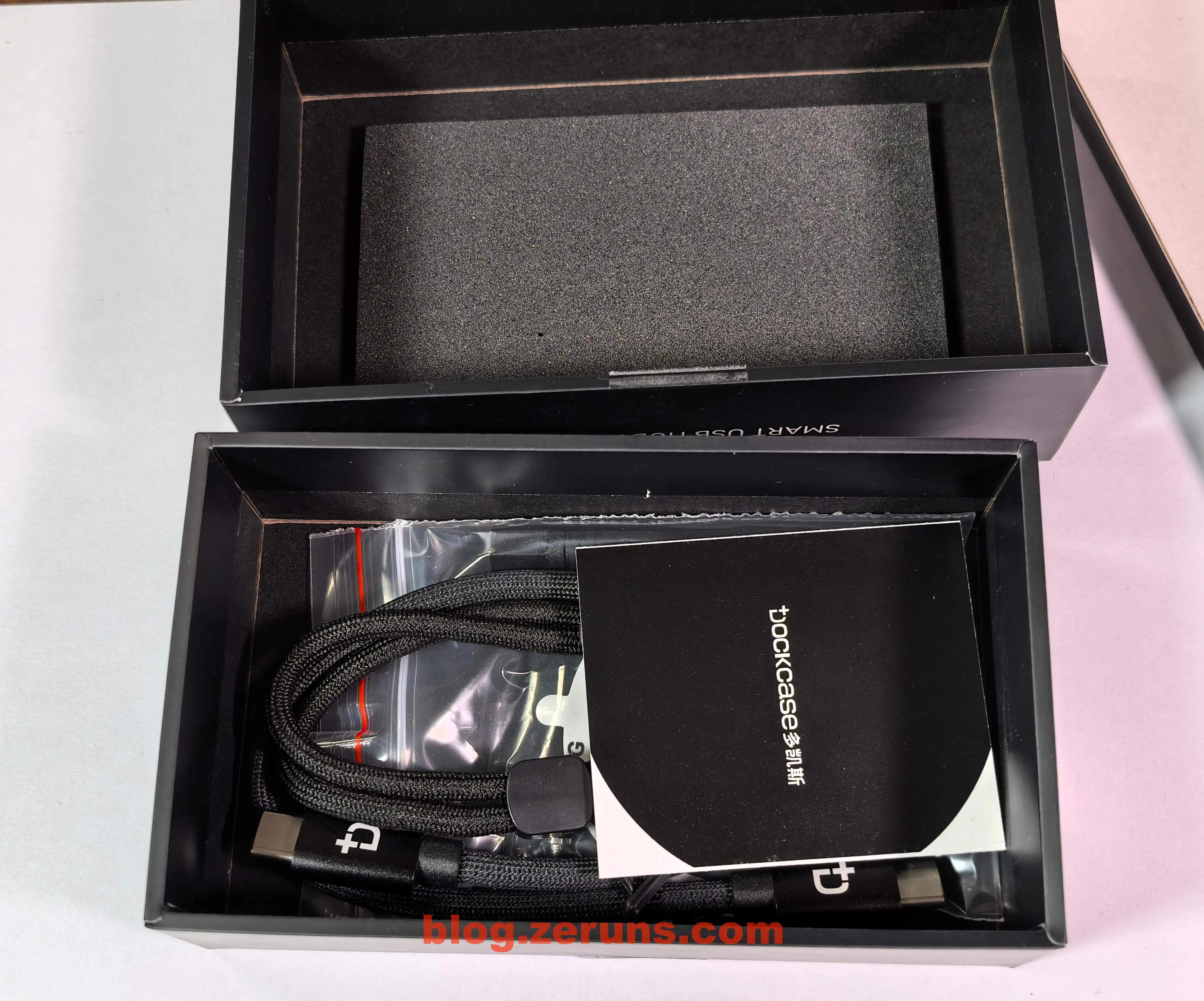
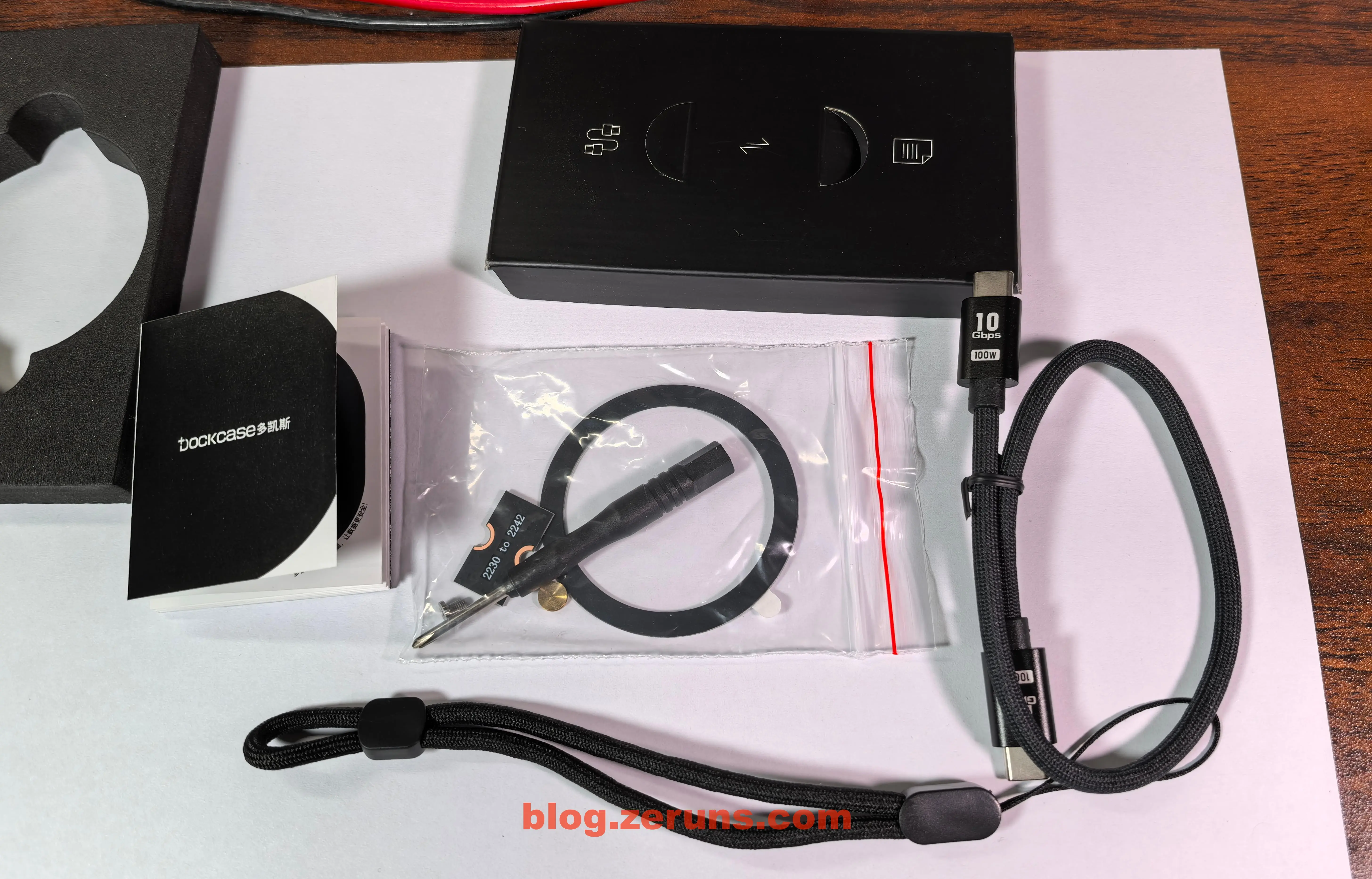
打开外包装,里面有 硬盘盒、CtoC的数据线、挂绳、说明书、螺丝刀、螺丝、SSD延长板(2230规格转2242)、引磁环(用于没有磁吸功能的安卓手机,可以将这个圈粘在手机后面,然后硬盘就可以磁吸上去)。
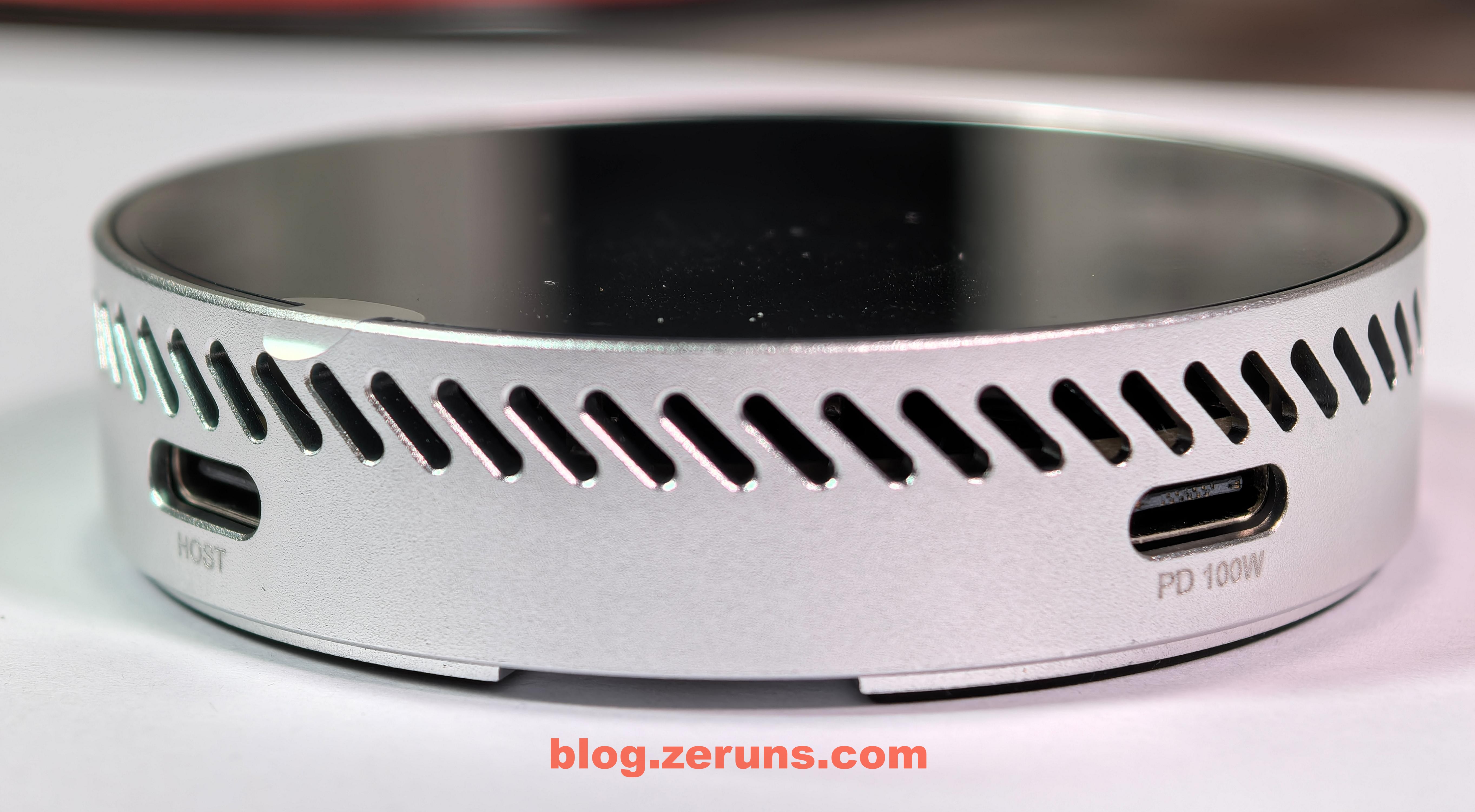
硬盘盒正面,屏幕和玻璃盖板,中框上有一个按键,还有一圈散热孔。

硬盘盒侧面,中框上还有两个TypeC接口,其中HOST是数据接口,PD 100W是供电接口。
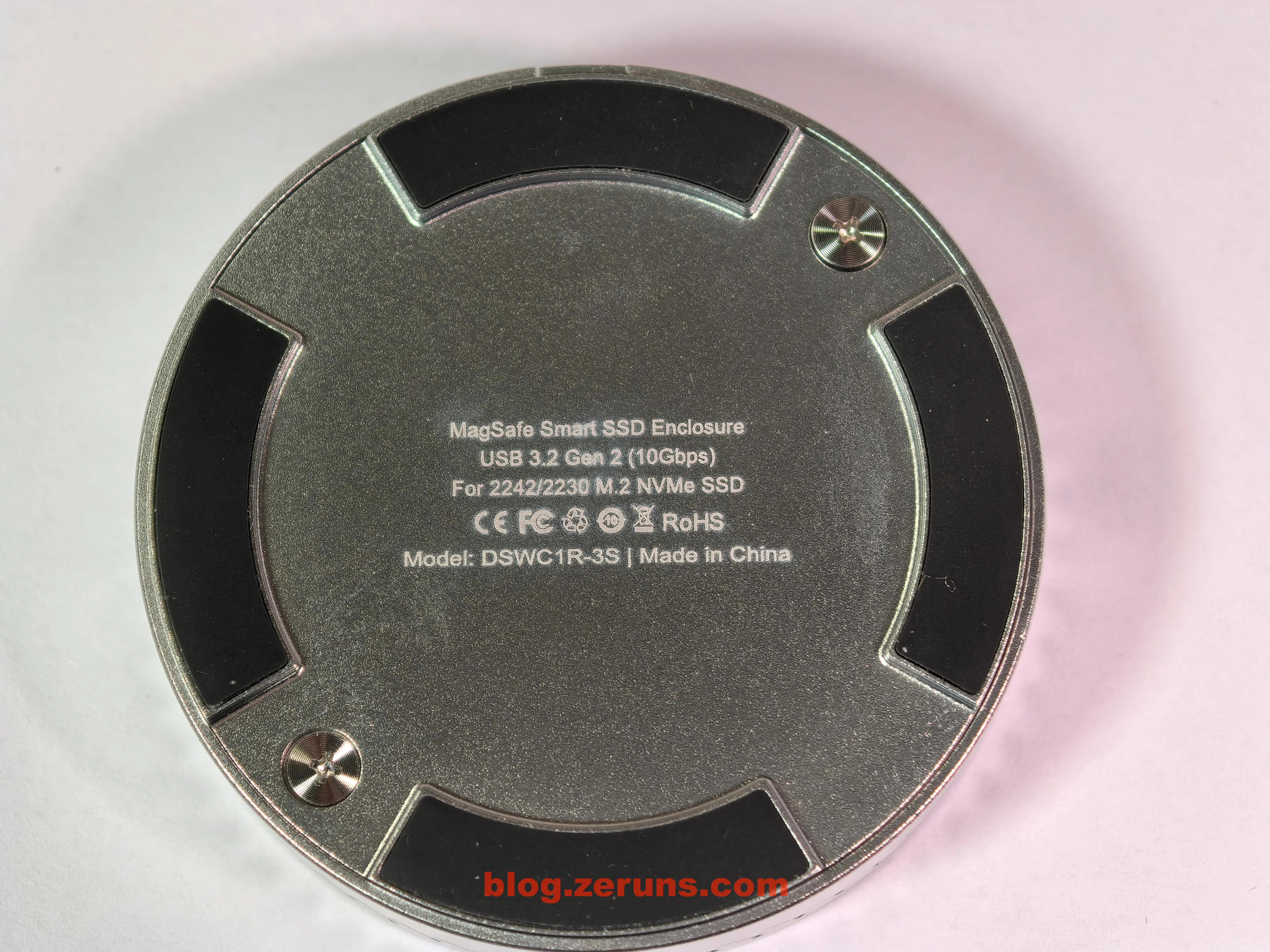
硬盘盒底面,印有型号,还有脚垫防滑(磁铁在脚垫上)
另开底部的两个螺丝就可以拆开底盖,然后就可以安装M.2硬盘了,电路板上还有一块导热垫,导热垫上面还有一块塑料片,使用前需要撕开。
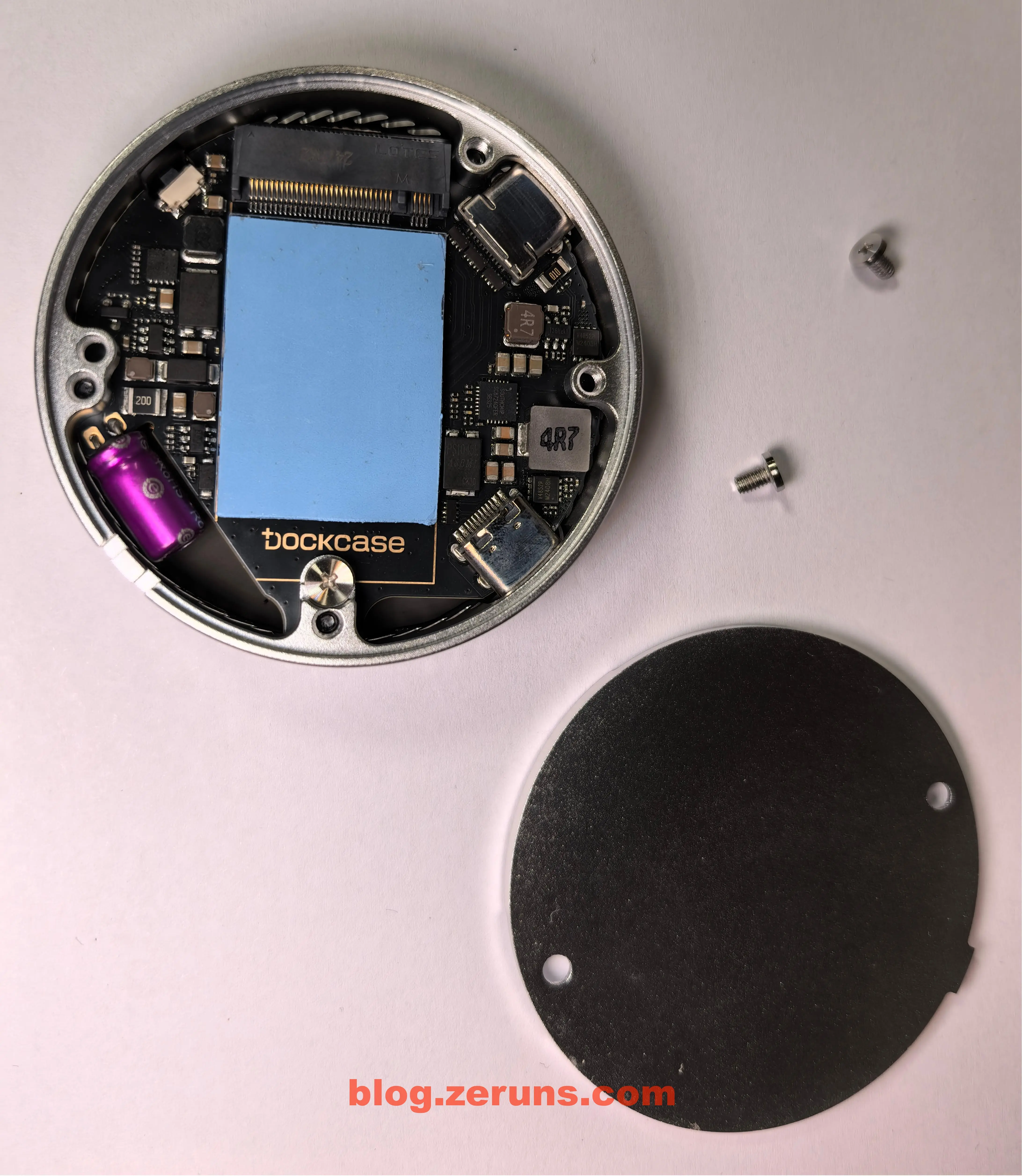
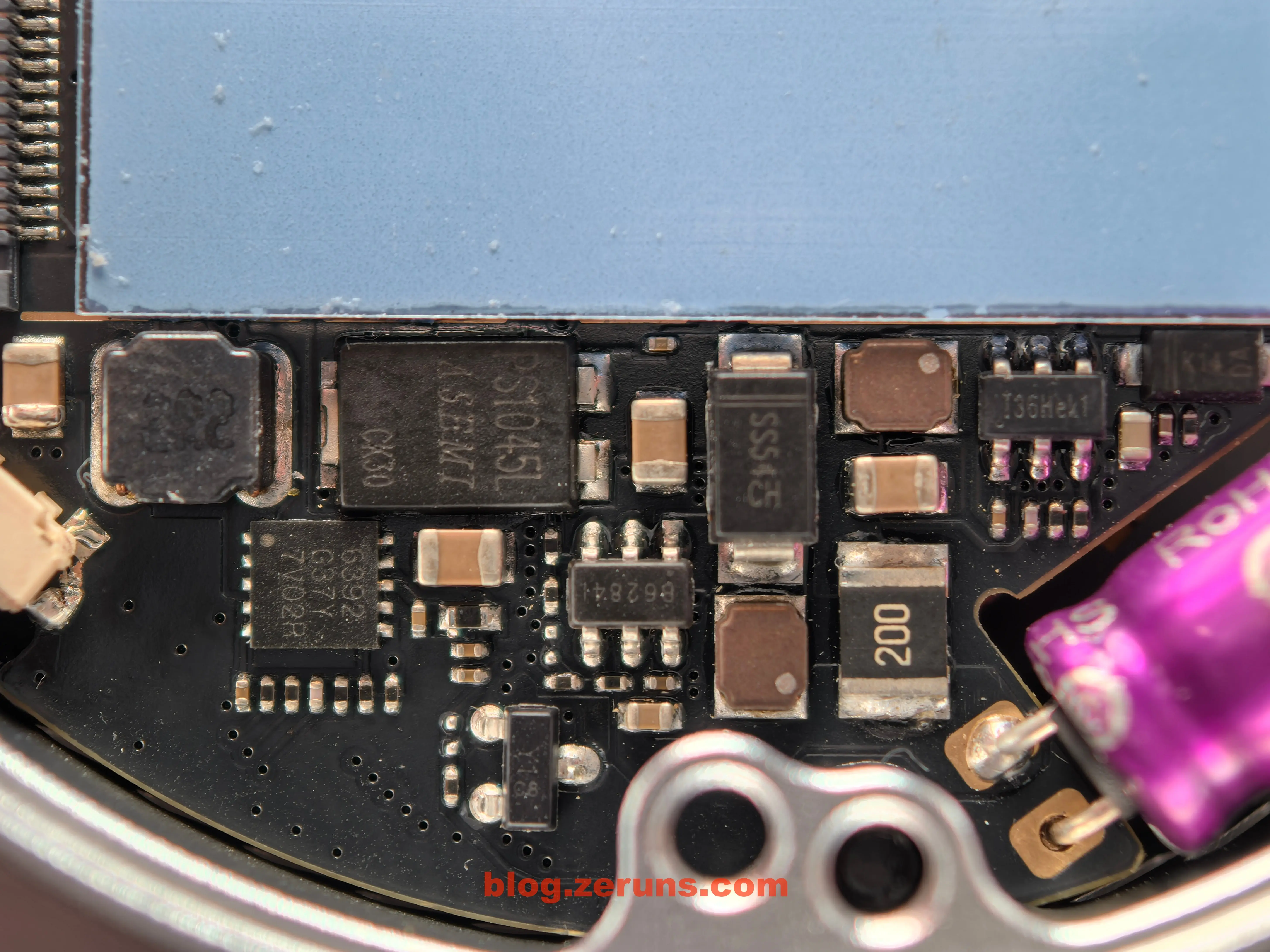
下图中的芯片有:
- V4852P M2408H:PMOS管,型号为JMV4852P,30V/32A
- SC8724QFER:南芯(Southchip)半导体推出的高效同步升降压变换器,集成四MOSFET,支持2.7-22V输入和3-22V输出,支持固定5.1V的输出,最大输出电流3.5A。
- PS1045L:ASEMI的超低正向压降的肖特基二极管,采用TO-277封装,具有10A正向电流和45V反向耐压
- SS54:一款贴片肖特基二极管,最大反向耐压40V,正向电流5A,具有低正向压降(约0.55V)和快速开关特性
- 6392 G37Y 7V02R:没查到资料
- 36Hek1:没查到资料,应该是DCDC电源芯片
还有一颗大电容用于断电保护,防止传输中的文件损坏,让硬盘有足够时间完整保存FTL映射表。
主控芯片和屏幕显示相关芯片在电路板背面,需要拆开玻璃面板,这个粘得有点牢,我这里就不拆了。
根据厂家公布的参数可知主控芯片是 瑞昱(Realtek)的 RTL9210,前端接口是 USB 3.1 Gen2(10Gbps)/ 兼容Gen1(5Gbps)和 USB 2.0,后端接口:PCIe 3.0 x2(带宽16Gbps)
RTL9210B芯片官网:https://url.zeruns.com/Sc7nr

评测&测速
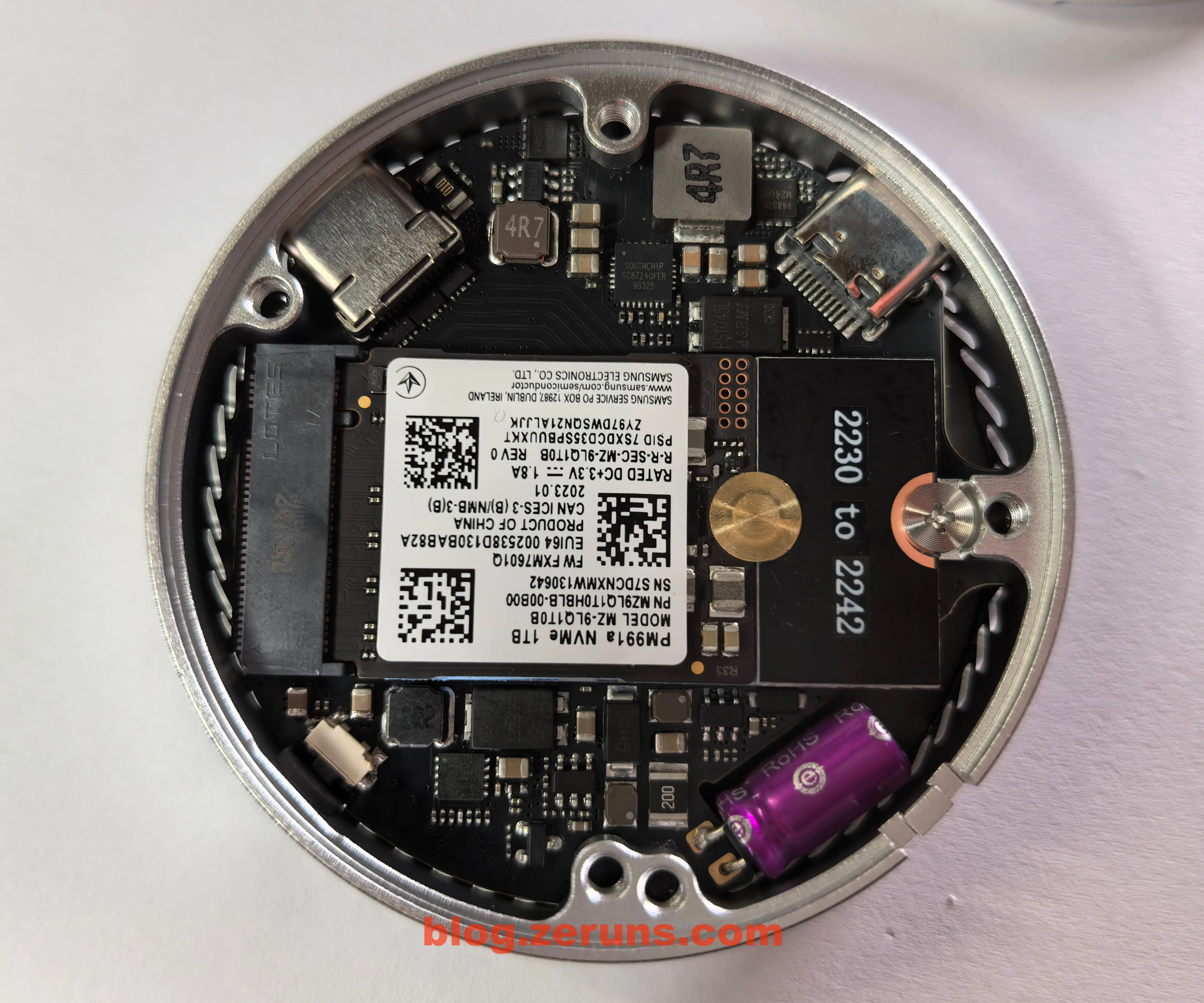
我装上了一块三星的PM991a 1TB硬盘来测试,硬盘规格是2230的,需要用那个延长板来转成2242.
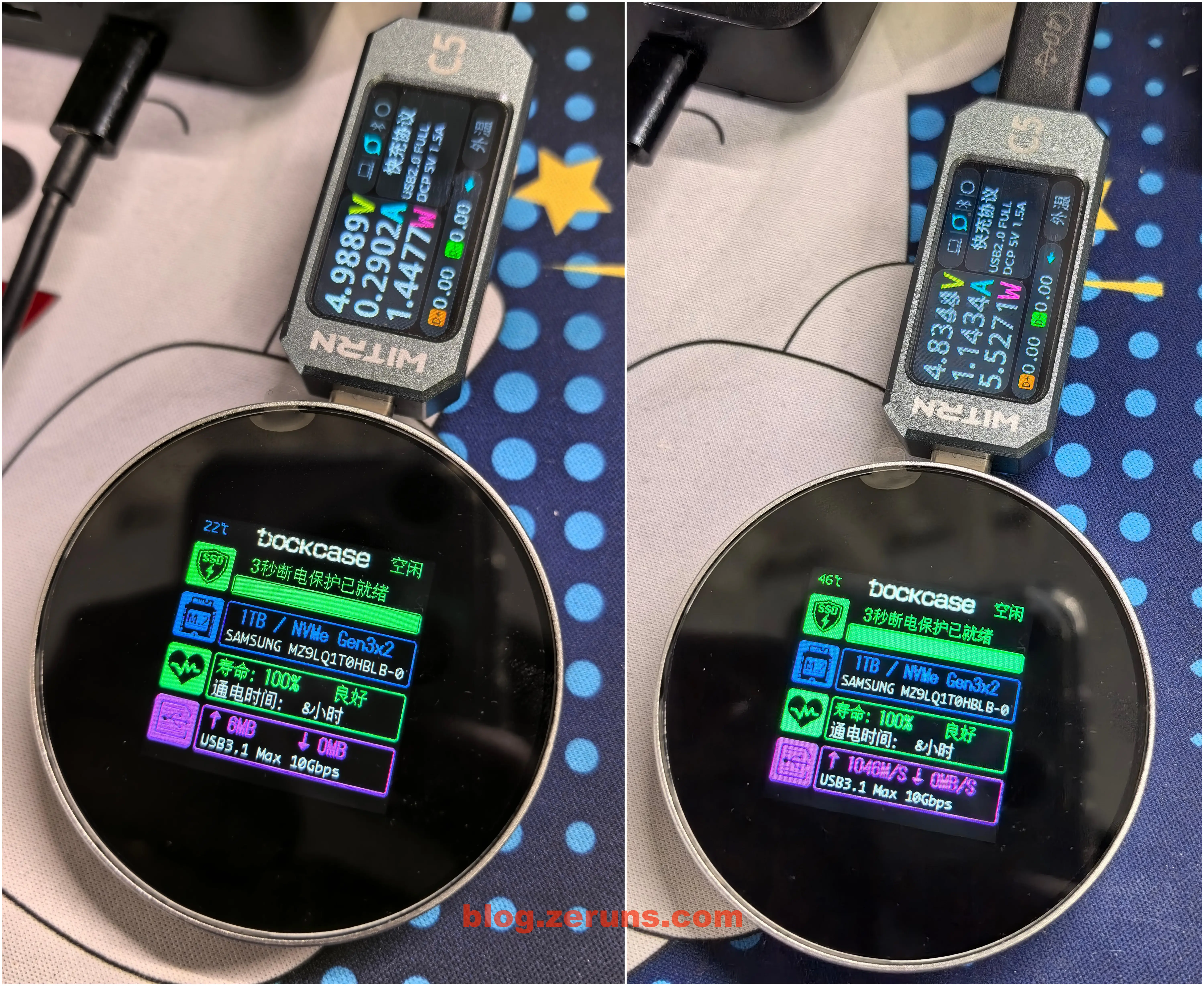
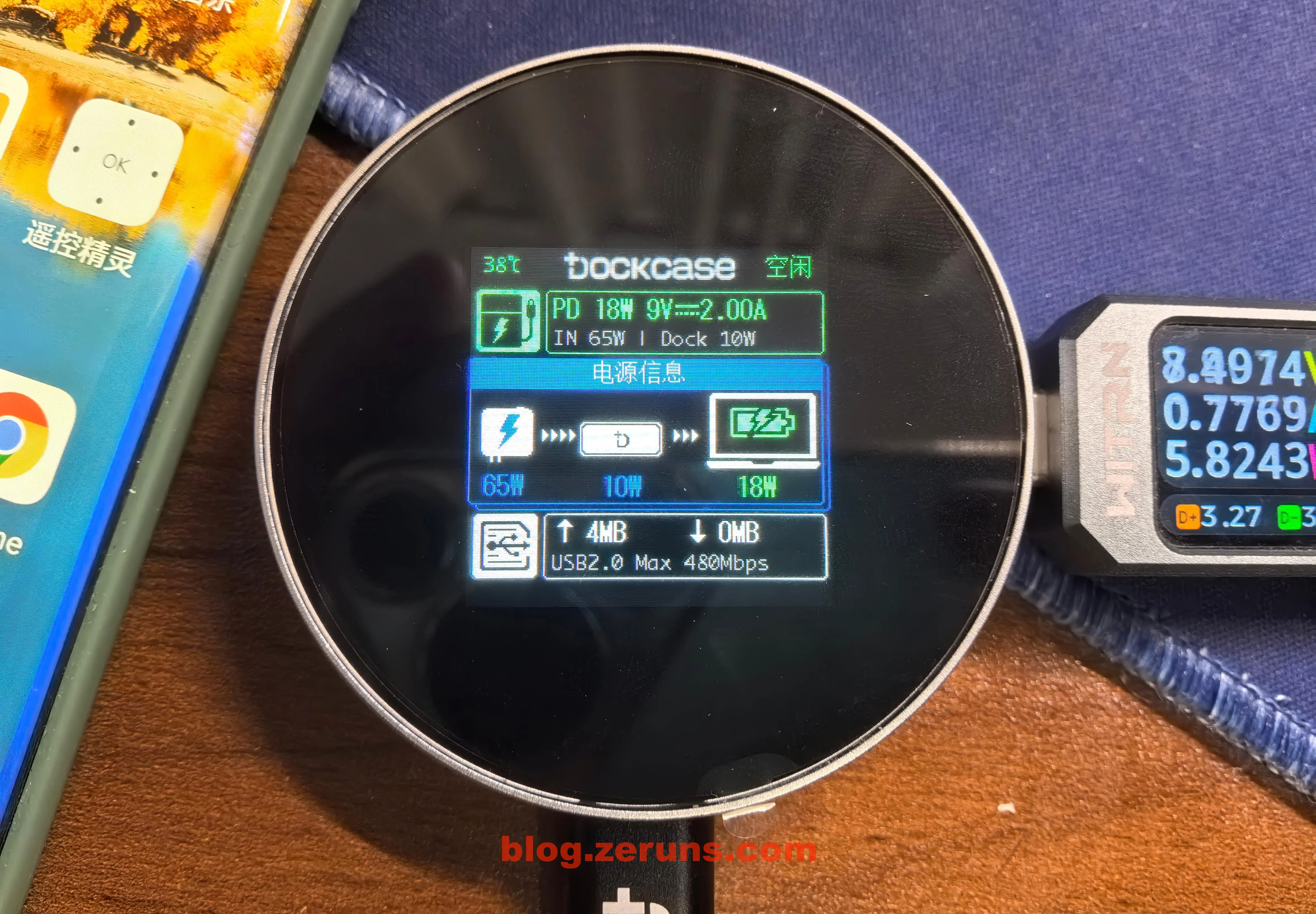
插上电脑,空载没有读写时硬盘盒功耗1.4瓦左右,硬盘盒屏幕上显示 硬盘温度、硬盘型号、容量、寿命、通电时间、硬盘实时读写速率、USB连接协议速率。
硬盘盒读取跑满时工作功率在5.5瓦左右。
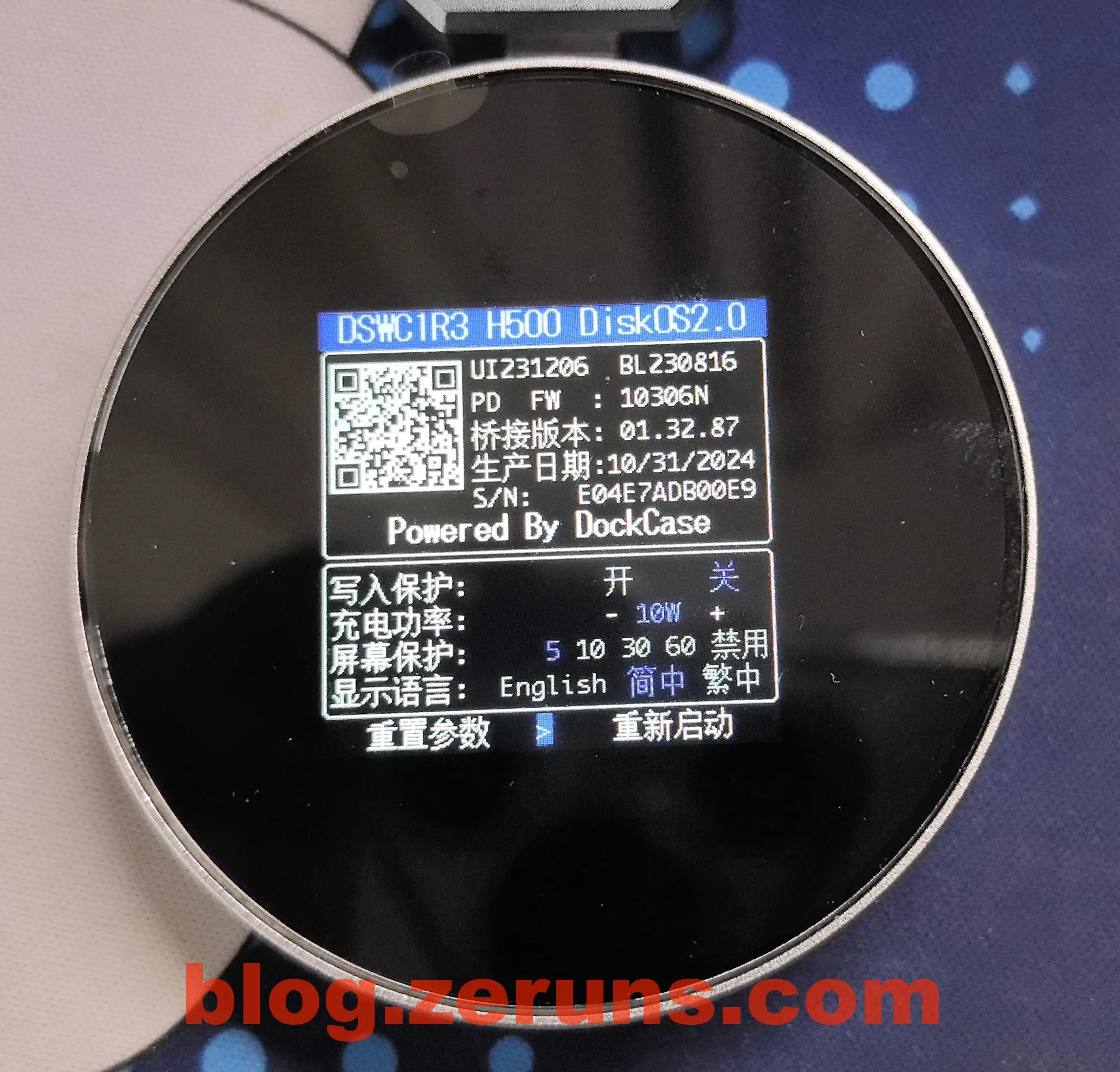
长按中框上的按键,等待下面显示 关于 时松开按键就可进入到硬盘盒设置页面,可以开启写入保护、设置屏幕保护时间、充电功率(这个充电功率应该是指那个断电保护用的电容的充电功率)、显示语言。
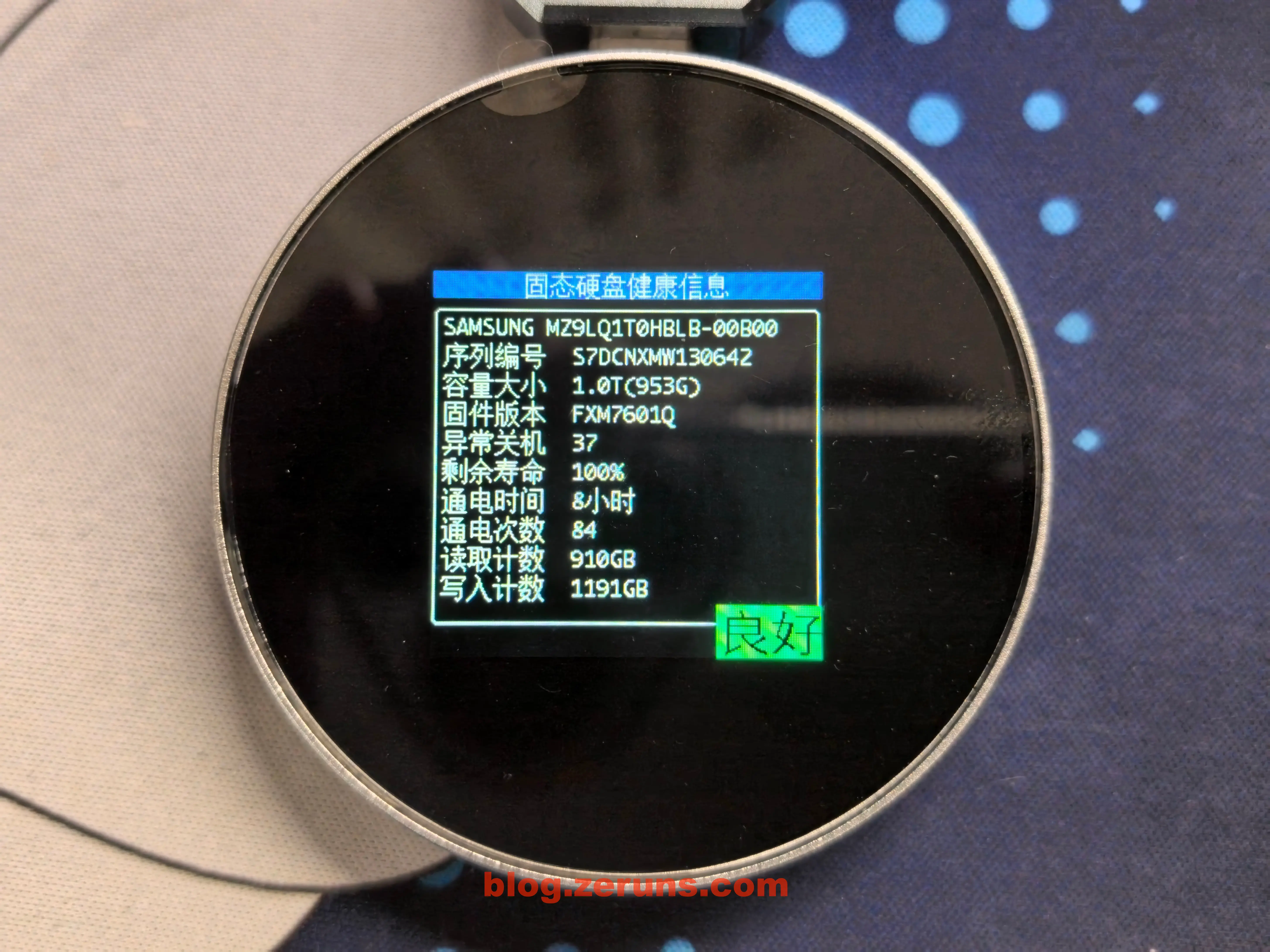
长按中框上的按键,等待下面显示 SSD信息 时松开按键就可进入到固态硬盘健康信息页面,显示的信息有 硬盘型号、序列编号、容量大小、固件版本、异常关机次数、剩余寿命、通电时间、通电次数、读取计数、写入计数。
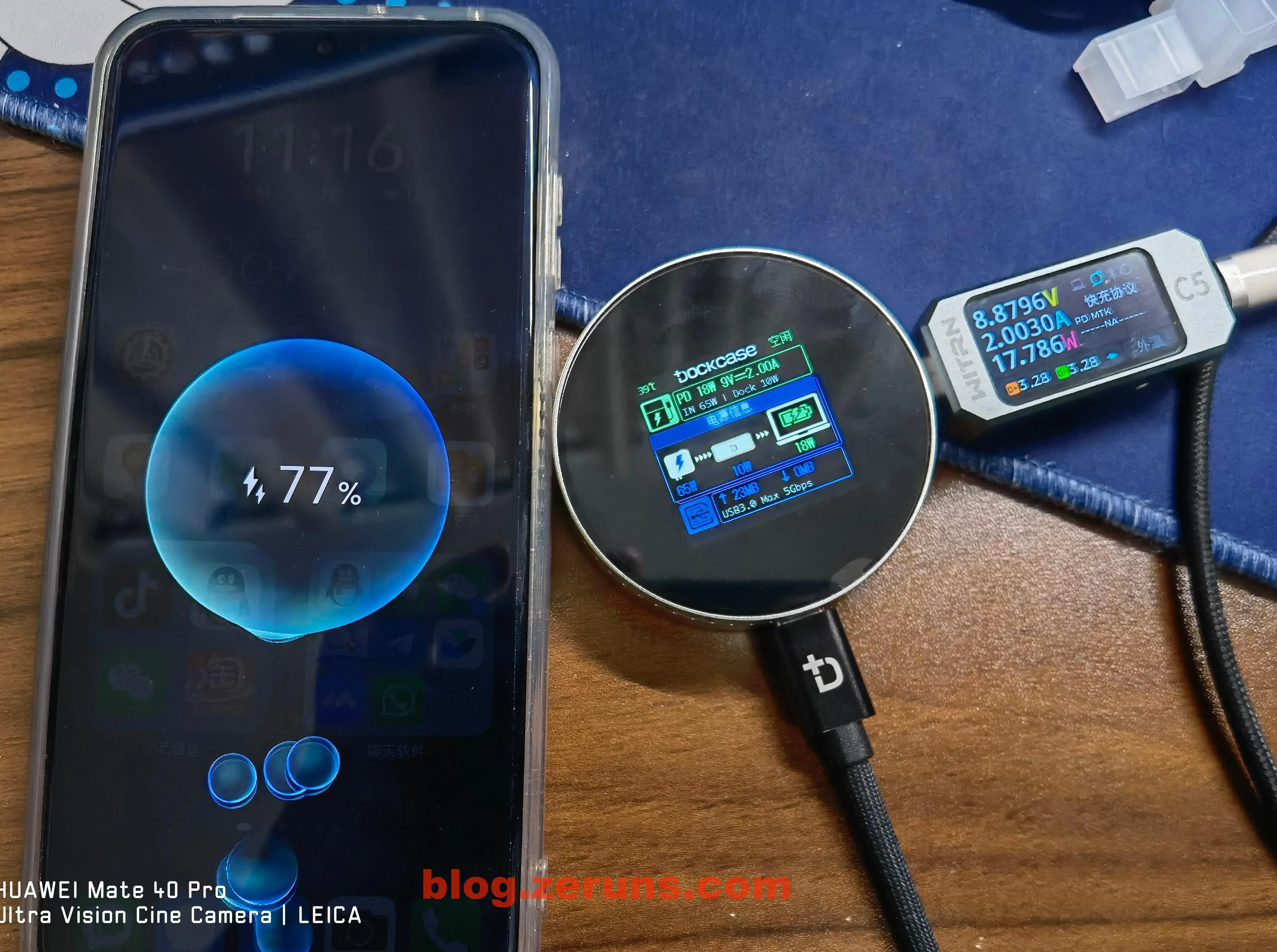
硬盘盒有两个C口,可以一个C口接手机,一个C口接PD充电器,可以边充电边读写硬盘,由于华为手机的PD支持最高才18W,所以没法测试100W PD。
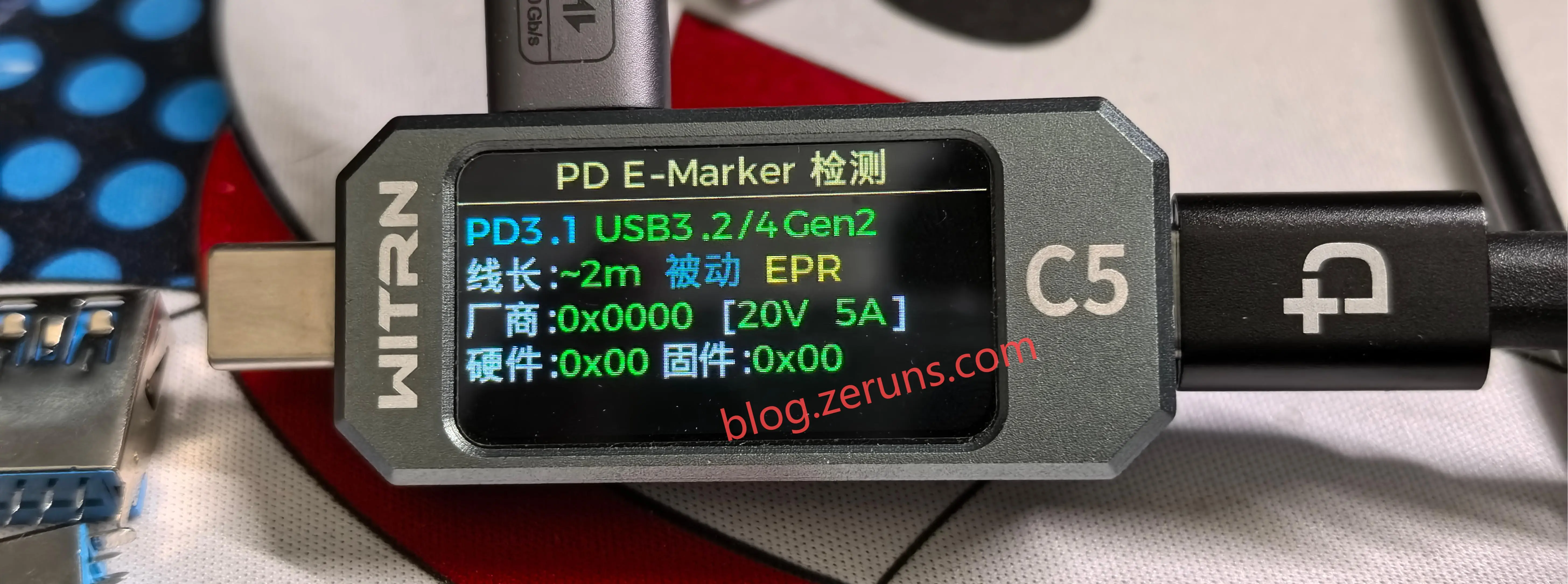
使用 维简C5检测仪 读取硬盘盒附赠的数据线的E-Marker信息,信息显示该数据线支持 USB3.2/4 Gen2,厂商代码0x0000,支持PD3.1 20V 5A。
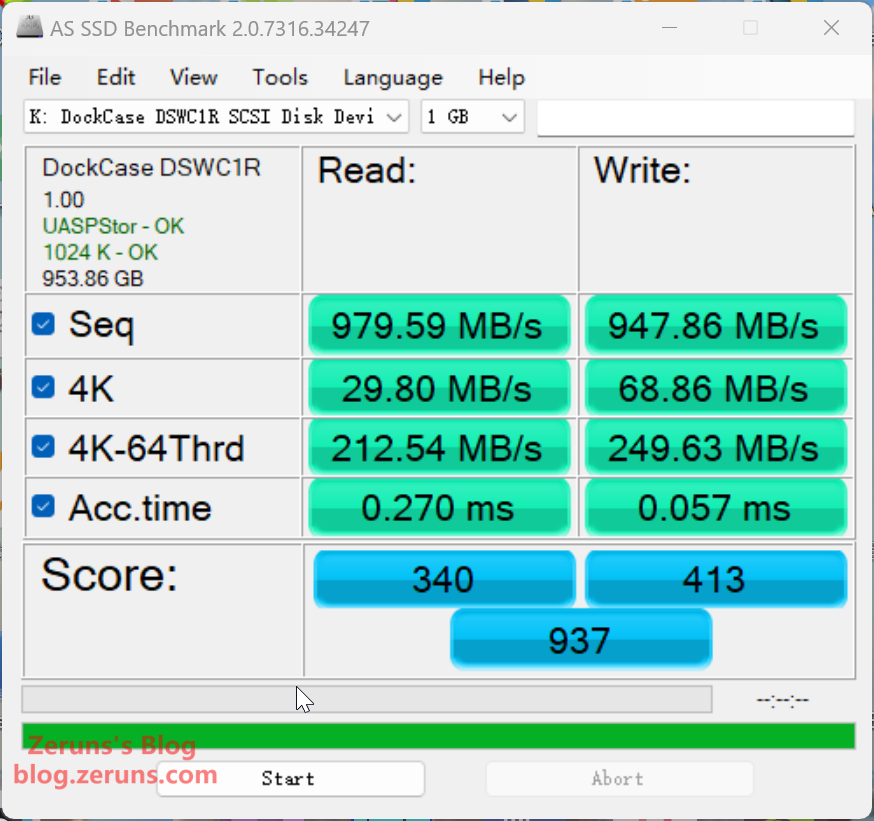
插入电脑,用 AS SSD Benchmark 软件测速,顺序读取速度 979.59MB/s,顺序写入速度 947.86MB/s,单线程4K随机读速度 29.80MB/s,单线程4K随机写速度 68.86MB/s。
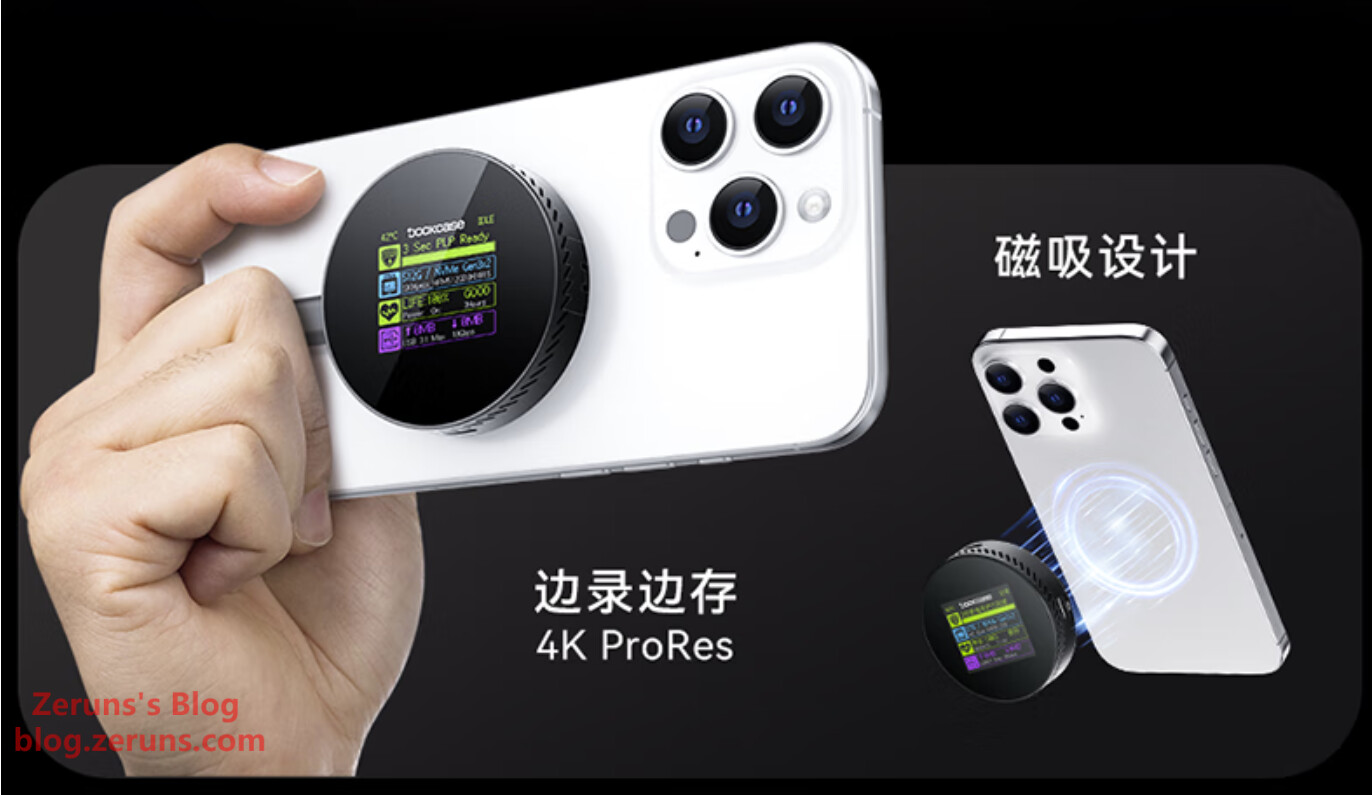
可以把硬盘盒磁吸到苹果手机上,然后插上数据线就可以手机读写这个硬盘了,可以外录4K ProRes视频,安卓手机也可以把附赠的引磁环粘到手机背面也可以实现磁吸。
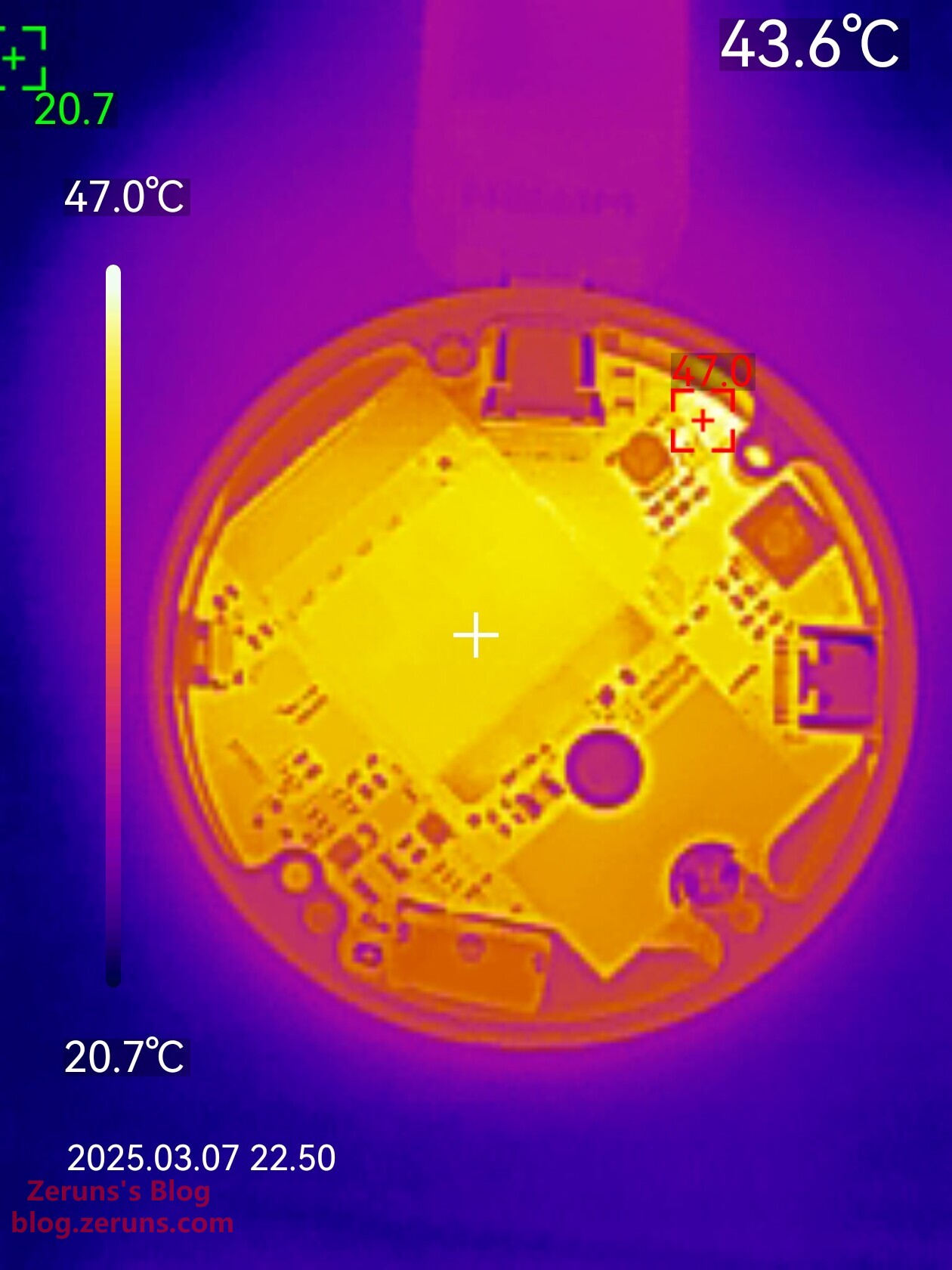
硬盘盒发热情况热成像图
优利德UTi261M热成像仪开箱测评和拍摄效果展示:https://blog.zeruns.com/archives/798.html
硬盘盒空载时(没有进行数据读写操作)的热成像图,最高温是一颗PMOS管,温度47度(环境温度20℃左右),主控芯片在硬盘盒电路板背面,没拆开看,拍不到。根据我另一个同款主控的硬盘盒测评文章可知这颗主控的工作温度也才55℃左右,不高。
硬盘盒读写跑满时的热成像图,硬盘主控温度直冲90度+(没有盖上硬盘盒底盖),建议硬盘和硬盘盒底盖之间自己再加一块导热垫(我加了后硬盘温度可以降到60度以内)。

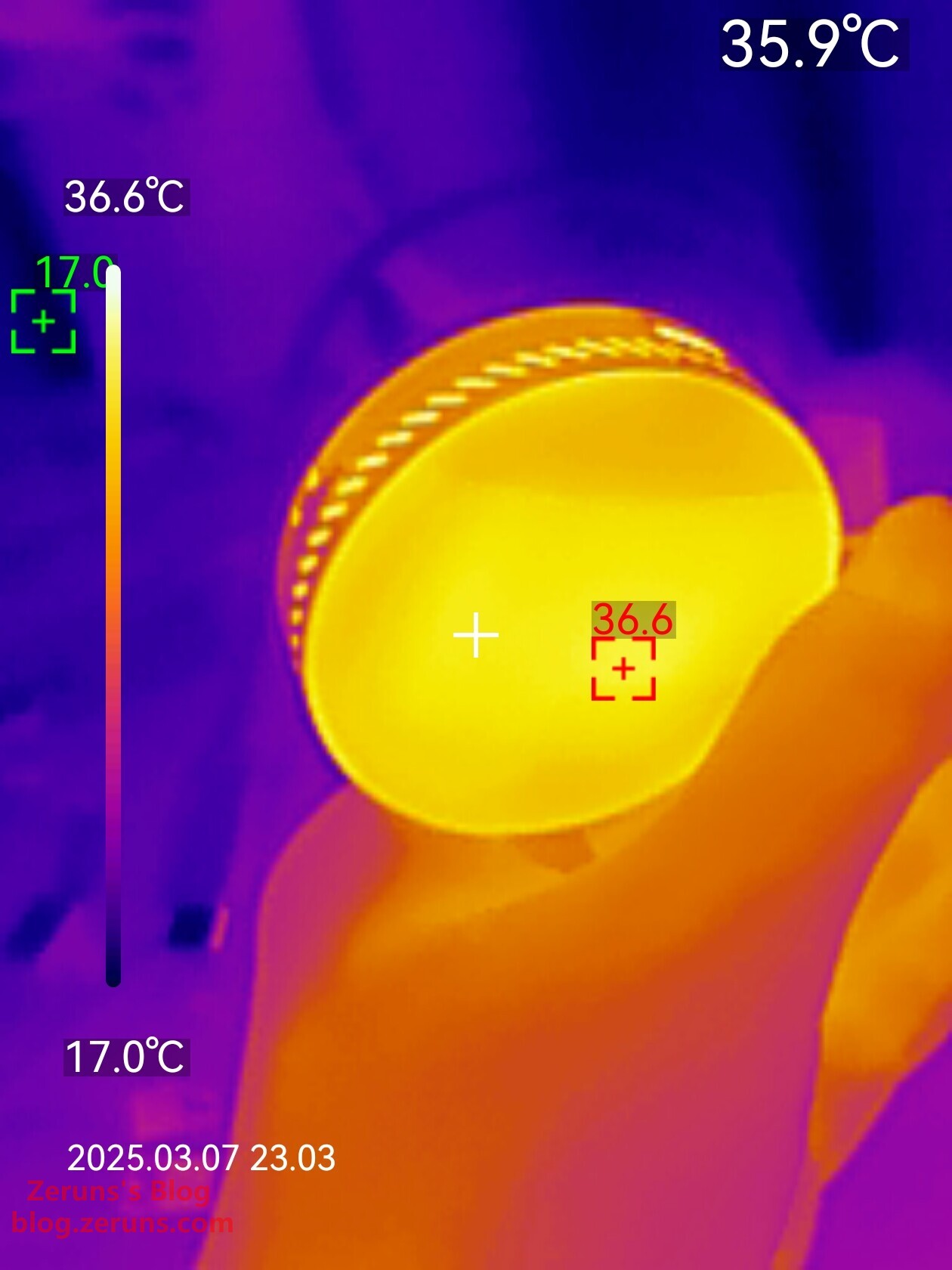
硬盘盒读写跑满时的外壳正面热成像图,屏幕处最高温36.6度。
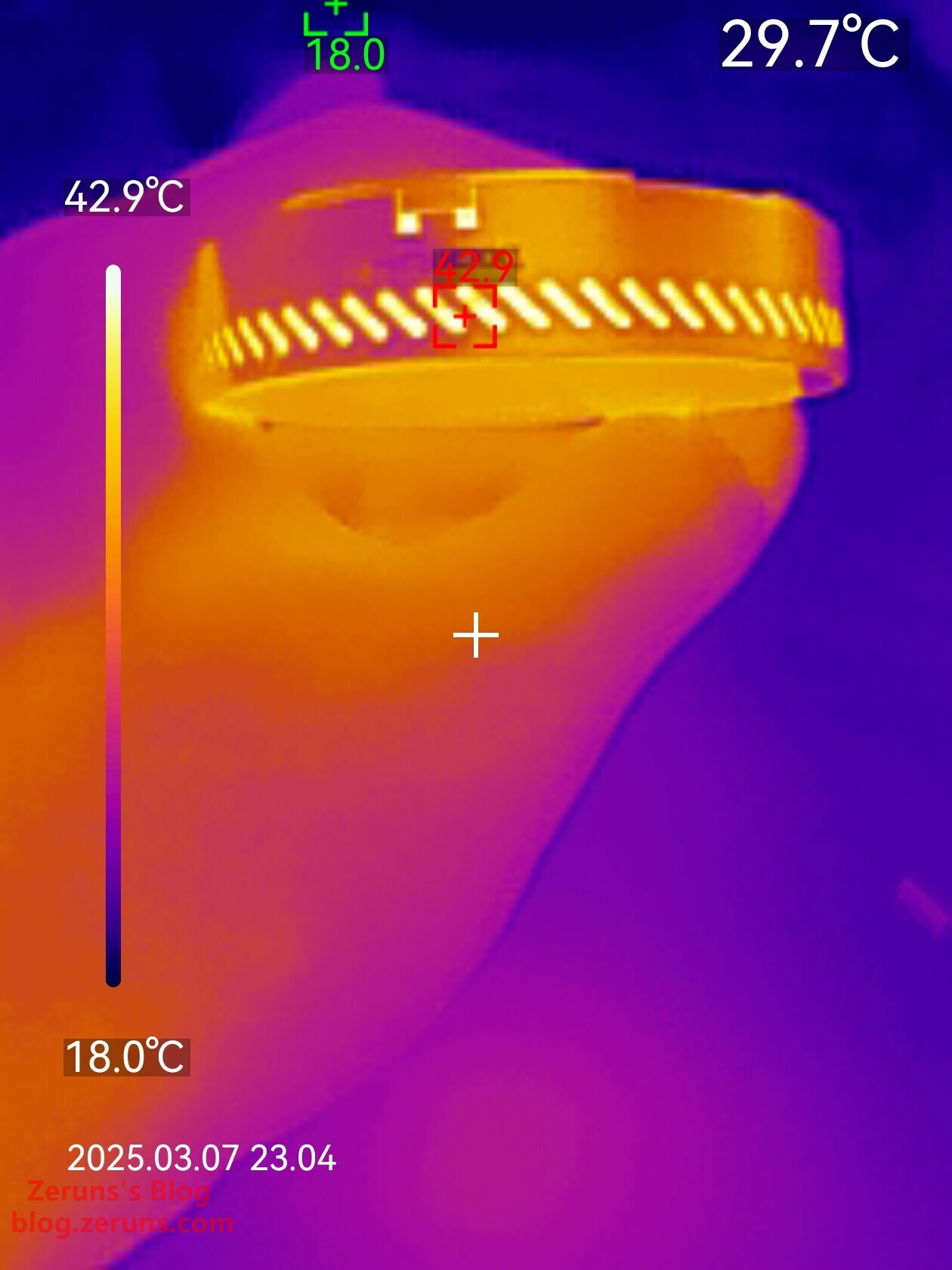
硬盘盒读写跑满时的外壳侧面热成像图,透过散热孔看向里面最高温42.9度。
硬盘盒读写跑满时的外壳底面热成像图,最高温37.5度。(由于金属反光,所以热成像显示三个黑色脚垫温度较高)
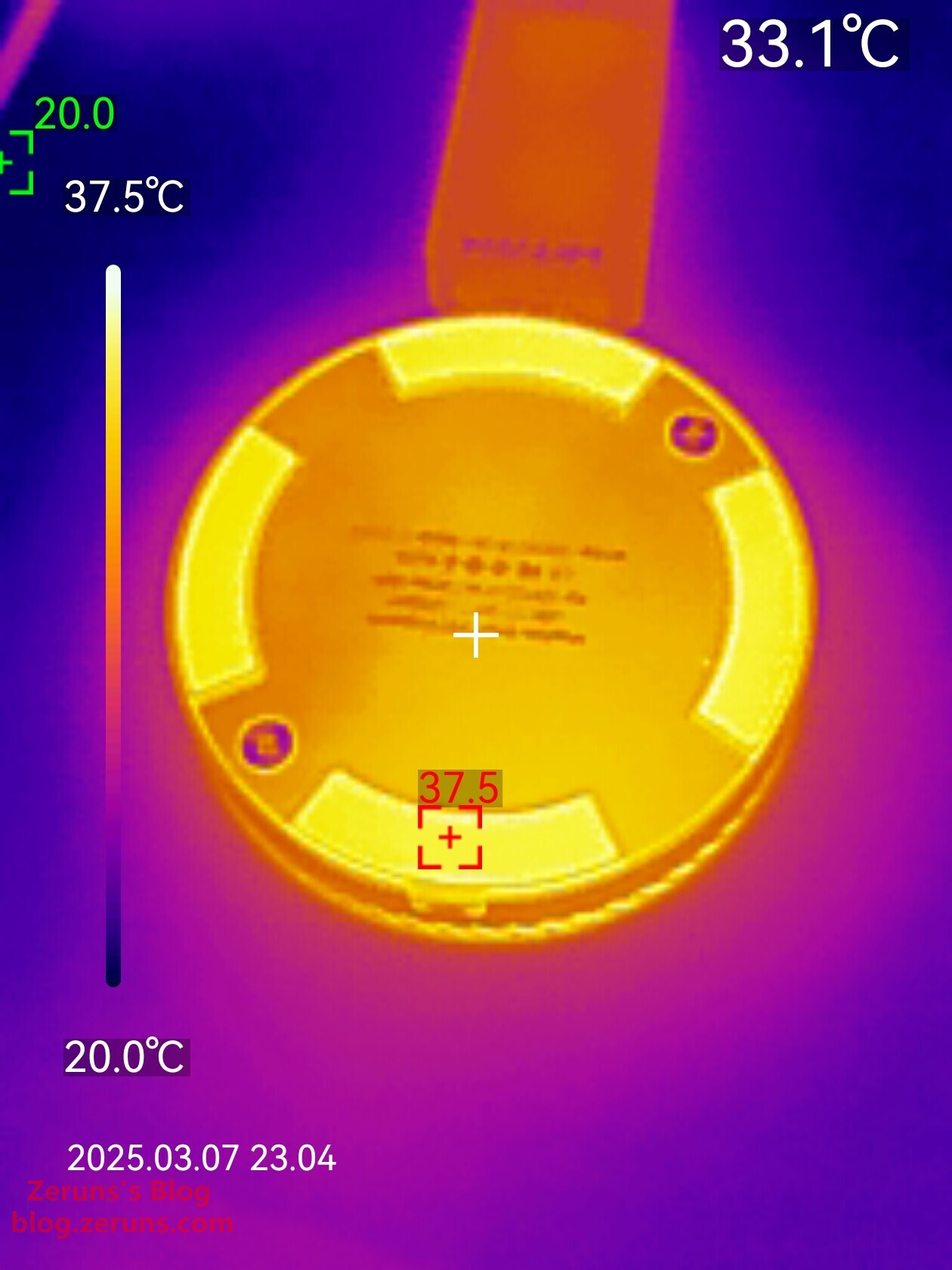
发热量不高,表现还不错。
推荐阅读
- 高性价比和便宜的VPS/云服务器推荐: https://blog.zeruns.com/archives/383.html
- 我的世界开服教程:https://blog.zeruns.com/tag/mc/
- 极速建站!用1Panel面板一键部署Halo博客的保姆级教程:https://blog.zeruns.com/archives/858.html
- 开源 140W+65W升降压PD3.1快充模块(2C+1A口),IP6557+IP6538:https://blog.zeruns.com/archives/801.html
- DeepSeek-R1私有化部署教程 | Linux服务器搭建AI大语言模型:https://blog.zeruns.com/archives/853.html
- 爱快 IK-Q3000 WiFi6无线路由器 简单开箱评测和拆解:https://blog.zeruns.com/archives/860.html
English Version of the Article: https://blog.zeruns.top/archives/50.html