iKuai IK-X9 Tri-band High-Density Ceiling AP – Unboxing, Review & Teardown: Wi-Fi 7 Tri-band (2.4GHz: 688Mbps, 5.1GHz: 2882Mbps, 5.8GHz: 1441Mbps), BE5000, 2.5G Port
Using iKuai’s system as a soft router, I decided to replace my previous TP-Link routers with iKuai APs for a unified AC + AP setup, making network management much easier.
- TP-Link TL-SE2109P 2.5G PoE Switch – Quick Unboxing & Review: 8x 2.5G Ethernet ports + 1x 10G SFP+ fiber port: https://blog.zeruns.com/archives/843.html
- iKuai IK-Q6000 Wi-Fi 6 Wireless Router – Quick Unboxing & Review: https://blog.zeruns.com/archives/835.html
- iKuai IK-W35 Wall-mounted Panel AP – Quick Unboxing & Review: https://blog.zeruns.com/archives/845.html
- iKuai IK-Q3000 Wi-Fi 6 Wireless Router – Quick Unboxing & Review: https://blog.zeruns.com/archives/860.html
- Issues with TP-Link’s AC100 + AP + OneMesh Networking Solution: https://blog.zeruns.com/archives/862.html
Purchase Link: https://s.click.taobao.com/8oR7Nws
Summary: Only supports 2x2 MU-MIMO, current firmware does not support MLO, and lacks 6GHz band support—making it inferior to 4x4 MU-MIMO Wi-Fi 6 devices. Not recommended for purchase.
There’s also a strange bug: when all three bands use the same SSID, mobile phones attempting to connect are rejected (other SSIDs on the same band work fine; the issue only occurs when all three bands share the exact same SSID). However, if only two bands share an SSID, there’s no problem. (Later testing revealed that the device isn’t actually unreachable—it just disappears from Wi-Fi scans entirely when all three bands have identical SSIDs. Reported this to the official forum, but their tests showed no issues. Could this be a hardware-specific defect? This behavior is extremely odd.)
Additionally, possibly due to the 2x2 MU-MIMO limitation, when two devices connect to the 5.1GHz band, maximum single-device speed caps at around 800Mbps (with the other device idle/sleeping). Performance on the 5.8GHz band is even lower. Only the 5.1GHz band supports 160MHz channel width; 5.8GHz does not.
Update on 2025.3.12: After upgrading to firmware version 2.3.2, the previously mentioned issue with triple-band same-SSID connection failure has been fixed—and MLO is now supported!
Specifications & Overview
The IK-X9 is iKuai’s tri-band, high-density Wi-Fi 7 indoor ceiling-mount AP designed for high-concurrency wireless environments. It supports both IEEE 802.3at/bt PoE and 12V DC power input. The three radios operate simultaneously on 2.4GHz, 5.1GHz, and 5.8GHz bands, delivering a total wireless throughput of up to 5011Mbps, meeting the demands of multi-device high-speed networking. Equipped with a 2.5Gbps Ethernet port, the IK-X9 ensures a stable and high-speed wired backbone for robust wireless performance. It maintains broad compatibility with most mainstream wireless clients, allowing seamless connectivity via smartphones, tablets, or laptops anywhere within coverage.
The IK-X9 supports centralized management via iKuai AC, enabling convenient remote configuration and real-time status monitoring. It supports multiple SSIDs for flexible access control and includes priority-based traffic policies to ensure critical applications receive sufficient bandwidth, enhancing overall user experience.
Official Product Page: https://url.zeruns.com/IK-X9
Physical Features
| Feature | Description |
|---|---|
| Model | IK-X9 |
| Installation | Ceiling/Wall Mount |
| Dimensions | 170mm × 170mm × 37.5mm |
| Network Port | 1 × 10/100/1000/2500Mbps RJ45 port |
| LED Indicator | 1 Multi-color Status LED |
| Reset Button | Yes |
| Antenna | Built-in Omnidirectional Antennas |
| Power Options | PoE: IEEE 802.3at/bt DC: 12V/2A (Adapter optional) |
| Power Consumption | 24W |
| Standards | IEEE 802.11a/b/g/n/ac/ax/be |
| Spatial Streams | 2x2 MU-MIMO (2.4G, 688Mbps) 2x2 MU-MIMO (5G Radio1, 1441Mbps, 5.8GHz) 2x2 MU-MIMO (5G Radio2, 2882Mbps, 5.1GHz) |
| Wireless Speed | Up to 5011Mbps |
Software Features
| Feature | Description |
|---|---|
| WLAN Features | Supports Chinese SSID names SSID VLAN tagging SSID hiding Per-SSID rate limiting Guest mode Per-radio user count limits |
| Security Features | Supports WPA-PSK, WPA2-PSK, WPA3-PSK, 802.1X encryption Dynamic password, SMS authentication, one-click login WeChat Work integration Wireless MAC whitelist/blacklist VLAN assignment by client MAC |
| Management | Compatible with iKuai Router Management System Supports online firmware upgrades |
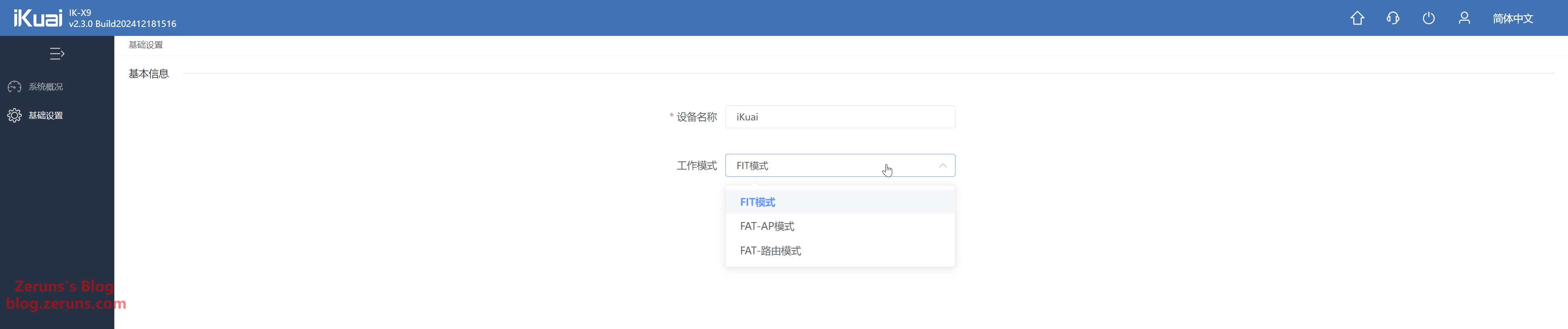
| Fat/Fit Mode Switching | Supported |
Operating Environment
| Condition | Specification |
|---|---|
| Operating Temperature | 0℃ ~ 40℃ |
| Operating Humidity | 10% ~ 90% (non-condensing) |
| Storage Temperature | -40℃ ~ +70℃ |
| Storage Humidity | 5% ~ 90% (non-condensing) |
Download the electronic user manual for IK-W35: https://url.zeruns.com/kSr4V
Unboxing
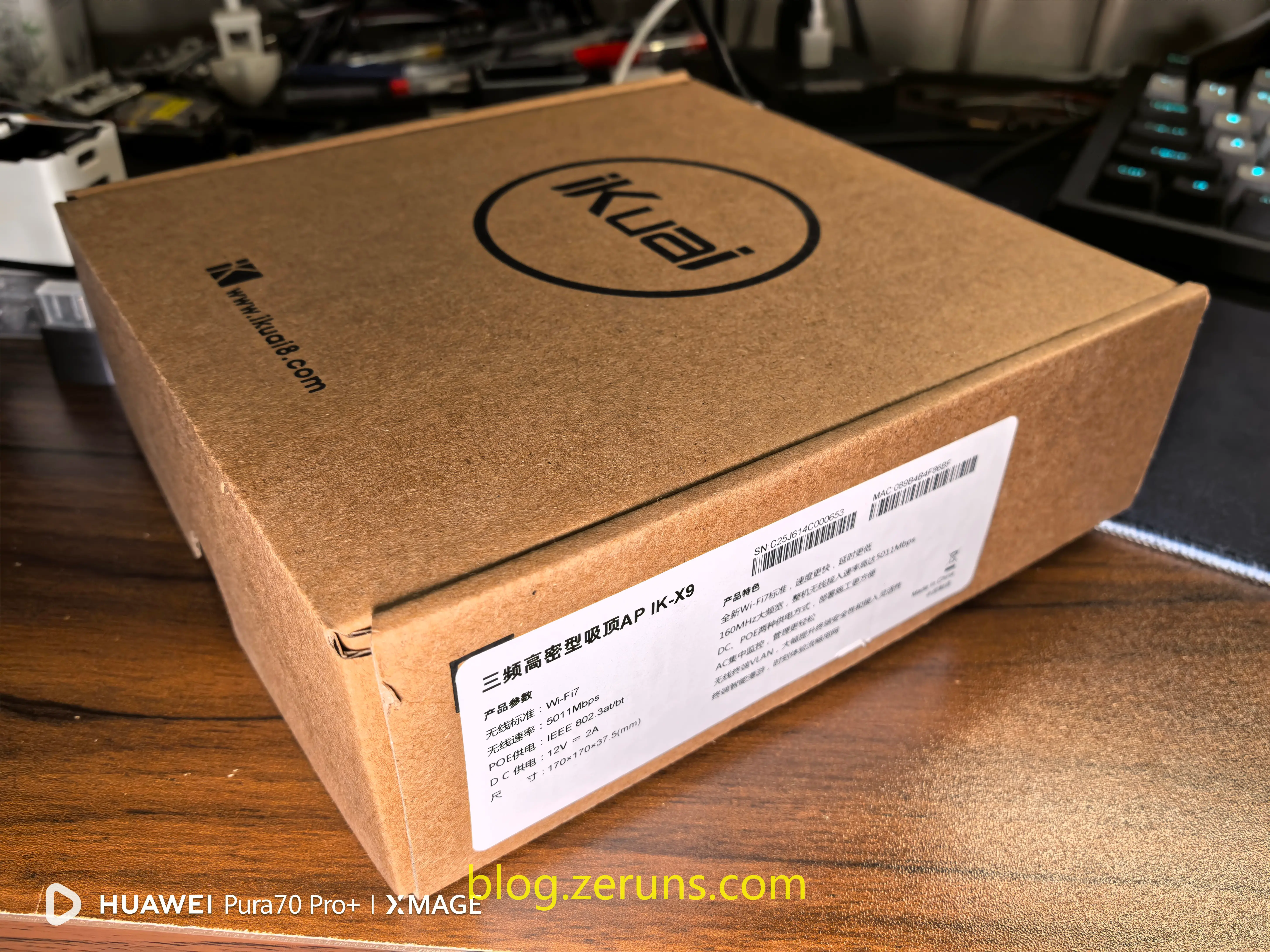
Front view of the outer packaging:
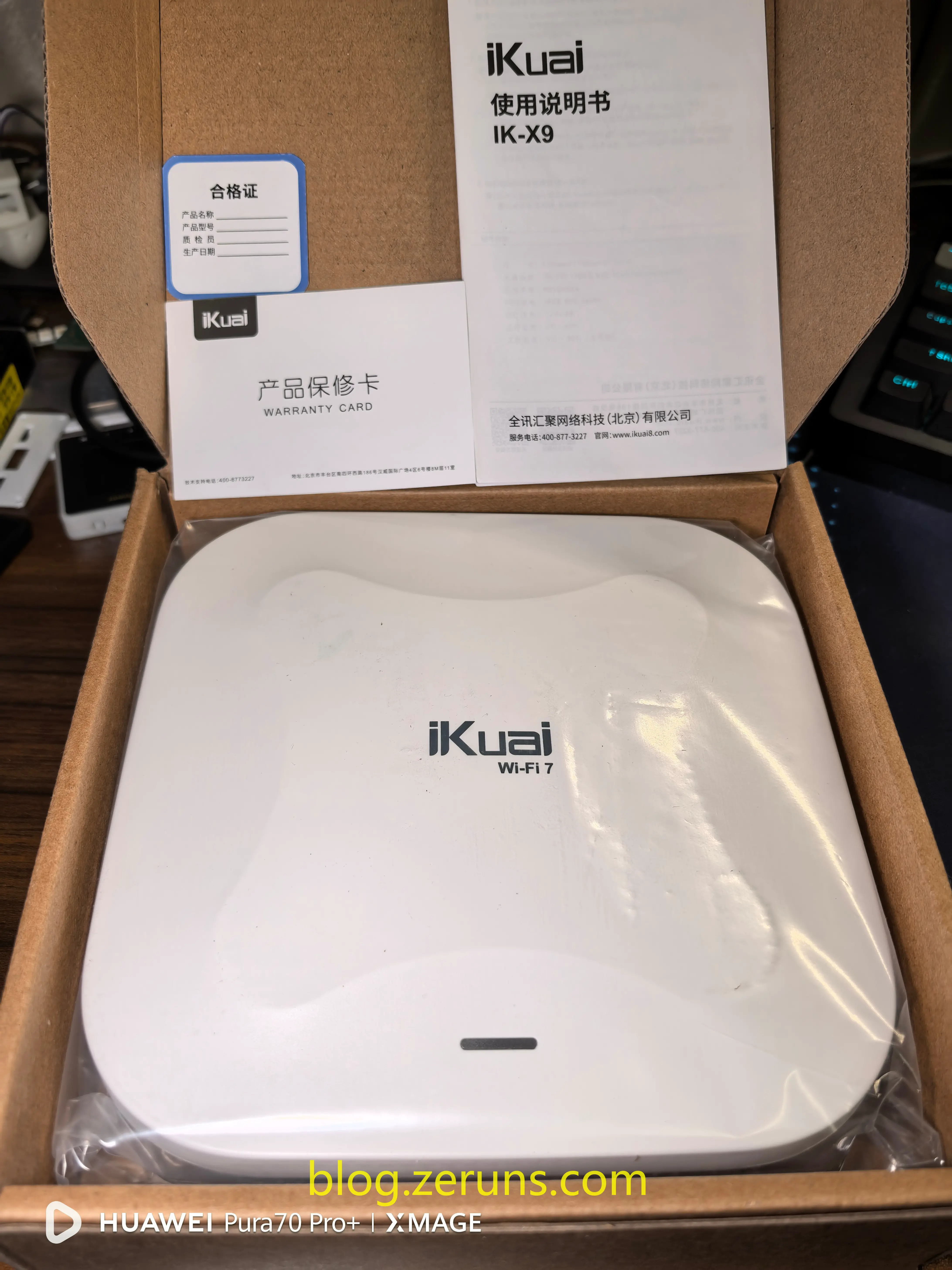
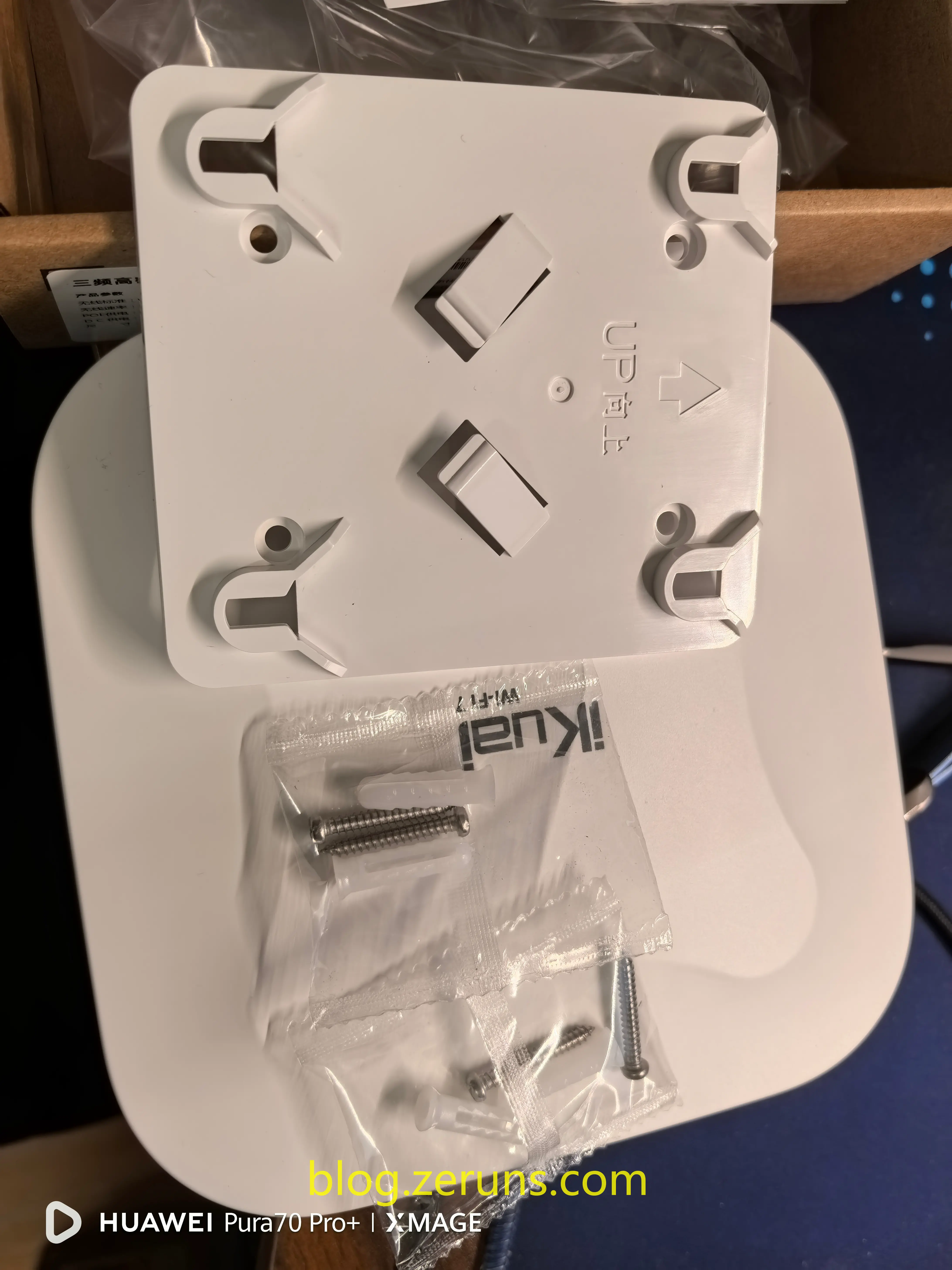
Unboxing contents: Warranty card, user manual, certificate of conformity, mounting base, screws.
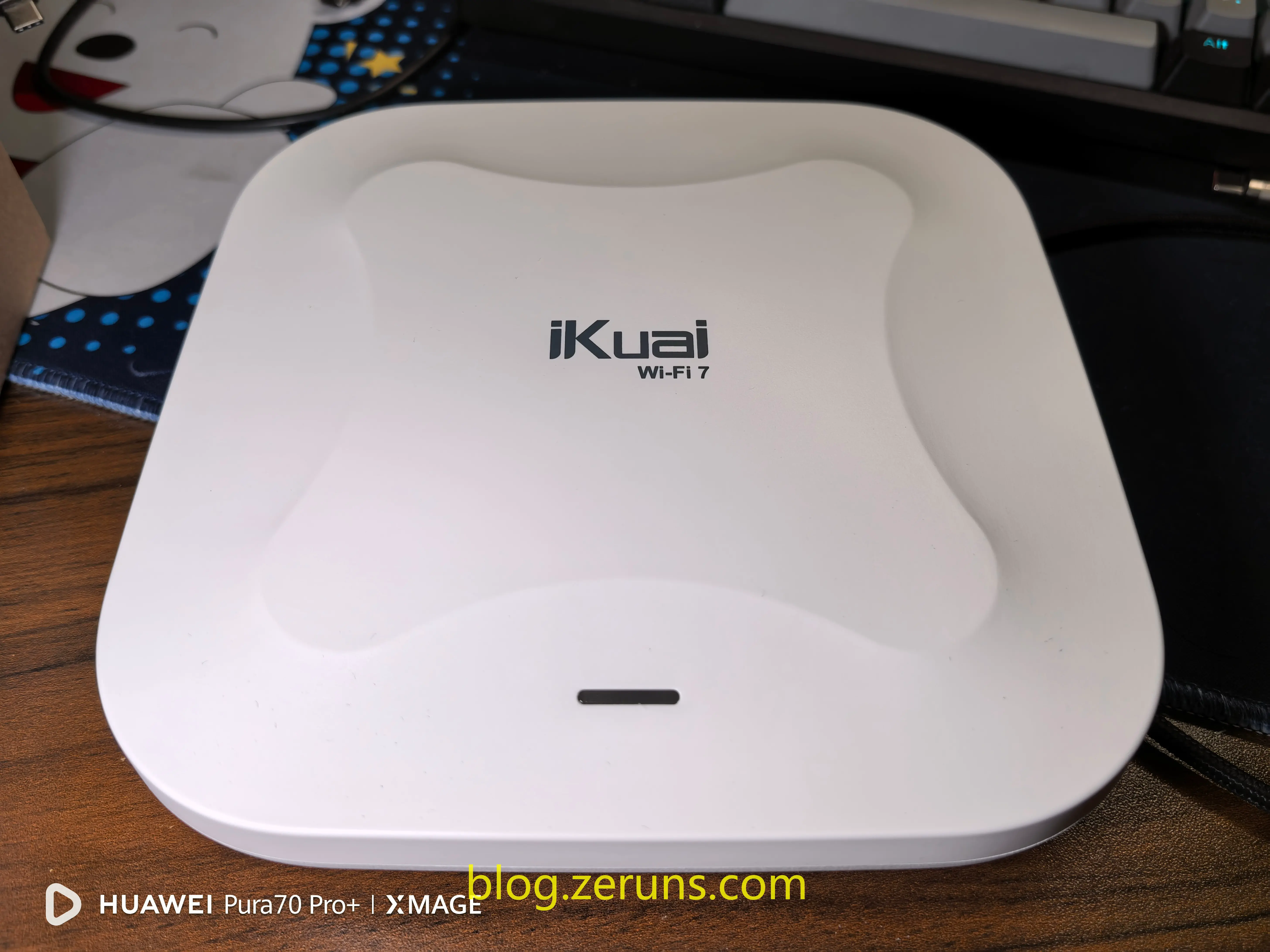
Front view of the IK-X9, featuring the EdgeCore logo, a WiFi7 label, and a multicolor status indicator.
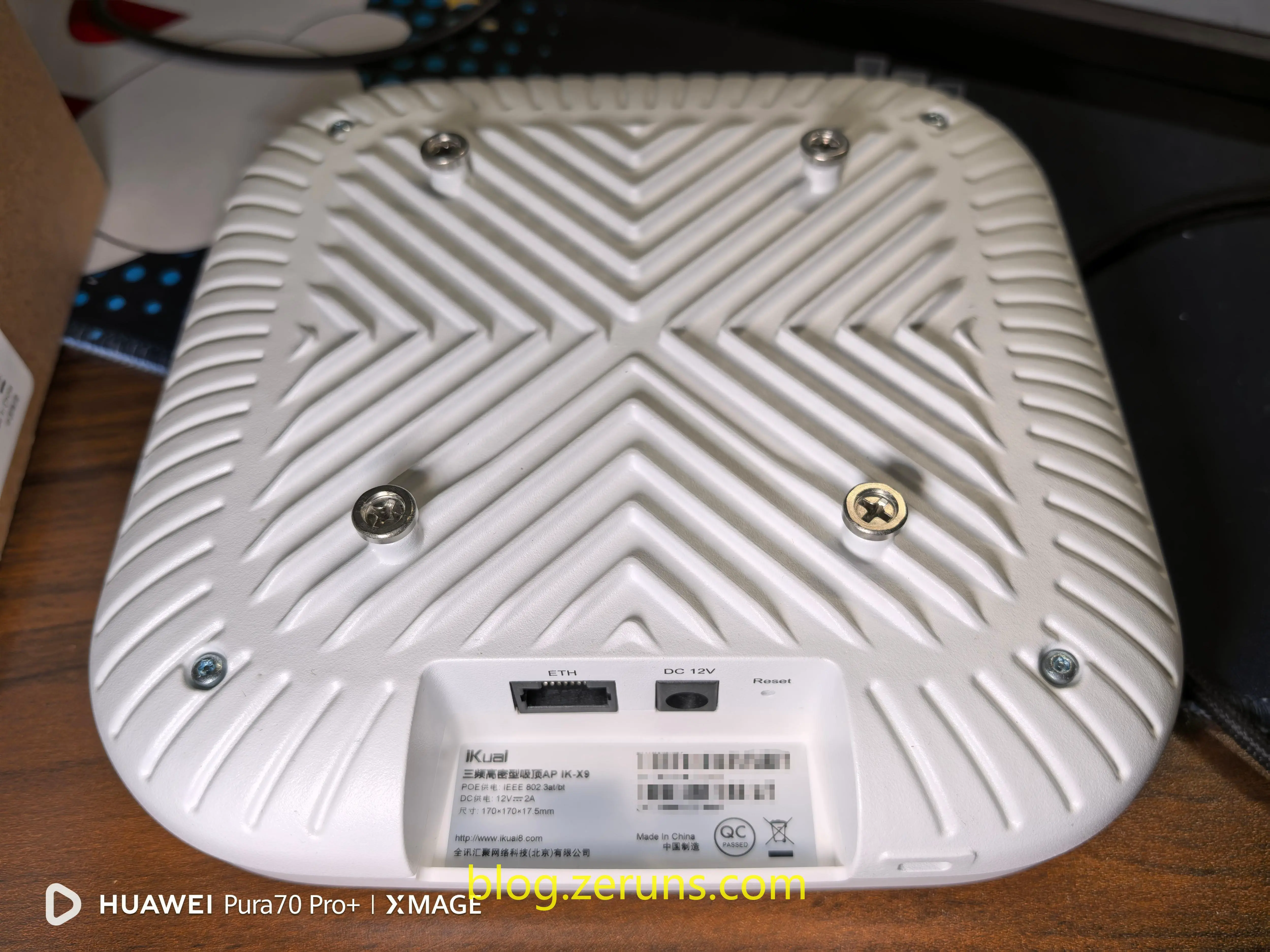
Back panel: One 2.5G PoE port, one 12V DC power input, and a reset button on the right. The entire bottom casing is made of aluminum, providing excellent heat dissipation.
Review
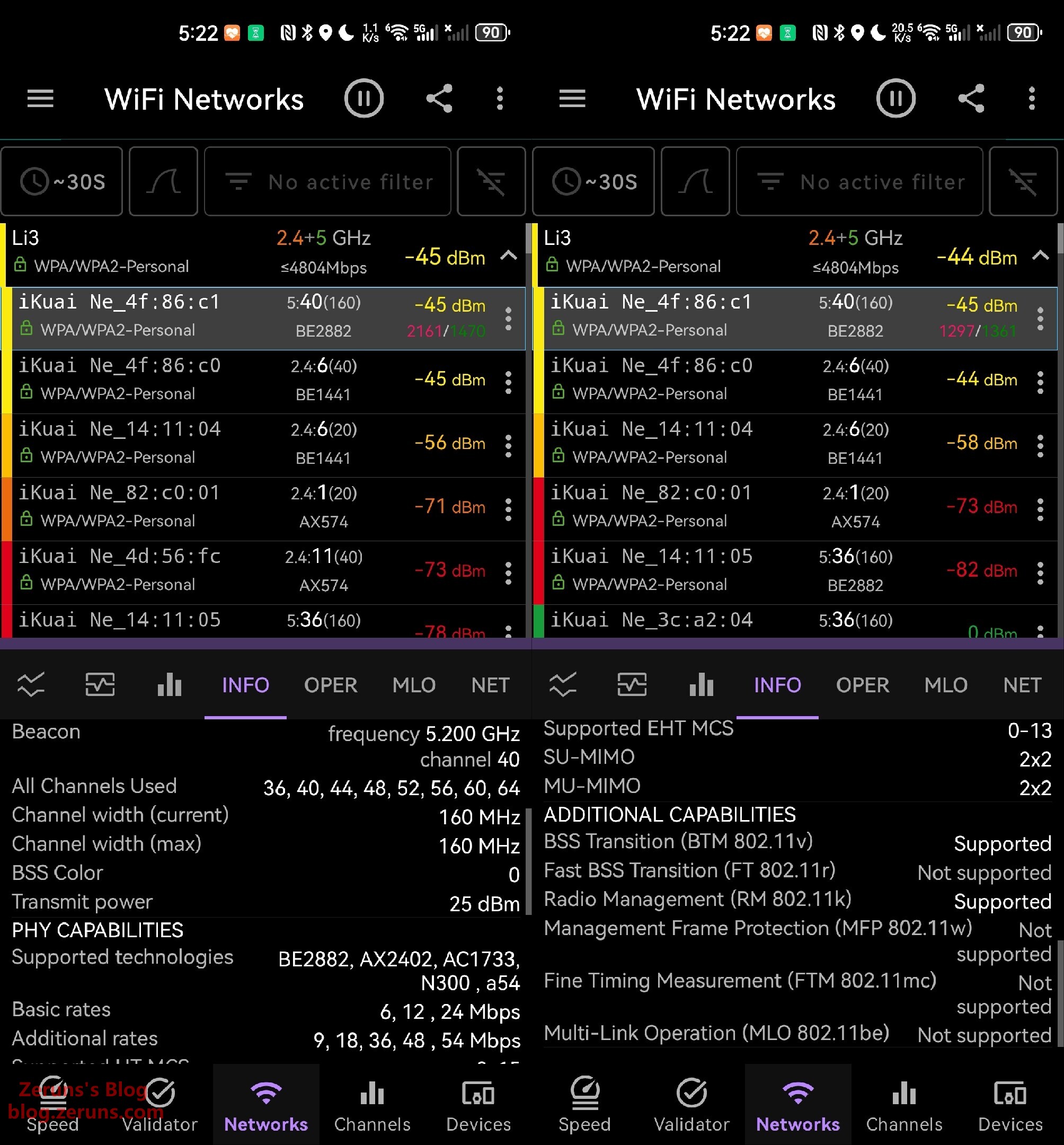
The current firmware version of the IK-X9 does not yet support MLO (Multi-Link Operation). Isn’t MLO a standard feature of WiFi7? Is EdgeCore going to roll it out in phases?
Power Consumption Test
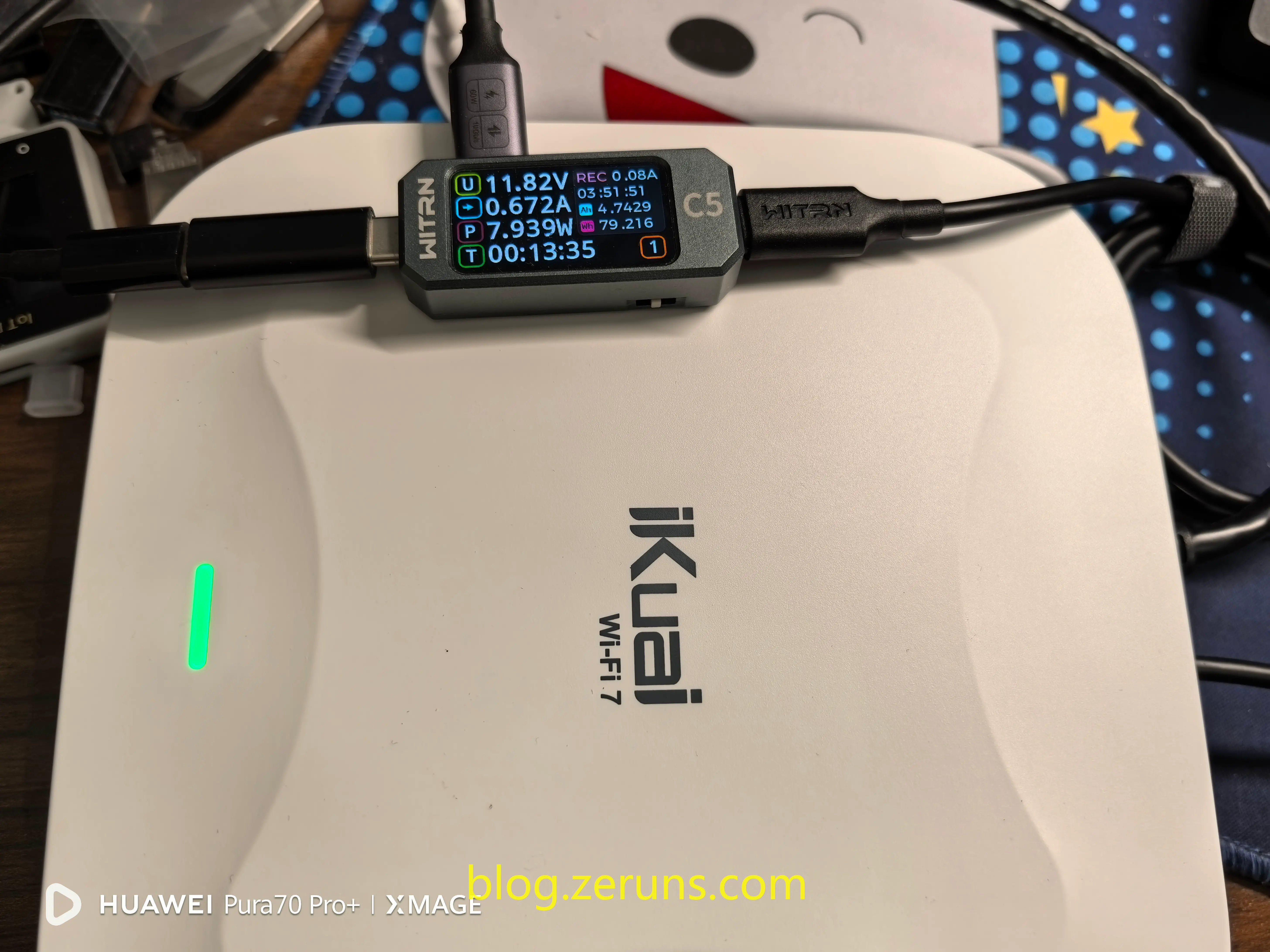
- In AP mode with no connected devices: ~8W
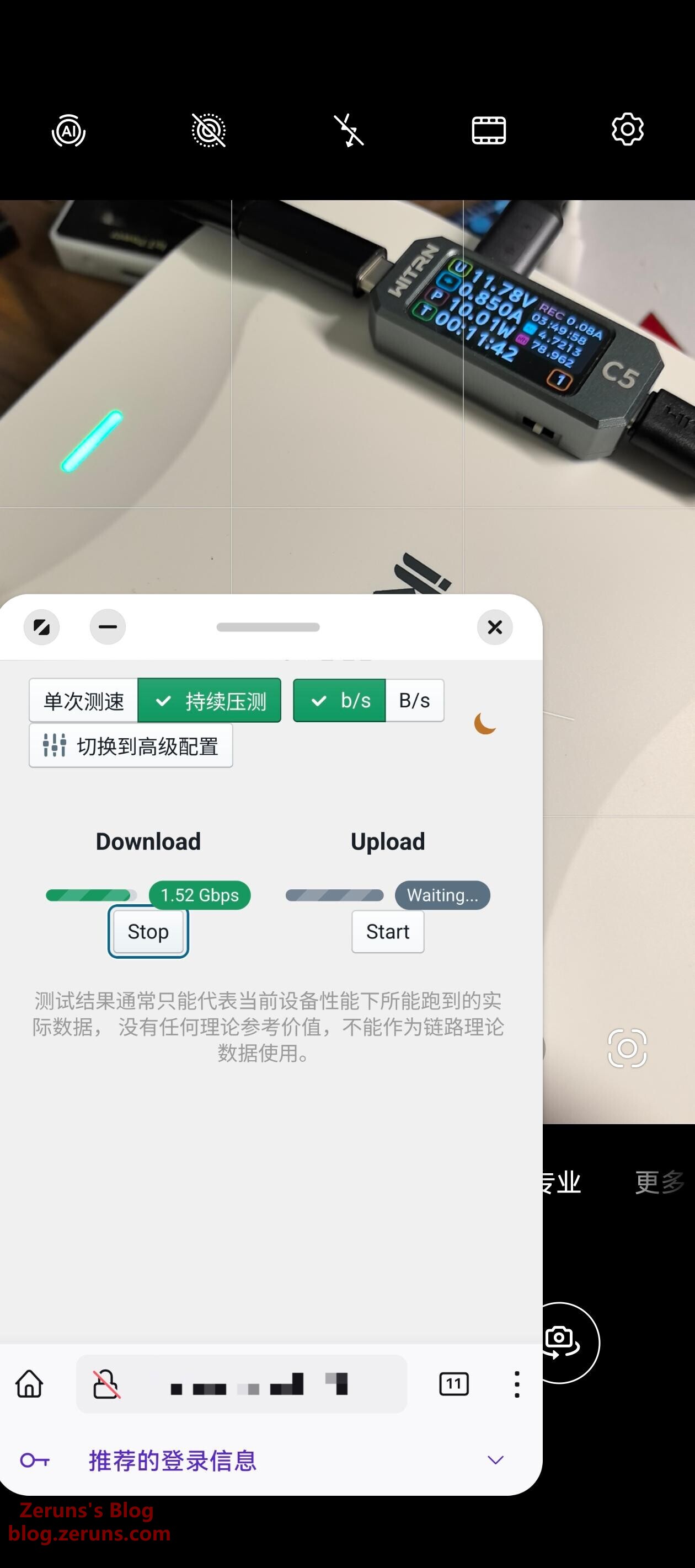
- With one WiFi6 client connected and fully utilizing bandwidth (limited by client’s maximum speed of ~1.6Gbps): ~10W
Thermal Performance
Review of the Uni-Trend UTi261M thermal imaging camera: https://blog.zeruns.com/archives/798.html
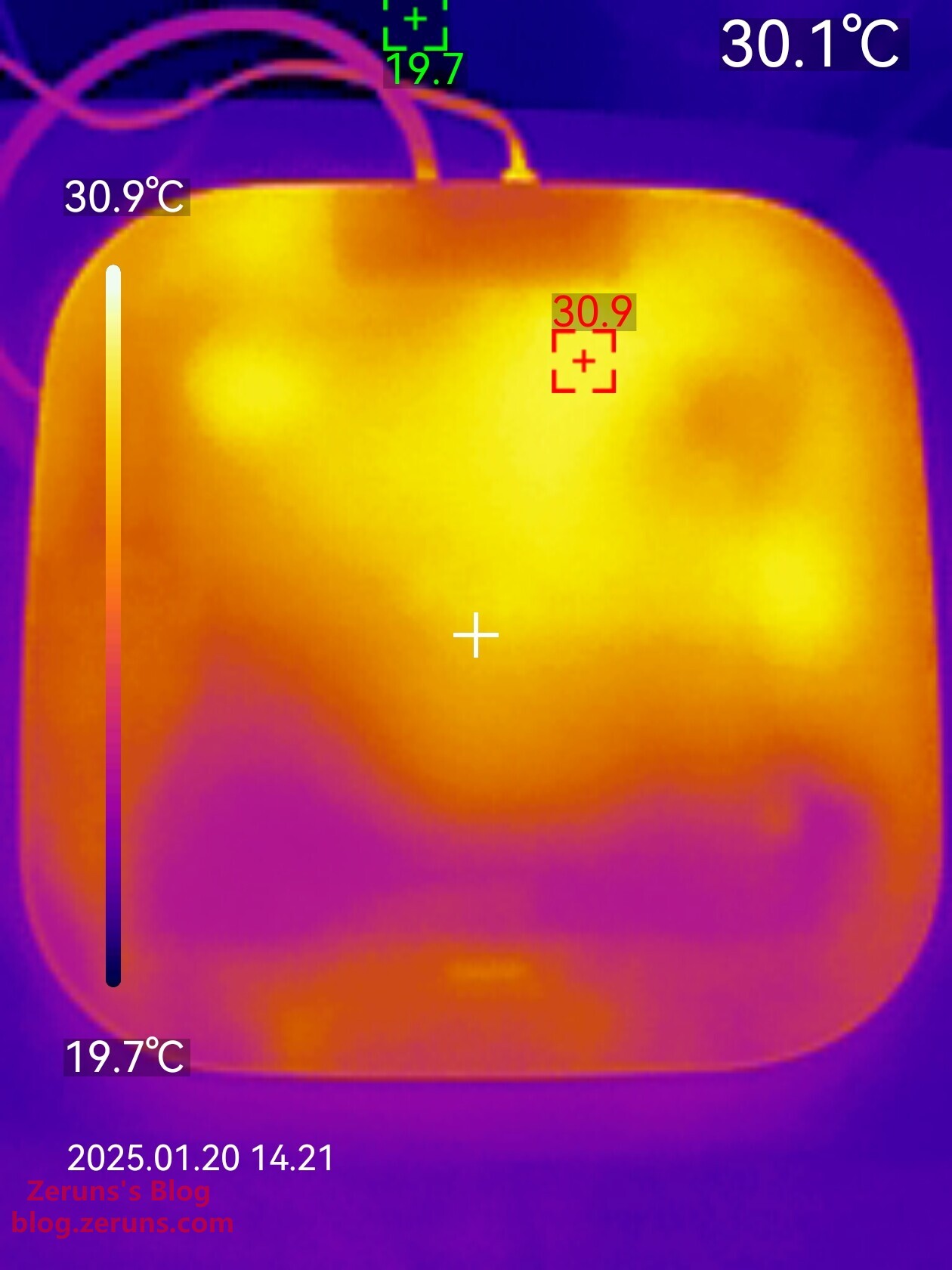
Front thermal image after continuous operation: maximum temperature 30.9°C (ambient temperature ~20°C)
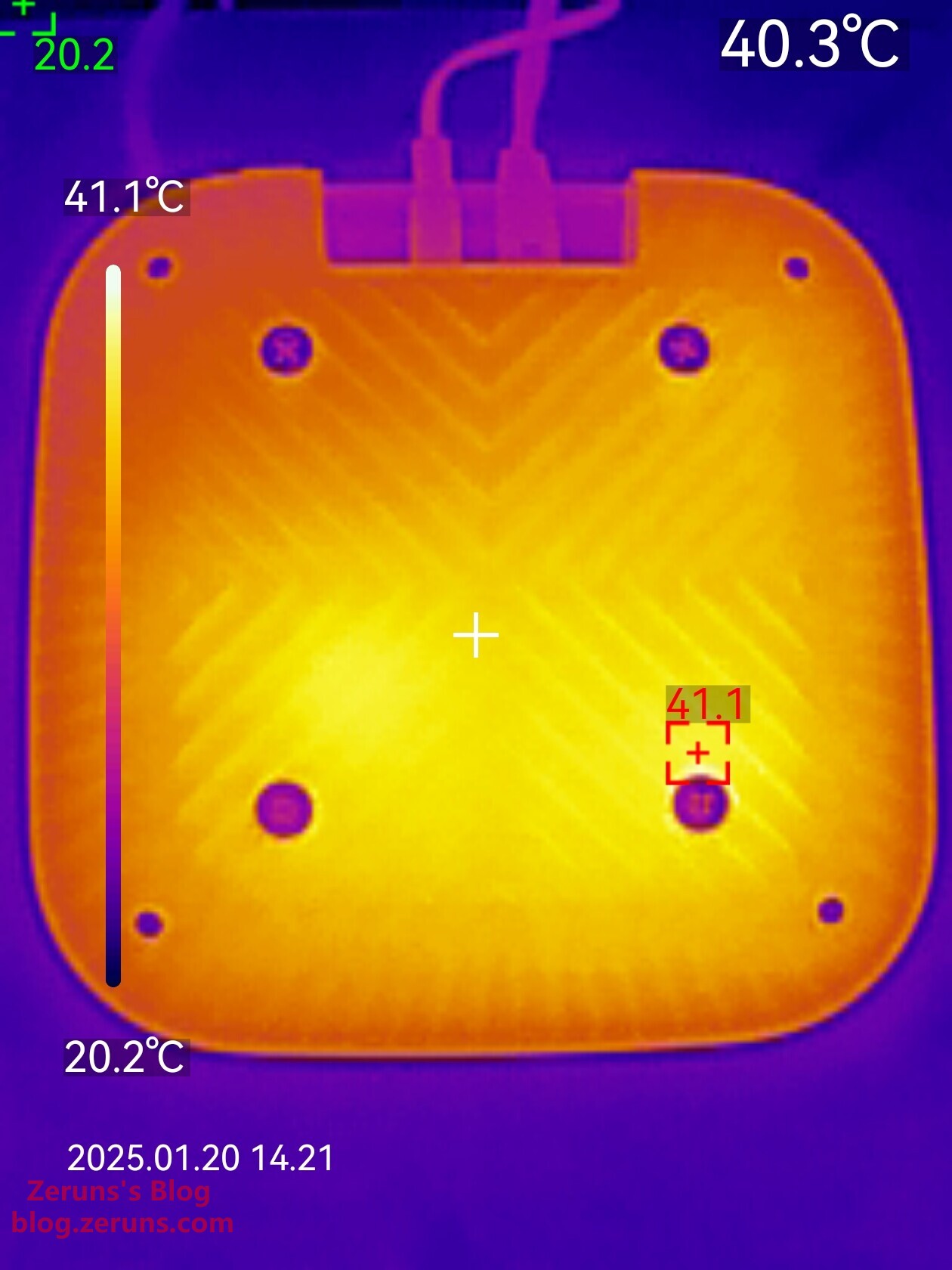
Back thermal image: maximum temperature 41.4°C (ambient temperature ~20°C)
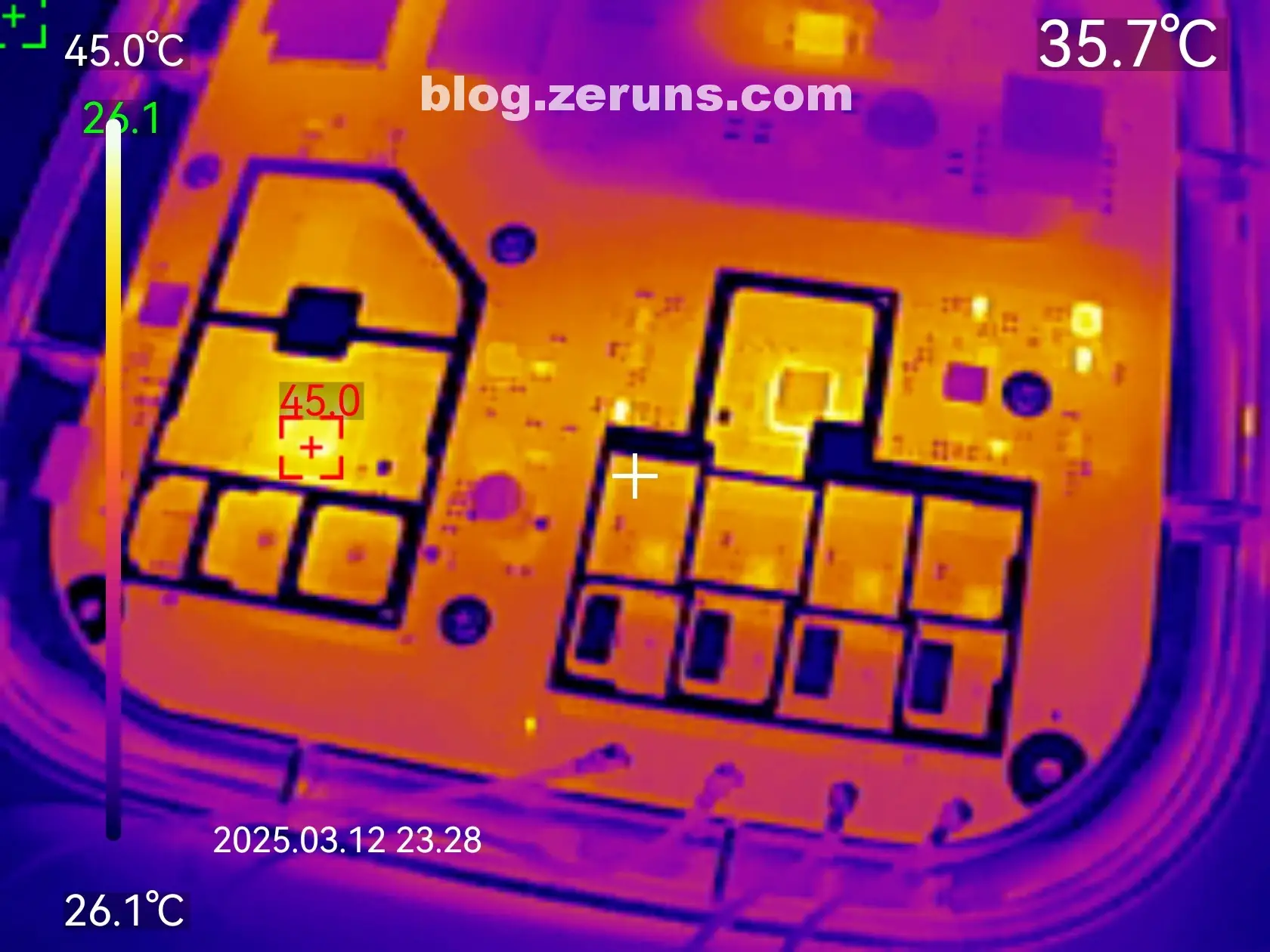
Thermal image of the front side of the mainboard (idle): the CPU reaches ~45°C (ambient ~26°C), the hottest component.
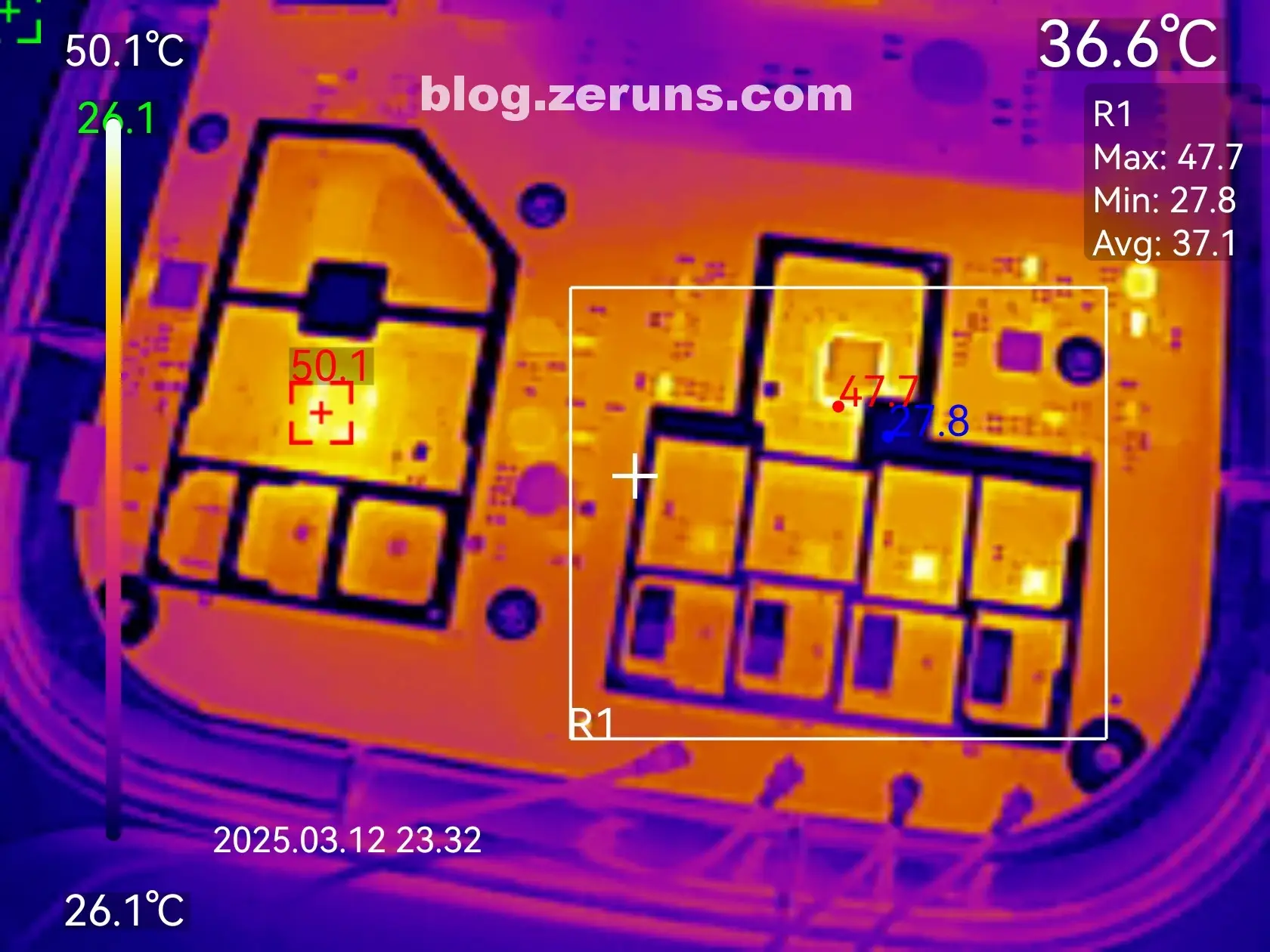
Under full wireless download load: CPU temperature peaks at ~50°C (ambient ~26°C), followed by the RF chip at ~47°C.
Speed Test
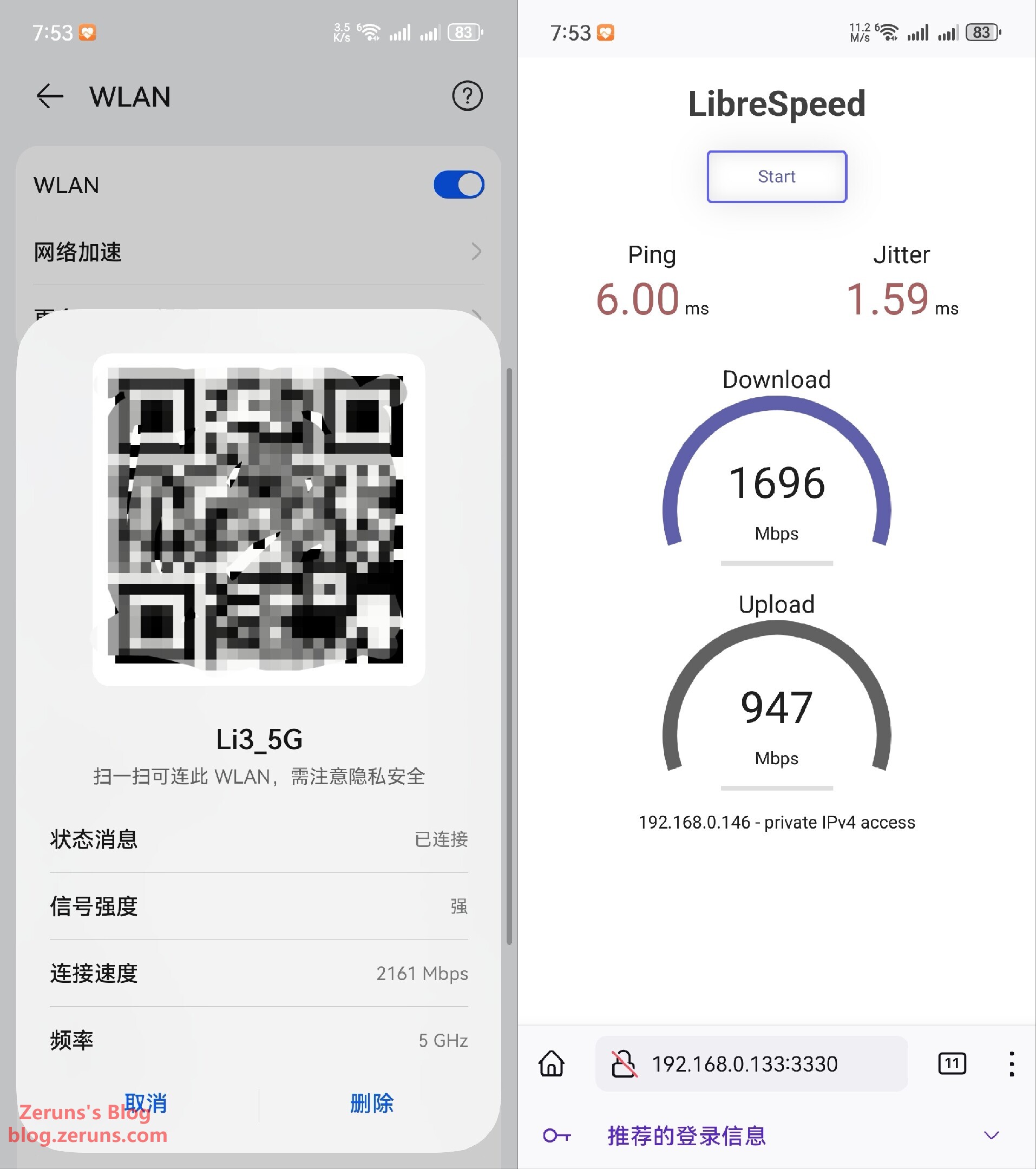
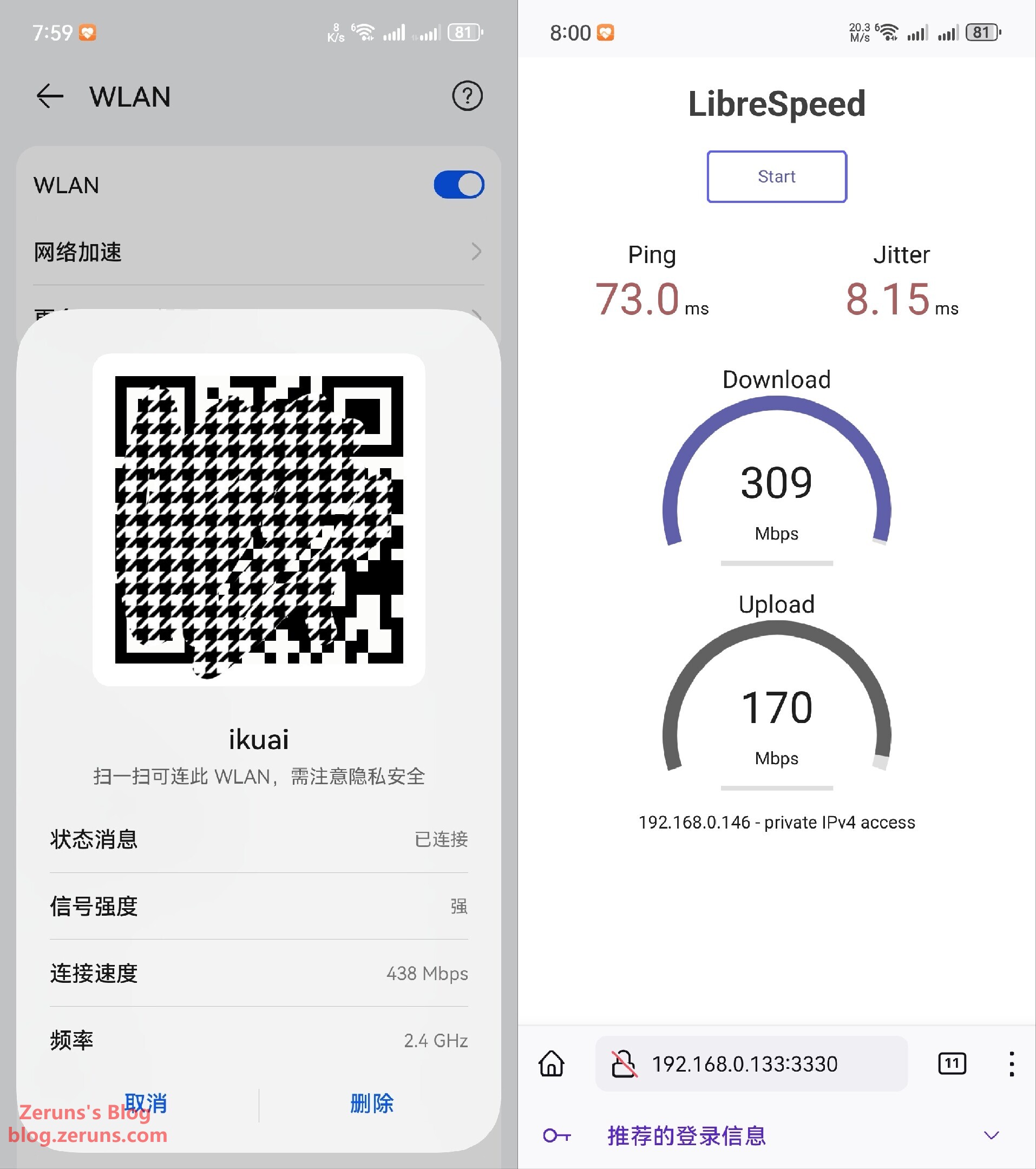
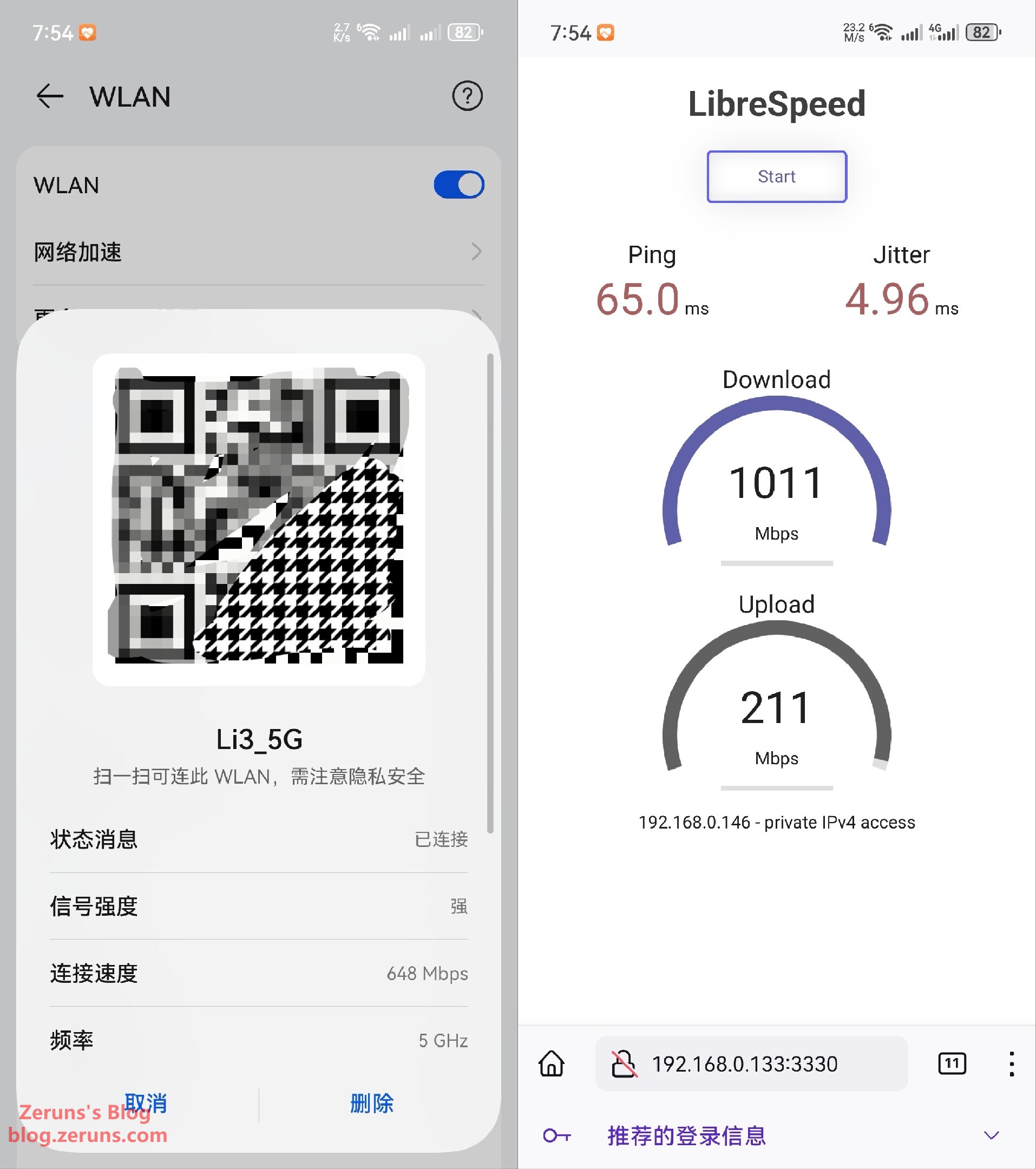
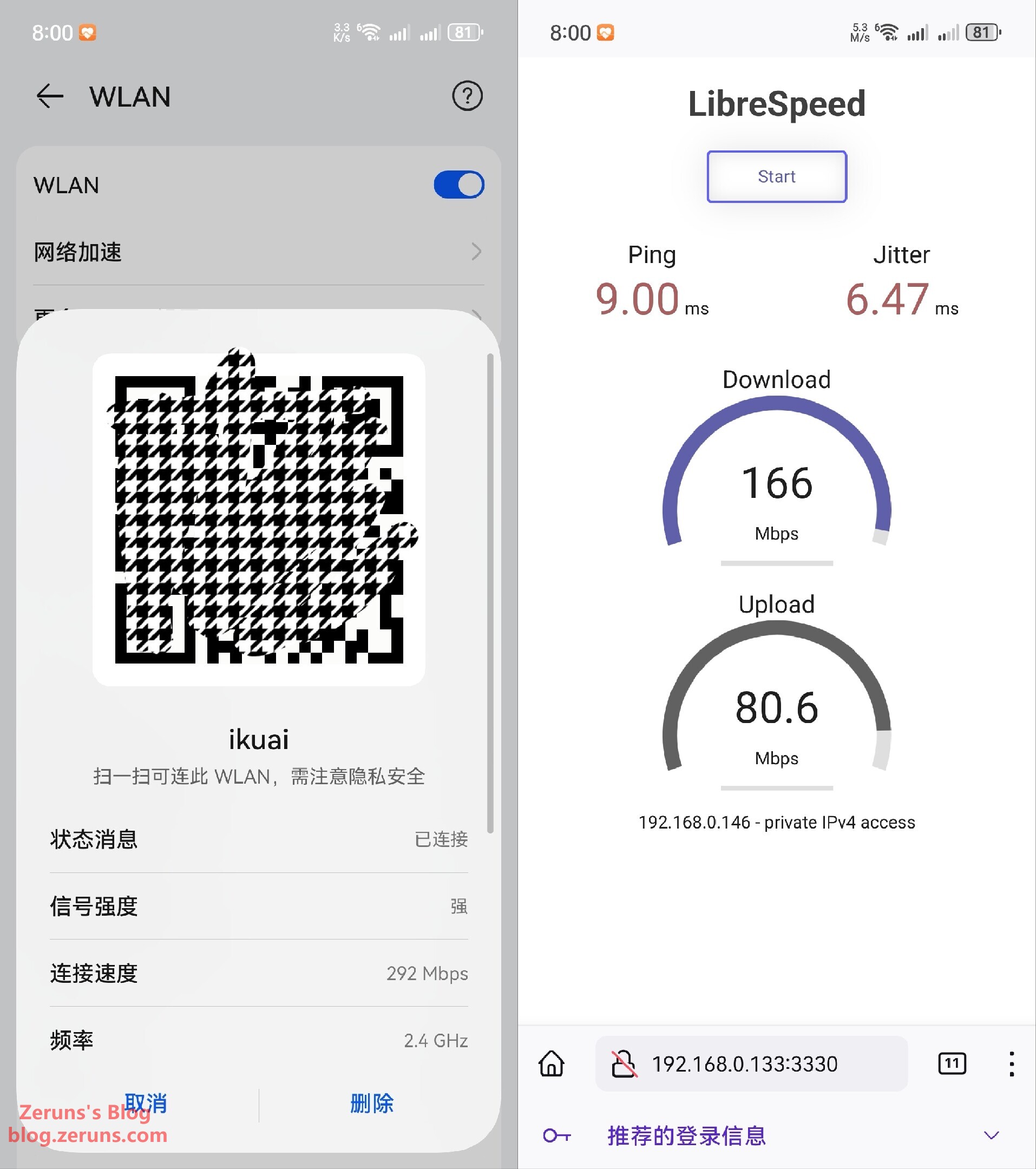
Test device: Pura70Pro+ (does not support WiFi7; no WiFi7 client device available)
Speed test at 1 meter from AP, line-of-sight:
- 5.1GHz band: negotiated rate 2161 Mbps, download 1696 Mbps, upload 947 Mbps
- 2.4GHz band: negotiated rate 438 Mbps, download 309 Mbps, upload 170 Mbps
Speed test through one wall:
- 5.1GHz band: negotiated rate 648 Mbps, download 1011 Mbps, upload 211 Mbps
- 2.4GHz band: negotiated rate 292 Mbps, download 166 Mbps, upload 80.6 Mbps
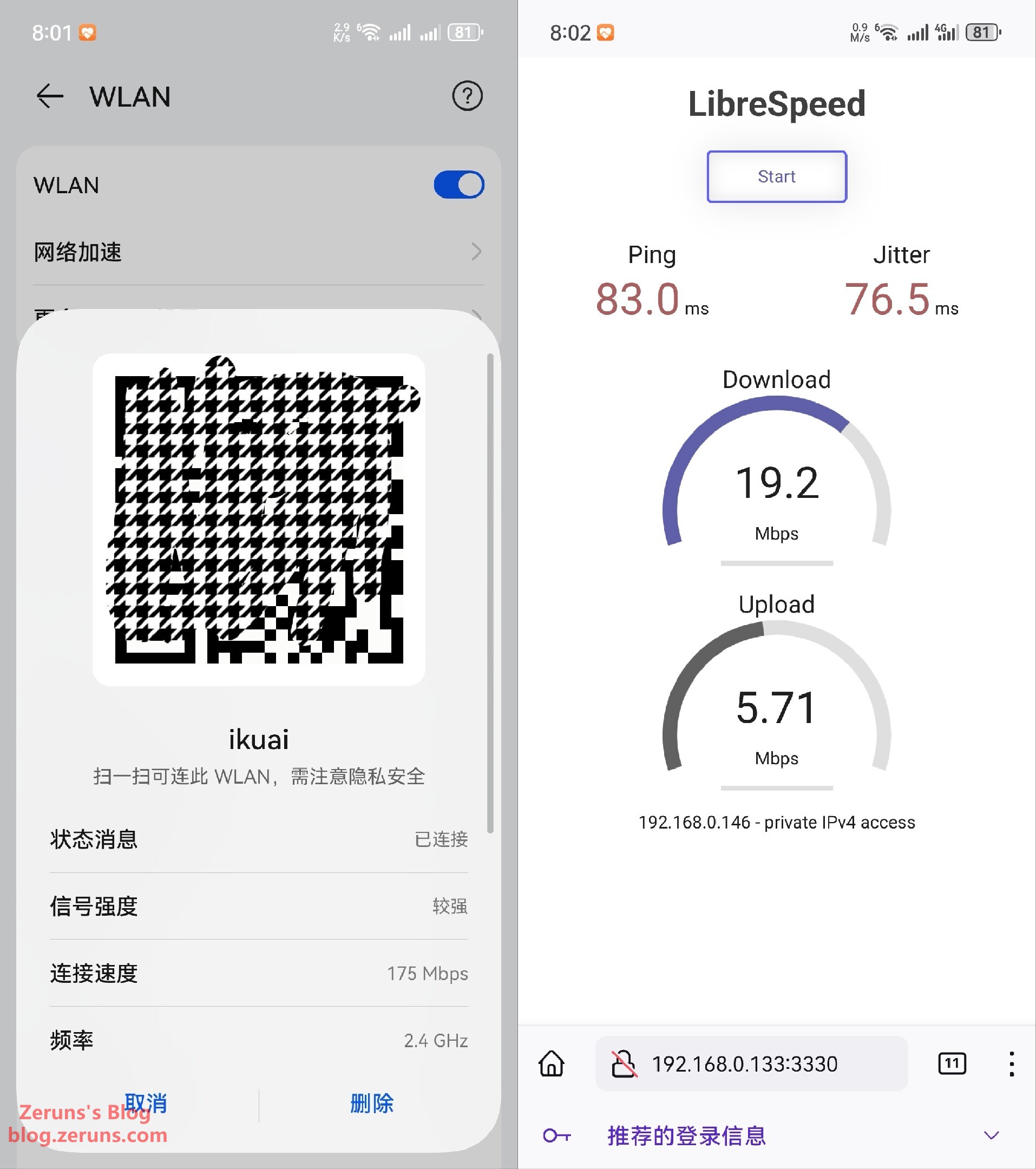
Speed test through two walls:
- 2.4GHz band: negotiated rate 175 Mbps, download 19.2 Mbps, upload 5.71 Mbps
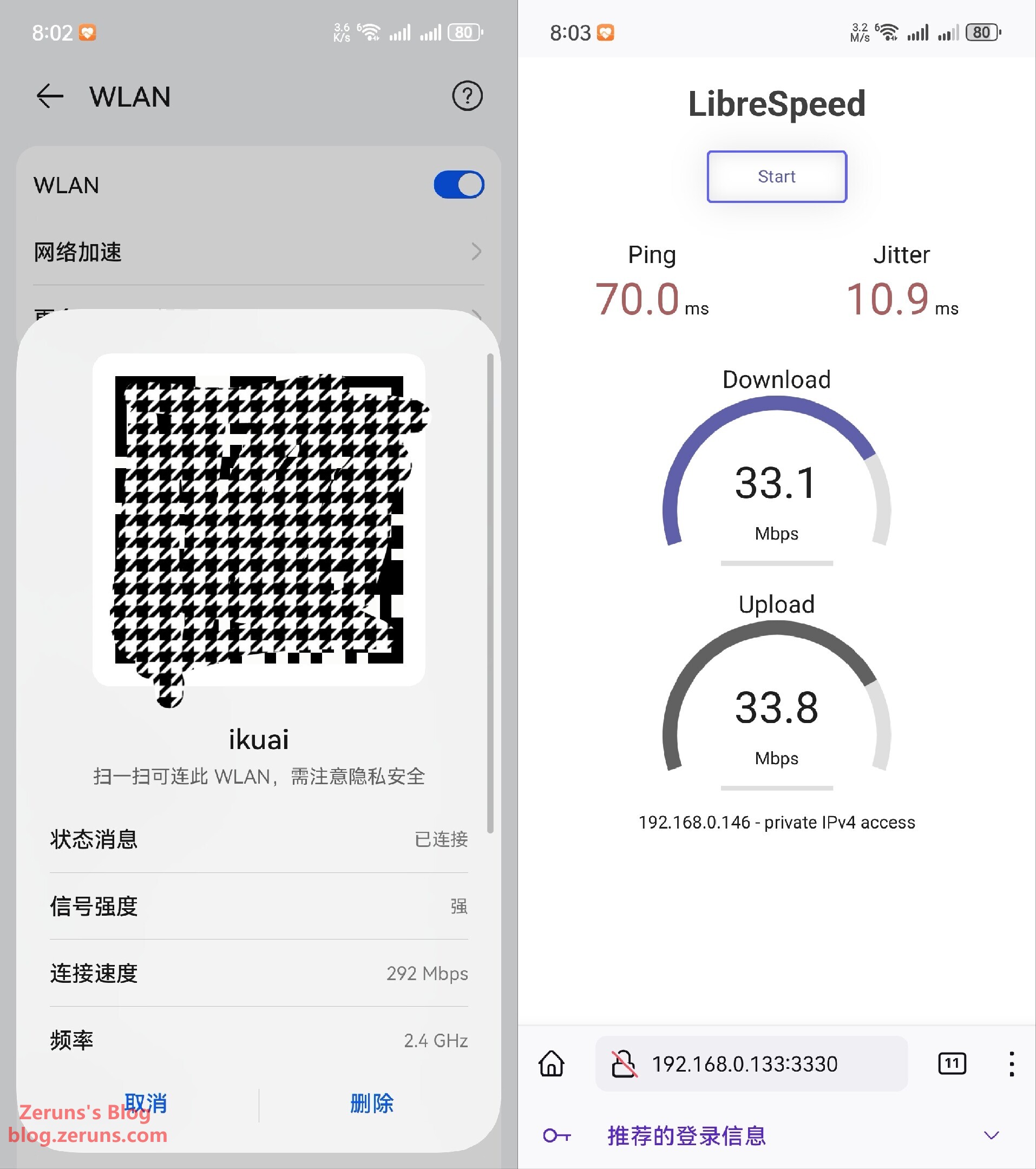
Speed test through one floor slab:
- 2.4GHz band: negotiated rate 292 Mbps, download 33.1 Mbps, upload 33.8 Mbps
Management Interface Screenshots
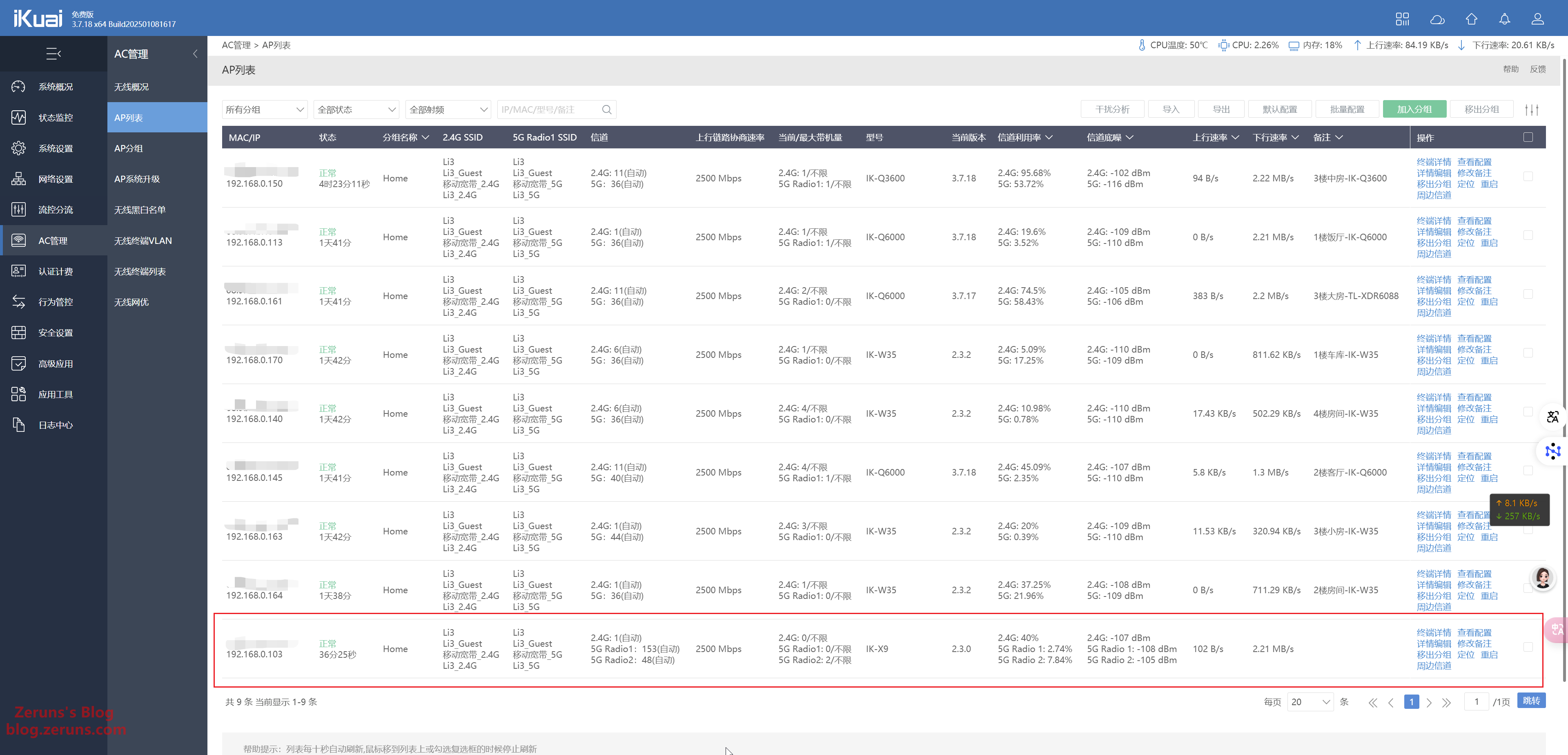
AC management interface:
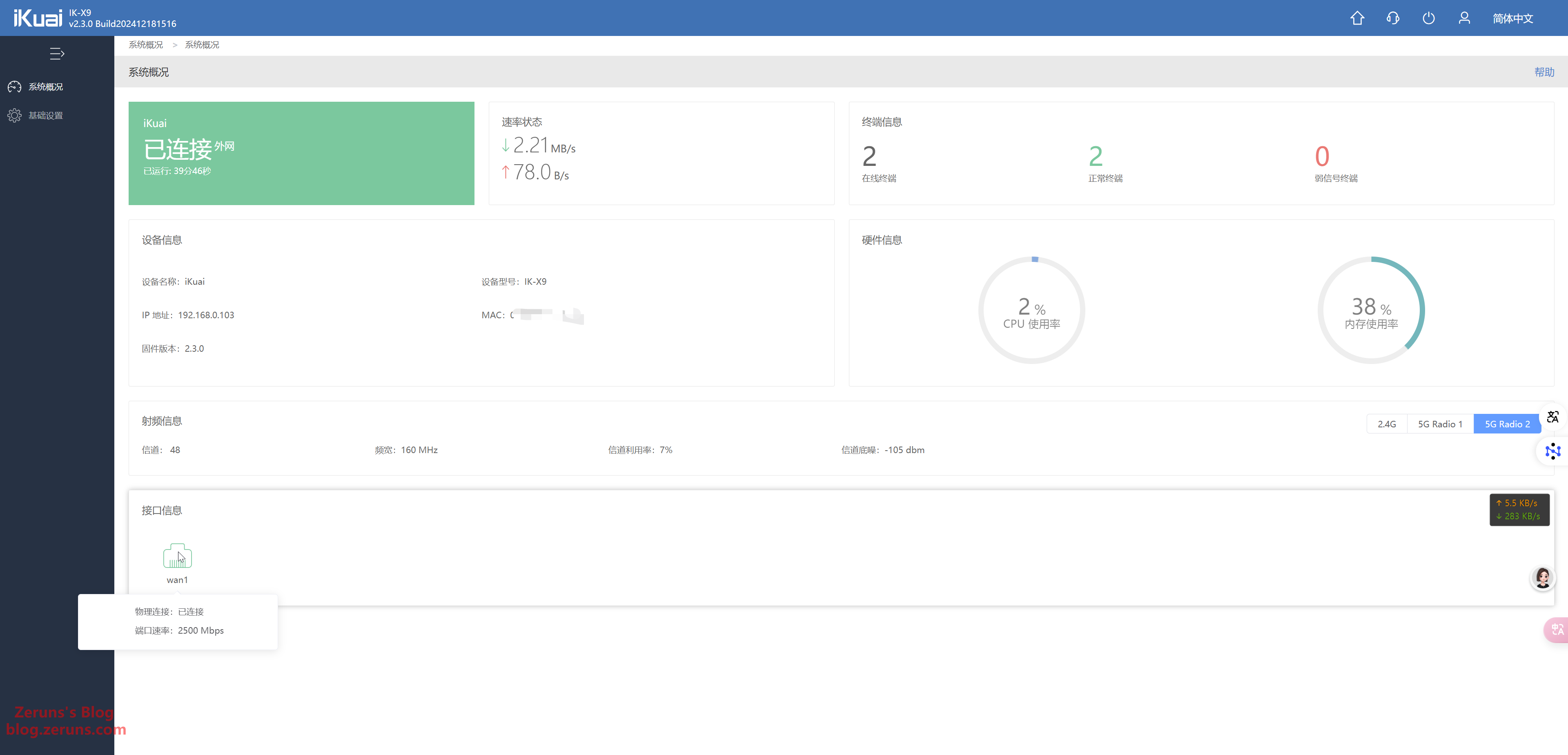
AP management interface (also supports switching to router mode):
Disassembly
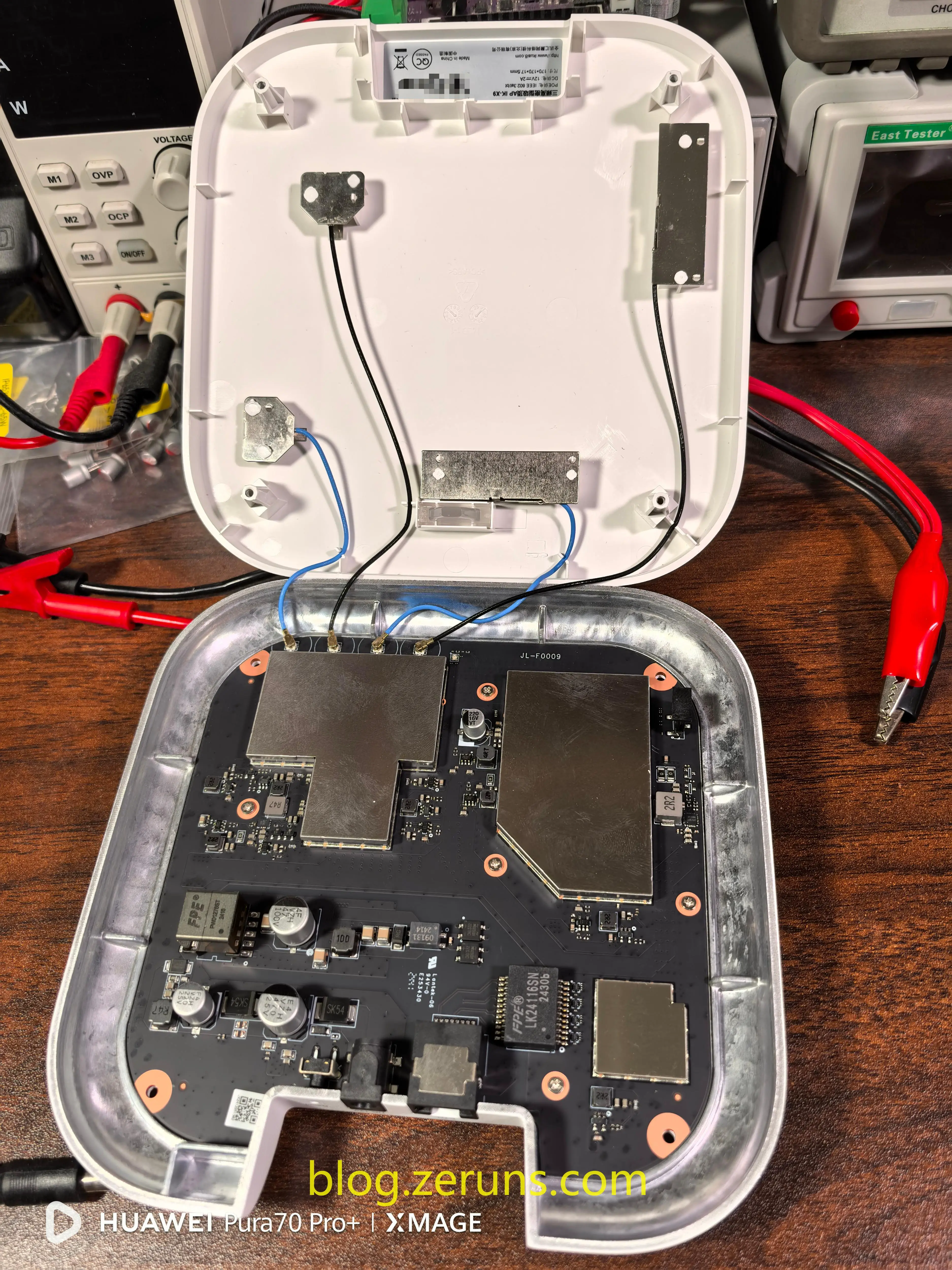
Remove the four screws on the bottom casing to open the device. No tamper-proof labels are present. The plastic top shell contains four built-in antennas connected to the PCB via coaxial cables. The bottom casing appears to be a single piece of CNC-machined aluminum alloy.
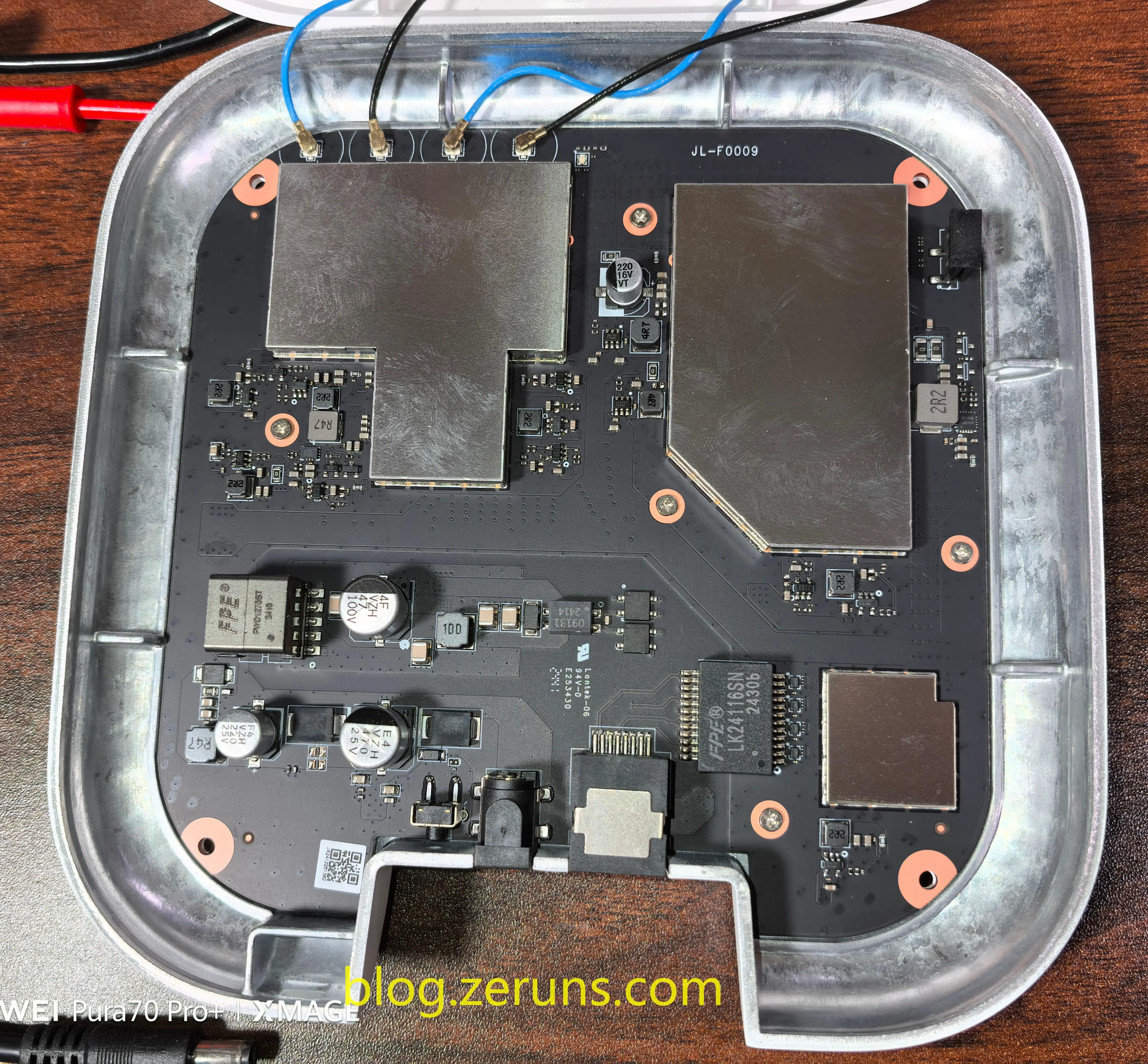
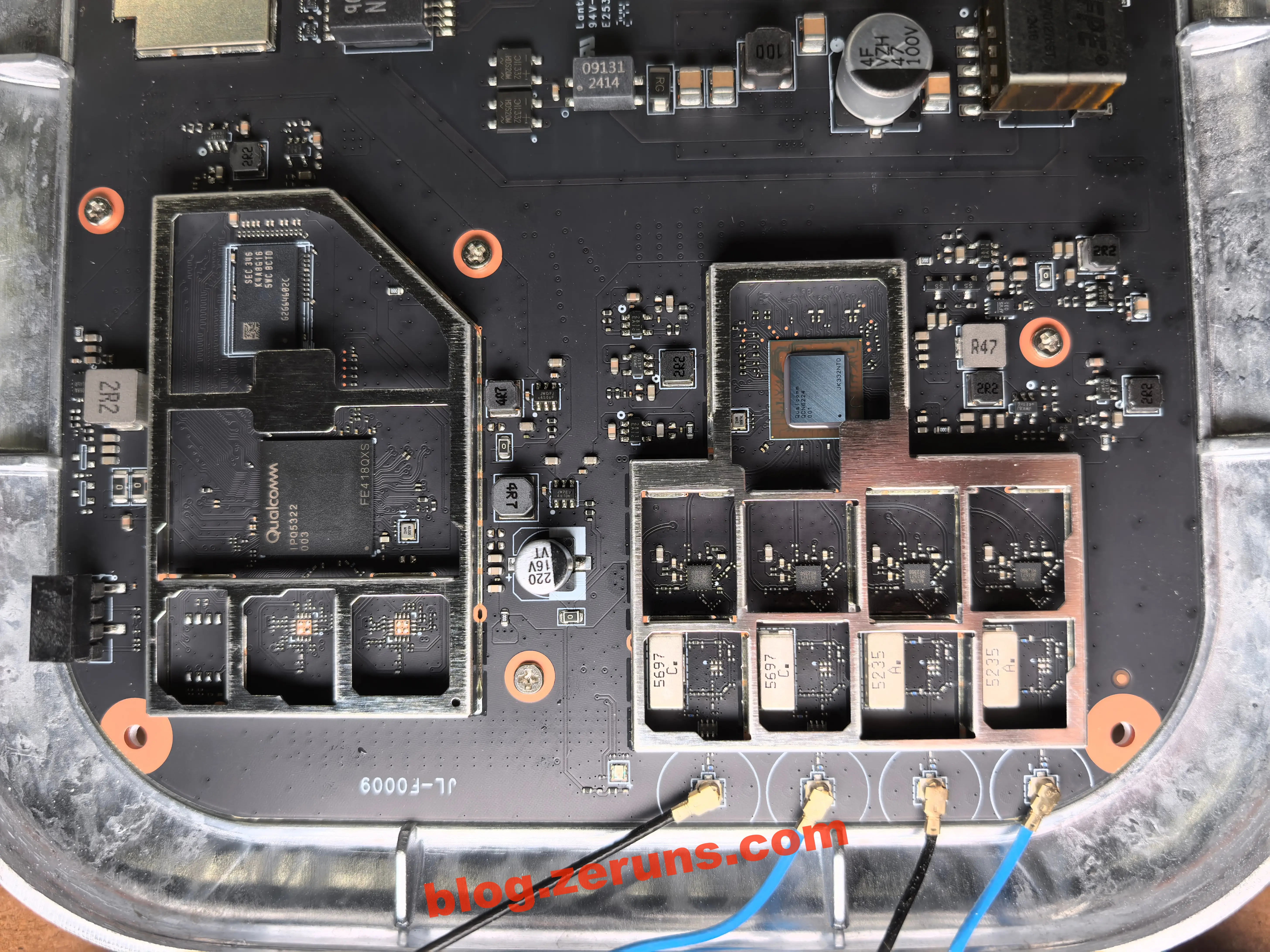
Front side of the mainboard. Major chips are covered by shielding cans. The PCB layout appears high-quality—better than EdgeCore’s Q6000 router.
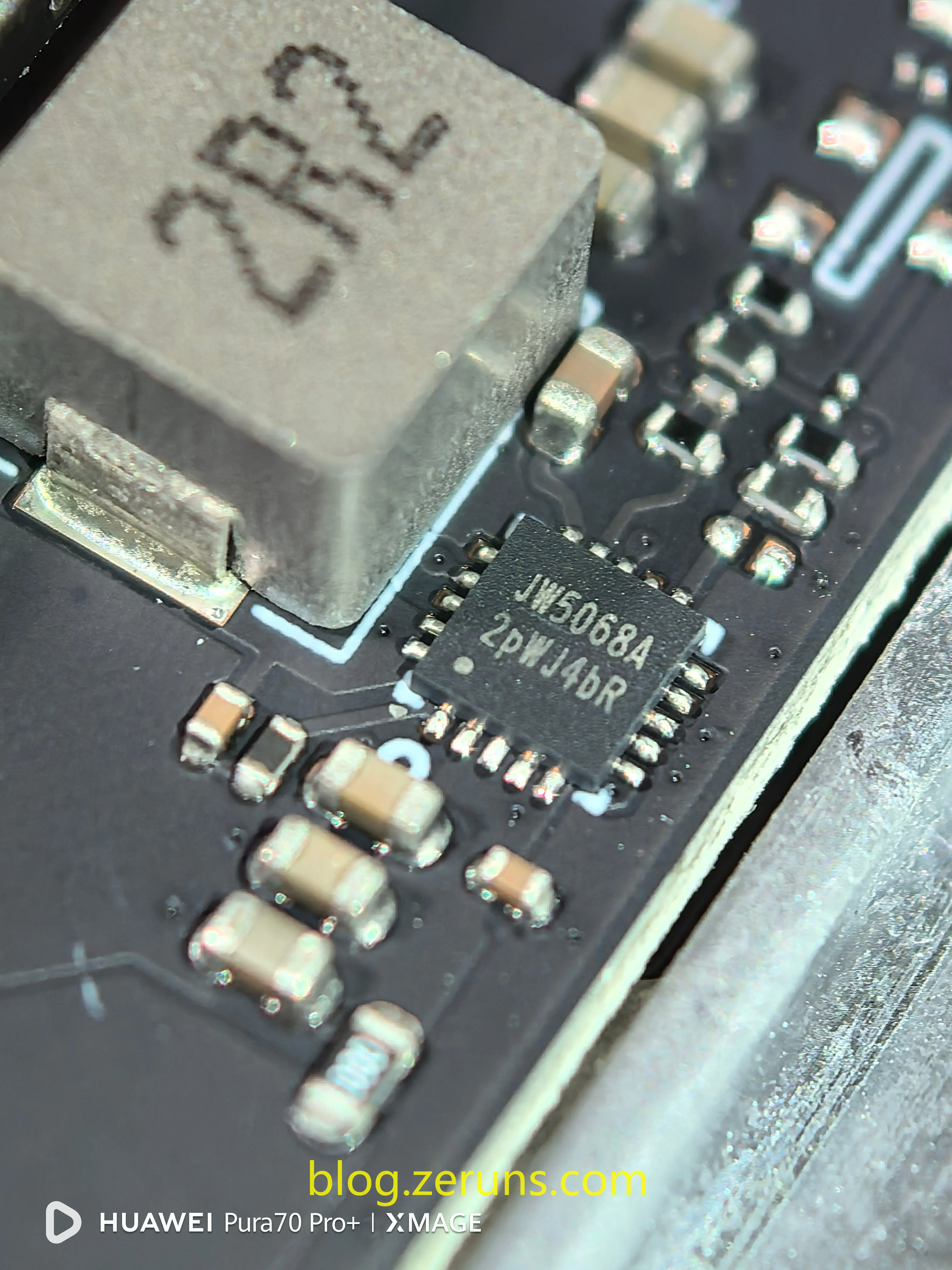
A DC-DC power chip on the right side of the board, model JW5068A from Joulwatt (JW).
The JW5068A is an I2-architecture monolithic buck switching regulator with fast transient response. It supports an input voltage range of 4V–23V, delivers up to 8A of continuous output current, and integrates dual N-channel MOSFETs.
Removed two shielding cans from the front of the mainboard:
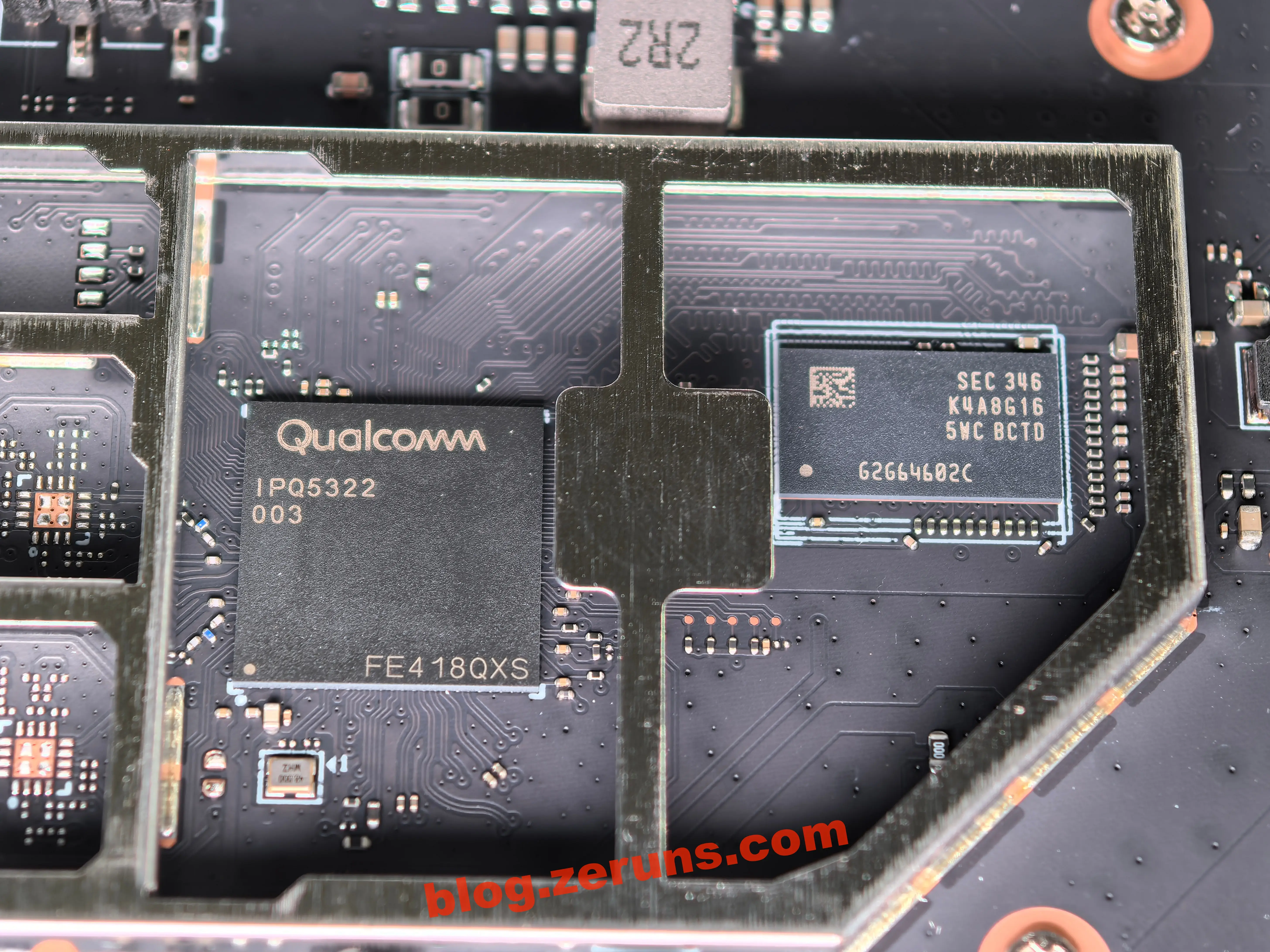
CPU: Qualcomm IPQ5322, quad-core A53 @ 1.5GHz, with integrated 2x2 MIMO 2.4GHz Wi-Fi 7. Maximum wireless speed is 688 Mbps under 40MHz bandwidth and 4096-QAM modulation.
Next to the CPU: Samsung DDR4 memory chip, model K4A8G165WC-BCTD, 8 Gbit (1 GB) capacity. It’s unusual for a ceiling-mounted AP to use such a large memory chip—most routers with the same processor typically use 512MB.
To the left of the CPU are two empty pads, likely intended for an external 2.4GHz FEM. It’s unclear why they were not populated, and no antenna traces are visible.
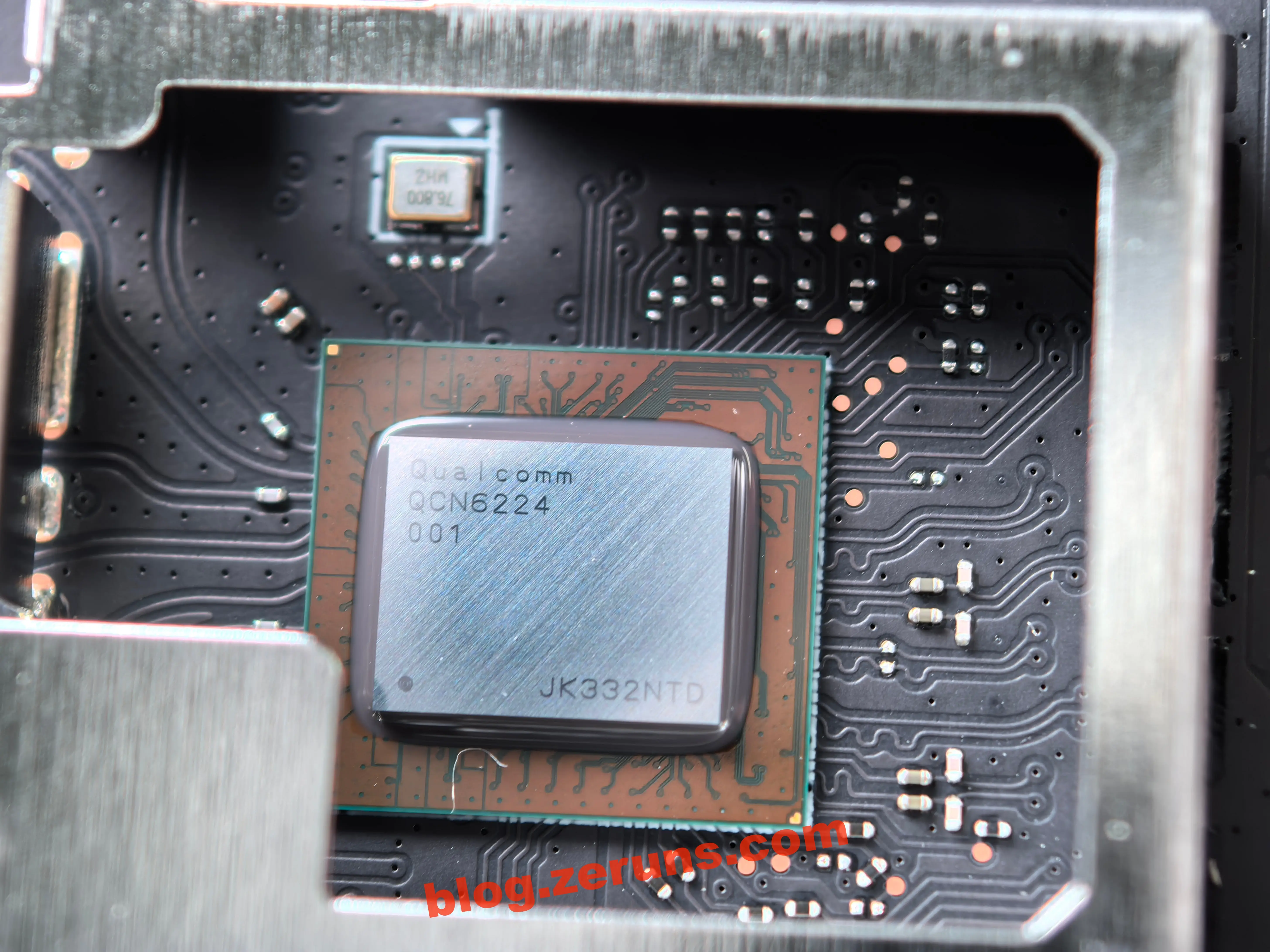
The other shielded area contains the RF chip: Qualcomm QCN6224, built on a 10nm process, supporting dual-band 2.4GHz and 5GHz (no 6GHz support). Maximum speed: 5765 Mbps (4x4 MIMO + 160MHz bandwidth + 4096-QAM modulation).
Likely used to split into two 2x2 MIMO 5GHz radios.
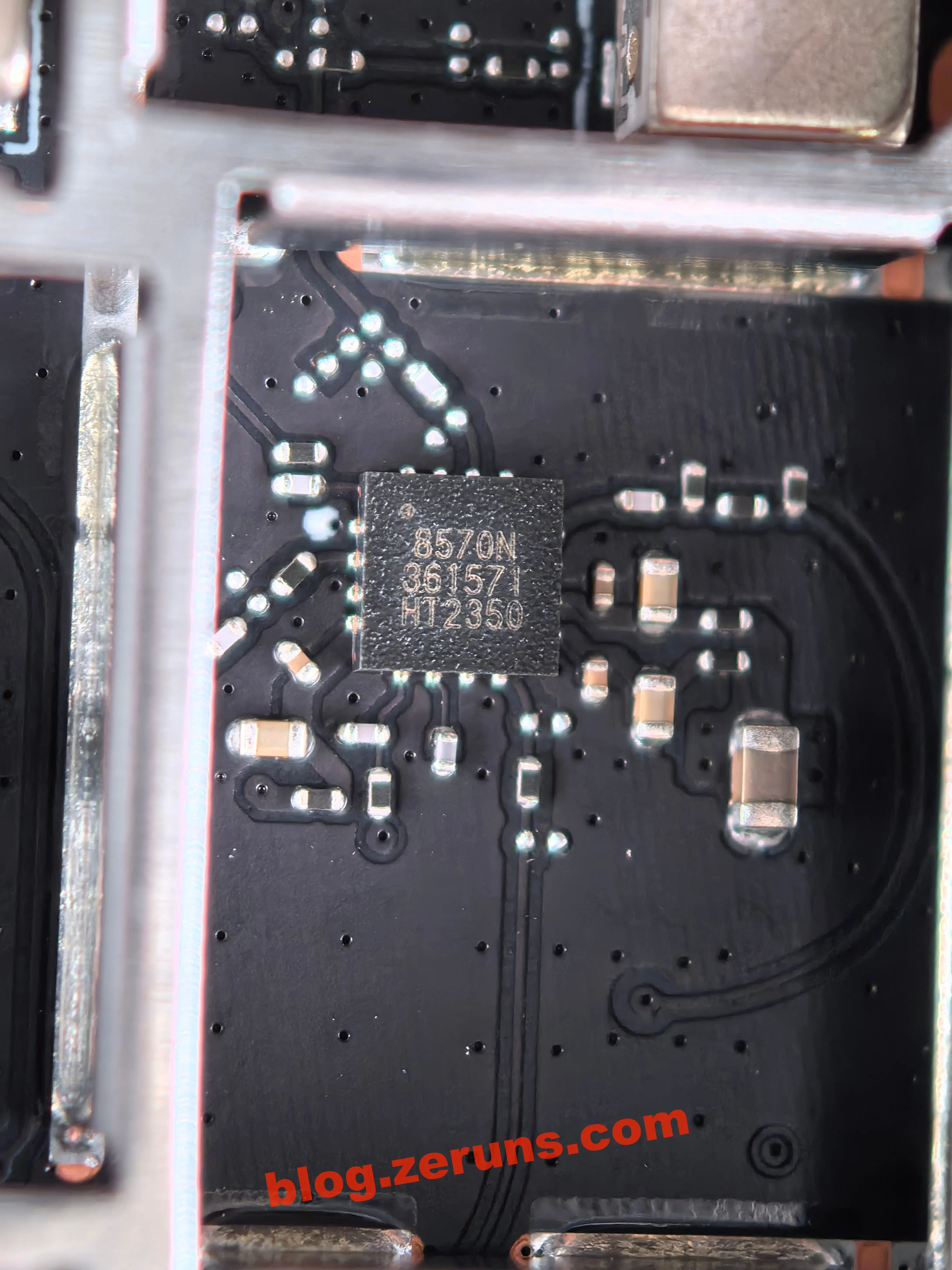
Four external FEM chips, all marked “8570N 361571 HT2350”, are Kangxi Communication (Kangxi) KCT8570N RF power amplifier chips. These belong to a Wi-Fi 7 RF front-end solution designed for the 802.11be standard. They operate in the 5GHz and 6GHz high bands, support 320MHz channel bandwidth, and are manufactured using advanced GaAs technology. Features include high linearity, high efficiency (PAE > 22%), low power consumption, and a typical output power of +18dBm. Suitable for tri-band Wi-Fi routers and enterprise APs. The chip integrates an LNA bypass function, enabling cooperation with FEM modules to meet Wi-Fi 7 requirements for 8x8 MU-MIMO and 4096-QAM modulation.
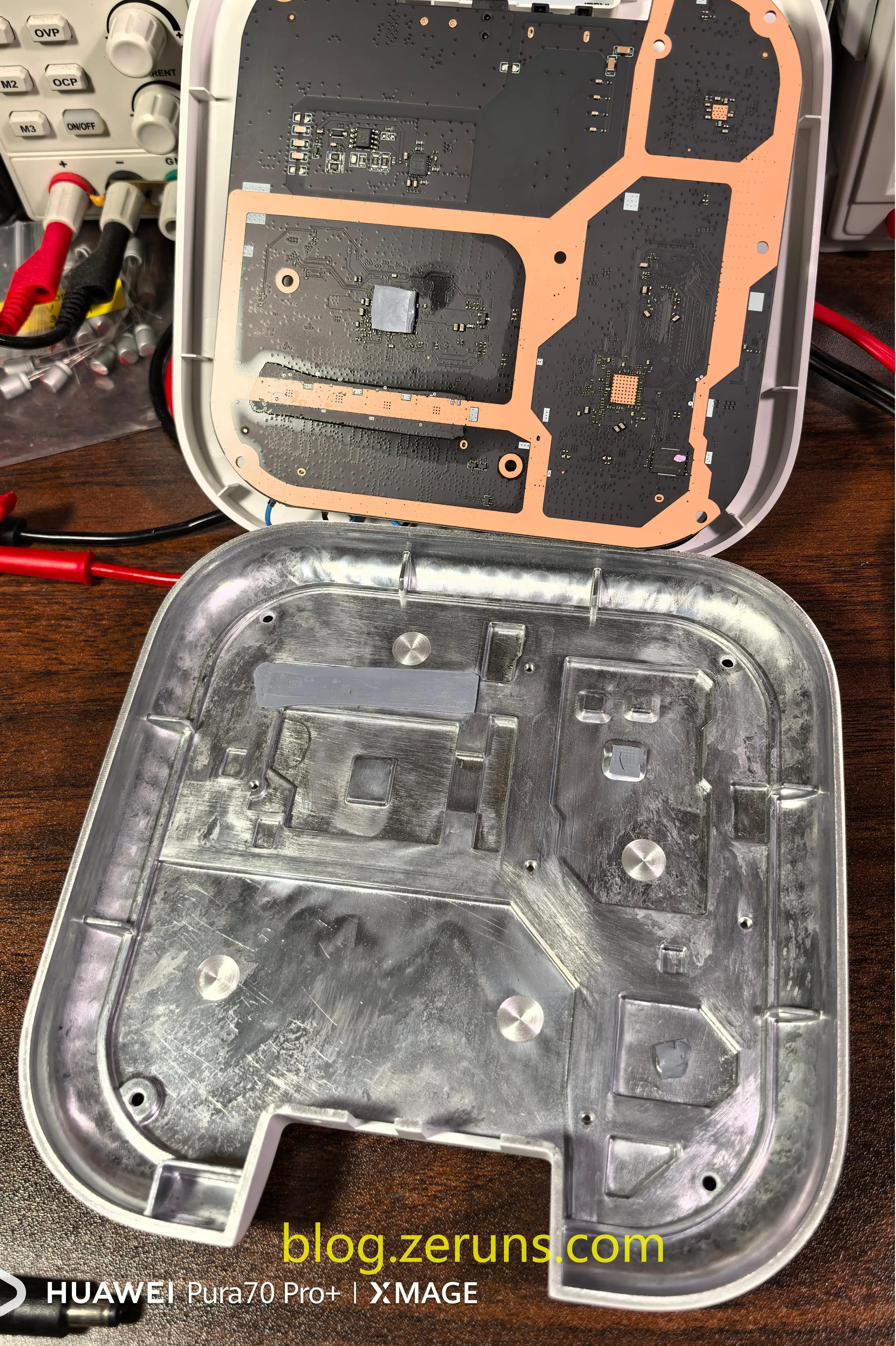
After removing the mainboard, the aluminum alloy base is visible. Thermal pads transfer heat from components to the casing.
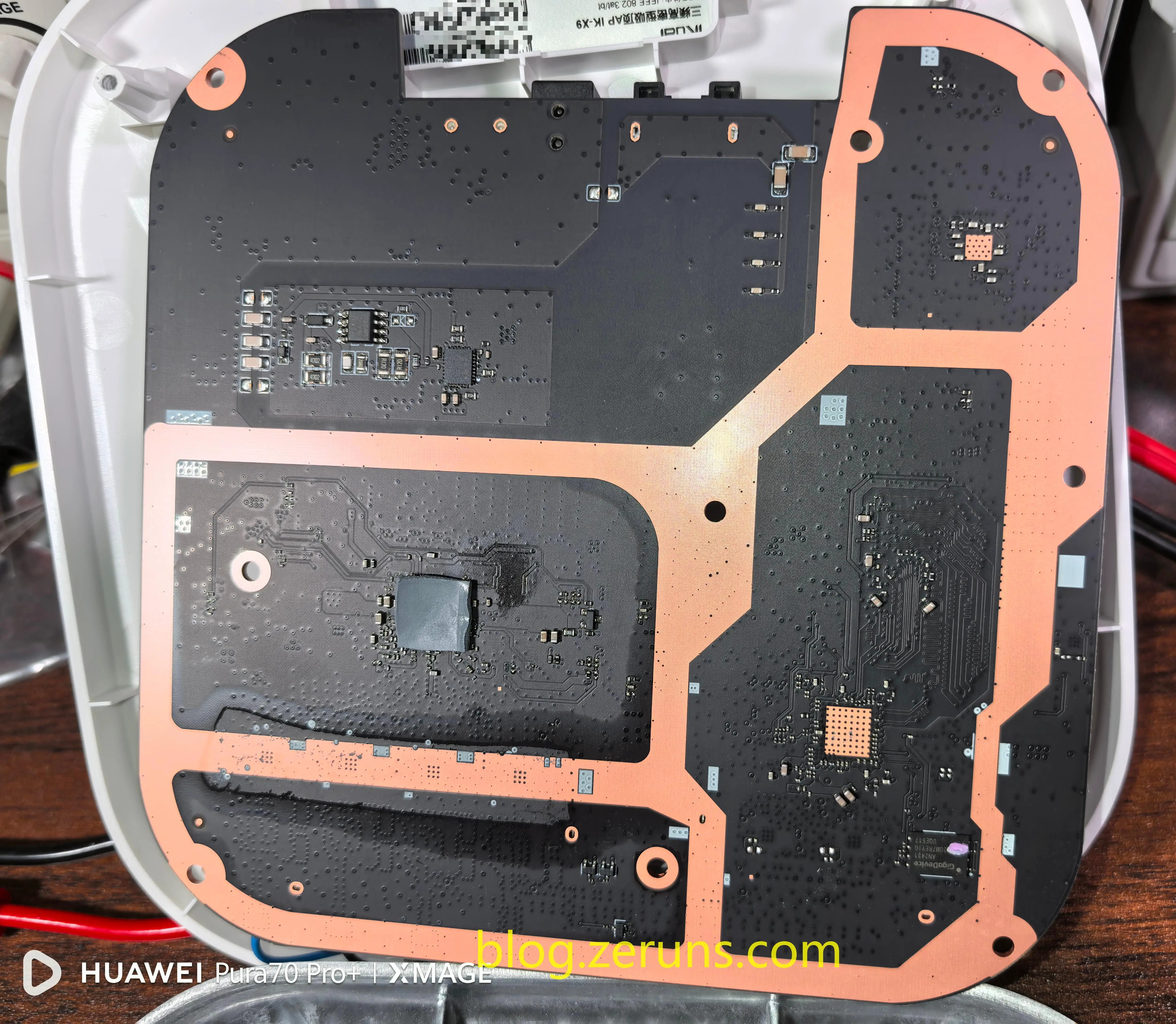
Back side of the mainboard:
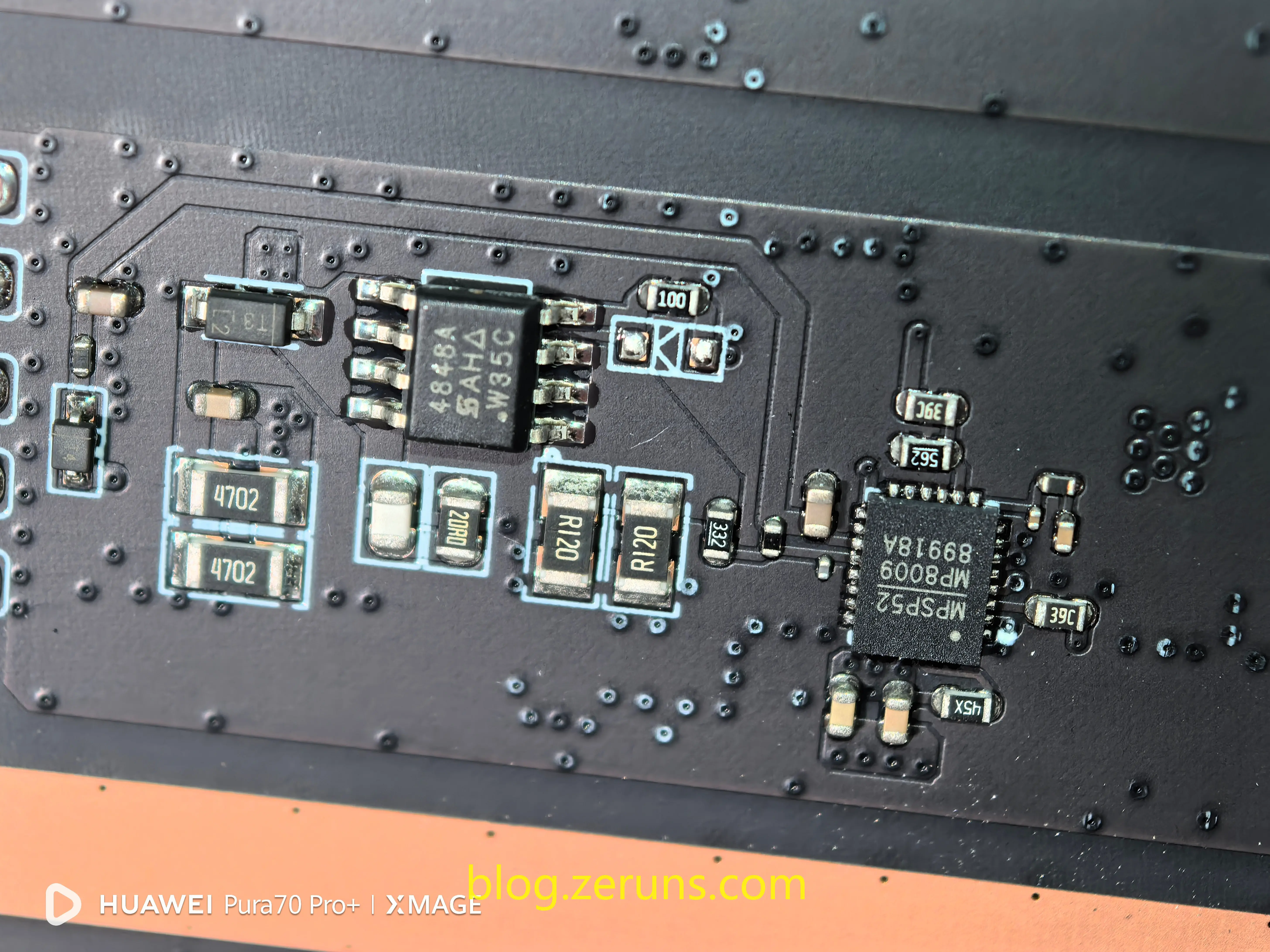
One chip on the back is labeled MP8009. The MP8009 is a fully integrated PoE-powered PD interface power chip that converts the 48V power from Ethernet into 12V or 5V output (up to 25.5W) to power downstream systems. It complies with IEEE802.3af/at standards and is used in IP phones, network cameras, wireless APs, and other industrial, telecom, and imaging applications.
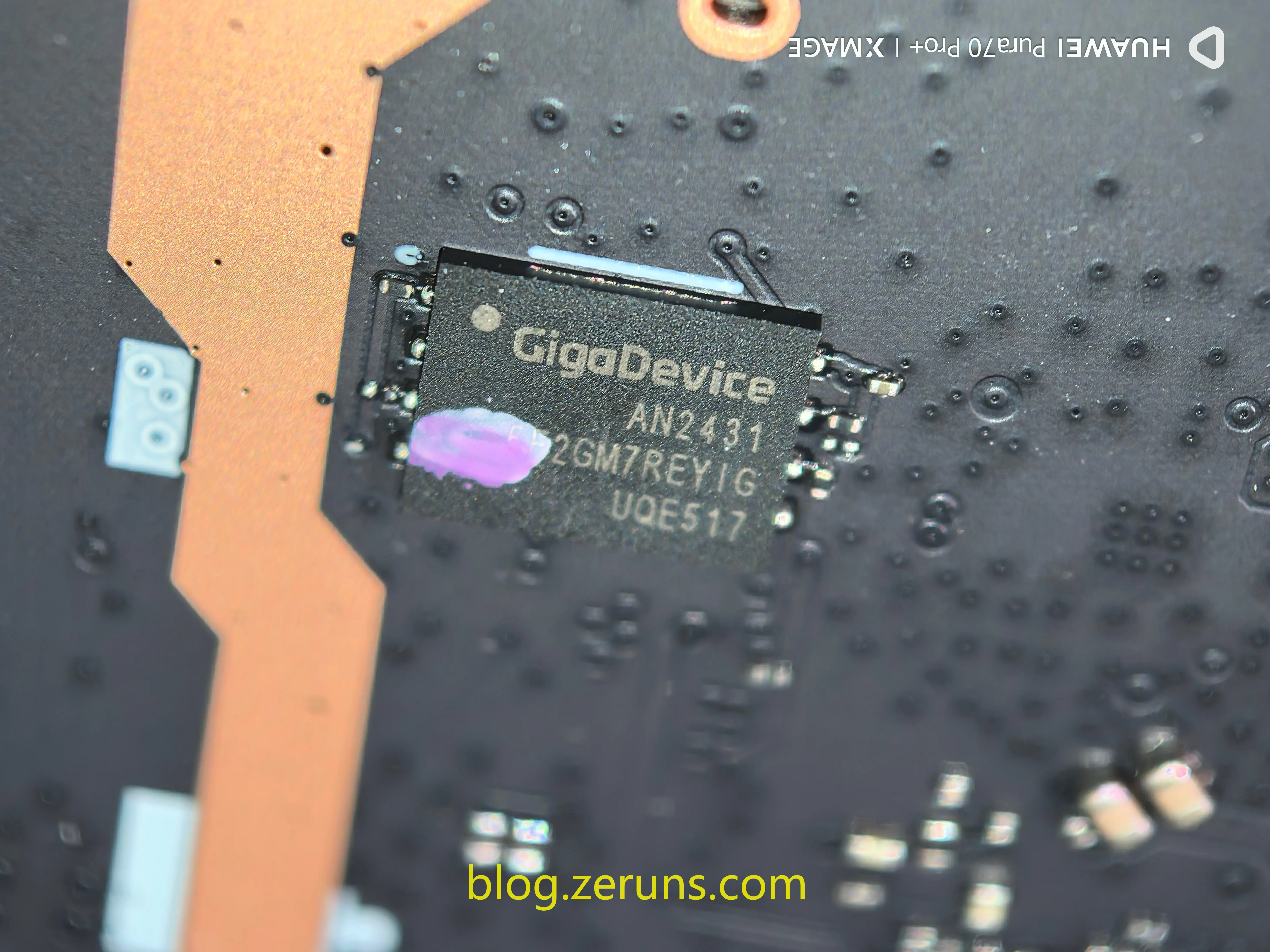
Also present is a GigaDevice (Gigadevice) flash memory chip, model 5F2GM7REYIG, a 2 Gbit (256 MB) SLC NAND Flash, likely used to store the system firmware.
Recommended Reading
- Affordable and High-Performance VPS/Cloud Server Recommendations: https://blog.zeruns.com/archives/383.html
- Unboxing Review of ViewSonic VG2481-4K Monitor – 24-inch 4K: https://blog.zeruns.com/archives/831.html
- NanoKVM Unboxing and Disassembly – Enable BMC/IPMI-like Remote Management on Regular PCs: https://blog.zeruns.com/archives/840.html
- RIHAO USB4 Enclosure + HP FX900Pro 2TB SSD – Quick Unboxing Review: https://blog.zeruns.com/archives/842.html
- Build a Website Instantly! A Step-by-Step Guide to Deploying Halo Blog with 1Panel – Perfect for Business or Personal Sites: https://blog.zeruns.com/archives/858.html
- Private Deployment of DeepSeek – Deploying the DeepSeek-R1 LLM on Cloud Servers Using Ollama + OpenWebUI: https://blog.zeruns.com/archives/853.html
English Version of the Article: https://blog.zeruns.top/archives/33.html